AcruxCore vs Helicone: two request-path gateways compared
Helicone is an LLM gateway and observability tool. You point your OpenAI client at its base
URL, and it logs each call, caches responses and applies rate limits. AcruxCore also puts a
gateway in the request path, and adds versioned prompts, a tool catalog and evaluations around
it. We rebuilt the support prompt vip-support-triage on a self-hosted Helicone and on
AcruxCore, and timed both gateways against a direct call to OpenAI.
The short answer: the two gateways added about the same small delay. Helicone is ahead on
controls per end user: rate limits per user, user metrics, and alerts on error rate or latency
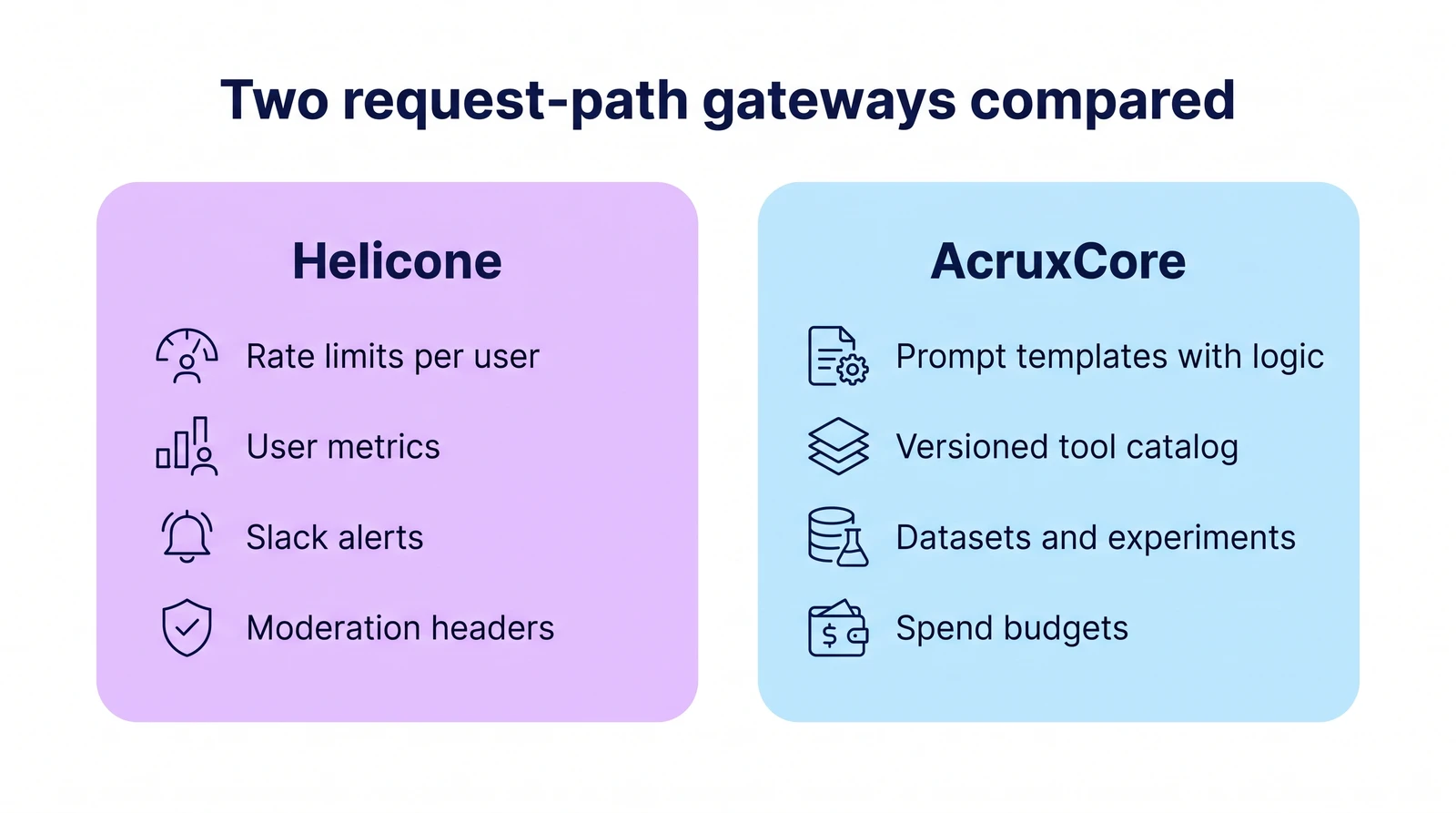
sent to Slack. AcruxCore is ahead on what sits around the call: prompt templates with
{% if %} and {% for %}, a versioned tool catalog, datasets and experiments, and spend
budgets that refuse a call before it reaches the provider.
AcruxCore is our product. Each script we ran is linked next to its result.
On 3 March 2026 Mintlify acquired Helicone and said it would run in maintenance mode: "security updates, bug fixes, and new models will keep shipping." On 2 November 2026, a banner on helicone.ai reads "Helicone is no longer part of Mintlify. Details to come soon."
How we tested
- Helicone: self-hosted with its
docker composesetup, in August 2026. We have no Helicone Cloud account. Where this post describes a Helicone feature we did not run, it links the Helicone docs page, read on 2 November 2026. - Model:
openai/gpt-4o-minithrough OpenRouter for the prompt work, andgpt-4o-minionapi.openai.comfor the latency benchmark. - Setup errors on our self-hosted install: the Playground's Run returned "Invalid session",
and the manual logging endpoint returned HTTP 500 "Region is missing", because our compose
file set no
S3_REGION. These came from our install, so we do not count them against Helicone, and they do not appear in the tables below. - AcruxCore in the benchmark: a local gateway. Hardware not recorded.
At a glance
| Aspect | Helicone | AcruxCore |
|---|---|---|
| Request-path gateway | Yes: base URL change; the hosted gateway lists 100+ providers | Yes: OpenAI, Anthropic, Gemini, and any OpenAI-compatible base URL |
| Pays the provider for you | Yes: Helicone credits on the hosted gateway | No: every call uses your own provider key |
| Prompt templating | Partial: flat {{hc:name:type}} variables, no conditionals or loops | Yes: Nunjucks {% if %} / {% for %}, Diff tab |
| Response cache | Yes: per request, with several replies per request if you want | Yes: per virtual key with a TTL, one reply per exact request |
| Rate limits | Yes: by request or cost, globally, per user or per custom property | Partial: requests and tokens per virtual key, nothing per user |
| Spend budgets | Partial: a rate-limit policy can count cents | Yes: per team or key, refuses the call with a 402 |
| Per-user metrics | Yes: one Helicone-User-Id header | No: a user id in trace metadata can be filtered, with no metrics page |
| Alerts | Yes: error rate, cost, latency, tokens, requests; email or Slack | Partial: email only, on budgets and online eval scores |
| Tool catalog | No: none found in the navigation | Yes: versioned tools, executed by the gateway, with analytics |
| Datasets and experiments | Partial: datasets curated from logged requests; experiments not tested | Yes: datasets, version × model experiments, online eval rules |
| MCP server | Partial: three tools, all read or send | Yes: also commits and promotes prompts and runs experiments |
| Self-hosting | Yes: several services, ClickHouse among them | Yes: Postgres and Redis |
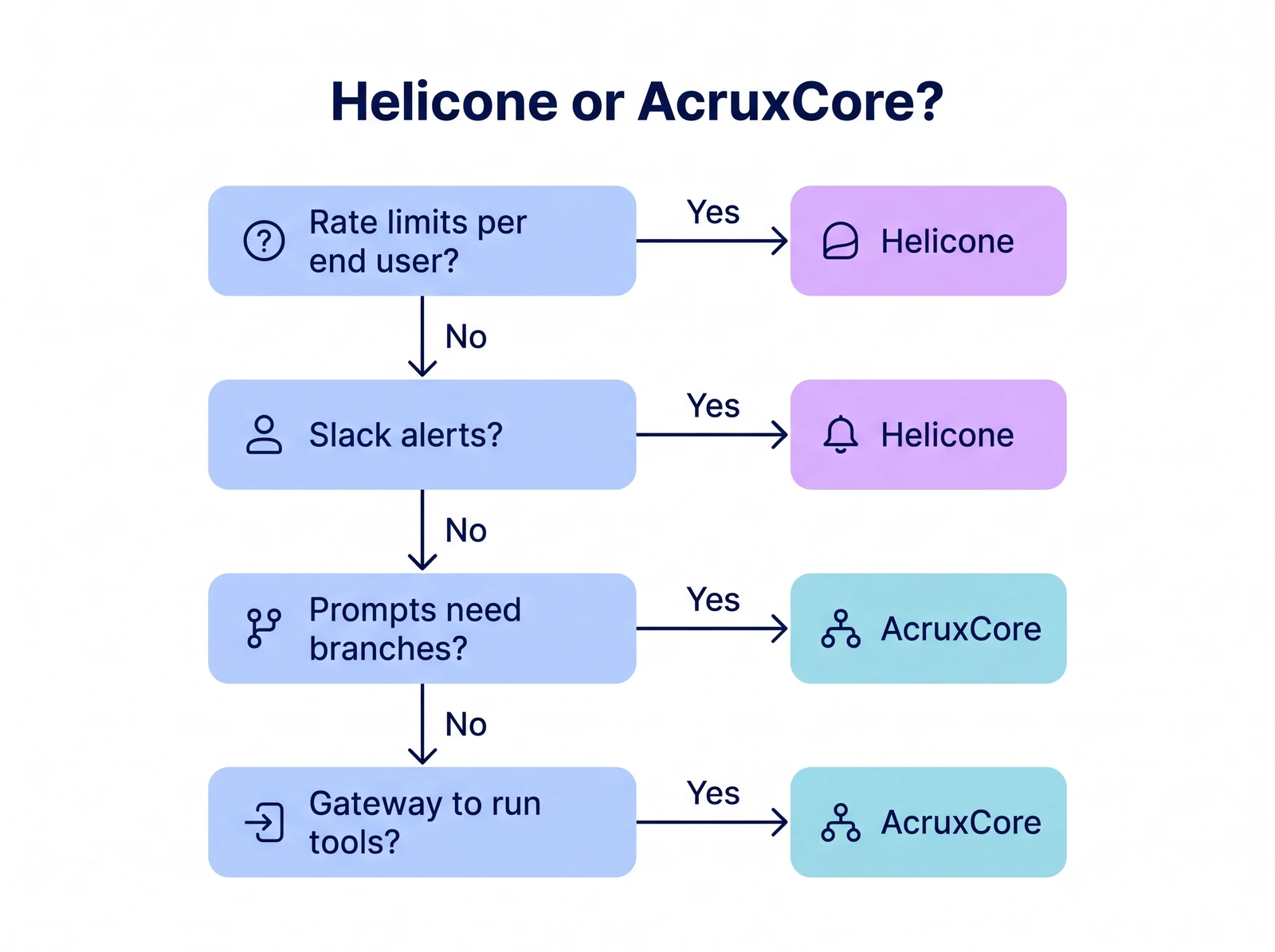
- Pick Helicone if you need rate limits per end user, user metrics, Slack alerts, or one bill for 100+ providers through Helicone credits.
- Pick AcruxCore if your prompts need branches, versions and aliases, or you want a tool catalog, evaluations and spend budgets on the same gateway.
License, pricing, team structure, security, and community stats: see AcruxCore vs Helicone on the compare page.
Where the platform sits
Both tools sit in the request path. Your app sends the call to the gateway, and the gateway calls the provider.
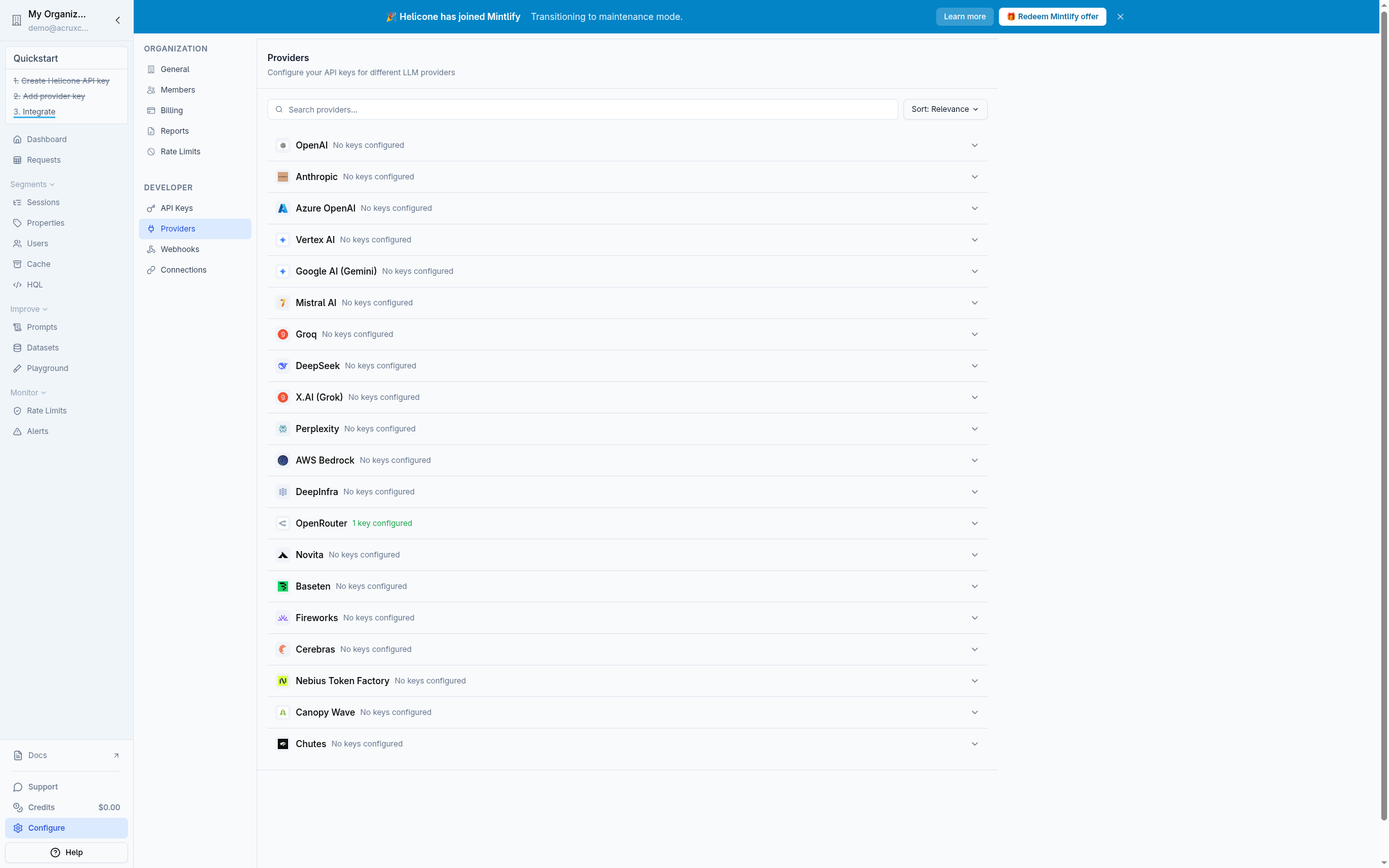
On Helicone, you change the base URL to https://ai-gateway.helicone.ai and pass a Helicone
API key (Helicone quickstart). Headers
then switch features on for each call: Helicone-Cache-Enabled, Helicone-RateLimit-Policy,
Helicone-Session-Id and others
(header directory). The hosted
gateway can also bill you from Helicone credits, with Helicone managing the provider keys
(Helicone gateway).
On AcruxCore, you add a provider credential and register each model once. Your app then sends calls with a virtual key. Most settings live on that key, not on each request: the models it may call, its request and token limits, and its cache TTL (virtual keys). AcruxCore does not sell model access.
Show screenshot: gateway provider setup on Helicone
| Feature | Helicone | AcruxCore |
|---|---|---|
| Where settings live | Partial: mostly in headers on each call | Yes: on the virtual key, with a few per-call overrides |
| Retries and fallbacks | Yes: Helicone-Retry-Enabled, Helicone-Fallbacks header | Yes: retries on by default, fallback models set once on the model |
| Leave payloads out of the log | Yes: request and response separately | Partial: both bodies together, per call or as a team default |
Prompt authoring & versioning
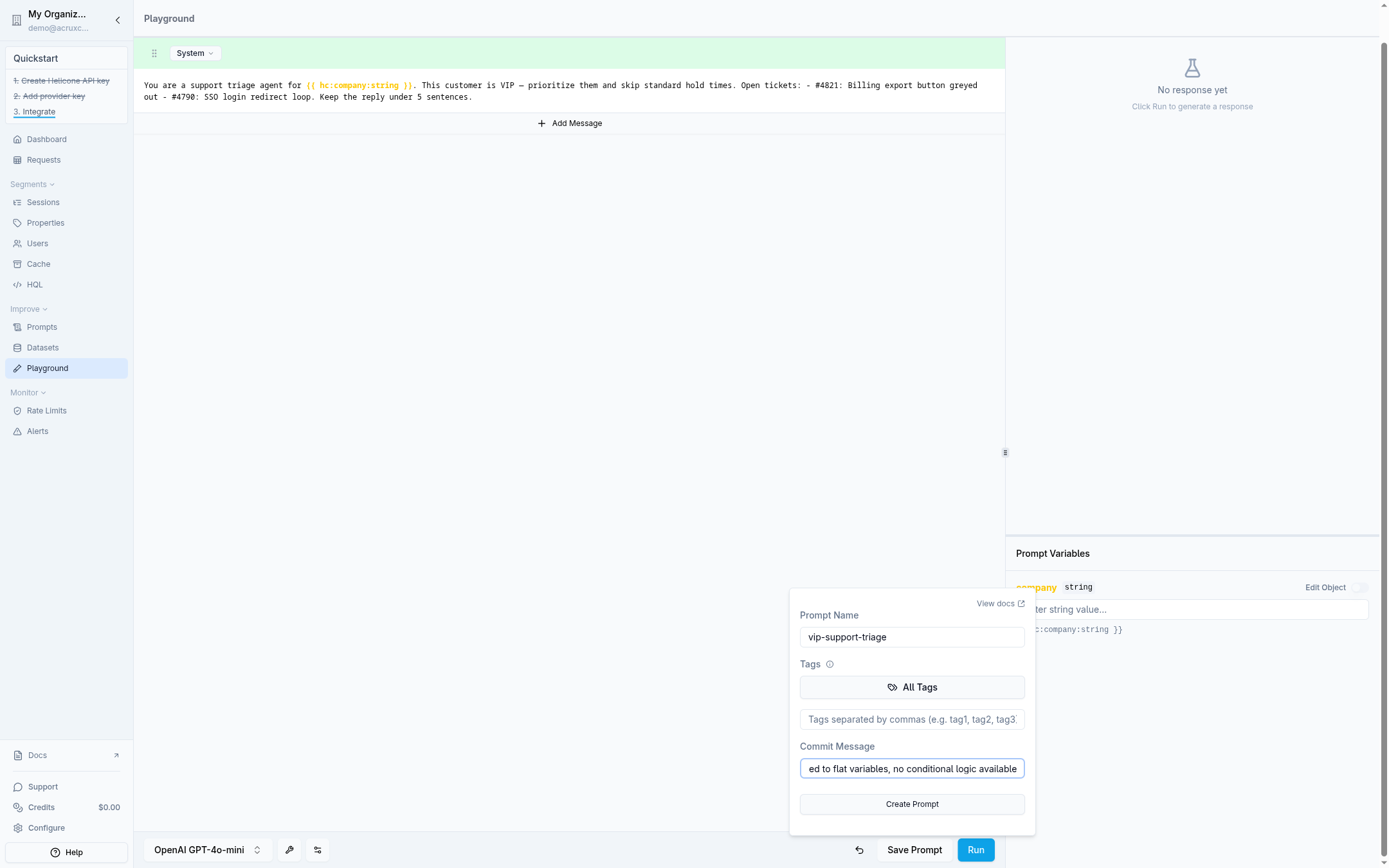
Helicone prompt variables use the format {{hc:name:type}}, such as {{hc:company:string}}
(Helicone prompts). We found
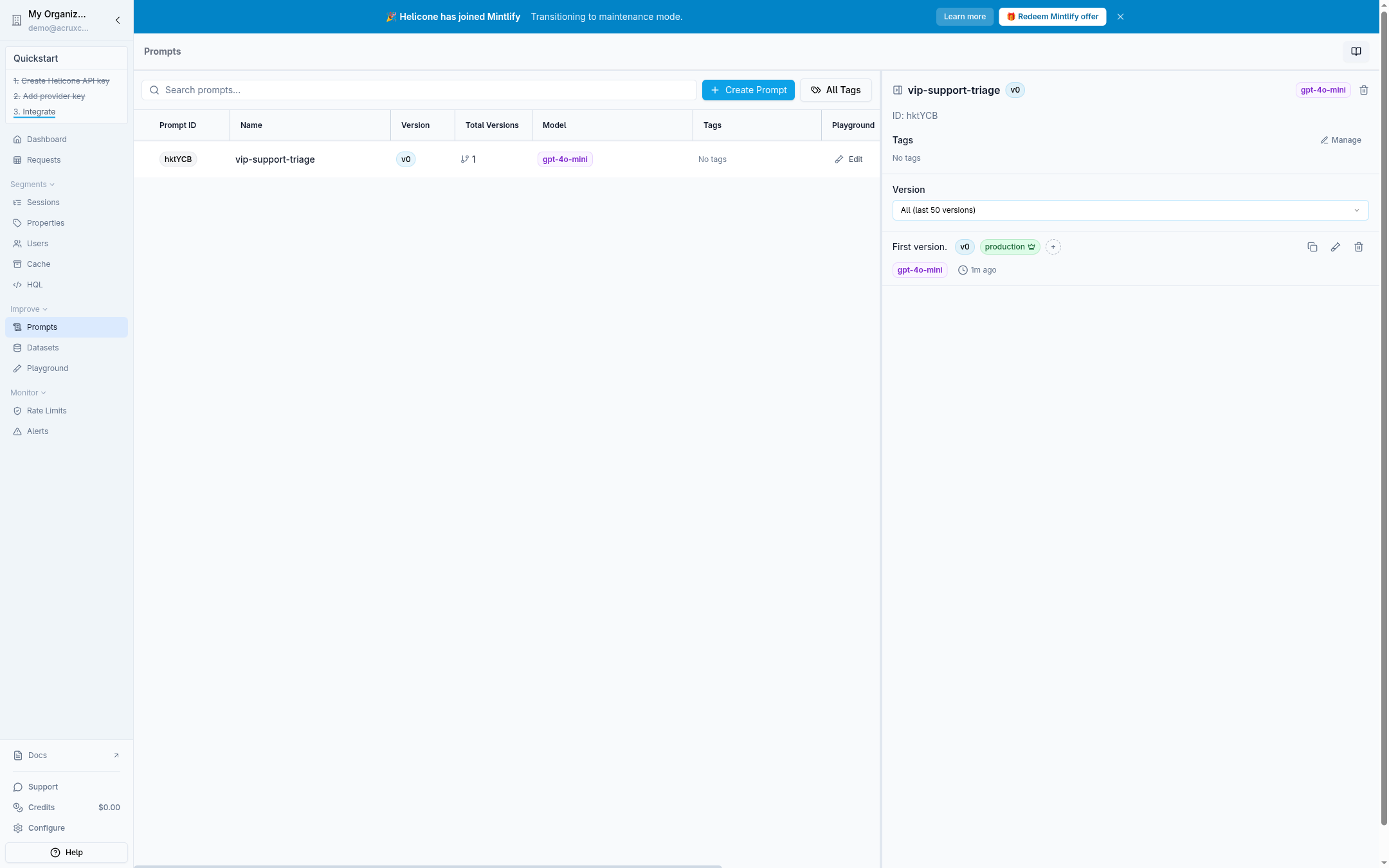
no conditionals or loops. To rebuild vip-support-triage, we flattened its VIP branch and its
list of open tickets into plain text variables. Saving created v0, labeled production.
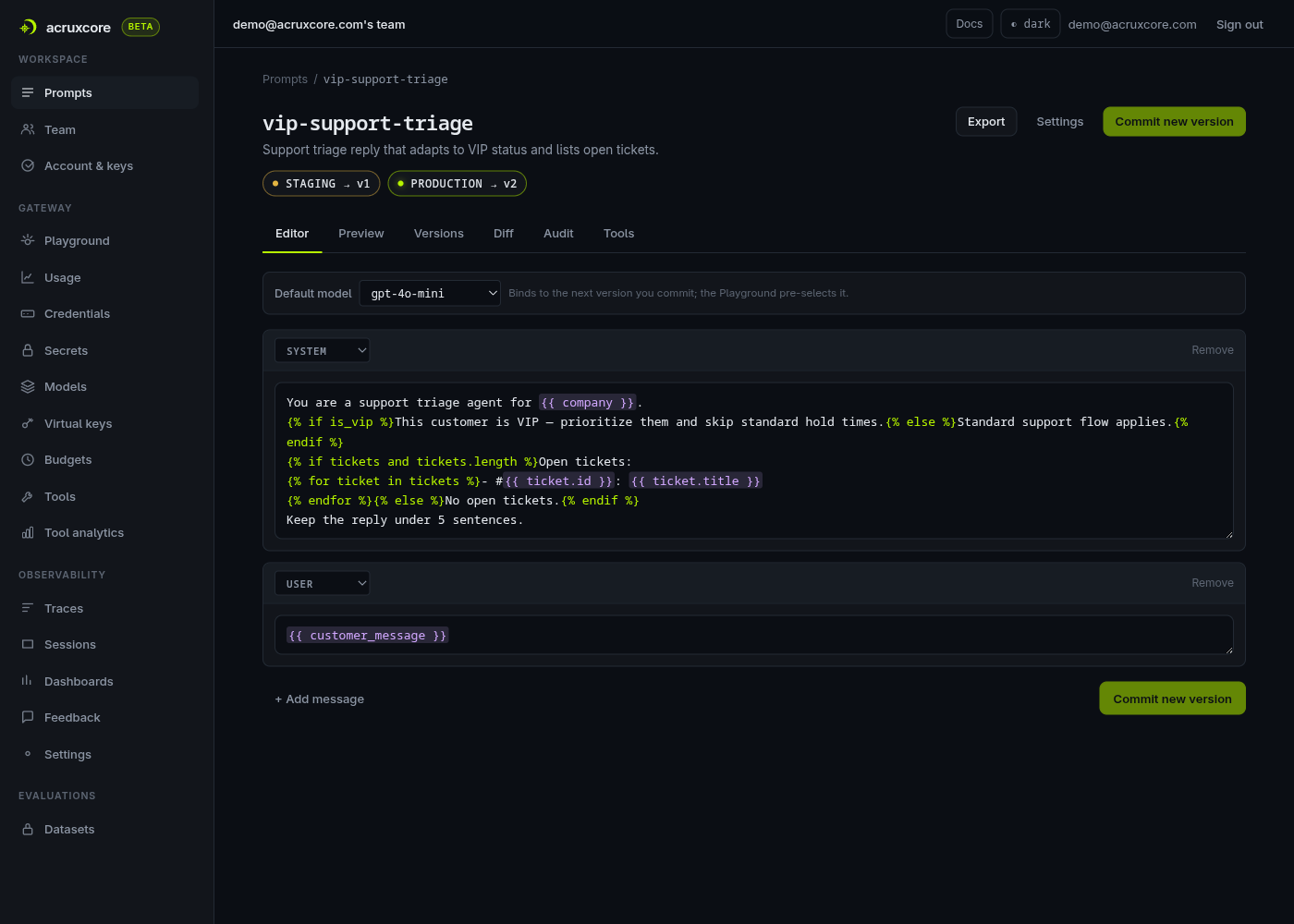
AcruxCore templates use Nunjucks. The VIP branch stays a {% if %} and the ticket list stays a
{% for %} in the template
(conditional logic).
The first commit creates production and staging aliases, and the Diff tab compares any two
versions.
Show screenshots: prompt editor on both platforms
| Feature | Helicone | AcruxCore |
|---|---|---|
| Conditional templating | No: flat {{hc:name:type}} substitution | Yes: Nunjucks {% if %} / {% for %}, rendered server-side |
| Environments | Yes: development, staging, production | Yes: production / staging aliases your code fetches |
| Use a stored prompt in a call | Yes: prompt_id and inputs in the body | Yes: a prompt reference in the gateway call |
Tracing & observability
Helicone logs each call that passes through its gateway. A Helicone-Session-Id header groups
calls into a session, and Helicone-Session-Path places each call in a parent and child tree
(Helicone sessions). Helicone-Property-<Name>
headers add custom properties you can filter on.
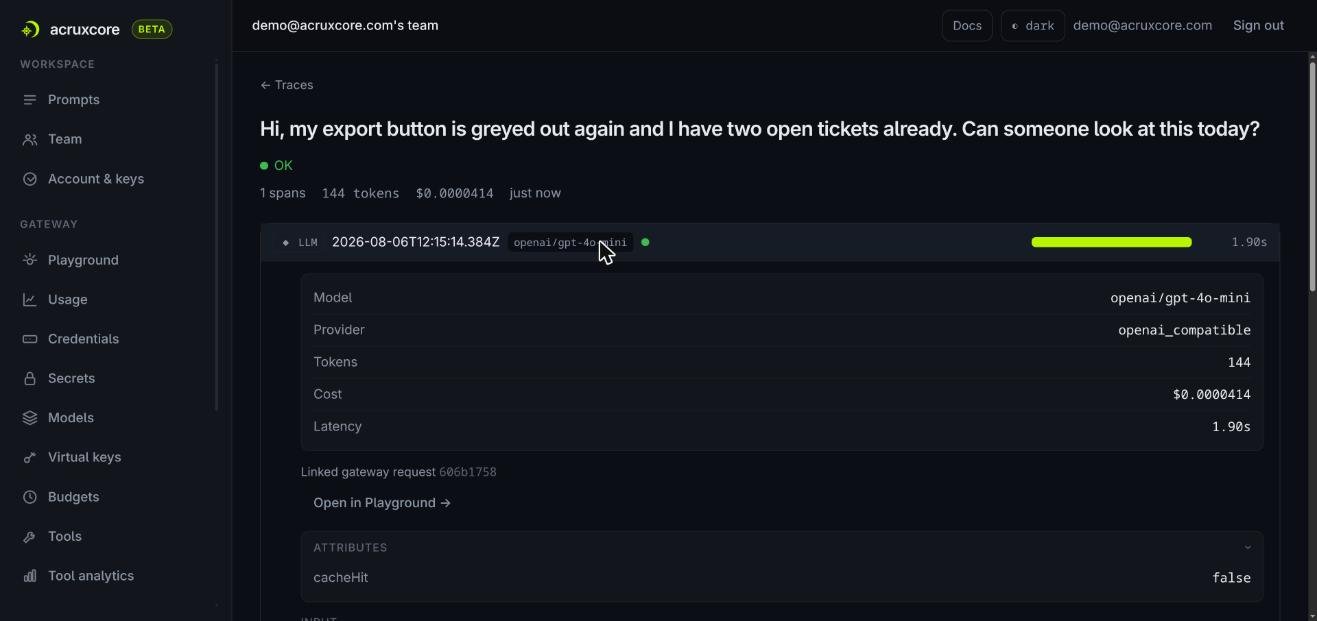
AcruxCore writes one span for each gateway call, with model, tokens, cost and latency.
x-session-id groups calls into a session, the same x-trace-id on several calls puts them in
one trace, and x-trace-metadata adds key and value pairs you can filter on
(tags and metadata).
Show screenshot: an AcruxCore trace
| Feature | Helicone | AcruxCore |
|---|---|---|
| Sessions | Yes: session id, name and path tree | Yes: session id, plus a shared trace id across calls |
| Custom properties | Yes: one header per property | Yes: one JSON header, plus tags |
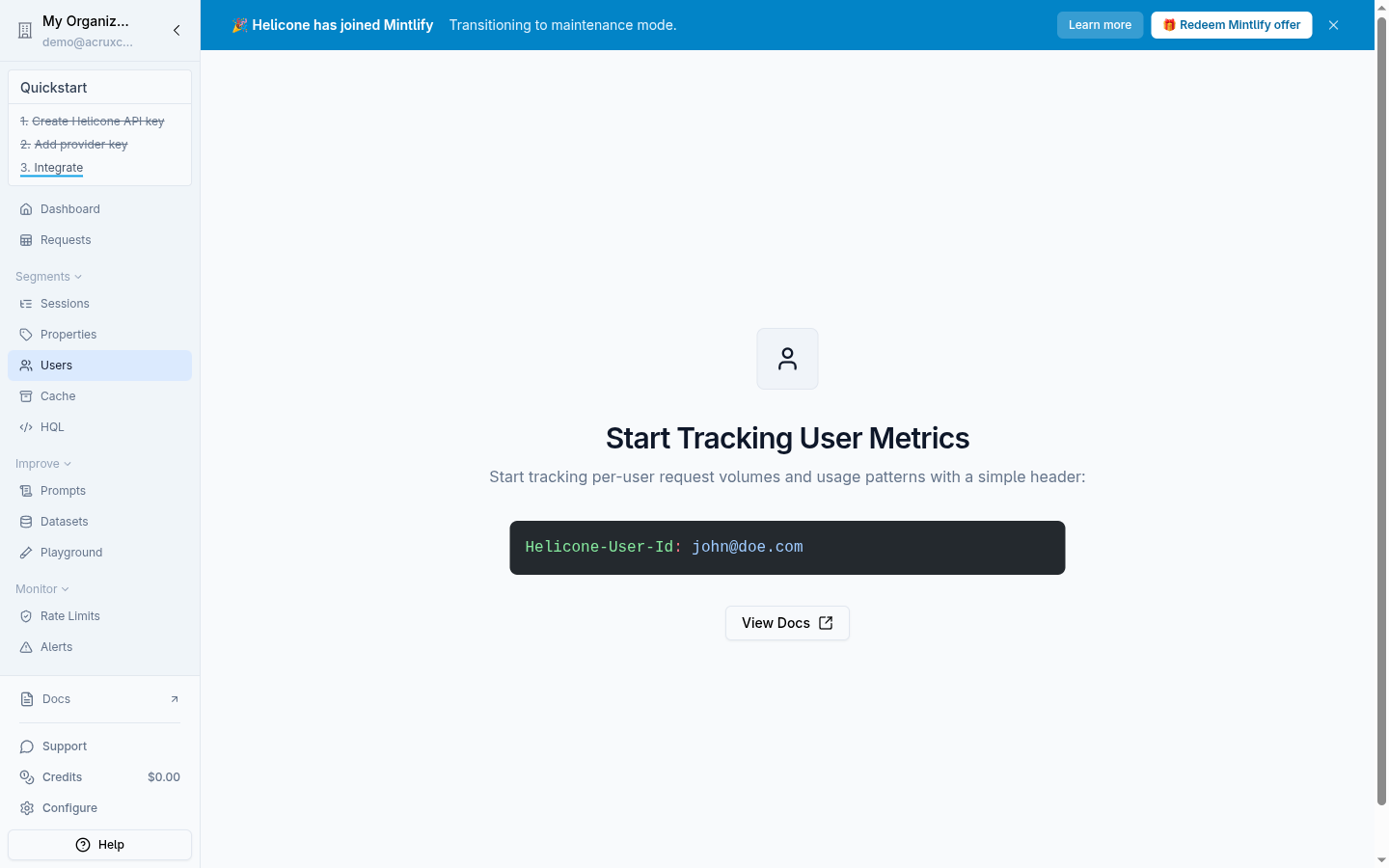
| Per-user view | Yes: user metrics from Helicone-User-Id | No: filter traces by a user id in metadata |
Rate limits, budgets and alerts
This is where Helicone does more.
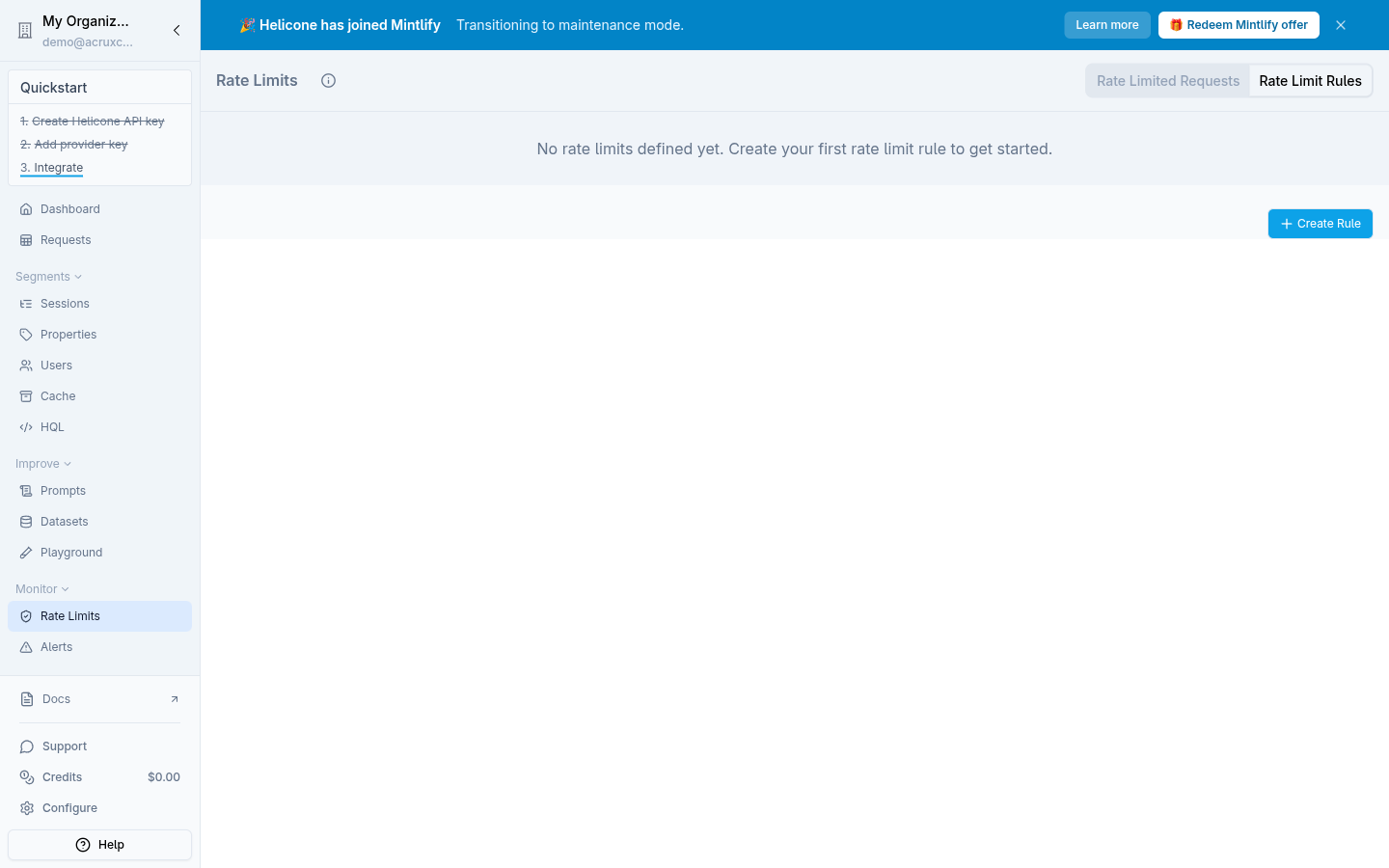
Helicone-RateLimit-Policy: 1000;w=86400;s=user gives each end user 1,000 requests a day. The
segment can also be a custom property, and the unit can be cents
(Helicone rate limits).
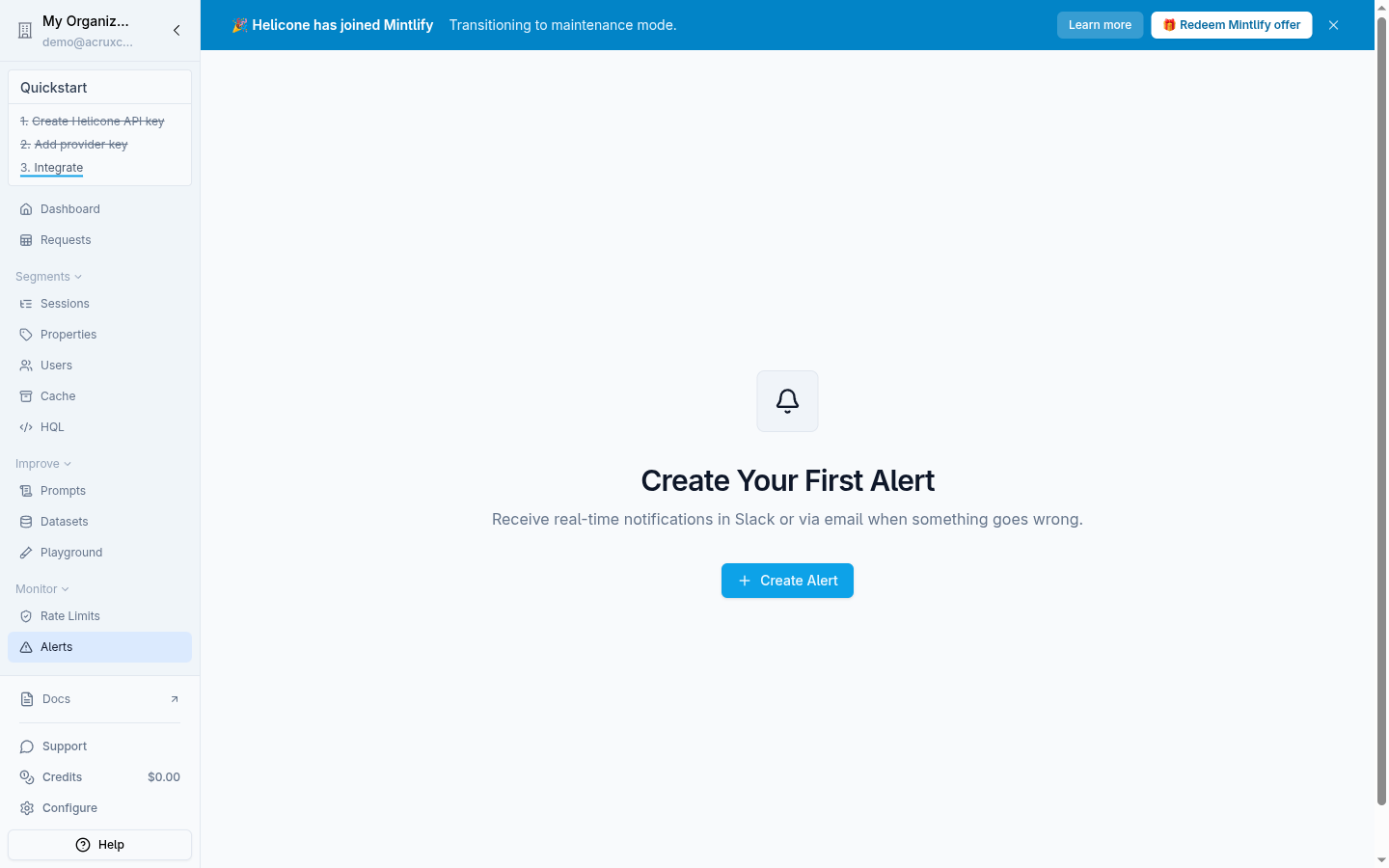
Helicone alerts watch error rate, cost, latency, tokens and request count, and notify by email
or Slack (Helicone alerts). Helicone's pricing page
lists alerts on Pro, at $79 a month.
AcruxCore limits requests and tokens per virtual key, with no limit per end user. It adds spend budgets per team or per key, by day, week, month or in total. A call over budget gets a 402 before it reaches the provider (budgets and rate limits). AcruxCore sends email when a budget passes 80% or runs out, and when an online eval rule's daily mean score falls below its threshold. It has no Slack alerts and no alerts on error rate or latency.
Show screenshots: rate limit rules, per-user tracking and alerts on Helicone
| Feature | Helicone | AcruxCore |
|---|---|---|
| Rate limit per end user | Yes: s=user or a custom property | No |
| Rate limit per key | Yes: global policy | Yes: requests and tokens per minute on each virtual key |
| Spend cap that stops calls | Partial: a rate-limit policy counted in cents | Yes: team and key budgets, 402 before the provider call |
| Alerts on error rate or latency | Yes: email or Slack | No |
Key point: Helicone can limit each end user and send alerts to Slack. AcruxCore limits each virtual key, caps spend with budgets, and sends alerts by email only.
Tools
We checked every section of Helicone's navigation (Segments, Improve and Monitor) and found no tool catalog: no place to define a tool's schema, and no record of tool executions.
AcruxCore has a Tool Catalog. You define the tools a model can call, version them like prompts, and the gateway runs them. Each tool has its own page with calls, error rate and latency (create a tool).
| Feature | Helicone | AcruxCore |
|---|---|---|
| Tool catalog | No: none found in the navigation | Yes: versioned catalog with its own page |
| Tool analytics | No | Yes: calls, error rate and latency per tool |
Evaluation & datasets
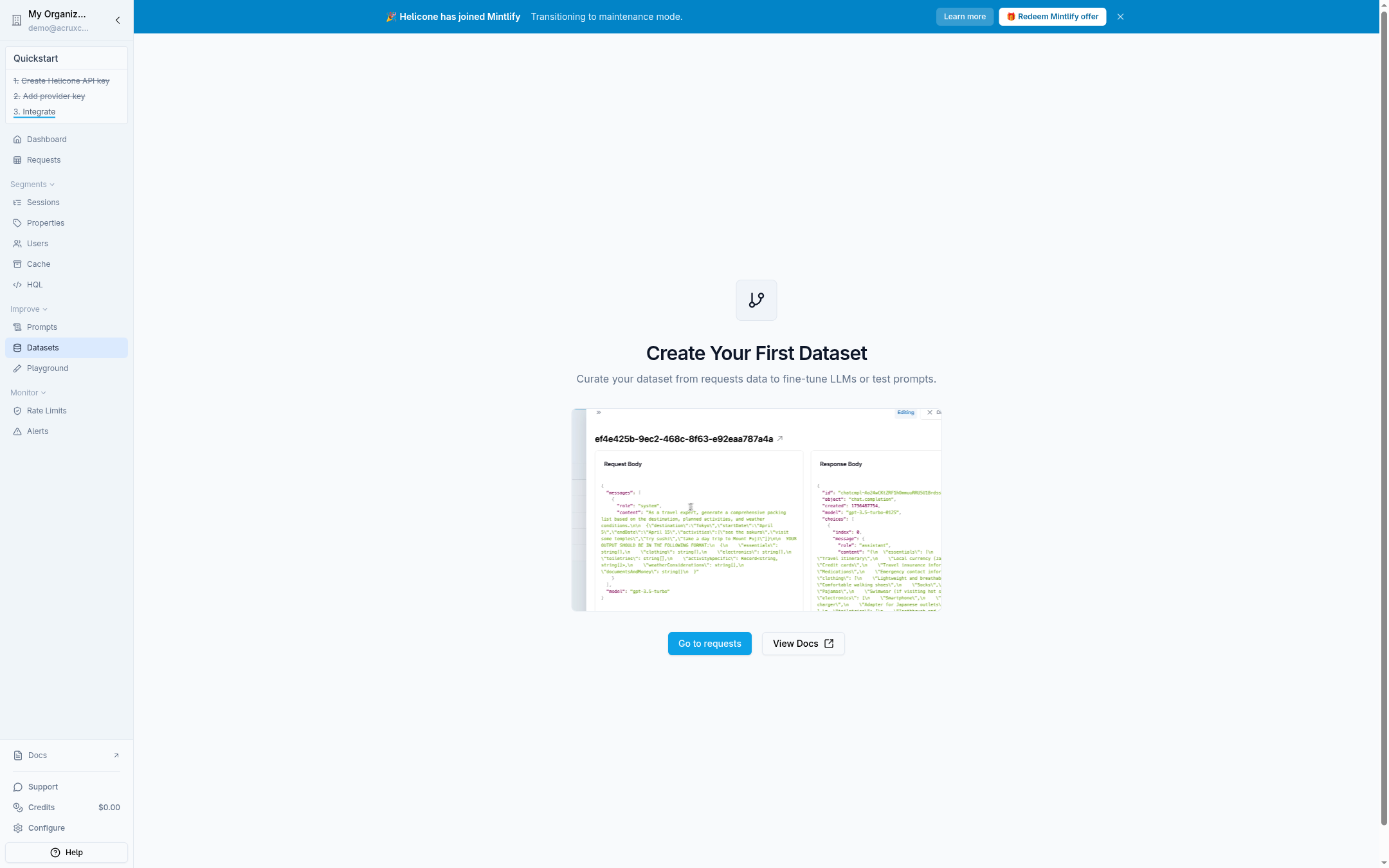
Helicone's Datasets page builds a dataset from logged requests: "Create Your First Dataset" links to the Requests page. We did not test Helicone's experiments or scoring.
AcruxCore builds datasets from trace feedback, manual entry, the API or a CSV or JSON file. Experiments run several prompt versions on several models against a baseline, and online rules score a sample of live calls (evaluate a prompt).
Show screenshot: Datasets page on Helicone
| Feature | Helicone | AcruxCore |
|---|---|---|
| Dataset creation | Yes: curated from logged requests | Yes: trace feedback, manual entry, API, or a CSV/JSON file |
| Experiments | Not tested | Yes: version × model sweep with a baseline |
| Online scoring of live calls | Not tested | Yes: rules with a built-in or custom judge |
SDK & developer experience
Both tools work with the OpenAI client you already use. On Helicone, the change is the base URL and the key:
client = OpenAI(
    api_key=os.environ["HELICONE_API_KEY"],
    base_url="https://ai-gateway.helicone.ai",
)
On AcruxCore, the same OpenAI client works with the gateway's base URL and a virtual key. The
AcruxCore SDK also has its own calls for stored prompts: hub.prompts.render(), then
hub.gateway.chat(), which writes the trace and links it to the prompt version.
rendered = await hub.prompts.render("vip-support-triage", "production", VARIABLES)
result = await hub.gateway.chat(
    rendered.model, rendered.messages,
    temperature=0, max_tokens=256,
    prompt_version_id=rendered.version_id,
)
Helicone's MCP server has three tools: send a request through the gateway, query requests and query sessions. AcruxCore's MCP server can also commit and promote prompts, run a stored prompt and run experiments.
acx_sdk_run.py— the AcruxCore leg.hl_trace_run.py— the Helicone leg.
Latency overhead — measured
We timed the same gpt-4o-mini call three ways, in rotating order over 100 rounds: a direct
call to OpenAI, the call through a self-hosted Helicone's OpenAI proxy (/v1/gateway/oai), and
the call through AcruxCore's gateway. We ran the benchmark three times.
| Run | Direct-call median | Helicone gap | AcruxCore gap |
|---|---|---|---|
| 1 | 632 ms | −15 ms, CI [−29, −4] | +4 ms, CI [−21, +20] |
| 2 | 629 ms | −8 ms, CI [−27, +19] | +7 ms, CI [−9, +28] |
| 3 | 617 ms | +3 ms, CI [−19, +23] | +10 ms, CI [−7, +32] |
- All 300 rounds on every leg succeeded.
- Every AcruxCore interval crosses zero. Helicone's interval crosses zero in runs 2 and 3.
- The Helicone leg ran without a Helicone API key, so Helicone logged none of those calls. Its number covers forwarding only, while AcruxCore's includes writing the trace.
On 25 October 2026 we re-timed a local AcruxCore gateway on its own: +9 ms at the median over a direct OpenAI call, 95% interval −15 to +28 ms (method). We have not timed Helicone Cloud. On either tool, the added time is small next to a 600 ms model call.
latency_bench.py — the latency benchmark.
What Helicone does that AcruxCore doesn't
Each item is on Helicone, according to the linked Helicone page, and is not on AcruxCore.
- 👎 Rate limits per end user or per custom property, counted in requests or in cents.
- 👎 User metrics from one
Helicone-User-Idheader: active users, session length and request frequency (Helicone user metrics). - 👎 Alerts on error rate, latency, tokens and request count, sent to Slack or email.
- 👎 A hosted gateway with 100+ providers that can bill you from Helicone credits.
- 👎 Moderation and prompt-injection checks, switched on per call with
Helicone-Moderations-EnabledandHelicone-LLM-Security-Enabled(header directory). - 👎 Several cached replies per request, with
Helicone-Cache-Bucket-Max-Size.
Is AcruxCore a Helicone alternative?
For a gateway with prompts, tools and evaluations around it, yes. For per-user controls, no.
Both tools sit in the request path and added a similar, small delay. If you use Helicone to limit and watch each of your end users, or to get Slack alerts, AcruxCore does not replace that today. If your prompts live in code because Helicone's templates cannot branch, or you want the gateway to run tools and score calls, AcruxCore covers that.
To choose, start at the top and stop at the first question you answer yes to.
| Helicone | AcruxCore | |
|---|---|---|
| Strongest at | Rate limits and metrics per end user, Slack alerts, 100+ providers with one bill, moderation headers | Prompt templates with logic and aliases, a versioned tool catalog, datasets and experiments, spend budgets that stop calls |
| Weakest at | Flat prompt variables, no tool catalog | Limits and metrics stop at the virtual key; alerts by email only |
FAQ
Is Helicone still maintained?
Yes, in maintenance mode. Mintlify acquired Helicone on 3 March 2026 and said security updates, bug fixes and new models would keep shipping. On 2 November 2026, Helicone's website says Helicone is no longer part of Mintlify, with details to come.
Can AcruxCore rate limit each end user like Helicone?
No. AcruxCore limits requests and tokens per virtual key and caps spend per team or per key.
Helicone's Helicone-RateLimit-Policy can limit each user or each custom property.
Do Helicone prompts support conditionals?
We found none. Helicone variables use the flat {{hc:name:type}} format. AcruxCore templates
use Nunjucks, with {% if %} and {% for %}.
Does Helicone have a tool catalog?
We found none in its navigation. AcruxCore has a versioned tool catalog that its gateway runs.
Which gateway adds less latency?
Neither by a clear margin. In 300 rounds, Helicone's gap ranged from −15 to +3 ms and AcruxCore's from +4 to +10 ms, and Helicone's figure did not include logging.
Other head-to-heads: AcruxCore vs MLflow, which compares two gateways, and AcruxCore vs Langfuse. Helicone is also ranked in 13 OpenRouter alternatives, among gateways you run with your own keys.