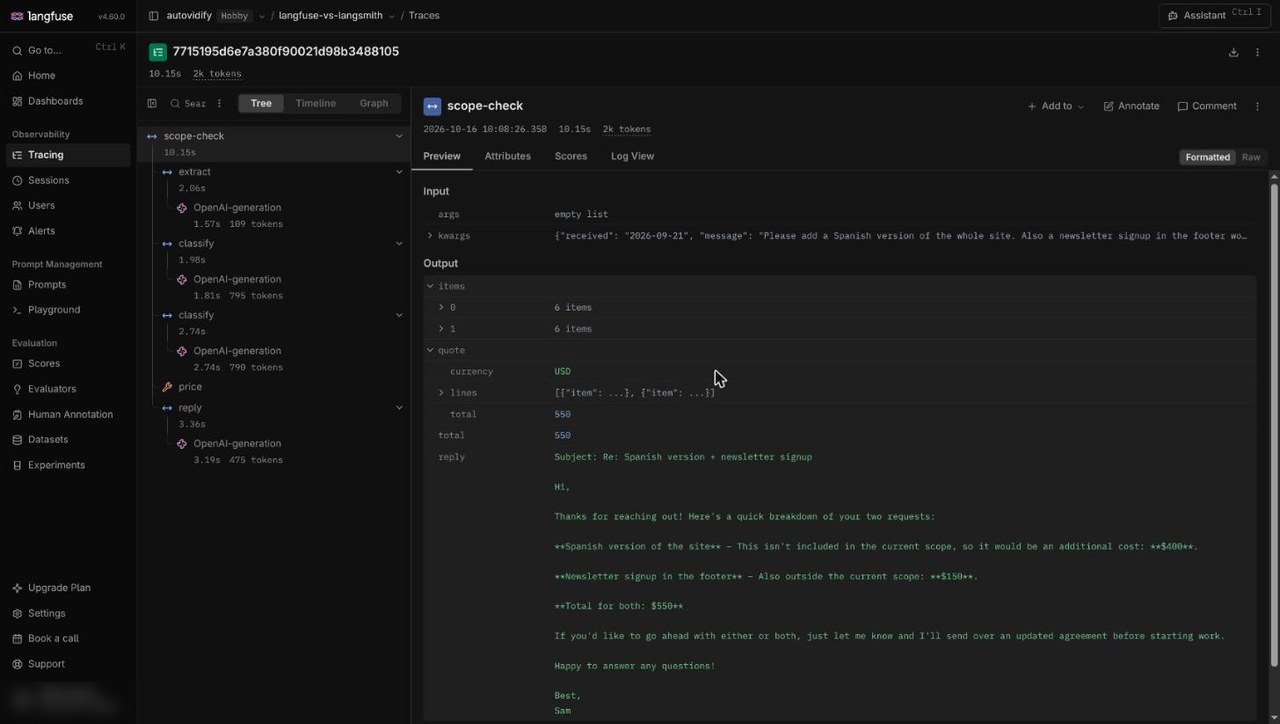
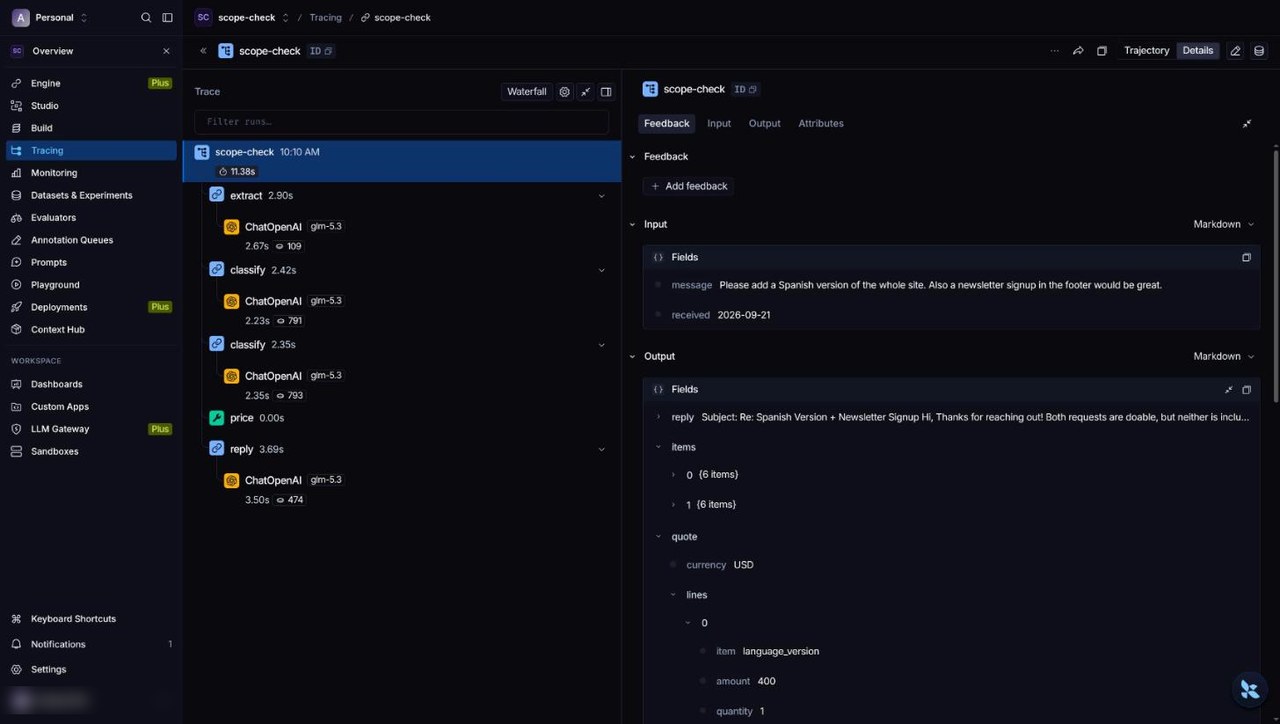
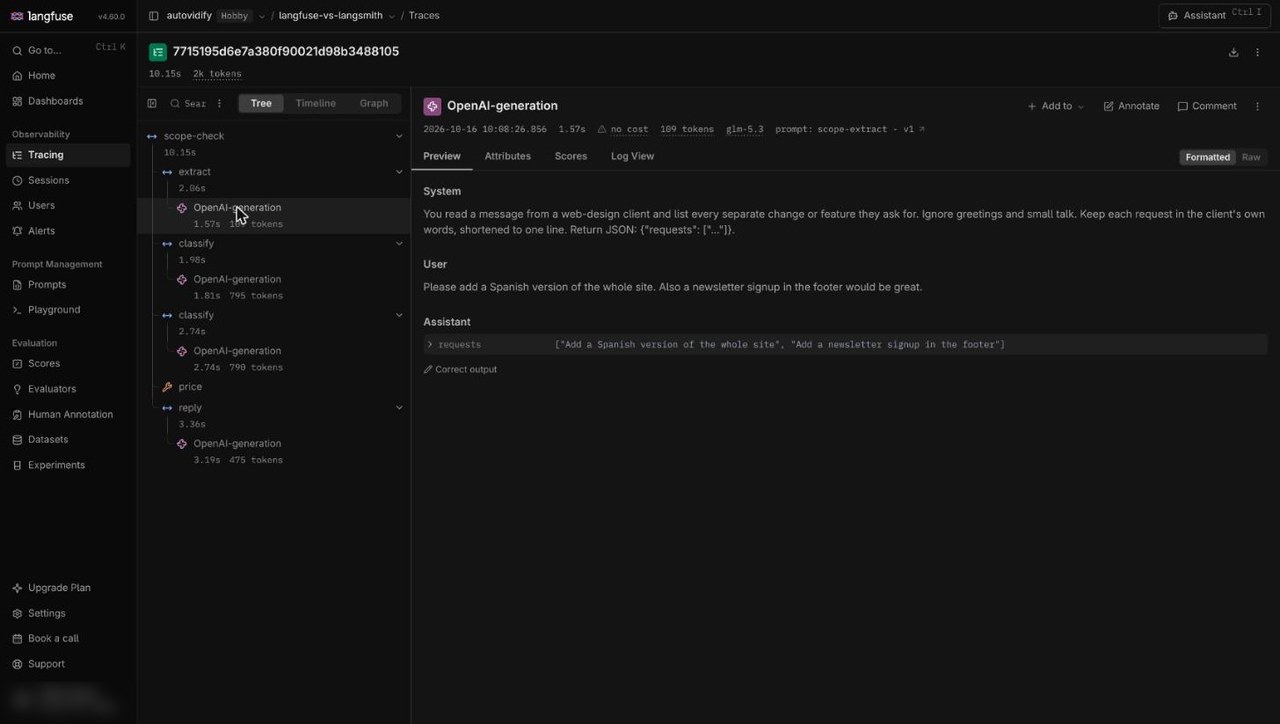
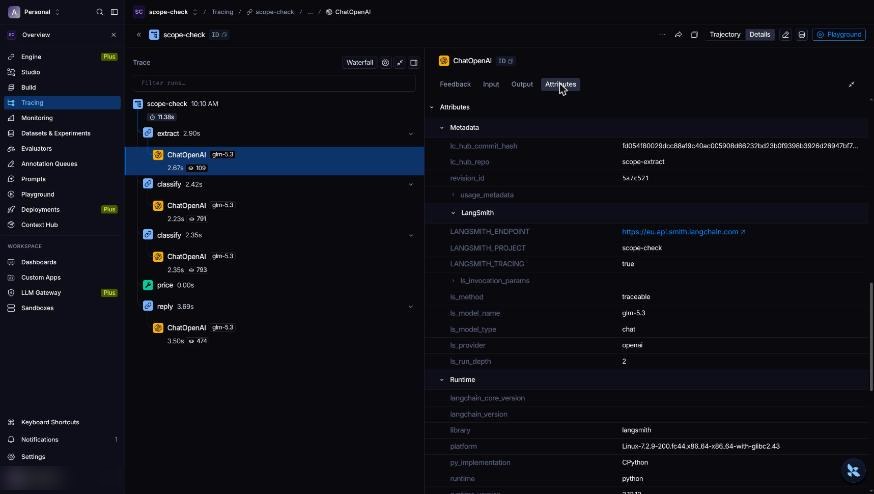
<?xml version="1.0" encoding="utf-8"?><?xml-stylesheet type="text/xsl" href="atom.xsl"?>
<feed xmlns="http://www.w3.org/2005/Atom">
    <id>https://acruxcore.com/blog</id>
    <title>AcruxCore blog</title>
    <updated>2026-10-23T00:00:00.000Z</updated>
    <generator>https://github.com/jpmonette/feed</generator>
    <link rel="alternate" href="https://acruxcore.com/blog"/>
    <subtitle>LLM-ops articles and comparisons from the AcruxCore team.</subtitle>
    <icon>https://acruxcore.com/blog/img/favicon.ico</icon>
    <rights>Copyright © 2026 AcruxCore.</rights>
    <entry>
        <title type="html"><![CDATA[10 Braintrust alternatives for LLM evals: open source and self-hosted (2026)]]></title>
        <id>https://acruxcore.com/blog/braintrust-alternatives</id>
        <link href="https://acruxcore.com/blog/braintrust-alternatives"/>
        <updated>2026-10-23T00:00:00.000Z</updated>
        <summary type="html"><![CDATA[Ten Braintrust alternatives and competitors compared on eval features, license, self-hosting and price: which replace the whole platform, and which replace only the evals.]]></summary>
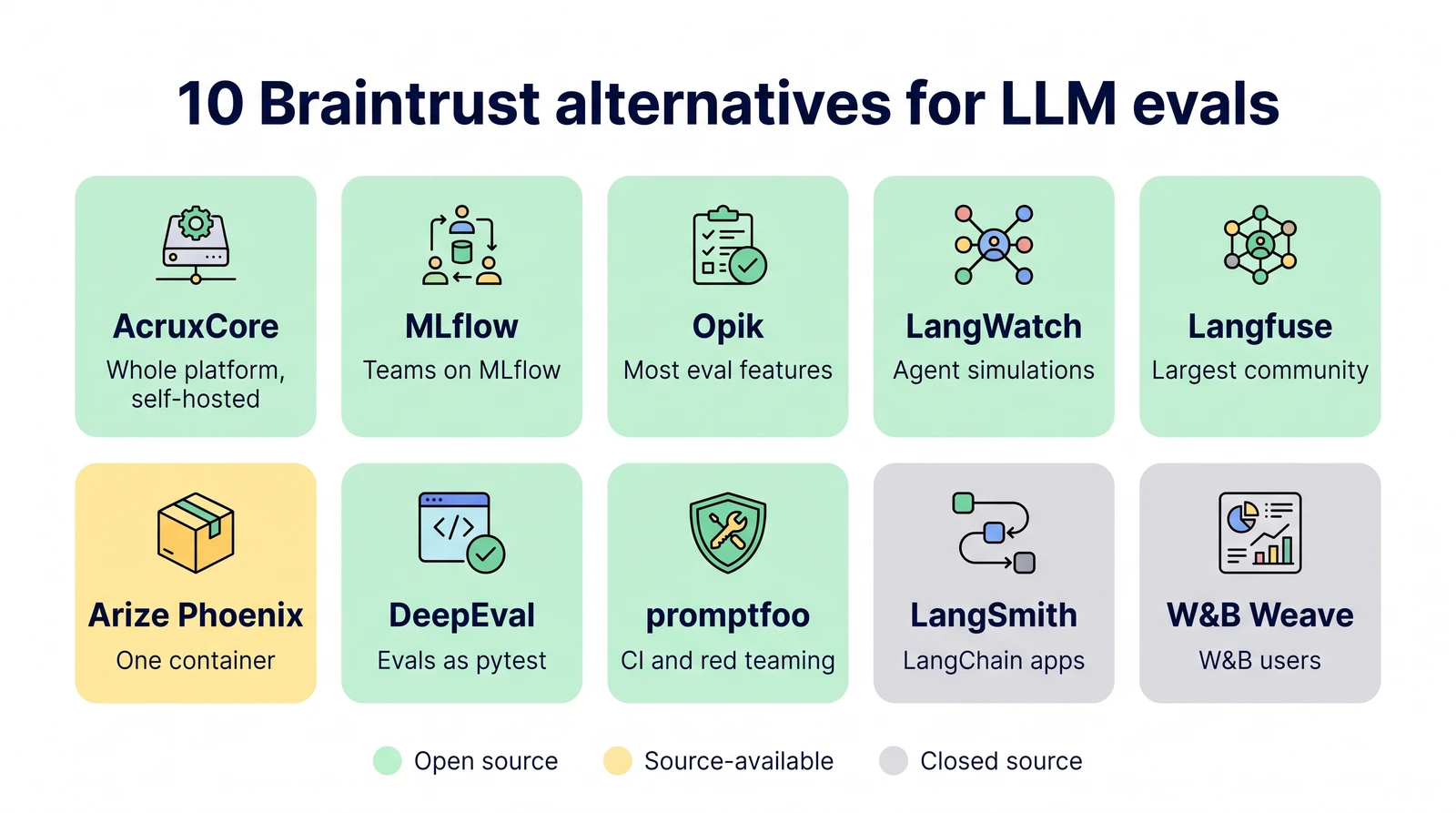
        <content type="html"><![CDATA[<p><img decoding="async" loading="lazy" alt="Ten Braintrust alternatives in a grid, each with what it is best for, coloured by license: AcruxCore, MLflow, Opik, LangWatch, Langfuse, DeepEval and promptfoo open source, Arize Phoenix source-available, LangSmith and W&amp;B Weave closed source" src="https://acruxcore.com/blog/assets/images/01-header-46798814901dacf5389be8b9674e4f1f.webp" width="1600" height="893" class="img__Ss2"></p>
<p>This post compares ten Braintrust alternatives on eval features, license, self-hosting and price.
Tools that replace the whole Braintrust platform come first, then tools that replace only its
evals.</p>
<!-- -->
<p><strong>The short answer</strong></p>
<ul>
<li class=""><strong>If you need the whole platform, not only evals:</strong> AcruxCore. Like Braintrust, it has prompt
versions, a gateway, tracing and evals. Unlike Braintrust, it is Apache-2.0 and self-hosts for
free on Postgres and Redis.</li>
<li class=""><strong>If you already run MLflow:</strong> MLflow covers the same four parts in one server.</li>
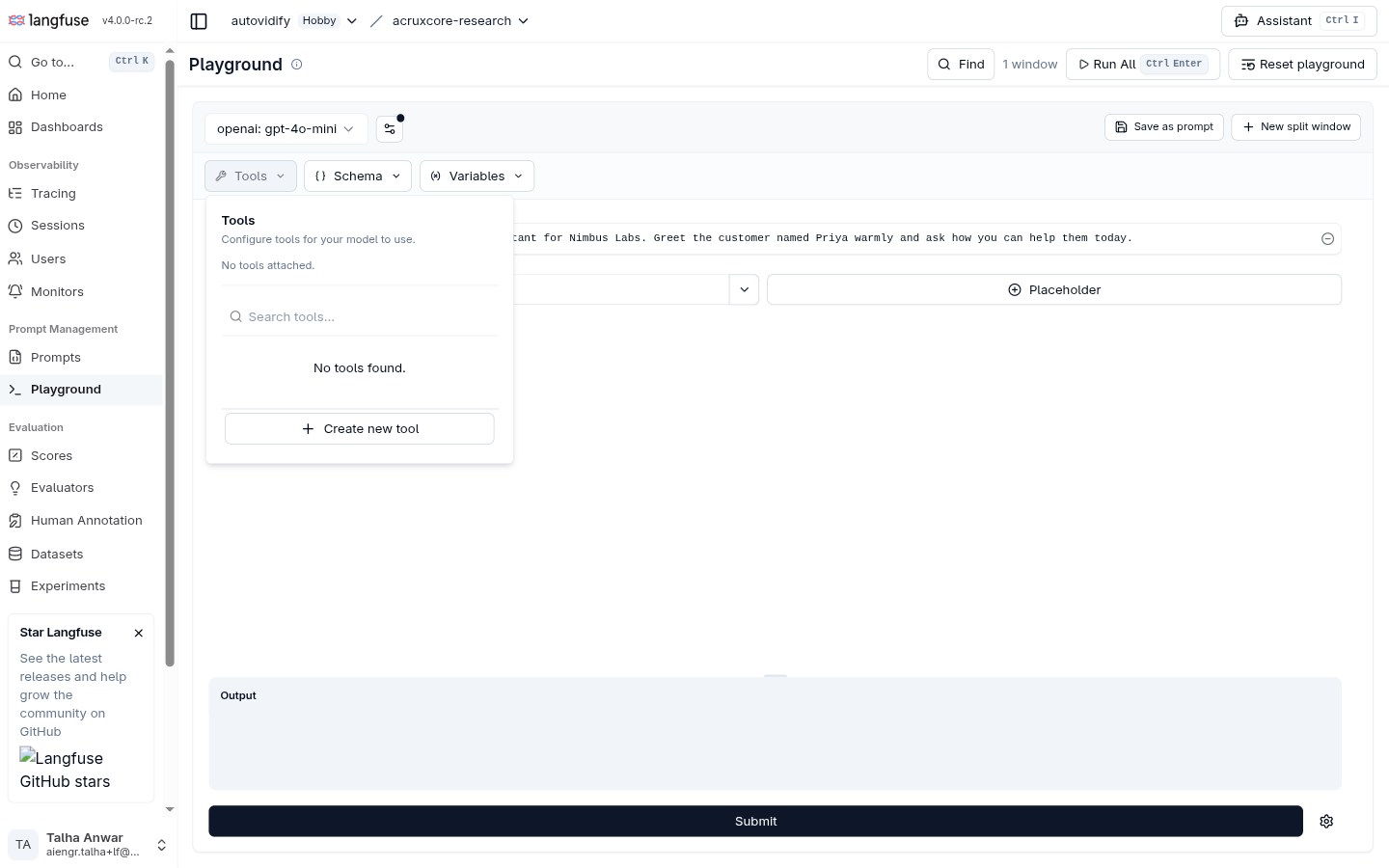
<li class=""><strong>If you only need evals:</strong> Opik or LangWatch. Both have online scoring, review queues,
simulated conversations and a prompt optimizer, under Apache-2.0.</li>
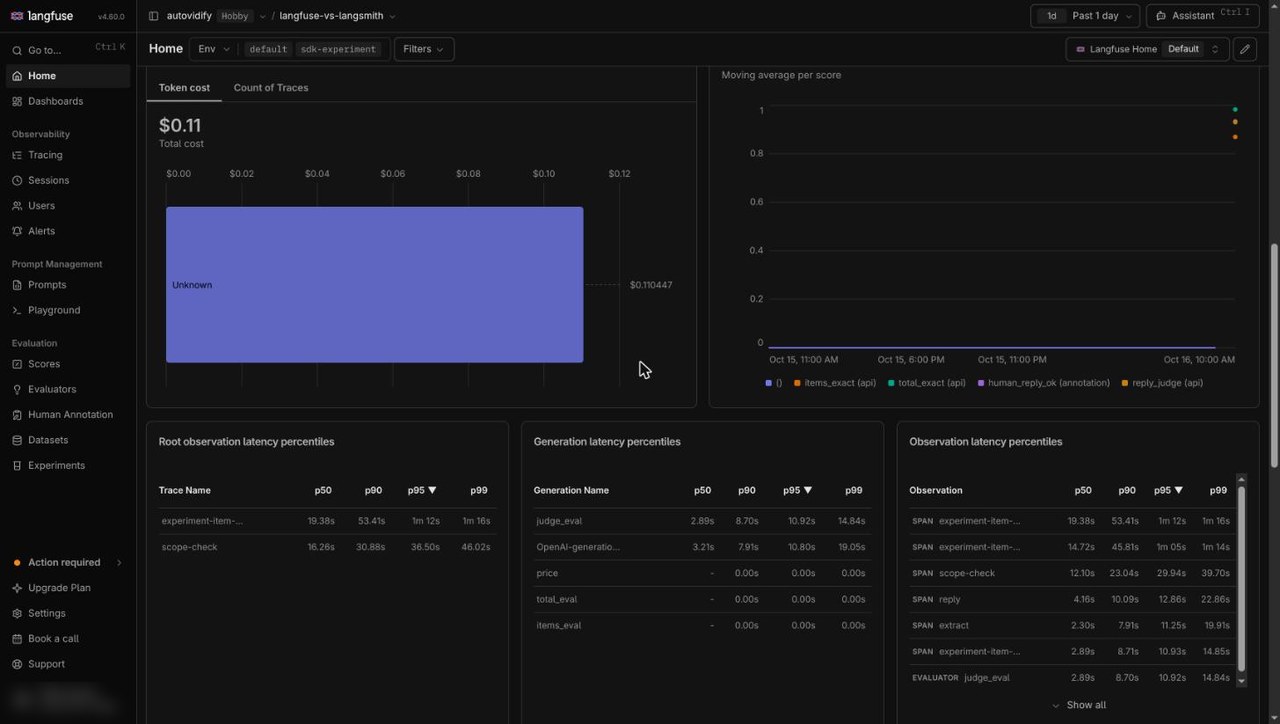
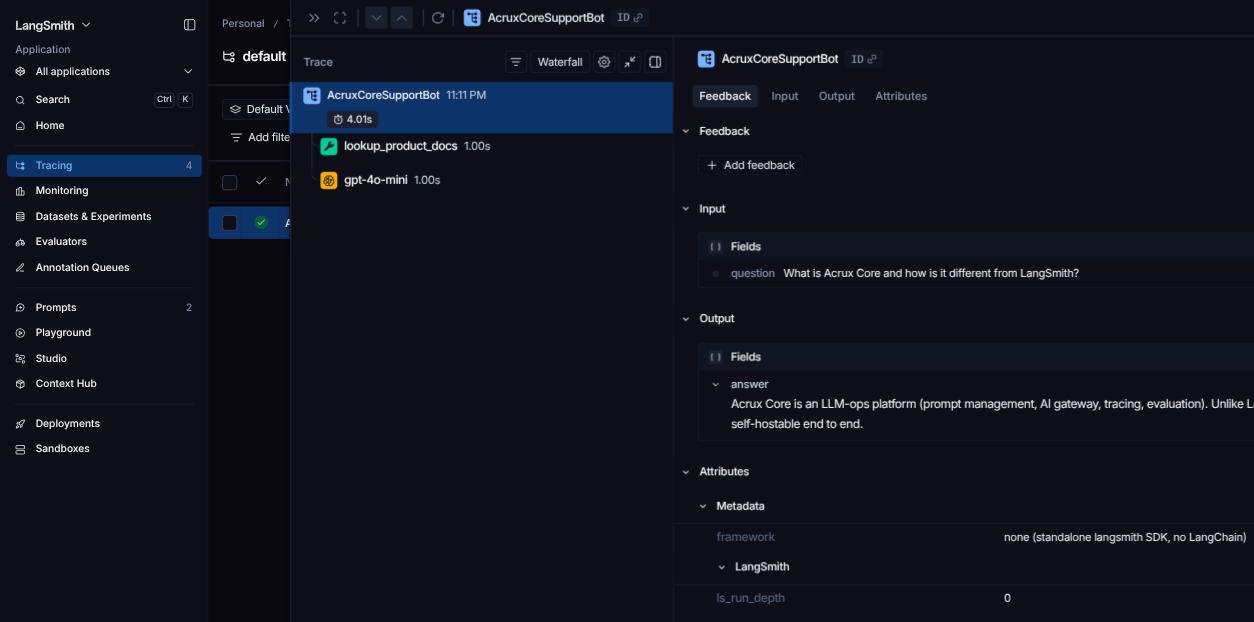
<li class=""><strong>Largest open-source community:</strong> Langfuse, with 36,135 GitHub stars. No eval feature needs
Langfuse's paid enterprise license.</li>
<li class=""><strong>Evals as tests in CI, with no server:</strong> promptfoo or DeepEval.</li>
<li class=""><strong>A hosted platform charged per seat:</strong> LangSmith, at $39 per seat a month.</li>
</ul>
<h2 class="anchor anchorTargetStickyNavbar_SAay" id="braintrust-competitors-at-a-glance">Braintrust competitors at a glance<a href="https://acruxcore.com/blog/braintrust-alternatives#braintrust-competitors-at-a-glance" class="hash-link" aria-label="Direct link to Braintrust competitors at a glance" title="Direct link to Braintrust competitors at a glance" translate="no">​</a></h2>
<p><strong>License, hosting and price</strong></p>


<table><thead><tr><th>Tool</th><th>License</th><th>Self-host</th><th>Gateway</th><th>Hosted free plan</th><th>Cheapest paid plan</th></tr></thead><tbody><tr><td><strong>Braintrust</strong></td><td>Closed source; SDKs Apache-2.0</td><td>Enterprise plan only</td><td>Hosted, in public preview</td><td>Starter: 1 GB, 10,000 scores, 14 days</td><td>Pro: $249 a month</td></tr><tr><td>AcruxCore</td><td>Apache-2.0</td><td>Free</td><td>Yes, with budgets and rate limits</td><td>Free; span content kept 90 days</td><td>None; the hosted plan is free</td></tr><tr><td>MLflow</td><td>Apache-2.0</td><td>Free</td><td>Yes, with budgets</td><td>None outside Databricks</td><td>Through Databricks</td></tr><tr><td>Opik</td><td>Apache-2.0</td><td>Free</td><td>Beta, for development and testing</td><td>25,000 spans a month, 60 days</td><td>Pro: $19 a month</td></tr><tr><td>LangWatch</td><td>Apache-2.0; <code>enterprise/</code> folder commercial</td><td>Free</td><td>In the enterprise folder</td><td>50,000 events, 2 users, 14 days</td><td>Growth: €29 per seat a month</td></tr><tr><td>Langfuse</td><td>MIT core; enterprise (<code>ee/</code>) folders commercial</td><td>Free</td><td>No</td><td>50,000 units, 2 users, 30 days</td><td>Core: $29 a month</td></tr><tr><td>Arize Phoenix</td><td>Elastic License 2.0</td><td>Free</td><td>No</td><td>Arize AX Free: 25,000 spans, 15 days</td><td>Arize AX Pro: $50 a month</td></tr><tr><td>DeepEval / Confident AI</td><td>Library Apache-2.0; platform closed</td><td>Library free; platform Enterprise only</td><td>No</td><td>2 seats, 1 project</td><td>Starter: $200 a month</td></tr><tr><td>promptfoo</td><td>MIT</td><td>Free (CLI)</td><td>No</td><td>No hosted plan</td><td>Enterprise, no public price</td></tr><tr><td>LangSmith</td><td>Closed source; SDKs MIT</td><td>Enterprise plan only</td><td>Beta</td><td>5,000 traces, 1 seat, 14 days</td><td>Plus: $39 per seat a month</td></tr><tr><td>W&amp;B Weave</td><td>SDK Apache-2.0; server needs a license</td><td>Enterprise plan only</td><td>No</td><td>1 GB of trace data a month</td><td>Pro: from $60 a month</td></tr></tbody></table>
<p>A <strong>span</strong> is one step inside a trace. Each vendor bills in its own unit. A Langfuse unit is one
trace, span or score, and LangWatch counts events.</p>
<p><strong>Eval features in each tool's free version</strong></p>


<table><thead><tr><th>Tool</th><th>Built-in judges</th><th>Online scoring of live traffic</th><th>Review queues</th><th>CI</th><th>Multi-turn simulation</th><th>Prompt optimizer</th></tr></thead><tbody><tr><td><strong>Braintrust</strong> (hosted only)</td><td>Yes (<code>autoevals</code>)</td><td>Yes</td><td>Yes</td><td>GitHub Action</td><td>Scores whole sessions</td><td>Loop, an agent, suggests prompt edits</td></tr><tr><td>AcruxCore</td><td>One judge, or your own judge prompt</td><td>Yes, with alerts</td><td>No</td><td>No</td><td>No simulator; replays a real conversation</td><td>Yes</td></tr><tr><td>MLflow</td><td>Yes</td><td>Yes, LLM judges only</td><td>Experimental</td><td>pytest</td><td>Yes</td><td>Yes</td></tr><tr><td>Opik</td><td>43 metrics</td><td>Yes</td><td>Yes</td><td>pytest plugin</td><td>Yes</td><td>Yes</td></tr><tr><td>LangWatch</td><td>Yes</td><td>Yes</td><td>Yes</td><td>SDK exit code</td><td>Yes</td><td>Yes (DSPy)</td></tr><tr><td>Langfuse</td><td>Judge templates</td><td>Yes</td><td>Yes</td><td>GitHub Action</td><td>No</td><td>No</td></tr><tr><td>Arize Phoenix</td><td>Yes</td><td>Not released yet</td><td>No</td><td>pytest, Vitest</td><td>No</td><td>No; a DSPy tutorial</td></tr><tr><td>DeepEval (library)</td><td>Yes</td><td>Confident AI only</td><td>Confident AI only</td><td>pytest</td><td>Yes</td><td>Yes</td></tr><tr><td>promptfoo</td><td>Yes</td><td>No</td><td>No</td><td>GitHub Action</td><td>Yes</td><td>Yes</td></tr><tr><td>LangSmith (hosted only)</td><td>Yes</td><td>Yes</td><td>Yes</td><td>pytest, Vitest</td><td>Yes</td><td>Partial</td></tr><tr><td>W&amp;B Weave (hosted only)</td><td>Yes</td><td>Yes</td><td>Yes</td><td>No</td><td>Agent evals</td><td>No</td></tr></tbody></table>
<p>Every tool here has datasets, experiments you can compare, and scorers you write in code.
<strong>Online scoring</strong> means a rule scores a sample of production calls as they happen. A <strong>review
queue</strong> sends chosen traces to people who grade them.</p>
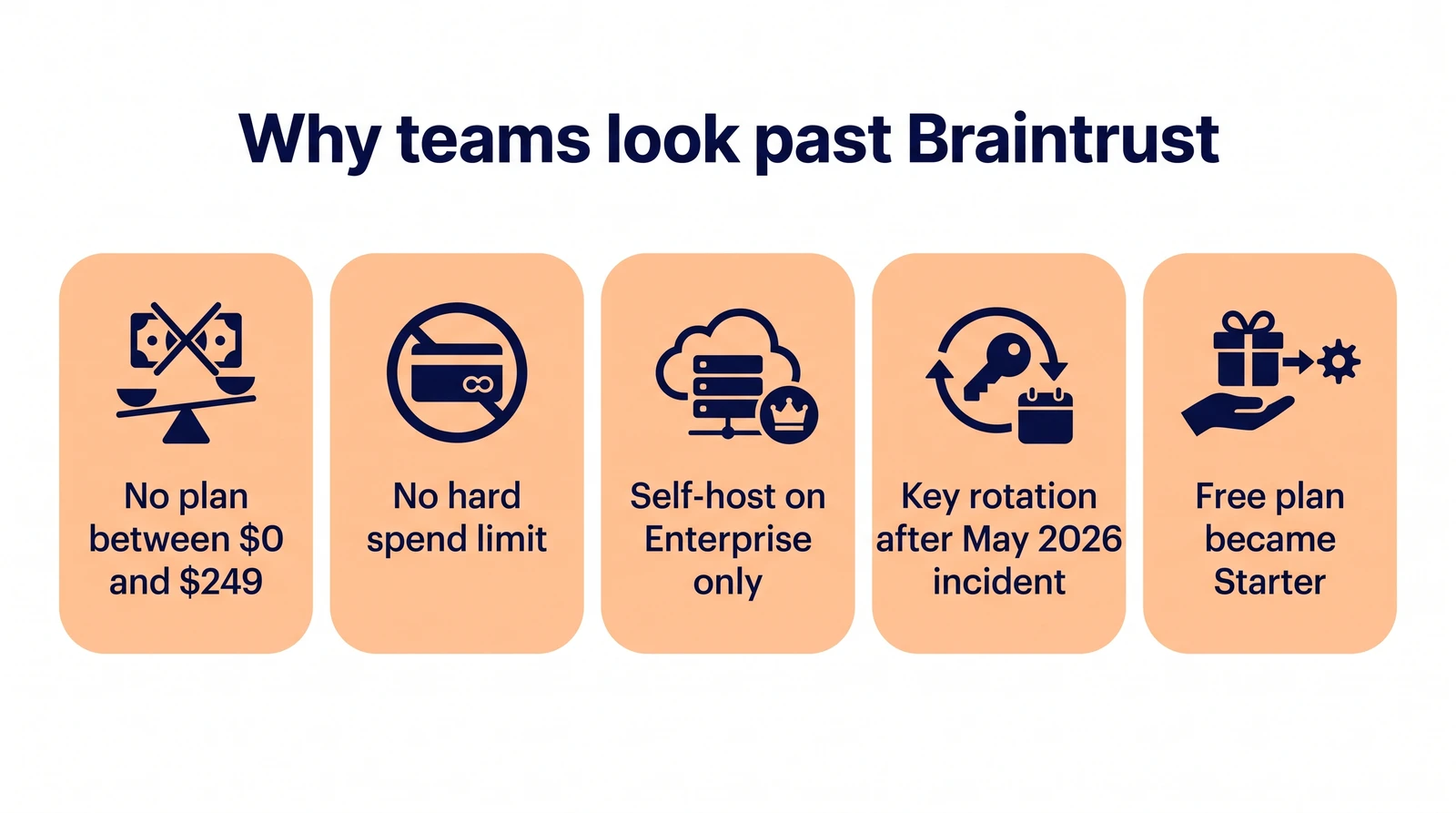
<h2 class="anchor anchorTargetStickyNavbar_SAay" id="why-look-for-braintrust-alternatives">Why look for Braintrust alternatives?<a href="https://acruxcore.com/blog/braintrust-alternatives#why-look-for-braintrust-alternatives" class="hash-link" aria-label="Direct link to Why look for Braintrust alternatives?" title="Direct link to Why look for Braintrust alternatives?" translate="no">​</a></h2>
<ul>
<li class=""><strong>Braintrust has no plan between $0 and $249 a month.</strong> Pro then charges $3 for each GB over
5 GB and $1.50 for each 1,000 scores over 50,000.</li>
<li class=""><strong>There is no hard spending limit.</strong> Braintrust's billing FAQ says so directly. You can set
spend alerts, but they do not stop usage.</li>
<li class=""><strong>Self-hosting needs an Enterprise contract.</strong> Even then, Braintrust hosts the web UI and the
sign-in. Only the data plane, which stores your logs and serves the API, runs in your cloud.
The data plane needs a license key.</li>
<li class=""><strong>Braintrust stores your provider keys.</strong> In May 2026, Braintrust confirmed unauthorized access
to one of its AWS accounts, which held the provider API keys customers had saved. Braintrust
asked every customer to rotate those keys, and said one customer was affected.</li>
<li class=""><strong>The free plan changed.</strong> On 16 March 2026, the Free plan became Starter. Organizations that
signed up before that date keep some features that new Starter organizations lack, such as
full role-based access.</li>
</ul>
<p><img decoding="async" loading="lazy" alt="Five reasons teams look past Braintrust: no plan between $0 and $249, no hard spend limit, self-hosting on Enterprise only, key rotation after the May 2026 incident, and the Free plan becoming Starter" src="https://acruxcore.com/blog/assets/images/02-why-51818f2c717e3c78c68e51851f994f3b.webp" width="1600" height="893" class="img__Ss2"></p>
<p>Sources: <a href="https://www.braintrust.dev/pricing" target="_blank" rel="noopener noreferrer" class="">pricing</a>,
<a href="https://www.braintrust.dev/docs/admin/billing/faq" target="_blank" rel="noopener noreferrer" class="">billing FAQ</a>,
<a href="https://www.braintrust.dev/docs/guides/self-hosting" target="_blank" rel="noopener noreferrer" class="">self-hosting</a>,
<a href="https://www.braintrust.dev/docs/admin/self-hosting/architecture" target="_blank" rel="noopener noreferrer" class="">architecture</a>,
<a href="https://techcrunch.com/2026/05/06/ai-evaluation-startup-braintrust-confirms-breach-tells-every-customer-to-rotate-sensitive-keys/" target="_blank" rel="noopener noreferrer" class="">TechCrunch on the breach</a>,
<a href="https://www.braintrust.dev/blog/starter-plan" target="_blank" rel="noopener noreferrer" class="">Starter plan</a>.</p>
<h3 class="anchor anchorTargetStickyNavbar_SAay" id="braintrust-pricing-in-2026">Braintrust pricing in 2026<a href="https://acruxcore.com/blog/braintrust-alternatives#braintrust-pricing-in-2026" class="hash-link" aria-label="Direct link to Braintrust pricing in 2026" title="Direct link to Braintrust pricing in 2026" translate="no">​</a></h3>


<table><thead><tr><th>Plan</th><th>Price</th><th>Data included</th><th>Scores included</th><th>Data kept</th></tr></thead><tbody><tr><td>Starter</td><td>$0</td><td>1 GB, then $4 per GB</td><td>10,000, then $2.50 per 1,000</td><td>14 days</td></tr><tr><td>Pro</td><td>$249 a month</td><td>5 GB, then $3 per GB</td><td>50,000, then $1.50 per 1,000</td><td>30 days</td></tr><tr><td>Enterprise</td><td>Custom, billed yearly</td><td>Custom</td><td>Custom</td><td>Up to 365 days</td></tr></tbody></table>
<p>Every plan has unlimited users. Startups at Series A or earlier can get Pro free for 6 to 12
months.</p>
<h2 class="anchor anchorTargetStickyNavbar_SAay" id="how-we-picked-and-ranked">How we picked and ranked<a href="https://acruxcore.com/blog/braintrust-alternatives#how-we-picked-and-ranked" class="hash-link" aria-label="Direct link to How we picked and ranked" title="Direct link to How we picked and ranked" translate="no">​</a></h2>
<ul>
<li class=""><strong>The tool does Braintrust's core job:</strong> you run a dataset through your app and score the
results.</li>
<li class=""><strong>The tool is active.</strong> Each one had a release or a commit in October 2026.</li>
<li class=""><strong>Braintrust is a platform, so tools that replace the whole platform rank first.</strong> Braintrust
versions prompts, logs production traces, runs a gateway and runs evals. Open-source tools
with all four parts come first, then open-source tools focused on evals. Source-available
tools, code-only libraries and closed hosted products follow, in that order.</li>
<li class=""><strong>Inside each group, a tool with more eval features in its free version ranks higher.</strong></li>
<li class=""><strong>Every fact comes from the vendor:</strong> the pricing page, the docs, the license file or the
GitHub API, read on 21 October 2026. We do not use other comparison lists as sources.</li>
</ul>
<h2 class="anchor anchorTargetStickyNavbar_SAay" id="open-source-braintrust-alternatives-with-a-gateway">Open-source Braintrust alternatives with a gateway<a href="https://acruxcore.com/blog/braintrust-alternatives#open-source-braintrust-alternatives-with-a-gateway" class="hash-link" aria-label="Direct link to Open-source Braintrust alternatives with a gateway" title="Direct link to Open-source Braintrust alternatives with a gateway" translate="no">​</a></h2>
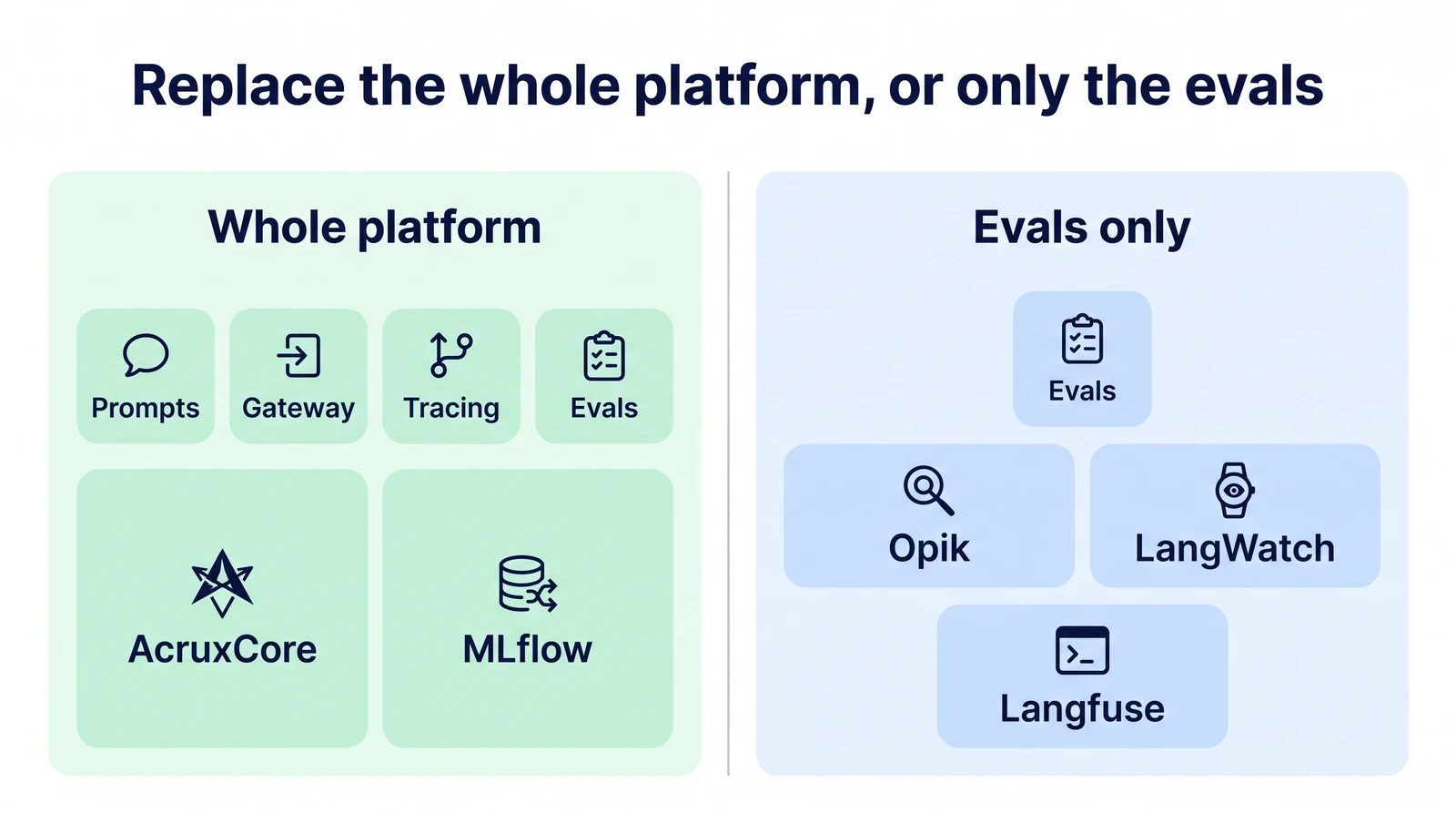
<p>These two tools replace all four parts of Braintrust: prompt versions, a gateway, tracing and
evals. Both are Apache-2.0 and free to run on your own servers.</p>
<p><img decoding="async" loading="lazy" alt="Two columns. Whole platform: prompts, gateway, tracing and evals, covered by AcruxCore and MLflow. Evals only: Opik, LangWatch and Langfuse" src="https://acruxcore.com/blog/assets/images/03-platform-or-evals-4d9bf537d45c78b915f46fa93da74f60.webp" width="1600" height="893" class="img__Ss2"></p>
<h3 class="anchor anchorTargetStickyNavbar_SAay" id="1-acruxcore">1. AcruxCore<a href="https://acruxcore.com/blog/braintrust-alternatives#1-acruxcore" class="hash-link" aria-label="Direct link to 1. AcruxCore" title="Direct link to 1. AcruxCore" translate="no">​</a></h3>
<p>AcruxCore vs Braintrust: AcruxCore has the same four parts as Braintrust: prompt versions, a
gateway, tracing and evals. AcruxCore is Apache-2.0 and self-hosts on Postgres and Redis, while
Braintrust self-hosts only on Enterprise.</p>
<p><strong>Best for:</strong> teams that want to replace the whole Braintrust platform, not only the evals, and
run it on their own servers.</p>


<table><thead><tr><th></th><th>AcruxCore</th><th>Braintrust</th></tr></thead><tbody><tr><td>License</td><td>Apache-2.0, with no enterprise folder</td><td>Closed source</td></tr><tr><td>Self-host</td><td>Postgres, Redis, API, worker, web</td><td>Enterprise only</td></tr><tr><td>Gateway</td><td>Yes; stops calls at a spend budget or a rate limit</td><td>Hosted, in public preview; spend alerts only</td></tr><tr><td>Cheapest paid plan</td><td>None; the hosted plan is free</td><td>Pro: $249 a month</td></tr></tbody></table>
<p><strong>Where AcruxCore differs</strong></p>
<ul>
<li class="">The gateway refuses a call that would go over a spend budget. It also limits requests and
tokens per key. Braintrust has spend alerts that do not stop usage.</li>
<li class="">When you self-host AcruxCore, your provider keys stay in your own database.</li>
<li class="">Roles, the audit log and prompt aliases such as <code>production</code> are free. Braintrust puts roles
on Pro and audit logs on Enterprise.</li>
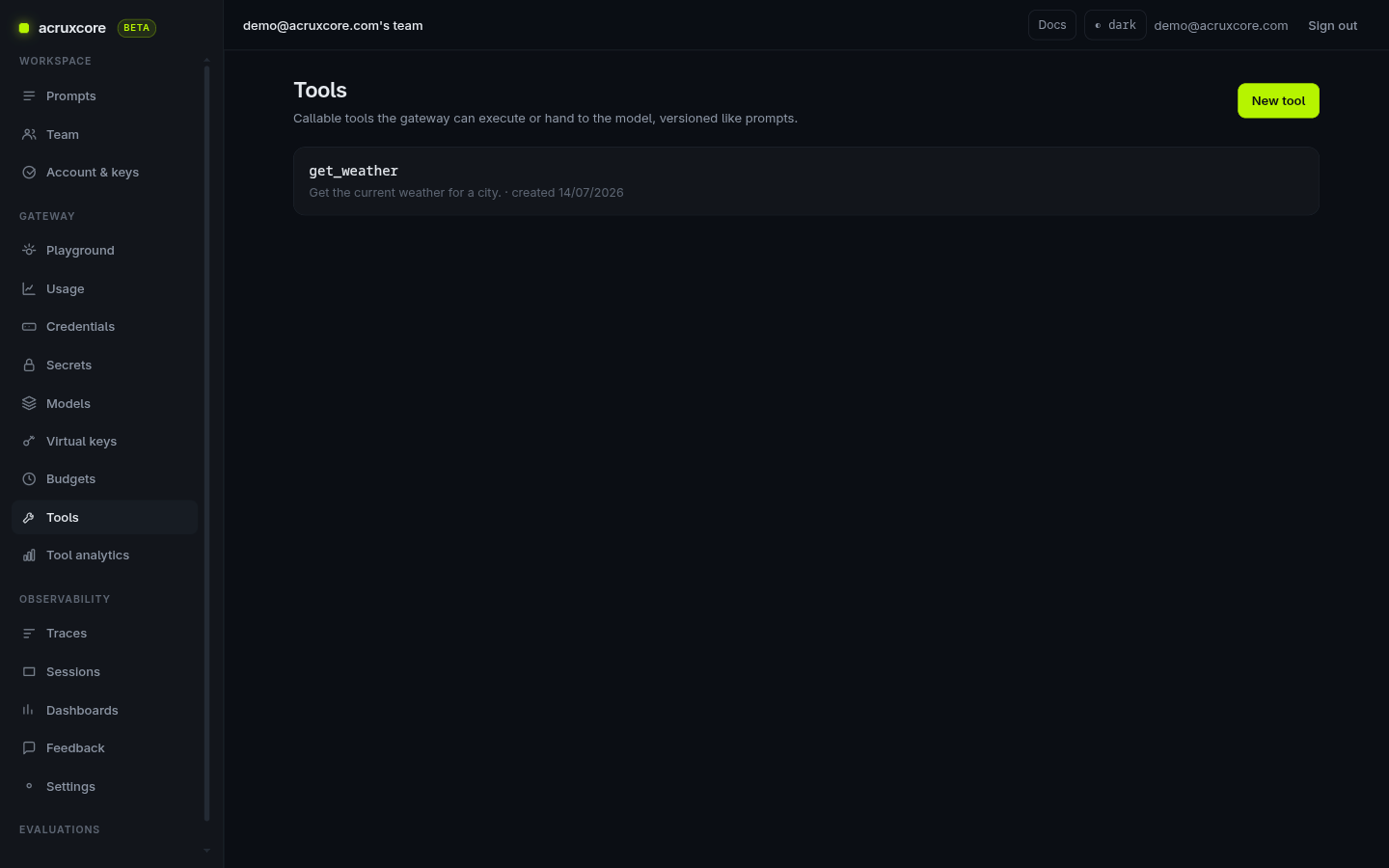
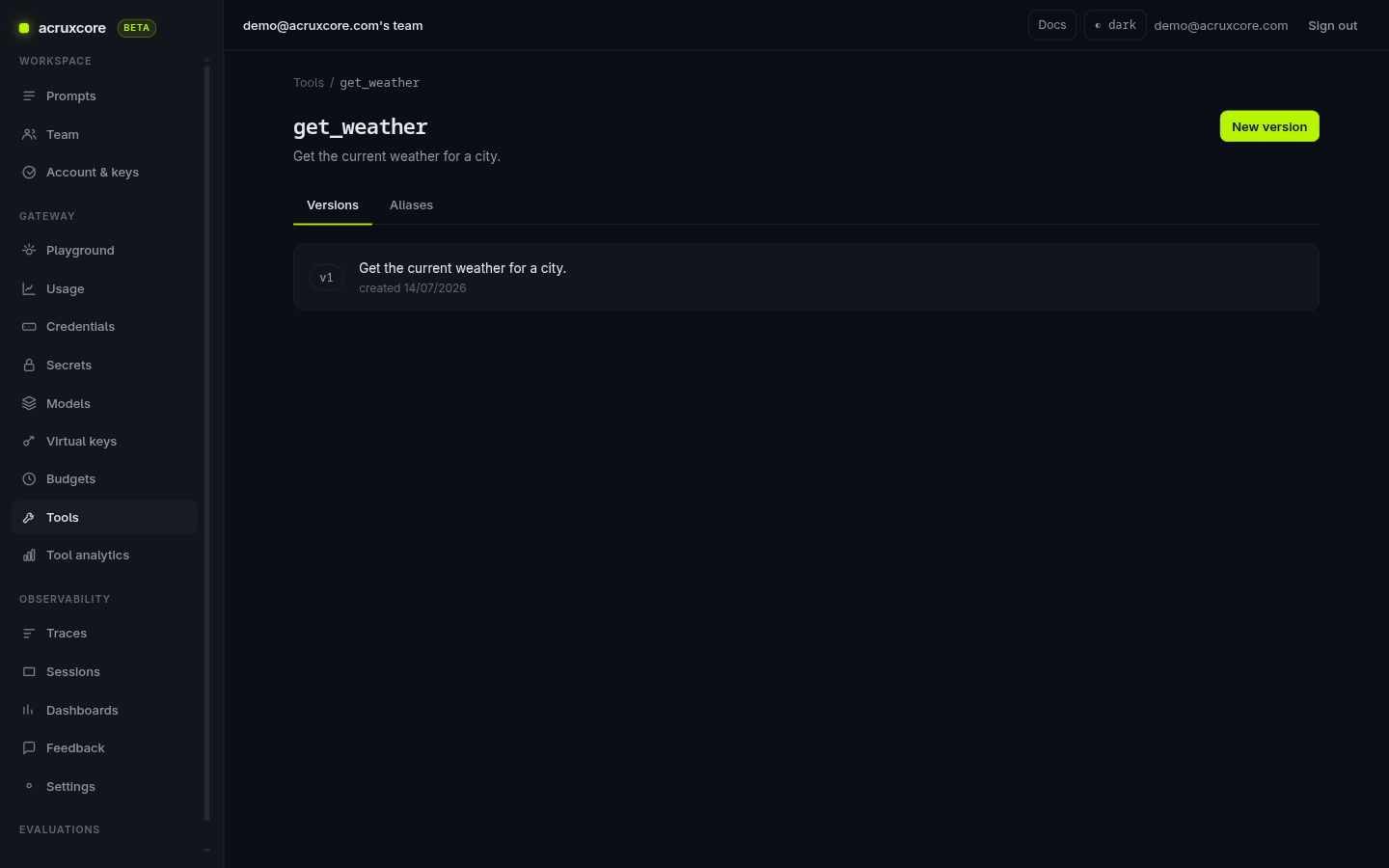
<li class="">An experiment runs several prompt versions on several models against one dataset. A compare
page then shows which examples improved and which got worse.</li>
<li class="">Your team can rate a reply thumbs down and leave a comment. A dataset built from those
ratings uses each comment as that example's grading criteria.</li>
<li class="">An optimize run reads those rated replies and rewrites your production prompt. AcruxCore then
scores each rewrite against the current production version.</li>
<li class="">Online rules score a sample of live calls. A rule alerts the team's owners when its mean score
for the day falls below a threshold you set.</li>
</ul>
<p><strong>Limits of AcruxCore</strong></p>
<ul>
<li class="">If evals are all you need, Opik and LangWatch have more eval features: a metric library,
review queues and a conversation simulator. AcruxCore has one built-in judge, and you can
write your own judge prompt.</li>
<li class="">AcruxCore has no CI integration.</li>
<li class="">The repository went public in August 2026 and has 11 GitHub stars.</li>
</ul>
<p>Our comparison: <a class="" href="https://acruxcore.com/blog/acruxcore-vs-braintrust">AcruxCore vs Braintrust</a>. The eval guides start
at <a href="https://docs.acruxcore.com/docs/guides/evaluate-a-prompt" target="_blank" rel="noopener noreferrer" class="">Evaluate a prompt against a dataset</a>.</p>
<p>Sources: <a href="https://github.com/AcruxCore/AcruxCore/blob/main/LICENSE" target="_blank" rel="noopener noreferrer" class="">license</a>,
<a href="https://github.com/AcruxCore/AcruxCore/blob/main/docker-compose.local.yml" target="_blank" rel="noopener noreferrer" class="">compose file</a>,
<a href="https://acruxcore.com/pricing" target="_blank" rel="noopener noreferrer" class="">pricing</a>.</p>
<h3 class="anchor anchorTargetStickyNavbar_SAay" id="2-mlflow">2. MLflow<a href="https://acruxcore.com/blog/braintrust-alternatives#2-mlflow" class="hash-link" aria-label="Direct link to 2. MLflow" title="Direct link to 2. MLflow" translate="no">​</a></h3>
<p>MLflow vs Braintrust: MLflow also has prompt versions, a gateway, tracing and evals, in one
Apache-2.0 server from the Linux Foundation.</p>
<p><strong>Best for:</strong> teams that already run MLflow for classic machine learning.</p>


<table><thead><tr><th></th><th>MLflow</th><th>Braintrust</th></tr></thead><tbody><tr><td>License</td><td>Apache-2.0</td><td>Closed source</td></tr><tr><td>Self-host</td><td>One server on SQLite; Postgres and S3 for production</td><td>Enterprise only</td></tr><tr><td>Cheapest paid plan</td><td>No public price; the managed version comes with Databricks</td><td>Pro: $249 a month</td></tr></tbody></table>
<p><strong>Where MLflow differs</strong></p>
<ul>
<li class="">MLflow ships judges for correctness, safety, retrieval and tool calls. It can also tune a
judge to agree with your own labels.</li>
<li class="">MLflow simulates conversations and scores each session.</li>
<li class="">The gateway rejects calls over a USD budget. Braintrust has spend alerts only.</li>
<li class="">Tests written with pytest run your evals in CI.</li>
</ul>
<p><strong>Limits of MLflow</strong></p>
<ul>
<li class="">Online scoring runs LLM judges only, not code scorers.</li>
<li class="">Review queues are experimental. Some kinds of review-queue input work only on Databricks.</li>
</ul>
<p>Our comparison: <a class="" href="https://acruxcore.com/blog/acruxcore-vs-mlflow">AcruxCore vs MLflow</a>.</p>
<p>Sources: <a href="https://github.com/mlflow/mlflow/blob/master/LICENSE.txt" target="_blank" rel="noopener noreferrer" class="">license</a>,
<a href="https://mlflow.org/docs/latest/genai/eval-monitor/scorers/llm-judge/predefined/" target="_blank" rel="noopener noreferrer" class="">judges</a>,
<a href="https://mlflow.org/docs/latest/genai/eval-monitor/automatic-evaluations/" target="_blank" rel="noopener noreferrer" class="">online evaluation</a>,
<a href="https://mlflow.org/docs/latest/genai/assessments/review-queues/" target="_blank" rel="noopener noreferrer" class="">review queues</a>,
<a href="https://mlflow.org/docs/latest/genai/eval-monitor/running-evaluation/conversation-simulation/" target="_blank" rel="noopener noreferrer" class="">simulation</a>.</p>
<h2 class="anchor anchorTargetStickyNavbar_SAay" id="open-source-braintrust-alternatives-for-evals">Open-source Braintrust alternatives for evals<a href="https://acruxcore.com/blog/braintrust-alternatives#open-source-braintrust-alternatives-for-evals" class="hash-link" aria-label="Direct link to Open-source Braintrust alternatives for evals" title="Direct link to Open-source Braintrust alternatives for evals" translate="no">​</a></h2>
<p>These three tools replace Braintrust's eval work. None of them has a production gateway in its
free version. The core of each uses a license approved by the Open Source Initiative, and each
is free to self-host.</p>
<h3 class="anchor anchorTargetStickyNavbar_SAay" id="3-opik">3. Opik<a href="https://acruxcore.com/blog/braintrust-alternatives#3-opik" class="hash-link" aria-label="Direct link to 3. Opik" title="Direct link to 3. Opik" translate="no">​</a></h3>
<p>Opik vs Braintrust: Opik, from Comet, has every eval feature in the feature table at the top
of this post, in its free self-hosted version. Its cloud plan costs $19 a month, against $249 for Braintrust Pro.</p>
<p><strong>Best for:</strong> teams that want Braintrust's eval features on their own servers.</p>


<table><thead><tr><th></th><th>Opik</th><th>Braintrust</th></tr></thead><tbody><tr><td>License</td><td>Apache-2.0, the same code as the cloud</td><td>Closed source</td></tr><tr><td>Self-host</td><td>MySQL, Redis, ClickHouse, ZooKeeper, MinIO, plus app services</td><td>Enterprise only</td></tr><tr><td>Cheapest paid plan</td><td>Pro: $19 a month, 100,000 spans, 60 days</td><td>Pro: $249 a month, 30 days</td></tr></tbody></table>
<p><strong>Where Opik differs</strong></p>
<ul>
<li class="">Opik ships 43 built-in metrics. Among them are 19 LLM judges, such as hallucination, G-Eval
and agent task completion.</li>
<li class="">Online rules score live traces, including whole conversations.</li>
<li class="">Opik simulates a user, so you can test an agent over many turns.</li>
<li class="">The optimizer package rewrites prompts and agents for you, with six algorithms, including
GEPA and an evolutionary one.</li>
</ul>
<p><strong>Limits of Opik</strong></p>
<ul>
<li class="">Self-hosted Opik has no user management, so everyone who can reach it sees everything.</li>
<li class="">A self-hosted install runs MySQL, Redis, ClickHouse, ZooKeeper and MinIO.</li>
</ul>
<p>Our comparison: <a class="" href="https://acruxcore.com/blog/acruxcore-vs-opik">AcruxCore vs Opik</a>.</p>
<p>Sources: <a href="https://github.com/comet-ml/opik" target="_blank" rel="noopener noreferrer" class="">repository</a>,
<a href="https://www.comet.com/docs/opik/evaluation/metrics/overview" target="_blank" rel="noopener noreferrer" class="">metrics</a>,
<a href="https://www.comet.com/docs/opik/production/online-evaluation/rules" target="_blank" rel="noopener noreferrer" class="">online rules</a>,
<a href="https://www.comet.com/docs/opik/evaluation/advanced/evaluate_multi_turn_agents" target="_blank" rel="noopener noreferrer" class="">multi-turn</a>,
<a href="https://www.comet.com/docs/opik/self-host/overview" target="_blank" rel="noopener noreferrer" class="">self-hosting</a>,
<a href="https://www.comet.com/site/pricing/" target="_blank" rel="noopener noreferrer" class="">pricing</a>.</p>
<h3 class="anchor anchorTargetStickyNavbar_SAay" id="4-langwatch">4. LangWatch<a href="https://acruxcore.com/blog/braintrust-alternatives#4-langwatch" class="hash-link" aria-label="Direct link to 4. LangWatch" title="Direct link to 4. LangWatch" translate="no">​</a></h3>
<p>LangWatch vs Braintrust: LangWatch is an Apache-2.0 platform built around testing agents with
simulated users, and it self-hosts for free.</p>
<p><strong>Best for:</strong> teams that ship chat or voice agents and want to test whole conversations.</p>


<table><thead><tr><th></th><th>LangWatch</th><th>Braintrust</th></tr></thead><tbody><tr><td>License</td><td>Apache-2.0; <code>enterprise/</code> folder commercial</td><td>Closed source</td></tr><tr><td>Self-host</td><td>Postgres, Redis, ClickHouse, app, workers, two eval services</td><td>Enterprise only</td></tr><tr><td>Cheapest paid plan</td><td>Growth: €29 per seat a month, 200,000 events, 30 days</td><td>Pro: $249 a month</td></tr></tbody></table>
<p><strong>Where LangWatch differs</strong></p>
<ul>
<li class="">Scenario, its testing library, tests your agent against a simulated user. It also tests voice
agents and runs red-team attacks.</li>
<li class="">LangWatch optimizes prompts with DSPy and scores each new version with Scenario tests.</li>
<li class="">Review queues and online monitors are in the open-source version. The enterprise folder holds
SSO, SCIM and billing.</li>
</ul>
<p><strong>Limits of LangWatch</strong></p>
<ul>
<li class="">LangWatch has 4,986 GitHub stars. Opik has 22,798.</li>
<li class="">CI support is an SDK call that exits with code 1 when an evaluation fails. There is no GitHub
Action.</li>
</ul>
<p>Sources: <a href="https://github.com/langwatch/langwatch/blob/main/LICENSE.md" target="_blank" rel="noopener noreferrer" class="">license</a>,
<a href="https://github.com/langwatch/langwatch/blob/main/enterprise/README.md" target="_blank" rel="noopener noreferrer" class="">enterprise folder</a>,
<a href="https://langwatch.ai/docs/agent-testing/overview" target="_blank" rel="noopener noreferrer" class="">agent testing</a>,
<a href="https://langwatch.ai/docs/evaluations/experiments/ci-cd" target="_blank" rel="noopener noreferrer" class="">CI</a>,
<a href="https://langwatch.ai/pricing" target="_blank" rel="noopener noreferrer" class="">pricing</a>.</p>
<h3 class="anchor anchorTargetStickyNavbar_SAay" id="5-langfuse">5. Langfuse<a href="https://acruxcore.com/blog/braintrust-alternatives#5-langfuse" class="hash-link" aria-label="Direct link to 5. Langfuse" title="Direct link to 5. Langfuse" translate="no">​</a></h3>
<p>Langfuse vs Braintrust: Langfuse is the open-source LLM platform with the most GitHub stars,
36,135. Its cloud plan costs $29 a month, against $249 for Braintrust Pro.</p>
<p><strong>Best for:</strong> teams that want tracing, prompts and evals in one open-source tool with a large
community.</p>


<table><thead><tr><th></th><th>Langfuse</th><th>Braintrust</th></tr></thead><tbody><tr><td>License</td><td>MIT core; enterprise (<code>ee/</code>) folders commercial</td><td>Closed source</td></tr><tr><td>Self-host</td><td>Postgres, ClickHouse, Redis, S3, web, worker</td><td>Enterprise only</td></tr><tr><td>Cheapest paid plan</td><td>Core: $29 a month, 100,000 units, 90 days</td><td>Pro: $249 a month, 30 days</td></tr></tbody></table>
<p><strong>Where Langfuse differs</strong></p>
<ul>
<li class="">LLM judges, review queues, datasets, the playground and experiments are all free when
self-hosted. The enterprise license covers admin features, such as audit logs and SCIM.</li>
<li class="">A GitHub Action runs an experiment on each pull request.</li>
<li class="">Langfuse Core keeps data 90 days. Braintrust Pro keeps it 30 days.</li>
</ul>
<p><strong>Limits of Langfuse</strong></p>
<ul>
<li class="">Langfuse has no conversation simulator and no prompt optimizer.</li>
<li class="">A self-hosted Langfuse runs Python code scorers only through AWS Lambda. Without Lambda, it
runs TypeScript scorers only.</li>
</ul>
<p>ClickHouse acquired Langfuse in January 2026, and the core is still MIT.</p>
<p>Our comparison: <a class="" href="https://acruxcore.com/blog/acruxcore-vs-langfuse">AcruxCore vs Langfuse</a>. For more options starting
from Langfuse, see <a class="" href="https://acruxcore.com/blog/langfuse-alternatives">8 Langfuse alternatives</a>.</p>
<p>Sources: <a href="https://github.com/langfuse/langfuse/blob/main/LICENSE" target="_blank" rel="noopener noreferrer" class="">license</a>,
<a href="https://langfuse.com/pricing-self-host" target="_blank" rel="noopener noreferrer" class="">self-host pricing</a>,
<a href="https://langfuse.com/docs/evaluation/evaluation-methods/code-evaluators" target="_blank" rel="noopener noreferrer" class="">code evaluators</a>,
<a href="https://langfuse.com/docs/evaluation/experiments/experiments-ci-cd" target="_blank" rel="noopener noreferrer" class="">CI</a>,
<a href="https://langfuse.com/pricing" target="_blank" rel="noopener noreferrer" class="">pricing</a>.</p>
<h2 class="anchor anchorTargetStickyNavbar_SAay" id="source-available-arize-phoenix">Source-available: Arize Phoenix<a href="https://acruxcore.com/blog/braintrust-alternatives#source-available-arize-phoenix" class="hash-link" aria-label="Direct link to Source-available: Arize Phoenix" title="Direct link to Source-available: Arize Phoenix" translate="no">​</a></h2>
<h3 class="anchor anchorTargetStickyNavbar_SAay" id="6-arize-phoenix">6. Arize Phoenix<a href="https://acruxcore.com/blog/braintrust-alternatives#6-arize-phoenix" class="hash-link" aria-label="Direct link to 6. Arize Phoenix" title="Direct link to 6. Arize Phoenix" translate="no">​</a></h3>
<p>Phoenix vs Braintrust: Phoenix self-hosts in one container with no feature limits. Its license,
the Elastic License 2.0, is not approved by the Open Source Initiative.</p>
<p><strong>Best for:</strong> engineers who want free self-hosted evals on OpenTelemetry, with the fewest parts to
run.</p>


<table><thead><tr><th></th><th>Arize Phoenix</th><th>Braintrust</th></tr></thead><tbody><tr><td>License</td><td>Elastic License 2.0</td><td>Closed source</td></tr><tr><td>Self-host</td><td>One container, SQLite or Postgres</td><td>Enterprise only</td></tr><tr><td>Cheapest paid plan</td><td>Arize AX Pro: $50 a month, 50,000 spans, 30 days</td><td>Pro: $249 a month</td></tr></tbody></table>
<p><strong>Where Phoenix differs</strong></p>
<ul>
<li class="">Phoenix ships judges for faithfulness, hallucination, tool selection and refusals.</li>
<li class="">The server runs Python and TypeScript code scorers in a sandbox.</li>
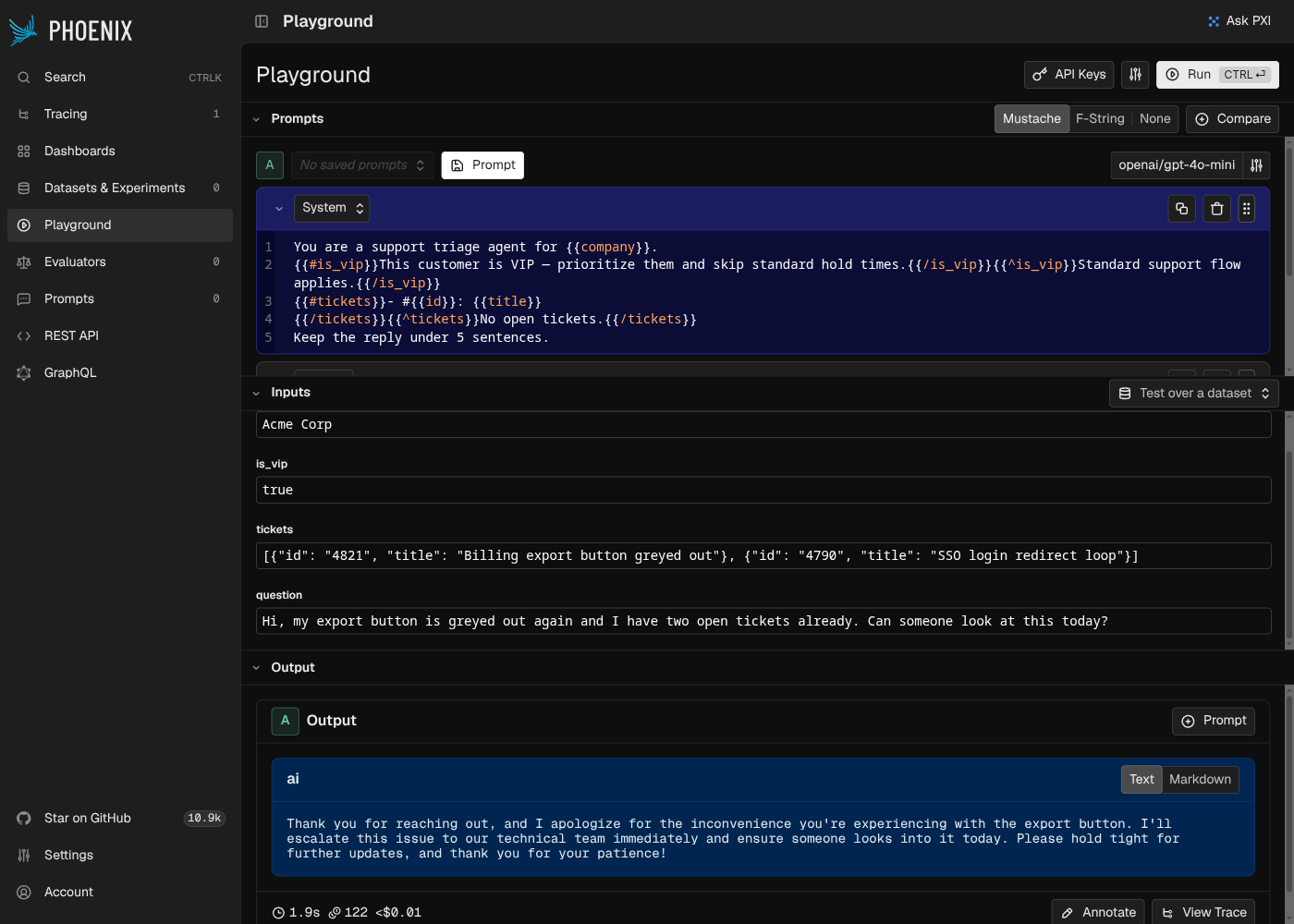
<li class="">Phoenix's docs say self-hosting has "no feature gates". The license forbids selling Phoenix to
others as a hosted service.</li>
</ul>
<p><strong>Limits of Phoenix</strong></p>
<ul>
<li class="">Phoenix has no review queues, but you can annotate a single trace by hand.</li>
<li class="">Online scoring on the server is not released yet, and its GitHub issues are still open.</li>
</ul>
<p>Our comparison: <a class="" href="https://acruxcore.com/blog/acruxcore-vs-phoenix">AcruxCore vs Phoenix</a>.</p>
<p>Sources: <a href="https://github.com/Arize-ai/phoenix/blob/main/LICENSE" target="_blank" rel="noopener noreferrer" class="">license</a>,
<a href="https://arize.com/docs/phoenix/self-hosting/license" target="_blank" rel="noopener noreferrer" class="">license page</a>,
<a href="https://arize.com/docs/phoenix/evaluation/server-evals/overview" target="_blank" rel="noopener noreferrer" class="">server evals</a>,
<a href="https://github.com/Arize-ai/phoenix/issues/11651" target="_blank" rel="noopener noreferrer" class="">review queues issue</a>,
<a href="https://arize.com/pricing/" target="_blank" rel="noopener noreferrer" class="">pricing</a>.</p>
<h2 class="anchor anchorTargetStickyNavbar_SAay" id="eval-libraries-that-run-in-ci">Eval libraries that run in CI<a href="https://acruxcore.com/blog/braintrust-alternatives#eval-libraries-that-run-in-ci" class="hash-link" aria-label="Direct link to Eval libraries that run in CI" title="Direct link to Eval libraries that run in CI" translate="no">​</a></h2>
<p>These two tools run evals as code, with no server to keep running. Neither one scores production
traffic in its free version.</p>
<h3 class="anchor anchorTargetStickyNavbar_SAay" id="7-deepeval-and-confident-ai">7. DeepEval and Confident AI<a href="https://acruxcore.com/blog/braintrust-alternatives#7-deepeval-and-confident-ai" class="hash-link" aria-label="Direct link to 7. DeepEval and Confident AI" title="Direct link to 7. DeepEval and Confident AI" translate="no">​</a></h3>
<p>DeepEval vs Braintrust: DeepEval is an Apache-2.0 Python library for evals. Confident AI is its
closed, hosted platform, priced below Braintrust Pro.</p>
<p><strong>Best for:</strong> Python teams that want evals as pytest tests.</p>


<table><thead><tr><th></th><th>DeepEval / Confident AI</th><th>Braintrust</th></tr></thead><tbody><tr><td>License</td><td>DeepEval Apache-2.0; Confident AI closed</td><td>Closed source</td></tr><tr><td>Self-host</td><td>DeepEval runs anywhere; Confident AI Enterprise only</td><td>Enterprise only</td></tr><tr><td>Cheapest paid plan</td><td>Confident AI Starter: $200 a month per organization</td><td>Pro: $249 a month</td></tr></tbody></table>
<p><strong>Where DeepEval differs</strong></p>
<ul>
<li class="">DeepEval's metrics cover RAG, agents, conversations, voice, MCP and safety.</li>
<li class="">G-Eval and DAG, two judge builders in DeepEval, let you write your own judge.</li>
<li class=""><code>deepeval test run</code> runs your evals as pytest tests in CI.</li>
<li class="">The library simulates conversations and generates test cases for you.</li>
<li class="">DeepEval optimizes prompts with four algorithms, such as GEPA and MIPROv2.</li>
</ul>
<p><strong>Limits of DeepEval</strong></p>
<ul>
<li class="">The open-source library has no web UI. Side-by-side experiments, online scoring and review
queues need Confident AI.</li>
<li class="">Self-hosting Confident AI needs an Enterprise plan and a license key.</li>
</ul>
<p>Sources: <a href="https://github.com/confident-ai/deepeval" target="_blank" rel="noopener noreferrer" class="">repository</a>,
<a href="https://deepeval.com/docs/metrics-introduction" target="_blank" rel="noopener noreferrer" class="">metrics</a>,
<a href="https://deepeval.com/docs/evaluation-unit-testing-in-ci-cd" target="_blank" rel="noopener noreferrer" class="">CI</a>,
<a href="https://www.confident-ai.com/docs/self-hosting" target="_blank" rel="noopener noreferrer" class="">Confident AI self-hosting</a>,
<a href="https://www.confident-ai.com/pricing" target="_blank" rel="noopener noreferrer" class="">pricing</a>.</p>
<h3 class="anchor anchorTargetStickyNavbar_SAay" id="8-promptfoo">8. promptfoo<a href="https://acruxcore.com/blog/braintrust-alternatives#8-promptfoo" class="hash-link" aria-label="Direct link to 8. promptfoo" title="Direct link to 8. promptfoo" translate="no">​</a></h3>
<p>promptfoo vs Braintrust: promptfoo is an MIT command-line tool that runs evals and red-team tests
from a config file. OpenAI agreed to acquire it in March 2026.</p>
<p><strong>Best for:</strong> engineers who want eval and security tests to run in CI, with no server.</p>


<table><thead><tr><th></th><th>promptfoo</th><th>Braintrust</th></tr></thead><tbody><tr><td>License</td><td>MIT</td><td>Closed source</td></tr><tr><td>Self-host</td><td>CLI and a local web viewer</td><td>Enterprise only</td></tr><tr><td>Cheapest paid plan</td><td>Enterprise, no public price</td><td>Pro: $249 a month</td></tr></tbody></table>
<p><strong>Where promptfoo differs</strong></p>
<ul>
<li class="">A matrix view shows every prompt and model side by side, for every test case.</li>
<li class="">Red teaming is its main focus, with attacks mapped to OWASP and the EU AI Act.</li>
<li class="">A GitHub Action runs the evals on each pull request.</li>
<li class=""><code>promptfoo optimize</code> rewrites prompts, and a simulated user tests multi-turn chats.</li>
</ul>
<p><strong>Limits of promptfoo</strong></p>
<ul>
<li class="">promptfoo tests before you ship. It does not score production traffic.</li>
<li class="">Its self-hosted sharing server has no sign-in. The promptfoo docs say it is not recommended for
production.</li>
</ul>
<p>Sources: <a href="https://github.com/promptfoo/promptfoo/blob/main/LICENSE" target="_blank" rel="noopener noreferrer" class="">license</a>,
<a href="https://www.promptfoo.dev/blog/promptfoo-joining-openai/" target="_blank" rel="noopener noreferrer" class="">OpenAI acquisition</a>,
<a href="https://www.promptfoo.dev/docs/integrations/github-action/" target="_blank" rel="noopener noreferrer" class="">GitHub Action</a>,
<a href="https://www.promptfoo.dev/docs/usage/self-hosting/" target="_blank" rel="noopener noreferrer" class="">self-hosting</a>,
<a href="https://www.promptfoo.dev/pricing/" target="_blank" rel="noopener noreferrer" class="">pricing</a>.</p>
<h2 class="anchor anchorTargetStickyNavbar_SAay" id="closed-source-alternatives">Closed-source alternatives<a href="https://acruxcore.com/blog/braintrust-alternatives#closed-source-alternatives" class="hash-link" aria-label="Direct link to Closed-source alternatives" title="Direct link to Closed-source alternatives" translate="no">​</a></h2>
<p>LangSmith and W&amp;B Weave publish no server code. Self-hosting either one needs an enterprise
contract.</p>
<h3 class="anchor anchorTargetStickyNavbar_SAay" id="9-langsmith">9. LangSmith<a href="https://acruxcore.com/blog/braintrust-alternatives#9-langsmith" class="hash-link" aria-label="Direct link to 9. LangSmith" title="Direct link to 9. LangSmith" translate="no">​</a></h3>
<p>LangSmith vs Braintrust: LangSmith, from the LangChain team, has datasets, judges, review queues,
online scoring and multi-turn simulation. It charges per seat, where Braintrust charges a flat
price.</p>
<p><strong>Best for:</strong> apps built on LangChain or LangGraph.</p>


<table><thead><tr><th></th><th>LangSmith</th><th>Braintrust</th></tr></thead><tbody><tr><td>License</td><td>Closed source; SDKs MIT</td><td>Closed source; SDKs Apache-2.0</td></tr><tr><td>Self-host</td><td>Enterprise plan only</td><td>Enterprise plan only</td></tr><tr><td>Cheapest paid plan</td><td>Plus: $39 per seat a month, 10,000 traces, 14 days</td><td>Pro: $249 a month, unlimited users, 30 days</td></tr></tbody></table>
<p><strong>Where LangSmith differs</strong></p>
<ul>
<li class="">LangSmith scores the steps an agent took and simulates multi-turn chats.</li>
<li class="">LangSmith has review queues, online judges, and test runners for pytest and Vitest.</li>
<li class="">Plus costs $39 per seat, so a team of six or fewer pays less than Braintrust Pro, before
trace charges.</li>
</ul>
<p><strong>Limits of LangSmith</strong></p>
<ul>
<li class="">LangSmith keeps base traces 14 days. Keeping a trace longer costs extra.</li>
<li class="">An online scoring rule moves every trace it matches to the longer, paid retention.</li>
</ul>
<p>Our comparison: <a class="" href="https://acruxcore.com/blog/acrux-core-vs-langsmith">AcruxCore vs LangSmith</a>. For more options
starting from LangSmith, see <a class="" href="https://acruxcore.com/blog/langsmith-alternatives">8 LangSmith alternatives</a>.</p>
<p>Sources: <a href="https://www.langchain.com/pricing" target="_blank" rel="noopener noreferrer" class="">pricing</a>,
<a href="https://docs.langchain.com/langsmith/architectural-overview" target="_blank" rel="noopener noreferrer" class="">self-hosting</a>,
<a href="https://docs.langchain.com/langsmith/rules" target="_blank" rel="noopener noreferrer" class="">online rules</a>,
<a href="https://docs.langchain.com/langsmith/multi-turn-simulation" target="_blank" rel="noopener noreferrer" class="">multi-turn simulation</a>.</p>
<h3 class="anchor anchorTargetStickyNavbar_SAay" id="10-wb-weave">10. W&amp;B Weave<a href="https://acruxcore.com/blog/braintrust-alternatives#10-wb-weave" class="hash-link" aria-label="Direct link to 10. W&amp;B Weave" title="Direct link to 10. W&amp;B Weave" translate="no">​</a></h3>
<p>Weave vs Braintrust: Weave, from Weights &amp; Biases, has review queues, monitors and leaderboards.
Its Pro plan starts at $60 a month, against $249 for Braintrust Pro.</p>
<p><strong>Best for:</strong> teams that already track training runs in Weights &amp; Biases.</p>


<table><thead><tr><th></th><th>W&amp;B Weave</th><th>Braintrust</th></tr></thead><tbody><tr><td>License</td><td>SDK Apache-2.0; server needs a W&amp;B license</td><td>Closed source</td></tr><tr><td>Self-host</td><td>Enterprise plan only; ClickHouse, MySQL, Redis, S3 on Kubernetes</td><td>Enterprise plan only</td></tr><tr><td>Cheapest paid plan</td><td>Pro: from $60 a month, up to 10 seats</td><td>Pro: $249 a month</td></tr></tbody></table>
<p><strong>Where Weave differs</strong></p>
<ul>
<li class="">Leaderboards rank models and prompts across many evaluations.</li>
<li class="">Monitors run LLM judges on a sample of live calls.</li>
<li class="">Weave keeps LLM traces in the same W&amp;B account as your training runs and model registry.</li>
</ul>
<p><strong>Limits of Weave</strong></p>
<ul>
<li class="">Pro includes 1.5 GB of trace data a month, then $0.10 per MB. Eval runs that log full inputs
and outputs count against that 1.5 GB.</li>
<li class="">Weave has no built-in prompt optimizer.</li>
</ul>
<p>Sources: <a href="https://coreweave.com/forge-pricing" target="_blank" rel="noopener noreferrer" class="">pricing</a>,
<a href="https://docs.coreweave.com/weave/guides/platform/weave-self-managed" target="_blank" rel="noopener noreferrer" class="">self-managed Weave</a>,
<a href="https://docs.coreweave.com/products/wandb/weave/guides/evaluation/compare_evals" target="_blank" rel="noopener noreferrer" class="">comparing evaluations</a>,
<a href="https://docs.coreweave.com/products/wandb/weave/guides/evaluation/custom-monitors" target="_blank" rel="noopener noreferrer" class="">monitors</a>.</p>
<h2 class="anchor anchorTargetStickyNavbar_SAay" id="tools-other-lists-still-recommend">Tools other lists still recommend<a href="https://acruxcore.com/blog/braintrust-alternatives#tools-other-lists-still-recommend" class="hash-link" aria-label="Direct link to Tools other lists still recommend" title="Direct link to Tools other lists still recommend" translate="no">​</a></h2>
<p>Older lists of Braintrust alternatives still include these tools. Their status on
21 October 2026:</p>
<ul>
<li class=""><strong>Galileo</strong> was acquired by Cisco and is now sold as Splunk Agent Observability.
(<a href="https://www.splunk.com/en_us/about-splunk/acquisitions/galileo.html" target="_blank" rel="noopener noreferrer" class="">source</a>)</li>
<li class=""><strong>Humanloop</strong> shut down on 8 September 2025, after its team joined Anthropic.
(<a href="https://humanloop.com/docs/guides/migrating-from-humanloop" target="_blank" rel="noopener noreferrer" class="">source</a>)</li>
<li class=""><strong>Patronus AI</strong> now calls itself a research lab for training data and simulated environments.
Its pricing page shows no prices. (<a href="https://www.patronus.ai/" target="_blank" rel="noopener noreferrer" class="">source</a>)</li>
<li class=""><strong>HoneyHive</strong> has a free plan and Enterprise, with no public paid plan in between. Self-hosting
needs Enterprise. (<a href="https://www.honeyhive.ai/pricing" target="_blank" rel="noopener noreferrer" class="">source</a>)</li>
<li class=""><strong>Future AGI</strong> went public on GitHub in April 2026 under Apache-2.0, with an enterprise folder
under its own license. (<a href="https://github.com/future-agi/future-agi" target="_blank" rel="noopener noreferrer" class="">source</a>)</li>
</ul>
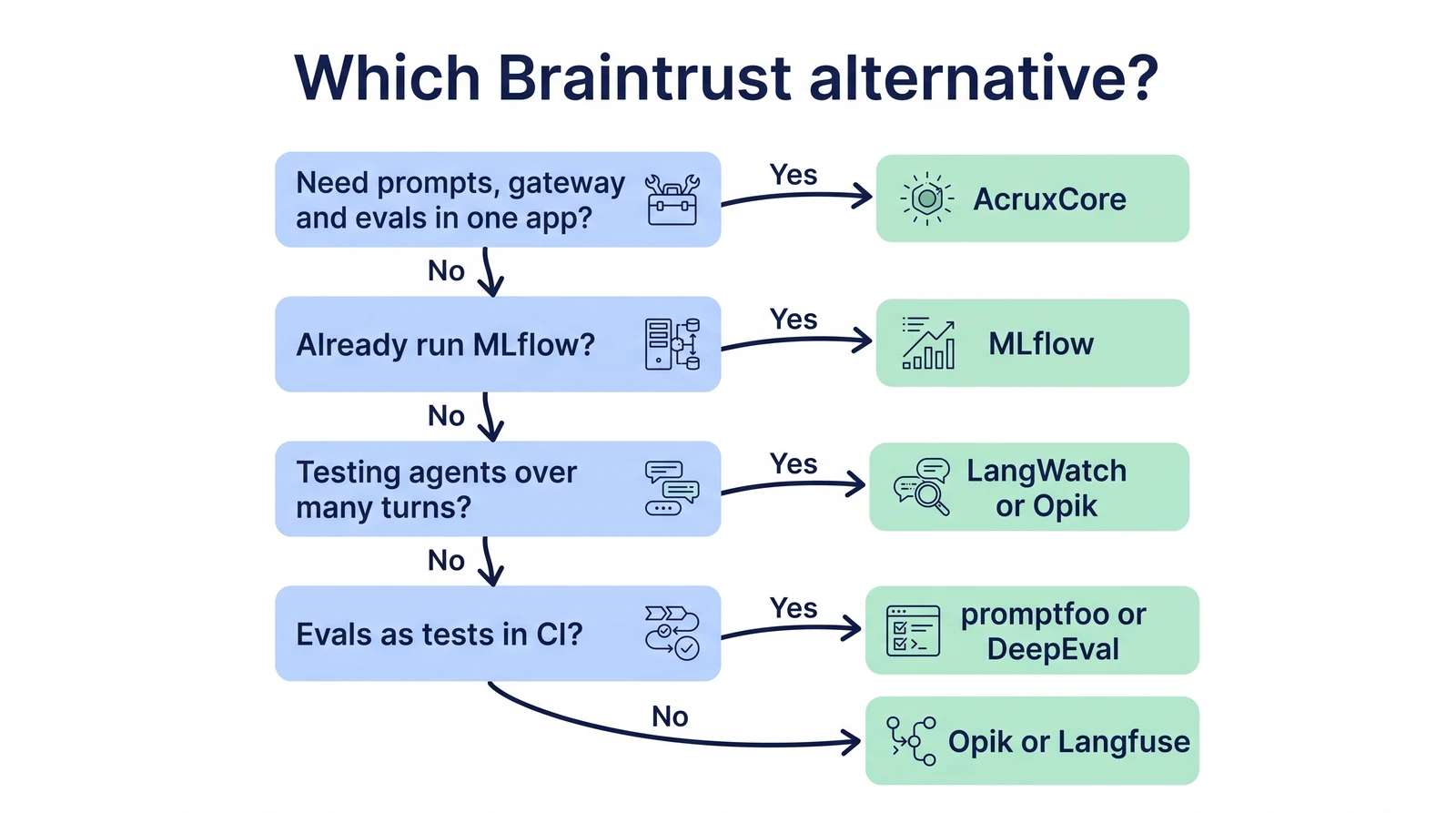
<h2 class="anchor anchorTargetStickyNavbar_SAay" id="which-braintrust-alternative-should-you-pick">Which Braintrust alternative should you pick?<a href="https://acruxcore.com/blog/braintrust-alternatives#which-braintrust-alternative-should-you-pick" class="hash-link" aria-label="Direct link to Which Braintrust alternative should you pick?" title="Direct link to Which Braintrust alternative should you pick?" translate="no">​</a></h2>
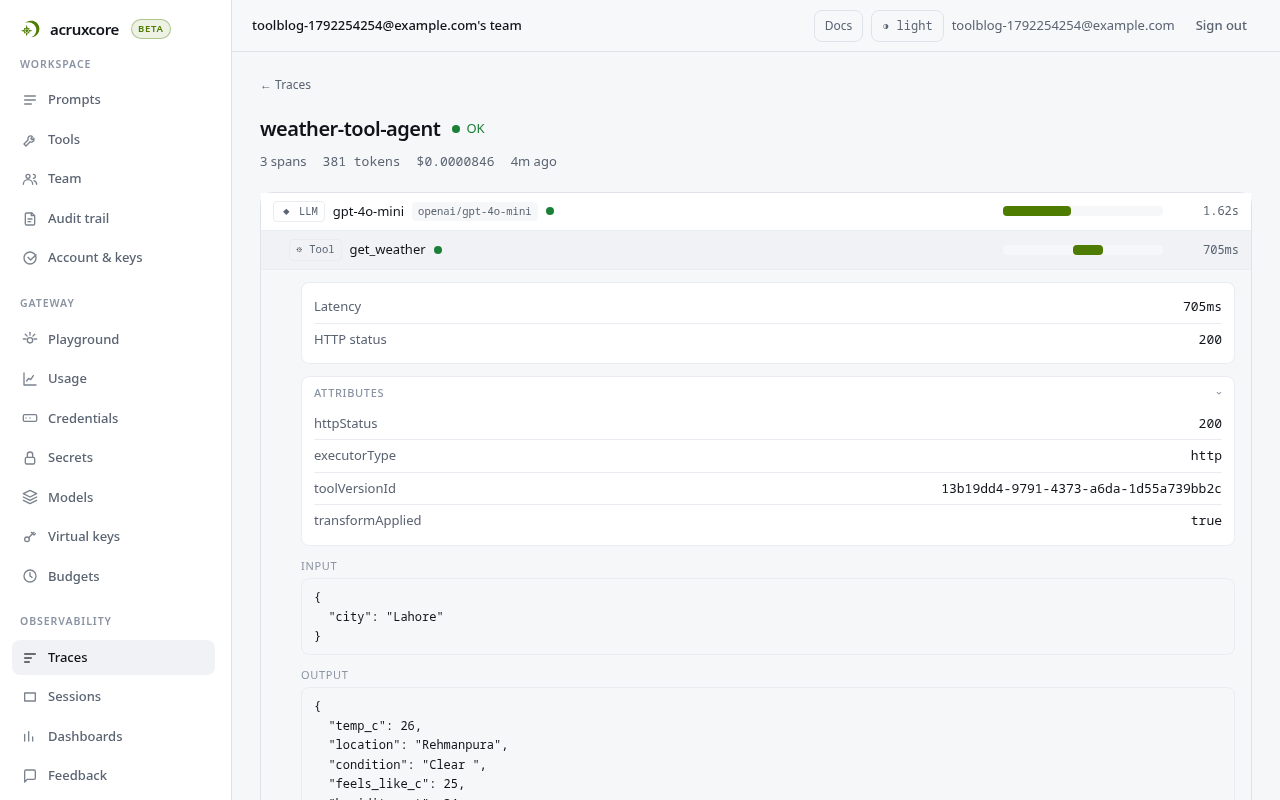
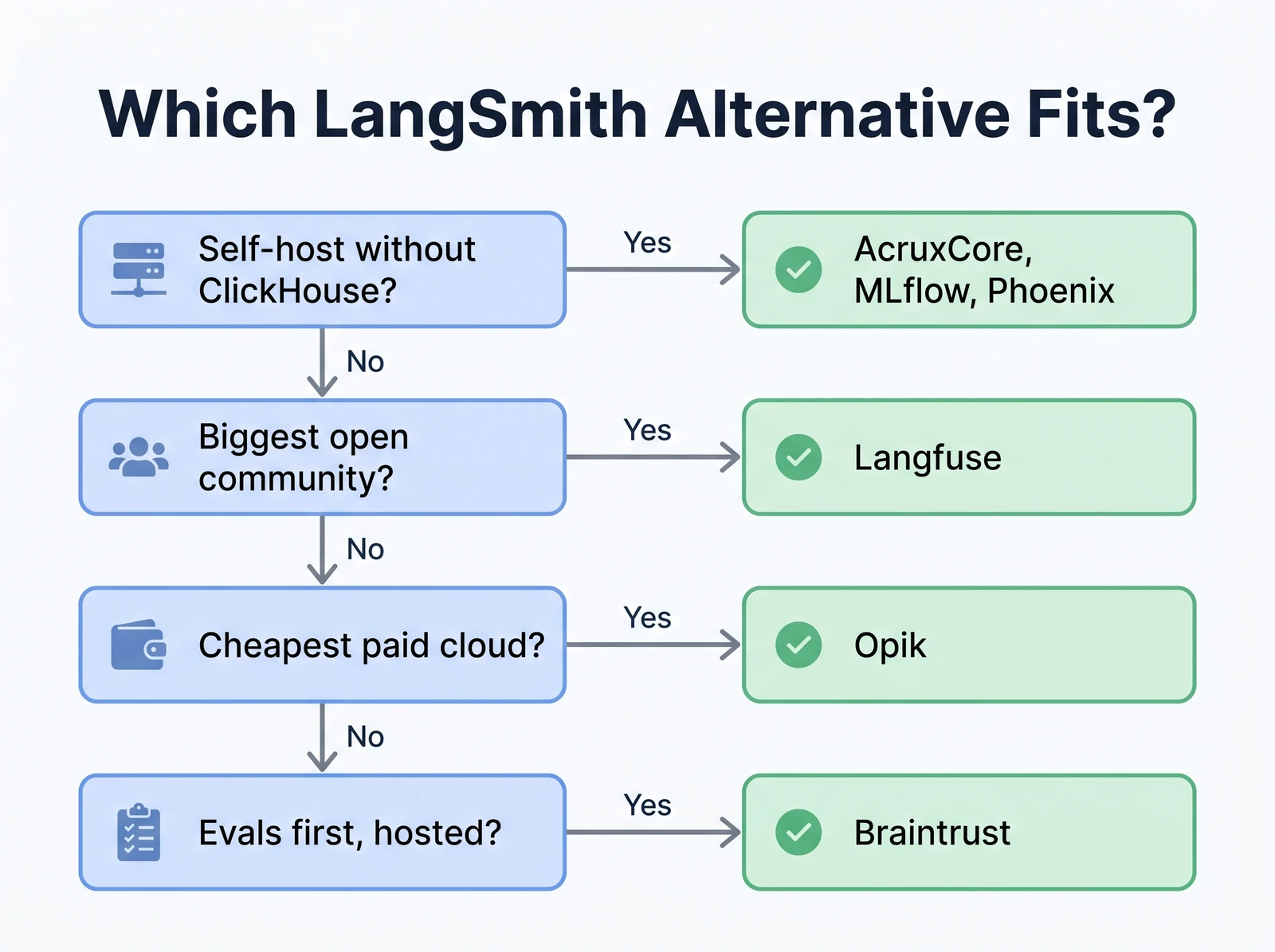
<p>Start at the top and stop at the first question you answer yes to.</p>
<p><img decoding="async" loading="lazy" alt="Decision flow: need prompts, gateway and evals in one app leads to AcruxCore; already run MLflow leads to MLflow; testing agents over many turns leads to LangWatch or Opik; evals as tests in CI leads to promptfoo or DeepEval; otherwise Opik or Langfuse" src="https://acruxcore.com/blog/assets/images/04-decision-871b8f4c06abd8307ff1bcf2c712e188.webp" width="1600" height="893" class="img__Ss2"></p>
<h3 class="anchor anchorTargetStickyNavbar_SAay" id="best-open-source-braintrust-alternative">Best open-source Braintrust alternative<a href="https://acruxcore.com/blog/braintrust-alternatives#best-open-source-braintrust-alternative" class="hash-link" aria-label="Direct link to Best open-source Braintrust alternative" title="Direct link to Best open-source Braintrust alternative" translate="no">​</a></h3>
<ul>
<li class=""><strong>AcruxCore</strong> if you need the whole platform: prompts, a gateway, tracing and evals, free to
self-host.</li>
<li class=""><strong>Opik</strong> if you only need evals. It has the most eval features of any free self-hosted tool.</li>
<li class=""><strong>Langfuse</strong> for the largest community, with every eval feature free.</li>
</ul>
<h3 class="anchor anchorTargetStickyNavbar_SAay" id="best-self-hosted-braintrust-alternative-for-a-small-team">Best self-hosted Braintrust alternative for a small team<a href="https://acruxcore.com/blog/braintrust-alternatives#best-self-hosted-braintrust-alternative-for-a-small-team" class="hash-link" aria-label="Direct link to Best self-hosted Braintrust alternative for a small team" title="Direct link to Best self-hosted Braintrust alternative for a small team" translate="no">​</a></h3>
<ul>
<li class=""><strong>AcruxCore</strong> for one app on Postgres and Redis, with a gateway that enforces spend budgets.</li>
<li class=""><strong>Arize Phoenix</strong> for evals only, with the fewest parts to run: one container on SQLite.</li>
</ul>
<h3 class="anchor anchorTargetStickyNavbar_SAay" id="if-you-test-agents-over-many-turns">If you test agents over many turns<a href="https://acruxcore.com/blog/braintrust-alternatives#if-you-test-agents-over-many-turns" class="hash-link" aria-label="Direct link to If you test agents over many turns" title="Direct link to If you test agents over many turns" translate="no">​</a></h3>
<ul>
<li class=""><strong>LangWatch</strong> and <strong>Opik</strong> test your agent against a simulated user.</li>
<li class=""><strong>MLflow</strong> simulates conversations and scores each session.</li>
</ul>
<h3 class="anchor anchorTargetStickyNavbar_SAay" id="if-evals-should-run-as-tests-in-ci">If evals should run as tests in CI<a href="https://acruxcore.com/blog/braintrust-alternatives#if-evals-should-run-as-tests-in-ci" class="hash-link" aria-label="Direct link to If evals should run as tests in CI" title="Direct link to If evals should run as tests in CI" translate="no">​</a></h3>
<ul>
<li class=""><strong>promptfoo</strong> for a config file, a GitHub Action and red teaming.</li>
<li class=""><strong>DeepEval</strong> for pytest and metrics for RAG, agents and conversations.</li>
</ul>
<h3 class="anchor anchorTargetStickyNavbar_SAay" id="if-you-want-to-stay-hosted">If you want to stay hosted<a href="https://acruxcore.com/blog/braintrust-alternatives#if-you-want-to-stay-hosted" class="hash-link" aria-label="Direct link to If you want to stay hosted" title="Direct link to If you want to stay hosted" translate="no">​</a></h3>
<ul>
<li class=""><strong>LangSmith</strong> has review queues, online judges and simulation. It costs less than Braintrust
Pro for teams of six or fewer.</li>
<li class=""><strong>Opik Pro</strong> costs $19 a month, against $249 for Braintrust Pro.</li>
</ul>
<h2 class="anchor anchorTargetStickyNavbar_SAay" id="faq">FAQ<a href="https://acruxcore.com/blog/braintrust-alternatives#faq" class="hash-link" aria-label="Direct link to FAQ" title="Direct link to FAQ" translate="no">​</a></h2>
<h3 class="anchor anchorTargetStickyNavbar_SAay" id="is-braintrust-open-source">Is Braintrust open source?<a href="https://acruxcore.com/blog/braintrust-alternatives#is-braintrust-open-source" class="hash-link" aria-label="Direct link to Is Braintrust open source?" title="Direct link to Is Braintrust open source?" translate="no">​</a></h3>
<p>No. The Braintrust server is closed source. The SDKs are Apache-2.0, and the <code>autoevals</code> scorer
library is MIT. (<a href="https://github.com/braintrustdata/autoevals" target="_blank" rel="noopener noreferrer" class="">autoevals</a>)</p>
<h3 class="anchor anchorTargetStickyNavbar_SAay" id="can-you-self-host-braintrust">Can you self-host Braintrust?<a href="https://acruxcore.com/blog/braintrust-alternatives#can-you-self-host-braintrust" class="hash-link" aria-label="Direct link to Can you self-host Braintrust?" title="Direct link to Can you self-host Braintrust?" translate="no">​</a></h3>
<p>Only on the Enterprise plan. The data plane runs in your AWS, GCP or Azure account and needs a
license key. Braintrust still hosts the web UI and sign-in.
(<a href="https://www.braintrust.dev/docs/guides/self-hosting" target="_blank" rel="noopener noreferrer" class="">self-hosting</a>)</p>
<h3 class="anchor anchorTargetStickyNavbar_SAay" id="how-much-does-braintrust-cost">How much does Braintrust cost?<a href="https://acruxcore.com/blog/braintrust-alternatives#how-much-does-braintrust-cost" class="hash-link" aria-label="Direct link to How much does Braintrust cost?" title="Direct link to How much does Braintrust cost?" translate="no">​</a></h3>
<p>Starter is free, with 1 GB of data and 10,000 scores a month. Pro costs $249 a month. Enterprise
has a custom price. (<a href="https://www.braintrust.dev/pricing" target="_blank" rel="noopener noreferrer" class="">pricing</a>)</p>
<h3 class="anchor anchorTargetStickyNavbar_SAay" id="was-braintrust-breached">Was Braintrust breached?<a href="https://acruxcore.com/blog/braintrust-alternatives#was-braintrust-breached" class="hash-link" aria-label="Direct link to Was Braintrust breached?" title="Direct link to Was Braintrust breached?" translate="no">​</a></h3>
<p>In May 2026, Braintrust confirmed unauthorized access to one of its AWS accounts. It asked every
customer to rotate the AI provider keys stored in Braintrust, and said one customer was affected.
(<a href="https://techcrunch.com/2026/05/06/ai-evaluation-startup-braintrust-confirms-breach-tells-every-customer-to-rotate-sensitive-keys/" target="_blank" rel="noopener noreferrer" class="">TechCrunch</a>)</p>
<h3 class="anchor anchorTargetStickyNavbar_SAay" id="does-braintrust-have-spending-limits">Does Braintrust have spending limits?<a href="https://acruxcore.com/blog/braintrust-alternatives#does-braintrust-have-spending-limits" class="hash-link" aria-label="Direct link to Does Braintrust have spending limits?" title="Direct link to Does Braintrust have spending limits?" translate="no">​</a></h3>
<p>No. Braintrust has spend alerts, but its billing FAQ says it has no hard limits that stop usage.
(<a href="https://www.braintrust.dev/docs/admin/billing/faq" target="_blank" rel="noopener noreferrer" class="">billing FAQ</a>)</p>
<h2 class="anchor anchorTargetStickyNavbar_SAay" id="related-posts">Related posts<a href="https://acruxcore.com/blog/braintrust-alternatives#related-posts" class="hash-link" aria-label="Direct link to Related posts" title="Direct link to Related posts" translate="no">​</a></h2>
<ul>
<li class=""><a class="" href="https://acruxcore.com/blog/acruxcore-vs-braintrust">AcruxCore vs Braintrust</a>: the same prompt and tool run on both,
with screenshots.</li>
<li class=""><a class="" href="https://acruxcore.com/blog/langfuse-alternatives">8 Langfuse alternatives</a>: the same comparison, starting from
Langfuse.</li>
<li class=""><a class="" href="https://acruxcore.com/blog/langsmith-alternatives">8 LangSmith alternatives</a>: the same comparison, starting from
LangSmith.</li>
<li class=""><a class="" href="https://acruxcore.com/blog/hands-on-llm-ops-comparison">10 LLM observability tools tested hands-on</a>: screenshots
of each tool.</li>
<li class=""><a class="" href="https://acruxcore.com/blog/self-hosting-llm-observability">Self-hosting LLM observability: seven open-source tools measured</a>:
memory, disk and trace storage for each stack on one machine.</li>
</ul>]]></content>
        <author>
            <name>The AcruxCore Team</name>
            <uri>https://acruxcore.com</uri>
        </author>
        <category label="LLMOps comparison" term="LLMOps comparison"/>
        <category label="Prompt management" term="Prompt management"/>
    </entry>
    <entry>
        <title type="html"><![CDATA[AcruxCore vs Agenta: built-in evaluators vs a gateway]]></title>
        <id>https://acruxcore.com/blog/acruxcore-vs-agenta</id>
        <link href="https://acruxcore.com/blog/acruxcore-vs-agenta"/>
        <updated>2026-10-19T00:00:00.000Z</updated>
        <summary type="html"><![CDATA[AcruxCore vs Agenta tested hands-on. One Jinja2 prompt on self-hosted Agenta 0.122.7 and AcruxCore, with screenshots from both and a 100-round latency benchmark run three times.]]></summary>
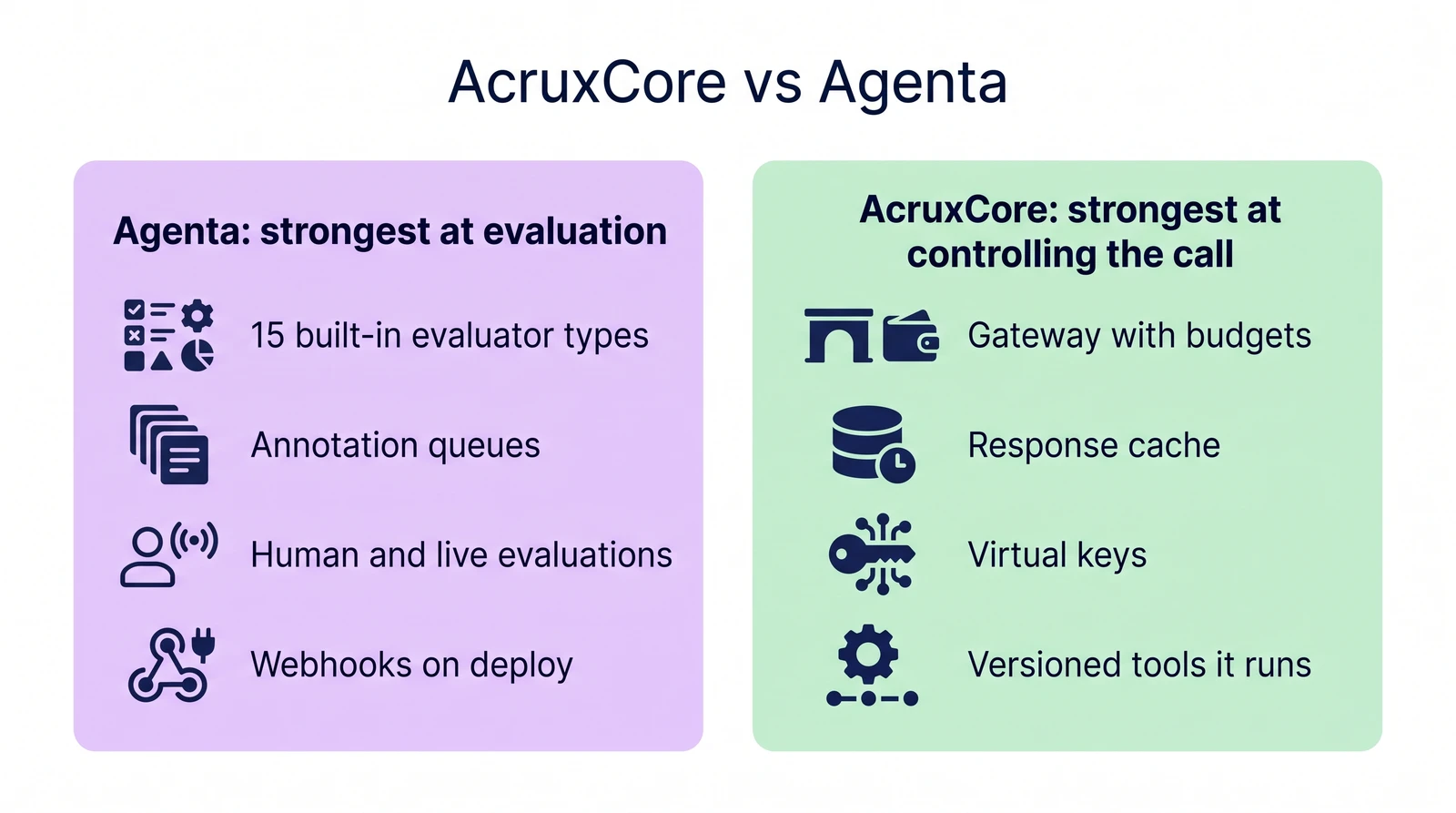
        <content type="html"><![CDATA[<p><img decoding="async" loading="lazy" alt="AcruxCore vs Agenta. Agenta is strongest at evaluation: 15 built-in evaluator types, annotation queues, human and live evaluations, and webhooks on deploy. AcruxCore is strongest at controlling the call: a gateway with budgets, a response cache, virtual keys, and versioned tools it runs." src="https://acruxcore.com/blog/assets/images/header-877ff623b4854ddca37001497b53f032.webp" width="1600" height="893" class="img__Ss2"></p>
<p>Agenta is an open-source platform from Agentatech UG. Its README describes a workspace
where you build agents by chatting with them. You then talk to those agents in Slack,
Telegram or WhatsApp. Behind the agent pages, Agenta also ships a prompt registry, a playground,
evaluation, annotation queues and tracing. Agenta documents those parts in its
<a href="https://agenta.ai/docs/1.0/" target="_blank" rel="noopener noreferrer" class="">v1.0 docs</a>, which it marks as no longer actively maintained.
Those parts still ship in version 0.122.7, the version we ran. This post compares those parts with
AcruxCore, because those are the parts the two products share.</p>
<p>We ran Agenta 0.122.7 on one machine with its own Docker Compose file. The prompt, the
customer message and the model were the same on both sides. Each section below shows what
we saw on Agenta, then what AcruxCore does with the same prompt.</p>
<!-- -->
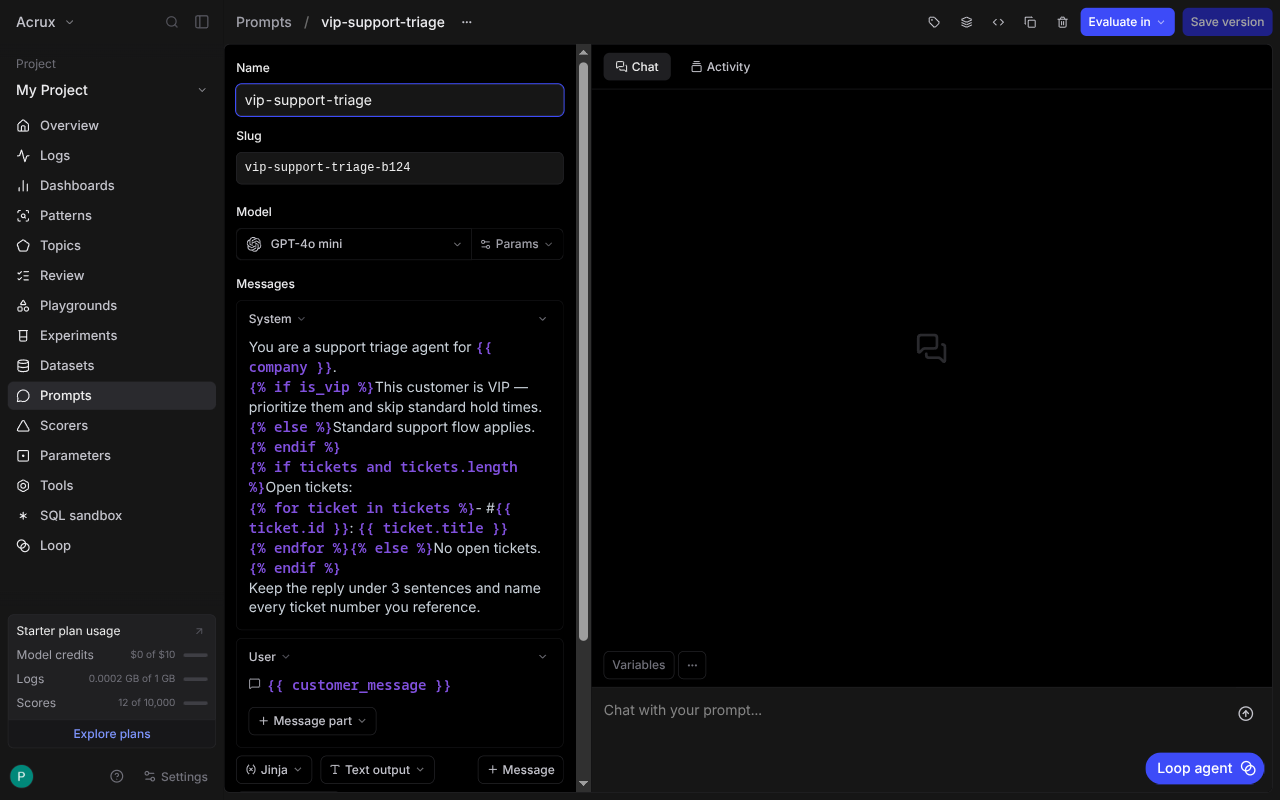
<div class="theme-admonition theme-admonition-note admonition_IZjC alert alert--secondary"><div class="admonitionHeading_uVvU"><span class="admonitionIcon_HiR3"><svg viewBox="0 0 14 16"><path fill-rule="evenodd" d="M6.3 5.69a.942.942 0 0 1-.28-.7c0-.28.09-.52.28-.7.19-.18.42-.28.7-.28.28 0 .52.09.7.28.18.19.28.42.28.7 0 .28-.09.52-.28.7a1 1 0 0 1-.7.3c-.28 0-.52-.11-.7-.3zM8 7.99c-.02-.25-.11-.48-.31-.69-.2-.19-.42-.3-.69-.31H6c-.27.02-.48.13-.69.31-.2.2-.3.44-.31.69h1v3c.02.27.11.5.31.69.2.2.42.31.69.31h1c.27 0 .48-.11.69-.31.2-.19.3-.42.31-.69H8V7.98v.01zM7 2.3c-3.14 0-5.7 2.54-5.7 5.68 0 3.14 2.56 5.7 5.7 5.7s5.7-2.55 5.7-5.7c0-3.15-2.56-5.69-5.7-5.69v.01zM7 .98c3.86 0 7 3.14 7 7s-3.14 7-7 7-7-3.12-7-7 3.14-7 7-7z"></path></svg></span>Same example, both sides</div><div class="admonitionContent_bl22"><p>Every paired screenshot comes from one prompt, <code>vip-support-triage</code>. The prompt changes its
tone for VIP customers and lists their open tickets with <code>{% if %}</code> and <code>{% for %}</code>. Both
sides ran <code>openai/gpt-4o-mini</code> through OpenRouter. The latency benchmark sends every leg to
the same OpenRouter model. Agenta's default web app opens on its agent pages, so we reached
the prompt, evaluation and observability pages through the classic view
(<code>?view=desktop</code>). License, pricing, team structure and community numbers are on the
<a href="https://acruxcore.com/compare" target="_blank" rel="noopener noreferrer" class="">compare page</a>, not in this post.</p></div></div>
<h3 class="anchor anchorTargetStickyNavbar_SAay" id="at-a-glance">At a glance<a href="https://acruxcore.com/blog/acruxcore-vs-agenta#at-a-glance" class="hash-link" aria-label="Direct link to At a glance" title="Direct link to At a glance" translate="no">​</a></h3>


<table><thead><tr><th>Aspect</th><th>Agenta</th><th>AcruxCore</th><th>Winner</th></tr></thead><tbody><tr><td>Evaluators</td><td>15 built-in types, from exact match and regex to code, webhook and LLM judge, all set up in the UI</td><td>LLM judges on the server; code scorers run in your own process through the SDK</td><td>Agenta</td></tr><tr><td>Evaluation workflows</td><td>Auto, human, live and SDK evaluations, plus annotation queues</td><td>Server-side runs, local experiments and sampled rules on live traffic, with no annotation queue</td><td>Agenta</td></tr><tr><td>Prompt versions and deployment</td><td>Versions and variants, a diff in the commit dialog, and three environments by default</td><td>Immutable versions, aliases with any name, and a diff between any two versions</td><td>Depends</td></tr><tr><td>Jinja2 templates</td><td>Renders <code>{% if %}</code> and <code>{% for %}</code>. A variable that appears only inside these tags gets no input field</td><td>Renders the same tags and gives every variable an input field</td><td>AcruxCore</td></tr><tr><td>Where model calls run</td><td>Agenta's invoke service calls the model for a stored prompt, with no spend cap or cache</td><td>A gateway in the request path, with budgets, caching and virtual keys</td><td>AcruxCore</td></tr><tr><td>Latency overhead, measured</td><td>Invoke: −107 to +160 ms over 3 runs; every interval crosses zero</td><td>Gateway: +27 to +293 ms over 3 runs; every interval crosses zero</td><td>Tie</td></tr><tr><td>Tracing</td><td>Invoke calls trace themselves; SDK calls need OpenTelemetry setup and a <code>store_refs</code> call</td><td>Gateway calls trace themselves and link to the prompt version</td><td>Depends</td></tr><tr><td>Tools</td><td>Third-party actions through Composio and MCP servers for agents; tool schemas typed per prompt</td><td>A catalog of your own tools, versioned, run by the gateway, with per-tool analytics</td><td>AcruxCore</td></tr></tbody></table>
<h2 class="anchor anchorTargetStickyNavbar_SAay" id="evaluation">Evaluation<a href="https://acruxcore.com/blog/acruxcore-vs-agenta#evaluation" class="hash-link" aria-label="Direct link to Evaluation" title="Direct link to Evaluation" translate="no">​</a></h2>
<p>Agenta's source defines 15 built-in evaluator types. Eleven of them are rules that need no
model: exact match, starts with, ends with, contains, contains any, contains all, regex,
contains JSON, JSON diff, Levenshtein distance and similarity match. Semantic similarity
compares embeddings. A webhook test sends the output to your own URL for a score. A custom
code evaluator runs your code inside Agenta. The fifteenth type is an LLM judge.</p>
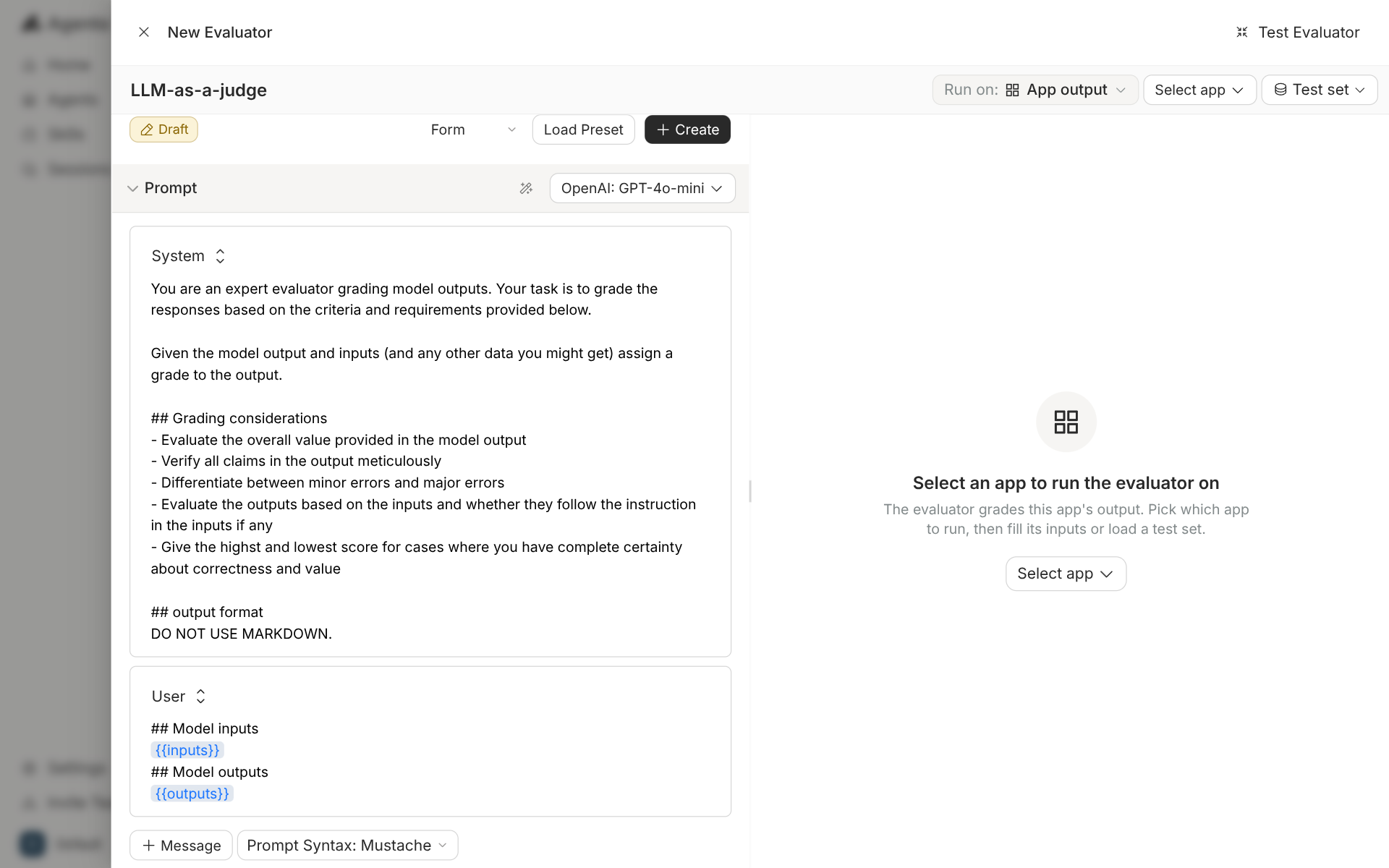
<p>We created an LLM judge from the evaluators page. The judge prompt is editable and ships
with a grading prompt already written. A test panel on the right runs the judge against
an app before you save it.</p>
<p><img decoding="async" loading="lazy" alt="Agenta's New Evaluator drawer for an LLM-as-a-judge, with a system prompt about grading model outputs, a user message with {{inputs}} and {{outputs}}, the model set to OpenAI GPT-4o-mini, and an empty Test Evaluator panel on the right" src="https://acruxcore.com/blog/assets/images/ag-08-judge-editor-b75e94961b686767078ae724c292b086.png" width="1920" height="1200" class="img__Ss2"></p>
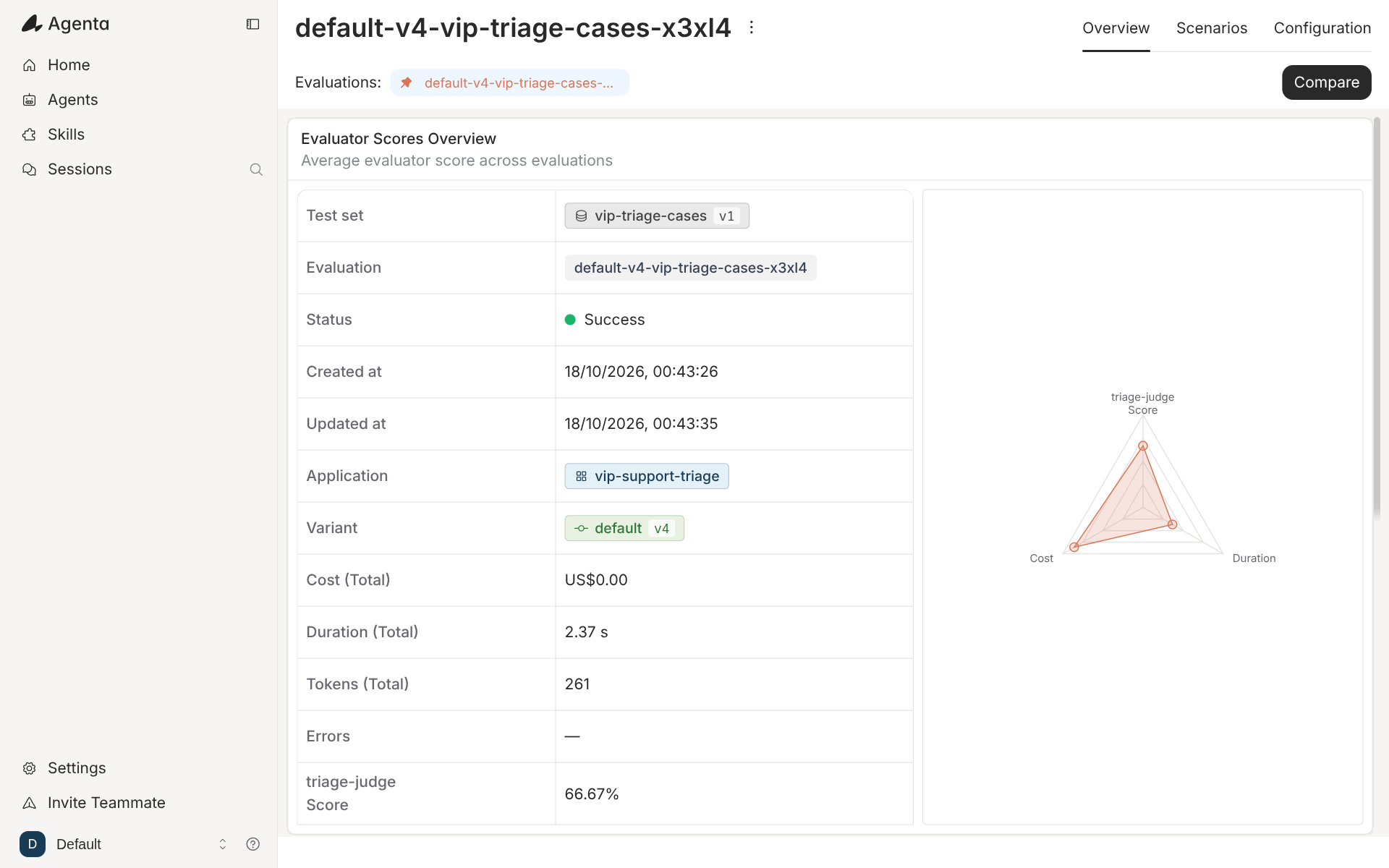
<p>Then we started an auto evaluation from the evaluations page. The wizard took the app, the
revision, a test set and the evaluators. We picked revision v4 of <code>vip-support-triage</code>, a
three-row test set called <code>vip-triage-cases</code>, and the judge. The run finished in 2.37
seconds, and the judge's average score was 66.67%.</p>
<p><img decoding="async" loading="lazy" alt="Agenta evaluation run overview for default-v4-vip-triage-cases: status Success, cost US$0.00, duration 2.37 s, 261 tokens, and a triage-judge score of 66.67%, with a radar chart of score, cost and duration" src="https://acruxcore.com/blog/assets/images/ag-09-eval-run-6f491b1e283b991256a81eae81d1f9fb.png" width="1920" height="1200" class="img__Ss2"></p>
<p>The same page offers four kinds of evaluation. Auto runs a test set through evaluators.
Human collects ratings from people. Live scores production traffic. SDK runs an evaluation
from your own code and reports it back.</p>
<p>AcruxCore covers three of the four. An experiment runs a stored prompt over a dataset on
the server and scores each answer with an LLM judge. A local experiment runs your own app
and your own code scorers through the SDK, and AcruxCore stores the scores. An evaluation
rule samples live traces and scores them with a judge. The difference is the server-side
rule library. AcruxCore scores on the server with an LLM judge only. A regex or an exact
match has to be written as a code scorer in your own process.</p>


<table><thead><tr><th>Feature</th><th>Agenta</th><th>AcruxCore</th></tr></thead><tbody><tr><td>Built-in rule evaluators</td><td>11 types, set up in the UI</td><td>None on the server; code scorers in your process</td></tr><tr><td>LLM judge</td><td>Yes, with an editable prompt and a test panel</td><td>Yes, with a <a href="https://docs.acruxcore.com/docs/guides/write-a-custom-judge-prompt" target="_blank" rel="noopener noreferrer" class="">custom judge prompt</a></td></tr><tr><td>Custom code evaluator</td><td>Runs in Agenta</td><td>Runs in your process, through the SDK</td></tr><tr><td>Scoring live traffic</td><td>Live evaluations</td><td><a href="https://docs.acruxcore.com/docs/guides/score-live-traffic-with-an-evaluation-rule" target="_blank" rel="noopener noreferrer" class="">Evaluation rules</a>, sampled</td></tr><tr><td>Human review</td><td>Human evaluations and annotation queues</td><td>Trace feedback, with no queue</td></tr><tr><td>Dataset from traces</td><td>"Add to testset" on a trace</td><td>A dataset from the feedback list</td></tr></tbody></table>
<h2 class="anchor anchorTargetStickyNavbar_SAay" id="prompt-versions-and-deployment">Prompt versions and deployment<a href="https://acruxcore.com/blog/acruxcore-vs-agenta#prompt-versions-and-deployment" class="hash-link" aria-label="Direct link to Prompt versions and deployment" title="Direct link to Prompt versions and deployment" translate="no">​</a></h2>
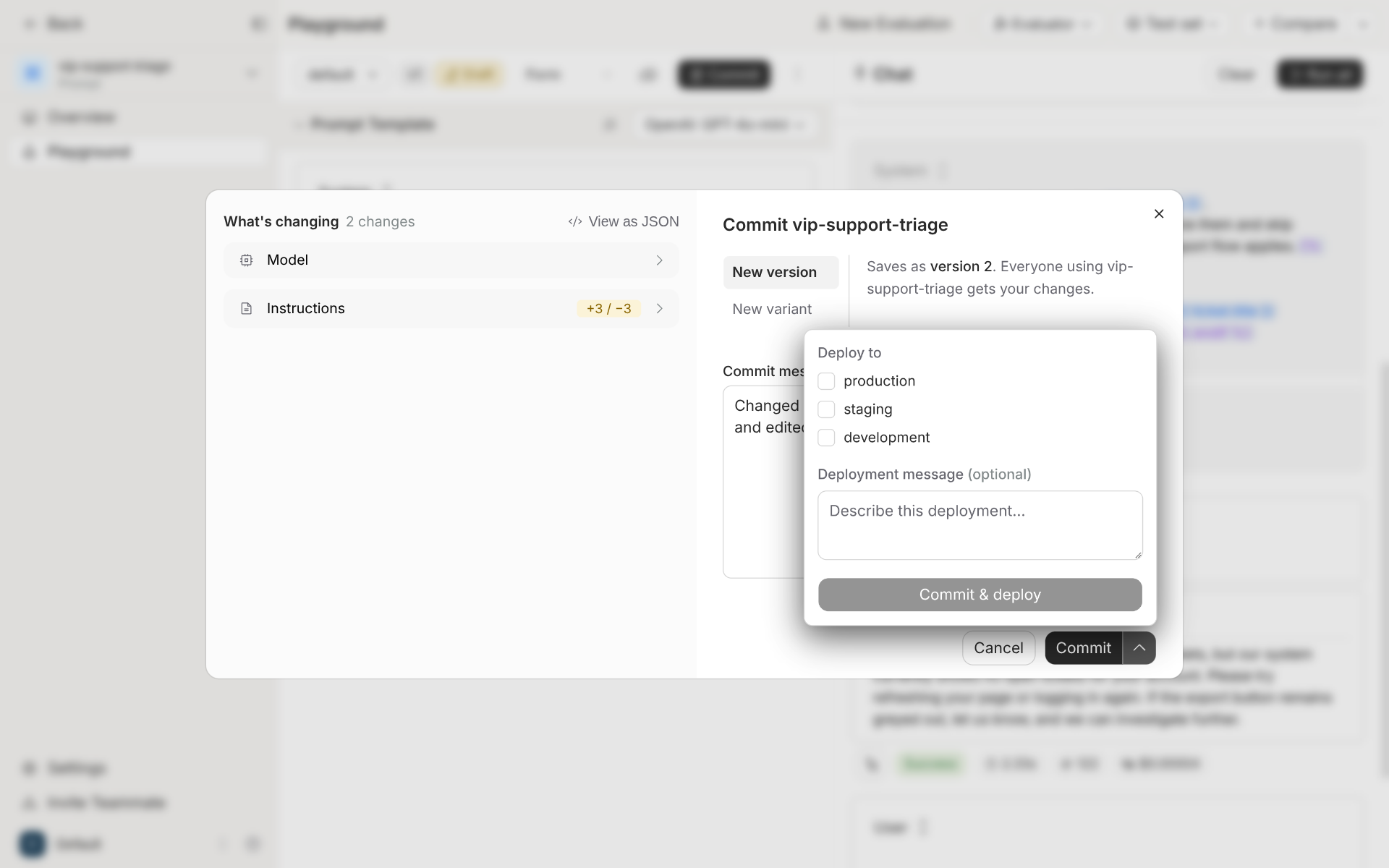
<p>Agenta stores a prompt as an app with variants, and each variant has versions. The commit
dialog shows what changed before you save. The dialog also lets you save as a new version or as a
new variant, and deploy in the same step. The deploy list has three environments by
default: production, staging and development.</p>
<p><img decoding="async" loading="lazy" alt="Agenta's commit dialog for vip-support-triage: a What's changing panel with Model and Instructions (+3 / −3), a New version tab that saves as version 2, and a Deploy to menu with production, staging and development checkboxes" src="https://acruxcore.com/blog/assets/images/ag-03-commit-and-deploy-9bc2db32070254c66cfa3d14c4d9be1e.png" width="1920" height="1200" class="img__Ss2"></p>
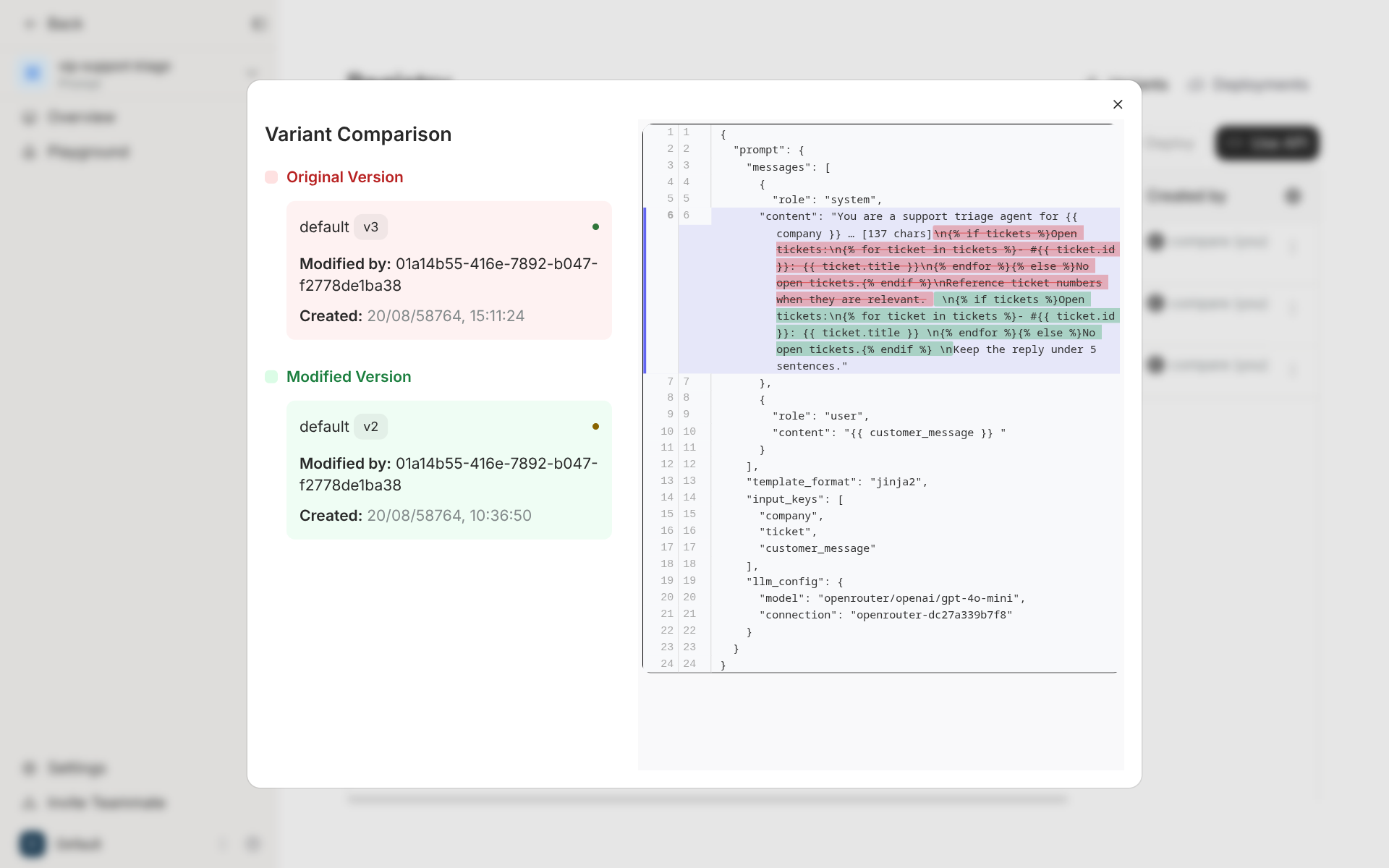
<p>A registry page compares two versions as JSON. The diff covers the whole stored config:
the messages, the template format, the list of input keys and the model settings.</p>
<p><img decoding="async" loading="lazy" alt="Agenta's Variant Comparison between default v3 and default v2, showing a JSON diff of the system message plus template_format jinja2, input_keys company, ticket and customer_message, and the model openrouter/openai/gpt-4o-mini" src="https://acruxcore.com/blog/assets/images/ag-04-registry-diff-8423bb0d96b9c2b17d238265a16fcfb3.png" width="1920" height="1200" class="img__Ss2"></p>
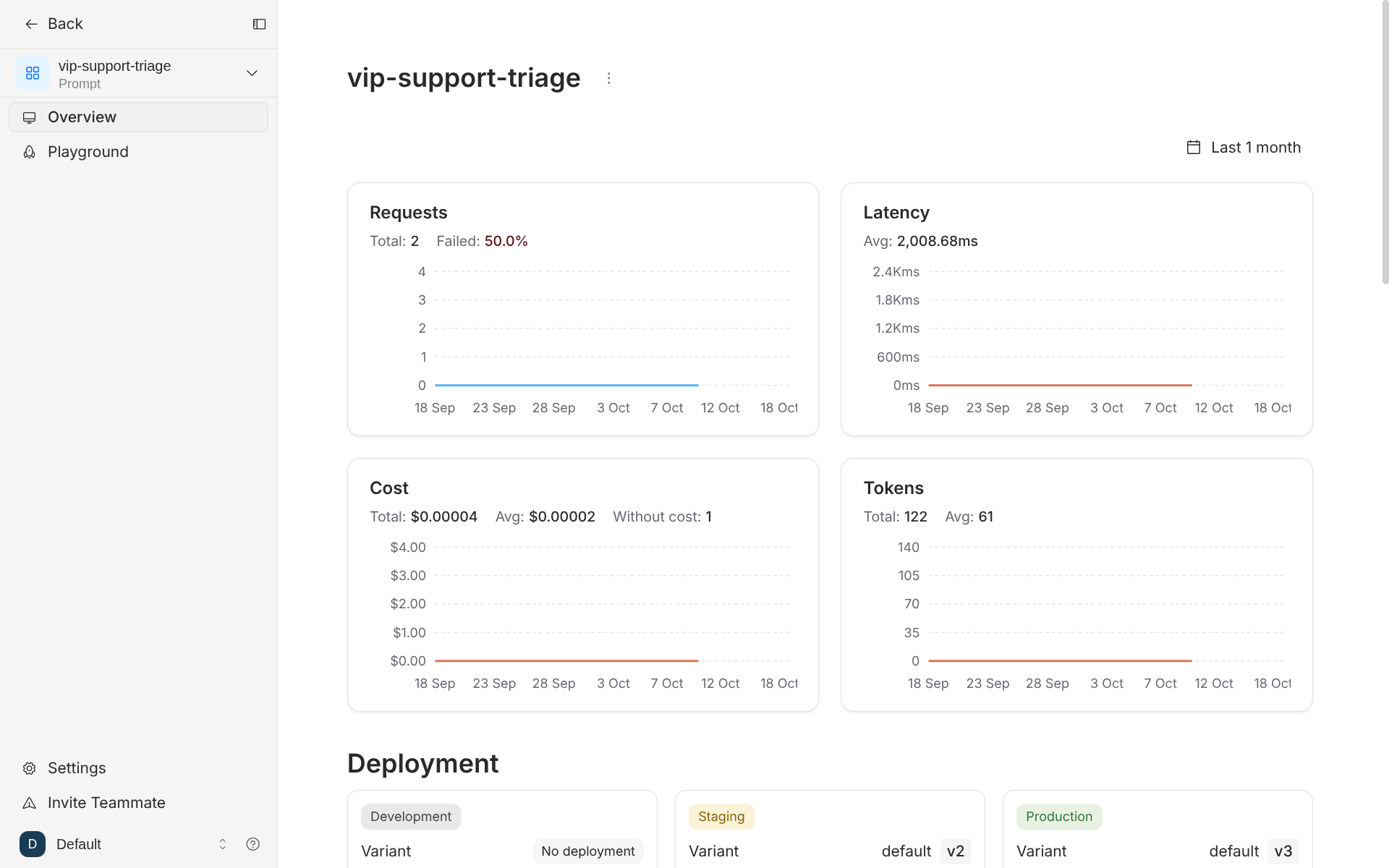
<p>Each prompt also has an overview page. It charts requests, latency, cost and tokens for that
prompt, and shows which version each environment runs.</p>
<p><img decoding="async" loading="lazy" alt="Agenta overview page for vip-support-triage with Requests, Latency, Cost and Tokens charts for the last month, and Deployment cards showing Staging on v2 and Production on v3" src="https://acruxcore.com/blog/assets/images/ag-05-prompt-overview-463413d3142dcb170b0dad52be0a55c4.png" width="1920" height="1200" class="img__Ss2"></p>
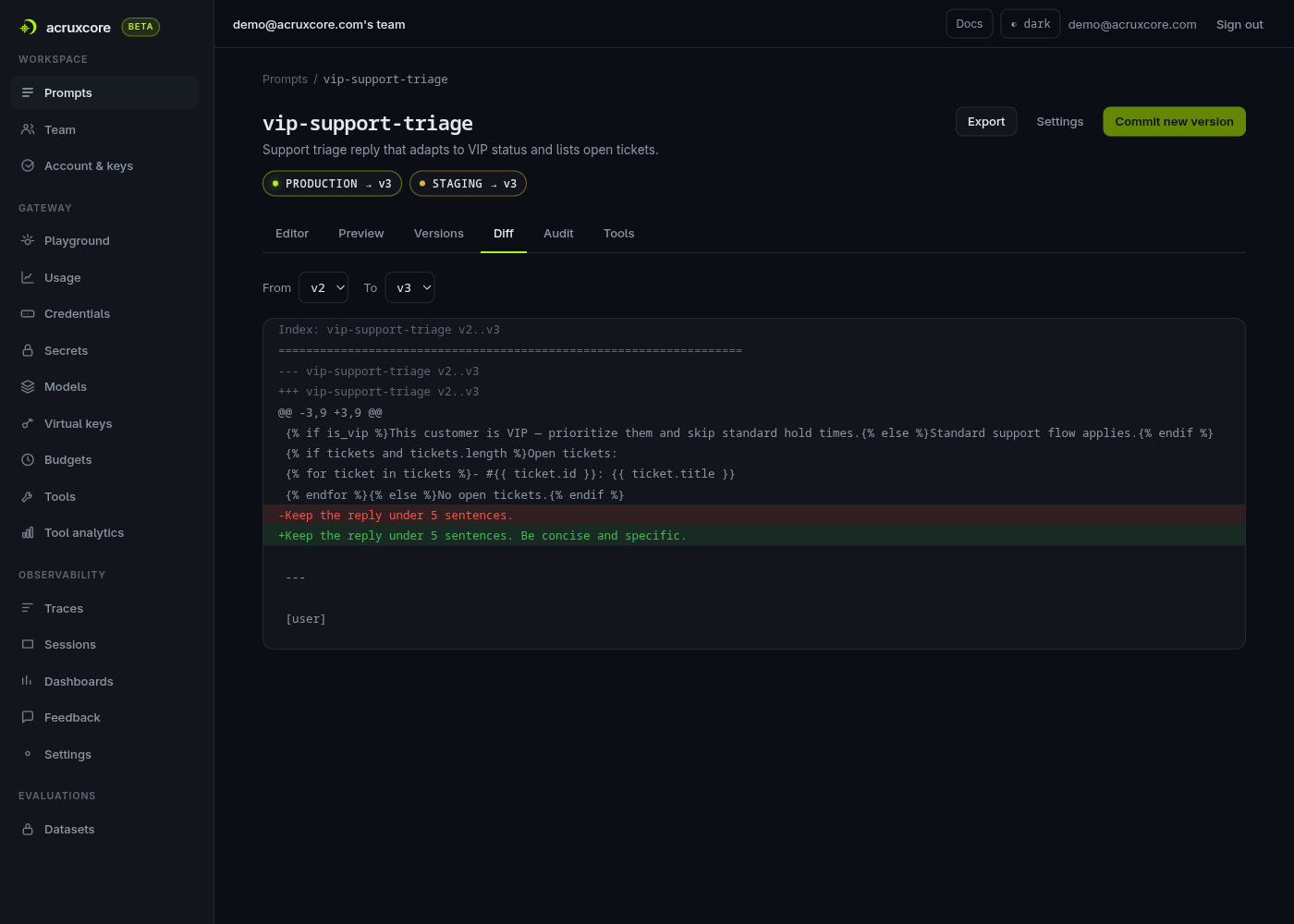
<p>AcruxCore has one line of versions per prompt and no variants. Each version is immutable.
An alias points at a version, and an alias can have any name, so <code>canary</code> or <code>eu-prod</code> works
as well as <code>production</code>. The diff tab compares the template text of any two versions.</p>
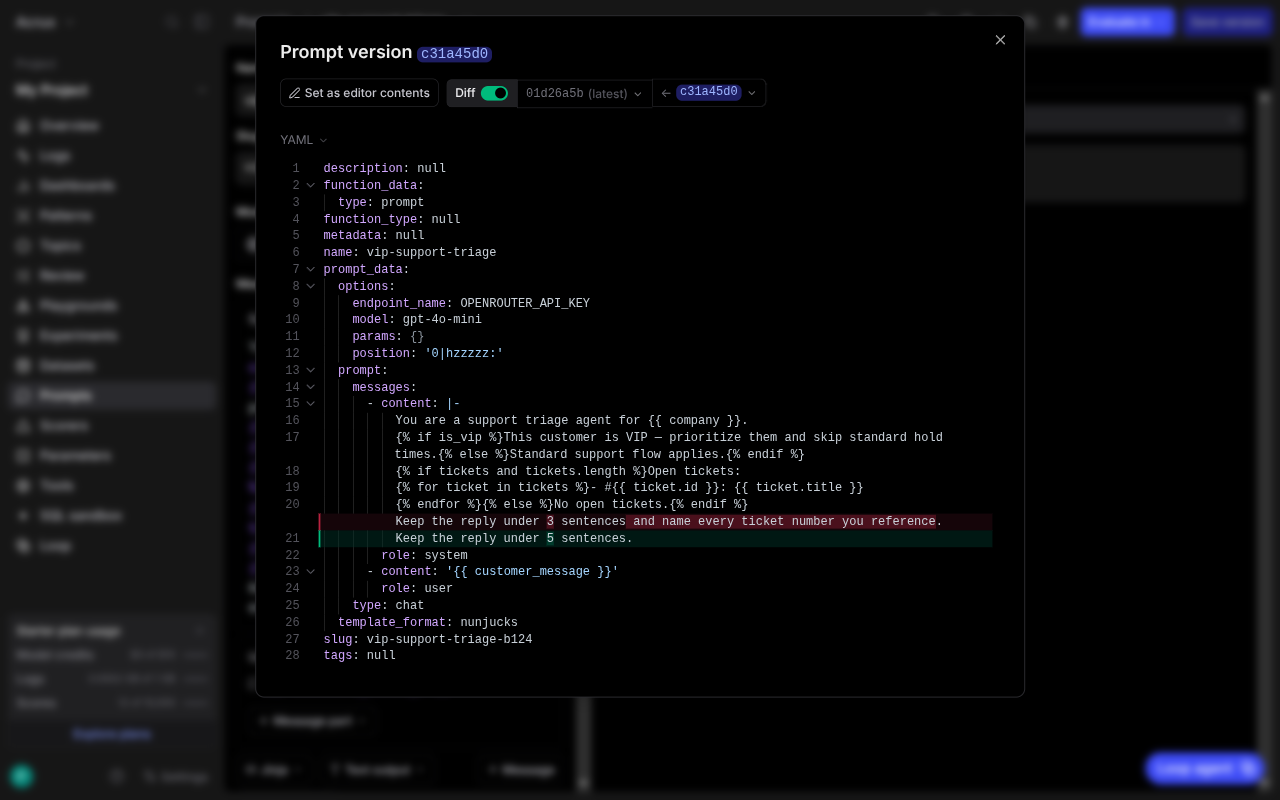
<p><img decoding="async" loading="lazy" alt="AcruxCore diff tab showing a unified diff between v2 and v3 of vip-support-triage, with the nunjucks conditional and for-loop intact" src="https://acruxcore.com/blog/assets/images/acx-03-diff-tab-7eaf8502858ad216dc1d948928d0b75a.png" width="1400" height="1000" class="img__Ss2"></p>


<table><thead><tr><th>Feature</th><th>Agenta</th><th>AcruxCore</th></tr></thead><tbody><tr><td>Version history</td><td>Versions inside variants</td><td>One line of immutable versions</td></tr><tr><td>Branches of one prompt</td><td>Variants</td><td>None</td></tr><tr><td>Environments</td><td>Three by default</td><td>Aliases with any name</td></tr><tr><td>Diff</td><td>JSON diff of the whole config, plus a diff in the commit dialog</td><td>Diff of the template text, any two versions</td></tr><tr><td>Per-prompt usage charts</td><td>Requests, latency, cost and tokens</td><td>In trace analytics, grouped by prompt version</td></tr></tbody></table>
<h2 class="anchor anchorTargetStickyNavbar_SAay" id="jinja2-templates">Jinja2 templates<a href="https://acruxcore.com/blog/acruxcore-vs-agenta#jinja2-templates" class="hash-link" aria-label="Direct link to Jinja2 templates" title="Direct link to Jinja2 templates" translate="no">​</a></h2>
<p>Both products render Jinja2. In Agenta you set the prompt syntax to Jinja2, and the
services container renders it in a sandbox. In AcruxCore every prompt is a template.</p>
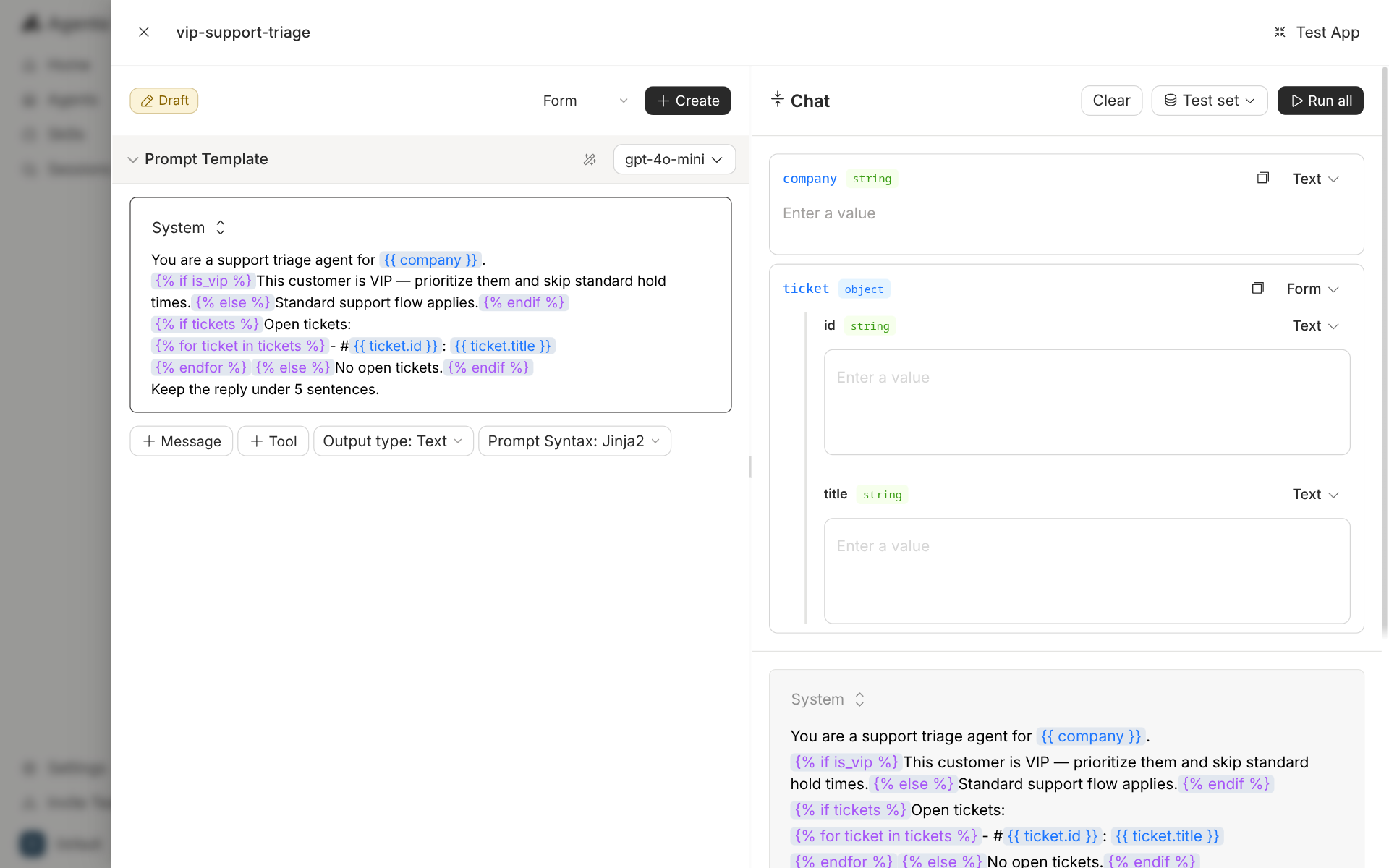
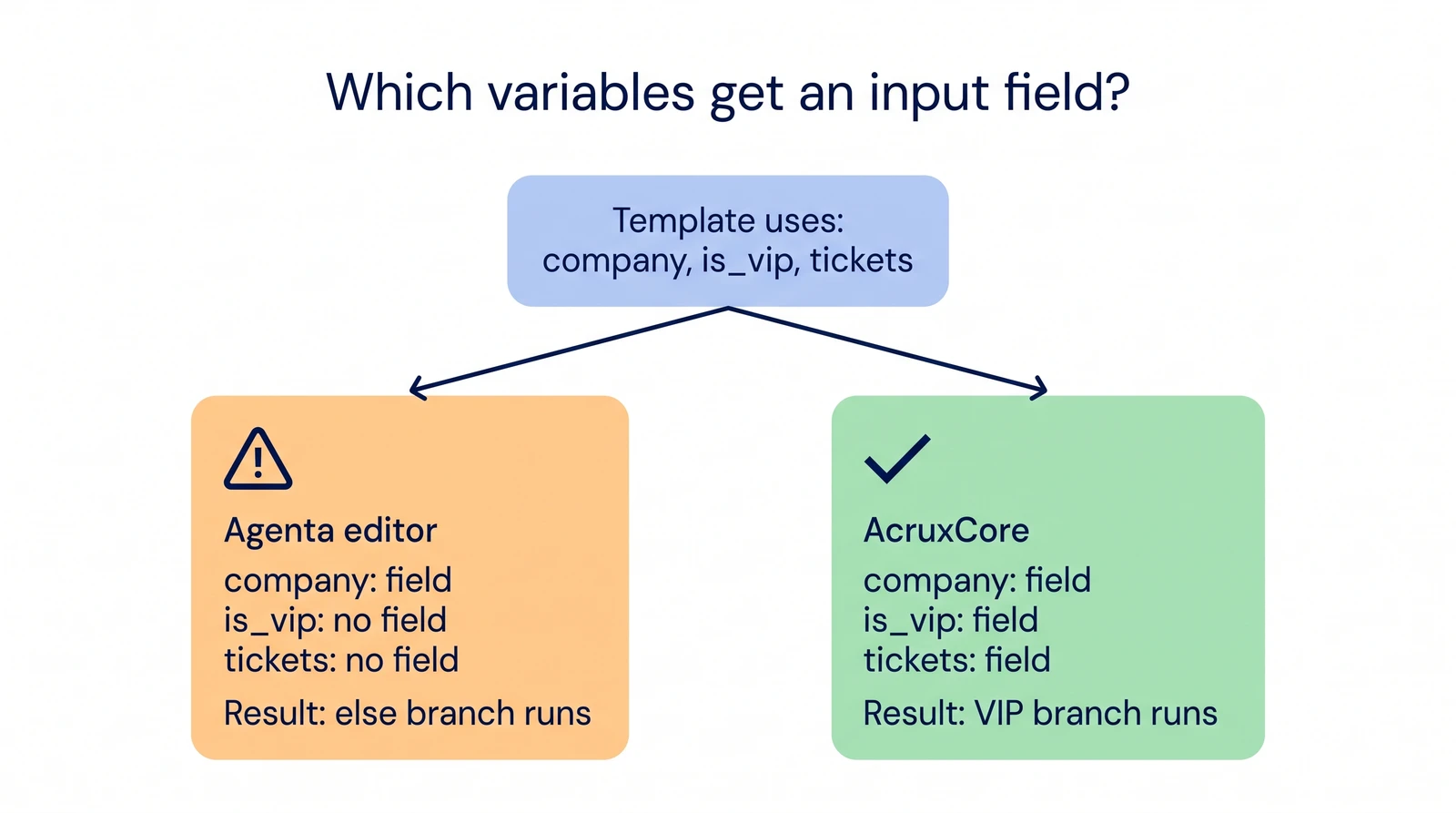
<p>The difference is how each one finds the variables. Agenta's editor read our template and
listed two inputs: <code>company</code>, and an object called <code>ticket</code> with <code>id</code> and <code>title</code> fields.
The editor missed <code>is_vip</code> and <code>tickets</code>, the two variables that appear only inside
<code>{% if %}</code> and <code>{% for %}</code>. The editor also listed <code>ticket</code>, the loop variable that the
template sets itself.</p>
<p><img decoding="async" loading="lazy" alt="Agenta's prompt editor with the vip-support-triage system message in Jinja2, and a variable panel that lists only company and a ticket object with id and title" src="https://acruxcore.com/blog/assets/images/ag-01-jinja-variables-74902325eed73559649c7cd26227e61c.png" width="1920" height="1200" class="img__Ss2"></p>
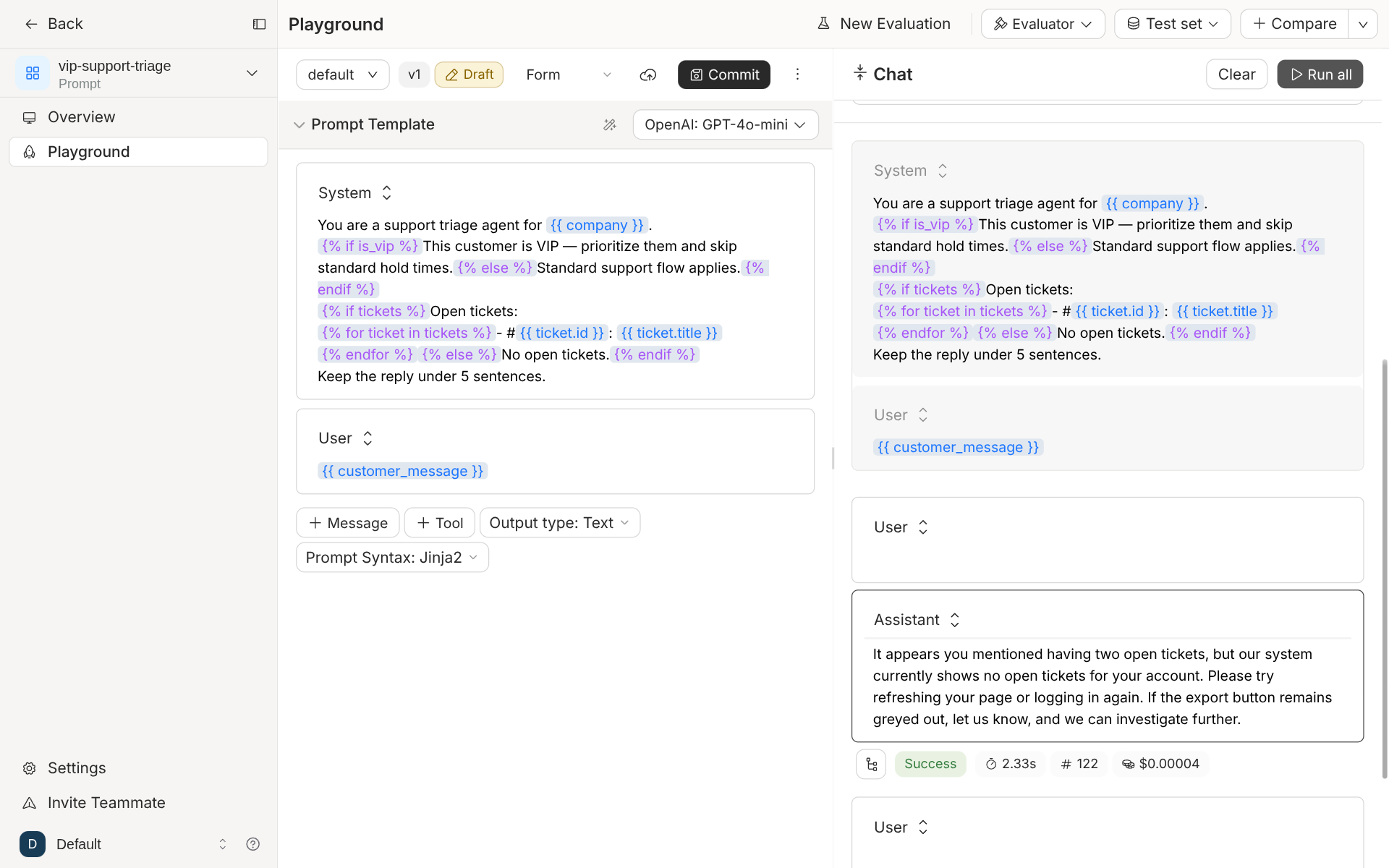
<p>The playground has no field for the missing variables, so both <code>{% else %}</code> branches ran.
The model told a VIP customer with two open tickets that it could see no open tickets.</p>
<p><img decoding="async" loading="lazy" alt="Agenta playground run of vip-support-triage: the assistant replies that the system shows no open tickets for the account, with Success, 2.33 s, 122 tokens and $0.00004 shown under the reply" src="https://acruxcore.com/blog/assets/images/ag-02-playground-else-branch-98b96eadd8a1daca992ecad14217a849.png" width="1920" height="1200" class="img__Ss2"></p>
<p>The stored list of input keys matters outside the playground too. Agenta's invoke endpoint
checks a request against that list. A call that sent <code>is_vip</code> and <code>tickets</code> came back with
HTTP 400 and "Invalid inputs: Expected '['company', 'customer_message', 'ticket']'". The
call worked after we edited <code>input_keys</code> by hand in the JSON view and committed a new
version.</p>
<p>AcruxCore builds the variable list from the template on every commit. The list holds every
name the template reads, inside a condition or a loop as well. A name that the template sets
itself, such as a loop variable, stays off the list. The playground then shows a field for
each variable, and the render endpoint checks a request against the same list.</p>
<p><img decoding="async" loading="lazy" alt="Which variables get an input field? The template uses company, is_vip and tickets. In the Agenta editor only company gets a field, so the else branch runs. In AcruxCore all three get a field, so the VIP branch runs." src="https://acruxcore.com/blog/assets/images/jinja-variables-01c1e380394bc0d9930a98c7f6f940d6.webp" width="1600" height="893" class="img__Ss2"></p>


<table><thead><tr><th>Feature</th><th>Agenta</th><th>AcruxCore</th></tr></thead><tbody><tr><td><code>{% if %}</code> and <code>{% for %}</code></td><td>Rendered, with the Jinja2 syntax option</td><td>Rendered, always on</td></tr><tr><td>Variable that appears only inside a tag</td><td>No input field</td><td>Input field</td></tr><tr><td>Loop variable</td><td>Listed as an input</td><td>Left out</td></tr><tr><td>Fix when the list is wrong</td><td>Edit <code>input_keys</code> by hand</td><td>Not needed</td></tr></tbody></table>
<h2 class="anchor anchorTargetStickyNavbar_SAay" id="where-model-calls-run">Where model calls run<a href="https://acruxcore.com/blog/acruxcore-vs-agenta#where-model-calls-run" class="hash-link" aria-label="Direct link to Where model calls run" title="Direct link to Where model calls run" translate="no">​</a></h2>
<p>Agenta can serve a stored prompt as an API. A <code>POST</code> to <code>/services/chat/v0/invoke</code> names
the app and the environment. Agenta then renders the prompt, calls the model and returns the
answer. Each prompt can also set fallback models and a retry policy. So for calls through
the invoke endpoint, Agenta is in the request path.</p>
<p>The invoke service has no spend cap, no response cache and no virtual keys. We searched
Agenta's source for each one. Budgets exist only as API rate limits. A cache exists only for
tool-catalog search. Budget-capped keys exist only in the Enterprise credit system for
Agenta Cloud. Agenta also has a separate LLM gateway. Its purpose is to keep provider keys out of
the agent sandbox, and it is off by default.</p>
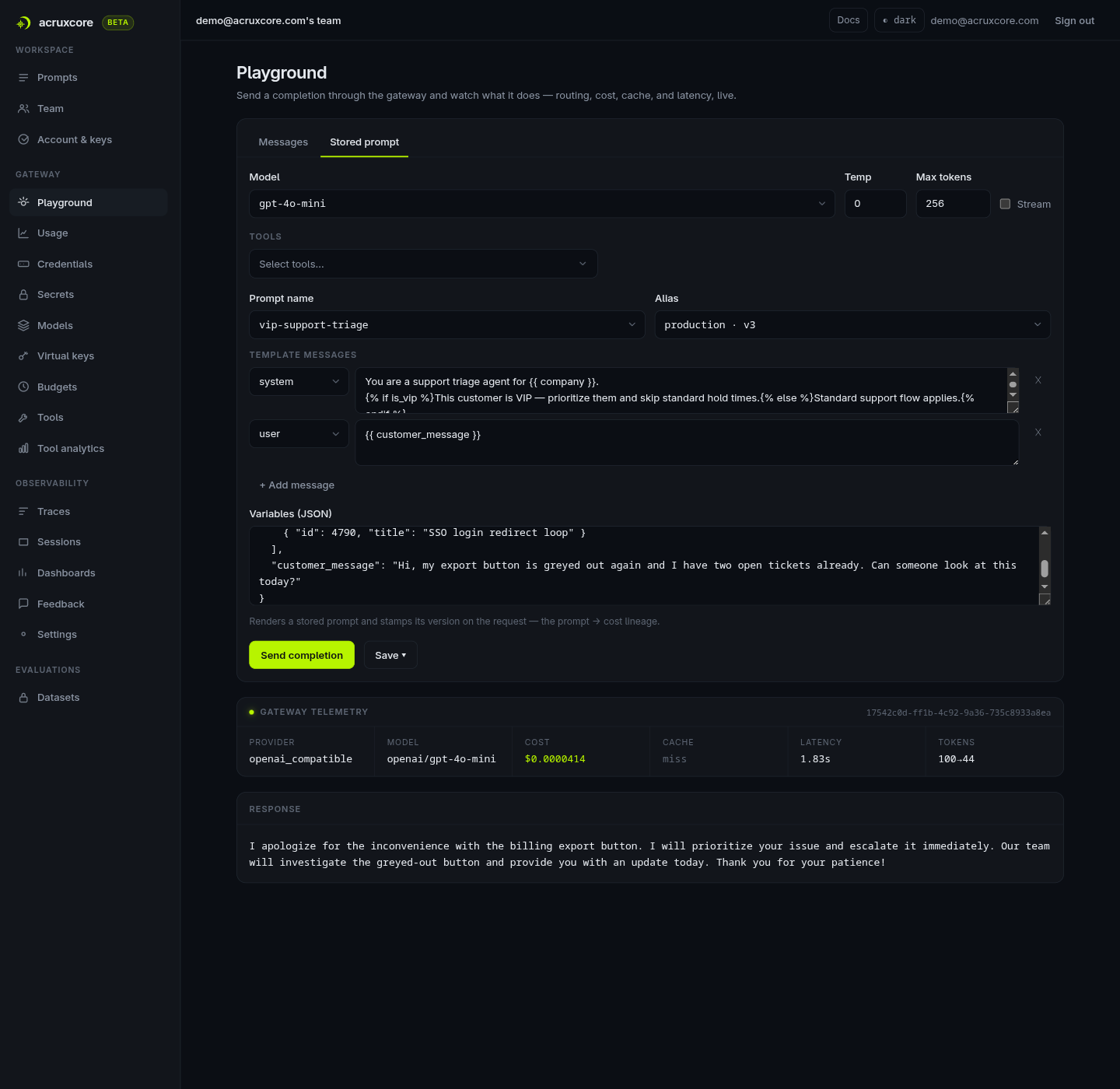
<p>AcruxCore's gateway is in the request path for every call. It checks a budget before it
calls the provider and returns <code>402 BUDGET_EXCEEDED</code> when a call would go over it. It
rate-limits each virtual key and can answer from its cache. A gateway call can name a stored
prompt and its alias instead of sending messages, so AcruxCore also serves a stored prompt in one
call. Fallback models are set per gateway model rather than per prompt.</p>
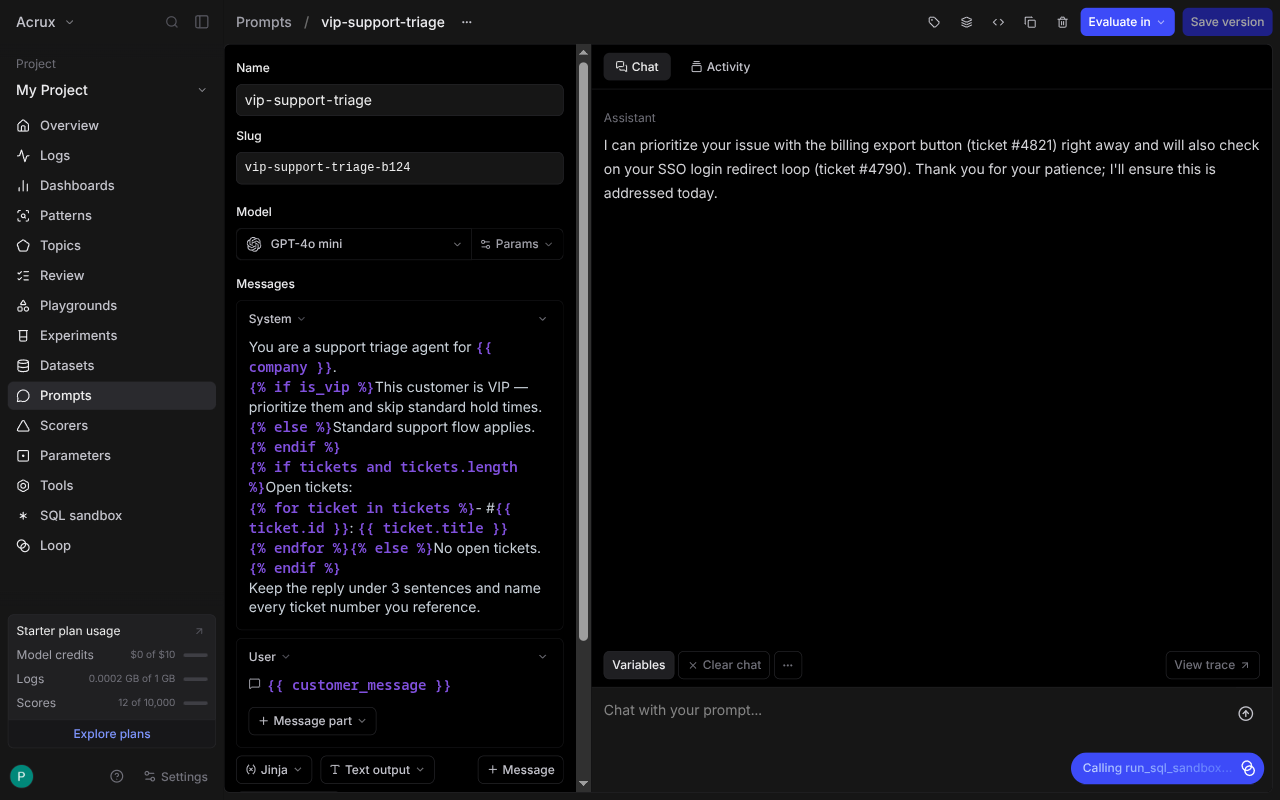
<p><img decoding="async" loading="lazy" alt="AcruxCore playground running the stored vip-support-triage prompt, with a Gateway Telemetry panel showing cost, cache status and latency" src="https://acruxcore.com/blog/assets/images/acx-04-playground-run-44f0839517d13d574beb62a1eccd47f6.png" width="1440" height="1400" class="img__Ss2"></p>


<table><thead><tr><th>Feature</th><th>Agenta</th><th>AcruxCore</th></tr></thead><tbody><tr><td>Serve a stored prompt as an API</td><td>Yes, one invoke call</td><td>Yes, one gateway call that names the prompt</td></tr><tr><td>Spend cap before the call</td><td>No</td><td>Yes, <code>402 BUDGET_EXCEEDED</code></td></tr><tr><td>Rate limit per key</td><td>No</td><td>Yes, per virtual key</td></tr><tr><td>Response cache</td><td>No</td><td>Yes</td></tr><tr><td>Fallback models</td><td>Per prompt</td><td>Per gateway model</td></tr><tr><td>Cost shown in the playground</td><td>Yes</td><td>Yes</td></tr></tbody></table>
<h2 class="anchor anchorTargetStickyNavbar_SAay" id="latency-overhead-measured">Latency overhead, measured<a href="https://acruxcore.com/blog/acruxcore-vs-agenta#latency-overhead-measured" class="hash-link" aria-label="Direct link to Latency overhead, measured" title="Direct link to Latency overhead, measured" translate="no">​</a></h2>
<p>We timed one fixed call five ways: "Reply with the single word: pong." on
<code>openai/gpt-4o-mini</code>, with <code>max_tokens</code> 5. Every path ends at OpenRouter, so the model's own
time is the same on each path. The baseline is a direct HTTPS call to OpenRouter. The other
four paths are these:</p>
<ul>
<li class=""><strong>Agenta traced SDK</strong> — the same call from the OpenAI client, traced by <code>ag.init()</code> and the
OpenTelemetry instrumentor.</li>
<li class=""><strong>Agenta invoke</strong> — one <code>POST</code> to <code>/services/chat/v0/invoke</code>. Agenta fetches the deployed
prompt, renders it and calls the model.</li>
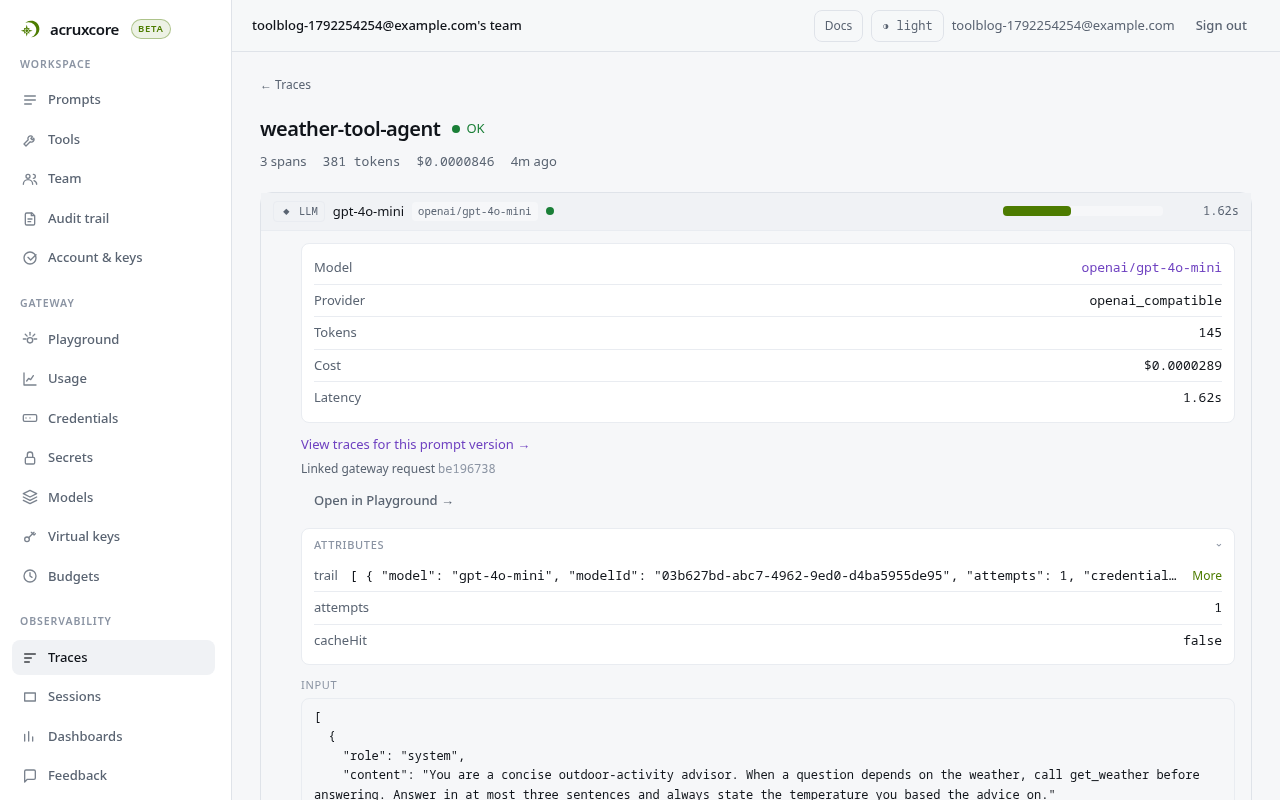
<li class=""><strong>AcruxCore gateway</strong> — one <code>POST</code> to the gateway, which calls OpenRouter and writes a trace.</li>
<li class=""><strong>AcruxCore render + gateway</strong> — a render call for the stored prompt, then the gateway call.
This is two HTTP calls; the gateway's <code>prompt</code> reference would make it one.</li>
</ul>
<p>Each run is 100 rounds after 3 warm-up rounds. The order of the paths rotates every round, so
a slow moment on the network lands on every path equally. We ran it three times. Both
platforms ran on the same machine.</p>


<table><thead><tr><th>Path</th><th>Gap vs. direct, run 1</th><th>Run 2</th><th>Run 3</th></tr></thead><tbody><tr><td>Agenta traced SDK</td><td>+38 ms [−397, +432]</td><td>+207 ms [−433, +532]</td><td>−138 ms [−533, +248]</td></tr><tr><td>Agenta invoke</td><td>−107 ms [−651, +391]</td><td>+160 ms [−365, +337]</td><td>−25 ms [−415, +299]</td></tr><tr><td>AcruxCore gateway</td><td>+293 ms [−163, +788]</td><td>+207 ms [−324, +410]</td><td>+27 ms [−271, +350]</td></tr><tr><td>AcruxCore render + gateway</td><td>+169 ms [−223, +523]</td><td>+315 ms [−210, +630]</td><td>+110 ms [−185, +406]</td></tr></tbody></table>
<p>The brackets are 95% bootstrap intervals for the gap in medians. All 12 intervals cross zero,
so this benchmark cannot tell any path apart from a direct call, or from another path.
OpenRouter's own variation decided the result. The direct call's median moved between 1,018
and 1,166 ms across the three runs, and its p95 reached 5.8 seconds in run 2. Every one of
the 1,500 measured calls succeeded.</p>
<p>The AcruxCore gateway's point gap was positive in all three runs. Its overhead against a
direct OpenAI call, measured on a quieter baseline, is in the
<a class="" href="https://acruxcore.com/blog/llm-gateway-overhead">gateway overhead post</a>.</p>
<p>The raw samples for all three runs are committed, and
<a href="https://github.com/AcruxCore/AcruxCore/blob/main/scripts/comparison/agenta-vs-acruxcore/python/summarize.py" target="_blank" rel="noopener noreferrer" class=""><code>summarize.py</code></a>
recomputes every number in the table from them.</p>
<p>Full script:
<a href="https://github.com/AcruxCore/AcruxCore/blob/main/scripts/comparison/agenta-vs-acruxcore/python/latency_bench.py" target="_blank" rel="noopener noreferrer" class=""><code>latency_bench.py</code></a>.</p>
<h2 class="anchor anchorTargetStickyNavbar_SAay" id="tracing">Tracing<a href="https://acruxcore.com/blog/acruxcore-vs-agenta#tracing" class="hash-link" aria-label="Direct link to Tracing" title="Direct link to Tracing" translate="no">​</a></h2>
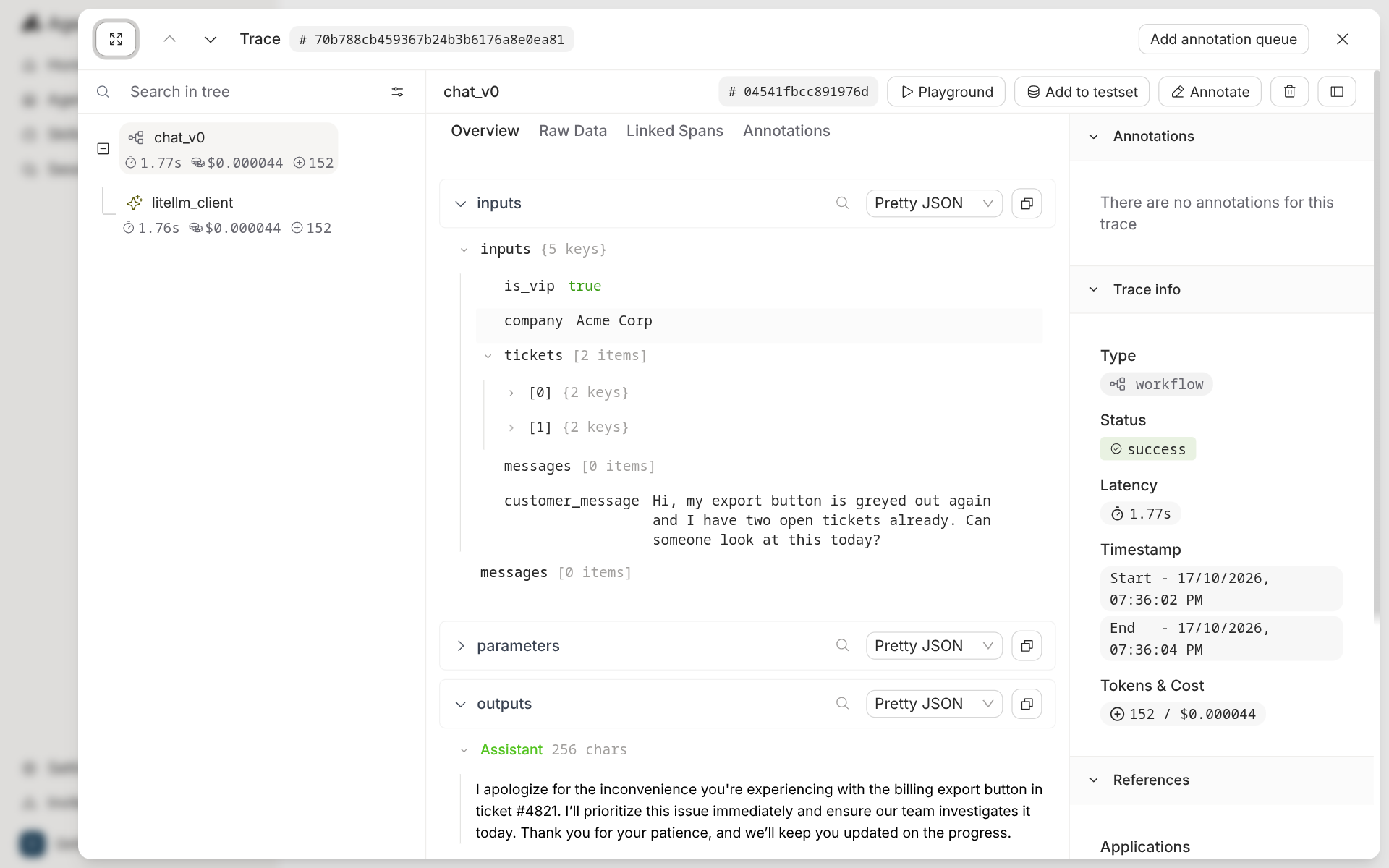
<p>A call through Agenta's invoke endpoint traces itself. The trace has a <code>chat_v0</code> workflow
span with a <code>litellm_client</code> child, and shows inputs, outputs, tokens and cost. Buttons on
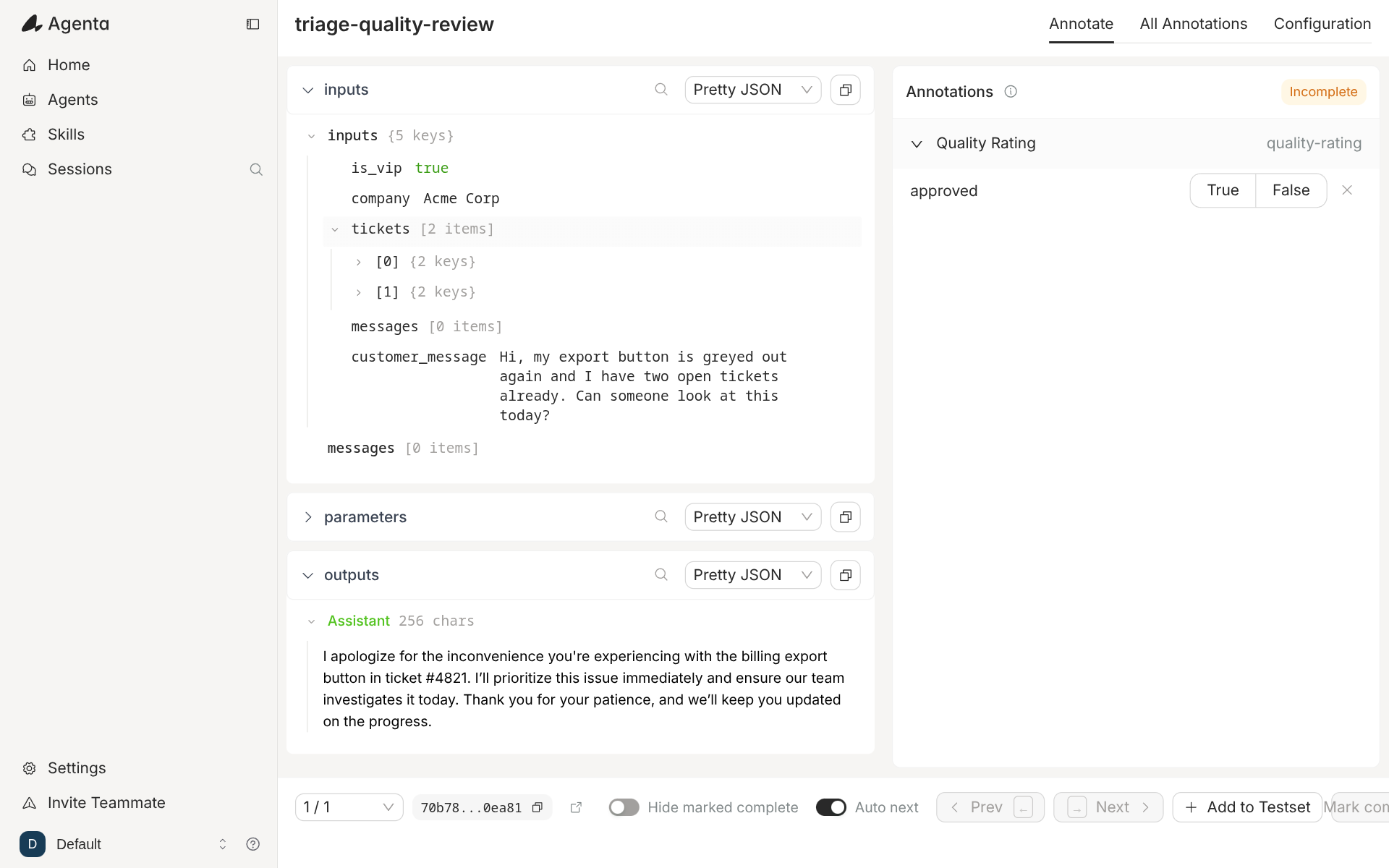
the trace open it in the playground, add it to a test set, annotate it, or send it to an
annotation queue.</p>
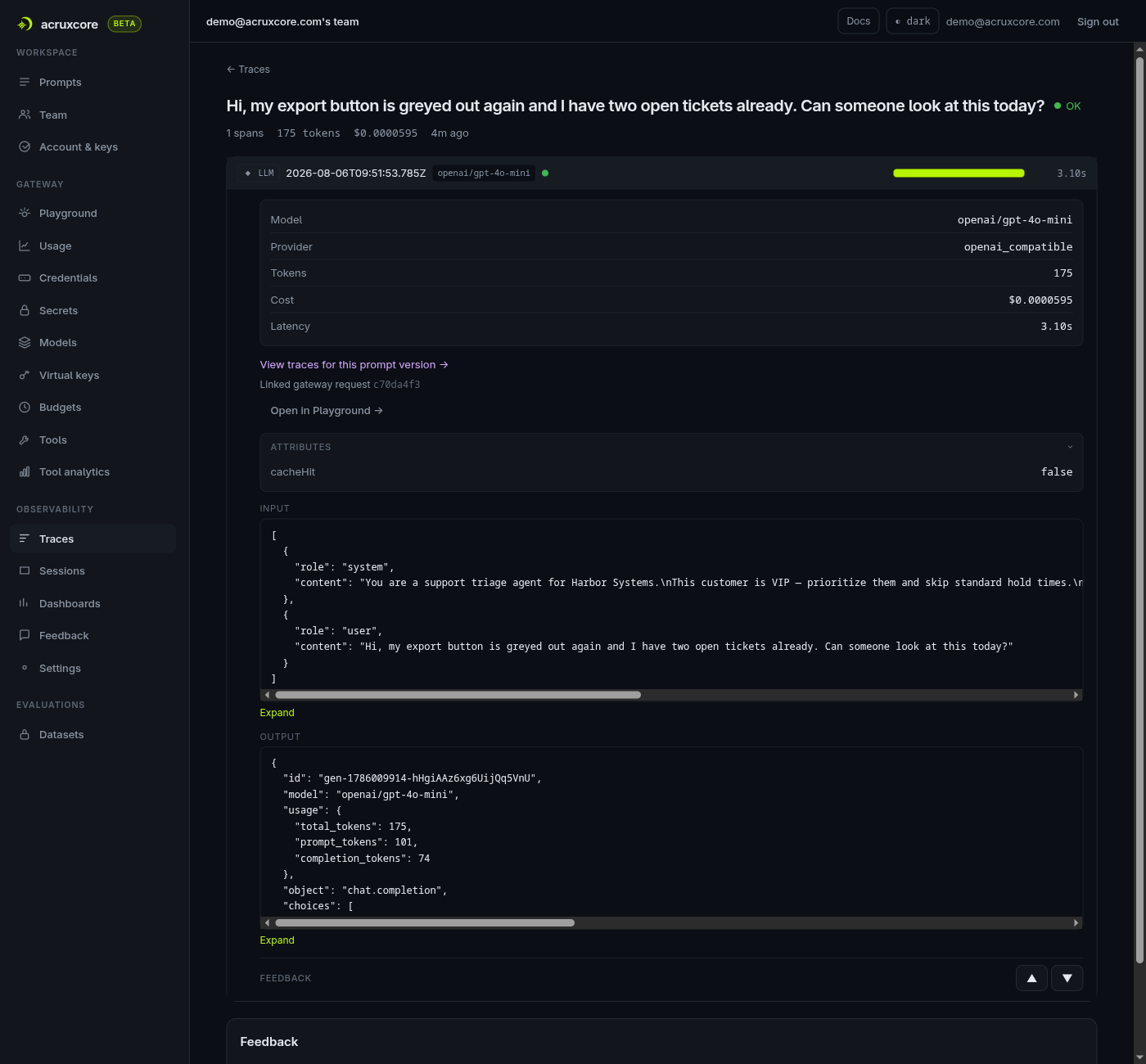
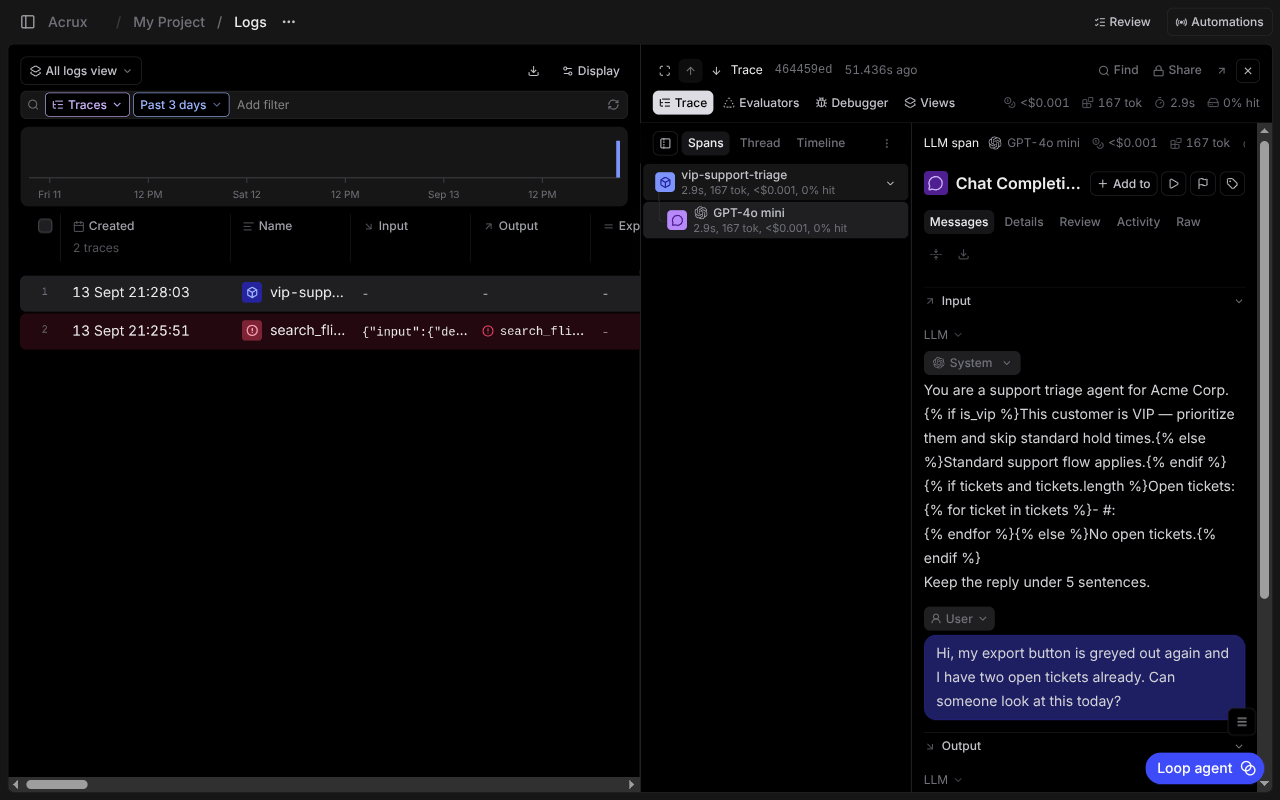
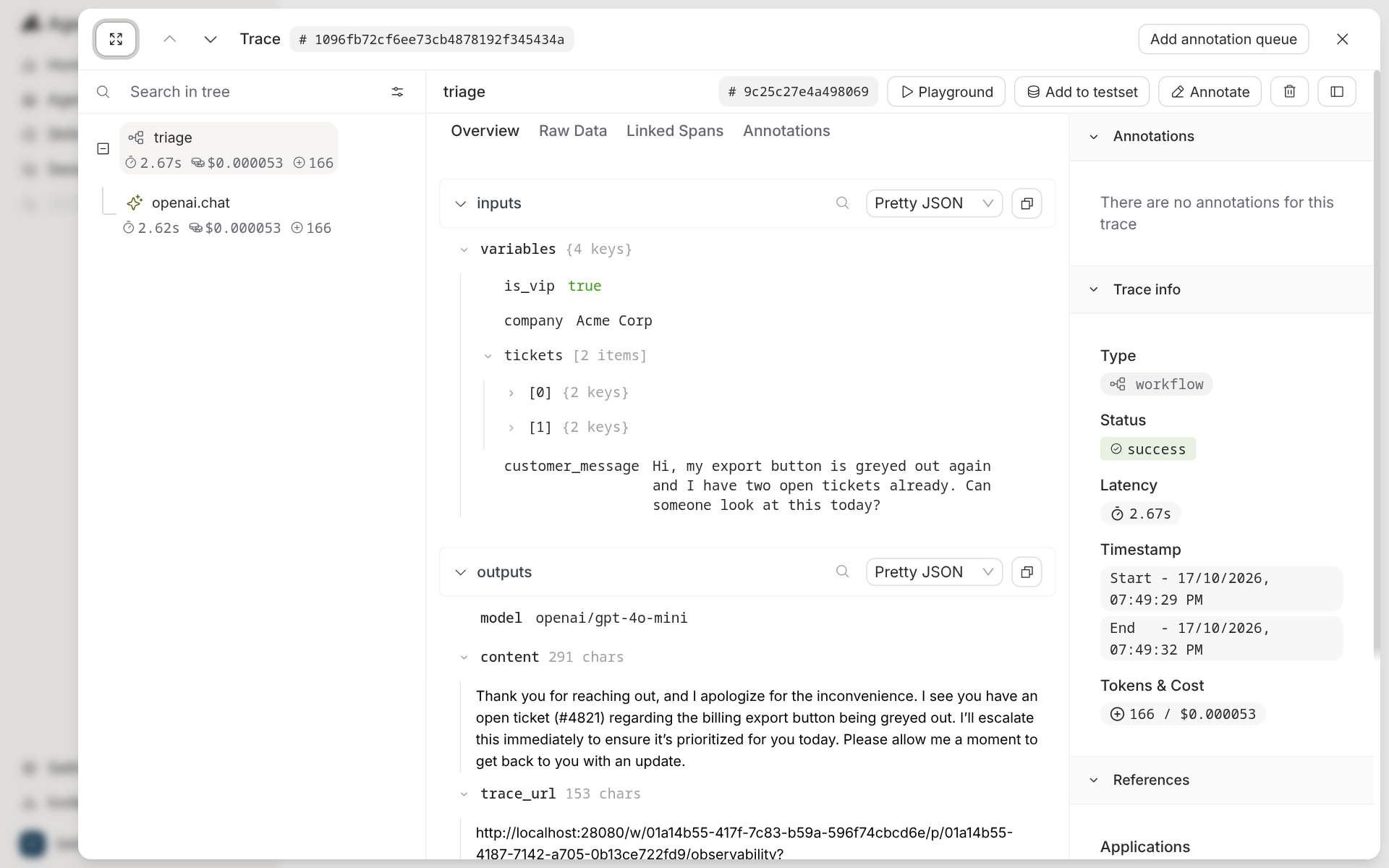
<p><img decoding="async" loading="lazy" alt="Agenta trace of an invoke call: a chat_v0 workflow span over a litellm_client child, 1.77 s, $0.000044, 152 tokens, with the is_vip, company, tickets and customer_message inputs, the assistant reply citing ticket #4821, and Playground, Add to testset and Annotate buttons" src="https://acruxcore.com/blog/assets/images/ag-07-invoke-trace-4b456eb2dc36d6f341bbbf95e3a4a0fe.png" width="1920" height="1200" class="img__Ss2"></p>
<p>A call from your own code needs more setup. Agenta's Python SDK traces through OpenTelemetry.
You call <code>ag.init()</code>, instrument the OpenAI client, and decorate your function. The trace is
linked to the prompt only after a <code>store_refs</code> call. Without it, the trace page showed "No
references found".</p>
<div class="language-python codeBlockContainer_ZGJx theme-code-block" style="--prism-color:#393A34;--prism-background-color:#f6f8fa"><div class="codeBlockContent_kX1v"><pre tabindex="0" class="prism-code language-python codeBlock_TAPP thin-scrollbar" style="color:#393A34;background-color:#f6f8fa"><code class="codeBlockLines_AdAo"><div class="token-line" style="color:#393A34"><span class="token plain">ag</span><span class="token punctuation" style="color:#393A34">.</span><span class="token plain">init</span><span class="token punctuation" style="color:#393A34">(</span><span class="token punctuation" style="color:#393A34">)</span><span class="token plain"></span><br></div><div class="token-line" style="color:#393A34"><span class="token plain">OpenAIInstrumentor</span><span class="token punctuation" style="color:#393A34">(</span><span class="token punctuation" style="color:#393A34">)</span><span class="token punctuation" style="color:#393A34">.</span><span class="token plain">instrument</span><span class="token punctuation" style="color:#393A34">(</span><span class="token punctuation" style="color:#393A34">)</span><span class="token plain"></span><br></div><div class="token-line" style="color:#393A34"><span class="token plain" style="display:inline-block"></span><br></div><div class="token-line" style="color:#393A34"><span class="token plain"></span><span class="token decorator annotation punctuation" style="color:#393A34">@ag</span><span class="token decorator annotation punctuation" style="color:#393A34">.</span><span class="token decorator annotation punctuation" style="color:#393A34">instrument</span><span class="token punctuation" style="color:#393A34">(</span><span class="token punctuation" style="color:#393A34">)</span><span class="token plain"></span><br></div><div class="token-line" style="color:#393A34"><span class="token plain"></span><span class="token keyword" style="color:#00009f">def</span><span class="token plain"> </span><span class="token function" style="color:#d73a49">triage</span><span class="token punctuation" style="color:#393A34">(</span><span class="token plain">variables</span><span class="token punctuation" style="color:#393A34">)</span><span class="token punctuation" style="color:#393A34">:</span><span class="token plain"></span><br></div><div class="token-line" style="color:#393A34"><span class="token plain">    config </span><span class="token operator" style="color:#393A34">=</span><span class="token plain"> ag</span><span class="token punctuation" style="color:#393A34">.</span><span class="token plain">ConfigManager</span><span class="token punctuation" style="color:#393A34">.</span><span class="token plain">get_from_registry</span><span class="token punctuation" style="color:#393A34">(</span><span class="token plain">app_slug</span><span class="token operator" style="color:#393A34">=</span><span class="token plain">APP_SLUG</span><span class="token punctuation" style="color:#393A34">,</span><span class="token plain"> environment_slug</span><span class="token operator" style="color:#393A34">=</span><span class="token string" style="color:#e3116c">"production"</span><span class="token punctuation" style="color:#393A34">)</span><span class="token plain"></span><br></div><div class="token-line" style="color:#393A34"><span class="token plain">    prompt </span><span class="token operator" style="color:#393A34">=</span><span class="token plain"> PromptTemplate</span><span class="token punctuation" style="color:#393A34">(</span><span class="token operator" style="color:#393A34">**</span><span class="token plain">config</span><span class="token punctuation" style="color:#393A34">[</span><span class="token string" style="color:#e3116c">"prompt"</span><span class="token punctuation" style="color:#393A34">]</span><span class="token punctuation" style="color:#393A34">)</span><span class="token punctuation" style="color:#393A34">.</span><span class="token builtin">format</span><span class="token punctuation" style="color:#393A34">(</span><span class="token operator" style="color:#393A34">**</span><span class="token plain">variables</span><span class="token punctuation" style="color:#393A34">)</span><span class="token plain"></span><br></div><div class="token-line" style="color:#393A34"><span class="token plain">    response </span><span class="token operator" style="color:#393A34">=</span><span class="token plain"> client</span><span class="token punctuation" style="color:#393A34">.</span><span class="token plain">chat</span><span class="token punctuation" style="color:#393A34">.</span><span class="token plain">completions</span><span class="token punctuation" style="color:#393A34">.</span><span class="token plain">create</span><span class="token punctuation" style="color:#393A34">(</span><span class="token operator" style="color:#393A34">**</span><span class="token plain">prompt</span><span class="token punctuation" style="color:#393A34">.</span><span class="token plain">to_openai_kwargs</span><span class="token punctuation" style="color:#393A34">(</span><span class="token punctuation" style="color:#393A34">)</span><span class="token punctuation" style="color:#393A34">)</span><span class="token plain"></span><br></div><div class="token-line" style="color:#393A34"><span class="token plain">    ag</span><span class="token punctuation" style="color:#393A34">.</span><span class="token plain">tracing</span><span class="token punctuation" style="color:#393A34">.</span><span class="token plain">store_refs</span><span class="token punctuation" style="color:#393A34">(</span><span class="token punctuation" style="color:#393A34">{</span><span class="token string" style="color:#e3116c">"application.slug"</span><span class="token punctuation" style="color:#393A34">:</span><span class="token plain"> APP_SLUG</span><span class="token punctuation" style="color:#393A34">,</span><span class="token plain"> </span><span class="token string" style="color:#e3116c">"environment.slug"</span><span class="token punctuation" style="color:#393A34">:</span><span class="token plain"> </span><span class="token string" style="color:#e3116c">"production"</span><span class="token punctuation" style="color:#393A34">}</span><span class="token punctuation" style="color:#393A34">)</span><span class="token plain"></span><br></div><div class="token-line" style="color:#393A34"><span class="token plain">    </span><span class="token keyword" style="color:#00009f">return</span><span class="token plain"> response</span><span class="token punctuation" style="color:#393A34">.</span><span class="token plain">choices</span><span class="token punctuation" style="color:#393A34">[</span><span class="token number" style="color:#36acaa">0</span><span class="token punctuation" style="color:#393A34">]</span><span class="token punctuation" style="color:#393A34">.</span><span class="token plain">message</span><span class="token punctuation" style="color:#393A34">.</span><span class="token plain">content</span><br></div></code></pre></div></div>
<p>In AcruxCore the gateway writes the trace on the server, so the script has no tracing code.
The trace links to the prompt version that produced it.</p>
<div class="language-python codeBlockContainer_ZGJx theme-code-block" style="--prism-color:#393A34;--prism-background-color:#f6f8fa"><div class="codeBlockContent_kX1v"><pre tabindex="0" class="prism-code language-python codeBlock_TAPP thin-scrollbar" style="color:#393A34;background-color:#f6f8fa"><code class="codeBlockLines_AdAo"><div class="token-line" style="color:#393A34"><span class="token keyword" style="color:#00009f">async</span><span class="token plain"> </span><span class="token keyword" style="color:#00009f">with</span><span class="token plain"> AcruxCore</span><span class="token punctuation" style="color:#393A34">(</span><span class="token plain">api_key</span><span class="token operator" style="color:#393A34">=</span><span class="token plain">KEY</span><span class="token punctuation" style="color:#393A34">,</span><span class="token plain"> base_url</span><span class="token operator" style="color:#393A34">=</span><span class="token plain">BASE_URL</span><span class="token punctuation" style="color:#393A34">)</span><span class="token plain"> </span><span class="token keyword" style="color:#00009f">as</span><span class="token plain"> hub</span><span class="token punctuation" style="color:#393A34">:</span><span class="token plain"></span><br></div><div class="token-line" style="color:#393A34"><span class="token plain">    rendered </span><span class="token operator" style="color:#393A34">=</span><span class="token plain"> </span><span class="token keyword" style="color:#00009f">await</span><span class="token plain"> hub</span><span class="token punctuation" style="color:#393A34">.</span><span class="token plain">prompts</span><span class="token punctuation" style="color:#393A34">.</span><span class="token plain">render</span><span class="token punctuation" style="color:#393A34">(</span><span class="token string" style="color:#e3116c">"vip-support-triage"</span><span class="token punctuation" style="color:#393A34">,</span><span class="token plain"> </span><span class="token string" style="color:#e3116c">"production"</span><span class="token punctuation" style="color:#393A34">,</span><span class="token plain"> VARIABLES</span><span class="token punctuation" style="color:#393A34">)</span><span class="token plain"></span><br></div><div class="token-line" style="color:#393A34"><span class="token plain">    result </span><span class="token operator" style="color:#393A34">=</span><span class="token plain"> </span><span class="token keyword" style="color:#00009f">await</span><span class="token plain"> hub</span><span class="token punctuation" style="color:#393A34">.</span><span class="token plain">gateway</span><span class="token punctuation" style="color:#393A34">.</span><span class="token plain">chat</span><span class="token punctuation" style="color:#393A34">(</span><span class="token plain">rendered</span><span class="token punctuation" style="color:#393A34">.</span><span class="token plain">model</span><span class="token punctuation" style="color:#393A34">,</span><span class="token plain"> rendered</span><span class="token punctuation" style="color:#393A34">.</span><span class="token plain">messages</span><span class="token punctuation" style="color:#393A34">,</span><span class="token plain"> prompt_version_id</span><span class="token operator" style="color:#393A34">=</span><span class="token plain">rendered</span><span class="token punctuation" style="color:#393A34">.</span><span class="token plain">version_id</span><span class="token punctuation" style="color:#393A34">)</span><br></div></code></pre></div></div>
<p><img decoding="async" loading="lazy" alt="AcruxCore trace detail: a single LLM span with token counts, cost, and a link to the prompt version that produced it" src="https://acruxcore.com/blog/assets/images/acx-05-trace-detail-b1664736ec89c78e1ea61d76bce324d5.png" width="1400" height="1300" class="img__Ss2"></p>
<p>Both scripts are committed and were run before this post linked them:
<a href="https://github.com/AcruxCore/AcruxCore/blob/main/scripts/comparison/agenta-vs-acruxcore/python/ag_trace_run.py" target="_blank" rel="noopener noreferrer" class=""><code>ag_trace_run.py</code></a>
and
<a href="https://github.com/AcruxCore/AcruxCore/blob/main/scripts/comparison/agenta-vs-acruxcore/python/acx_sdk_run.py" target="_blank" rel="noopener noreferrer" class=""><code>acx_sdk_run.py</code></a>.</p>


<table><thead><tr><th>Feature</th><th>Agenta</th><th>AcruxCore</th></tr></thead><tbody><tr><td>Trace for a platform call</td><td>Automatic, through invoke</td><td>Automatic, through the gateway</td></tr><tr><td>Trace from your own code</td><td>OpenTelemetry setup plus a decorator</td><td>No code for a gateway call</td></tr><tr><td>Link from trace to prompt</td><td>Automatic for invoke; <code>store_refs</code> for SDK calls</td><td>Automatic</td></tr><tr><td>Cost and tokens on the trace</td><td>Yes</td><td>Yes</td></tr></tbody></table>
<h2 class="anchor anchorTargetStickyNavbar_SAay" id="tools">Tools<a href="https://acruxcore.com/blog/acruxcore-vs-agenta#tools" class="hash-link" aria-label="Direct link to Tools" title="Direct link to Tools" translate="no">​</a></h2>
<p>Agenta has two kinds of tool. A prompt can carry tool schemas, typed in the playground with
the "+ Tool" button and saved with the prompt version. Agents get a tool catalog of
third-party actions from Composio, plus MCP servers that you connect by URL. Agenta runs
those actions on the server, and a self-hosted install needs a Composio API key for them.
There is no page where you define your own tool and keep versions of it.</p>
<p>AcruxCore's Tool Catalog holds your own tools. Each tool has versions. The gateway runs the
tool, and a page measures call volume, error rate and latency per tool.</p>
<p><img decoding="async" loading="lazy" alt="AcruxCore tool analytics showing per-tool call volume, error rate and P50/P95 latency" src="https://acruxcore.com/blog/assets/images/acx-08-tool-analytics-5670235ce2d99243b4cc29dc928324b3.png" width="981" height="450" class="img__Ss2"></p>


<table><thead><tr><th>Feature</th><th>Agenta</th><th>AcruxCore</th></tr></thead><tbody><tr><td>Define your own tool</td><td>As a schema inside one prompt</td><td>In a catalog shared by all prompts</td></tr><tr><td>Versions of a tool</td><td>No</td><td>Yes</td></tr><tr><td>Third-party actions</td><td>Composio catalog, for agents</td><td>No</td></tr><tr><td>Connect an outside MCP server</td><td>Yes, for agents</td><td>No</td></tr><tr><td>Per-tool analytics</td><td>No</td><td>Yes</td></tr><tr><td>Own MCP server for coding agents</td><td>3 tools that search Agenta's docs</td><td>32 tools for prompts, the gateway, traces, tools and evaluations</td></tr></tbody></table>
<p>Both products also ship their own MCP server, for a coding agent such as Claude Code.
Agenta's <a href="https://agenta.ai/docs/misc/mcp-server" target="_blank" rel="noopener noreferrer" class="">server</a> searches Agenta's documentation,
and none of its tools reads your prompts, traces or evaluations. AcruxCore's
<a href="https://docs.acruxcore.com/docs/guides/connect-an-mcp-client" target="_blank" rel="noopener noreferrer" class="">server</a> can commit a prompt version, promote it, run it
through the gateway and read the resulting trace.</p>
<h2 class="anchor anchorTargetStickyNavbar_SAay" id="what-agenta-does-that-acruxcore-doesnt">What Agenta does that AcruxCore doesn't<a href="https://acruxcore.com/blog/acruxcore-vs-agenta#what-agenta-does-that-acruxcore-doesnt" class="hash-link" aria-label="Direct link to What Agenta does that AcruxCore doesn't" title="Direct link to What Agenta does that AcruxCore doesn't" translate="no">​</a></h2>
<p>The built-in evaluators have their own section above. Four more Agenta features have no
match in AcruxCore.</p>
<p><strong>Annotation queues.</strong> A trace can go into a named queue. A reviewer works through the queue
one item at a time, answers the questions the queue defines, and moves to the next item.
AcruxCore lets a person score a trace, but it has no queue, no assignment and no progress
tracking.</p>
<p><img decoding="async" loading="lazy" alt="Agenta annotation queue triage-quality-review showing the inputs and the assistant reply for one trace, an approved True/False question on the right, and Prev, Next and Add to Testset buttons at the bottom" src="https://acruxcore.com/blog/assets/images/ag-10-annotation-queue-b6384fef0837729f44db3e98d8a254a5.png" width="1920" height="1200" class="img__Ss2"></p>
<p><strong>An agent builder.</strong> The home page asks "What do you want to build?" and turns a
plain-language description into an agent. It offers 29 templates across engineering,
support, sales, knowledge and ops. Agents run on a schedule or on an event, and can answer
in Slack. AcruxCore has no agent builder, no schedules and no chat channels.</p>
<p><img decoding="async" loading="lazy" alt="Agenta's home page with the heading What do you want to build?, a row of agent templates (PR reviewer, Changelog writer, Issue triage) with a total of 29, and a text box for describing an agent" src="https://acruxcore.com/blog/assets/images/ag-11-agent-builder-76874e347f9f0ce0fb17e3141fdf6ce9.png" width="1920" height="1200" class="img__Ss2"></p>
<p><strong>Webhooks on deploy.</strong> A webhook fires when a configuration is deployed. It can post to
your own URL with an HMAC signature, or start a GitHub Actions workflow through a repository
or workflow dispatch. AcruxCore sends alerts by email only.</p>
<p><img decoding="async" loading="lazy" alt="Agenta's Add Webhook drawer with the event type Configuration Deployed, a target URL field, Signature (HMAC) as the authentication mode, and Test Connection and Create Webhook buttons" src="https://acruxcore.com/blog/assets/images/ag-12-webhook-c9f4e8f25251b0f210af55cbde9f9786.png" width="1920" height="1200" class="img__Ss2"></p>
<p><strong>Variants.</strong> Agenta keeps several branches of one prompt side by side, and each branch has
its own versions. AcruxCore keeps one line of versions per prompt.</p>
<h2 class="anchor anchorTargetStickyNavbar_SAay" id="is-acruxcore-an-agenta-alternative">Is AcruxCore an Agenta alternative?<a href="https://acruxcore.com/blog/acruxcore-vs-agenta#is-acruxcore-an-agenta-alternative" class="hash-link" aria-label="Direct link to Is AcruxCore an Agenta alternative?" title="Direct link to Is AcruxCore an Agenta alternative?" translate="no">​</a></h2>
<p>For Agenta's agent workspace, no. AcruxCore has no agent builder, no schedules and no chat
channels. For evaluation, only in part. AcruxCore runs LLM judges on the server and code
scorers in your own process, but it has no rule library on the server and no annotation
queue.</p>
<p>For prompts that run in production, yes. AcruxCore finds every variable in a Jinja2 template
without manual edits. It keeps versions of your own tools and runs them. Its gateway checks a
budget and a rate limit before a call reaches the provider. Agenta's invoke endpoint has no
spend cap and no cache, and Agenta has no catalog for your own tools.</p>
<h2 class="anchor anchorTargetStickyNavbar_SAay" id="verdict">Verdict<a href="https://acruxcore.com/blog/acruxcore-vs-agenta#verdict" class="hash-link" aria-label="Direct link to Verdict" title="Direct link to Verdict" translate="no">​</a></h2>


<table><thead><tr><th></th><th>Agenta</th><th>AcruxCore</th></tr></thead><tbody><tr><td>Strongest at</td><td>Evaluation: 15 evaluator types, four kinds of evaluation and annotation queues</td><td>Controlling the call: a gateway with budgets, caching and virtual keys, and versioned tools it runs</td></tr><tr><td>Weakest at</td><td>Templates whose variables sit inside <code>{% if %}</code> or <code>{% for %}</code>, which need a hand-edited input list</td><td>Evaluation breadth: an LLM judge on the server, no rule library and no annotation queue</td></tr><tr><td>Pick it if</td><td>Your hard problem is measuring output quality, with people and rules in the loop</td><td>Your hard problem is cost, access and change control for prompts and tools in production</td></tr></tbody></table>
<p>Agenta wins the evaluation rows. Its evaluators, annotation queues and webhooks on deploy
have no equivalent in AcruxCore. AcruxCore wins the rows about the call itself: a gateway
that can refuse a call over budget, a cache, templates whose variables are found without
manual edits, and tools that are versioned and run by the platform. The latency benchmark could not tell the two apart: on OpenRouter, every interval crossed zero.</p>
<p>To choose, start at the top and stop at the first question you answer yes to.</p>
<p><img decoding="async" loading="lazy" alt="Agenta or AcruxCore? A decision flow: building agents for Slack or schedules leads to Agenta; if not, measuring output quality as the hard problem leads to Agenta; if not, cost, access and change control as the hard problem leads to AcruxCore." src="https://acruxcore.com/blog/assets/images/decision-154476a51eebd492c28c1e6ad69d4231.webp" width="1600" height="1195" class="img__Ss2"></p>
<p>License, pricing, team model and community numbers for both, each with a source link and a
checked-on date, are on the <a href="https://acruxcore.com/compare" target="_blank" rel="noopener noreferrer" class="">compare page</a>. Memory, disk and
container counts for a self-hosted Agenta are in
<a class="" href="https://acruxcore.com/blog/self-hosting-llm-observability">Self-hosting LLM observability: seven open-source tools measured</a>.</p>
<p>To compare more tools, see <a class="" href="https://acruxcore.com/blog/hands-on-llm-ops-comparison">10 LLM observability tools tested hands-on</a>,
<a class="" href="https://acruxcore.com/blog/langsmith-alternatives">8 LangSmith alternatives</a> and <a class="" href="https://acruxcore.com/blog/langfuse-alternatives">8 Langfuse alternatives</a>.</p>
<p>To try AcruxCore, start with the <a href="https://docs.acruxcore.com/docs/getting-started/quickstart" target="_blank" rel="noopener noreferrer" class="">Quickstart</a>.</p>]]></content>
        <author>
            <name>The AcruxCore Team</name>
            <uri>https://acruxcore.com</uri>
        </author>
        <category label="LLMOps comparison" term="LLMOps comparison"/>
        <category label="Prompt management" term="Prompt management"/>
        <category label="LLM latency" term="LLM latency"/>
    </entry>
    <entry>
        <title type="html"><![CDATA[8 best Langfuse alternatives for startups: self-hosted, cheaper and open source (2026)]]></title>
        <id>https://acruxcore.com/blog/langfuse-alternatives</id>
        <link href="https://acruxcore.com/blog/langfuse-alternatives"/>
        <updated>2026-10-17T00:00:00.000Z</updated>
        <summary type="html"><![CDATA[Eight Langfuse alternatives compared on self-host effort, license, price and what sits behind an enterprise plan, including which ones are lighter to run than Langfuse.]]></summary>
        <content type="html"><![CDATA[<p><img decoding="async" loading="lazy" alt="Eight Langfuse alternatives in a grid, each with what it is best for, coloured by license: AcruxCore, MLflow, OpenLIT, Laminar and Opik open source, Arize Phoenix source-available, LangSmith and Braintrust closed source" src="https://acruxcore.com/blog/assets/images/01-header-090211a44bd1476dff8f4fefc9d4e445.webp" width="1600" height="893" class="img__Ss2"></p>
<p>This post compares eight alternatives to Langfuse on self-hosting effort, license, price and the
features that need an enterprise plan. For each Langfuse alternative, it lists what the tool adds
and what it lacks.</p>
<!-- -->
<p><strong>The short answer</strong></p>
<ul>
<li class=""><strong>Self-hosted without ClickHouse:</strong> AcruxCore runs on Postgres and Redis. MLflow and Arize
Phoenix each run as one Python process on SQLite.</li>
<li class=""><strong>Cheapest paid cloud:</strong> Opik, at $19 a month.</li>
<li class=""><strong>A gateway, prompts, traces and evals in one open-source tool:</strong> AcruxCore or MLflow.</li>
<li class=""><strong>Built for LangChain apps:</strong> LangSmith.</li>
</ul>
<h2 class="anchor anchorTargetStickyNavbar_SAay" id="langfuse-alternatives-feature-comparison">Langfuse alternatives: feature comparison<a href="https://acruxcore.com/blog/langfuse-alternatives#langfuse-alternatives-feature-comparison" class="hash-link" aria-label="Direct link to Langfuse alternatives: feature comparison" title="Direct link to Langfuse alternatives: feature comparison" translate="no">​</a></h2>
<p><strong>License, hosting and price</strong></p>


<table><thead><tr><th>Tool</th><th>License</th><th>Data stores to self-host</th><th>Hosted free plan</th><th>Cheapest paid plan</th><th>Data kept on the paid plan</th></tr></thead><tbody><tr><td><strong>Langfuse</strong></td><td>MIT core; enterprise (<code>ee/</code>) folders commercial</td><td>4: Postgres, ClickHouse, Redis, S3</td><td>Hobby: 50,000 units, 2 users, 30 days</td><td>Core: $29 a month, unlimited users</td><td>90 days</td></tr><tr><td>AcruxCore</td><td>Apache-2.0</td><td>2: Postgres, Redis</td><td>Free; span content kept 90 days</td><td>None; the hosted plan is free</td><td>Not applicable</td></tr><tr><td>MLflow</td><td>Apache-2.0</td><td>1: SQLite (Postgres and S3 for production)</td><td>None outside Databricks</td><td>Through Databricks</td><td>You decide</td></tr><tr><td>OpenLIT</td><td>Apache-2.0; Enterprise Edition commercial</td><td>2: ClickHouse, SQLite</td><td>No hosted plan yet</td><td>No public price</td><td>You decide</td></tr><tr><td>Laminar</td><td>Apache-2.0</td><td>3: Postgres, ClickHouse, Quickwit</td><td>1 GB, 1 seat, 7 days</td><td>Starter: $30 a month, unlimited seats</td><td>30 days</td></tr><tr><td>Opik</td><td>Apache-2.0</td><td>5: MySQL, Redis, ClickHouse, ZooKeeper, MinIO</td><td>25,000 spans a month, 10 members, 60 days</td><td>Pro: $19 a month, 50 members</td><td>60 days</td></tr><tr><td>Arize Phoenix</td><td>Elastic License 2.0</td><td>1: SQLite or Postgres</td><td>Arize AX Free: 25,000 spans, 15 days</td><td>Arize AX Pro: $50 a month</td><td>30 days</td></tr><tr><td>LangSmith</td><td>Closed source</td><td>Enterprise plan only</td><td>Developer: 5,000 traces, 1 seat, 14 days</td><td>Plus: $39 per seat a month</td><td>14 days</td></tr><tr><td>Braintrust</td><td>Closed source</td><td>Enterprise plan only</td><td>1 GB, unlimited users, 14 days</td><td>Pro: $249 a month</td><td>30 days</td></tr></tbody></table>
<p><strong>Features</strong></p>


<table><thead><tr><th>Tool</th><th>Prompt versions</th><th>Gateway (your model calls pass through it)</th><th>Evals on datasets</th><th>Evals on live traffic</th><th>MCP server</th><th>Status in 2026</th></tr></thead><tbody><tr><td><strong>Langfuse</strong></td><td>Yes</td><td>No</td><td>Yes</td><td>Yes</td><td>Yes: prompts, traces, datasets, scores</td><td>Active; owned by ClickHouse since January 2026</td></tr><tr><td>AcruxCore</td><td>Yes</td><td>Yes</td><td>Yes</td><td>Yes</td><td><a href="https://docs.acruxcore.com/docs/guides/connect-an-mcp-client" target="_blank" rel="noopener noreferrer" class="">Yes</a>: prompts (write and run), traces, experiments, tools</td><td>Active; public since August 2026</td></tr><tr><td>MLflow</td><td>Yes</td><td>Yes</td><td>Yes</td><td>Yes</td><td>Yes: traces, judges</td><td>Active; a Linux Foundation project</td></tr><tr><td>OpenLIT</td><td>Yes</td><td>No</td><td>Not in the docs we read</td><td>Yes</td><td>Not checked</td><td>Active; hosted plan announced, not launched</td></tr><tr><td>Laminar</td><td>No</td><td>No</td><td>Yes</td><td>Signals (rules in plain English)</td><td>Yes: read-only traces</td><td>Active</td></tr><tr><td>Opik</td><td>Yes</td><td>Beta, for development and testing</td><td>Yes</td><td>Yes</td><td>Yes: prompts, traces</td><td>Active</td></tr><tr><td>Arize Phoenix</td><td>Yes</td><td>No</td><td>Yes</td><td>Yes</td><td>Yes: prompts, traces, experiment results</td><td>Active</td></tr><tr><td>LangSmith</td><td>Yes</td><td>Beta</td><td>Yes</td><td>Yes</td><td>Yes: prompts, traces, deployments, sandboxes</td><td>Active</td></tr><tr><td>Braintrust</td><td>Yes</td><td>Yes, hosted, in public preview</td><td>Yes</td><td>Yes</td><td>Yes: prompts, logs, evals</td><td>Active</td></tr></tbody></table>
<p>A <strong>unit</strong> on Langfuse is one trace, one step inside a trace, or one score. A <strong>span</strong> is one
step inside a trace. "Data stores" counts databases, caches, queues and file stores, not the
application containers. <strong>Closed source</strong> means the vendor publishes no server code. An <strong>MCP
server</strong> lets a coding assistant, such as Claude Code or Cursor, work with the platform's data.</p>
<p>If you want the self-hostable tools at a glance, the <a href="https://acruxcore.com/compare" target="_blank" rel="noopener noreferrer" class="">comparison page</a> puts AcruxCore
next to Langfuse and five other self-hostable platforms, feature by feature.</p>
<p><img decoding="async" loading="lazy" alt="Two columns. No ClickHouse: AcruxCore on Postgres and Redis, MLflow on SQLite, Arize Phoenix on SQLite or Postgres. Runs ClickHouse: Langfuse, Opik, Laminar and OpenLIT, each with its other data stores" src="https://acruxcore.com/blog/assets/images/03-selfhost-f05b3f67c6cd23067f01b4c22d065d37.webp" width="1600" height="893" class="img__Ss2"></p>
<h2 class="anchor anchorTargetStickyNavbar_SAay" id="why-look-for-alternatives-to-langfuse">Why look for alternatives to Langfuse?<a href="https://acruxcore.com/blog/langfuse-alternatives#why-look-for-alternatives-to-langfuse" class="hash-link" aria-label="Direct link to Why look for alternatives to Langfuse?" title="Direct link to Why look for alternatives to Langfuse?" translate="no">​</a></h2>
<ul>
<li class=""><strong>Self-hosting runs four data stores.</strong> A Langfuse install runs Postgres, ClickHouse, Redis
and S3-compatible storage, plus a web and a worker container.</li>
<li class=""><strong>Some features need an enterprise license, even self-hosted.</strong> Audit logs, project-level
roles, data retention controls, automatic user provisioning (SCIM), protected prompt labels and
server-side masking are in the enterprise (<code>ee/</code>) folders.</li>
<li class=""><strong>Langfuse has no gateway.</strong> Langfuse records model calls but does not send them to the
provider. The Langfuse docs use LiteLLM as the gateway in front of it.</li>
<li class=""><strong>Every step is billed.</strong> Each step and each score inside a trace counts as one unit. The Hobby
plan stops at 50,000 units with no overage, and Core charges $8 per 100,000 units over the
included 100,000.</li>
<li class=""><strong>ClickHouse owns Langfuse.</strong> ClickHouse acquired Langfuse in January 2026. The Langfuse core
stays MIT, and Langfuse Cloud stays a product separate from ClickHouse Cloud.</li>
</ul>
<p><img decoding="async" loading="lazy" alt="Five reasons teams look past Langfuse: four data stores, features behind an enterprise license, no gateway, every step billed, and a new owner, ClickHouse" src="https://acruxcore.com/blog/assets/images/02-why-ba4fdcc90b863477bbf76485bccb4a4f.webp" width="1600" height="893" class="img__Ss2"></p>
<p>Sources: Langfuse <a href="https://github.com/langfuse/langfuse/blob/main/LICENSE" target="_blank" rel="noopener noreferrer" class="">license</a>,
<a href="https://github.com/langfuse/langfuse/blob/main/docker-compose.yml" target="_blank" rel="noopener noreferrer" class="">compose file</a>,
<a href="https://langfuse.com/pricing-self-host" target="_blank" rel="noopener noreferrer" class="">self-host pricing</a>,
<a href="https://langfuse.com/pricing" target="_blank" rel="noopener noreferrer" class="">cloud pricing</a>,
<a href="https://langfuse.com/docs/integrations/litellm/tracing" target="_blank" rel="noopener noreferrer" class="">LiteLLM page</a>,
<a href="https://clickhouse.com/blog/clickhouse-acquires-langfuse-open-source-llm-observability" target="_blank" rel="noopener noreferrer" class="">acquisition</a>.</p>
<h2 class="anchor anchorTargetStickyNavbar_SAay" id="how-we-picked">How we picked<a href="https://acruxcore.com/blog/langfuse-alternatives#how-we-picked" class="hash-link" aria-label="Direct link to How we picked" title="Direct link to How we picked" translate="no">​</a></h2>
<ul>
<li class=""><strong>The tool does Langfuse's core jobs:</strong> tracing, and at least one of prompts or evals.</li>
<li class=""><strong>The tool is active today.</strong> Each tool had a release or a commit in October 2026.</li>
<li class=""><strong>The price is public</strong>, or the tool is free to self-host.</li>
<li class=""><strong>Every fact comes from the vendor:</strong> the pricing page, the docs, the license file or the
repository's compose file, read on 17 October 2026. The MCP servers, except OpenLIT's,
were checked on 18 October 2026. We do not use other comparison lists as sources.</li>
</ul>
<h2 class="anchor anchorTargetStickyNavbar_SAay" id="self-hosted-langfuse-alternatives">Self-hosted Langfuse alternatives<a href="https://acruxcore.com/blog/langfuse-alternatives#self-hosted-langfuse-alternatives" class="hash-link" aria-label="Direct link to Self-hosted Langfuse alternatives" title="Direct link to Self-hosted Langfuse alternatives" translate="no">​</a></h2>
<p>These five tools use a license approved by the Open Source Initiative, and each one is free to
self-host.</p>
<h3 class="anchor anchorTargetStickyNavbar_SAay" id="1-acruxcore">1. AcruxCore<a href="https://acruxcore.com/blog/langfuse-alternatives#1-acruxcore" class="hash-link" aria-label="Direct link to 1. AcruxCore" title="Direct link to 1. AcruxCore" translate="no">​</a></h3>
<p>AcruxCore vs Langfuse: both are open source and cover prompts, tracing and evals. AcruxCore also
has a gateway. A self-hosted AcruxCore needs only Postgres and Redis.</p>
<p><strong>Best for:</strong> small teams that want prompts, a gateway, traces and evals in one self-hosted app.</p>


<table><thead><tr><th></th><th>AcruxCore</th><th>Langfuse</th></tr></thead><tbody><tr><td>License</td><td>Apache-2.0, no enterprise folder</td><td>MIT core; enterprise (<code>ee/</code>) folders commercial</td></tr><tr><td>Self-host</td><td>Postgres, Redis, API, worker, web</td><td>Postgres, ClickHouse, Redis, S3, web, worker</td></tr><tr><td>Cheapest paid plan</td><td>None; the hosted plan is free to use</td><td>Core: $29 a month, 100,000 units</td></tr><tr><td>Gateway</td><td>Yes</td><td>No</td></tr></tbody></table>
<p><strong>Where AcruxCore differs</strong></p>
<ul>
<li class="">The gateway is part of the product. It holds your provider keys, caches responses, falls back
to a second model, and stops calls at a spend budget or a rate limit.</li>
<li class="">You define the tools a model can call and keep versions of them. AcruxCore runs a tool when
your code calls its API.</li>
<li class="">Roles and the audit log are free in every AcruxCore install. Langfuse keeps the audit log and
project-level roles for its enterprise license.</li>
<li class="">A prompt run can rewrite the prompt for you and score the new version against a dataset.</li>
<li class="">The <a href="https://docs.acruxcore.com/docs/guides/connect-an-mcp-client" target="_blank" rel="noopener noreferrer" class="">MCP server</a> lets a coding assistant run a stored prompt through the gateway and
read the trace that the run produced.</li>
</ul>
<p><strong>Limits of AcruxCore</strong></p>
<ul>
<li class="">The AcruxCore repository went public in August 2026 and has 11 GitHub stars. Langfuse has
35,957 stars.</li>
<li class="">AcruxCore has no SAML or OIDC single sign-on. Sign-in is email or Google.</li>
<li class="">AcruxCore deletes span content after 90 days by default. One setting covers the whole install,
not each project.</li>
<li class="">The SDKs are Python and TypeScript only.</li>
</ul>
<p>Our hands-on comparison is <a class="" href="https://acruxcore.com/blog/acruxcore-vs-langfuse">AcruxCore vs Langfuse</a>.</p>
<p>Sources: <a href="https://github.com/AcruxCore/AcruxCore/blob/main/LICENSE" target="_blank" rel="noopener noreferrer" class="">license</a>,
<a href="https://github.com/AcruxCore/AcruxCore/blob/main/docker-compose.local.yml" target="_blank" rel="noopener noreferrer" class="">compose file</a>,
<a href="https://acruxcore.com/pricing" target="_blank" rel="noopener noreferrer" class="">pricing</a>.</p>
<h3 class="anchor anchorTargetStickyNavbar_SAay" id="2-mlflow">2. MLflow<a href="https://acruxcore.com/blog/langfuse-alternatives#2-mlflow" class="hash-link" aria-label="Direct link to 2. MLflow" title="Direct link to 2. MLflow" translate="no">​</a></h3>
<p>MLflow vs Langfuse: MLflow is an Apache-2.0 ML platform with tracing, a prompt registry, judges
and a gateway in one server.</p>
<p><strong>Best for:</strong> teams that already run MLflow for classic machine learning.</p>


<table><thead><tr><th></th><th>MLflow</th><th>Langfuse</th></tr></thead><tbody><tr><td>License</td><td>Apache-2.0, Linux Foundation</td><td>MIT core; enterprise (<code>ee/</code>) folders commercial</td></tr><tr><td>Self-host</td><td><code>pip install mlflow</code> and <code>mlflow server</code> on SQLite; Postgres and S3 storage for production</td><td>Postgres, ClickHouse, Redis, S3, web, worker</td></tr><tr><td>Cheapest paid plan</td><td>No public price; the managed version comes with Databricks</td><td>Core: $29 a month</td></tr><tr><td>Gateway</td><td>Yes</td><td>No</td></tr></tbody></table>
<p><strong>Where MLflow differs</strong></p>
<ul>
<li class="">MLflow can run as one Python process with a SQLite file, with no Docker.</li>
<li class="">The gateway splits traffic by weight, falls back to another model, and rejects calls over a
USD budget.</li>
<li class="">User permissions and workspaces are in the open-source version, with no license key.</li>
<li class="">The same server holds your training runs and model registry.</li>
<li class="">MLflow's <a href="https://mlflow.org/docs/latest/genai/mcp/" target="_blank" rel="noopener noreferrer" class="">MCP server</a> reads traces and runs judges
on them. The MLflow docs call the MCP server experimental.</li>
</ul>
<p><strong>Limits of MLflow</strong></p>
<ul>
<li class="">MLflow has no hosted plan of its own. The managed version needs a Databricks workspace.</li>
<li class="">Judges that score live traces need a gateway endpoint set up first.</li>
</ul>
<p>Our comparison: <a class="" href="https://acruxcore.com/blog/acruxcore-vs-mlflow">AcruxCore vs MLflow</a>.</p>
<p>Sources: <a href="https://raw.githubusercontent.com/mlflow/mlflow/master/LICENSE.txt" target="_blank" rel="noopener noreferrer" class="">license</a>,
<a href="https://mlflow.org/docs/latest/genai/" target="_blank" rel="noopener noreferrer" class="">GenAI docs</a>,
<a href="https://mlflow.org/docs/latest/self-hosting/" target="_blank" rel="noopener noreferrer" class="">self-hosting</a>,
<a href="https://raw.githubusercontent.com/mlflow/mlflow/master/docker-compose/docker-compose.yml" target="_blank" rel="noopener noreferrer" class="">compose file</a>,
<a href="https://www.databricks.com/product/managed-mlflow" target="_blank" rel="noopener noreferrer" class="">managed MLflow</a>.</p>
<h3 class="anchor anchorTargetStickyNavbar_SAay" id="3-openlit">3. OpenLIT<a href="https://acruxcore.com/blog/langfuse-alternatives#3-openlit" class="hash-link" aria-label="Direct link to 3. OpenLIT" title="Direct link to 3. OpenLIT" translate="no">​</a></h3>
<p>OpenLIT vs Langfuse: OpenLIT is built on OpenTelemetry from the start and self-hosts on
ClickHouse plus one app container.</p>
<p><strong>Best for:</strong> teams that already run OpenTelemetry or Grafana and also want GPU metrics.</p>


<table><thead><tr><th></th><th>OpenLIT</th><th>Langfuse</th></tr></thead><tbody><tr><td>License</td><td>Apache-2.0; Enterprise Edition commercial</td><td>MIT core; enterprise (<code>ee/</code>) folders commercial</td></tr><tr><td>Self-host</td><td>ClickHouse and one app container</td><td>Postgres, ClickHouse, Redis, S3, web, worker</td></tr><tr><td>Cheapest paid plan</td><td>No hosted plan yet; Enterprise has no public price</td><td>Core: $29 a month</td></tr><tr><td>Gateway</td><td>No</td><td>No</td></tr></tbody></table>
<p><strong>Where OpenLIT differs</strong></p>
<ul>
<li class="">The SDK sends standard OpenTelemetry data, so you can also export it to Grafana, Datadog or
any OTLP backend.</li>
<li class="">OpenLIT Vault stores your provider keys, and your code fetches the keys at run time.</li>
<li class="">A separate collector reports GPU metrics for NVIDIA, AMD and Intel cards.</li>
<li class="">The SDKs cover Python, TypeScript and Go.</li>
</ul>
<p><strong>Limits of OpenLIT</strong></p>
<ul>
<li class="">Roles, audit logs and alerts need the Enterprise Edition.</li>
<li class="">OpenLIT Cloud has a waitlist only, so today you must run OpenLIT yourself.</li>
</ul>
<p>Sources: <a href="https://github.com/openlit/openlit/blob/main/LICENSE" target="_blank" rel="noopener noreferrer" class="">license</a>,
<a href="https://github.com/openlit/openlit/blob/main/docker-compose.yml" target="_blank" rel="noopener noreferrer" class="">compose file</a>,
<a href="https://docs.openlit.io/" target="_blank" rel="noopener noreferrer" class="">docs</a>, <a href="https://openlit.io/pricing" target="_blank" rel="noopener noreferrer" class="">pricing</a>.</p>
<h3 class="anchor anchorTargetStickyNavbar_SAay" id="4-laminar">4. Laminar<a href="https://acruxcore.com/blog/langfuse-alternatives#4-laminar" class="hash-link" aria-label="Direct link to 4. Laminar" title="Direct link to 4. Laminar" translate="no">​</a></h3>
<p>Laminar vs Langfuse: Laminar is open-source tracing built for agents, with SQL over your traces
and no prompt management.</p>
<p><strong>Best for:</strong> teams that run agents with many steps, or agents that use a browser.</p>


<table><thead><tr><th></th><th>Laminar</th><th>Langfuse</th></tr></thead><tbody><tr><td>License</td><td>Apache-2.0; Signals and alerts need a license key when self-hosted</td><td>MIT core; enterprise (<code>ee/</code>) folders commercial</td></tr><tr><td>Self-host</td><td>Postgres, ClickHouse, Quickwit, frontend, app server</td><td>Postgres, ClickHouse, Redis, S3, web, worker</td></tr><tr><td>Cheapest paid plan</td><td>Starter: $30 a month, 3 GB, unlimited seats, 30 days</td><td>Core: $29 a month, 100,000 units, 90 days</td></tr><tr><td>Gateway</td><td>No</td><td>No</td></tr></tbody></table>
<p><strong>Where Laminar differs</strong></p>
<ul>
<li class="">Laminar replays a browser agent's session as video, next to the matching steps of the trace.</li>
<li class="">You can query traces, spans and metrics with SQL.</li>
<li class="">Signals are rules written in plain English, such as "agent is stuck in a loop". Laminar
checks every trace against these rules.</li>
<li class="">Laminar bills by gigabyte of trace data, not by the number of steps.</li>
<li class="">Laminar's <a href="https://laminar.sh/docs/platform/mcp" target="_blank" rel="noopener noreferrer" class="">MCP server</a> gives a coding assistant read-only
access to traces, and the assistant can query them with SQL.</li>
</ul>
<p><strong>Limits of Laminar</strong></p>
<ul>
<li class="">Laminar has no prompt management, so you need another tool to version prompts.</li>
<li class="">Laminar's free plan keeps data 7 days and allows 1 seat.</li>
</ul>
<p>Our comparison: <a class="" href="https://acruxcore.com/blog/acruxcore-vs-laminar">AcruxCore vs Laminar</a>.</p>
<p>Sources: <a href="https://github.com/lmnr-ai/lmnr" target="_blank" rel="noopener noreferrer" class="">repository</a>,
<a href="https://github.com/lmnr-ai/lmnr/blob/main/docker-compose.yml" target="_blank" rel="noopener noreferrer" class="">compose file</a>,
<a href="https://laminar.sh/pricing" target="_blank" rel="noopener noreferrer" class="">pricing</a>.</p>
<h3 class="anchor anchorTargetStickyNavbar_SAay" id="5-opik">5. Opik<a href="https://acruxcore.com/blog/langfuse-alternatives#5-opik" class="hash-link" aria-label="Direct link to 5. Opik" title="Direct link to 5. Opik" translate="no">​</a></h3>
<p>Opik vs Langfuse: the whole Opik platform is Apache-2.0, and Opik has the cheapest paid cloud
plan here.</p>
<p><strong>Best for:</strong> teams that want open-source evals and automatic prompt optimization.</p>


<table><thead><tr><th></th><th>Opik</th><th>Langfuse</th></tr></thead><tbody><tr><td>License</td><td>Apache-2.0</td><td>MIT core; enterprise (<code>ee/</code>) folders commercial</td></tr><tr><td>Self-host</td><td>MySQL, Redis, ClickHouse, ZooKeeper, MinIO, three app services</td><td>Postgres, ClickHouse, Redis, S3, web, worker</td></tr><tr><td>Cheapest paid plan</td><td>Pro: $19 a month, 100,000 spans, up to 50 members, 60 days</td><td>Core: $29 a month, 100,000 units, 90 days</td></tr><tr><td>Gateway</td><td>Beta, for development and testing</td><td>No</td></tr></tbody></table>
<p><strong>Where Opik differs</strong></p>
<ul>
<li class="">Opik ships an optimizer package that rewrites prompts and agents for you, with six
optimization algorithms.</li>
<li class="">Opik has guardrails for PII, topics and prompt injection.</li>
<li class="">Opik's free cloud plan keeps data 60 days for up to 10 members. Langfuse Hobby keeps 30 days for
2 users.</li>
<li class="">Opik's <a href="https://www.comet.com/docs/opik/mcp-server" target="_blank" rel="noopener noreferrer" class="">MCP server</a> reads traces and saves new prompt
versions.</li>
</ul>
<p><strong>Limits of Opik</strong></p>
<ul>
<li class="">The self-hosted version has no user management.</li>
<li class="">A self-hosted install runs five data stores, one more than Langfuse.</li>
</ul>
<p>Our comparison: <a class="" href="https://acruxcore.com/blog/acruxcore-vs-opik">AcruxCore vs Opik</a>.</p>
<p>Sources: <a href="https://github.com/comet-ml/opik/blob/main/README.md" target="_blank" rel="noopener noreferrer" class="">README and license</a>,
<a href="https://www.comet.com/site/pricing/" target="_blank" rel="noopener noreferrer" class="">pricing</a>,
<a href="https://www.comet.com/docs/opik/self-host/overview" target="_blank" rel="noopener noreferrer" class="">self-hosting</a>,
<a href="https://github.com/comet-ml/opik/blob/main/deployment/docker-compose/docker-compose.yaml" target="_blank" rel="noopener noreferrer" class="">compose file</a>,
<a href="https://www.comet.com/docs/opik/integrations/opik-llm-gateway" target="_blank" rel="noopener noreferrer" class="">gateway</a>,
<a href="https://github.com/comet-ml/opik/blob/main/sdks/opik_optimizer/README.md" target="_blank" rel="noopener noreferrer" class="">optimizer</a>.</p>
<h2 class="anchor anchorTargetStickyNavbar_SAay" id="source-available-arize-phoenix">Source-available: Arize Phoenix<a href="https://acruxcore.com/blog/langfuse-alternatives#source-available-arize-phoenix" class="hash-link" aria-label="Direct link to Source-available: Arize Phoenix" title="Direct link to Source-available: Arize Phoenix" translate="no">​</a></h2>
<h3 class="anchor anchorTargetStickyNavbar_SAay" id="6-arize-phoenix">6. Arize Phoenix<a href="https://acruxcore.com/blog/langfuse-alternatives#6-arize-phoenix" class="hash-link" aria-label="Direct link to 6. Arize Phoenix" title="Direct link to 6. Arize Phoenix" translate="no">​</a></h3>
<p>Phoenix vs Langfuse: Phoenix self-hosts in one container with no feature limits. Its license,
the Elastic License 2.0, is not approved by the Open Source Initiative.</p>
<p><strong>Best for:</strong> engineers who want free self-hosted tracing and evals built on OpenTelemetry.</p>


<table><thead><tr><th></th><th>Arize Phoenix</th><th>Langfuse</th></tr></thead><tbody><tr><td>License</td><td>Elastic License 2.0</td><td>MIT core; enterprise (<code>ee/</code>) folders commercial</td></tr><tr><td>Self-host</td><td>One container, SQLite or Postgres</td><td>Postgres, ClickHouse, Redis, S3, web, worker</td></tr><tr><td>Cheapest paid plan</td><td>Arize AX Pro: $50 a month, 50,000 spans, unlimited users, 30 days</td><td>Core: $29 a month, 100,000 units, 90 days</td></tr><tr><td>Gateway</td><td>No</td><td>No</td></tr></tbody></table>
<p><strong>Where Phoenix differs</strong></p>
<ul>
<li class="">Self-hosted Phoenix has no feature limits and no license fee.</li>
<li class="">The Elastic License forbids selling Phoenix to others as a hosted service. Running Phoenix for
your own team is allowed.</li>
<li class="">Self-hosted Phoenix includes OAuth2, LDAP and role-based access.</li>
<li class="">Tracing uses OpenInference, Arize's OpenTelemetry conventions.</li>
<li class="">Phoenix's <a href="https://github.com/Arize-ai/phoenix/tree/main/js/packages/phoenix-mcp/src" target="_blank" rel="noopener noreferrer" class="">MCP server</a>
creates prompts, tags prompt versions and reads traces.</li>
</ul>
<p><strong>Limits of Phoenix</strong></p>
<ul>
<li class="">The hosted plans are small: 25,000 spans on Free and 50,000 on Pro.</li>
</ul>
<p>Our comparison: <a class="" href="https://acruxcore.com/blog/acruxcore-vs-phoenix">AcruxCore vs Phoenix</a>.</p>
<p>Sources: <a href="https://github.com/Arize-ai/phoenix/blob/main/LICENSE" target="_blank" rel="noopener noreferrer" class="">license</a>,
<a href="https://arize.com/docs/phoenix/self-hosting" target="_blank" rel="noopener noreferrer" class="">self-hosting</a>,
<a href="https://github.com/Arize-ai/phoenix/blob/main/docker-compose.yml" target="_blank" rel="noopener noreferrer" class="">compose file</a>,
<a href="https://arize.com/pricing" target="_blank" rel="noopener noreferrer" class="">pricing</a>.</p>
<h2 class="anchor anchorTargetStickyNavbar_SAay" id="closed-source-alternatives">Closed-source alternatives<a href="https://acruxcore.com/blog/langfuse-alternatives#closed-source-alternatives" class="hash-link" aria-label="Direct link to Closed-source alternatives" title="Direct link to Closed-source alternatives" translate="no">​</a></h2>
<p>LangSmith and Braintrust publish no server code. Self-hosting either one needs an enterprise
contract.</p>
<h3 class="anchor anchorTargetStickyNavbar_SAay" id="7-langsmith">7. LangSmith<a href="https://acruxcore.com/blog/langfuse-alternatives#7-langsmith" class="hash-link" aria-label="Direct link to 7. LangSmith" title="Direct link to 7. LangSmith" translate="no">​</a></h3>
<p>LangSmith vs Langfuse: LangSmith is the LangChain team's hosted platform. Langfuse is open source
and free to self-host.</p>
<p><strong>Best for:</strong> apps built on LangChain or LangGraph.</p>


<table><thead><tr><th></th><th>LangSmith</th><th>Langfuse</th></tr></thead><tbody><tr><td>License</td><td>Closed source; SDKs MIT</td><td>MIT core; enterprise (<code>ee/</code>) folders commercial</td></tr><tr><td>Self-host</td><td>Enterprise plan only</td><td>Free</td></tr><tr><td>Cheapest paid plan</td><td>Plus: $39 per seat a month, 10,000 traces, 14 days</td><td>Core: $29 a month, unlimited users, 90 days</td></tr><tr><td>Gateway</td><td>Beta</td><td>No</td></tr></tbody></table>
<p><strong>Where LangSmith differs</strong></p>
<ul>
<li class="">LangSmith has a gateway in beta, with spend and rate limits.</li>
<li class="">LangSmith has SDKs for Go and Java as well as Python and TypeScript.</li>
<li class="">Startups with venture funding can get up to $10,000 in credits.</li>
<li class="">LangSmith's <a href="https://docs.langchain.com/langsmith/langsmith-remote-mcp" target="_blank" rel="noopener noreferrer" class="">MCP server</a> pushes and
tags prompts, reads traces, and works with deployments and sandboxes.</li>
</ul>
<p><strong>Limits of LangSmith</strong></p>
<ul>
<li class="">LangSmith keeps base traces 14 days. Keeping traces 180 days costs extra.</li>
<li class="">Plus costs $39 per seat, so three people pay $117 a month before they pay for extra traces.</li>
</ul>
<p>We compared both on one app in <a class="" href="https://acruxcore.com/blog/langfuse-vs-langsmith">Langfuse vs LangSmith</a>. For more
options starting from LangSmith, see <a class="" href="https://acruxcore.com/blog/langsmith-alternatives">8 LangSmith alternatives</a>.</p>
<p>Sources: <a href="https://www.langchain.com/pricing" target="_blank" rel="noopener noreferrer" class="">pricing</a>,
<a href="https://docs.langchain.com/langsmith/billing" target="_blank" rel="noopener noreferrer" class="">billing</a>,
<a href="https://docs.langchain.com/langsmith/llm-gateway" target="_blank" rel="noopener noreferrer" class="">gateway</a>,
<a href="https://docs.langchain.com/langsmith/architectural-overview" target="_blank" rel="noopener noreferrer" class="">self-hosting</a>.</p>
<h3 class="anchor anchorTargetStickyNavbar_SAay" id="8-braintrust">8. Braintrust<a href="https://acruxcore.com/blog/langfuse-alternatives#8-braintrust" class="hash-link" aria-label="Direct link to 8. Braintrust" title="Direct link to 8. Braintrust" translate="no">​</a></h3>
<p>Braintrust vs Langfuse: Braintrust is a closed-source, hosted platform built around evals, with a flat
price and unlimited users.</p>
<p><strong>Best for:</strong> teams whose main work is evals and experiments.</p>


<table><thead><tr><th></th><th>Braintrust</th><th>Langfuse</th></tr></thead><tbody><tr><td>License</td><td>Closed source; SDKs Apache-2.0</td><td>MIT core; enterprise (<code>ee/</code>) folders commercial</td></tr><tr><td>Self-host</td><td>Enterprise only; your data stays in your cloud, Braintrust hosts the UI</td><td>Free</td></tr><tr><td>Cheapest paid plan</td><td>Pro: $249 a month, 5 GB, unlimited users, 30 days</td><td>Core: $29 a month, 90 days</td></tr><tr><td>Gateway</td><td>Yes, hosted, in public preview</td><td>No</td></tr></tbody></table>
<p><strong>Where Braintrust differs</strong></p>
<ul>
<li class="">Loop is an agent inside Braintrust. It reads your logs and experiments, then edits prompts,
scorers and datasets after you approve.</li>
<li class="">The gateway caches responses for up to 7 days and falls back to another provider on errors.</li>
<li class="">Braintrust gives Pro free for 6 to 12 months to startups that qualify.</li>
<li class="">Braintrust's <a href="https://www.braintrust.dev/docs/reference/mcp" target="_blank" rel="noopener noreferrer" class="">MCP server</a> creates prompts, queries
logs in SQL and runs evals.</li>
</ul>
<p><strong>Limits of Braintrust</strong></p>
<ul>
<li class="">Braintrust's free plan keeps data 14 days.</li>
<li class="">Self-hosting any part of Braintrust needs an Enterprise contract.</li>
</ul>
<p>Our comparison: <a class="" href="https://acruxcore.com/blog/acruxcore-vs-braintrust">AcruxCore vs Braintrust</a>. For more options
starting from Braintrust, see <a class="" href="https://acruxcore.com/blog/braintrust-alternatives">10 Braintrust alternatives</a>.</p>
<p>Sources: <a href="https://www.braintrust.dev/pricing" target="_blank" rel="noopener noreferrer" class="">pricing</a>,
<a href="https://www.braintrust.dev/docs/admin/self-hosting" target="_blank" rel="noopener noreferrer" class="">self-hosting</a>,
<a href="https://www.braintrust.dev/docs/deploy/gateway" target="_blank" rel="noopener noreferrer" class="">gateway</a>,
<a href="https://www.braintrust.dev/docs/guides/loop" target="_blank" rel="noopener noreferrer" class="">Loop</a>.</p>
<h2 class="anchor anchorTargetStickyNavbar_SAay" id="tools-other-lists-still-recommend">Tools other lists still recommend<a href="https://acruxcore.com/blog/langfuse-alternatives#tools-other-lists-still-recommend" class="hash-link" aria-label="Direct link to Tools other lists still recommend" title="Direct link to Tools other lists still recommend" translate="no">​</a></h2>
<p>Older lists of Langfuse alternatives still include these six tools. Their status on
17 October 2026:</p>
<ul>
<li class=""><strong>Lunary</strong> is no longer open source. Its server repository returns 404 on GitHub, and Docker
self-hosting needs the Enterprise Edition.
(<a href="https://docs.lunary.ai/more/self-hosting/docker.md" target="_blank" rel="noopener noreferrer" class="">source</a>)</li>
<li class=""><strong>Agenta</strong> now calls itself "the open-source workspace for your agents". Its current docs no
longer cover prompts, evaluation or observability; those pages are in an archived v1.0 section.
(<a href="https://agenta.ai/docs/" target="_blank" rel="noopener noreferrer" class="">source</a>)</li>
<li class=""><strong>Helicone</strong> was acquired by Mintlify in March 2026. The service runs in maintenance mode: it
gets security fixes, bug fixes and new models, but no new features.
(<a href="https://www.helicone.ai/blog/joining-mintlify" target="_blank" rel="noopener noreferrer" class="">source</a>)</li>
<li class=""><strong>Portkey</strong> was acquired by Palo Alto Networks in May 2026. The open-source gateway repository
has had no merged code since 25 May 2026.
(<a href="https://www.paloaltonetworks.com/company/press/2026/palo-alto-networks-completes-acquisition-of-portkey-to-secure-ai-agents" target="_blank" rel="noopener noreferrer" class="">source</a>)</li>
<li class=""><strong>Galileo</strong> was acquired by Cisco and is now sold as Splunk Agent Observability.
(<a href="https://www.splunk.com/en_us/about-splunk/acquisitions/galileo.html" target="_blank" rel="noopener noreferrer" class="">source</a>)</li>
<li class=""><strong>Traceloop</strong> announced in March 2026 that it is joining ServiceNow. Its OpenLLMetry library
stays open source and active. (<a href="https://traceloop.com/blog/traceloop-is-joining-servicenow" target="_blank" rel="noopener noreferrer" class="">source</a>)</li>
</ul>
<p>We left out Pydantic Logfire: its platform is closed source, and self-hosting it needs an
enterprise contract.
(<a href="https://pydantic.dev/pricing" target="_blank" rel="noopener noreferrer" class="">source</a>)</p>
<h2 class="anchor anchorTargetStickyNavbar_SAay" id="which-langfuse-alternative-should-you-pick">Which Langfuse alternative should you pick?<a href="https://acruxcore.com/blog/langfuse-alternatives#which-langfuse-alternative-should-you-pick" class="hash-link" aria-label="Direct link to Which Langfuse alternative should you pick?" title="Direct link to Which Langfuse alternative should you pick?" translate="no">​</a></h2>
<p>Start at the top and stop at the first question you answer yes to.</p>
<p><img decoding="async" loading="lazy" alt="Decision flow: self-host without ClickHouse leads to AcruxCore, MLflow or Phoenix; otherwise cheapest paid cloud leads to Opik; built on LangChain leads to LangSmith; browser agents lead to Laminar" src="https://acruxcore.com/blog/assets/images/04-decision-79b64be8c958ce536f84c0b1065c33e1.webp" width="1600" height="1195" class="img__Ss2"></p>
<h3 class="anchor anchorTargetStickyNavbar_SAay" id="best-langfuse-alternative-for-a-startup">Best Langfuse alternative for a startup<a href="https://acruxcore.com/blog/langfuse-alternatives#best-langfuse-alternative-for-a-startup" class="hash-link" aria-label="Direct link to Best Langfuse alternative for a startup" title="Direct link to Best Langfuse alternative for a startup" translate="no">​</a></h3>
<ul>
<li class=""><strong>AcruxCore</strong> if you want one self-hosted app for prompts, gateway, traces and evals, and the
hosted plan is free to use.</li>
<li class=""><strong>Opik</strong> if you want a paid cloud plan: $19 a month for up to 50 members.</li>
<li class=""><strong>MLflow</strong> if you already use MLflow and want a gateway in the same server.</li>
</ul>
<h3 class="anchor anchorTargetStickyNavbar_SAay" id="cheaper-alternatives-to-langfuse">Cheaper alternatives to Langfuse<a href="https://acruxcore.com/blog/langfuse-alternatives#cheaper-alternatives-to-langfuse" class="hash-link" aria-label="Direct link to Cheaper alternatives to Langfuse" title="Direct link to Cheaper alternatives to Langfuse" translate="no">​</a></h3>


<table><thead><tr><th>Tool</th><th>Cheapest paid plan</th><th>What it includes</th><th>Data kept</th></tr></thead><tbody><tr><td>Langfuse</td><td>$29 a month</td><td>100,000 units, unlimited users</td><td>90 days</td></tr><tr><td>Opik</td><td>$19 a month</td><td>100,000 spans, up to 50 members</td><td>60 days</td></tr><tr><td>Laminar</td><td>$30 a month</td><td>3 GB, unlimited seats</td><td>30 days</td></tr><tr><td>Arize AX Pro</td><td>$50 a month</td><td>50,000 spans, unlimited users</td><td>30 days</td></tr><tr><td>LangSmith</td><td>$39 per seat a month</td><td>10,000 traces</td><td>14 days</td></tr><tr><td>Braintrust</td><td>$249 a month</td><td>5 GB, 50,000 scores, unlimited users</td><td>30 days</td></tr><tr><td>AcruxCore</td><td>Free</td><td>Every feature</td><td>90 days of span content</td></tr></tbody></table>
<h3 class="anchor anchorTargetStickyNavbar_SAay" id="best-free-langfuse-alternative">Best free Langfuse alternative<a href="https://acruxcore.com/blog/langfuse-alternatives#best-free-langfuse-alternative" class="hash-link" aria-label="Direct link to Best free Langfuse alternative" title="Direct link to Best free Langfuse alternative" translate="no">​</a></h3>
<ul>
<li class=""><strong>AcruxCore</strong>, <strong>MLflow</strong> or <strong>Arize Phoenix</strong> to self-host without ClickHouse. AcruxCore runs
on Postgres and Redis. MLflow and Phoenix each run as one Python process on SQLite. Phoenix's
license forbids selling it as a hosted service.</li>
<li class=""><strong>Opik</strong> for a free cloud plan that keeps data 60 days for up to 10 members.</li>
</ul>
<h3 class="anchor anchorTargetStickyNavbar_SAay" id="for-ai-agent-observability">For AI agent observability<a href="https://acruxcore.com/blog/langfuse-alternatives#for-ai-agent-observability" class="hash-link" aria-label="Direct link to For AI agent observability" title="Direct link to For AI agent observability" translate="no">​</a></h3>
<ul>
<li class=""><strong>Laminar</strong> replays browser-agent sessions and checks every trace against plain-English rules.</li>
<li class=""><strong>Opik</strong> and <strong>Phoenix</strong> trace OpenAI Agents SDK runs and score them with LLM judges.</li>
</ul>
<h3 class="anchor anchorTargetStickyNavbar_SAay" id="if-your-app-is-built-on-langchain">If your app is built on LangChain<a href="https://acruxcore.com/blog/langfuse-alternatives#if-your-app-is-built-on-langchain" class="hash-link" aria-label="Direct link to If your app is built on LangChain" title="Direct link to If your app is built on LangChain" translate="no">​</a></h3>
<ul>
<li class=""><strong>LangSmith</strong> is built by the LangChain team. LangChain and LangGraph runs send traces to
LangSmith once <code>LANGSMITH_TRACING</code> and <code>LANGSMITH_API_KEY</code> are set.</li>
</ul>
<h3 class="anchor anchorTargetStickyNavbar_SAay" id="langfuse-alternatives-for-enterprises">Langfuse alternatives for enterprises<a href="https://acruxcore.com/blog/langfuse-alternatives#langfuse-alternatives-for-enterprises" class="hash-link" aria-label="Direct link to Langfuse alternatives for enterprises" title="Direct link to Langfuse alternatives for enterprises" translate="no">​</a></h3>
<ul>
<li class=""><strong>LangSmith Enterprise</strong> and <strong>Braintrust Enterprise</strong> include self-hosting, single sign-on
and an uptime guarantee (SLA).</li>
<li class=""><strong>Langfuse Enterprise</strong> costs $2,499 a month on the cloud. It adds audit logs, automatic user
provisioning (SCIM) and an uptime SLA.</li>
</ul>
<h2 class="anchor anchorTargetStickyNavbar_SAay" id="faq">FAQ<a href="https://acruxcore.com/blog/langfuse-alternatives#faq" class="hash-link" aria-label="Direct link to FAQ" title="Direct link to FAQ" translate="no">​</a></h2>
<h3 class="anchor anchorTargetStickyNavbar_SAay" id="is-langfuse-apache-20">Is Langfuse Apache 2.0?<a href="https://acruxcore.com/blog/langfuse-alternatives#is-langfuse-apache-20" class="hash-link" aria-label="Direct link to Is Langfuse Apache 2.0?" title="Direct link to Is Langfuse Apache 2.0?" translate="no">​</a></h3>
<p>No. The Langfuse core is under the MIT license. The <code>ee/</code> folders are under a separate
commercial license and need a Langfuse Enterprise agreement.
(<a href="https://github.com/langfuse/langfuse/blob/main/LICENSE" target="_blank" rel="noopener noreferrer" class="">license</a>)</p>
<h3 class="anchor anchorTargetStickyNavbar_SAay" id="is-langfuse-free">Is Langfuse free?<a href="https://acruxcore.com/blog/langfuse-alternatives#is-langfuse-free" class="hash-link" aria-label="Direct link to Is Langfuse free?" title="Direct link to Is Langfuse free?" translate="no">​</a></h3>
<p>The self-hosted core is free. The Hobby cloud plan is free for 50,000 units a month, 2 users and
30 days of data. (<a href="https://langfuse.com/pricing" target="_blank" rel="noopener noreferrer" class="">pricing</a>)</p>
<h3 class="anchor anchorTargetStickyNavbar_SAay" id="what-does-self-hosting-langfuse-take">What does self-hosting Langfuse take?<a href="https://acruxcore.com/blog/langfuse-alternatives#what-does-self-hosting-langfuse-take" class="hash-link" aria-label="Direct link to What does self-hosting Langfuse take?" title="Direct link to What does self-hosting Langfuse take?" translate="no">​</a></h3>
<p>A web container, a worker container, Postgres, ClickHouse, Redis or Valkey, and S3-compatible
storage. (<a href="https://langfuse.com/self-hosting" target="_blank" rel="noopener noreferrer" class="">self-hosting</a>)</p>
<h3 class="anchor anchorTargetStickyNavbar_SAay" id="who-owns-langfuse-now">Who owns Langfuse now?<a href="https://acruxcore.com/blog/langfuse-alternatives#who-owns-langfuse-now" class="hash-link" aria-label="Direct link to Who owns Langfuse now?" title="Direct link to Who owns Langfuse now?" translate="no">​</a></h3>
<p>ClickHouse acquired Langfuse in January 2026. The core stays MIT-licensed.
(<a href="https://clickhouse.com/blog/clickhouse-acquires-langfuse-open-source-llm-observability" target="_blank" rel="noopener noreferrer" class="">announcement</a>)</p>
<h3 class="anchor anchorTargetStickyNavbar_SAay" id="does-langfuse-have-an-llm-gateway">Does Langfuse have an LLM gateway?<a href="https://acruxcore.com/blog/langfuse-alternatives#does-langfuse-have-an-llm-gateway" class="hash-link" aria-label="Direct link to Does Langfuse have an LLM gateway?" title="Direct link to Does Langfuse have an LLM gateway?" translate="no">​</a></h3>
<p>No. Langfuse records model calls but does not send them to the provider. The Langfuse docs use
LiteLLM as the gateway. AcruxCore and MLflow include a gateway. LangSmith and Opik have one in
beta, and Braintrust has a hosted one in preview.</p>
<h2 class="anchor anchorTargetStickyNavbar_SAay" id="related-posts">Related posts<a href="https://acruxcore.com/blog/langfuse-alternatives#related-posts" class="hash-link" aria-label="Direct link to Related posts" title="Direct link to Related posts" translate="no">​</a></h2>
<ul>
<li class=""><a class="" href="https://acruxcore.com/blog/acruxcore-vs-langfuse">AcruxCore vs Langfuse</a>: the same prompt built and run on both,
with screenshots and a latency benchmark.</li>
<li class=""><a class="" href="https://acruxcore.com/blog/langfuse-vs-langsmith">Langfuse vs LangSmith</a>: one app run end to end on both.</li>
<li class=""><a class="" href="https://acruxcore.com/blog/hands-on-llm-ops-comparison">10 LLM observability tools tested hands-on</a>: ten tools tested hands-on, with
screenshots of each.</li>
<li class=""><a class="" href="https://acruxcore.com/blog/acruxcore-vs-langfuse-vs-langsmith">AcruxCore vs Langfuse vs LangSmith</a>: the same app
run on all three.</li>
<li class=""><a class="" href="https://acruxcore.com/blog/langfuse-hands-on-walkthrough">Langfuse hands-on walkthrough</a>: every Langfuse screen,
step by step.</li>
<li class=""><a class="" href="https://acruxcore.com/blog/langsmith-alternatives">8 LangSmith alternatives for startups</a>: the same comparison,
starting from LangSmith.</li>
<li class=""><a class="" href="https://acruxcore.com/blog/self-hosting-llm-observability">Self-hosting LLM observability: seven open-source tools measured</a>:
memory, disk and trace storage for Langfuse, AcruxCore and five more stacks on one machine.</li>
<li class=""><a href="https://github.com/AcruxCore/AcruxCore#-self-hosting" target="_blank" rel="noopener noreferrer" class="">Self-hosting AcruxCore</a>: the
<code>docker compose</code> setup.</li>
</ul>]]></content>
        <author>
            <name>The AcruxCore Team</name>
            <uri>https://acruxcore.com</uri>
        </author>
        <category label="LLMOps comparison" term="LLMOps comparison"/>
        <category label="LLM tracing" term="LLM tracing"/>
        <category label="Prompt management" term="Prompt management"/>
    </entry>
    <entry>
        <title type="html"><![CDATA[8 LangSmith alternatives for startups: open source, self-hosted and cheaper (2026)]]></title>
        <id>https://acruxcore.com/blog/langsmith-alternatives</id>
        <link href="https://acruxcore.com/blog/langsmith-alternatives"/>
        <updated>2026-10-17T00:00:00.000Z</updated>
        <summary type="html"><![CDATA[Eight LangSmith alternatives compared on license, free self-hosting, per-seat price and trace retention. Which ones are truly open source, and which fit a startup.]]></summary>
        <content type="html"><![CDATA[<p><img decoding="async" loading="lazy" alt="Eight LangSmith alternatives in a grid, each with what it is best for, coloured by license: Langfuse, AcruxCore, Opik, MLflow and Laminar open source, Arize Phoenix source-available, Braintrust and W&amp;B Weave closed source" src="https://acruxcore.com/blog/assets/images/01-header-3b6a33bbbf53e2c3ebe86b0c6d276d83.webp" width="1600" height="893" class="img__Ss2"></p>
<p>This post compares eight LangSmith alternatives on license, self-hosting, price and features.
For each alternative to LangSmith, it lists what the tool adds and what it lacks.</p>
<!-- -->
<p><strong>The short answer</strong></p>
<ul>
<li class=""><strong>Open source and free to self-host:</strong> Langfuse, AcruxCore, Opik, MLflow and Laminar.</li>
<li class=""><strong>Tracing, prompts, evals and a gateway in one open-source tool:</strong> AcruxCore or MLflow.</li>
<li class=""><strong>Evals first, hosted for you:</strong> Braintrust.</li>
</ul>
<h2 class="anchor anchorTargetStickyNavbar_SAay" id="langsmith-competitors-at-a-glance">LangSmith competitors at a glance<a href="https://acruxcore.com/blog/langsmith-alternatives#langsmith-competitors-at-a-glance" class="hash-link" aria-label="Direct link to LangSmith competitors at a glance" title="Direct link to LangSmith competitors at a glance" translate="no">​</a></h2>
<p><strong>License and hosting</strong></p>


<table><thead><tr><th>Tool</th><th>License</th><th>Self-host</th><th>Hosted free plan</th><th>Cheapest paid plan</th><th>Data kept on the paid plan</th></tr></thead><tbody><tr><td><strong>LangSmith</strong></td><td>Closed source</td><td>Enterprise plan only</td><td>Developer: 5,000 traces, 1 seat, 14 days</td><td>Plus: $39 per seat a month</td><td>14 days</td></tr><tr><td>Langfuse</td><td>MIT core; enterprise (<code>ee/</code>) folders commercial</td><td>Free</td><td>Hobby: 50,000 units, 2 users, 30 days</td><td>Core: $29 a month, unlimited users</td><td>90 days</td></tr><tr><td>AcruxCore</td><td>Apache-2.0</td><td>Free</td><td>Free; span content kept 90 days</td><td>None; the hosted plan is free</td><td>Not applicable</td></tr><tr><td>Opik</td><td>Apache-2.0</td><td>Free</td><td>25,000 spans a month, 10 members, 60 days</td><td>Pro: $19 a month, 50 members</td><td>60 days</td></tr><tr><td>MLflow</td><td>Apache-2.0</td><td>Free</td><td>None outside Databricks</td><td>Through Databricks</td><td>You decide</td></tr><tr><td>Laminar</td><td>Apache-2.0</td><td>Free</td><td>1 GB, 1 seat, 7 days</td><td>Starter: $30 a month, unlimited seats</td><td>30 days</td></tr><tr><td>Arize Phoenix</td><td>Elastic License 2.0</td><td>Free</td><td>Arize AX Free: 25,000 spans, 15 days</td><td>Arize AX Pro: $50 a month</td><td>30 days</td></tr><tr><td>Braintrust</td><td>Closed source</td><td>Enterprise plan only</td><td>1 GB, unlimited users, 14 days</td><td>Pro: $249 a month</td><td>30 days</td></tr><tr><td>W&amp;B Weave</td><td>SDK Apache-2.0; server not published</td><td>Needs W&amp;B Self-Managed and a Weave license</td><td>1 GB a month, 5 seats</td><td>Pro: from $60 a month, 10 seats</td><td>Not published</td></tr></tbody></table>
<p><strong>Features</strong></p>


<table><thead><tr><th>Tool</th><th>Prompt versions</th><th>Gateway (your model calls pass through it)</th><th>Evals on datasets</th><th>Evals on live traffic</th><th>MCP server</th><th>Status in 2026</th></tr></thead><tbody><tr><td><strong>LangSmith</strong></td><td>Yes</td><td>Beta</td><td>Yes</td><td>Yes</td><td>Yes: prompts, traces, deployments, sandboxes</td><td>Active</td></tr><tr><td>Langfuse</td><td>Yes</td><td>No</td><td>Yes</td><td>Yes</td><td>Yes: prompts, traces, datasets, scores</td><td>Active; owned by ClickHouse since January 2026</td></tr><tr><td>AcruxCore</td><td>Yes</td><td>Yes</td><td>Yes</td><td>Yes</td><td><a href="https://docs.acruxcore.com/docs/guides/connect-an-mcp-client" target="_blank" rel="noopener noreferrer" class="">Yes</a>: prompts (write and run), traces, experiments, tools</td><td>Active; public since August 2026</td></tr><tr><td>Opik</td><td>Yes</td><td>Beta, for development and testing</td><td>Yes</td><td>Yes</td><td>Yes: prompts, traces</td><td>Active</td></tr><tr><td>MLflow</td><td>Yes</td><td>Yes</td><td>Yes</td><td>Yes</td><td>Yes: traces, judges</td><td>Active; a Linux Foundation project</td></tr><tr><td>Laminar</td><td>No</td><td>No</td><td>Yes</td><td>Signals (rules in plain English)</td><td>Yes: read-only traces</td><td>Active</td></tr><tr><td>Arize Phoenix</td><td>Yes</td><td>No</td><td>Yes</td><td>Yes</td><td>Yes: prompts, traces, experiment results</td><td>Active</td></tr><tr><td>Braintrust</td><td>Yes</td><td>Yes, hosted, in public preview</td><td>Yes</td><td>Yes</td><td>Yes: prompts, logs, evals</td><td>Active</td></tr><tr><td>W&amp;B Weave</td><td>Partial</td><td>No</td><td>Yes</td><td>Yes</td><td>Yes, mostly read-only: traces, evals, reports</td><td>Active; W&amp;B is owned by CoreWeave</td></tr></tbody></table>
<p>A <strong>unit</strong> on Langfuse is one trace, one step inside a trace, or one score. A <strong>span</strong> is one
step inside a trace. Opik, Phoenix and Braintrust count spans or gigabytes, so their free plans
are not directly comparable with LangSmith's 5,000 traces. <strong>Closed source</strong> means the vendor
publishes no server code. An <strong>MCP server</strong> lets a coding assistant, such as Claude Code or
Cursor, work with the platform's data.</p>
<p>If you want the self-hostable tools at a glance, the <a href="https://acruxcore.com/compare" target="_blank" rel="noopener noreferrer" class="">comparison page</a> puts AcruxCore next
to six self-hostable platforms, feature by feature.</p>
<p><img decoding="async" loading="lazy" alt="Three columns. Free with no ClickHouse: AcruxCore, MLflow, Arize Phoenix. Free but runs ClickHouse: Langfuse, Opik, Laminar. Needs a paid license: LangSmith, Braintrust, W&amp;B Weave" src="https://acruxcore.com/blog/assets/images/03-selfhost-df5a0aa4e81b01b9ffff23ddb2dd426b.webp" width="1600" height="893" class="img__Ss2"></p>
<h2 class="anchor anchorTargetStickyNavbar_SAay" id="why-teams-look-for-a-langsmith-alternative">Why teams look for a LangSmith alternative<a href="https://acruxcore.com/blog/langsmith-alternatives#why-teams-look-for-a-langsmith-alternative" class="hash-link" aria-label="Direct link to Why teams look for a LangSmith alternative" title="Direct link to Why teams look for a LangSmith alternative" translate="no">​</a></h2>
<ul>
<li class=""><strong>Every seat costs money.</strong> The Plus plan costs $39 per seat a month. Three people pay $117 a
month before they pay for extra traces.</li>
<li class=""><strong>Traces are kept 14 days.</strong> Base traces on Free and Plus are deleted after 14 days. Extended
traces are kept 180 days for an extra fee.</li>
<li class=""><strong>Self-hosting needs Enterprise.</strong> LangSmith self-hosting is an add-on to the Enterprise plan.
Self-hosted LangSmith runs on Kubernetes with ClickHouse, PostgreSQL and Redis. It needs a
license key from sales.</li>
<li class=""><strong>The platform is not open source.</strong> The SDKs are MIT. The server ships only as container
images that need a license key.</li>
</ul>
<p>LangSmith does not need LangChain for tracing. Its <code>traceable</code> decorator and its OpenTelemetry
endpoint work with any code.</p>
<p><img decoding="async" loading="lazy" alt="Four reasons teams look past LangSmith: per-seat price, base traces kept 14 days, self-hosting only on Enterprise, and a closed server; plus one point in its favour: it does not need LangChain" src="https://acruxcore.com/blog/assets/images/02-why-7444ed846063c6dd1845f2793550d79c.webp" width="1600" height="893" class="img__Ss2"></p>
<p>Sources: LangSmith <a href="https://www.langchain.com/pricing" target="_blank" rel="noopener noreferrer" class="">pricing</a>,
<a href="https://docs.langchain.com/langsmith/billing" target="_blank" rel="noopener noreferrer" class="">billing</a>,
<a href="https://docs.langchain.com/langsmith/architectural-overview" target="_blank" rel="noopener noreferrer" class="">self-hosting</a> and
<a href="https://docs.langchain.com/langsmith/trace-with-opentelemetry" target="_blank" rel="noopener noreferrer" class="">OpenTelemetry</a> pages.</p>
<h2 class="anchor anchorTargetStickyNavbar_SAay" id="how-we-picked">How we picked<a href="https://acruxcore.com/blog/langsmith-alternatives#how-we-picked" class="hash-link" aria-label="Direct link to How we picked" title="Direct link to How we picked" translate="no">​</a></h2>
<ul>
<li class=""><strong>The tool does LangSmith's core jobs:</strong> tracing, and at least one of prompts or evals.</li>
<li class=""><strong>The tool is active today.</strong> Each tool had a release or a commit in October 2026.</li>
<li class=""><strong>The price is public</strong>, or the tool is free to self-host.</li>
<li class=""><strong>Every fact comes from the vendor:</strong> the pricing page, the docs, the license file or the
repository's compose file, read on 17 October 2026. The MCP servers were checked on
18 October 2026. We do not use other comparison lists as sources.</li>
</ul>
<h2 class="anchor anchorTargetStickyNavbar_SAay" id="open-source-langsmith-alternatives-free-to-self-host">Open-source LangSmith alternatives (free to self-host)<a href="https://acruxcore.com/blog/langsmith-alternatives#open-source-langsmith-alternatives-free-to-self-host" class="hash-link" aria-label="Direct link to Open-source LangSmith alternatives (free to self-host)" title="Direct link to Open-source LangSmith alternatives (free to self-host)" translate="no">​</a></h2>
<p>These five tools use a license approved by the Open Source Initiative. You can run every one of
them on your own servers without paying.</p>
<h3 class="anchor anchorTargetStickyNavbar_SAay" id="1-langfuse">1. Langfuse<a href="https://acruxcore.com/blog/langsmith-alternatives#1-langfuse" class="hash-link" aria-label="Direct link to 1. Langfuse" title="Direct link to 1. Langfuse" translate="no">​</a></h3>
<p>Langfuse vs LangSmith: Langfuse is open source and free to self-host, and LangSmith is neither.</p>
<p><strong>Best for:</strong> teams that want the open-source tool with the largest community for tracing,
prompts and evals.</p>


<table><thead><tr><th></th><th>Langfuse</th><th>LangSmith</th></tr></thead><tbody><tr><td>License</td><td>MIT core; enterprise (<code>ee/</code>) folders under a commercial license</td><td>Closed source</td></tr><tr><td>Self-host</td><td>Free: web, worker, Postgres, ClickHouse, Redis, S3 storage</td><td>Enterprise plan only</td></tr><tr><td>Cheapest paid plan</td><td>Core: $29 a month, 100,000 units, unlimited users, 90 days</td><td>Plus: $39 per seat a month, 10,000 traces, 14 days</td></tr><tr><td>Gateway</td><td>No</td><td>Beta</td></tr></tbody></table>
<p><strong>Where Langfuse differs</strong></p>
<ul>
<li class="">Langfuse charges one flat price for the whole team on Core. LangSmith charges per seat.</li>
<li class="">Langfuse keeps data 90 days on Core. LangSmith keeps base traces 14 days on Plus.</li>
<li class="">Langfuse has the largest community here: 35,957 GitHub stars.</li>
<li class="">Datasets, experiments, LLM-as-judge on live traces and review queues are all in the free
self-hosted version.</li>
<li class="">Langfuse's <a href="https://langfuse.com/docs/api-and-data-platform/features/mcp-server" target="_blank" rel="noopener noreferrer" class="">MCP server</a>
creates prompts, moves prompt labels, and reads traces, datasets and scores.</li>
</ul>
<p><strong>Limits of Langfuse</strong></p>
<ul>
<li class="">Langfuse has no gateway. The Langfuse docs use LiteLLM as the gateway.</li>
<li class="">A self-hosted install runs four data stores: Postgres, ClickHouse, Redis and S3.</li>
<li class="">Audit logs, project-level roles and retention controls need an enterprise license, even when
you self-host.</li>
</ul>
<p>We compared both tools on one app in
<a class="" href="https://acruxcore.com/blog/langfuse-vs-langsmith">Langfuse vs LangSmith</a>.</p>
<p>Sources: <a href="https://github.com/langfuse/langfuse/blob/main/LICENSE" target="_blank" rel="noopener noreferrer" class="">license</a>,
<a href="https://langfuse.com/pricing" target="_blank" rel="noopener noreferrer" class="">pricing</a>,
<a href="https://langfuse.com/pricing-self-host" target="_blank" rel="noopener noreferrer" class="">self-host pricing</a>,
<a href="https://github.com/langfuse/langfuse/blob/main/docker-compose.yml" target="_blank" rel="noopener noreferrer" class="">compose file</a>,
<a href="https://clickhouse.com/blog/clickhouse-acquires-langfuse-open-source-llm-observability" target="_blank" rel="noopener noreferrer" class="">ClickHouse acquisition</a>.</p>
<h3 class="anchor anchorTargetStickyNavbar_SAay" id="2-acruxcore">2. AcruxCore<a href="https://acruxcore.com/blog/langsmith-alternatives#2-acruxcore" class="hash-link" aria-label="Direct link to 2. AcruxCore" title="Direct link to 2. AcruxCore" translate="no">​</a></h3>
<p>AcruxCore vs LangSmith: both cover prompts, tracing and evals. AcruxCore is Apache-2.0 and free
to self-host, and its gateway sends your model calls to the provider.</p>
<p><strong>Best for:</strong> small teams that want prompts, a gateway, traces and evals in one self-hosted app.</p>


<table><thead><tr><th></th><th>AcruxCore</th><th>LangSmith</th></tr></thead><tbody><tr><td>License</td><td>Apache-2.0, no enterprise folder</td><td>Closed source</td></tr><tr><td>Self-host</td><td>Free: Postgres, Redis, API, worker, web</td><td>Enterprise plan only</td></tr><tr><td>Cheapest paid plan</td><td>None; the hosted plan is free to use</td><td>Plus: $39 per seat a month</td></tr><tr><td>Gateway</td><td>Yes</td><td>Beta</td></tr></tbody></table>
<p><strong>Where AcruxCore differs</strong></p>
<ul>
<li class="">The gateway is part of the product. It holds your provider keys, caches responses, falls back
to a second model, and stops calls at a spend budget or a rate limit.</li>
<li class="">You define the tools a model can call and keep versions of them. AcruxCore runs a tool when
your code calls its API.</li>
<li class="">Roles and the audit log are free in every AcruxCore install. LangSmith keeps custom roles for
Enterprise.</li>
<li class="">Self-hosting needs two data stores, Postgres and Redis, with no ClickHouse.</li>
<li class="">The <a href="https://docs.acruxcore.com/docs/guides/connect-an-mcp-client" target="_blank" rel="noopener noreferrer" class="">MCP server</a> lets a coding assistant run a stored prompt through the gateway and
read the trace that the run produced.</li>
</ul>
<p><strong>Limits of AcruxCore</strong></p>
<ul>
<li class="">The AcruxCore repository went public in August 2026 and has 11 GitHub stars.</li>
<li class="">AcruxCore has no SAML or OIDC single sign-on. Sign-in is email or Google.</li>
<li class="">The gateway supports OpenAI, Anthropic, Gemini and OpenAI-compatible APIs. The SDKs are Python
and TypeScript only.</li>
</ul>
<p>Our longer comparison is <a class="" href="https://acruxcore.com/blog/acrux-core-vs-langsmith">AcruxCore vs LangSmith</a>.</p>
<p>Sources: <a href="https://github.com/AcruxCore/AcruxCore/blob/main/LICENSE" target="_blank" rel="noopener noreferrer" class="">license</a>,
<a href="https://github.com/AcruxCore/AcruxCore/blob/main/docker-compose.local.yml" target="_blank" rel="noopener noreferrer" class="">compose file</a>,
<a href="https://acruxcore.com/pricing" target="_blank" rel="noopener noreferrer" class="">pricing</a>.</p>
<h3 class="anchor anchorTargetStickyNavbar_SAay" id="3-opik">3. Opik<a href="https://acruxcore.com/blog/langsmith-alternatives#3-opik" class="hash-link" aria-label="Direct link to 3. Opik" title="Direct link to 3. Opik" translate="no">​</a></h3>
<p>Opik vs LangSmith: Opik is Apache-2.0 from end to end and has the cheapest paid plan here.</p>
<p><strong>Best for:</strong> teams that want open-source evals and automatic prompt optimization.</p>


<table><thead><tr><th></th><th>Opik</th><th>LangSmith</th></tr></thead><tbody><tr><td>License</td><td>Apache-2.0</td><td>Closed source</td></tr><tr><td>Self-host</td><td>Free: MySQL, Redis, ClickHouse, ZooKeeper, MinIO, three app services</td><td>Enterprise plan only</td></tr><tr><td>Cheapest paid plan</td><td>Pro: $19 a month, 100,000 spans, up to 50 members, 60 days</td><td>Plus: $39 per seat a month</td></tr><tr><td>Gateway</td><td>Beta, for development and testing</td><td>Beta</td></tr></tbody></table>
<p><strong>Where Opik differs</strong></p>
<ul>
<li class="">Opik ships an optimizer package that rewrites prompts and agents for you, with six
optimization algorithms.</li>
<li class="">Opik has guardrails for PII, topics and prompt injection.</li>
<li class="">Opik's free cloud plan allows 10 members. LangSmith's free plan allows 1 seat.</li>
<li class="">Opik's <a href="https://www.comet.com/docs/opik/mcp-server" target="_blank" rel="noopener noreferrer" class="">MCP server</a> reads traces and saves new prompt
versions.</li>
</ul>
<p><strong>Limits of Opik</strong></p>
<ul>
<li class="">The self-hosted version has no user management.</li>
<li class="">A self-hosted install runs five data stores: MySQL, Redis, ClickHouse, ZooKeeper and MinIO.</li>
<li class="">The Opik docs describe the Opik gateway as beta, for development and testing.</li>
</ul>
<p>Our comparison: <a class="" href="https://acruxcore.com/blog/acruxcore-vs-opik">AcruxCore vs Opik</a>.</p>
<p>Sources: <a href="https://github.com/comet-ml/opik/blob/main/README.md" target="_blank" rel="noopener noreferrer" class="">README and license</a>,
<a href="https://www.comet.com/site/pricing/" target="_blank" rel="noopener noreferrer" class="">pricing</a>,
<a href="https://www.comet.com/docs/opik/self-host/overview" target="_blank" rel="noopener noreferrer" class="">self-hosting</a>,
<a href="https://github.com/comet-ml/opik/blob/main/deployment/docker-compose/docker-compose.yaml" target="_blank" rel="noopener noreferrer" class="">compose file</a>,
<a href="https://www.comet.com/docs/opik/integrations/opik-llm-gateway" target="_blank" rel="noopener noreferrer" class="">gateway</a>,
<a href="https://github.com/comet-ml/opik/blob/main/sdks/opik_optimizer/README.md" target="_blank" rel="noopener noreferrer" class="">optimizer</a>.</p>
<h3 class="anchor anchorTargetStickyNavbar_SAay" id="4-mlflow">4. MLflow<a href="https://acruxcore.com/blog/langsmith-alternatives#4-mlflow" class="hash-link" aria-label="Direct link to 4. MLflow" title="Direct link to 4. MLflow" translate="no">​</a></h3>
<p>MLflow vs LangSmith: MLflow is an Apache-2.0 ML platform with tracing, a prompt registry,
judges and a gateway in one server.</p>
<p><strong>Best for:</strong> teams that already run MLflow for classic machine learning.</p>


<table><thead><tr><th></th><th>MLflow</th><th>LangSmith</th></tr></thead><tbody><tr><td>License</td><td>Apache-2.0, Linux Foundation</td><td>Closed source</td></tr><tr><td>Self-host</td><td>Free: <code>pip install mlflow</code> and <code>mlflow server</code> on SQLite; Postgres and S3 storage for production</td><td>Enterprise plan only</td></tr><tr><td>Cheapest paid plan</td><td>No public price; the managed version comes with Databricks</td><td>Plus: $39 per seat a month</td></tr><tr><td>Gateway</td><td>Yes</td><td>Beta</td></tr></tbody></table>
<p><strong>Where MLflow differs</strong></p>
<ul>
<li class="">MLflow can run as one Python process with a SQLite file, with no Docker.</li>
<li class="">The gateway splits traffic by weight, falls back to another model, and rejects calls over a
USD budget.</li>
<li class="">Judges can score live traces with no code change, and review queues assign traces to people.</li>
<li class="">The same server holds your training runs and model registry.</li>
<li class="">MLflow's <a href="https://mlflow.org/docs/latest/genai/mcp/" target="_blank" rel="noopener noreferrer" class="">MCP server</a> reads traces and runs judges
on them. The MLflow docs call the MCP server experimental.</li>
</ul>
<p><strong>Limits of MLflow</strong></p>
<ul>
<li class="">MLflow has no hosted plan of its own. The managed version needs a Databricks workspace.</li>
</ul>
<p>Our comparison: <a class="" href="https://acruxcore.com/blog/acruxcore-vs-mlflow">AcruxCore vs MLflow</a>.</p>
<p>Sources: <a href="https://raw.githubusercontent.com/mlflow/mlflow/master/LICENSE.txt" target="_blank" rel="noopener noreferrer" class="">license</a>,
<a href="https://mlflow.org/docs/latest/genai/" target="_blank" rel="noopener noreferrer" class="">GenAI docs</a>,
<a href="https://mlflow.org/docs/latest/self-hosting/" target="_blank" rel="noopener noreferrer" class="">self-hosting</a>,
<a href="https://raw.githubusercontent.com/mlflow/mlflow/master/docker-compose/docker-compose.yml" target="_blank" rel="noopener noreferrer" class="">compose file</a>,
<a href="https://www.databricks.com/product/managed-mlflow" target="_blank" rel="noopener noreferrer" class="">managed MLflow</a>.</p>
<h3 class="anchor anchorTargetStickyNavbar_SAay" id="5-laminar">5. Laminar<a href="https://acruxcore.com/blog/langsmith-alternatives#5-laminar" class="hash-link" aria-label="Direct link to 5. Laminar" title="Direct link to 5. Laminar" translate="no">​</a></h3>
<p>Laminar vs LangSmith: Laminar is open-source tracing built for agents, with SQL over your traces.</p>
<p><strong>Best for:</strong> teams that run agents with many steps, or agents that use a browser.</p>


<table><thead><tr><th></th><th>Laminar</th><th>LangSmith</th></tr></thead><tbody><tr><td>License</td><td>Apache-2.0; Signals and alerts need a license key when self-hosted</td><td>Closed source</td></tr><tr><td>Self-host</td><td>Free: Postgres, ClickHouse, Quickwit, frontend, app server</td><td>Enterprise plan only</td></tr><tr><td>Cheapest paid plan</td><td>Starter: $30 a month, 3 GB, unlimited seats, 30 days</td><td>Plus: $39 per seat a month, 14 days</td></tr><tr><td>Gateway</td><td>No</td><td>Beta</td></tr></tbody></table>
<p><strong>Where Laminar differs</strong></p>
<ul>
<li class="">Laminar replays a browser agent's session as video, next to the matching steps of the trace.</li>
<li class="">You can query traces, spans and metrics with SQL.</li>
<li class="">Laminar's <a href="https://laminar.sh/docs/platform/mcp" target="_blank" rel="noopener noreferrer" class="">MCP server</a> gives a coding assistant read-only
access to traces, and the assistant can query them with SQL.</li>
<li class="">Signals are rules written in plain English, such as "agent is stuck in a loop". Laminar
checks every trace against these rules.</li>
</ul>
<p><strong>Limits of Laminar</strong></p>
<ul>
<li class="">Laminar has no prompt management, so you need another tool to version prompts.</li>
<li class="">Laminar's free cloud plan keeps data 7 days, and Starter keeps data 30 days.</li>
</ul>
<p>Our comparison: <a class="" href="https://acruxcore.com/blog/acruxcore-vs-laminar">AcruxCore vs Laminar</a>.</p>
<p>Sources: <a href="https://github.com/lmnr-ai/lmnr" target="_blank" rel="noopener noreferrer" class="">repository</a>,
<a href="https://github.com/lmnr-ai/lmnr/blob/main/docker-compose.yml" target="_blank" rel="noopener noreferrer" class="">compose file</a>,
<a href="https://laminar.sh/pricing" target="_blank" rel="noopener noreferrer" class="">pricing</a>.</p>
<h2 class="anchor anchorTargetStickyNavbar_SAay" id="source-available-arize-phoenix">Source-available: Arize Phoenix<a href="https://acruxcore.com/blog/langsmith-alternatives#source-available-arize-phoenix" class="hash-link" aria-label="Direct link to Source-available: Arize Phoenix" title="Direct link to Source-available: Arize Phoenix" translate="no">​</a></h2>
<h3 class="anchor anchorTargetStickyNavbar_SAay" id="6-arize-phoenix">6. Arize Phoenix<a href="https://acruxcore.com/blog/langsmith-alternatives#6-arize-phoenix" class="hash-link" aria-label="Direct link to 6. Arize Phoenix" title="Direct link to 6. Arize Phoenix" translate="no">​</a></h3>
<p>Phoenix vs LangSmith: Phoenix is free to self-host with no feature limits. Its license, the
Elastic License 2.0, is not approved by the Open Source Initiative.</p>
<p><strong>Best for:</strong> engineers who want free self-hosted tracing and evals built on OpenTelemetry.</p>


<table><thead><tr><th></th><th>Arize Phoenix</th><th>LangSmith</th></tr></thead><tbody><tr><td>License</td><td>Elastic License 2.0</td><td>Closed source</td></tr><tr><td>Self-host</td><td>Free: one container, SQLite or Postgres</td><td>Enterprise plan only</td></tr><tr><td>Cheapest paid plan</td><td>Arize AX Pro: $50 a month, 50,000 spans, unlimited users, 30 days</td><td>Plus: $39 per seat a month</td></tr><tr><td>Gateway</td><td>No</td><td>Beta</td></tr></tbody></table>
<p><strong>Where Phoenix differs</strong></p>
<ul>
<li class="">The Elastic License forbids selling Phoenix to others as a hosted service. Running Phoenix for
your own team is allowed.</li>
<li class="">Self-hosting takes one container, or <code>pip install arize-phoenix</code> and <code>phoenix serve</code>, with
SQLite.</li>
<li class="">Tracing uses OpenInference, Arize's OpenTelemetry conventions, so any OpenTelemetry language
can send spans.</li>
<li class="">Prompts have versions and tags, and the playground replays a traced model call.</li>
<li class="">Phoenix's <a href="https://github.com/Arize-ai/phoenix/tree/main/js/packages/phoenix-mcp/src" target="_blank" rel="noopener noreferrer" class="">MCP server</a>
creates prompts, tags prompt versions and reads traces.</li>
</ul>
<p><strong>Limits of Phoenix</strong></p>
<ul>
<li class="">The hosted plans are small: 25,000 spans on Free and 50,000 on Pro.</li>
<li class="">On the hosted Arize AX plans, single sign-on and audit logs need Enterprise.</li>
</ul>
<p>Our comparison: <a class="" href="https://acruxcore.com/blog/acruxcore-vs-phoenix">AcruxCore vs Phoenix</a>.</p>
<p>Sources: <a href="https://github.com/Arize-ai/phoenix/blob/main/LICENSE" target="_blank" rel="noopener noreferrer" class="">license</a>,
<a href="https://arize.com/docs/phoenix/self-hosting" target="_blank" rel="noopener noreferrer" class="">self-hosting</a>,
<a href="https://github.com/Arize-ai/phoenix/blob/main/docker-compose.yml" target="_blank" rel="noopener noreferrer" class="">compose file</a>,
<a href="https://arize.com/pricing" target="_blank" rel="noopener noreferrer" class="">pricing</a>.</p>
<h2 class="anchor anchorTargetStickyNavbar_SAay" id="hosted-closed-source-alternatives">Hosted, closed-source alternatives<a href="https://acruxcore.com/blog/langsmith-alternatives#hosted-closed-source-alternatives" class="hash-link" aria-label="Direct link to Hosted, closed-source alternatives" title="Direct link to Hosted, closed-source alternatives" translate="no">​</a></h2>
<p>Braintrust and W&amp;B Weave publish no server code, like LangSmith. Self-hosting either one needs an
enterprise contract.</p>
<h3 class="anchor anchorTargetStickyNavbar_SAay" id="7-braintrust">7. Braintrust<a href="https://acruxcore.com/blog/langsmith-alternatives#7-braintrust" class="hash-link" aria-label="Direct link to 7. Braintrust" title="Direct link to 7. Braintrust" translate="no">​</a></h3>
<p>Braintrust vs LangSmith: both are closed source and hosted. Braintrust charges a flat price with
unlimited users, and LangSmith charges per seat.</p>
<p><strong>Best for:</strong> teams whose main work is evals and experiments.</p>


<table><thead><tr><th></th><th>Braintrust</th><th>LangSmith</th></tr></thead><tbody><tr><td>License</td><td>Closed source; SDKs Apache-2.0</td><td>Closed source; SDKs MIT</td></tr><tr><td>Self-host</td><td>Enterprise only; your data stays in your cloud, Braintrust hosts the UI</td><td>Enterprise only</td></tr><tr><td>Cheapest paid plan</td><td>Pro: $249 a month, 5 GB, unlimited users, 30 days</td><td>Plus: $39 per seat a month</td></tr><tr><td>Gateway</td><td>Yes, hosted, in public preview</td><td>Beta</td></tr></tbody></table>
<p><strong>Where Braintrust differs</strong></p>
<ul>
<li class="">Loop is an agent inside Braintrust. It reads your logs and experiments, then edits prompts,
scorers and datasets after you approve.</li>
<li class="">The gateway caches responses for up to 7 days and falls back to another provider on errors.</li>
<li class="">Braintrust gives Pro free for 6 to 12 months to startups that qualify. LangSmith gives up to
$10,000 in credits to startups with venture funding.</li>
<li class="">Braintrust's <a href="https://www.braintrust.dev/docs/reference/mcp" target="_blank" rel="noopener noreferrer" class="">MCP server</a> creates prompts, queries
logs in SQL and runs evals.</li>
</ul>
<p><strong>Limits of Braintrust</strong></p>
<ul>
<li class="">Braintrust's free plan keeps data 14 days.</li>
<li class="">Prompt environments need Pro.</li>
<li class="">The Braintrust gateway has no uptime guarantee (SLA) while it is in preview.</li>
</ul>
<p>Our comparison: <a class="" href="https://acruxcore.com/blog/acruxcore-vs-braintrust">AcruxCore vs Braintrust</a>. For more options
starting from Braintrust, see <a class="" href="https://acruxcore.com/blog/braintrust-alternatives">10 Braintrust alternatives</a>.</p>
<p>Sources: <a href="https://www.braintrust.dev/pricing" target="_blank" rel="noopener noreferrer" class="">pricing</a>,
<a href="https://www.braintrust.dev/docs/admin/self-hosting" target="_blank" rel="noopener noreferrer" class="">self-hosting</a>,
<a href="https://www.braintrust.dev/docs/deploy/gateway" target="_blank" rel="noopener noreferrer" class="">gateway</a>,
<a href="https://www.braintrust.dev/docs/guides/loop" target="_blank" rel="noopener noreferrer" class="">Loop</a>.</p>
<h3 class="anchor anchorTargetStickyNavbar_SAay" id="8-wb-weave">8. W&amp;B Weave<a href="https://acruxcore.com/blog/langsmith-alternatives#8-wb-weave" class="hash-link" aria-label="Direct link to 8. W&amp;B Weave" title="Direct link to 8. W&amp;B Weave" translate="no">​</a></h3>
<p>Weave vs LangSmith: Weave puts LLM traces and evals next to Weights &amp; Biases experiment tracking.</p>
<p><strong>Best for:</strong> teams that already use Weights &amp; Biases.</p>


<table><thead><tr><th></th><th>W&amp;B Weave</th><th>LangSmith</th></tr></thead><tbody><tr><td>License</td><td>SDK Apache-2.0; the trace server is not published</td><td>Closed source</td></tr><tr><td>Self-host</td><td>Needs W&amp;B Self-Managed, a Weave license from W&amp;B support, Kubernetes and a ClickHouse cluster</td><td>Enterprise plan only</td></tr><tr><td>Cheapest paid plan</td><td>Pro: from $60 a month, 10 seats, 1.5 GB of traces a month</td><td>Plus: $39 per seat a month</td></tr><tr><td>Gateway</td><td>No</td><td>Beta</td></tr></tbody></table>
<p><strong>Where Weave differs</strong></p>
<ul>
<li class="">One subscription covers W&amp;B experiment tracking and Weave traces.</li>
<li class="">Monitors run LLM-judge checks, such as hallucination, on every production trace.</li>
<li class="">The playground compares models side by side, using provider keys stored as team secrets.</li>
<li class="">Weave's <a href="https://github.com/wandb/wandb-mcp-server" target="_blank" rel="noopener noreferrer" class="">MCP server</a> reads traces, evaluation results,
runs and reports.</li>
</ul>
<p><strong>Limits of Weave</strong></p>
<ul>
<li class="">Pro includes 1.5 GB of traces a month.</li>
<li class="">The pricing page does not state how long traces are kept.</li>
</ul>
<p>Sources: <a href="https://wandb.ai/site/pricing" target="_blank" rel="noopener noreferrer" class="">pricing</a>,
<a href="https://github.com/wandb/weave/blob/master/README.md" target="_blank" rel="noopener noreferrer" class="">README</a>,
<a href="https://docs.coreweave.com/weave/guides/platform/weave-self-managed.md" target="_blank" rel="noopener noreferrer" class="">self-managed Weave</a>,
<a href="https://docs.coreweave.com/weave/guides/evaluation/monitors.md" target="_blank" rel="noopener noreferrer" class="">monitors</a>,
<a href="https://coreweave.com/blog/coreweave-completes-acquisition-of-weights-biases" target="_blank" rel="noopener noreferrer" class="">CoreWeave acquisition</a>.</p>
<h2 class="anchor anchorTargetStickyNavbar_SAay" id="tools-other-lists-still-recommend">Tools other lists still recommend<a href="https://acruxcore.com/blog/langsmith-alternatives#tools-other-lists-still-recommend" class="hash-link" aria-label="Direct link to Tools other lists still recommend" title="Direct link to Tools other lists still recommend" translate="no">​</a></h2>
<p>Older lists of LangSmith alternatives still include these five tools. Their status on
17 October 2026:</p>
<ul>
<li class=""><strong>Helicone</strong> was acquired by Mintlify in March 2026. The service runs in maintenance mode: it
gets security fixes, bug fixes and new models, but no new features.
(<a href="https://www.helicone.ai/blog/joining-mintlify" target="_blank" rel="noopener noreferrer" class="">source</a>)</li>
<li class=""><strong>Portkey</strong> was acquired by Palo Alto Networks in May 2026. The open-source gateway repository
has had no merged code since 25 May 2026.
(<a href="https://www.paloaltonetworks.com/company/press/2026/palo-alto-networks-completes-acquisition-of-portkey-to-secure-ai-agents" target="_blank" rel="noopener noreferrer" class="">source</a>)</li>
<li class=""><strong>Humanloop</strong> shut down on 8 September 2025.
(<a href="https://humanloop.com/docs/guides/migrating-from-humanloop" target="_blank" rel="noopener noreferrer" class="">source</a>)</li>
<li class=""><strong>Traceloop</strong> announced in March 2026 that it is joining ServiceNow. Its OpenLLMetry library
stays open source and active. (<a href="https://traceloop.com/blog/traceloop-is-joining-servicenow" target="_blank" rel="noopener noreferrer" class="">source</a>)</li>
<li class=""><strong>Galileo</strong> was acquired by Cisco and is now sold as Splunk Agent Observability. It is
closed source. (<a href="https://www.splunk.com/en_us/about-splunk/acquisitions/galileo.html" target="_blank" rel="noopener noreferrer" class="">source</a>)</li>
</ul>
<h2 class="anchor anchorTargetStickyNavbar_SAay" id="which-langsmith-alternative-should-you-pick">Which LangSmith alternative should you pick?<a href="https://acruxcore.com/blog/langsmith-alternatives#which-langsmith-alternative-should-you-pick" class="hash-link" aria-label="Direct link to Which LangSmith alternative should you pick?" title="Direct link to Which LangSmith alternative should you pick?" translate="no">​</a></h2>
<p>Start at the top and stop at the first question you answer yes to.</p>
<p><img decoding="async" loading="lazy" alt="Decision flow: self-host without ClickHouse leads to AcruxCore, MLflow or Phoenix; otherwise the biggest open community leads to Langfuse; cheapest paid cloud leads to Opik; evals first and hosted leads to Braintrust" src="https://acruxcore.com/blog/assets/images/04-decision-ebe0a84e04d45cd2db7e31d7c53898a2.webp" width="1600" height="1195" class="img__Ss2"></p>
<h3 class="anchor anchorTargetStickyNavbar_SAay" id="best-langsmith-alternative-for-a-startup">Best LangSmith alternative for a startup<a href="https://acruxcore.com/blog/langsmith-alternatives#best-langsmith-alternative-for-a-startup" class="hash-link" aria-label="Direct link to Best LangSmith alternative for a startup" title="Direct link to Best LangSmith alternative for a startup" translate="no">​</a></h3>
<ul>
<li class=""><strong>AcruxCore</strong> if you want one self-hosted app for prompts, gateway, traces and evals, and the
hosted plan is free to use.</li>
<li class=""><strong>Opik</strong> if you want a paid cloud plan: $19 a month for up to 50 members.</li>
<li class=""><strong>Langfuse</strong> if you want the largest open-source community and $29 a month for unlimited users.</li>
</ul>
<h3 class="anchor anchorTargetStickyNavbar_SAay" id="best-free-langsmith-alternative">Best free LangSmith alternative<a href="https://acruxcore.com/blog/langsmith-alternatives#best-free-langsmith-alternative" class="hash-link" aria-label="Direct link to Best free LangSmith alternative" title="Direct link to Best free LangSmith alternative" translate="no">​</a></h3>
<ul>
<li class=""><strong>AcruxCore</strong>, <strong>MLflow</strong> or <strong>Arize Phoenix</strong> to self-host without ClickHouse. AcruxCore runs
on Postgres and Redis. MLflow and Phoenix each run as one Python process on SQLite. Phoenix's
license forbids selling it as a hosted service.</li>
<li class=""><strong>Opik</strong> for a free cloud plan that keeps data 60 days for up to 10 members.</li>
</ul>
<h3 class="anchor anchorTargetStickyNavbar_SAay" id="self-hosted-langsmith-alternatives-for-regulated-teams">Self-hosted LangSmith alternatives for regulated teams<a href="https://acruxcore.com/blog/langsmith-alternatives#self-hosted-langsmith-alternatives-for-regulated-teams" class="hash-link" aria-label="Direct link to Self-hosted LangSmith alternatives for regulated teams" title="Direct link to Self-hosted LangSmith alternatives for regulated teams" translate="no">​</a></h3>
<ul>
<li class=""><strong>Langfuse</strong> and <strong>Opik</strong> keep every trace on your servers. Both also need ClickHouse, an
analytics database you must run and back up.</li>
<li class=""><strong>AcruxCore</strong> keeps every trace on your servers on Postgres and Redis.</li>
<li class=""><strong>MLflow</strong> keeps every trace on your servers on Postgres and an S3-compatible store.</li>
</ul>
<h3 class="anchor anchorTargetStickyNavbar_SAay" id="langsmith-alternatives-for-enterprises">LangSmith alternatives for enterprises<a href="https://acruxcore.com/blog/langsmith-alternatives#langsmith-alternatives-for-enterprises" class="hash-link" aria-label="Direct link to LangSmith alternatives for enterprises" title="Direct link to LangSmith alternatives for enterprises" translate="no">​</a></h3>
<ul>
<li class=""><strong>Braintrust Enterprise</strong> adds SAML single sign-on, custom roles and an SLA.</li>
<li class=""><strong>Langfuse Enterprise</strong> adds audit logs, automatic user provisioning (SCIM) and an uptime SLA.</li>
</ul>
<h2 class="anchor anchorTargetStickyNavbar_SAay" id="faq">FAQ<a href="https://acruxcore.com/blog/langsmith-alternatives#faq" class="hash-link" aria-label="Direct link to FAQ" title="Direct link to FAQ" translate="no">​</a></h2>
<h3 class="anchor anchorTargetStickyNavbar_SAay" id="is-langsmith-open-source">Is LangSmith open source?<a href="https://acruxcore.com/blog/langsmith-alternatives#is-langsmith-open-source" class="hash-link" aria-label="Direct link to Is LangSmith open source?" title="Direct link to Is LangSmith open source?" translate="no">​</a></h3>
<p>No. The LangSmith SDKs are MIT-licensed, but the platform has no public source code. The
self-hosted version ships as container images that need a license key.</p>
<h3 class="anchor anchorTargetStickyNavbar_SAay" id="is-langsmith-free">Is LangSmith free?<a href="https://acruxcore.com/blog/langsmith-alternatives#is-langsmith-free" class="hash-link" aria-label="Direct link to Is LangSmith free?" title="Direct link to Is LangSmith free?" translate="no">​</a></h3>
<p>The Developer plan is free for 1 seat and 5,000 base traces a month, kept for 14 days. The Plus
plan costs $39 per seat a month. (<a href="https://www.langchain.com/pricing" target="_blank" rel="noopener noreferrer" class="">pricing</a>)</p>
<h3 class="anchor anchorTargetStickyNavbar_SAay" id="can-you-self-host-langsmith">Can you self-host LangSmith?<a href="https://acruxcore.com/blog/langsmith-alternatives#can-you-self-host-langsmith" class="hash-link" aria-label="Direct link to Can you self-host LangSmith?" title="Direct link to Can you self-host LangSmith?" translate="no">​</a></h3>
<p>Only on the Enterprise plan. Self-hosting is an add-on to that plan and needs a license key from
sales. It runs on Kubernetes with ClickHouse, PostgreSQL and Redis.</p>
<h3 class="anchor anchorTargetStickyNavbar_SAay" id="does-langsmith-need-langchain">Does LangSmith need LangChain?<a href="https://acruxcore.com/blog/langsmith-alternatives#does-langsmith-need-langchain" class="hash-link" aria-label="Direct link to Does LangSmith need LangChain?" title="Direct link to Does LangSmith need LangChain?" translate="no">​</a></h3>
<p>Not for tracing. The <code>traceable</code> decorator and the OpenTelemetry endpoint work without LangChain.</p>
<h3 class="anchor anchorTargetStickyNavbar_SAay" id="what-is-the-best-open-source-langsmith-alternative">What is the best open-source LangSmith alternative?<a href="https://acruxcore.com/blog/langsmith-alternatives#what-is-the-best-open-source-langsmith-alternative" class="hash-link" aria-label="Direct link to What is the best open-source LangSmith alternative?" title="Direct link to What is the best open-source LangSmith alternative?" translate="no">​</a></h3>
<p>Langfuse has the most GitHub stars of the open-source alternatives: 35,957. AcruxCore and MLflow add a gateway
to tracing, prompts and evals. Opik adds automatic prompt optimization.</p>
<h2 class="anchor anchorTargetStickyNavbar_SAay" id="related-posts">Related posts<a href="https://acruxcore.com/blog/langsmith-alternatives#related-posts" class="hash-link" aria-label="Direct link to Related posts" title="Direct link to Related posts" translate="no">​</a></h2>
<ul>
<li class=""><a class="" href="https://acruxcore.com/blog/langfuse-vs-langsmith">Langfuse vs LangSmith</a>: one app run end to end on both.</li>
<li class=""><a class="" href="https://acruxcore.com/blog/hands-on-llm-ops-comparison">10 LLM observability tools tested hands-on</a>: ten tools tested hands-on, with
screenshots of each.</li>
<li class=""><a class="" href="https://acruxcore.com/blog/acruxcore-vs-langfuse-vs-langsmith">AcruxCore vs Langfuse vs LangSmith</a>: the same app
run on all three.</li>
<li class=""><a class="" href="https://acruxcore.com/blog/langsmith-hands-on-walkthrough">LangSmith hands-on walkthrough</a>: every LangSmith screen,
step by step.</li>
<li class=""><a class="" href="https://acruxcore.com/blog/langfuse-alternatives">8 best Langfuse alternatives for startups</a>: the same comparison,
starting from Langfuse.</li>
<li class=""><a href="https://docs.acruxcore.com/docs/getting-started/quickstart" target="_blank" rel="noopener noreferrer" class="">Quickstart</a>: sign up for AcruxCore and send a first trace.</li>
<li class=""><a class="" href="https://acruxcore.com/blog/self-hosting-llm-observability">Self-hosting LLM observability: seven open-source tools measured</a>:
memory, disk and trace storage for seven self-hosted stacks on one machine.</li>
<li class=""><a href="https://github.com/AcruxCore/AcruxCore#-self-hosting" target="_blank" rel="noopener noreferrer" class="">Self-hosting AcruxCore</a>: the
<code>docker compose</code> setup.</li>
</ul>]]></content>
        <author>
            <name>The AcruxCore Team</name>
            <uri>https://acruxcore.com</uri>
        </author>
        <category label="LLMOps comparison" term="LLMOps comparison"/>
        <category label="LLM tracing" term="LLM tracing"/>
        <category label="Prompt management" term="Prompt management"/>
    </entry>
    <entry>
        <title type="html"><![CDATA[Self-hosting LLM observability: seven open-source tools measured]]></title>
        <id>https://acruxcore.com/blog/self-hosting-llm-observability</id>
        <link href="https://acruxcore.com/blog/self-hosting-llm-observability"/>
        <updated>2026-10-17T00:00:00.000Z</updated>
        <summary type="html"><![CDATA[We ran the official self-host setup of Langfuse, Opik, Phoenix, MLflow, Laminar, Agenta and AcruxCore on one machine, sent each 1,000 traces, and measured memory, disk growth and the space the traces take.]]></summary>
        <content type="html"><![CDATA[<p><img decoding="async" loading="lazy" alt="Bar chart of idle memory for seven self-hosted LLM observability stacks: AcruxCore 0.39 GiB, Phoenix 0.47, Laminar 1.11, MLflow 2.33, Langfuse 2.60, Agenta 2.62, Opik 3.69" src="https://acruxcore.com/blog/assets/images/header-14590f8f482b458337c92b9ee6cfb71d.png" width="1200" height="630" class="img__Ss2"></p>
<p>Open-source LLM observability tools describe self-hosting the same way. You clone the repo, run one <code>docker compose up</code>, and open the dashboard. Most self-host pages say nothing after that step.</p>
<p>The compose file behind that command fixes several things the self-host page does not list. The file sets how many containers you run and which databases come with them. Those containers set how much memory the server needs before the first trace arrives. The file's volume mounts decide whether your data survives a restart.</p>
<p>We ran the official self-host setup of seven tools in October 2026: Langfuse, Opik, Phoenix, MLflow, Laminar, Agenta and AcruxCore. Each ran alone on the same machine. Each received the same 1,000 traces.</p>
<!-- -->
<h2 class="anchor anchorTargetStickyNavbar_SAay" id="short-answer">Short answer<a href="https://acruxcore.com/blog/self-hosting-llm-observability#short-answer" class="hash-link" aria-label="Direct link to Short answer" title="Direct link to Short answer" translate="no">​</a></h2>
<ul>
<li class=""><strong>Idle memory runs from 0.39 GiB to 3.69 GiB.</strong> AcruxCore and Phoenix use the least. AcruxCore and Phoenix store traces in Postgres, as MLflow and Agenta do. Opik uses the most, and after 1,000 traces it holds 4.5 GiB.</li>
<li class=""><strong>The databases use memory before any trace arrives.</strong> Three of the seven ship a column store called ClickHouse. ClickHouse holds 0.6 to 1.1 GiB in each of those stacks before any trace arrives.</li>
<li class=""><strong>Trace data is small, and the disk grows for other reasons.</strong> The 1,000 traces take 0.8 to 1.1 MiB in the three ClickHouse stacks and 4.6 to 13.5 MiB in the four Postgres stacks. Opik's disk still grew by about 170 MiB, because ClickHouse logs its own activity by default. Laminar ships a config that turns those logs off.</li>
<li class=""><strong>Only Langfuse documents hardware.</strong> Langfuse asks for 4 cores, 16 GiB of memory and 100 GiB of disk. The other six publish no hardware numbers.</li>
<li class=""><strong>Agenta has the largest install.</strong> It runs 14 containers from 12.5 GB of images, and 6.9 GB of that is the image for its agent runner.</li>
</ul>
<h2 class="anchor anchorTargetStickyNavbar_SAay" id="at-a-glance">At a glance<a href="https://acruxcore.com/blog/self-hosting-llm-observability#at-a-glance" class="hash-link" aria-label="Direct link to At a glance" title="Direct link to At a glance" translate="no">​</a></h2>


<table><thead><tr><th>Tool (version)</th><th>Containers</th><th>Images on disk</th><th>Ready after start</th><th>Idle memory</th><th>Memory after 1,000 traces</th></tr></thead><tbody><tr><td><strong>AcruxCore</strong> (Oct 2026 images)</td><td>5</td><td>3.0 GB</td><td>12 s</td><td>0.39 GiB</td><td>0.44 GiB</td></tr><tr><td><strong>Phoenix</strong> (20.20.0)</td><td>2</td><td>2.0 GB</td><td>33 s</td><td>0.47 GiB</td><td>0.51 GiB</td></tr><tr><td><strong>Laminar</strong> (Sept 2026 images)</td><td>5</td><td>3.0 GB</td><td>4.8 min on first boot</td><td>1.11 GiB</td><td>1.10 GiB</td></tr><tr><td><strong>MLflow</strong> (3.17.0)</td><td>3</td><td>2.8 GB</td><td>33–42 s</td><td>2.33 GiB</td><td>2.37 GiB</td></tr><tr><td><strong>Langfuse</strong> (4.56.0)</td><td>6</td><td>5.5 GB</td><td>37–39 s</td><td>2.60–2.64 GiB</td><td>2.52–2.79 GiB</td></tr><tr><td><strong>Agenta</strong> (0.122.7)</td><td>14</td><td>12.5 GB</td><td>47 s</td><td>2.62 GiB</td><td>2.67 GiB</td></tr><tr><td><strong>Opik</strong> (2.2.96)</td><td>8</td><td>5.6 GB</td><td>65 s</td><td>3.69 GiB</td><td>4.54 GiB</td></tr></tbody></table>
<p>"Containers" counts the containers that keep running. Opik also starts three short jobs that finish and exit, and MLflow and Agenta start one each. We ran Langfuse twice, so its row shows both runs.</p>
<p>Image sizes are uncompressed and summed per image, so a layer that two images share counts twice.</p>
<h2 class="anchor anchorTargetStickyNavbar_SAay" id="how-we-measured">How we measured<a href="https://acruxcore.com/blog/self-hosting-llm-observability#how-we-measured" class="hash-link" aria-label="Direct link to How we measured" title="Direct link to How we measured" translate="no">​</a></h2>
<p>The machine was a 24-core Linux workstation with 62 GiB of memory, Docker 29.8 and Compose 5.6. We followed each project's own self-host page and used the files that page points to. We pinned every image to the newest published release and changed host ports that another program on the machine already used. The only other change was one line in MLflow's database URL, which its compose file needs to start on the current release. All images were downloaded before we started timing, so the ready times leave out download time. The scripts, every change we made to each setup and every raw reading are listed under <a href="https://acruxcore.com/blog/self-hosting-llm-observability#scripts-and-raw-readings" class="">Scripts and raw readings</a>.</p>
<p>Every tool went through the same five steps:</p>
<ol>
<li class="">Start the stack and time how long the app takes to answer its health check or home page.</li>
<li class="">Leave the stack idle for five minutes. Then read memory from <code>docker stats</code> twelve times, ten seconds apart, and keep the median.</li>
<li class="">Send 1,000 traces. Each trace is one agent turn with three spans: the agent run, a chat-model call carrying about 1.6 KB of prompt and answer, and a tool call. The content is identical for every tool. The traces go over OTLP, the OpenTelemetry wire format, which all seven accept.</li>
<li class="">Check inside each tool's database that all 1,000 traces arrived. All 1,000 arrived in every tool.</li>
<li class="">Read memory and disk two minutes after the load. Read disk again about fifteen minutes after the load.</li>
</ol>
<p><img decoding="async" loading="lazy" alt="The five measurement steps: start the stack and time until it answers, idle five minutes and take the median of 12 memory readings, send 1,000 traces of 3 spans each over OTLP, check that all 1,000 arrived in the database, then read memory and disk at 2 and 15 minutes" src="https://acruxcore.com/blog/assets/images/method-96cee8c860bd4f748f352104dd1c4659.webp" width="1600" height="893" class="img__Ss2"></p>
<h2 class="anchor anchorTargetStickyNavbar_SAay" id="the-databases-use-memory-before-any-trace-arrives">The databases use memory before any trace arrives<a href="https://acruxcore.com/blog/self-hosting-llm-observability#the-databases-use-memory-before-any-trace-arrives" class="hash-link" aria-label="Direct link to The databases use memory before any trace arrives" title="Direct link to The databases use memory before any trace arrives" translate="no">​</a></h2>
<p>The app process is only part of the memory. Here is where the memory sits inside each stack at idle:</p>
<ul>
<li class=""><strong>Opik (3.69 GiB):</strong> Java backend 1.18 GiB, ClickHouse 1.11 GiB, MySQL 0.61 GiB, Python backend 0.44 GiB, ZooKeeper 0.29 GiB, then MinIO, Redis and the web server.</li>
<li class=""><strong>Langfuse (2.60 GiB):</strong> web app 0.92 GiB, ClickHouse 0.88 GiB, worker 0.74 GiB, then MinIO, Postgres and Redis.</li>
<li class=""><strong>AcruxCore (0.39 GiB):</strong> Node API 0.20 GiB, Node worker 0.08 GiB, Postgres 0.07 GiB, then Redis and an nginx web server.</li>
<li class=""><strong>Laminar (1.11 GiB):</strong> ClickHouse 0.61 GiB, then a Next.js frontend, a Rust server, Postgres and Quickwit, a search engine.</li>
<li class=""><strong>Phoenix (0.47 GiB):</strong> one Python server at 0.43 GiB and Postgres at 0.04 GiB.</li>
<li class=""><strong>Agenta (2.62 GiB):</strong> API 0.85 GiB, services 0.43 GiB, two workers at 0.31 and 0.27 GiB, the SuperTokens login service 0.28 GiB, then two web apps, the agent runner, Postgres, a SeaweedFS object store, Traefik, two Redis instances and the cron job.</li>
</ul>
<p>ClickHouse is a column store, a database built to scan very large tables quickly. A trace UI runs that kind of query: it filters millions of spans by time, model or cost, then aggregates them. Langfuse, Opik and Laminar all ship ClickHouse for that reason. ClickHouse also costs 0.6 to 1.1 GiB of memory before you store any traces at all.</p>
<p>MLflow and Agenta have no ClickHouse and still use more than 2 GiB, because their Python servers run several processes each. Agenta's API container runs two copies of its Python web server, and each copy holds about 460 MB. The two copies share some memory, so the API container totals 0.85 GiB. MLflow's 2.2 GiB server is not one process either. Inside it we counted fifteen Python processes: four web workers, seven background job consumers and a few supervisors. Most of those processes hold around 230 MB. You can lower that number in the config, but fifteen is the default.</p>
<p>After 1,000 traces, six of the seven grew by less than 0.3 GiB. Opik grew the most. Its backend and ClickHouse together grew by about 0.8 GiB, and 0.7 GiB of that was still in use fifteen minutes later.</p>
<h2 class="anchor anchorTargetStickyNavbar_SAay" id="trace-data-is-small-and-the-disk-grows-for-other-reasons">Trace data is small, and the disk grows for other reasons<a href="https://acruxcore.com/blog/self-hosting-llm-observability#trace-data-is-small-and-the-disk-grows-for-other-reasons" class="hash-link" aria-label="Direct link to Trace data is small, and the disk grows for other reasons" title="Direct link to Trace data is small, and the disk grows for other reasons" translate="no">​</a></h2>
<p>The table shows three figures for each stack. The first is the disk used right after setup. The second is the space the 1,000 traces take inside the tool's database. The third is how much the whole stack's disk grew, read fifteen minutes after the load:</p>


<table><thead><tr><th>Tool</th><th>Disk after setup</th><th>Space the 1,000 traces take</th><th>Disk growth after 1,000 traces</th></tr></thead><tbody><tr><td>Laminar</td><td>67 MiB</td><td>0.8 MiB</td><td>under 1 MiB</td></tr><tr><td>Opik</td><td>376 MiB</td><td>0.9 MiB</td><td>170 MiB</td></tr><tr><td>Langfuse</td><td>118 MiB</td><td>1.1 MiB</td><td>41 MiB</td></tr><tr><td>AcruxCore</td><td>51 MiB</td><td>4.6 MiB</td><td>21 MiB</td></tr><tr><td>Phoenix</td><td>133 MiB</td><td>4.9 MiB</td><td>21 MiB</td></tr><tr><td>MLflow</td><td>91 MiB</td><td>7.5 MiB</td><td>24 MiB</td></tr><tr><td>Agenta</td><td>92 MiB</td><td>13.5 MiB</td><td>17 MiB</td></tr></tbody></table>
<p>The trace space counts each tool's trace tables and their indexes. We measured it in a second run of each stack with the same 1,000 traces. Phoenix's starting figure includes 90 MiB of Python bytecode that the server writes into its own container on first start. Phoenix has no fifteen-minute reading, so its growth figure is the two-minute reading.</p>
<p>The second column grows with the number of traces you send. The third column also holds costs that do not depend on traces, and those costs differ between ClickHouse and Postgres.</p>
<p><img decoding="async" loading="lazy" alt="What takes disk space besides the traces. In the ClickHouse stacks (Langfuse, Opik, Laminar): compressed trace columns, ClickHouse's own system logs, and old parts deleted about 8 minutes after a merge. In the Postgres stacks (AcruxCore, Phoenix, MLflow, Agenta): trace rows plus indexes, and a write-ahead log kept in 16 MiB files" src="https://acruxcore.com/blog/assets/images/disk-growth-0af888b4f167ea40cb4922bcfb5f4422.webp" width="1600" height="893" class="img__Ss2"></p>
<h3 class="anchor anchorTargetStickyNavbar_SAay" id="clickhouse-stacks-store-traces-compactly-and-log-their-own-activity">ClickHouse stacks store traces compactly and log their own activity<a href="https://acruxcore.com/blog/self-hosting-llm-observability#clickhouse-stacks-store-traces-compactly-and-log-their-own-activity" class="hash-link" aria-label="Direct link to ClickHouse stacks store traces compactly and log their own activity" title="Direct link to ClickHouse stacks store traces compactly and log their own activity" translate="no">​</a></h3>
<p>ClickHouse stores compressed columns, so Laminar, Opik and Langfuse each hold the 1,000 traces in about 1 MiB. Langfuse also keeps 3.9 MiB of raw event files in MinIO.</p>
<p>The rest of Opik's and Langfuse's growth came from ClickHouse's own system tables. By default ClickHouse keeps system tables that log every query, its internal metrics every second, and its own text log. Those tables grow with time, even when no traces arrive. On Opik's stack the system tables held 26 MiB of live data, and another 97 MiB were old pieces waiting to be cleaned up. ClickHouse writes each insert as a separate "part" on disk. After parts are merged, ClickHouse deletes the old ones about eight minutes later. Right after the load, Opik's trace table had 1,045 such old parts on disk. A disk reading two minutes after a load therefore shows more disk use than remains later, so we took a second reading fifteen minutes later.</p>
<p>Laminar's compose file mounts a config that turns off sixteen of these system tables and keeps the query log for three days. So the only growth left on Laminar's disk was the traces themselves. The same delayed cleanup removed old files from setup at the same time, so Laminar's ClickHouse volume ended slightly smaller than it started.</p>
<h3 class="anchor anchorTargetStickyNavbar_SAay" id="postgres-stacks-store-more-per-trace-and-write-a-journal-in-fixed-steps">Postgres stacks store more per trace and write a journal in fixed steps<a href="https://acruxcore.com/blog/self-hosting-llm-observability#postgres-stacks-store-more-per-trace-and-write-a-journal-in-fixed-steps" class="hash-link" aria-label="Direct link to Postgres stacks store more per trace and write a journal in fixed steps" title="Direct link to Postgres stacks store more per trace and write a journal in fixed steps" translate="no">​</a></h3>
<p>Postgres stores rows, not compressed columns, so the four Postgres stacks need 4.6 to 13.5 MiB for the same traces. Indexes explain most of the range. AcruxCore's indexes take 1.3 MiB. Agenta's take 9.8 MiB, mostly for a full-text search index and a JSON index on span attributes, which let Agenta search inside span content.</p>
<p>Postgres also writes a write-ahead log, the journal it writes before it changes any table. Postgres writes this log in files of 16 MiB and reuses old files instead of deleting them. AcruxCore, Phoenix and MLflow each started with one log file, and the load opened a second one, so each stack's disk grew by 16 MiB at once. Agenta's setup runs many database migrations and had already created two log files, so the load reused them. That is why Agenta's total growth is the smallest of the four, although its traces take the most space. By default Postgres aims to keep this log under 1 GB, however many traces you store.</p>
<h2 class="anchor anchorTargetStickyNavbar_SAay" id="what-we-found-only-by-running-each-setup">What we found only by running each setup<a href="https://acruxcore.com/blog/self-hosting-llm-observability#what-we-found-only-by-running-each-setup" class="hash-link" aria-label="Direct link to What we found only by running each setup" title="Direct link to What we found only by running each setup" translate="no">​</a></h2>
<h3 class="anchor anchorTargetStickyNavbar_SAay" id="agenta-fourteen-containers-and-a-69-gb-runner-image">Agenta: fourteen containers and a 6.9 GB runner image<a href="https://acruxcore.com/blog/self-hosting-llm-observability#agenta-fourteen-containers-and-a-69-gb-runner-image" class="hash-link" aria-label="Direct link to Agenta: fourteen containers and a 6.9 GB runner image" title="Direct link to Agenta: fourteen containers and a 6.9 GB runner image" translate="no">​</a></h3>
<p>Agenta's quick start runs 14 containers and one migration job from 12.5 GB of images, the most of the seven. The agent runner, which executes the agents you build in Agenta, has a 6.9 GB image on its own. The API answered 47 seconds after <code>up</code>, and the stack held 2.62 GiB of memory at idle. Agenta keeps traces in Postgres, where the 1,000 traces took 13.5 MiB, most of it in search indexes on span content. The example env file leaves several secrets at <code>replace-me</code>, including the admin API key, so set them before anyone else can reach the stack.</p>
<h3 class="anchor anchorTargetStickyNavbar_SAay" id="laminar-slow-first-boot-fast-after-that">Laminar: slow first boot, fast after that<a href="https://acruxcore.com/blog/self-hosting-llm-observability#laminar-slow-first-boot-fast-after-that" class="hash-link" aria-label="Direct link to Laminar: slow first boot, fast after that" title="Direct link to Laminar: slow first boot, fast after that" translate="no">​</a></h3>
<p>Laminar's frontend applies the whole database migration history on first start. In two runs the UI took 4.7 and 4.8 minutes to answer, far longer than any other stack here. Later boots skip the migrations that already ran.</p>
<p>The compose file sets <code>pull_policy: always</code> on Laminar's own two images and tags neither image with a version. Every <code>up</code> checks the registry, and you get whatever image was pushed last. Pin a digest if you want to run the same software twice. The repository also commits a <code>.env</code> file with default passwords. The compose file hard-codes the frontend's <code>NEXTAUTH_SECRET</code>, the key that signs login sessions. Change the passwords and the secret before anyone else can reach the stack.</p>
<h3 class="anchor anchorTargetStickyNavbar_SAay" id="acruxcore-read-the-quickstart-file-before-you-keep-it">AcruxCore: read the quickstart file before you keep it<a href="https://acruxcore.com/blog/self-hosting-llm-observability#acruxcore-read-the-quickstart-file-before-you-keep-it" class="hash-link" aria-label="Direct link to AcruxCore: read the quickstart file before you keep it" title="Direct link to AcruxCore: read the quickstart file before you keep it" translate="no">​</a></h3>
<p>AcruxCore's README offers two compose files. We measured the quickstart, <code>docker-compose.local.yml</code>. It runs Postgres, Redis, a Node API, a Node worker and an nginx web server, and it is healthy 12 seconds after <code>up</code>. It has no column store, which explains most of its low memory. Without a column store, its traces take more disk per span than in ClickHouse, as the disk section shows.</p>
<p>The quickstart runs with no values filled in, because it ships fixed defaults. The Postgres password is <code>acruxcore</code>. Email is off, and new accounts count as verified. The <code>GATEWAY_ENCRYPTION_KEY</code> has a default value committed in the file. That key is the AES key that encrypts every model-provider API key you store. The file's own comments say the default is fine on your laptop and never on a server others can reach. Set your own key before you store a real provider key, because changing the key later makes every stored provider key unreadable. Login is on by default, but sign-up stays open, so anyone who reaches the port can create an account. A new account gets its own team and cannot see yours.</p>
<p>The production file, <code>docker-compose.yml</code>, brings no database. You supply Postgres and a reverse proxy, and the file publishes no ports of its own. The production file also joins a Docker network named <code>mynetwork</code> that Compose does not create. The README's production steps run <code>docker network create mynetwork</code> before <code>docker compose up</code> for that reason.</p>
<h3 class="anchor anchorTargetStickyNavbar_SAay" id="langfuse-opik-and-phoenix">Langfuse, Opik and Phoenix<a href="https://acruxcore.com/blog/self-hosting-llm-observability#langfuse-opik-and-phoenix" class="hash-link" aria-label="Direct link to Langfuse, Opik and Phoenix" title="Direct link to Langfuse, Opik and Phoenix" translate="no">​</a></h3>
<ul>
<li class=""><strong>Langfuse</strong> is the only one of the seven whose docs state hardware: at least 4 cores, 16 GiB of memory and 100 GiB of disk on a VM. Langfuse marks 14 lines in its compose file with <code># CHANGEME</code>, which are its default secrets. Its docs say the compose setup has no high availability, no scaling and no backups, and point to Kubernetes for production.</li>
<li class=""><strong>Opik</strong> loads a demo project with 156 traces on first start. Its docs say the compose setup "is not meant for production deployments." Opik has no login screen in self-hosted mode, so anyone who can reach the port can read every trace.</li>
<li class=""><strong>Phoenix</strong> has authentication off by default, and you turn it on with <code>PHOENIX_ENABLE_AUTH</code>. Phoenix's docs also show a single-container option on SQLite, which we did not measure. We measured the Postgres setup, because that is the setup you would keep running.</li>
</ul>
<h2 class="anchor anchorTargetStickyNavbar_SAay" id="which-tool-fits-which-server">Which tool fits which server<a href="https://acruxcore.com/blog/self-hosting-llm-observability#which-tool-fits-which-server" class="hash-link" aria-label="Direct link to Which tool fits which server" title="Direct link to Which tool fits which server" translate="no">​</a></h2>
<p>On memory alone, AcruxCore and Phoenix fit on a server with 1 GB. Laminar fits on 2 GB, with little memory left over. MLflow, Langfuse and Agenta need 4 GB once you allow for the operating system. Opik needs 8 GB, given how much Opik grows under load. Agenta's images also need 12.5 GB of disk before it stores anything.</p>
<p>The larger stacks bring a column store, an object store and background workers. Those parts use their memory and disk from the moment the stack starts, before any trace arrives.</p>
<p>Two questions help you choose between the seven:</p>
<ol>
<li class=""><strong>How much server do you want to run?</strong> A stack that keeps traces in Postgres, such as AcruxCore, Phoenix, MLflow or Agenta, needs no column store, and Postgres is simpler to back up than ClickHouse. AcruxCore and Phoenix also fit on the smallest server.</li>
<li class=""><strong>Who maintains the stack?</strong> Langfuse, Opik and Laminar run ClickHouse, and each needs someone who can watch ClickHouse's disk use and limit its logs. Laminar's log settings are a starting point for Langfuse and Opik.</li>
</ol>
<p>If you want to compare features rather than hosting at a glance, the <a href="https://acruxcore.com/compare" target="_blank" rel="noopener noreferrer" class="">comparison page</a> puts AcruxCore next to six self-hostable platforms, feature by feature.</p>
<h2 class="anchor anchorTargetStickyNavbar_SAay" id="scripts-and-raw-readings">Scripts and raw readings<a href="https://acruxcore.com/blog/self-hosting-llm-observability#scripts-and-raw-readings" class="hash-link" aria-label="Direct link to Scripts and raw readings" title="Direct link to Scripts and raw readings" translate="no">​</a></h2>
<p>The harness is in <a href="https://github.com/AcruxCore/AcruxCore/tree/main/scripts/blogs/self-hosting-llm-observability" target="_blank" rel="noopener noreferrer" class=""><code>scripts/blogs/self-hosting-llm-observability</code></a> on GitHub. <code>bench.sh</code> starts each stack, sends the load, and takes the memory and disk readings. <code>load.py</code> sends the OTLP traces. <code>space_clickhouse.sh</code> and <code>space_postgres.sh</code> measure the space the traces take inside each database. The <code>overrides/</code> folder holds every change we made to each official setup. The <code>results/</code> folder holds every raw reading, and <code>python3 summarize.py</code> prints the timing, memory and disk figures used in this post.</p>
<p>Six of these tools also have a hands-on comparison with AcruxCore that covers features rather than hosting: <a class="" href="https://acruxcore.com/blog/acruxcore-vs-langfuse">Langfuse</a>, <a class="" href="https://acruxcore.com/blog/acruxcore-vs-opik">Opik</a>, <a class="" href="https://acruxcore.com/blog/acruxcore-vs-phoenix">Phoenix</a>, <a class="" href="https://acruxcore.com/blog/acruxcore-vs-mlflow">MLflow</a>, <a class="" href="https://acruxcore.com/blog/acruxcore-vs-laminar">Laminar</a> and <a class="" href="https://acruxcore.com/blog/acruxcore-vs-agenta">Agenta</a>.</p>
<p>For license, price and features across more tools, read <a class="" href="https://acruxcore.com/blog/langfuse-alternatives">8 Langfuse alternatives</a> and <a class="" href="https://acruxcore.com/blog/langsmith-alternatives">8 LangSmith alternatives</a>. <a class="" href="https://acruxcore.com/blog/hands-on-llm-ops-comparison">10 LLM observability tools tested hands-on</a> shows screenshots of each tool, and <a class="" href="https://acruxcore.com/blog/langfuse-vs-langsmith">Langfuse vs LangSmith</a> runs one app on both.</p>
<h2 class="anchor anchorTargetStickyNavbar_SAay" id="faq">FAQ<a href="https://acruxcore.com/blog/self-hosting-llm-observability#faq" class="hash-link" aria-label="Direct link to FAQ" title="Direct link to FAQ" translate="no">​</a></h2>
<h3 class="anchor anchorTargetStickyNavbar_SAay" id="which-open-source-llm-observability-tool-is-the-lightest-to-self-host">Which open-source LLM observability tool is the lightest to self-host?<a href="https://acruxcore.com/blog/self-hosting-llm-observability#which-open-source-llm-observability-tool-is-the-lightest-to-self-host" class="hash-link" aria-label="Direct link to Which open-source LLM observability tool is the lightest to self-host?" title="Direct link to Which open-source LLM observability tool is the lightest to self-host?" translate="no">​</a></h3>
<p>AcruxCore used the least memory of the seven: 0.39 GiB at idle and 0.44 GiB after 1,000 traces. It runs five containers from 3.0 GB of images and answered its health check 12 seconds after start. Phoenix came second, with 0.47 GiB at idle.</p>
<h3 class="anchor anchorTargetStickyNavbar_SAay" id="can-i-self-host-llm-observability-on-a-1-gb-server">Can I self-host LLM observability on a 1 GB server?<a href="https://acruxcore.com/blog/self-hosting-llm-observability#can-i-self-host-llm-observability-on-a-1-gb-server" class="hash-link" aria-label="Direct link to Can I self-host LLM observability on a 1 GB server?" title="Direct link to Can I self-host LLM observability on a 1 GB server?" translate="no">​</a></h3>
<p>On memory alone, AcruxCore and Phoenix fit on a 1 GB server. Laminar needs about 2 GB. MLflow, Langfuse and Agenta need about 4 GB, and Opik about 8 GB.</p>
<h3 class="anchor anchorTargetStickyNavbar_SAay" id="do-i-need-clickhouse-to-self-host-llm-tracing">Do I need ClickHouse to self-host LLM tracing?<a href="https://acruxcore.com/blog/self-hosting-llm-observability#do-i-need-clickhouse-to-self-host-llm-tracing" class="hash-link" aria-label="Direct link to Do I need ClickHouse to self-host LLM tracing?" title="Direct link to Do I need ClickHouse to self-host LLM tracing?" translate="no">​</a></h3>
<p>No. AcruxCore, Phoenix, MLflow and Agenta keep traces in Postgres, which is simpler to back up than ClickHouse. ClickHouse also holds 0.6 to 1.1 GiB of memory before the first trace arrives.</p>
<h3 class="anchor anchorTargetStickyNavbar_SAay" id="how-much-disk-do-1000-llm-traces-take">How much disk do 1,000 LLM traces take?<a href="https://acruxcore.com/blog/self-hosting-llm-observability#how-much-disk-do-1000-llm-traces-take" class="hash-link" aria-label="Direct link to How much disk do 1,000 LLM traces take?" title="Direct link to How much disk do 1,000 LLM traces take?" translate="no">​</a></h3>
<p>0.8 to 1.1 MiB in the three ClickHouse stacks, and 4.6 to 13.5 MiB in the four Postgres stacks. AcruxCore needs the least of the Postgres stacks, at 4.6 MiB. The disk usually grows by more than the traces take, because of ClickHouse's own logs and Postgres's write-ahead log, as the disk section explains.</p>
<h3 class="anchor anchorTargetStickyNavbar_SAay" id="why-does-self-hosted-langfuse-or-opik-use-so-much-disk">Why does self-hosted Langfuse or Opik use so much disk?<a href="https://acruxcore.com/blog/self-hosting-llm-observability#why-does-self-hosted-langfuse-or-opik-use-so-much-disk" class="hash-link" aria-label="Direct link to Why does self-hosted Langfuse or Opik use so much disk?" title="Direct link to Why does self-hosted Langfuse or Opik use so much disk?" translate="no">​</a></h3>
<p>ClickHouse logs its own queries, metrics and server log into system tables by default, and those tables grow every second. Opik's disk grew by about 170 MiB in fifteen minutes, while its 1,000 traces took 0.9 MiB. Laminar's ClickHouse config turns those logs off, and its settings are a starting point for Langfuse and Opik.</p>
<h3 class="anchor anchorTargetStickyNavbar_SAay" id="how-do-i-self-host-acruxcore">How do I self-host AcruxCore?<a href="https://acruxcore.com/blog/self-hosting-llm-observability#how-do-i-self-host-acruxcore" class="hash-link" aria-label="Direct link to How do I self-host AcruxCore?" title="Direct link to How do I self-host AcruxCore?" translate="no">​</a></h3>
<p>Clone the <a href="https://github.com/AcruxCore/AcruxCore" target="_blank" rel="noopener noreferrer" class="">repository</a>, copy <code>.env.local.example</code> to <code>.env</code>, and run <code>docker compose -f docker-compose.local.yml up</code>. The stack starts Postgres, Redis, the API, the worker and the web app. Set your own <code>GATEWAY_ENCRYPTION_KEY</code> before you store a real model-provider key.</p>]]></content>
        <author>
            <name>The AcruxCore Team</name>
            <uri>https://acruxcore.com</uri>
        </author>
        <category label="LLMOps comparison" term="LLMOps comparison"/>
        <category label="LLM tracing" term="LLM tracing"/>
    </entry>
    <entry>
        <title type="html"><![CDATA[AcruxCore vs Langfuse vs LangSmith: one app tested end to end on all three]]></title>
        <id>https://acruxcore.com/blog/acruxcore-vs-langfuse-vs-langsmith</id>
        <link href="https://acruxcore.com/blog/acruxcore-vs-langfuse-vs-langsmith"/>
        <updated>2026-10-16T00:00:00.000Z</updated>
        <summary type="html"><![CDATA[AcruxCore vs Langfuse vs LangSmith: license, self-hosting, price, retention, gateway, evaluations, review queues and SSO side by side, the pros and cons of each, and one app measured on all three.]]></summary>
        <content type="html"><![CDATA[<p><img decoding="async" loading="lazy" alt="AcruxCore vs Langfuse vs LangSmith, one app tested on all three. AcruxCore: open source with every feature, gateway built in, no review queue. Langfuse: open core with a big community, review queue, no gateway. LangSmith: closed platform, review queue, Go and Java SDKs" src="https://acruxcore.com/blog/assets/images/header-5d4dfbdfb43107446a2de854648d56d0.webp" width="1600" height="893" class="img__Ss2"></p>
<p>This post compares AcruxCore, Langfuse and LangSmith on the things a developer checks before
choosing one. We also ran one app on all three platforms, with the same code, data, prompts and
model, and measured each step. The app is a small agent that reads a client's email, checks
each request against a signed project scope, prices the extra work, and writes a reply.</p>
<!-- -->
<h2 class="anchor anchorTargetStickyNavbar_SAay" id="differences-at-a-glance">Differences at a glance<a href="https://acruxcore.com/blog/acruxcore-vs-langfuse-vs-langsmith#differences-at-a-glance" class="hash-link" aria-label="Direct link to Differences at a glance" title="Direct link to Differences at a glance" translate="no">​</a></h2>


<table><thead><tr><th></th><th>AcruxCore</th><th>Langfuse</th><th>LangSmith</th></tr></thead><tbody><tr><td>License</td><td>Apache 2.0, every feature</td><td>MIT core; some features under a commercial license</td><td>SDKs MIT; the platform is not open source</td></tr><tr><td>Self-hosting</td><td>Free, every feature</td><td>Free core; roles, audit log and retention policies need a license</td><td>Enterprise plan only</td></tr><tr><td>Hosted price, 100,000 traces a month, 3 people</td><td>$0 during the beta; later price not set</td><td>$98.36 on the Core plan</td><td>$567 on the Plus plan</td></tr><tr><td>Hosted free plan</td><td>The whole beta; no trace or seat limit on the pricing page</td><td>50,000 units a month, 2 users (a unit is a trace, a step or a score)</td><td>5,000 traces a month, 1 seat</td></tr><tr><td>Data kept on that hosted plan</td><td>Message content 90 days; tokens, cost and timing are not deleted</td><td>90 days</td><td>14 days; 180 days costs extra</td></tr><tr><td>Hosted regions</td><td>Not stated; no choice</td><td>US, EU, Japan</td><td>US, EU, Asia-Pacific</td></tr><tr><td>SDK languages</td><td>Python, TypeScript</td><td>Python, TypeScript</td><td>Python, TypeScript, Go, Java</td></tr><tr><td>OpenTelemetry ingest</td><td>Yes</td><td>Yes</td><td>Yes</td></tr><tr><td>OpenAI Agents SDK, LangChain and CrewAI integrations</td><td>Yes</td><td>Yes</td><td>Yes</td></tr><tr><td>Vercel AI SDK integration</td><td>No</td><td>Yes</td><td>Yes</td></tr><tr><td>Gateway in the request path</td><td>Yes: fallbacks, cache, budgets, rate limits</td><td>No</td><td>Yes, in beta: routing, spend and rate limits</td></tr><tr><td>Evaluations: datasets, LLM judge, your own code, live traffic</td><td>Yes</td><td>Yes</td><td>Yes</td></tr><tr><td>MCP server for coding assistants</td><td><a href="https://docs.acruxcore.com/docs/guides/connect-an-mcp-client" target="_blank" rel="noopener noreferrer" class="">Yes</a>: prompts (write and run), traces, experiments, tool catalog</td><td>Yes: prompts, traces, datasets, scores, review queues</td><td>Yes: prompts, traces, deployments, sandboxes</td></tr><tr><td>Review queue for people</td><td>No</td><td>Yes</td><td>Yes</td></tr><tr><td>Alerts</td><td>Email: budgets, evaluation rules, weekly digest</td><td>Cost, latency, scores; Slack, webhook</td><td>Cost, errors, latency, feedback; Slack, PagerDuty, webhook</td></tr><tr><td>SSO</td><td>No</td><td>Pro with the Teams add-on, or Enterprise</td><td>Enterprise</td></tr><tr><td>Audit log</td><td>Every plan, also self-hosted</td><td>Enterprise</td><td>Enterprise</td></tr><tr><td>GitHub stars, 17 October 2026</td><td>11</td><td>35,935</td><td>No public platform repository</td></tr></tbody></table>
<p>Sources: the Langfuse <a href="https://github.com/langfuse/langfuse/blob/main/LICENSE" target="_blank" rel="noopener noreferrer" class="">license</a>,
<a href="https://langfuse.com/pricing" target="_blank" rel="noopener noreferrer" class="">pricing</a>, <a href="https://langfuse.com/self-hosting/license-key" target="_blank" rel="noopener noreferrer" class="">self-hosting</a>
and <a href="https://langfuse.com/docs/observability/features/alerts" target="_blank" rel="noopener noreferrer" class="">alerts</a> pages; the LangSmith
<a href="https://www.langchain.com/pricing" target="_blank" rel="noopener noreferrer" class="">pricing</a>, <a href="https://docs.langchain.com/langsmith/self-hosted" target="_blank" rel="noopener noreferrer" class="">self-hosting</a>,
<a href="https://docs.langchain.com/langsmith/regions-faq" target="_blank" rel="noopener noreferrer" class="">regions</a>,
<a href="https://docs.langchain.com/langsmith/llm-gateway" target="_blank" rel="noopener noreferrer" class="">gateway</a> and
<a href="https://docs.langchain.com/langsmith/alerts" target="_blank" rel="noopener noreferrer" class="">alerts</a> pages; the
<a href="https://langfuse.com/docs/api-and-data-platform/features/mcp-server" target="_blank" rel="noopener noreferrer" class="">Langfuse MCP</a> and
<a href="https://docs.langchain.com/langsmith/langsmith-remote-mcp" target="_blank" rel="noopener noreferrer" class="">LangSmith MCP</a> pages; and
<a href="https://acruxcore.com/pricing" target="_blank" rel="noopener noreferrer" class="">acruxcore.com/pricing</a>. The prices were read on 16 October 2026, the
MCP pages on 18 October 2026, and everything else on 17 October 2026.</p>
<h2 class="anchor anchorTargetStickyNavbar_SAay" id="acruxcore">AcruxCore<a href="https://acruxcore.com/blog/acruxcore-vs-langfuse-vs-langsmith#acruxcore" class="hash-link" aria-label="Direct link to AcruxCore" title="Direct link to AcruxCore" translate="no">​</a></h2>
<p><strong>Pros</strong></p>
<ul>
<li class="">The hosted service is free during the beta, with no trace or seat limit.</li>
<li class="">Every feature is open source under Apache 2.0, and self-hosting is free, with no paid features.</li>
<li class="">The gateway sits in the request path. It has fallbacks, a cache, budgets, rate limits and
virtual keys (keys you give an app in place of your provider key). It traces every call with
no wrapper in your code. Our test did not use it, to match the other two legs.</li>
<li class="">The audit log, which records who changed what, is on every plan, hosted or self-hosted.</li>
<li class="">The comparison of two experiment runs opens on the test messages whose score changed.</li>
<li class="">Prompts use Jinja2-style templates with <code>if</code> and <code>for</code>, and the server can fill them in.</li>
<li class="">It has a versioned tool catalog that the gateway runs, and a built-in prompt optimizer.</li>
<li class="">Its MCP server lets a coding assistant run a stored prompt through the gateway and then read
the trace that the run produced.</li>
</ul>
<p><strong>Cons</strong></p>
<ul>
<li class="">It has no review queue. In our test, reviewing one reply by hand took 4 clicks, and 2 on
Langfuse and LangSmith.</li>
<li class="">The Traces list shows each trace's name, not the user's message, so finding one message
means opening rows.</li>
<li class="">The SDK has no experiment runner. Your code loops over the test messages and stores the
results with 3 REST calls.</li>
<li class="">It has no SSO, and the hosted service does not state its data region.</li>
<li class="">No price is published for after the beta.</li>
<li class="">The community is small: 11 GitHub stars.</li>
<li class="">Alerts arrive by email only, and there is no Vercel AI SDK integration.</li>
<li class="">The SDK has no wrapped OpenAI client, so the test app needed 4 more lines than on Langfuse.</li>
<li class="">A model call links to its prompt version but does not print the prompt's name or version
number.</li>
</ul>
<h2 class="anchor anchorTargetStickyNavbar_SAay" id="langfuse">Langfuse<a href="https://acruxcore.com/blog/acruxcore-vs-langfuse-vs-langsmith#langfuse" class="hash-link" aria-label="Direct link to Langfuse" title="Direct link to Langfuse" translate="no">​</a></h2>
<p><strong>Pros</strong></p>
<ul>
<li class="">Our app needed the fewest lines of tracing code: 11.</li>
<li class="">It has a review queue: 2 clicks per reply.</li>
<li class="">The core is MIT-licensed and free to self-host.</li>
<li class="">It has the largest community of the three: 35,935 GitHub stars.</li>
<li class="">For 100,000 traces a month and 3 people, it costs $98.36 a month and keeps data for 90 days.</li>
<li class="">A model call shows its prompt name and version as a link.</li>
<li class="">Its MCP server works with prompts, traces, datasets, scores and review queues.</li>
</ul>
<p><strong>Cons</strong></p>
<ul>
<li class="">It has no gateway.</li>
<li class="">Its comparison of two experiment runs cannot hide the test messages whose score stayed the
same.</li>
<li class="">It bills each step and each score, so the bill grows with the number of steps in a trace.</li>
<li class="">SSO and project roles need the paid Teams add-on, and the audit log needs Enterprise.</li>
<li class="">A promotion asks for no confirmation, and the prompt page does not show past promotions.</li>
<li class="">An experiment with a plain Python function runs one test message at a time.</li>
</ul>
<h2 class="anchor anchorTargetStickyNavbar_SAay" id="langsmith">LangSmith<a href="https://acruxcore.com/blog/acruxcore-vs-langfuse-vs-langsmith#langsmith" class="hash-link" aria-label="Direct link to LangSmith" title="Direct link to LangSmith" translate="no">​</a></h2>
<p><strong>Pros</strong></p>
<ul>
<li class="">It is the only one of the three with both a review queue and a filter for the test messages
whose score changed. AcruxCore has the filter but no queue. Langfuse has the queue but no
filter.</li>
<li class="">It has SDKs for Go and Java as well as Python and TypeScript.</li>
<li class="">It has a gateway, in beta.</li>
<li class="">The prompt page keeps a rollback history.</li>
<li class="">Alerts reach Slack, PagerDuty and webhooks.</li>
<li class="">Its MCP server works with prompts, traces, deployments and sandboxes.</li>
</ul>
<p><strong>Cons</strong></p>
<ul>
<li class="">For 100,000 traces a month and 3 people, it costs $567 a month, more than five times the
Langfuse price, and keeps data for 14 days.</li>
<li class="">The platform is not open source, and self-hosting needs the Enterprise plan.</li>
<li class="">Pushing a prompt from code needs the <code>langchain-core</code> package.</li>
<li class="">A prompt read with no tag returns the newest commit, not the production one, so a draft can
reach users. Langfuse returns the production version.</li>
<li class="">The SDK caches a prompt for 5 minutes, so a promotion takes up to 5 minutes to arrive.</li>
</ul>
<h2 class="anchor anchorTargetStickyNavbar_SAay" id="which-one-to-choose">Which one to choose<a href="https://acruxcore.com/blog/acruxcore-vs-langfuse-vs-langsmith#which-one-to-choose" class="hash-link" aria-label="Direct link to Which one to choose" title="Direct link to Which one to choose" translate="no">​</a></h2>
<p>Five features separate the three.</p>
<p><img decoding="async" loading="lazy" alt="Feature grid. Gateway: AcruxCore yes, Langfuse no, LangSmith beta. Review queue: AcruxCore no, Langfuse and LangSmith yes. Changed-score filter: AcruxCore and LangSmith yes, Langfuse no. Free self-host with all features: AcruxCore yes, Langfuse core only, LangSmith no. SSO: AcruxCore no, Langfuse paid add-on, LangSmith Enterprise" src="https://acruxcore.com/blog/assets/images/who-has-what-592e557d881871fbe8f8e63cbeefa96e.webp" width="1600" height="893" class="img__Ss2"></p>
<ul>
<li class=""><strong>AcruxCore</strong> if you want a free hosted service or a free self-host with every feature,
including a gateway and an audit log, and you can work without a review queue or SSO.</li>
<li class=""><strong>Langfuse</strong> if you want an open-source platform with a large community, a review queue and a
low, known price.</li>
<li class=""><strong>LangSmith</strong> if you want a review queue and the filter for changed scores in one product, or
need Go or Java, and $567 a month fits your budget.</li>
</ul>
<h2 class="anchor anchorTargetStickyNavbar_SAay" id="how-we-tested">How we tested<a href="https://acruxcore.com/blog/acruxcore-vs-langfuse-vs-langsmith#how-we-tested" class="hash-link" aria-label="Direct link to How we tested" title="Direct link to How we tested" translate="no">​</a></h2>
<ul>
<li class=""><strong>The app:</strong> a small agent in four steps (extract, classify, price, reply), in one file,
<code>pipeline.py</code>, with no tracing code in it.
<a class="" href="https://acruxcore.com/blog/langfuse-vs-langsmith#the-setup">More about the app</a>.</li>
<li class=""><strong>The data:</strong> 30 client messages with the expected items and total, three scorers, and two
versions of the prompts. All three platforms got the same files.</li>
<li class=""><strong>The model:</strong> every call, the judge included, went to z.ai <code>glm-5.3</code> with
<code>reasoning_effort="low"</code>, straight from the app.</li>
<li class=""><strong>The platforms:</strong> Langfuse and LangSmith on their hosted EU regions, on the free plans.
AcruxCore on its hosted service at acruxcore.com.</li>
<li class=""><strong>The AcruxCore leg:</strong> a clean environment with Python 3.12, <code>acruxcore</code> 0.18.0, <code>openai</code> 2.48.0,
<code>httpx</code> and <code>python-dotenv</code>.</li>
</ul>
<p><img decoding="async" loading="lazy" alt="The app runs client email through extract, classify, price and reply. The same code, data, prompts and model go to AcruxCore, Langfuse and LangSmith" src="https://acruxcore.com/blog/assets/images/one-app-three-platforms-1c39b721a5bd361bf84e3eb999f9908d.webp" width="1600" height="893" class="img__Ss2"></p>
<h2 class="anchor anchorTargetStickyNavbar_SAay" id="tracing">Tracing<a href="https://acruxcore.com/blog/acruxcore-vs-langfuse-vs-langsmith#tracing" class="hash-link" aria-label="Direct link to Tracing" title="Direct link to Tracing" translate="no">​</a></h2>


<table><thead><tr><th></th><th>AcruxCore</th><th>Langfuse</th><th>LangSmith</th></tr></thead><tbody><tr><td>Lines of tracing code for this app</td><td>15</td><td>11</td><td>18</td></tr><tr><td>Wrapped OpenAI client</td><td>No</td><td>Yes</td><td>Yes</td></tr><tr><td>Decorator that makes a function a step</td><td>Yes</td><td>Yes</td><td>Yes</td></tr><tr><td>Model call shows its prompt version</td><td>A link, "View traces for this prompt version"; no name or number</td><td>"prompt: scope-extract - v1", as a link</td><td>Plain metadata text, not a link</td></tr><tr><td>Gateway that records calls with no wrapper</td><td>Yes</td><td>No</td><td>Yes, in beta</td></tr></tbody></table>
<p>These are all 15 lines of the AcruxCore instrumentation:</p>
<div class="language-python codeBlockContainer_ZGJx theme-code-block" style="--prism-color:#393A34;--prism-background-color:#f6f8fa"><div class="codeBlockContent_kX1v"><pre tabindex="0" class="prism-code language-python codeBlock_TAPP thin-scrollbar" style="color:#393A34;background-color:#f6f8fa"><code class="codeBlockLines_AdAo"><div class="token-line" style="color:#393A34"><span class="token keyword" style="color:#00009f">from</span><span class="token plain"> types </span><span class="token keyword" style="color:#00009f">import</span><span class="token plain"> SimpleNamespace</span><br></div><div class="token-line" style="color:#393A34"><span class="token plain"></span><span class="token keyword" style="color:#00009f">from</span><span class="token plain"> acruxcore </span><span class="token keyword" style="color:#00009f">import</span><span class="token plain"> AcruxCoreSync</span><br></div><div class="token-line" style="color:#393A34"><span class="token plain" style="display:inline-block"></span><br></div><div class="token-line" style="color:#393A34"><span class="token plain">hub </span><span class="token operator" style="color:#393A34">=</span><span class="token plain"> AcruxCoreSync</span><span class="token punctuation" style="color:#393A34">(</span><span class="token plain">ACX_KEY</span><span class="token punctuation" style="color:#393A34">,</span><span class="token plain"> ACX_BASE_URL</span><span class="token punctuation" style="color:#393A34">,</span><span class="token plain"> timeout</span><span class="token operator" style="color:#393A34">=</span><span class="token number" style="color:#36acaa">180</span><span class="token punctuation" style="color:#393A34">,</span><span class="token plain"></span><br></div><div class="token-line" style="color:#393A34"><span class="token plain">                    provider</span><span class="token operator" style="color:#393A34">=</span><span class="token punctuation" style="color:#393A34">{</span><span class="token string" style="color:#e3116c">"base_url"</span><span class="token punctuation" style="color:#393A34">:</span><span class="token plain"> BASE_URL</span><span class="token punctuation" style="color:#393A34">,</span><span class="token plain"> </span><span class="token string" style="color:#e3116c">"api_key"</span><span class="token punctuation" style="color:#393A34">:</span><span class="token plain"> API_KEY</span><span class="token punctuation" style="color:#393A34">}</span><span class="token punctuation" style="color:#393A34">)</span><span class="token plain"></span><br></div><div class="token-line" style="color:#393A34"><span class="token plain" style="display:inline-block"></span><br></div><div class="token-line" style="color:#393A34"><span class="token plain"></span><span class="token keyword" style="color:#00009f">def</span><span class="token plain"> </span><span class="token function" style="color:#d73a49">_create</span><span class="token punctuation" style="color:#393A34">(</span><span class="token operator" style="color:#393A34">*</span><span class="token punctuation" style="color:#393A34">,</span><span class="token plain"> model</span><span class="token punctuation" style="color:#393A34">,</span><span class="token plain"> messages</span><span class="token punctuation" style="color:#393A34">,</span><span class="token plain"> acx_prompt_version</span><span class="token operator" style="color:#393A34">=</span><span class="token boolean" style="color:#36acaa">None</span><span class="token punctuation" style="color:#393A34">,</span><span class="token plain"> </span><span class="token operator" style="color:#393A34">**</span><span class="token plain">params</span><span class="token punctuation" style="color:#393A34">)</span><span class="token punctuation" style="color:#393A34">:</span><span class="token plain">  </span><span class="token comment" style="color:#999988;font-style:italic"># a z.ai call, traced</span><span class="token plain"></span><br></div><div class="token-line" style="color:#393A34"><span class="token plain">    result </span><span class="token operator" style="color:#393A34">=</span><span class="token plain"> hub</span><span class="token punctuation" style="color:#393A34">.</span><span class="token plain">gateway</span><span class="token punctuation" style="color:#393A34">.</span><span class="token plain">chat</span><span class="token punctuation" style="color:#393A34">(</span><span class="token plain">model</span><span class="token punctuation" style="color:#393A34">,</span><span class="token plain"> messages</span><span class="token punctuation" style="color:#393A34">,</span><span class="token plain"> prompt_version_id</span><span class="token operator" style="color:#393A34">=</span><span class="token plain">acx_prompt_version</span><span class="token punctuation" style="color:#393A34">,</span><span class="token plain"> </span><span class="token operator" style="color:#393A34">**</span><span class="token plain">params</span><span class="token punctuation" style="color:#393A34">)</span><span class="token plain"></span><br></div><div class="token-line" style="color:#393A34"><span class="token plain">    </span><span class="token keyword" style="color:#00009f">return</span><span class="token plain"> SimpleNamespace</span><span class="token punctuation" style="color:#393A34">(</span><span class="token plain">choices</span><span class="token operator" style="color:#393A34">=</span><span class="token punctuation" style="color:#393A34">[</span><span class="token plain">SimpleNamespace</span><span class="token punctuation" style="color:#393A34">(</span><span class="token plain">message</span><span class="token operator" style="color:#393A34">=</span><span class="token plain">SimpleNamespace</span><span class="token punctuation" style="color:#393A34">(</span><span class="token plain">content</span><span class="token operator" style="color:#393A34">=</span><span class="token plain">result</span><span class="token punctuation" style="color:#393A34">.</span><span class="token plain">content</span><span class="token punctuation" style="color:#393A34">)</span><span class="token punctuation" style="color:#393A34">)</span><span class="token punctuation" style="color:#393A34">]</span><span class="token punctuation" style="color:#393A34">)</span><span class="token plain"></span><br></div><div class="token-line" style="color:#393A34"><span class="token plain" style="display:inline-block"></span><br></div><div class="token-line" style="color:#393A34"><span class="token plain">client </span><span class="token operator" style="color:#393A34">=</span><span class="token plain"> SimpleNamespace</span><span class="token punctuation" style="color:#393A34">(</span><span class="token plain">chat</span><span class="token operator" style="color:#393A34">=</span><span class="token plain">SimpleNamespace</span><span class="token punctuation" style="color:#393A34">(</span><span class="token plain">completions</span><span class="token operator" style="color:#393A34">=</span><span class="token plain">SimpleNamespace</span><span class="token punctuation" style="color:#393A34">(</span><span class="token plain">create</span><span class="token operator" style="color:#393A34">=</span><span class="token plain">_create</span><span class="token punctuation" style="color:#393A34">)</span><span class="token punctuation" style="color:#393A34">)</span><span class="token punctuation" style="color:#393A34">)</span><span class="token plain"></span><br></div><div class="token-line" style="color:#393A34"><span class="token plain" style="display:inline-block"></span><br></div><div class="token-line" style="color:#393A34"><span class="token plain"></span><span class="token keyword" style="color:#00009f">def</span><span class="token plain"> </span><span class="token function" style="color:#d73a49">step</span><span class="token punctuation" style="color:#393A34">(</span><span class="token plain">name</span><span class="token punctuation" style="color:#393A34">:</span><span class="token plain"> </span><span class="token builtin">str</span><span class="token punctuation" style="color:#393A34">,</span><span class="token plain"> kind</span><span class="token punctuation" style="color:#393A34">:</span><span class="token plain"> </span><span class="token builtin">str</span><span class="token punctuation" style="color:#393A34">)</span><span class="token punctuation" style="color:#393A34">:</span><span class="token plain"></span><br></div><div class="token-line" style="color:#393A34"><span class="token plain">    </span><span class="token keyword" style="color:#00009f">return</span><span class="token plain"> hub</span><span class="token punctuation" style="color:#393A34">.</span><span class="token plain">traces</span><span class="token punctuation" style="color:#393A34">.</span><span class="token plain">step</span><span class="token punctuation" style="color:#393A34">(</span><span class="token plain">name</span><span class="token punctuation" style="color:#393A34">,</span><span class="token plain"> kind</span><span class="token operator" style="color:#393A34">=</span><span class="token plain">kind</span><span class="token punctuation" style="color:#393A34">)</span><span class="token plain"></span><br></div><div class="token-line" style="color:#393A34"><span class="token plain" style="display:inline-block"></span><br></div><div class="token-line" style="color:#393A34"><span class="token plain"></span><span class="token keyword" style="color:#00009f">def</span><span class="token plain"> </span><span class="token function" style="color:#d73a49">make_app</span><span class="token punctuation" style="color:#393A34">(</span><span class="token plain">alias</span><span class="token punctuation" style="color:#393A34">:</span><span class="token plain"> </span><span class="token builtin">str</span><span class="token plain"> </span><span class="token operator" style="color:#393A34">=</span><span class="token plain"> </span><span class="token string" style="color:#e3116c">"production"</span><span class="token punctuation" style="color:#393A34">,</span><span class="token plain"> only</span><span class="token punctuation" style="color:#393A34">:</span><span class="token plain"> </span><span class="token builtin">set</span><span class="token punctuation" style="color:#393A34">[</span><span class="token builtin">str</span><span class="token punctuation" style="color:#393A34">]</span><span class="token plain"> </span><span class="token operator" style="color:#393A34">|</span><span class="token plain"> </span><span class="token boolean" style="color:#36acaa">None</span><span class="token plain"> </span><span class="token operator" style="color:#393A34">=</span><span class="token plain"> </span><span class="token boolean" style="color:#36acaa">None</span><span class="token punctuation" style="color:#393A34">)</span><span class="token punctuation" style="color:#393A34">:</span><span class="token plain"></span><br></div><div class="token-line" style="color:#393A34"><span class="token plain">    </span><span class="token keyword" style="color:#00009f">def</span><span class="token plain"> </span><span class="token function" style="color:#d73a49">get_prompt</span><span class="token punctuation" style="color:#393A34">(</span><span class="token plain">name</span><span class="token punctuation" style="color:#393A34">:</span><span class="token plain"> </span><span class="token builtin">str</span><span class="token punctuation" style="color:#393A34">)</span><span class="token punctuation" style="color:#393A34">:</span><span class="token plain">  </span><span class="token comment" style="color:#999988;font-style:italic"># `only` limits `alias` to some prompts; the rest stay on production</span><span class="token plain"></span><br></div><div class="token-line" style="color:#393A34"><span class="token plain">        version </span><span class="token operator" style="color:#393A34">=</span><span class="token plain"> hub</span><span class="token punctuation" style="color:#393A34">.</span><span class="token plain">prompts</span><span class="token punctuation" style="color:#393A34">.</span><span class="token plain">get_by_alias</span><span class="token punctuation" style="color:#393A34">(</span><span class="token plain">name</span><span class="token punctuation" style="color:#393A34">,</span><span class="token plain"> alias </span><span class="token keyword" style="color:#00009f">if</span><span class="token plain"> </span><span class="token keyword" style="color:#00009f">not</span><span class="token plain"> only </span><span class="token keyword" style="color:#00009f">or</span><span class="token plain"> name </span><span class="token keyword" style="color:#00009f">in</span><span class="token plain"> only </span><span class="token keyword" style="color:#00009f">else</span><span class="token plain"> </span><span class="token string" style="color:#e3116c">"production"</span><span class="token punctuation" style="color:#393A34">)</span><span class="token plain"></span><br></div><div class="token-line" style="color:#393A34"><span class="token plain">        </span><span class="token keyword" style="color:#00009f">return</span><span class="token plain"> version</span><span class="token punctuation" style="color:#393A34">.</span><span class="token plain">messages</span><span class="token punctuation" style="color:#393A34">,</span><span class="token plain"> </span><span class="token punctuation" style="color:#393A34">{</span><span class="token string" style="color:#e3116c">"acx_prompt_version"</span><span class="token punctuation" style="color:#393A34">:</span><span class="token plain"> version</span><span class="token punctuation" style="color:#393A34">.</span><span class="token builtin">id</span><span class="token punctuation" style="color:#393A34">}</span><span class="token plain"></span><br></div><div class="token-line" style="color:#393A34"><span class="token plain">    </span><span class="token keyword" style="color:#00009f">return</span><span class="token plain"> build_app</span><span class="token punctuation" style="color:#393A34">(</span><span class="token plain">get_prompt</span><span class="token punctuation" style="color:#393A34">,</span><span class="token plain"> client</span><span class="token punctuation" style="color:#393A34">,</span><span class="token plain"> step</span><span class="token punctuation" style="color:#393A34">)</span><br></div></code></pre></div></div>
<ul>
<li class=""><code>ACX_KEY</code>, <code>ACX_BASE_URL</code>, <code>BASE_URL</code> and <code>API_KEY</code> come from environment variables.
<code>build_app</code> is the shared app in <code>pipeline.py</code>, the same for all three platforms.</li>
<li class=""><code>AcruxCoreSync</code> is the SDK's blocking client, for code that is not async.</li>
<li class="">The <code>provider</code> setting gives the SDK our z.ai URL and key, so each model call goes straight
to z.ai, as on the other two platforms.</li>
<li class=""><code>traces.step</code> is the decorator. Each step becomes a span, and each model call becomes a span
under its step.</li>
<li class=""><code>_create</code> and the <code>client</code> line are the 4 lines that Langfuse does not need. The AcruxCore
SDK has no wrapped OpenAI client, so these lines give the SDK's chat call the OpenAI shape
that the app expects.</li>
<li class="">The full file is
<a href="https://github.com/AcruxCore/AcruxCore/blob/main/scripts/blogs/acruxcore-vs-langfuse-vs-langsmith/python/acruxcore_sdk_leg.py" target="_blank" rel="noopener noreferrer" class=""><code>acruxcore_sdk_leg.py</code></a>.</li>
</ul>
<p>All three platforms stored the same tree: the agent, <code>scope-check</code>, at the root, one span per step, one model
call inside each step, and the price step marked as a tool.</p>
<p><img decoding="async" loading="lazy" alt="AcruxCore trace for one message: scope-check at the root, with extract, classify once for each of the two requests, a price tool and reply, each step holding a glm-5.3 LLM span, and 2,132 tokens and $0.00285 in the header" src="https://acruxcore.com/blog/assets/images/acx-trace-tree-a7d1ba27e57b66f40fd69ddd58fd52d6.jpg" width="1280" height="800" class="img__Ss2"></p>
<p><img decoding="async" loading="lazy" alt="AcruxCore LLM span panel showing model glm-5.3, provider api.z.ai, 791 tokens of which 704 cached prompt tokens, cost $0.000461, latency 1.93 s, and the links View traces for this prompt version and Open in Playground" src="https://acruxcore.com/blog/assets/images/acx-llm-span-prompt-link-cb2c1ab16a7dbd25f551e332d470dc70.jpg" width="1280" height="800" class="img__Ss2"></p>
<p>The AcruxCore gateway is an OpenAI-compatible endpoint in the request path:</p>
<ul>
<li class="">You point the OpenAI client at AcruxCore, and each call arrives as a priced span. Your code
needs no wrapper.</li>
<li class="">The gateway passes <code>reasoning_effort</code> on to the model, so a call through the gateway runs
the model with the same settings. One extract call used 3 reasoning tokens with <code>"low"</code> and
149 without it.</li>
<li class="">We did not use the gateway for this test. The other two legs called z.ai directly, and the
extra network hop would have added to AcruxCore's latency only.</li>
</ul>
<h2 class="anchor anchorTargetStickyNavbar_SAay" id="prompts-promotion-and-rollback">Prompts, promotion and rollback<a href="https://acruxcore.com/blog/acruxcore-vs-langfuse-vs-langsmith#prompts-promotion-and-rollback" class="hash-link" aria-label="Direct link to Prompts, promotion and rollback" title="Direct link to Prompts, promotion and rollback" translate="no">​</a></h2>


<table><thead><tr><th></th><th>AcruxCore</th><th>Langfuse</th><th>LangSmith</th></tr></thead><tbody><tr><td>How a chat prompt is stored</td><td>A list of role and content messages</td><td>A list of role and content messages</td><td>A serialized LangChain object</td></tr><tr><td>Push a prompt from code</td><td>Python SDK or REST</td><td>Python SDK</td><td>Needs the <code>langchain-core</code> package</td></tr><tr><td>Promote a version</td><td>4 clicks, with a confirmation</td><td>3 clicks, no confirmation</td><td>3 clicks, with a confirmation</td></tr><tr><td>Roll back</td><td>2 clicks on the same tab</td><td>4 clicks</td><td>3 clicks</td></tr><tr><td>History of promotions</td><td>Audit tab: who moved the alias, and when</td><td>Not shown</td><td>Rollback list of past commits</td></tr><tr><td>SDK cache before a promotion reaches the app</td><td>60 seconds</td><td>60 seconds</td><td>5 minutes</td></tr></tbody></table>
<ul>
<li class="">AcruxCore listed each prompt's variables from its <code>{{ }}</code> placeholders.</li>
<li class="">AcruxCore created a <code>production</code> and a <code>staging</code> alias on version 1 of each prompt.
Committing version 2 did not move them.</li>
<li class=""><code>hub.prompts.get_by_alias(name, alias)</code> returns the version that the alias points to. AcruxCore
can also fill in the variables on the server and return the finished messages.</li>
</ul>
<p><img decoding="async" loading="lazy" alt="AcruxCore Audit tab for scope-extract: production moved v1 → v2, then v2 → v1, each with who made the change and when" src="https://acruxcore.com/blog/assets/images/acx-audit-promote-rollback-2eafddf96f683f31c2afa512ec1989e3.jpg" width="1280" height="800" class="img__Ss2"></p>
<h2 class="anchor anchorTargetStickyNavbar_SAay" id="experiments-over-the-dataset">Experiments over the dataset<a href="https://acruxcore.com/blog/acruxcore-vs-langfuse-vs-langsmith#experiments-over-the-dataset" class="hash-link" aria-label="Direct link to Experiments over the dataset" title="Direct link to Experiments over the dataset" translate="no">​</a></h2>
<p>An experiment answers one question: after you change a prompt, which messages got better and
which got worse? We tested it like this:</p>
<ul>
<li class=""><strong>The dataset</strong> is 30 client messages for a fictional yoga-studio website, in
<a href="https://github.com/AcruxCore/AcruxCore/blob/main/scripts/blogs/langfuse-vs-langsmith/data/messages.json" target="_blank" rel="noopener noreferrer" class=""><code>messages.json</code></a>.
Each message has the expected answer: the extra-work items and the total price.</li>
<li class=""><strong>Three scorers</strong> check each answer: are the items exactly right, is the total exactly right,
and does an LLM judge accept the reply.</li>
<li class=""><strong>v1</strong> is the first version of the prompts. <strong>v2</strong> is a rewrite of the extract and classify
prompts, made after reading v1's mistakes.</li>
<li class="">On each platform, we ran the app over the 30 messages once with v1 and once with v2, and then
opened the platform's comparison of the two runs.</li>
</ul>
<p>On AcruxCore, v2 fixed 2 messages and broke 2 others. The comparison has to show those 4
messages. The table shows how each platform handled that.</p>


<table><thead><tr><th></th><th>AcruxCore</th><th>Langfuse</th><th>LangSmith</th></tr></thead><tbody><tr><td>Upload the 30 test messages</td><td>1 call, 1.0 s</td><td>30 calls, 7.3 s</td><td>1 call, 2.2 s</td></tr><tr><td>Run your own app code as an experiment</td><td>Yes, a local run: your code runs the app, and 3 REST calls store the results</td><td>Yes, <code>run_experiment</code></td><td>Yes, <code>evaluate</code></td></tr><tr><td>Experiment runner in the SDK</td><td>No; your code loops over the test messages</td><td>Yes; a plain function runs one message at a time</td><td>Yes; a plain function runs 4 at a time</td></tr><tr><td>Clicks to the comparison of two runs</td><td>3, from the Evaluations page</td><td>4, from the dataset page</td><td>4, from the dataset page</td></tr><tr><td>See only the messages whose score changed</td><td>Yes, the comparison opens that way</td><td>No; scan all 30 rows</td><td>Yes, one click</td></tr></tbody></table>
<ul>
<li class="">We do not compare the scores across platforms. All three ran the same prompts on the same
model, and <code>glm-5.3</code> gives a slightly different answer each time, so score gaps between
platforms are noise. The scores of every run are in the
<a href="https://github.com/AcruxCore/AcruxCore/blob/main/scripts/blogs/acruxcore-vs-langfuse-vs-langsmith/RUNLOG.md" target="_blank" rel="noopener noreferrer" class="">run log</a>.</li>
<li class="">AcruxCore also has a server-side experiment, which runs one stored prompt over a dataset
with an LLM judge. That kind cannot run this app, because the app has four steps and two of
its scorers are Python code.</li>
</ul>
<p><img decoding="async" loading="lazy" alt="AcruxCore Compare per example: base v1, target v2, Changed 4 selected, two messages improved and two regressed on the items score" src="https://acruxcore.com/blog/assets/images/acx-local-compare-per-example-0cc5995e0b4f4986b97b0d76c5a8f3c6.jpg" width="1280" height="800" class="img__Ss2"></p>
<h2 class="anchor anchorTargetStickyNavbar_SAay" id="reviewing-replies-by-hand">Reviewing replies by hand<a href="https://acruxcore.com/blog/acruxcore-vs-langfuse-vs-langsmith#reviewing-replies-by-hand" class="hash-link" aria-label="Direct link to Reviewing replies by hand" title="Direct link to Reviewing replies by hand" translate="no">​</a></h2>
<p>We asked one question about each of the 30 replies: "Would you send this reply to the client as
is?"</p>


<table><thead><tr><th></th><th>AcruxCore</th><th>Langfuse</th><th>LangSmith</th></tr></thead><tbody><tr><td>Review queue</td><td>No</td><td>Yes</td><td>Yes</td></tr><tr><td>Clicks per reply</td><td>4: open the trace, open the reply step, ▲ or ▼, go back</td><td>2: a verdict and "Mark Completed"</td><td>2: a verdict and "Next"</td></tr><tr><td>The verdict names the question</td><td>No; a ▲/▼ rating on the step</td><td>Yes, a score configuration</td><td>Yes, a feedback key</td></tr><tr><td>Fix a wrong answer</td><td>A comment and a label on the trace</td><td>"Correct output" saves your text</td><td>"Add to Dataset" adds your edited version to the dataset</td></tr></tbody></table>
<ul>
<li class="">AcruxCore's Traces list shows each trace's name, not the client's message, so finding one
message means opening rows.</li>
<li class="">We would send 28 of the 30 AcruxCore v1 replies unchanged.</li>
</ul>
<h2 class="anchor anchorTargetStickyNavbar_SAay" id="live-traffic">Live traffic<a href="https://acruxcore.com/blog/acruxcore-vs-langfuse-vs-langsmith#live-traffic" class="hash-link" aria-label="Direct link to Live traffic" title="Direct link to Live traffic" translate="no">​</a></h2>
<p>We sent the 30 messages to all three platforms during the same 5 minutes, one at a time, and
read the numbers back through each platform's API.</p>


<table><thead><tr><th></th><th>AcruxCore</th><th>Langfuse</th><th>LangSmith</th></tr></thead><tbody><tr><td>Latency p50 / p95</td><td>7.7 s / 10.6 s</td><td>7.2 s / 10.8 s</td><td>7.6 s / 11.2 s</td></tr><tr><td>Model cost per trace, paid to z.ai</td><td>$0.0016</td><td>$0.0015</td><td>$0.0017</td></tr><tr><td>Dashboards with no setup</td><td>Yes</td><td>Yes</td><td>Yes</td></tr></tbody></table>
<ul>
<li class="">The latency is almost all model time, because all three called the same z.ai endpoint.</li>
<li class="">We sent this traffic on 16 October 2026, 17:18–17:22 UTC. The model's speed changes during the
day. At 06:03 UTC the same app had a p50 of about 16.9 s on Langfuse and LangSmith
(<a class="" href="https://acruxcore.com/blog/langfuse-vs-langsmith#live-traffic">Langfuse vs LangSmith</a>), so compare the columns
with each other, not with latencies from another hour.</li>
<li class="">The model cost is z.ai's bill for one message, not a platform fee. It differs because the
model wrote replies of different lengths.</li>
<li class="">On all three platforms, we entered z.ai's prices for <code>glm-5.3</code>: $1.40 per million input
tokens, $0.26 per million cached input tokens, and $4.40 per million output tokens.</li>
<li class="">On AcruxCore, 85% of the input tokens were cached. At the full input price, the 30 traces
would have cost $0.088 instead of $0.048.</li>
<li class="">AcruxCore's Dashboards page splits requests, errors, tokens, cost and latency by day, model,
session, prompt version or step.</li>
</ul>
<p><img decoding="async" loading="lazy" alt="AcruxCore Traces page for the live run: each scope-check row shows its spans, tokens, cost and duration" src="https://acruxcore.com/blog/assets/images/acx-traces-latency-cost-cea46f89eb0d9e25f22aebc25ad158f1.jpg" width="1280" height="800" class="img__Ss2"></p>
<h2 class="anchor anchorTargetStickyNavbar_SAay" id="price-for-100000-traces-a-month">Price for 100,000 traces a month<a href="https://acruxcore.com/blog/acruxcore-vs-langfuse-vs-langsmith#price-for-100000-traces-a-month" class="hash-link" aria-label="Direct link to Price for 100,000 traces a month" title="Direct link to Price for 100,000 traces a month" translate="no">​</a></h2>


<table><thead><tr><th>Plan</th><th>3 people</th><th>Data kept</th></tr></thead><tbody><tr><td>AcruxCore Beta (hosted)</td><td>$0; no price published for after the beta</td><td>Message content 90 days; tokens, cost and timing are not deleted</td></tr><tr><td>Langfuse Core</td><td>$98.36, or $119.69 when each trace also gets three scores</td><td>90 days</td></tr><tr><td>LangSmith Plus</td><td>$567</td><td>14 days; 180 days costs extra</td></tr></tbody></table>
<ul>
<li class="">Prices were read on 16 October 2026 from <a href="https://acruxcore.com/pricing" target="_blank" rel="noopener noreferrer" class="">acruxcore.com/pricing</a>
and the <a class="" href="https://acruxcore.com/blog/langfuse-vs-langsmith#what-100000-traces-a-month-costs">Langfuse and LangSmith pricing pages</a>.</li>
<li class="">On all three, you pay the model provider yourself.</li>
<li class="">Langfuse bills every step in a trace, so its price grows with the number of steps. LangSmith
bills per trace.</li>
</ul>
<h2 class="anchor anchorTargetStickyNavbar_SAay" id="run-it-yourself">Run it yourself<a href="https://acruxcore.com/blog/acruxcore-vs-langfuse-vs-langsmith#run-it-yourself" class="hash-link" aria-label="Direct link to Run it yourself" title="Direct link to Run it yourself" translate="no">​</a></h2>
<ul>
<li class=""><a href="https://github.com/AcruxCore/AcruxCore/tree/main/scripts/blogs/acruxcore-vs-langfuse-vs-langsmith" target="_blank" rel="noopener noreferrer" class="">This post's scripts on GitHub</a>:
the app, the AcruxCore leg, the dataset, both prompt versions, and <code>RUNLOG.md</code> with the raw
output of every step.</li>
<li class=""><a href="https://github.com/AcruxCore/AcruxCore/tree/main/scripts/blogs/langfuse-vs-langsmith" target="_blank" rel="noopener noreferrer" class="">The Langfuse and LangSmith legs</a>,
with their own run log.</li>
<li class="">One platform at a time: <a class="" href="https://acruxcore.com/blog/acruxcore-vs-langfuse">AcruxCore vs Langfuse</a> and
<a class="" href="https://acruxcore.com/blog/acrux-core-vs-langsmith">AcruxCore vs LangSmith</a>.</li>
<li class="">More tools compared: <a class="" href="https://acruxcore.com/blog/hands-on-llm-ops-comparison">10 LLM observability tools tested hands-on</a>,
<a class="" href="https://acruxcore.com/blog/langsmith-alternatives">8 LangSmith alternatives</a> and <a class="" href="https://acruxcore.com/blog/langfuse-alternatives">8 Langfuse alternatives</a>.</li>
</ul>]]></content>
        <author>
            <name>The AcruxCore Team</name>
            <uri>https://acruxcore.com</uri>
        </author>
        <category label="LLMOps comparison" term="LLMOps comparison"/>
        <category label="Prompt management" term="Prompt management"/>
        <category label="LLM tracing" term="LLM tracing"/>
    </entry>
    <entry>
        <title type="html"><![CDATA[Langfuse vs LangSmith: one app tested end to end on both]]></title>
        <id>https://acruxcore.com/blog/langfuse-vs-langsmith</id>
        <link href="https://acruxcore.com/blog/langfuse-vs-langsmith"/>
        <updated>2026-10-16T00:00:00.000Z</updated>
        <summary type="html"><![CDATA[Langfuse vs LangSmith: license, self-hosting, price, retention, gateway, review queues and SSO side by side, the pros and cons of each, and one app measured on both.]]></summary>
        <content type="html"><![CDATA[<p><img decoding="async" loading="lazy" alt="Langfuse vs LangSmith, one app tested on both. Langfuse: open core and free to self-host, draft-safe prompt reads, no gateway. LangSmith: closed with Enterprise-only self-hosting, a changed-score filter, a gateway in beta" src="https://acruxcore.com/blog/assets/images/header-7c90ee940c0ac2c67659d15c03324d79.webp" width="1600" height="893" class="img__Ss2"></p>
<p>This post compares Langfuse and LangSmith on the things a developer checks before choosing one.
We also ran one app on both hosted platforms, with the same code, data, prompts and model, and
measured each step. The app is a small agent that reads a client's email, checks each request
against a signed project scope, prices the extra work, and writes a reply.</p>
<!-- -->
<h2 class="anchor anchorTargetStickyNavbar_SAay" id="differences-at-a-glance">Differences at a glance<a href="https://acruxcore.com/blog/langfuse-vs-langsmith#differences-at-a-glance" class="hash-link" aria-label="Direct link to Differences at a glance" title="Direct link to Differences at a glance" translate="no">​</a></h2>


<table><thead><tr><th></th><th>Langfuse</th><th>LangSmith</th></tr></thead><tbody><tr><td>License</td><td>MIT core; some features under a commercial license</td><td>SDKs MIT; the platform is not open source</td></tr><tr><td>Self-hosting</td><td>Free core; roles, audit log and retention policies need a license</td><td>Enterprise plan only</td></tr><tr><td>Hosted price, 100,000 traces a month, 3 people</td><td>$98.36 on the Core plan</td><td>$567 on the Plus plan</td></tr><tr><td>Data kept on that paid plan</td><td>90 days</td><td>14 days; 180 days costs extra</td></tr><tr><td>Hosted free plan</td><td>50,000 units a month (a unit is a trace, a step or a score), 2 users, 30 days of data</td><td>5,000 traces a month, 1 seat</td></tr><tr><td>Hosted regions</td><td>US, EU, Japan</td><td>US, EU, Asia-Pacific</td></tr><tr><td>SDK languages</td><td>Python, TypeScript</td><td>Python, TypeScript, Go, Java</td></tr><tr><td>Accepts traces from any OpenTelemetry exporter</td><td>Yes</td><td>Yes</td></tr><tr><td>Framework integrations</td><td>OpenAI Agents SDK, LangChain, LlamaIndex, CrewAI, Vercel AI SDK</td><td>OpenAI Agents SDK, LangChain, CrewAI, Vercel AI SDK</td></tr><tr><td>Gateway: your model calls pass through it</td><td>No</td><td>Yes, in beta: routing, spend and rate limits</td></tr><tr><td>MCP server for coding assistants</td><td>Yes: prompts, traces, datasets, scores, review queues</td><td>Yes: prompts, traces, deployments, sandboxes</td></tr><tr><td>Review queue for people</td><td>Yes</td><td>Yes</td></tr><tr><td>Alerts</td><td>Cost, latency, scores; Slack, webhook</td><td>Cost, errors, latency, feedback; Slack, PagerDuty, webhook</td></tr><tr><td>SSO</td><td>Pro plan with the Teams add-on ($300 a month), or Enterprise</td><td>Enterprise</td></tr><tr><td>Audit log</td><td>Enterprise</td><td>Enterprise</td></tr><tr><td>GitHub stars, 17 October 2026</td><td>35,935</td><td>No public platform repository</td></tr><tr><td>LangChain needed</td><td>No</td><td>Not for tracing; pushing a prompt from code needs <code>langchain-core</code></td></tr></tbody></table>
<p>Sources: the Langfuse <a href="https://github.com/langfuse/langfuse/blob/main/LICENSE" target="_blank" rel="noopener noreferrer" class="">license</a>,
<a href="https://langfuse.com/pricing" target="_blank" rel="noopener noreferrer" class="">pricing</a>, <a href="https://langfuse.com/self-hosting/license-key" target="_blank" rel="noopener noreferrer" class="">self-hosting</a>
and <a href="https://langfuse.com/docs/observability/features/alerts" target="_blank" rel="noopener noreferrer" class="">alerts</a> pages; the LangSmith
<a href="https://www.langchain.com/pricing" target="_blank" rel="noopener noreferrer" class="">pricing</a>, <a href="https://docs.langchain.com/langsmith/self-hosted" target="_blank" rel="noopener noreferrer" class="">self-hosting</a>,
<a href="https://docs.langchain.com/langsmith/regions-faq" target="_blank" rel="noopener noreferrer" class="">regions</a>,
<a href="https://docs.langchain.com/langsmith/llm-gateway" target="_blank" rel="noopener noreferrer" class="">gateway</a> and
<a href="https://docs.langchain.com/langsmith/alerts" target="_blank" rel="noopener noreferrer" class="">alerts</a> pages; and the
<a href="https://langfuse.com/docs/api-and-data-platform/features/mcp-server" target="_blank" rel="noopener noreferrer" class="">Langfuse MCP</a> and
<a href="https://docs.langchain.com/langsmith/langsmith-remote-mcp" target="_blank" rel="noopener noreferrer" class="">LangSmith MCP</a> pages. Prices were read on
16 October 2026, the MCP pages on 18 October 2026, and everything else on 17 October 2026.</p>
<h2 class="anchor anchorTargetStickyNavbar_SAay" id="langfuse">Langfuse<a href="https://acruxcore.com/blog/langfuse-vs-langsmith#langfuse" class="hash-link" aria-label="Direct link to Langfuse" title="Direct link to Langfuse" translate="no">​</a></h2>
<p><strong>Pros</strong></p>
<ul>
<li class="">Our app needed fewer lines of tracing and prompt-fetching code: 11, against 18 on LangSmith.</li>
<li class="">The core is MIT-licensed and free to self-host.</li>
<li class="">It has the larger community: 35,935 GitHub stars.</li>
<li class="">100,000 traces of our app cost $98.36 a month, less than a fifth of the LangSmith price.</li>
<li class="">It keeps data for 90 days at that price.</li>
<li class="">A model call shows its prompt name and version as a link.</li>
<li class="">A prompt read with no label returns the <code>production</code> version, so a draft does not reach users.</li>
</ul>
<p><strong>Cons</strong></p>
<ul>
<li class="">It has no gateway, so it cannot route model calls or stop them at a spend limit.</li>
<li class="">Its comparison of two experiment runs cannot hide the examples whose score stayed the same.</li>
<li class="">An experiment with a plain Python function runs one example at a time.</li>
<li class="">The bill grows with the number of steps in each trace.</li>
<li class="">A promotion asks for no confirmation, and the prompt page does not show past promotions.</li>
<li class="">SSO needs a paid add-on, and the audit log needs Enterprise.</li>
</ul>
<h2 class="anchor anchorTargetStickyNavbar_SAay" id="langsmith">LangSmith<a href="https://acruxcore.com/blog/langfuse-vs-langsmith#langsmith" class="hash-link" aria-label="Direct link to LangSmith" title="Direct link to LangSmith" translate="no">​</a></h2>
<p><strong>Pros</strong></p>
<ul>
<li class="">Its comparison of two runs filters to the examples whose score changed, in one click.</li>
<li class="">An experiment with a plain Python function runs several examples at a time.</li>
<li class="">It has SDKs for Go and Java as well as Python and TypeScript.</li>
<li class="">It has a gateway, in beta.</li>
<li class="">A promotion asks for a confirmation, and the prompt page keeps a rollback history.</li>
<li class="">Alerts reach Slack, PagerDuty and webhooks.</li>
</ul>
<p><strong>Cons</strong></p>
<ul>
<li class="">100,000 traces of our app cost $567 a month.</li>
<li class="">It keeps data for 14 days on that plan.</li>
<li class="">The platform is not open source, and self-hosting needs the Enterprise plan.</li>
<li class="">Pushing a prompt from code needs the <code>langchain-core</code> package.</li>
<li class="">A prompt read with no tag returns the newest commit, so a draft can reach users.</li>
<li class="">The SDK caches a prompt for 5 minutes, so a promotion takes up to 5 minutes to arrive.</li>
</ul>
<h2 class="anchor anchorTargetStickyNavbar_SAay" id="which-one-to-choose">Which one to choose<a href="https://acruxcore.com/blog/langfuse-vs-langsmith#which-one-to-choose" class="hash-link" aria-label="Direct link to Which one to choose" title="Direct link to Which one to choose" translate="no">​</a></h2>
<ul>
<li class=""><strong>Langfuse</strong> if you want an open-source platform that you can self-host for free, a large
community, and a low price with 90 days of data.</li>
<li class=""><strong>LangSmith</strong> if you compare experiment runs often, need Go or Java, or want a gateway from
the same vendor, and $567 a month fits your budget.</li>
</ul>
<h2 class="anchor anchorTargetStickyNavbar_SAay" id="the-setup">The setup<a href="https://acruxcore.com/blog/langfuse-vs-langsmith#the-setup" class="hash-link" aria-label="Direct link to The setup" title="Direct link to The setup" translate="no">​</a></h2>
<p>The tables above come from vendor pages. The sections below come from running one real app on
both platforms, so you can see how each platform behaves on a typical job.</p>
<h3 class="anchor anchorTargetStickyNavbar_SAay" id="the-apps-job">The app's job<a href="https://acruxcore.com/blog/langfuse-vs-langsmith#the-apps-job" class="hash-link" aria-label="Direct link to The app's job" title="Direct link to The app's job" translate="no">​</a></h3>
<p>A freelance developer builds a website for a yoga studio at a fixed price of $4,800. The signed
<a href="https://github.com/AcruxCore/AcruxCore/blob/main/scripts/blogs/langfuse-vs-langsmith/data/scope.md" target="_blank" rel="noopener noreferrer" class="">scope</a>
lists what the price includes: five pages, a class schedule, a contact form, and 30 days of bug
fixes. After the contract is signed, the client keeps emailing for more. The app reads each email, decides which
requests the price already covers, and quotes the rest from a
<a href="https://github.com/AcruxCore/AcruxCore/blob/main/scripts/blogs/langfuse-vs-langsmith/data/rate_card.json" target="_blank" rel="noopener noreferrer" class="">price list</a>.</p>
<p>An example message and the answer the app should give:</p>


<table><thead><tr><th>Client's message</th><th>Expected answer</th></tr></thead><tbody><tr><td>"Please add a Spanish version of the whole site. Also a newsletter signup in the footer would be great."</td><td>Both requests are extra work: another language ($400) and a newsletter signup ($150). Total: $550.</td></tr></tbody></table>
<p>The app answers in four steps:</p>
<ol>
<li class=""><strong>Extract</strong> splits the message into separate requests.</li>
<li class=""><strong>Classify</strong> puts each request in one of four groups:
<ul>
<li class="">covered by the signed price;</li>
<li class="">extra work with a price on the price list;</li>
<li class="">extra work with no listed price, which needs an estimate;</li>
<li class="">unclear.</li>
</ul>
</li>
<li class=""><strong>Price</strong> adds up the extra work. This step is plain Python, with no model call.</li>
<li class=""><strong>Reply</strong> writes the email to the client.</li>
</ol>
<p><img decoding="async" loading="lazy" alt="The app in four steps: a client email goes through extract, classify, price and reply. Classify sorts each request as covered, priced extra, needs estimate or unclear. Price is plain Python with no model call" src="https://acruxcore.com/blog/assets/images/app-four-steps-6fe3ba8ddedfa3e28f27eacbb99e80d3.webp" width="1600" height="893" class="img__Ss2"></p>
<h3 class="anchor anchorTargetStickyNavbar_SAay" id="why-this-app">Why this app<a href="https://acruxcore.com/blog/langfuse-vs-langsmith#why-this-app" class="hash-link" aria-label="Direct link to Why this app" title="Direct link to Why this app" translate="no">​</a></h3>
<p>We picked this app because each feature in the comparison has a real job in it:</p>


<table><thead><tr><th>The app has</th><th>So we could test</th></tr></thead><tbody><tr><td>Four steps, three with a model call</td><td>Tracing: does the trace show each step?</td></tr><tr><td>Four prompts: extract, classify and reply, plus a judge prompt that asks the model to grade each reply</td><td>Prompt versions, moving a new version to production (promotion), and rollback</td></tr><tr><td>A right answer for each message: the items and the total</td><td>Experiments with automatic scores</td></tr><tr><td>A reply that a person must approve before it is sent</td><td>Review queues for people</td></tr></tbody></table>
<h3 class="anchor anchorTargetStickyNavbar_SAay" id="how-we-ran-it">How we ran it<a href="https://acruxcore.com/blog/langfuse-vs-langsmith#how-we-ran-it" class="hash-link" aria-label="Direct link to How we ran it" title="Direct link to How we ran it" translate="no">​</a></h3>
<ul>
<li class=""><strong>The code:</strong> the app is one file,
<a href="https://github.com/AcruxCore/AcruxCore/blob/main/scripts/blogs/langfuse-vs-langsmith/python/pipeline.py" target="_blank" rel="noopener noreferrer" class=""><code>pipeline.py</code></a>,
with no tracing code. Each platform's script passes three things to the app: a function that
fetches a prompt, an OpenAI client, and a decorator that records each step in the trace. So
the two runs differ only in these two scripts.</li>
<li class=""><strong>The data:</strong>
<a href="https://github.com/AcruxCore/AcruxCore/blob/main/scripts/blogs/langfuse-vs-langsmith/data/messages.json" target="_blank" rel="noopener noreferrer" class="">30 client messages</a>,
each with its expected items and total.</li>
<li class=""><strong>The model:</strong> every call, the judge included, went to the model <code>glm-5.3</code> from the provider
z.ai, through the OpenAI Python SDK.</li>
<li class=""><strong>The platforms:</strong> the hosted EU region of each, on the free plans (Langfuse Hobby and
LangSmith Developer).</li>
<li class=""><strong>The environments:</strong> each platform's script ran in its own Python 3.12 environment, with
<code>openai</code> 2.48.0 and either <code>langfuse</code> 4.14.1 or <code>langsmith</code> 0.10.10. Neither environment had a
LangChain package.</li>
<li class=""><strong>One exception:</strong> the script that pushes prompts to LangSmith needs <code>langchain-core</code>, so it
ran in a separate environment.</li>
</ul>
<h2 class="anchor anchorTargetStickyNavbar_SAay" id="tracing">Tracing<a href="https://acruxcore.com/blog/langfuse-vs-langsmith#tracing" class="hash-link" aria-label="Direct link to Tracing" title="Direct link to Tracing" translate="no">​</a></h2>


<table><thead><tr><th></th><th>Langfuse</th><th>LangSmith</th></tr></thead><tbody><tr><td>Lines of tracing and prompt-fetching code for this app</td><td>11</td><td>18, plus 2 environment variables</td></tr><tr><td>Wrapped OpenAI client</td><td><code>langfuse.openai</code></td><td><code>wrap_openai</code></td></tr><tr><td>Decorator that makes a function a step</td><td><code>@observe</code></td><td><code>@traceable</code></td></tr><tr><td>Model call shows its prompt version</td><td>"prompt: scope-extract - v1", as a link</td><td>Plain metadata text, not a link</td></tr></tbody></table>
<ul>
<li class="">Both platforms stored the same tree: the agent at the root, one span per step, and the price
step marked as a tool. Every step except price holds one model call.</li>
<li class="">Nine of LangSmith's 18 lines read a prompt from LangSmith without LangChain.</li>
<li class="">On Langfuse, you pass the prompt object to <code>chat.completions.create</code>, and the call links to
that prompt version.</li>
<li class="">LangSmith has no argument for that link when you call the model directly. We set the metadata
keys <code>lc_hub_repo</code> and <code>lc_hub_commit_hash</code>, as LangSmith's own <code>pull_prompt</code> does, so each
model call shows the prompt name and commit as plain text.</li>
</ul>
<p><img decoding="async" loading="lazy" alt="Langfuse trace for one message: scope-check at the root, with extract, two classify spans, a price tool and reply, each holding an OpenAI-generation" src="https://acruxcore.com/blog/assets/images/lf-trace-tree-b3c82f3dab1fd3877077ed890c7eaecc.jpg" width="1280" height="724" class="img__Ss2"></p>
<p><img decoding="async" loading="lazy" alt="LangSmith trace for the same message: scope-check at the root, with extract, two classify runs, a price tool and reply, each holding a glm-5.3 model call" src="https://acruxcore.com/blog/assets/images/ls-trace-tree-20617a1305d880b54f6c8eb790c9f680.jpg" width="1280" height="724" class="img__Ss2"></p>
<p><img decoding="async" loading="lazy" alt="Langfuse generation header showing the model glm-5.3 and a link reading prompt: scope-extract - v1" src="https://acruxcore.com/blog/assets/images/lf-generation-prompt-link-b1ac31a4858e5f11c03745282bc5d903.jpg" width="1280" height="724" class="img__Ss2"></p>
<p><img decoding="async" loading="lazy" alt="LangSmith run attributes listing lc_hub_commit_hash and lc_hub_repo scope-extract as plain metadata values" src="https://acruxcore.com/blog/assets/images/ls-run-metadata-prompt-641b8bf62f7a2ec6c47f4ad31ddbffa8.jpg" width="874" height="494" class="img__Ss2"></p>
<h2 class="anchor anchorTargetStickyNavbar_SAay" id="do-you-need-langchain-to-use-langsmith">Do you need LangChain to use LangSmith?<a href="https://acruxcore.com/blog/langfuse-vs-langsmith#do-you-need-langchain-to-use-langsmith" class="hash-link" aria-label="Direct link to Do you need LangChain to use LangSmith?" title="Direct link to Do you need LangChain to use LangSmith?" translate="no">​</a></h2>


<table><thead><tr><th></th><th>Needs LangChain?</th></tr></thead><tbody><tr><td>Tracing with <code>wrap_openai</code> and <code>@traceable</code></td><td>No</td></tr><tr><td>Reading a prompt with <code>pull_prompt_commit</code></td><td>No, but you unpack LangChain's format yourself</td></tr><tr><td>Pushing a prompt from code with <code>push_prompt</code></td><td>Yes, <code>langchain-core</code></td></tr></tbody></table>
<ul>
<li class="">LangSmith stores a prompt in LangChain's own JSON format, not as plain role and content
messages.</li>
<li class="">Without <code>langchain-core</code>, <code>push_prompt</code> raises <code>ImportError: The client.create_commit function requires the langchain-core package</code>. The prompt is still created, empty, before the error.</li>
<li class="">Our push script runs in a separate environment with <code>langchain-core</code> 1.6.10. It builds a
<code>ChatPromptTemplate</code> with <code>template_format="mustache"</code>, so <code>{{variable}}</code> placeholders stay as
they are.</li>
<li class="">Langfuse stores a chat prompt as a list of <code>{"role", "content"}</code> messages, the shape the
OpenAI SDK takes. Our JSON prompt files came back from Langfuse unchanged.</li>
</ul>
<h2 class="anchor anchorTargetStickyNavbar_SAay" id="prompts-promotion-and-rollback">Prompts, promotion and rollback<a href="https://acruxcore.com/blog/langfuse-vs-langsmith#prompts-promotion-and-rollback" class="hash-link" aria-label="Direct link to Prompts, promotion and rollback" title="Direct link to Prompts, promotion and rollback" translate="no">​</a></h2>


<table><thead><tr><th></th><th>Langfuse</th><th>LangSmith</th></tr></thead><tbody><tr><td>How a version reaches users</td><td>Move the <code>production</code> label to it</td><td>Promote it to the Production environment</td></tr><tr><td>Prompt read with no label or tag</td><td>Returns the <code>production</code> version</td><td>Returns the newest commit, drafts included</td></tr><tr><td>Promote a version</td><td>3 clicks, no confirmation</td><td>3 clicks, with a confirmation</td></tr><tr><td>Roll back to the previous version</td><td>4 clicks</td><td>3 clicks, from a list of past commits</td></tr><tr><td>History of promotions</td><td>Not shown</td><td>Rollback list of every commit the environment pointed to</td></tr><tr><td>SDK cache before a promotion reaches the app</td><td>60 seconds</td><td>5 minutes</td></tr></tbody></table>
<p><img decoding="async" loading="lazy" alt="Reading a prompt with no label: Langfuse returns the production version; LangSmith returns the newest commit, so code must ask for name" src="https://acruxcore.com/blog/assets/images/prompt-read-no-label-a83324f2b016ccddd695fab70b0a9b5e.webp" width="1600" height="893" class="img__Ss2"></p>
<ul>
<li class="">After we pushed a draft v2, <code>pull_prompt_commit("scope-extract")</code> returned the draft. Code on
LangSmith must ask for <code>"scope-extract:production"</code>.</li>
<li class="">The app code did not change for the promotion, and the next run used v2 on both platforms.</li>
<li class="">The cache times are the defaults in the SDK code installed by pip.</li>
</ul>
<p><img decoding="async" loading="lazy" alt="LangSmith prompt page: Environments panel with Production on commit 586b51ca and a Rollback history list of two commits" src="https://acruxcore.com/blog/assets/images/ls-rollback-history-73c907dfa31f55a1fec1d6ffae71aec2.jpg" width="1280" height="724" class="img__Ss2"></p>
<p><img decoding="async" loading="lazy" alt="Langfuse prompt page: version 2 carries the production label, and version 1 has none" src="https://acruxcore.com/blog/assets/images/lf-promoted-production-ca6eb5c8157893dcc32c1a2d19466e97.jpg" width="1280" height="724" class="img__Ss2"></p>
<h2 class="anchor anchorTargetStickyNavbar_SAay" id="experiments-over-the-dataset">Experiments over the dataset<a href="https://acruxcore.com/blog/langfuse-vs-langsmith#experiments-over-the-dataset" class="hash-link" aria-label="Direct link to Experiments over the dataset" title="Direct link to Experiments over the dataset" translate="no">​</a></h2>
<p>An experiment runs your app on every example in a dataset and scores each result. An example
is one test message with its expected answer.</p>
<ul>
<li class=""><strong>The scorers:</strong> the items match the expected items exactly, the total matches exactly, and an
LLM judge passes the reply.</li>
<li class=""><strong>v1 and v2:</strong> v1 is the first set of prompts. v2 rewrites the extract and classify prompts
from v1's mistakes. The reply and judge prompts stayed on v1, so both versions were scored the
same way.</li>
<li class=""><strong>The question:</strong> after a prompt change, how fast can you find the messages that the change
fixed or broke?</li>
</ul>


<table><thead><tr><th></th><th>Langfuse</th><th>LangSmith</th></tr></thead><tbody><tr><td>Upload 30 examples</td><td>30 calls, 7.3 s</td><td>1 call, 2.2 s</td></tr><tr><td>Run your own code as an experiment</td><td><code>run_experiment</code></td><td><code>evaluate</code></td></tr><tr><td>Plain Python function, asked to run 4 at a time</td><td>Runs one at a time: 472.1 s</td><td>Runs 4 at a time: 94.3 s</td></tr><tr><td><code>async</code> function, asked to run 4 at a time</td><td>Runs 4 at a time: 140.7 s</td><td>Not tested</td></tr><tr><td>Clicks to the comparison of two runs</td><td>4, from the dataset page</td><td>4, from the dataset page</td></tr><tr><td>See only the examples whose score changed</td><td>No; scan 30 rows over two pages</td><td>Yes, one click on a score column's ↑ or ↓ count</td></tr><tr><td>Examples that failed with an error</td><td>An "Error Count" column; the SDK's printed averages leave them out</td><td>A red error-rate badge next to each score average</td></tr></tbody></table>
<ul>
<li class="">Langfuse calls a plain function inside its event loop, so <code>max_concurrency</code> has no effect.</li>
<li class="">Each example waits for the examples queued before it, and Langfuse counts that wait in the
example's trace latency.</li>
<li class="">This <code>async</code> task runs 4 at a time on Langfuse:</li>
</ul>
<div class="language-python codeBlockContainer_ZGJx theme-code-block" style="--prism-color:#393A34;--prism-background-color:#f6f8fa"><div class="codeBlockContent_kX1v"><pre tabindex="0" class="prism-code language-python codeBlock_TAPP thin-scrollbar" style="color:#393A34;background-color:#f6f8fa"><code class="codeBlockLines_AdAo"><div class="token-line" style="color:#393A34"><span class="token keyword" style="color:#00009f">async</span><span class="token plain"> </span><span class="token keyword" style="color:#00009f">def</span><span class="token plain"> </span><span class="token function" style="color:#d73a49">task</span><span class="token punctuation" style="color:#393A34">(</span><span class="token operator" style="color:#393A34">*</span><span class="token punctuation" style="color:#393A34">,</span><span class="token plain"> item</span><span class="token punctuation" style="color:#393A34">,</span><span class="token plain"> </span><span class="token operator" style="color:#393A34">**</span><span class="token plain">kwargs</span><span class="token punctuation" style="color:#393A34">)</span><span class="token punctuation" style="color:#393A34">:</span><span class="token plain"></span><br></div><div class="token-line" style="color:#393A34"><span class="token plain">    </span><span class="token keyword" style="color:#00009f">return</span><span class="token plain"> </span><span class="token keyword" style="color:#00009f">await</span><span class="token plain"> asyncio</span><span class="token punctuation" style="color:#393A34">.</span><span class="token plain">to_thread</span><span class="token punctuation" style="color:#393A34">(</span><span class="token plain">app</span><span class="token punctuation" style="color:#393A34">,</span><span class="token plain"> </span><span class="token operator" style="color:#393A34">**</span><span class="token plain">item</span><span class="token punctuation" style="color:#393A34">.</span><span class="token builtin">input</span><span class="token punctuation" style="color:#393A34">)</span><br></div></code></pre></div></div>
<ul>
<li class="">On the items score, v2 fixed 2 messages and broke 2 on LangSmith. On Langfuse, v2 fixed 4 and
broke none. The screenshots below show how we found those messages.</li>
<li class=""><code>glm-5.3</code> does not return the same output twice, so the same prompts scored differently on
each platform. These scores compare the two prompt versions, not the two platforms.</li>
<li class="">Both comparison views measure v1 against v2. LangSmith shows two counts per score: ↑ for
messages where v1 scored higher, ↓ for messages where v1 scored lower.</li>
<li class="">Langfuse shows the same two counts, as "↗0 ↘4" for the items score. Clicking a count does not
filter the table.</li>
<li class="">The Langfuse averages above the table cover only the 20 rows on the first page.</li>
</ul>
<p><img decoding="async" loading="lazy" alt="LangSmith comparison of v2 and v1 filtered to two rows, with v1's items_exact cells in red at 0.00 and v2's at 1.00" src="https://acruxcore.com/blog/assets/images/ls-compare-filtered-72b70b30437c54eee45b1ded91f6d8da.jpg" width="1280" height="724" class="img__Ss2"></p>
<p><img decoding="async" loading="lazy" alt="Langfuse comparison of the v2 run against the v1 run: a summary with averages, deltas and up/down counts, and rows with both runs' scores side by side" src="https://acruxcore.com/blog/assets/images/lf-compare-3ac5e10965de13e07c6626a7c9fd46d7.jpg" width="1280" height="724" class="img__Ss2"></p>
<h2 class="anchor anchorTargetStickyNavbar_SAay" id="human-review">Human review<a href="https://acruxcore.com/blog/langfuse-vs-langsmith#human-review" class="hash-link" aria-label="Direct link to Human review" title="Direct link to Human review" translate="no">​</a></h2>
<p>We put the 30 traces of each v1 run into a review queue and asked one question: "Would you send
this reply to the client as is?"</p>


<table><thead><tr><th></th><th>Langfuse</th><th>LangSmith</th></tr></thead><tbody><tr><td>Clicks per reply</td><td>2: a verdict and "Mark Completed"</td><td>2: a verdict and "Next"</td></tr><tr><td>Queue lists items by</td><td>ID only</td><td>ID only</td></tr><tr><td>Automatic scores beside the verdict</td><td>Hidden</td><td>Shown</td></tr><tr><td>Fix a wrong answer</td><td>"Correct output" saves your corrected text on the trace</td><td>"Add to Dataset" saves an edited example</td></tr><tr><td>Queue created before its verdict setting exists</td><td>Not possible</td><td>Succeeds, and the queue has no verdict</td></tr></tbody></table>
<ul>
<li class="">On LangSmith, create the feedback configuration first. <code>create_annotation_queue</code> names the
configuration by its key and does not check that the configuration exists.</li>
<li class="">Across both v1 runs, the items scorer marked 10 messages wrong. For 5 of those messages, we
would send the reply unchanged, so the items scorer is stricter than a person.</li>
<li class="">The total scorer agreed with us. Every reply with a wrong price failed it, and we marked each
of those replies as needing a fix.</li>
</ul>
<p><img decoding="async" loading="lazy" alt="LangSmith annotation queue: the message and the agent's output on the left, the &quot;send as is&quot; and &quot;needs a fix&quot; verdict and the automatic scores on the right" src="https://acruxcore.com/blog/assets/images/ls-annotation-queue-c1715e195b44651c8e9fd0d064f7036c.jpg" width="874" height="494" class="img__Ss2"></p>
<p><img decoding="async" loading="lazy" alt="Langfuse annotation queue: the message, output and reply as text on the left, True and False buttons for human_reply_ok on the right, and Mark Completed at the bottom" src="https://acruxcore.com/blog/assets/images/lf-annotation-queue-3c6c3d9ad0b63fac8c96441094f04c16.jpg" width="1280" height="724" class="img__Ss2"></p>
<h2 class="anchor anchorTargetStickyNavbar_SAay" id="live-traffic">Live traffic<a href="https://acruxcore.com/blog/langfuse-vs-langsmith#live-traffic" class="hash-link" aria-label="Direct link to Live traffic" title="Direct link to Live traffic" translate="no">​</a></h2>
<p>We rolled both platforms back to v1 and sent the 30 messages to each, one at a time, during the
same 10 minutes.</p>


<table><thead><tr><th></th><th>Langfuse</th><th>LangSmith</th></tr></thead><tbody><tr><td>Latency p50 / p95</td><td>16.8 s / 31.6 s</td><td>16.9 s / 29.9 s</td></tr><tr><td>Model cost per trace, paid to z.ai</td><td>$0.0016</td><td>$0.0018</td></tr><tr><td>Built-in price for <code>glm-5.3</code></td><td>None</td><td>Only for calls through Azure; our calls were recorded as OpenAI calls</td></tr><tr><td>Add a model price</td><td>Project Settings → Model Definitions: 5 clicks, 7 fields</td><td>Settings → Model pricing: 5 clicks, 7 fields</td></tr></tbody></table>
<ul>
<li class="">The latency is almost all model time, because both called the same z.ai endpoint.</li>
<li class="">We sent this traffic on 16 October 2026, 06:03–06:13 UTC. The model's speed changes during the
day. At 17:18 UTC the same app had a p50 of 7.2 s on Langfuse and 7.6 s on LangSmith, so
compare the two columns with each other, not with latencies from another hour.</li>
<li class="">The model cost is z.ai's bill for one message, not a platform fee. It differs because the
model wrote replies of different lengths.</li>
<li class="">We entered z.ai's prices: $1.40 per million input tokens, $0.26 per million cached input
tokens, and $4.40 per million output tokens. Both platforms priced cached tokens at $0.26.</li>
<li class="">Both platforms have dashboards that work with no setup. Langfuse's home page shows latency percentiles per trace, per model call and per step.
LangSmith's trace table shows latency and cost in each row.</li>
</ul>
<p><img decoding="async" loading="lazy" alt="LangSmith trace table for the live run: each row shows the message, the reply, latency, tokens and cost" src="https://acruxcore.com/blog/assets/images/ls-traces-latency-cost-c2925b6299e2a700864febbe00eda69a.jpg" width="1280" height="724" class="img__Ss2"></p>
<p><img decoding="async" loading="lazy" alt="Langfuse home dashboard: latency percentiles p50 to p99 per trace name, per generation and per observation" src="https://acruxcore.com/blog/assets/images/lf-dashboard-latency-3497df64d0d70756538e8a48e65a0a07.jpg" width="1280" height="724" class="img__Ss2"></p>
<h2 class="anchor anchorTargetStickyNavbar_SAay" id="what-100000-traces-a-month-costs">What 100,000 traces a month costs<a href="https://acruxcore.com/blog/langfuse-vs-langsmith#what-100000-traces-a-month-costs" class="hash-link" aria-label="Direct link to What 100,000 traces a month costs" title="Direct link to What 100,000 traces a month costs" translate="no">​</a></h2>


<table><thead><tr><th>Plan</th><th>3 people</th><th>How it bills</th><th>Data kept</th></tr></thead><tbody><tr><td>Langfuse Core ($29, 100,000 units included)</td><td>$98.36; $119.69 if each trace also gets three scores</td><td>Per unit: each trace, observation and score</td><td>90 days</td></tr><tr><td>LangSmith Plus ($39 a seat, 10,000 traces included)</td><td>$567</td><td>Per trace: $0.005 for each extra trace</td><td>14 days; 180 days costs extra</td></tr></tbody></table>
<ul>
<li class="">Prices come from <a href="https://langfuse.com/pricing" target="_blank" rel="noopener noreferrer" class="">langfuse.com/pricing</a> and
<a href="https://www.langchain.com/pricing" target="_blank" rel="noopener noreferrer" class="">langchain.com/pricing</a>, read on 16 October 2026, using
each page's own calculator.</li>
<li class="">Langfuse calls each step and each model call an observation. Our live traces averaged 9.67
units: 1 trace and 8.67 observations. 100,000 traces are 967,000 units.</li>
<li class="">Our live traces had no scores. Scores were added only in the experiments.</li>
<li class="">The Langfuse bill grows with the observations in a trace. An agent with 30 observations per
trace would use about 3.1 million units for the same 100,000 traces.</li>
<li class="">Free plans: Langfuse Hobby has 50,000 units a month, 2 users and 30 days of data. LangSmith
Developer has 5,000 traces a month and 1 seat.</li>
</ul>
<h2 class="anchor anchorTargetStickyNavbar_SAay" id="run-it-yourself">Run it yourself<a href="https://acruxcore.com/blog/langfuse-vs-langsmith#run-it-yourself" class="hash-link" aria-label="Direct link to Run it yourself" title="Direct link to Run it yourself" translate="no">​</a></h2>
<ul>
<li class=""><a href="https://github.com/AcruxCore/AcruxCore/tree/main/scripts/blogs/langfuse-vs-langsmith" target="_blank" rel="noopener noreferrer" class="">The scripts folder on GitHub</a>:
the agent, both platform scripts, the dataset, both prompt versions, a README with the
commands, and <code>RUNLOG.md</code> with the raw output of every step.</li>
<li class="">Both platforms against AcruxCore, on the same app:
<a class="" href="https://acruxcore.com/blog/acruxcore-vs-langfuse-vs-langsmith">AcruxCore vs Langfuse vs LangSmith</a>.</li>
<li class="">Each platform against AcruxCore: <a class="" href="https://acruxcore.com/blog/acruxcore-vs-langfuse">AcruxCore vs Langfuse</a> and
<a class="" href="https://acruxcore.com/blog/acrux-core-vs-langsmith">AcruxCore vs LangSmith</a>.</li>
<li class="">More tools compared: <a class="" href="https://acruxcore.com/blog/hands-on-llm-ops-comparison">10 LLM observability tools tested hands-on</a>,
<a class="" href="https://acruxcore.com/blog/langsmith-alternatives">8 LangSmith alternatives</a> and <a class="" href="https://acruxcore.com/blog/langfuse-alternatives">8 Langfuse alternatives</a>.</li>
<li class="">What self-hosting Langfuse takes next to six other self-hosted tools:
<a class="" href="https://acruxcore.com/blog/self-hosting-llm-observability">Self-hosting LLM observability: seven open-source tools measured</a>.</li>
<li class="">At a glance: the <a href="https://acruxcore.com/compare" target="_blank" rel="noopener noreferrer" class="">comparison page</a> puts AcruxCore next to Langfuse and five other
self-hostable platforms, feature by feature.</li>
</ul>]]></content>
        <author>
            <name>The AcruxCore Team</name>
            <uri>https://acruxcore.com</uri>
        </author>
        <category label="LLMOps comparison" term="LLMOps comparison"/>
        <category label="Prompt management" term="Prompt management"/>
        <category label="LLM tracing" term="LLM tracing"/>
    </entry>
    <entry>
        <title type="html"><![CDATA[AcruxCore vs Braintrust: what changes when the platform runs your tool code]]></title>
        <id>https://acruxcore.com/blog/acruxcore-vs-braintrust</id>
        <link href="https://acruxcore.com/blog/acruxcore-vs-braintrust"/>
        <updated>2026-09-13T00:00:00.000Z</updated>
        <summary type="html"><![CDATA[The same prompt and the same tool run on both platforms, with real screenshots. A tool was pushed and executed on Braintrust's runtime, and running their Python SDK turned up a templating bug.]]></summary>
        <content type="html"><![CDATA[<p>Braintrust is the first hosted-only platform in this series, and the first that <strong>runs your tool
code instead of only storing the tool's schema</strong>. Six platforms have been compared here before
Braintrust: Langfuse, Phoenix, Opik, Helicone, MLflow and Laminar. Every one of them stores a
tool's JSON Schema at most. Braintrust takes your Python, bundles it, and runs it on its own
infrastructure. That one decision sets the Python version you may use, sets whether your handler
can open a file, and sets where your data has to live. This comparison is built around that
decision.
To compare Braintrust with all the other alternatives at once, see
<a class="" href="https://acruxcore.com/blog/braintrust-alternatives">10 Braintrust alternatives</a>.</p>
<p>Braintrust is not open source, and self-hosting needs the Enterprise plan. There is no free
self-hosted install to test against, so everything below ran on their hosted Starter tier.</p>
<!-- -->
<div class="theme-admonition theme-admonition-note admonition_IZjC alert alert--secondary"><div class="admonitionHeading_uVvU"><span class="admonitionIcon_HiR3"><svg viewBox="0 0 14 16"><path fill-rule="evenodd" d="M6.3 5.69a.942.942 0 0 1-.28-.7c0-.28.09-.52.28-.7.19-.18.42-.28.7-.28.28 0 .52.09.7.28.18.19.28.42.28.7 0 .28-.09.52-.28.7a1 1 0 0 1-.7.3c-.28 0-.52-.11-.7-.3zM8 7.99c-.02-.25-.11-.48-.31-.69-.2-.19-.42-.3-.69-.31H6c-.27.02-.48.13-.69.31-.2.2-.3.44-.31.69h1v3c.02.27.11.5.31.69.2.2.42.31.69.31h1c.27 0 .48-.11.69-.31.2-.19.3-.42.31-.69H8V7.98v.01zM7 2.3c-3.14 0-5.7 2.54-5.7 5.68 0 3.14 2.56 5.7 5.7 5.7s5.7-2.55 5.7-5.7c0-3.15-2.56-5.69-5.7-5.69v.01zM7 .98c3.86 0 7 3.14 7 7s-3.14 7-7 7-7-3.12-7-7 3.14-7 7-7z"></path></svg></span>Same example, both sides</div><div class="admonitionContent_bl22"><p>Every paired screenshot below comes from the same prompt and the same customer message. The
prompt is <code>vip-support-triage</code>: a support agent that changes tone for VIP customers and lists
their open tickets.</p><p>The tool sections use one more shared example: <code>search_flights</code>, from the
<a href="https://docs.acruxcore.com/docs/tutorials/build-a-travel-planner-agent" target="_blank" rel="noopener noreferrer" class="">travel-planner tutorial</a>. That tool reads a
committed JSON file of flights and needs no API key.</p><p>Licence, self-hosting, plans and access control are in this post, not on the
<a href="https://acruxcore.com/compare" target="_blank" rel="noopener noreferrer" class="">compare page</a>, which covers open-source alternatives only.</p></div></div>
<h3 class="anchor anchorTargetStickyNavbar_SAay" id="at-a-glance">At a glance<a href="https://acruxcore.com/blog/acruxcore-vs-braintrust#at-a-glance" class="hash-link" aria-label="Direct link to At a glance" title="Direct link to At a glance" translate="no">​</a></h3>


<table><thead><tr><th>Aspect</th><th>Braintrust</th><th>AcruxCore</th><th>Winner</th></tr></thead><tbody><tr><td>Evaluation and datasets</td><td><code>Eval()</code> declares data, task and scorers; the CLI runs it and auto-compares against the previous experiment, with per-row deltas</td><td>Server-side runs, LLM judges, plus sampled rules that score live production spans</td><td>Braintrust</td></tr><tr><td>How tools are handled</td><td>Braintrust stores the handler and runs it, in a sandbox, on a Python version Braintrust chooses</td><td>AcruxCore stores the contract; a <code>client</code> executor keeps code and data in your process, an <code>http</code> executor calls upstream</td><td>Depends</td></tr><tr><td>Prompt authoring and versioning</td><td>Real nunjucks in the web UI, and a whole-object YAML diff across any two versions. The Python SDK then renders with a different engine</td><td>Immutable versions, <code>production</code>/<code>staging</code> aliases, a diff tab, one renderer server-side</td><td>Depends</td></tr><tr><td>Sending a live call</td><td>Playground runs the stored prompt with variables; telemetry is one click away, not inline</td><td>Cost, cache and latency shown inline on the run</td><td>AcruxCore</td></tr><tr><td>Tracing and observability</td><td>Explicit <code>init_logger()</code> plus <code>wrap_openai()</code>; a manual parent span records only the fields you write to it</td><td>The gateway writes the span server-side, with prompt-version lineage, and no tracing code in the script</td><td>AcruxCore</td></tr><tr><td>Where the platform sits</td><td>An AI proxy you can opt into, and an ingest path that works without the proxy</td><td>Always in the request path, so routing, caching, budgets and virtual keys apply before the provider</td><td>Depends</td></tr><tr><td>SDK and developer experience</td><td><code>braintrust push</code> bundles and uploads code; <code>braintrust eval</code> runs experiments; two SDKs disagree on templating</td><td>Fetch a stored prompt and send it through the gateway with no tracing code</td><td>Depends</td></tr><tr><td>Querying your own data</td><td>A SQL sandbox over experiments, logs and datasets</td><td>Fixed analytics pages, no query editor</td><td>Braintrust</td></tr><tr><td>MCP server</td><td><a href="https://www.braintrust.dev/docs/reference/mcp" target="_blank" rel="noopener noreferrer" class="">Hosted only</a>: SQL queries over your data, create a prompt, run an eval</td><td><a href="https://docs.acruxcore.com/docs/guides/connect-an-mcp-client" target="_blank" rel="noopener noreferrer" class="">Hosted or local</a>: commit and promote prompts, run a stored prompt through the gateway, run experiments</td><td>Depends</td></tr><tr><td>Spend and rate controls</td><td>Spend alerts on the invoice, informational only; the proxy caches and load balances</td><td>Budgets that refuse the call at the cap, plus per-key RPM and TPM limits</td><td>AcruxCore</td></tr><tr><td>Self-hosting</td><td>Enterprise plan only; the Docker data plane runs but cannot be connected</td><td>Apache 2.0, <code>docker compose up</code></td><td>AcruxCore</td></tr></tbody></table>
<p>Full breakdown, screenshots, and the verdict below.</p>
<h2 class="anchor anchorTargetStickyNavbar_SAay" id="evaluation-and-datasets">Evaluation and datasets<a href="https://acruxcore.com/blog/acruxcore-vs-braintrust#evaluation-and-datasets" class="hash-link" aria-label="Direct link to Evaluation and datasets" title="Direct link to Evaluation and datasets" translate="no">​</a></h2>
<p>Evaluation is what Braintrust is built for, and it shows most clearly here.</p>
<p>An evaluation declares the data, the task and the scorers in one place, and the CLI runs it:</p>
<div class="language-python codeBlockContainer_ZGJx theme-code-block" style="--prism-color:#393A34;--prism-background-color:#f6f8fa"><div class="codeBlockContent_kX1v"><pre tabindex="0" class="prism-code language-python codeBlock_TAPP thin-scrollbar" style="color:#393A34;background-color:#f6f8fa"><code class="codeBlockLines_AdAo"><div class="token-line" style="color:#393A34"><span class="token plain">Eval</span><span class="token punctuation" style="color:#393A34">(</span><span class="token plain"></span><br></div><div class="token-line" style="color:#393A34"><span class="token plain">    </span><span class="token string" style="color:#e3116c">"My Project"</span><span class="token punctuation" style="color:#393A34">,</span><span class="token plain"></span><br></div><div class="token-line" style="color:#393A34"><span class="token plain">    data</span><span class="token operator" style="color:#393A34">=</span><span class="token keyword" style="color:#00009f">lambda</span><span class="token punctuation" style="color:#393A34">:</span><span class="token plain"> DATASET</span><span class="token punctuation" style="color:#393A34">,</span><span class="token plain"></span><br></div><div class="token-line" style="color:#393A34"><span class="token plain">    task</span><span class="token operator" style="color:#393A34">=</span><span class="token plain">task</span><span class="token punctuation" style="color:#393A34">,</span><span class="token plain"></span><br></div><div class="token-line" style="color:#393A34"><span class="token plain">    scores</span><span class="token operator" style="color:#393A34">=</span><span class="token punctuation" style="color:#393A34">[</span><span class="token plain">mentions_every_ticket</span><span class="token punctuation" style="color:#393A34">,</span><span class="token plain"> Factuality</span><span class="token punctuation" style="color:#393A34">]</span><span class="token punctuation" style="color:#393A34">,</span><span class="token plain"></span><br></div><div class="token-line" style="color:#393A34"><span class="token plain"></span><span class="token punctuation" style="color:#393A34">)</span><br></div></code></pre></div></div>
<p><code>mentions_every_ticket</code> is ordinary Python that checks whether the reply names each of the row's
open ticket numbers. <code>Factuality</code> is an LLM judge from <code>autoevals</code>, Braintrust's own scorer
library. Both kinds of scorer are declared the same way in the same list, so the cheap check
costs no more effort to add than the paid judge does.</p>
<p>Running <code>braintrust eval</code> prints a summary that compares the run against the previous experiment.
You do not ask for the comparison; it is the default output:</p>
<div class="language-text codeBlockContainer_ZGJx theme-code-block" style="--prism-color:#393A34;--prism-background-color:#f6f8fa"><div class="codeBlockContent_kX1v"><pre tabindex="0" class="prism-code language-text codeBlock_TAPP thin-scrollbar" style="color:#393A34;background-color:#f6f8fa"><code class="codeBlockLines_AdAo"><div class="token-line" style="color:#393A34"><span class="token plain">vip-support-triage-a64bd2f5 compared to vip-support-triage-55989b5e:</span><br></div><div class="token-line" style="color:#393A34"><span class="token plain">100.00% (+53.33%) 'Factuality'            score	(2 improvements, 0 regressions)</span><br></div><div class="token-line" style="color:#393A34"><span class="token plain">100.00% (+66.67%) 'mentions_every_ticket' score	(2 improvements, 0 regressions)</span><br></div></code></pre></div></div>
<p>In the dashboard every run of this eval appears on one trend line, and the table below it
carries every scorer as its own column.</p>
<p><img decoding="async" loading="lazy" alt="Braintrust experiments list: a trend chart of three runs rising from 40% to 100%, above a table with Factuality, All scores and mentions_every_ticket columns" src="https://acruxcore.com/blog/assets/images/bt-08-experiments-list-5dc229fdec09027384564db54b345669.png" width="1280" height="800" class="img__Ss2"></p>
<p>Opening a run shows the per-row scores beside a score distribution for each scorer. The column
header carries the delta against the base experiment, <code>+53%</code> and <code>+67%</code> here.</p>
<p><img decoding="async" loading="lazy" alt="Braintrust experiment comparison: three rows each scoring 100%, with Factuality and mentions_every_ticket distributions in the left panel and green deltas against the base experiment" src="https://acruxcore.com/blog/assets/images/bt-09-experiment-compare-8201868d8d620c5d885152af742043dd.png" width="1280" height="800" class="img__Ss2"></p>
<p>Scorers are also a resource with their own page, and a scorer can be created in the UI, either
as an LLM judge or as code, with six templates ready to use. Tools cannot, as the next section
shows.</p>
<p><img decoding="async" loading="lazy" alt="Braintrust scorers page: buttons for LLM judge scorer and Code scorer, above templates for Factuality, Closed Q&amp;A, Security, Possible, Summary and ExactMatch" src="https://acruxcore.com/blog/assets/images/bt-15-scorers-d1d2cf6ab54c0919c9f57951a3e870d1.png" width="1280" height="800" class="img__Ss2"></p>
<p>AcruxCore runs evaluations server-side against a stored dataset, not from a CLI on your machine.
AcruxCore also covers one case Braintrust's experiment model does not: <strong>online rules score a
sample of live production traffic</strong> instead of a fixed dataset. Scoring live traffic and iterating
on a dataset are two different jobs.</p>


<table><thead><tr><th>Feature</th><th>Braintrust</th><th>AcruxCore</th></tr></thead><tbody><tr><td>Declaring an eval</td><td><code>Eval(data, task, scores)</code>, run by CLI</td><td>Dataset plus judge configured in the dashboard, run server-side</td></tr><tr><td>Auto-compare to previous run</td><td>Yes, in the CLI output and the UI</td><td>Run history, compared manually</td></tr><tr><td>Scorer as its own resource</td><td>Yes, versioned, UI or code</td><td>Judge config lives inside the run</td></tr><tr><td>Scoring live production traffic</td><td>Not in the experiment model</td><td>Sampled online rules</td></tr><tr><td>Score distribution per scorer</td><td>Yes</td><td>Aggregates per run</td></tr></tbody></table>
<h2 class="anchor anchorTargetStickyNavbar_SAay" id="how-tools-are-handled">How tools are handled<a href="https://acruxcore.com/blog/acruxcore-vs-braintrust#how-tools-are-handled" class="hash-link" aria-label="Direct link to How tools are handled" title="Direct link to How tools are handled" translate="no">​</a></h2>
<p>The Tools page answers one question before you have created anything, which is where a tool
can be written:</p>
<p><img decoding="async" loading="lazy" alt="Braintrust tools page, empty: &quot;No tools in this project yet. Currently, tools can only be created via code.&quot;" src="https://acruxcore.com/blog/assets/images/bt-01-tools-empty-54cf15430dd1f972ab5f7325c6a58c94.png" width="1280" height="800" class="img__Ss2"></p>
<p>So the tool is declared in a file and pushed:</p>
<div class="language-python codeBlockContainer_ZGJx theme-code-block" style="--prism-color:#393A34;--prism-background-color:#f6f8fa"><div class="codeBlockContent_kX1v"><pre tabindex="0" class="prism-code language-python codeBlock_TAPP thin-scrollbar" style="color:#393A34;background-color:#f6f8fa"><code class="codeBlockLines_AdAo"><div class="token-line" style="color:#393A34"><span class="token plain">project</span><span class="token punctuation" style="color:#393A34">.</span><span class="token plain">tools</span><span class="token punctuation" style="color:#393A34">.</span><span class="token plain">create</span><span class="token punctuation" style="color:#393A34">(</span><span class="token plain"></span><br></div><div class="token-line" style="color:#393A34"><span class="token plain">    handler</span><span class="token operator" style="color:#393A34">=</span><span class="token plain">search_flights</span><span class="token punctuation" style="color:#393A34">,</span><span class="token plain"></span><br></div><div class="token-line" style="color:#393A34"><span class="token plain">    name</span><span class="token operator" style="color:#393A34">=</span><span class="token string" style="color:#e3116c">"search_flights"</span><span class="token punctuation" style="color:#393A34">,</span><span class="token plain"></span><br></div><div class="token-line" style="color:#393A34"><span class="token plain">    slug</span><span class="token operator" style="color:#393A34">=</span><span class="token string" style="color:#e3116c">"search-flights"</span><span class="token punctuation" style="color:#393A34">,</span><span class="token plain"></span><br></div><div class="token-line" style="color:#393A34"><span class="token plain">    parameters</span><span class="token operator" style="color:#393A34">=</span><span class="token plain">SearchFlightsArgs</span><span class="token punctuation" style="color:#393A34">,</span><span class="token plain">   </span><span class="token comment" style="color:#999988;font-style:italic"># a pydantic model</span><span class="token plain"></span><br></div><div class="token-line" style="color:#393A34"><span class="token plain">    if_exists</span><span class="token operator" style="color:#393A34">=</span><span class="token string" style="color:#e3116c">"replace"</span><span class="token punctuation" style="color:#393A34">,</span><span class="token plain"></span><br></div><div class="token-line" style="color:#393A34"><span class="token plain"></span><span class="token punctuation" style="color:#393A34">)</span><br></div></code></pre></div></div>
<p><code>braintrust push</code> bundles the module and uploads it. What lands is not a schema pointing at your
service, but the code itself:</p>
<div class="language-json codeBlockContainer_ZGJx theme-code-block" style="--prism-color:#393A34;--prism-background-color:#f6f8fa"><div class="codeBlockContent_kX1v"><pre tabindex="0" class="prism-code language-json codeBlock_TAPP thin-scrollbar" style="color:#393A34;background-color:#f6f8fa"><code class="codeBlockLines_AdAo"><div class="token-line" style="color:#393A34"><span class="token property" style="color:#36acaa">"function_data"</span><span class="token operator" style="color:#393A34">:</span><span class="token plain"> </span><span class="token punctuation" style="color:#393A34">{</span><span class="token plain"></span><br></div><div class="token-line" style="color:#393A34"><span class="token plain">  </span><span class="token property" style="color:#36acaa">"data"</span><span class="token operator" style="color:#393A34">:</span><span class="token plain"> </span><span class="token punctuation" style="color:#393A34">{</span><span class="token plain"></span><br></div><div class="token-line" style="color:#393A34"><span class="token plain">    </span><span class="token property" style="color:#36acaa">"type"</span><span class="token operator" style="color:#393A34">:</span><span class="token plain"> </span><span class="token string" style="color:#e3116c">"bundle"</span><span class="token punctuation" style="color:#393A34">,</span><span class="token plain"></span><br></div><div class="token-line" style="color:#393A34"><span class="token plain">    </span><span class="token property" style="color:#36acaa">"runtime_context"</span><span class="token operator" style="color:#393A34">:</span><span class="token plain"> </span><span class="token punctuation" style="color:#393A34">{</span><span class="token plain"> </span><span class="token property" style="color:#36acaa">"runtime"</span><span class="token operator" style="color:#393A34">:</span><span class="token plain"> </span><span class="token string" style="color:#e3116c">"python"</span><span class="token punctuation" style="color:#393A34">,</span><span class="token plain"> </span><span class="token property" style="color:#36acaa">"version"</span><span class="token operator" style="color:#393A34">:</span><span class="token plain"> </span><span class="token string" style="color:#e3116c">"3.13"</span><span class="token plain"> </span><span class="token punctuation" style="color:#393A34">}</span><span class="token plain"></span><br></div><div class="token-line" style="color:#393A34"><span class="token plain">  </span><span class="token punctuation" style="color:#393A34">}</span><span class="token plain"></span><br></div><div class="token-line" style="color:#393A34"><span class="token plain"></span><span class="token punctuation" style="color:#393A34">}</span><br></div></code></pre></div></div>
<p>And the code executes. <code>POST /v1/function/&lt;id&gt;/invoke</code> with the schema's fields runs the handler
on Braintrust's infrastructure and returns the rows:</p>
<div class="language-json codeBlockContainer_ZGJx theme-code-block" style="--prism-color:#393A34;--prism-background-color:#f6f8fa"><div class="codeBlockContent_kX1v"><pre tabindex="0" class="prism-code language-json codeBlock_TAPP thin-scrollbar" style="color:#393A34;background-color:#f6f8fa"><code class="codeBlockLines_AdAo"><div class="token-line" style="color:#393A34"><span class="token punctuation" style="color:#393A34">{</span><span class="token plain"> </span><span class="token property" style="color:#36acaa">"origin"</span><span class="token operator" style="color:#393A34">:</span><span class="token plain"> </span><span class="token string" style="color:#e3116c">"Amsterdam"</span><span class="token punctuation" style="color:#393A34">,</span><span class="token plain"> </span><span class="token property" style="color:#36acaa">"destination"</span><span class="token operator" style="color:#393A34">:</span><span class="token plain"> </span><span class="token string" style="color:#e3116c">"Lisbon"</span><span class="token punctuation" style="color:#393A34">,</span><span class="token plain"> </span><span class="token property" style="color:#36acaa">"count"</span><span class="token operator" style="color:#393A34">:</span><span class="token plain"> </span><span class="token number" style="color:#36acaa">3</span><span class="token punctuation" style="color:#393A34">,</span><span class="token plain"></span><br></div><div class="token-line" style="color:#393A34"><span class="token plain">  </span><span class="token property" style="color:#36acaa">"flights"</span><span class="token operator" style="color:#393A34">:</span><span class="token plain"> </span><span class="token punctuation" style="color:#393A34">[</span><span class="token plain"> </span><span class="token punctuation" style="color:#393A34">{</span><span class="token plain"> </span><span class="token property" style="color:#36acaa">"flight_no"</span><span class="token operator" style="color:#393A34">:</span><span class="token plain"> </span><span class="token string" style="color:#e3116c">"KL1693"</span><span class="token punctuation" style="color:#393A34">,</span><span class="token plain"> </span><span class="token property" style="color:#36acaa">"airline"</span><span class="token operator" style="color:#393A34">:</span><span class="token plain"> </span><span class="token string" style="color:#e3116c">"KLM"</span><span class="token punctuation" style="color:#393A34">,</span><span class="token plain"> </span><span class="token property" style="color:#36acaa">"price_eur"</span><span class="token operator" style="color:#393A34">:</span><span class="token plain"> </span><span class="token number" style="color:#36acaa">189</span><span class="token plain"> </span><span class="token punctuation" style="color:#393A34">}</span><span class="token punctuation" style="color:#393A34">,</span><span class="token plain"> … </span><span class="token punctuation" style="color:#393A34">]</span><span class="token plain"> </span><span class="token punctuation" style="color:#393A34">}</span><br></div></code></pre></div></div>
<p>The tool page shows the uploaded source. Two lines on that page say what running on someone
else's infrastructure costs you.</p>
<p><img decoding="async" loading="lazy" alt="Braintrust tool detail: the pushed search_flights source, with a notice that the function was bundled and uploaded so it cannot be edited here, and a line saying code runs in a sandboxed environment with restrictions on imports and filesystem access" src="https://acruxcore.com/blog/assets/images/bt-03-tool-detail-2a9ef210a8745d38672ad8652886f8af.png" width="1280" height="800" class="img__Ss2"></p>
<blockquote>
<p>This function was bundled and uploaded, so you cannot edit it here.</p>
</blockquote>
<blockquote>
<p>Code runs in a sandboxed environment with restrictions on imports and filesystem access</p>
</blockquote>
<p>That sandbox has two consequences. The first is that the flight inventory had to be <strong>inlined
into the pushed file</strong> instead of read from <code>../data/flights.json</code>, because the handler does not
run where the data is. In the tutorial version, the same function reads that file without trouble,
because the function runs in your process.</p>
<p>The second consequence is the pinned runtime, and the push is refused outright:</p>
<div class="language-text codeBlockContainer_ZGJx theme-code-block" style="--prism-color:#393A34;--prism-background-color:#f6f8fa"><div class="codeBlockContent_kX1v"><pre tabindex="0" class="prism-code language-text codeBlock_TAPP thin-scrollbar" style="color:#393A34;background-color:#f6f8fa"><code class="codeBlockLines_AdAo"><div class="token-line" style="color:#393A34"><span class="token plain">Unsupported python version "3.14". Supported versions: 3.8, 3.9, 3.10, 3.11, 3.12, 3.13</span><br></div></code></pre></div></div>
<p>The refusal is not a bug: if Braintrust runs the code, Braintrust picks the interpreter.</p>
<p>One thing did not work. The tool page has a Run panel with a Test button, and that button could
not call <code>search_flights</code> at all. Two different YAML shapes for the arguments were tried, both
returned the same error, and the REST API accepted the identical payload and returned the three
flights.</p>
<div class="language-text codeBlockContainer_ZGJx theme-code-block" style="--prism-color:#393A34;--prism-background-color:#f6f8fa"><div class="codeBlockContent_kX1v"><pre tabindex="0" class="prism-code language-text codeBlock_TAPP thin-scrollbar" style="color:#393A34;background-color:#f6f8fa"><code class="codeBlockLines_AdAo"><div class="token-line" style="color:#393A34"><span class="token plain">search_flights() missing 2 required positional arguments: 'destination' and 'departure_date'</span><br></div></code></pre></div></div>
<p><img decoding="async" loading="lazy" alt="Braintrust tool Run panel: a YAML input of departure_date, destination and origin, and a red error reading search_flights() missing 2 required positional arguments" src="https://acruxcore.com/blog/assets/images/bt-05-tool-test-run-b12e4e6bc2bdc8ddb3e3690241ff2405.png" width="1280" height="800" class="img__Ss2"></p>
<p>The panel passes the whole input object as one positional argument. The API spreads that same
object into keyword arguments. A test button that calls the handler differently from the real path
is worse than no test button, because a green result would prove nothing.</p>
<p>AcruxCore stores the contract and leaves the choice of runner to you. A <code>client</code> executor keeps
both the code and the data in your process, and the platform holds only the name, description and
schema. An <code>http</code> executor calls an upstream service server-side instead. The catalog then
reports per-tool volume, error rate and latency.</p>
<p><img decoding="async" loading="lazy" alt="AcruxCore tool analytics: per-tool call volume, error rate and P50/P95 latency" src="https://acruxcore.com/blog/assets/images/acx-08-tool-analytics-5670235ce2d99243b4cc29dc928324b3.png" width="981" height="450" class="img__Ss2"></p>
<p>Neither choice is wrong. Braintrust's choice is better when you want a tool to be callable by
anything that can reach the platform, with nothing of yours deployed. AcruxCore's choice is better
when the tool needs your database, your filesystem, your VPC or your Python version, which is the
usual case for a tool built in-house.</p>


<table><thead><tr><th>Feature</th><th>Braintrust</th><th>AcruxCore</th></tr></thead><tbody><tr><td>Create a tool in the UI</td><td>No — "tools can only be created via code"</td><td>Yes, or by code</td></tr><tr><td>Who runs the handler</td><td>Braintrust, in a sandbox</td><td>Your process (<code>client</code>) or an upstream service (<code>http</code>)</td></tr><tr><td>Where the tool's data lives</td><td>Must travel with the code</td><td>Stays wherever it already is</td></tr><tr><td>Runtime version</td><td>Braintrust's — 3.13 max at time of writing</td><td>Yours</td></tr><tr><td>Filesystem and imports</td><td>Restricted</td><td>Unrestricted</td></tr><tr><td>Per-tool analytics</td><td>Not found</td><td>Volume, error rate, P50/P95</td></tr></tbody></table>
<h2 class="anchor anchorTargetStickyNavbar_SAay" id="prompt-authoring-and-versioning">Prompt authoring and versioning<a href="https://acruxcore.com/blog/acruxcore-vs-braintrust#prompt-authoring-and-versioning" class="hash-link" aria-label="Direct link to Prompt authoring and versioning" title="Direct link to Prompt authoring and versioning" translate="no">​</a></h2>
<p>Braintrust's authoring UI is ahead of ours. Braintrust's Python SDK then renders the result with
a different engine from the one the prompt declares.</p>
<p>Each prompt picks its own template engine: Mustache, Jinja, or no templating at all. The editor
notes that the web runtime uses nunjucks wherever a prompt says Jinja. The "no templating" option is one we do not have. In
AcruxCore, a prompt full of JSON examples or LaTeX has to have its braces escaped by hand.</p>
<p>Because the engine is real nunjucks, the <code>vip-support-triage</code> prompt went in <strong>verbatim</strong>: the
conditionals and the <code>{% for %}</code> loop over tickets, unchanged. No competitor in this series has
taken that prompt unchanged before. Every previous one forced the template to be flattened into
plain text first.</p>
<p><img decoding="async" loading="lazy" alt="Braintrust prompt editor: the vip-support-triage system message with syntax-highlighted nunjucks conditionals and loop, a GPT-4o mini model picker, and a Jinja template-format selector" src="https://acruxcore.com/blog/assets/images/bt-10-prompt-editor-2c649e4d2d344d59739cb796ade7abb0.png" width="1280" height="800" class="img__Ss2"></p>
<p>The version history is better than ours in two specific ways. The diff covers the <strong>entire prompt
object</strong>: the model, the params, <code>endpoint_name</code> and <code>template_format</code> all appear in it, not only
the message text. And you can compare <strong>any two versions</strong>, not only adjacent ones, then restore
one with "Set as editor contents".</p>
<p><img decoding="async" loading="lazy" alt="Braintrust prompt version diff: a YAML diff of the whole prompt object with a version-pair selector, showing the changed instruction line in red and green, with template_format nunjucks visible" src="https://acruxcore.com/blog/assets/images/bt-11-prompt-diff-e6c76c2173b12a9c70a19ca04b2cb490.png" width="1280" height="800" class="img__Ss2"></p>
<p>A model change alters behaviour without changing a word of the message, so our message-text diff
would miss that edit. The whole-object diff and the any-two-versions comparison are both on the
list of things to borrow from Braintrust.</p>
<p><strong>Then the Python SDK renders that prompt with a different engine.</strong> Loading the same stored
prompt through the Python SDK and calling <code>build()</code> produces this:</p>
<div class="language-text codeBlockContainer_ZGJx theme-code-block" style="--prism-color:#393A34;--prism-background-color:#f6f8fa"><div class="codeBlockContent_kX1v"><pre tabindex="0" class="prism-code language-text codeBlock_TAPP thin-scrollbar" style="color:#393A34;background-color:#f6f8fa"><code class="codeBlockLines_AdAo"><div class="token-line" style="color:#393A34"><span class="token plain">You are a support triage agent for Acme Corp.</span><br></div><div class="token-line" style="color:#393A34"><span class="token plain">{% if is_vip %}This customer is VIP — prioritize them…{% else %}…{% endif %}</span><br></div><div class="token-line" style="color:#393A34"><span class="token plain">{% if tickets and tickets.length %}Open tickets:</span><br></div><div class="token-line" style="color:#393A34"><span class="token plain">{% for ticket in tickets %}- #:</span><br></div><div class="token-line" style="color:#393A34"><span class="token plain">{% endfor %}{% else %}No open tickets.{% endif %}</span><br></div></code></pre></div></div>
<p><code>{{ company }}</code> resolved, because mustache and nunjucks agree on that syntax. Every <code>{% %}</code> block
passed through as literal text, so the model received both branches of every conditional. And
<code>{{ ticket.id }}</code> and <code>{{ ticket.title }}</code> became <strong>empty strings</strong>, so the ticket numbers and
titles vanished while the "Open tickets:" heading above them stayed. Braintrust raised no
exception and printed no warning, and the model answered plausibly.</p>
<p>The cause is in the source. In <code>braintrust==0.39.0</code>, <code>template_format</code> appears only inside
generated type stubs, and <code>Prompt.build()</code> calls <code>render_mustache()</code> unconditionally.</p>
<p>Their Node SDK reads the same field and refuses to render rather than guessing:</p>
<div class="language-text codeBlockContainer_ZGJx theme-code-block" style="--prism-color:#393A34;--prism-background-color:#f6f8fa"><div class="codeBlockContent_kX1v"><pre tabindex="0" class="prism-code language-text codeBlock_TAPP thin-scrollbar" style="color:#393A34;background-color:#f6f8fa"><code class="codeBlockLines_AdAo"><div class="token-line" style="color:#393A34"><span class="token plain">Error: Nunjucks templating requires @braintrust/template-nunjucks.</span><br></div><div class="token-line" style="color:#393A34"><span class="token plain">Install and import it to enable templateFormat: 'nunjucks'.</span><br></div></code></pre></div></div>
<p>Refusing is better than rendering with an engine the prompt never asked for. The package that
message names currently 404s on npm, so the instruction it gives cannot be followed today.</p>
<p>AcruxCore renders nunjucks server-side in <code>prompts.render()</code>, so there is one renderer and no
client-side engine that can disagree with it. The diff is narrower than Braintrust's, covering
message text between adjacent versions.</p>
<p><img decoding="async" loading="lazy" alt="AcruxCore diff tab: a unified diff between two prompt versions" src="https://acruxcore.com/blog/assets/images/acx-03-diff-tab-7eaf8502858ad216dc1d948928d0b75a.png" width="1400" height="1000" class="img__Ss2"></p>


<table><thead><tr><th>Feature</th><th>Braintrust</th><th>AcruxCore</th></tr></thead><tbody><tr><td>Conditionals and loops in the UI</td><td>Yes, real nunjucks</td><td>Yes, real nunjucks</td></tr><tr><td>"No templating" mode</td><td>Yes</td><td>No</td></tr><tr><td>Diff scope</td><td>Whole prompt object, any two versions</td><td>Message text, adjacent versions</td></tr><tr><td>Restore an old version</td><td>One click</td><td>Promote by alias</td></tr><tr><td>SDK renders the stored format</td><td>Python no, Node refuses</td><td>Yes — rendered server-side</td></tr></tbody></table>
<h2 class="anchor anchorTargetStickyNavbar_SAay" id="sending-a-live-call">Sending a live call<a href="https://acruxcore.com/blog/acruxcore-vs-braintrust#sending-a-live-call" class="hash-link" aria-label="Direct link to Sending a live call" title="Direct link to Sending a live call" translate="no">​</a></h2>
<p>The prompt page runs the stored prompt with values taken from a variables panel, and Braintrust
builds that panel from the template itself. The panel inferred <code>tickets.0.id</code>, <code>tickets.0.title</code>
and <code>tickets.length</code> without being told. Filling the panel in and sending produces a real
completion, and in this screenshot the web runtime renders the nunjucks correctly, naming both
tickets:</p>
<p><img decoding="async" loading="lazy" alt="Braintrust prompt playground: a YAML variables panel with company, customer_message, is_vip and two tickets, and an assistant reply naming ticket #4821 and ticket #4790" src="https://acruxcore.com/blog/assets/images/bt-16-playground-9c391740eeef3c1bf9f9ac14f9a58c57.png" width="1280" height="800" class="img__Ss2"></p>
<p>That reply and the SDK output above came from the same stored prompt with the same variables.</p>
<p>The playground does not show what the call cost. Tokens, cost and duration are one click away
behind "View trace". AcruxCore shows all three on the run itself.</p>
<p><img decoding="async" loading="lazy" alt="AcruxCore playground run: the stored prompt executed, with Gateway Telemetry showing cost, cache status and latency inline" src="https://acruxcore.com/blog/assets/images/acx-04-playground-run-44f0839517d13d574beb62a1eccd47f6.png" width="1440" height="1400" class="img__Ss2"></p>


<table><thead><tr><th>Feature</th><th>Braintrust</th><th>AcruxCore</th></tr></thead><tbody><tr><td>Run a stored prompt with variables</td><td>Yes, variables scaffolded from the template</td><td>Yes</td></tr><tr><td>Cost and latency inline</td><td>No — one click to the trace</td><td>Yes</td></tr><tr><td>Renders the stored template correctly</td><td>Yes, in the web UI</td><td>Yes</td></tr></tbody></table>
<h2 class="anchor anchorTargetStickyNavbar_SAay" id="tracing-and-observability">Tracing and observability<a href="https://acruxcore.com/blog/acruxcore-vs-braintrust#tracing-and-observability" class="hash-link" aria-label="Direct link to Tracing and observability" title="Direct link to Tracing and observability" translate="no">​</a></h2>
<p>Braintrust's tracing is explicit. Nothing is recorded until you both name a destination and
instrument the client:</p>
<div class="language-python codeBlockContainer_ZGJx theme-code-block" style="--prism-color:#393A34;--prism-background-color:#f6f8fa"><div class="codeBlockContent_kX1v"><pre tabindex="0" class="prism-code language-python codeBlock_TAPP thin-scrollbar" style="color:#393A34;background-color:#f6f8fa"><code class="codeBlockLines_AdAo"><div class="token-line" style="color:#393A34"><span class="token plain">logger </span><span class="token operator" style="color:#393A34">=</span><span class="token plain"> init_logger</span><span class="token punctuation" style="color:#393A34">(</span><span class="token plain">project</span><span class="token operator" style="color:#393A34">=</span><span class="token string" style="color:#e3116c">"My Project"</span><span class="token punctuation" style="color:#393A34">)</span><span class="token plain"></span><br></div><div class="token-line" style="color:#393A34"><span class="token plain">client </span><span class="token operator" style="color:#393A34">=</span><span class="token plain"> wrap_openai</span><span class="token punctuation" style="color:#393A34">(</span><span class="token plain">OpenAI</span><span class="token punctuation" style="color:#393A34">(</span><span class="token plain">base_url</span><span class="token operator" style="color:#393A34">=</span><span class="token string" style="color:#e3116c">"https://api.braintrust.dev/v1/proxy"</span><span class="token punctuation" style="color:#393A34">,</span><span class="token plain"> api_key</span><span class="token operator" style="color:#393A34">=</span><span class="token plain">KEY</span><span class="token punctuation" style="color:#393A34">)</span><span class="token punctuation" style="color:#393A34">)</span><br></div></code></pre></div></div>
<p>With those two lines the model call is captured in full: the system message, the user message,
the tokens, the cost and the duration.</p>
<p><img decoding="async" loading="lazy" alt="Braintrust trace detail: a vip-support-triage root span with a GPT-4o mini child, and a right panel showing the System and User messages, 167 tokens, under $0.001, 2.9s" src="https://acruxcore.com/blog/assets/images/bt-07-trace-detail-58aacd7088b045dfad5d512c609ed121.png" width="1280" height="800" class="img__Ss2"></p>
<p>A parent span you create yourself behaves differently. Wrapping the call in
<code>logger.start_span()</code> produces a root span whose input reads <code>null</code>, because a manual span records
only the fields you write to it. The child LLM span is complete; the root span above it carries
nothing but a name.</p>
<p>The log view carries a duration histogram over time, p50 columns for duration, LLM duration and
time to first token, and failures highlighted in red. The failed <code>search_flights</code> test from
earlier appears in the log list as a trace of its own.</p>
<p><img decoding="async" loading="lazy" alt="Braintrust logs: two traces, the vip-support-triage LLM call and a failed search_flights tool run in red, with duration, LLM duration and time-to-first-token p50 columns" src="https://acruxcore.com/blog/assets/images/bt-06-logs-18e7a71d2616fa64a1d90e0d6bf9b679.png" width="1280" height="800" class="img__Ss2"></p>
<p>AcruxCore writes the span from the gateway, server-side, so the script contains no tracing code.
The span also carries a link back to the prompt version that produced it.</p>
<p><img decoding="async" loading="lazy" alt="AcruxCore trace detail: a single LLM span with token counts, cost, and a link to the prompt version that produced it" src="https://acruxcore.com/blog/assets/images/acx-05-trace-detail-b1664736ec89c78e1ea61d76bce324d5.png" width="1400" height="1300" class="img__Ss2"></p>


<table><thead><tr><th>Feature</th><th>Braintrust</th><th>AcruxCore</th></tr></thead><tbody><tr><td>Tracing code required</td><td><code>init_logger()</code> plus <code>wrap_openai()</code></td><td>None on the gateway path</td></tr><tr><td>Manual parent span captures input</td><td>Only what you log to it</td><td>N/A — gateway writes the span</td></tr><tr><td>Prompt-version lineage on the span</td><td>Not on this path</td><td>Yes</td></tr><tr><td>Failures surfaced in the log list</td><td>Yes, highlighted</td><td>Yes</td></tr></tbody></table>
<h2 class="anchor anchorTargetStickyNavbar_SAay" id="where-the-platform-sits">Where the platform sits<a href="https://acruxcore.com/blog/acruxcore-vs-braintrust#where-the-platform-sits" class="hash-link" aria-label="Direct link to Where the platform sits" title="Direct link to Where the platform sits" translate="no">​</a></h2>
<p>A platform can sit in the request path, or beside it and only receive what the application
reports. Braintrust offers both and makes you choose. Its AI proxy at
<code>api.braintrust.dev/v1/proxy</code> sits in the request path, and that proxy resolved <code>gpt-4o-mini</code>
against the org's OpenRouter credential while the script never knew which provider would serve the
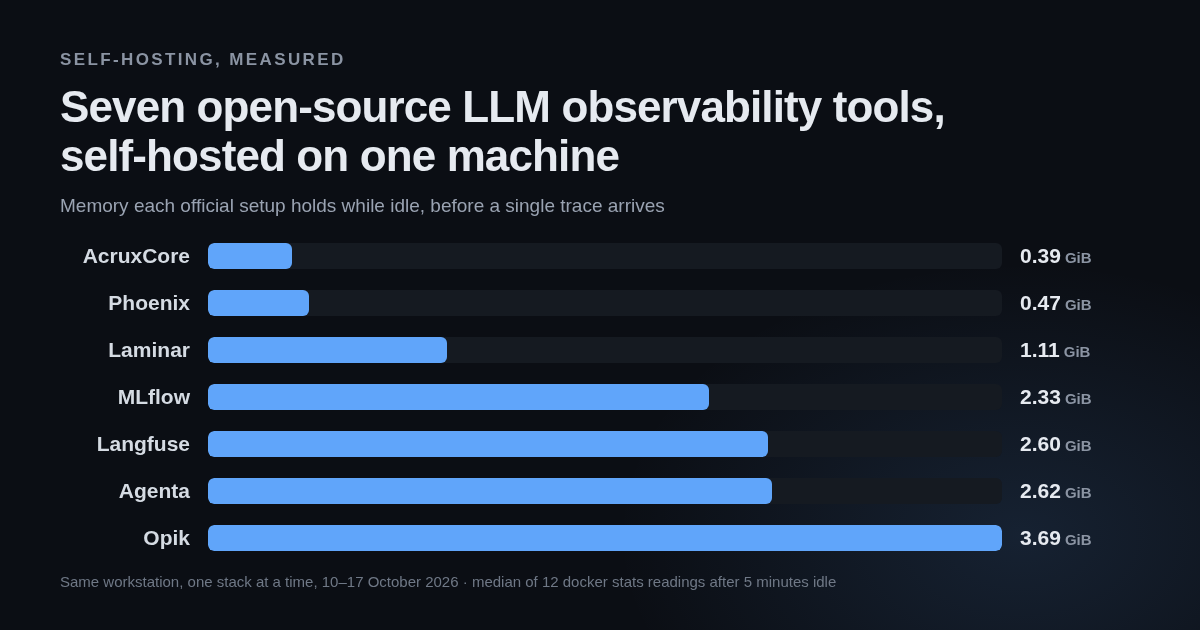
call. But <code>wrap_openai()</code> around a direct client works too, and then Braintrust only receives.</p>
<p>AcruxCore is always in the request path, and for completions there is no beside-it option.
Routing, caching, budgets and virtual keys apply because the call goes through the gateway. The
cost of always being in the path is a hop you cannot skip. The benefit is that those controls
apply whether or not the application remembered to ask for them.</p>


<table><thead><tr><th>Feature</th><th>Braintrust</th><th>AcruxCore</th></tr></thead><tbody><tr><td>Sits in the request path</td><td>Optional, via their AI proxy</td><td>Always</td></tr><tr><td>Works without the proxy</td><td>Yes, <code>wrap_openai()</code> ingests only</td><td>No, for completions</td></tr><tr><td>Routing, caching, budgets, virtual keys</td><td>Not on the ingest-only path</td><td>Apply to every call</td></tr></tbody></table>
<h2 class="anchor anchorTargetStickyNavbar_SAay" id="sdk-and-developer-experience">SDK and developer experience<a href="https://acruxcore.com/blog/acruxcore-vs-braintrust#sdk-and-developer-experience" class="hash-link" aria-label="Direct link to SDK and developer experience" title="Direct link to SDK and developer experience" translate="no">​</a></h2>
<p>Both platforms' Python SDKs completed every task in this post. The Braintrust CLI does more:
<code>braintrust push</code> bundles Python and uploads it, and <code>braintrust eval</code> runs experiments and prints
a comparison. Those two commands are also where the friction was.</p>
<p><code>braintrust push</code> needs the <code>[cli]</code> extra for <code>uv</code>. The same command refuses to run from a path
whose folder names contain hyphens, because it turns that path into a dotted module name. And it
refuses Python 3.14. Each of those three is small, and together they cost about twenty minutes.</p>
<p>The templating mismatch above is the larger cost, and it is a developer-experience problem as much
as a rendering one: the surface you author on and the surface you deploy from disagree.</p>
<p>The AcruxCore script is shorter, because rendering and tracing both happen server-side:</p>
<div class="language-python codeBlockContainer_ZGJx theme-code-block" style="--prism-color:#393A34;--prism-background-color:#f6f8fa"><div class="codeBlockContent_kX1v"><pre tabindex="0" class="prism-code language-python codeBlock_TAPP thin-scrollbar" style="color:#393A34;background-color:#f6f8fa"><code class="codeBlockLines_AdAo"><div class="token-line" style="color:#393A34"><span class="token plain">rendered </span><span class="token operator" style="color:#393A34">=</span><span class="token plain"> </span><span class="token keyword" style="color:#00009f">await</span><span class="token plain"> hub</span><span class="token punctuation" style="color:#393A34">.</span><span class="token plain">prompts</span><span class="token punctuation" style="color:#393A34">.</span><span class="token plain">render</span><span class="token punctuation" style="color:#393A34">(</span><span class="token string" style="color:#e3116c">"vip-support-triage"</span><span class="token punctuation" style="color:#393A34">,</span><span class="token plain"> </span><span class="token string" style="color:#e3116c">"production"</span><span class="token punctuation" style="color:#393A34">,</span><span class="token plain"> VARIABLES</span><span class="token punctuation" style="color:#393A34">)</span><span class="token plain"></span><br></div><div class="token-line" style="color:#393A34"><span class="token plain">result </span><span class="token operator" style="color:#393A34">=</span><span class="token plain"> </span><span class="token keyword" style="color:#00009f">await</span><span class="token plain"> hub</span><span class="token punctuation" style="color:#393A34">.</span><span class="token plain">gateway</span><span class="token punctuation" style="color:#393A34">.</span><span class="token plain">chat</span><span class="token punctuation" style="color:#393A34">(</span><span class="token plain">rendered</span><span class="token punctuation" style="color:#393A34">.</span><span class="token plain">model</span><span class="token punctuation" style="color:#393A34">,</span><span class="token plain"> rendered</span><span class="token punctuation" style="color:#393A34">.</span><span class="token plain">messages</span><span class="token punctuation" style="color:#393A34">,</span><span class="token plain"> prompt_version_id</span><span class="token operator" style="color:#393A34">=</span><span class="token plain">rendered</span><span class="token punctuation" style="color:#393A34">.</span><span class="token plain">version_id</span><span class="token punctuation" style="color:#393A34">)</span><br></div></code></pre></div></div>
<p>All four scripts are committed and runnable:
<a href="https://github.com/AcruxCore/AcruxCore/blob/main/scripts/comparison/braintrust-vs-acruxcore/python/bt_sdk_run.py" target="_blank" rel="noopener noreferrer" class=""><code>bt_sdk_run.py</code></a>,
<a href="https://github.com/AcruxCore/AcruxCore/blob/main/scripts/comparison/braintrust-vs-acruxcore/python/bt_eval_run.py" target="_blank" rel="noopener noreferrer" class=""><code>bt_eval_run.py</code></a>,
<a href="https://github.com/AcruxCore/AcruxCore/blob/main/scripts/comparison/braintrust-vs-acruxcore/python/bt_tool_push.py" target="_blank" rel="noopener noreferrer" class=""><code>bt_tool_push.py</code></a>
and
<a href="https://github.com/AcruxCore/AcruxCore/blob/main/scripts/comparison/braintrust-vs-acruxcore/python/acx_sdk_run.py" target="_blank" rel="noopener noreferrer" class=""><code>acx_sdk_run.py</code></a>.</p>


<table><thead><tr><th>Feature</th><th>Braintrust</th><th>AcruxCore</th></tr></thead><tbody><tr><td>Push runnable code to the platform</td><td>Yes, <code>braintrust push</code></td><td>No</td></tr><tr><td>Run experiments from the CLI</td><td>Yes, <code>braintrust eval</code></td><td>Run server-side from the dashboard</td></tr><tr><td>Tracing code in the script</td><td><code>init_logger()</code> plus <code>wrap_openai()</code></td><td>None</td></tr><tr><td>SDKs agree on template rendering</td><td>No — Python renders mustache, Node refuses</td><td>One renderer, server-side</td></tr></tbody></table>
<h2 class="anchor anchorTargetStickyNavbar_SAay" id="latency-overhead">Latency overhead<a href="https://acruxcore.com/blog/acruxcore-vs-braintrust#latency-overhead" class="hash-link" aria-label="Direct link to Latency overhead" title="Direct link to Latency overhead" translate="no">​</a></h2>
<p><strong>There is no benchmark number in this post.</strong></p>
<p>Every previous benchmark in this series compared a self-hosted competitor on localhost against
AcruxCore on localhost. Braintrust cannot be self-hosted on a Starter account, so any timing would
measure the round trip to their datacenter against a loopback call. Such a timing measures the
distance between the two machines, not either product's overhead. Interleaving the runs does not
remove that distance; it only spreads it evenly.</p>
<p>Their Docker data plane does run locally, but it cannot be attached to a Starter organization. The
next section shows the setting that would attach it. So a Starter reader could not reproduce a
benchmark here even if this post published one.</p>
<h2 class="anchor anchorTargetStickyNavbar_SAay" id="licence-self-hosting-and-plans">Licence, self-hosting and plans<a href="https://acruxcore.com/blog/acruxcore-vs-braintrust#licence-self-hosting-and-plans" class="hash-link" aria-label="Direct link to Licence, self-hosting and plans" title="Direct link to Licence, self-hosting and plans" translate="no">​</a></h2>
<p><strong>Braintrust is not open source.</strong> Parts of the tooling around it are published: the JavaScript
SDK is Apache-2.0 and <code>autoevals</code> is MIT. The hosted platform itself is not something you can read
or fork. AcruxCore is Apache-2.0 in full.</p>
<p><strong>Self-hosting is Enterprise-only, and the product says so itself.</strong> The containers are not the
obstacle. <code>braintrustdata/braintrust-deployment</code> brings up Redis, Postgres and a <code>standalone-api</code>
container, all healthy in about 25 seconds, with no licence key and no S3 bucket, and
<code>GET :8000/status</code> returns a real Braintrust <code>ForbiddenError</code>, so the API is live.</p>
<p>The deployment is still unusable, because those containers are only the <strong>data plane</strong>. The UI,
authentication and metadata stay on braintrust.dev. The only way to attach your own data plane is
to set a custom API URL on the organization, and on a Starter account that setting is not a field
at all:</p>
<p><img decoding="async" loading="lazy" alt="Braintrust data plane settings: a notice reading &quot;This organization is hosted by Braintrust on the US data plane. Interested in self-hosting? Contact us.&quot; above a read-only API URL of https://api.braintrust.dev" src="https://acruxcore.com/blog/assets/images/bt-17-selfhost-gate-e239d734bdf1b0760a72311280ed8393.png" width="1280" height="800" class="img__Ss2"></p>
<p>Their docs state the restriction twice more: "Self-hosting is only available on the Enterprise
plan" and
"Configuring custom data plane URLs is only available on the Enterprise plan."</p>
<p><strong>Access control starts at $249/month.</strong> The Starter tier has no roles at all. RBAC appears as
"Basic roles" on Pro, and as custom roles on Enterprise. Audit logs are Enterprise-only, which the
dashboard states plainly:</p>
<p><img decoding="async" loading="lazy" alt="Braintrust audit log page with an ENTERPRISE badge, reading &quot;Audit logs are available on Enterprise plans&quot; above an Upgrade to Enterprise button" src="https://acruxcore.com/blog/assets/images/bt-18-audit-enterprise-3159b906d25c9ba9766ddba0e4d750c9.png" width="1280" height="800" class="img__Ss2"></p>
<p><strong>Environments</strong> is Pro and above. Environments lets you tag a prompt version as production,
staging or development and then pull it by name, which is the same job AcruxCore's <code>production</code>
and <code>staging</code> aliases do. Our aliases are in the free self-hosted product.</p>


<table><thead><tr><th></th><th>Braintrust</th><th>AcruxCore</th></tr></thead><tbody><tr><td>Licence</td><td>Proprietary. JS SDK Apache-2.0, <code>autoevals</code> MIT</td><td>Apache-2.0, all of it</td></tr><tr><td>Self-host</td><td>Enterprise plan only; the Docker data plane runs but cannot be attached</td><td><code>docker compose up</code></td></tr><tr><td>Free tier</td><td>$0: 1 GB processed data, 10k scores, $10 model credits, 14-day retention, unlimited users</td><td>Self-host, no limits</td></tr><tr><td>Next tier</td><td>Pro, $249/mo: 5 GB, 50k scores, 30-day retention, RBAC, environments, custom charts</td><td>—</td></tr><tr><td>Roles</td><td>None on Starter; basic roles on Pro; custom on Enterprise</td><td>One role per member, free</td></tr><tr><td>Audit log</td><td>Enterprise only</td><td>Per-prompt audit tab, free</td></tr><tr><td>Prompt environments/aliases</td><td>Pro and above</td><td>Free</td></tr></tbody></table>
<p>Sources: <a href="https://www.braintrust.dev/pricing" target="_blank" rel="noopener noreferrer" class="">braintrust.dev/pricing</a> and the organization
settings pages above, all checked 2026-09-13.</p>
<h2 class="anchor anchorTargetStickyNavbar_SAay" id="what-braintrust-does-that-acruxcore-doesnt">What Braintrust does that AcruxCore doesn't<a href="https://acruxcore.com/blog/acruxcore-vs-braintrust#what-braintrust-does-that-acruxcore-doesnt" class="hash-link" aria-label="Direct link to What Braintrust does that AcruxCore doesn't" title="Direct link to What Braintrust does that AcruxCore doesn't" translate="no">​</a></h2>
<h3 class="anchor anchorTargetStickyNavbar_SAay" id="a-sql-sandbox-over-your-own-data">A SQL sandbox over your own data<a href="https://acruxcore.com/blog/acruxcore-vs-braintrust#a-sql-sandbox-over-your-own-data" class="hash-link" aria-label="Direct link to A SQL sandbox over your own data" title="Direct link to A SQL sandbox over your own data" translate="no">​</a></h3>
<p>Braintrust ships a query editor over experiments, logs and datasets. This is real SQL against the
experiment created earlier, returning in 0.41s:</p>
<div class="language-sql codeBlockContainer_ZGJx theme-code-block" style="--prism-color:#393A34;--prism-background-color:#f6f8fa"><div class="codeBlockContent_kX1v"><pre tabindex="0" class="prism-code language-sql codeBlock_TAPP thin-scrollbar" style="color:#393A34;background-color:#f6f8fa"><code class="codeBlockLines_AdAo"><div class="token-line" style="color:#393A34"><span class="token keyword" style="color:#00009f">SELECT</span><span class="token plain"> input</span><span class="token punctuation" style="color:#393A34">.</span><span class="token plain">customer_message </span><span class="token keyword" style="color:#00009f">AS</span><span class="token plain"> message</span><span class="token punctuation" style="color:#393A34">,</span><span class="token plain"> scores</span><span class="token punctuation" style="color:#393A34">.</span><span class="token plain">mentions_every_ticket </span><span class="token keyword" style="color:#00009f">AS</span><span class="token plain"> ticket_score</span><span class="token punctuation" style="color:#393A34">,</span><span class="token plain"></span><br></div><div class="token-line" style="color:#393A34"><span class="token plain">       scores</span><span class="token punctuation" style="color:#393A34">.</span><span class="token plain">Factuality </span><span class="token keyword" style="color:#00009f">AS</span><span class="token plain"> factuality</span><br></div><div class="token-line" style="color:#393A34"><span class="token plain"></span><span class="token keyword" style="color:#00009f">FROM</span><span class="token plain"> experiment</span><span class="token punctuation" style="color:#393A34">(</span><span class="token string" style="color:#e3116c">'a14e0c95-5d81-411b-b2d6-b3856df5bcf7'</span><span class="token punctuation" style="color:#393A34">)</span><span class="token plain"></span><br></div><div class="token-line" style="color:#393A34"><span class="token plain"></span><span class="token keyword" style="color:#00009f">WHERE</span><span class="token plain"> scores</span><span class="token punctuation" style="color:#393A34">.</span><span class="token plain">Factuality </span><span class="token operator" style="color:#393A34">IS</span><span class="token plain"> </span><span class="token operator" style="color:#393A34">NOT</span><span class="token plain"> </span><span class="token boolean" style="color:#36acaa">NULL</span><br></div></code></pre></div></div>
<p><img decoding="async" loading="lazy" alt="Braintrust SQL sandbox: the query above returning 3 rows in 0.41s with a factuality column of 1.00" src="https://acruxcore.com/blog/assets/images/bt-14-sql-result-cd49bfbb50cbf208815b38793ed8c006.png" width="1280" height="800" class="img__Ss2"></p>
<p>Our analytics pages answer a fixed set of questions, and you cannot write your own query against
the underlying data. Braintrust's schema does take learning, though. Scores and inputs sit on
different rows of the same experiment, so a query that selects both at once returns half-empty
columns until you know that.</p>
<h3 class="anchor anchorTargetStickyNavbar_SAay" id="loop-an-agent-inside-the-dashboard">Loop, an agent inside the dashboard<a href="https://acruxcore.com/blog/acruxcore-vs-braintrust#loop-an-agent-inside-the-dashboard" class="hash-link" aria-label="Direct link to Loop, an agent inside the dashboard" title="Direct link to Loop, an agent inside the dashboard" translate="no">​</a></h3>
<p>An earlier attempt at that query failed, and the error came with a <strong>Fix with Loop</strong> button. Loop
took the broken query as context and said what it intended to do. Loop then called its own tools
to inspect the project and proposed a rewrite as a red/green diff, with Accept, Skip and an
auto-accept toggle.</p>
<p><img decoding="async" loading="lazy" alt="Braintrust Loop agent panel: the failing SQL query as context, a BTQL query suggestion shown as a red/green diff, and Accept / Skip buttons with an auto-accept toggle" src="https://acruxcore.com/blog/assets/images/bt-13-loop-agent-45ae04b9f315de02e7e2beab42b6bfe2.png" width="1280" height="800" class="img__Ss2"></p>
<p>The answer was wrong. Loop's rewrite dropped the <code>FROM</code> clause, and the query it produced failed
in a new way. Braintrust's own error message then named the BTQL syntax the query needed, which
made the error more useful than the agent. The interaction is still worth copying: propose,
show a diff, ask before applying. AcruxCore has nothing that works that way.</p>
<h3 class="anchor anchorTargetStickyNavbar_SAay" id="and-several-more-not-driven-here">And several more, not driven here<a href="https://acruxcore.com/blog/acruxcore-vs-braintrust#and-several-more-not-driven-here" class="hash-link" aria-label="Direct link to And several more, not driven here" title="Direct link to And several more, not driven here" translate="no">​</a></h3>
<p>Their project sidebar also carries Patterns, Topics, a human Review queue, Automations, Remote
evals, Preprocessors, Span iframes and a project-level MCP page. AcruxCore has an equivalent for
two of the eight. Automations overlaps our online evaluation rules, and AcruxCore has its own MCP
server. AcruxCore has nothing for the other six. All eight are listed rather than described, because none of them was driven hands-on for
this post.</p>
<h2 class="anchor anchorTargetStickyNavbar_SAay" id="what-acruxcore-does-that-braintrust-doesnt">What AcruxCore does that Braintrust doesn't<a href="https://acruxcore.com/blog/acruxcore-vs-braintrust#what-acruxcore-does-that-braintrust-doesnt" class="hash-link" aria-label="Direct link to What AcruxCore does that Braintrust doesn't" title="Direct link to What AcruxCore does that Braintrust doesn't" translate="no">​</a></h2>
<p>Braintrust's proxy and AcruxCore's gateway both sit in the request path, so the fair question is
what each one is allowed to do while it is there. Two controls are in AcruxCore and not in
Braintrust. Both were checked against Braintrust's own documentation rather than against our
feature list, which would have turned up only what we already build.</p>
<h3 class="anchor anchorTargetStickyNavbar_SAay" id="budgets-that-stop-the-call">Budgets that stop the call<a href="https://acruxcore.com/blog/acruxcore-vs-braintrust#budgets-that-stop-the-call" class="hash-link" aria-label="Direct link to Budgets that stop the call" title="Direct link to Budgets that stop the call" translate="no">​</a></h3>
<p>An AcruxCore budget is a cap in dollars, set per virtual key and per period. The gateway reserves
the estimated cost of a call before the provider is contacted, and a request that would cross the
cap is refused with <code>402 BUDGET_EXCEEDED</code> rather than sent.</p>
<p>Braintrust has spend alerts, and their documentation says plainly what those do:</p>
<blockquote>
<p>Spend alerts are informational-only and do not interrupt or limit your usage.</p>
</blockquote>
<p>Their alerts also watch a different number. They fire on the Braintrust invoice for the whole
organization, at up to three thresholds, by email or Slack. An AcruxCore budget caps model spend
on one key.</p>
<h3 class="anchor anchorTargetStickyNavbar_SAay" id="per-key-request-and-token-limits">Per-key request and token limits<a href="https://acruxcore.com/blog/acruxcore-vs-braintrust#per-key-request-and-token-limits" class="hash-link" aria-label="Direct link to Per-key request and token limits" title="Direct link to Per-key request and token limits" translate="no">​</a></h3>
<p>A virtual key in AcruxCore carries an optional requests-per-minute and tokens-per-minute limit,
and the gateway checks both against a trailing 60-second window before the call goes out. A caller
over either limit gets a 429 with <code>Retry-After</code>. That window lives in the API process today, so a
deployment running several API instances enforces the limit per instance rather than across all of
them.</p>
<p>Braintrust rate-limits its own API endpoints per organization, which protects their service rather
than your spend. Their organization settings expose no rate limit you can set on model calls.</p>
<h3 class="anchor anchorTargetStickyNavbar_SAay" id="what-was-checked-and-ruled-out">What was checked and ruled out<a href="https://acruxcore.com/blog/acruxcore-vs-braintrust#what-was-checked-and-ruled-out" class="hash-link" aria-label="Direct link to What was checked and ruled out" title="Direct link to What was checked and ruled out" translate="no">​</a></h3>
<p>Four controls that look like ours alone are not. Braintrust's AI proxy caches responses, and their
documentation puts it as "The proxy automatically caches results and reuses them when possible".
The same proxy issues temporary credentials that do the job virtual keys do, and it load balances
across several keys for one model. Braintrust organizations hold provider credentials and
per-function environment variables. None of those four belongs in this section.</p>
<p>Sources: <a href="https://www.braintrust.dev/docs/guides/proxy" target="_blank" rel="noopener noreferrer" class="">the AI proxy guide</a>,
<a href="https://www.braintrust.dev/docs/admin/billing/monitor-usage" target="_blank" rel="noopener noreferrer" class="">spend alerts</a> and
<a href="https://www.braintrust.dev/docs/reference/organizations" target="_blank" rel="noopener noreferrer" class="">organization settings</a>, all checked
2026-09-13.</p>
<h2 class="anchor anchorTargetStickyNavbar_SAay" id="verdict">Verdict<a href="https://acruxcore.com/blog/acruxcore-vs-braintrust#verdict" class="hash-link" aria-label="Direct link to Verdict" title="Direct link to Verdict" translate="no">​</a></h2>


<table><thead><tr><th></th><th>Braintrust</th><th>AcruxCore</th></tr></thead><tbody><tr><td>Strongest at</td><td>Evaluation: declarative evals, auto-comparison against the last run, scorers as a real resource, SQL over the results</td><td>Controls in the request path: budgets that refuse the call, per-key rate limits, and tool code that stays in your process</td></tr><tr><td>Weakest at</td><td>The gap between its own surfaces: a prompt the UI authors correctly, the Python SDK renders differently</td><td>No query editor, and no SQL over your own trace data</td></tr><tr><td>Pick it if</td><td>Your bottleneck is measuring quality, you want tools callable with nothing of yours deployed, and hosted-only is fine</td><td>You need self-hosting, tools that reach your own data, or gateway controls that apply whether or not the caller asks</td></tr></tbody></table>
<p>If the job is to iterate on prompt quality against a dataset, Braintrust does it better than we
do. Braintrust's <a href="https://acruxcore.com/blog/acruxcore-vs-braintrust#evaluation-and-datasets" class="">evaluation model</a> is the part of this comparison we
learned most from, and its <a href="https://acruxcore.com/blog/acruxcore-vs-braintrust#prompt-authoring-and-versioning" class="">prompt authoring UI</a> is ahead of
ours as well.</p>
<p>One thing holds that authoring win back. Most calls reach a platform through its SDK, and
Braintrust's Python SDK renders a stored prompt with an engine the prompt does not declare,
deleting data as it goes and raising no error. Until the SDK reads <code>template_format</code>, the better
editor only helps on the screen where the prompt was written.</p>
<p><a href="https://acruxcore.com/blog/acruxcore-vs-braintrust#how-tools-are-handled" class="">Tools</a> are the row where the two products differ most and neither is
behind. Braintrust's answer costs you a sandbox, a chosen interpreter and a copy of your data, and
buys a tool anything can call with nothing of yours deployed. Ours costs you the work of running
the tool, and buys a tool that still reaches your own database and filesystem.</p>
<p>For the six open-source alternatives we have compared against, see the
<a href="https://acruxcore.com/compare" target="_blank" rel="noopener noreferrer" class="">compare page</a>.</p>
<p>To compare more tools, see <a class="" href="https://acruxcore.com/blog/hands-on-llm-ops-comparison">10 LLM observability tools tested hands-on</a>,
<a class="" href="https://acruxcore.com/blog/langsmith-alternatives">8 LangSmith alternatives</a>, <a class="" href="https://acruxcore.com/blog/langfuse-alternatives">8 Langfuse alternatives</a>
and <a class="" href="https://acruxcore.com/blog/braintrust-alternatives">10 Braintrust alternatives</a>.</p>
<p>Start here if you want to try AcruxCore: <a href="https://docs.acruxcore.com/docs/getting-started/quickstart" target="_blank" rel="noopener noreferrer" class="">Quickstart</a>.</p>]]></content>
        <author>
            <name>The AcruxCore Team</name>
            <uri>https://acruxcore.com</uri>
        </author>
        <category label="LLMOps comparison" term="LLMOps comparison"/>
        <category label="Prompt management" term="Prompt management"/>
    </entry>
    <entry>
        <title type="html"><![CDATA[AcruxCore vs Laminar: SQL over traces vs a prompt gateway]]></title>
        <id>https://acruxcore.com/blog/acruxcore-vs-laminar</id>
        <link href="https://acruxcore.com/blog/acruxcore-vs-laminar"/>
        <updated>2026-09-06T00:00:00.000Z</updated>
        <summary type="html"><![CDATA[AcruxCore vs Laminar tested hands-on — one example on self-hosted Laminar and AcruxCore, with real screenshots from both and a 100-round latency benchmark.]]></summary>
        <content type="html"><![CDATA[<p>Laminar (<code>lmnr</code>) is a Y Combinator S24 project that calls itself observability <strong>purpose-built
for AI agents</strong> — a Rust ingest server, ClickHouse for spans, Quickwit for search, and an
OpenTelemetry SDK that instruments fifteen-plus agent frameworks from one line of code — Vercel
AI SDK, Claude Agent SDK, OpenAI Agents SDK, LangChain DeepAgents, Mastra, Pydantic AI, Browser
Use, Stagehand, Playwright, LiteLLM, OpenCode and OpenHands among them. It is
the most differently shaped tool we have compared AcruxCore against. Its project sidebar has
dashboards, traces, evaluations, datasets, labeling, a SQL editor, playgrounds, a debugger and
settings — and <strong>no prompt registry anywhere</strong>. That is not an oversight; it is the product
being about agent runs rather than about the calls inside them. Both projects are Apache 2.0,
so this is a comparison of shape, not of who is open.</p>
<!-- -->
<div class="theme-admonition theme-admonition-note admonition_IZjC alert alert--secondary"><div class="admonitionHeading_uVvU"><span class="admonitionIcon_HiR3"><svg viewBox="0 0 14 16"><path fill-rule="evenodd" d="M6.3 5.69a.942.942 0 0 1-.28-.7c0-.28.09-.52.28-.7.19-.18.42-.28.7-.28.28 0 .52.09.7.28.18.19.28.42.28.7 0 .28-.09.52-.28.7a1 1 0 0 1-.7.3c-.28 0-.52-.11-.7-.3zM8 7.99c-.02-.25-.11-.48-.31-.69-.2-.19-.42-.3-.69-.31H6c-.27.02-.48.13-.69.31-.2.2-.3.44-.31.69h1v3c.02.27.11.5.31.69.2.2.42.31.69.31h1c.27 0 .48-.11.69-.31.2-.19.3-.42.31-.69H8V7.98v.01zM7 2.3c-3.14 0-5.7 2.54-5.7 5.68 0 3.14 2.56 5.7 5.7 5.7s5.7-2.55 5.7-5.7c0-3.15-2.56-5.69-5.7-5.69v.01zM7 .98c3.86 0 7 3.14 7 7s-3.14 7-7 7-7-3.12-7-7 3.14-7 7-7z"></path></svg></span>Same example, both sides</div><div class="admonitionContent_bl22"><p>Every paired screenshot below comes from the same prompt — <code>vip-support-triage</code>, a support
agent that changes tone for VIP customers and lists their open tickets — and the same customer
message. Both SDK runs end at the same downstream model, <code>gpt-4o-mini</code> on OpenAI, so the
generated text is comparable. Laminar's <strong>playground</strong> was configured with a direct OpenAI key
and run for real, so its screenshot below is a completion rather than an empty state. The
latency benchmark uses SDK paths on all three legs, every one of them ending at
<code>api.openai.com</code>. Licence, pricing,
team structure and community stats live on the <a href="https://acruxcore.com/compare" target="_blank" rel="noopener noreferrer" class="">compare page</a>
rather than here.</p></div></div>
<h3 class="anchor anchorTargetStickyNavbar_SAay" id="at-a-glance">At a glance<a href="https://acruxcore.com/blog/acruxcore-vs-laminar#at-a-glance" class="hash-link" aria-label="Direct link to At a glance" title="Direct link to At a glance" translate="no">​</a></h3>


<table><thead><tr><th>Aspect</th><th>Laminar</th><th>AcruxCore</th><th>Winner</th></tr></thead><tbody><tr><td>Tracing an agent run</td><td>OTel-native, nested spans, tree and transcript views, cost heatmap, 15+ framework integrations</td><td>Nested OTel spans on an OTLP receiver, five frameworks from one <code>register()</code> call, plus an automatic gateway span carrying prompt-version lineage</td><td>Laminar, on breadth and views</td></tr><tr><td>Where the platform sits</td><td>Beside the request path, on purpose — works with any provider, no proxy to configure</td><td>In the request path — routing, caching, budgets and virtual keys apply before the provider</td><td>Depends</td></tr><tr><td>Latency overhead, measured</td><td>−8 to +18 ms across three 100-round runs</td><td>+7 to +27 ms across the same three runs</td><td>Laminar, barely</td></tr><tr><td>Querying your trace data</td><td>Real SQL editor over spans, plus a drag-and-drop custom dashboard builder</td><td>Fixed analytics page, four <code>group_by</code> options, nothing composable</td><td>Laminar</td></tr><tr><td>Prompt authoring and versioning</td><td>None — a playground is one mutable row of messages, no versions, aliases or variables</td><td>Immutable versions, <code>production</code>/<code>staging</code> aliases, a diff tab, real <code>{% if %}</code> and <code>{% for %}</code></td><td>AcruxCore</td></tr><tr><td>Sending a live call</td><td>Playground runs, but only against seven named providers, and reports tokens without cost</td><td>Any OpenAI-compatible provider, with cost, cache and latency shown inline</td><td>AcruxCore</td></tr><tr><td>How tools are handled</td><td>Tool schemas are a JSONB field on a playground row; tool calls show up as spans</td><td>Versioned Tool Catalog that the gateway actually executes, with its own analytics</td><td>AcruxCore</td></tr><tr><td>Evaluation and datasets</td><td>Code-first: your data, your executor, your scorers, run locally or in CI</td><td>Server-side runs, LLM judges, plus sampled rules that score live production spans</td><td>Depends</td></tr><tr><td>SDK and developer experience</td><td>One line auto-instruments your client; a CLI and skill onboard a coding agent</td><td>Fetch a stored prompt and send it through the gateway with no tracing code, or one <code>register()</code> call to instrument a framework</td><td>Depends</td></tr><tr><td>MCP server</td><td><a href="https://laminar.sh/docs/platform/mcp" target="_blank" rel="noopener noreferrer" class="">Hosted, three read-only tools</a>: run SQL over spans, fetch one trace's context, ask a built-in agent</td><td><a href="https://docs.acruxcore.com/docs/guides/connect-an-mcp-client" target="_blank" rel="noopener noreferrer" class="">Hosted or local</a>: read and commit prompts, promote an alias, run a stored prompt, read traces, run experiments</td><td>AcruxCore</td></tr></tbody></table>
<p>Full breakdown, screenshots, and the verdict below.</p>
<h2 class="anchor anchorTargetStickyNavbar_SAay" id="tracing-an-agent-run">Tracing an agent run<a href="https://acruxcore.com/blog/acruxcore-vs-laminar#tracing-an-agent-run" class="hash-link" aria-label="Direct link to Tracing an agent run" title="Direct link to Tracing an agent run" translate="no">​</a></h2>
<p>This is what Laminar is for, so it goes first. <code>Laminar.initialize()</code> patches the OpenAI client
through OpenTelemetry, and an <code>@observe()</code> decorator nests the model call underneath a parent
span — so the run's <em>shape</em> lands in the trace, not just the call.</p>
<div class="language-python codeBlockContainer_ZGJx theme-code-block" style="--prism-color:#393A34;--prism-background-color:#f6f8fa"><div class="codeBlockContent_kX1v"><pre tabindex="0" class="prism-code language-python codeBlock_TAPP thin-scrollbar" style="color:#393A34;background-color:#f6f8fa"><code class="codeBlockLines_AdAo"><div class="token-line" style="color:#393A34"><span class="token keyword" style="color:#00009f">from</span><span class="token plain"> lmnr </span><span class="token keyword" style="color:#00009f">import</span><span class="token plain"> Laminar</span><span class="token punctuation" style="color:#393A34">,</span><span class="token plain"> observe</span><br></div><div class="token-line" style="color:#393A34"><span class="token plain" style="display:inline-block"></span><br></div><div class="token-line" style="color:#393A34"><span class="token plain">Laminar</span><span class="token punctuation" style="color:#393A34">.</span><span class="token plain">initialize</span><span class="token punctuation" style="color:#393A34">(</span><span class="token plain">project_api_key</span><span class="token operator" style="color:#393A34">=</span><span class="token plain">os</span><span class="token punctuation" style="color:#393A34">.</span><span class="token plain">environ</span><span class="token punctuation" style="color:#393A34">[</span><span class="token string" style="color:#e3116c">"LMNR_PROJECT_API_KEY"</span><span class="token punctuation" style="color:#393A34">]</span><span class="token punctuation" style="color:#393A34">,</span><span class="token plain"> base_url</span><span class="token operator" style="color:#393A34">=</span><span class="token string" style="color:#e3116c">"http://localhost:8000"</span><span class="token punctuation" style="color:#393A34">)</span><span class="token plain"></span><br></div><div class="token-line" style="color:#393A34"><span class="token plain" style="display:inline-block"></span><br></div><div class="token-line" style="color:#393A34"><span class="token plain"></span><span class="token decorator annotation punctuation" style="color:#393A34">@observe</span><span class="token punctuation" style="color:#393A34">(</span><span class="token plain">name</span><span class="token operator" style="color:#393A34">=</span><span class="token string" style="color:#e3116c">"vip_support_triage"</span><span class="token punctuation" style="color:#393A34">)</span><span class="token plain"></span><br></div><div class="token-line" style="color:#393A34"><span class="token plain"></span><span class="token keyword" style="color:#00009f">def</span><span class="token plain"> </span><span class="token function" style="color:#d73a49">triage</span><span class="token punctuation" style="color:#393A34">(</span><span class="token plain">message</span><span class="token punctuation" style="color:#393A34">:</span><span class="token plain"> </span><span class="token builtin">str</span><span class="token punctuation" style="color:#393A34">)</span><span class="token plain"> </span><span class="token operator" style="color:#393A34">-</span><span class="token operator" style="color:#393A34">&gt;</span><span class="token plain"> </span><span class="token builtin">str</span><span class="token punctuation" style="color:#393A34">:</span><span class="token plain"></span><br></div><div class="token-line" style="color:#393A34"><span class="token plain">    </span><span class="token keyword" style="color:#00009f">return</span><span class="token plain"> client</span><span class="token punctuation" style="color:#393A34">.</span><span class="token plain">chat</span><span class="token punctuation" style="color:#393A34">.</span><span class="token plain">completions</span><span class="token punctuation" style="color:#393A34">.</span><span class="token plain">create</span><span class="token punctuation" style="color:#393A34">(</span><span class="token plain">model</span><span class="token operator" style="color:#393A34">=</span><span class="token string" style="color:#e3116c">"gpt-4o-mini"</span><span class="token punctuation" style="color:#393A34">,</span><span class="token plain"> messages</span><span class="token operator" style="color:#393A34">=</span><span class="token punctuation" style="color:#393A34">[</span><span class="token punctuation" style="color:#393A34">.</span><span class="token punctuation" style="color:#393A34">.</span><span class="token punctuation" style="color:#393A34">.</span><span class="token punctuation" style="color:#393A34">]</span><span class="token punctuation" style="color:#393A34">)</span><span class="token punctuation" style="color:#393A34">.</span><span class="token plain">choices</span><span class="token punctuation" style="color:#393A34">[</span><span class="token number" style="color:#36acaa">0</span><span class="token punctuation" style="color:#393A34">]</span><span class="token punctuation" style="color:#393A34">.</span><span class="token plain">message</span><span class="token punctuation" style="color:#393A34">.</span><span class="token plain">content</span><br></div></code></pre></div></div>
<p>The span view carries the full system and user messages, token counts, cost, and an "Experiment
in playground" button that lifts the call straight into their playground.</p>
<p><img decoding="async" loading="lazy" alt="Laminar span detail: a tree with vip_support_triage above an openai.chat child, and a right panel showing System, User and Assistant messages with 158 tokens and $0.0001" src="https://acruxcore.com/blog/assets/images/lm-04-span-llm-messages-ff7af0e3139b093737e6ae713f68f000.png" width="1750" height="1250" class="img__Ss2"></p>
<p>AcruxCore has two ways in. The gateway writes a span server-side, with no tracing code in the
script at all, and links it back to the prompt version that produced it.</p>
<p><img decoding="async" loading="lazy" alt="AcruxCore trace detail: a single LLM span with token counts, cost, and a link to the prompt version that produced it" src="https://acruxcore.com/blog/assets/images/acx-05-trace-detail-b1664736ec89c78e1ea61d76bce324d5.png" width="1400" height="1300" class="img__Ss2"></p>
<p>For the run's <em>shape</em> there is an OTLP/HTTP receiver — <code>POST /api/v1/traces/otlp</code>, protobuf or
JSON, gzip accepted — that takes nested OTel spans from your process, the same way Laminar's
does. Both SDKs collapse the provider, processor and exporter wiring into one <code>register()</code> call,
which can also switch on a framework's own OpenInference instrumentor:</p>
<div class="language-python codeBlockContainer_ZGJx theme-code-block" style="--prism-color:#393A34;--prism-background-color:#f6f8fa"><div class="codeBlockContent_kX1v"><pre tabindex="0" class="prism-code language-python codeBlock_TAPP thin-scrollbar" style="color:#393A34;background-color:#f6f8fa"><code class="codeBlockLines_AdAo"><div class="token-line" style="color:#393A34"><span class="token keyword" style="color:#00009f">from</span><span class="token plain"> acruxcore</span><span class="token punctuation" style="color:#393A34">.</span><span class="token plain">otel </span><span class="token keyword" style="color:#00009f">import</span><span class="token plain"> register</span><br></div><div class="token-line" style="color:#393A34"><span class="token plain" style="display:inline-block"></span><br></div><div class="token-line" style="color:#393A34"><span class="token plain">register</span><span class="token punctuation" style="color:#393A34">(</span><span class="token plain">api_key</span><span class="token operator" style="color:#393A34">=</span><span class="token plain">KEY</span><span class="token punctuation" style="color:#393A34">,</span><span class="token plain"> base_url</span><span class="token operator" style="color:#393A34">=</span><span class="token plain">BASE_URL</span><span class="token punctuation" style="color:#393A34">,</span><span class="token plain"> instrument</span><span class="token operator" style="color:#393A34">=</span><span class="token punctuation" style="color:#393A34">[</span><span class="token string" style="color:#e3116c">"crewai"</span><span class="token punctuation" style="color:#393A34">,</span><span class="token plain"> </span><span class="token string" style="color:#e3116c">"openai"</span><span class="token punctuation" style="color:#393A34">]</span><span class="token punctuation" style="color:#393A34">)</span><br></div></code></pre></div></div>
<p>Five frameworks are named today — OpenAI, OpenAI Agents SDK, CrewAI, LangChain and LlamaIndex —
and any other OTel or OpenInference instrumentor can be wired to the same provider by hand. A
CrewAI crew traced this way arrives as a real tree: a <code>Crew.kickoff</code> root, one agent span per
crew member, with tool and LLM spans nested underneath.</p>
<p><img decoding="async" loading="lazy" alt="AcruxCore trace tree from a CrewAI crew: a Crew.kickoff chain root, an agent span for Destination Researcher containing an LLM span and three Tavily Search tool spans, then a sibling agent span for Itinerary Planner" src="https://acruxcore.com/blog/assets/images/03-trace-tree-284a37de071feafb93cc6c152f151180.png" width="1440" height="900" class="img__Ss2"></p>
<p>So the difference is breadth and reading, not whether the run is visible. Laminar ships three
times the integrations and reads them back as a transcript, a cost heatmap and a realtime feed.
We ship five named frameworks, a span tree with a latency waterfall, and prompt-version lineage
on the gateway span — and unlike theirs, ours exists even when the caller sends no spans at all.</p>


<table><thead><tr><th>Feature</th><th>Laminar</th><th>AcruxCore</th></tr></thead><tbody><tr><td>Span source</td><td>Your process, via OpenTelemetry</td><td>The gateway server-side, or your process over OTLP</td></tr><tr><td>Code needed to get a trace</td><td>One <code>initialize()</code> call, plus decorators for structure</td><td>None for a gateway call; one <code>register()</code> for a framework</td></tr><tr><td>Nested agent structure</td><td>Yes, arbitrary depth</td><td>Yes, arbitrary depth, over the OTLP receiver</td></tr><tr><td>Prompt-version lineage on the span</td><td>No prompt registry to link to</td><td>Automatic</td></tr><tr><td>Views</td><td>Tree, transcript, cost heatmap, realtime</td><td>Span tree with a latency waterfall, payloads per span</td></tr><tr><td>Framework integrations</td><td>15+, including Vercel AI SDK, Claude Agent SDK, Browser Use, Stagehand, Mastra, Pydantic AI</td><td>5 via <code>register()</code>, plus any OTel instrumentor wired by hand</td></tr></tbody></table>
<h2 class="anchor anchorTargetStickyNavbar_SAay" id="where-the-platform-sits--in-the-request-path-or-beside-it">Where the platform sits — in the request path, or beside it<a href="https://acruxcore.com/blog/acruxcore-vs-laminar#where-the-platform-sits--in-the-request-path-or-beside-it" class="hash-link" aria-label="Direct link to Where the platform sits — in the request path, or beside it" title="Direct link to Where the platform sits — in the request path, or beside it" translate="no">​</a></h2>
<p>Laminar sits beside the request path. Its Rust <code>app-server</code> receives spans; it never receives
your model call. We checked the server's routes: the only <code>/chat/completions</code> handling in the
codebase is its <em>outbound</em> client for its own AI features, not an inbound proxy.</p>
<p>That is a real design choice with real advantages. Any provider works immediately, there is no
proxy to configure or keep up, and nothing Laminar does can fail your production call. The cost
is that a budget, a cache hit or a virtual key has no call to act on — by the time Laminar sees
the request, the money is already spent.</p>
<p>AcruxCore takes the other side. The call goes through us first, which is what makes a spend cap
enforceable: <code>reserveBudgets()</code> runs before the provider is contacted and returns
<code>402 BUDGET_EXCEEDED</code>, and a per-virtual-key RPM/TPM limit returns <code>429 RATE_LIMITED</code> on the same
pre-call path. The cost is the hop, measured in the next section, and the fact that we have to
support your provider.</p>


<table><thead><tr><th>Feature</th><th>Laminar</th><th>AcruxCore</th></tr></thead><tbody><tr><td>Position</td><td>Beside the request path</td><td>In the request path</td></tr><tr><td>Works with any provider, unmodified</td><td>Yes</td><td>Only providers the gateway supports</td></tr><tr><td>Can enforce a spend cap before the call</td><td>No</td><td>Yes, <code>402 BUDGET_EXCEEDED</code></td></tr><tr><td>Can rate-limit a key before the call</td><td>No</td><td>Yes, <code>429 RATE_LIMITED</code>, per virtual key</td></tr><tr><td>Can serve a cached response</td><td>No</td><td>Yes</td></tr><tr><td>A platform outage breaks your calls</td><td>No</td><td>Yes, unless you fail open</td></tr></tbody></table>
<h2 class="anchor anchorTargetStickyNavbar_SAay" id="latency-overhead--measured">Latency overhead — measured<a href="https://acruxcore.com/blog/acruxcore-vs-laminar#latency-overhead--measured" class="hash-link" aria-label="Direct link to Latency overhead — measured" title="Direct link to Latency overhead — measured" translate="no">​</a></h2>
<p>100 rounds per run, interleaved in rotating order so a network blip lands on all three paths
equally, three warm-up rounds discarded, every leg ending at <code>gpt-4o-mini</code> on <code>api.openai.com</code>
with the same key and the same body. A gateway model is only a public name pointing at a
credential, so the script resolves ours before it starts and refuses to run unless it refers to a
native OpenAI credential — that way all three legs provably share one upstream.</p>
<p>A single run is not a result here: the median gap moves enough between runs that one number
would be misleading. So it ran three times.</p>


<table><thead><tr><th>Run</th><th>Direct-call median</th><th>Laminar gap</th><th>AcruxCore gap</th></tr></thead><tbody><tr><td>1</td><td>623 ms</td><td>−8 ms, CI [−27, +6]</td><td>+7 ms, CI [−12, +22]</td></tr><tr><td>2</td><td>603 ms</td><td>+18 ms, CI [+2, +46]</td><td>+27 ms, CI [+11, +50]</td></tr><tr><td>3</td><td>643 ms</td><td>−4 ms, CI [−28, +15]</td><td>+7 ms, CI [−19, +29]</td></tr></tbody></table>
<p>Laminar's overhead lands between −8 ms and +18 ms, AcruxCore's between +7 ms and +27 ms. In two
of the three runs every confidence interval crosses zero, which means neither path is
statistically distinguishable from calling the provider directly at this sample size. Laminar's
median gap was the lower of the two in all three runs, by roughly 10 ms — consistent enough to
be real, small enough that no application would notice it.</p>
<p>Both are cheap, and they are different kinds of cost: Laminar's is client-side instrumentation
that batches spans off the hot path, ours is a real extra network hop that buys routing, budget
enforcement, virtual keys and caching.</p>
<p>Full script:
<a href="https://github.com/AcruxCore/AcruxCore/blob/main/scripts/comparison/laminar-vs-acruxcore/python/latency_bench.py" target="_blank" rel="noopener noreferrer" class=""><code>latency_bench.py</code></a>.</p>
<h2 class="anchor anchorTargetStickyNavbar_SAay" id="querying-your-trace-data">Querying your trace data<a href="https://acruxcore.com/blog/acruxcore-vs-laminar#querying-your-trace-data" class="hash-link" aria-label="Direct link to Querying your trace data" title="Direct link to Querying your trace data" translate="no">​</a></h2>
<p>Laminar's SQL editor is the feature we most wish we had. It is not a filter builder — it is SQL
over the ClickHouse span store, with table, JSON and chart output, saved queries, an "Ask AI"
button that writes the query for you, and CSV export.</p>
<p><img decoding="async" loading="lazy" alt="Laminar SQL editor running SELECT name, model, input_tokens, output_tokens, total_cost, duration FROM spans, returning the openai.chat and vip_support_triage rows" src="https://acruxcore.com/blog/assets/images/lm-06-sql-editor-dfa2d293a5dda6f9c92b946caf761117.png" width="1750" height="1250" class="img__Ss2"></p>
<p>The dashboard is composable in the same spirit: drag-and-drop cards, resizable, each one backed
by a metric or a custom SQL query. After the benchmark run it had 135 spans to chart.</p>
<p><img decoding="async" loading="lazy" alt="Laminar dashboards page with twelve resizable cards — top spans, top model cost, latency by model p90, trace status, total tokens and total cost" src="https://acruxcore.com/blog/assets/images/lm-09-dashboards-d382535f58fff5fa8876904f088ef848.png" width="2400" height="1600" class="img__Ss2"></p>
<p>AcruxCore has neither. Our analytics page groups by exactly one of <code>day</code>, <code>model</code>, <code>session</code> or
<code>prompt_version</code> and renders a fixed set of tiles and charts; the state lives in the URL, so you
can share a view as a link, but you cannot compose one. There is no way to ask our trace store an
arbitrary question.</p>


<table><thead><tr><th>Feature</th><th>Laminar</th><th>AcruxCore</th></tr></thead><tbody><tr><td>Ad-hoc SQL over spans</td><td>Yes, with saved queries and CSV export</td><td>No</td></tr><tr><td>AI-written queries</td><td>Yes</td><td>No</td></tr><tr><td>Custom dashboard panels</td><td>Yes, drag-and-drop, SQL-backed</td><td>No, fixed charts</td></tr><tr><td>Grouping options</td><td>Anything SQL expresses</td><td><code>day</code>, <code>model</code>, <code>session</code>, <code>prompt_version</code></td></tr></tbody></table>
<h2 class="anchor anchorTargetStickyNavbar_SAay" id="prompt-authoring-and-versioning">Prompt authoring and versioning<a href="https://acruxcore.com/blog/acruxcore-vs-laminar#prompt-authoring-and-versioning" class="hash-link" aria-label="Direct link to Prompt authoring and versioning" title="Direct link to Prompt authoring and versioning" translate="no">​</a></h2>
<p>Here the shapes diverge completely. Laminar has no prompt registry — we checked the database
schema rather than only the sidebar, and there is no prompts table at all. The nearest thing is
<code>playgrounds</code>, one row per playground holding <code>prompt_messages</code> as a mutable JSONB blob. Editing
it overwrites it. There are no version numbers, no aliases, no diff, and no template variables:
their only templating dependency, <code>mustache</code>, is used for rendering span previews, not prompts.</p>
<p>So the fixture prompt had to be flattened by hand for Laminar — the <code>{% if is_vip %}</code>
branch resolved to its VIP text, and the <code>{% for ticket in tickets %}</code> loop
expanded into a literal list of two tickets. That flattened string is what <code>lm_trace_run.py</code>
inlines, because there is nothing on the platform to fetch it from.</p>
<p>On AcruxCore the same prompt is three immutable versions with <code>production</code> on v3 and <code>staging</code> on
v2, a unified diff between any two, and the conditionals and loop rendered by nunjucks at request
time.</p>
<p><img decoding="async" loading="lazy" alt="AcruxCore diff tab showing a unified diff between v2 and v3 of vip-support-triage, with the nunjucks conditional and for-loop intact" src="https://acruxcore.com/blog/assets/images/acx-03-diff-tab-7eaf8502858ad216dc1d948928d0b75a.png" width="1400" height="1000" class="img__Ss2"></p>


<table><thead><tr><th>Feature</th><th>Laminar</th><th>AcruxCore</th></tr></thead><tbody><tr><td>Prompt registry</td><td>None</td><td>Yes</td></tr><tr><td>Version history</td><td>None — the playground row is overwritten</td><td>Immutable, numbered</td></tr><tr><td>Environment aliases</td><td>None</td><td><code>production</code>, <code>staging</code>, promotable</td></tr><tr><td>Diff between versions</td><td>None</td><td>Unified diff, any two versions</td></tr><tr><td>Template logic</td><td>None — no variables in prompts at all</td><td><code>{% if %}</code>, <code>{% for %}</code>, filters</td></tr><tr><td>Runtime "render this stored prompt" call</td><td>None</td><td><code>prompts.render(name, alias, variables)</code></td></tr></tbody></table>
<h2 class="anchor anchorTargetStickyNavbar_SAay" id="sending-a-live-call">Sending a live call<a href="https://acruxcore.com/blog/acruxcore-vs-laminar#sending-a-live-call" class="hash-link" aria-label="Direct link to Sending a live call" title="Direct link to Sending a live call" translate="no">​</a></h2>
<p>Laminar's playground stores messages, a model, tools and an output schema, and can be opened
directly from a traced span — a genuinely nice loop for debugging a call you just saw. It needs
a provider key saved in project settings first, and that page offers a fixed list: OpenAI,
Gemini, Groq, Anthropic, Mistral, Azure and Bedrock, with no field for a custom base URL. We
confirmed the list in their source (<code>MODEL_PROVIDER_TO_API_KEYS</code> in
<code>frontend/lib/env/utils.ts</code>); keys are stored encrypted per project rather than read from the
environment.</p>
<p>With an OpenAI key saved, it runs. Below is the flattened prompt returning a real completion on
GPT-4o mini. Two things to notice. The messages are typed in flat, because a playground row has
no variables — the VIP sentence and the ticket list are pre-rendered by hand, the same
flattening described above. And the footer reports <strong>input, output and total tokens, but no
cost</strong> — no latency and no cache status either.</p>
<p><img decoding="async" loading="lazy" alt="Laminar playground running the flattened vip-support-triage prompt on GPT-4o mini, with the completion in the Output pane and a footer reading Input Tokens 99, Output Tokens 50, Total Tokens 149" src="https://acruxcore.com/blog/assets/images/lm-05-playground-run-f3a5d768761794fb41a5deee485199cc.png" width="1750" height="1250" class="img__Ss2"></p>
<p>The limitation that stands is the provider list: seven named vendors and no custom base URL, so
your own gateway, a relay or a local model server cannot be called from it at all.</p>
<p>AcruxCore's playground runs the stored prompt against any model the gateway knows, and shows cost,
cache status and latency inline with the response.</p>
<p><img decoding="async" loading="lazy" alt="AcruxCore playground running the stored vip-support-triage prompt, with a Gateway Telemetry panel showing cost, cache status and latency" src="https://acruxcore.com/blog/assets/images/acx-04-playground-run-44f0839517d13d574beb62a1eccd47f6.png" width="1440" height="1400" class="img__Ss2"></p>


<table><thead><tr><th>Feature</th><th>Laminar</th><th>AcruxCore</th></tr></thead><tbody><tr><td>Runs a stored prompt</td><td>No stored prompts to run</td><td>Yes, by name and alias</td></tr><tr><td>Provider choice</td><td>Seven named providers, no custom base URL</td><td>Any OpenAI-compatible provider</td></tr><tr><td>Variables in the playground</td><td>None — messages are typed in flat</td><td><code>{{ }}</code> filled from a variables panel</td></tr><tr><td>Tokens shown inline</td><td>Yes — input, output, total</td><td>Yes</td></tr><tr><td>Cost shown inline</td><td>No</td><td>Yes</td></tr><tr><td>Cache status shown inline</td><td>No cache</td><td>Yes</td></tr><tr><td>Open from a trace span</td><td>Yes, "Experiment in playground"</td><td>Re-run from the trace</td></tr></tbody></table>
<h2 class="anchor anchorTargetStickyNavbar_SAay" id="how-tools-are-handled">How tools are handled<a href="https://acruxcore.com/blog/acruxcore-vs-laminar#how-tools-are-handled" class="hash-link" aria-label="Direct link to How tools are handled" title="Direct link to How tools are handled" translate="no">​</a></h2>
<p>Laminar records tool calls as spans and stores a tool schema as a <code>tools</code> JSONB field on a
playground row. There is no tool catalog page, no version history for a tool, and nothing in
Laminar executes one — your agent does, and Laminar watches. That is consistent with sitting
beside the request path.</p>
<p>AcruxCore's Tool Catalog is the opposite: a tool is a first-class, versioned resource that the
gateway itself calls, with a page measuring per-tool volume, error rate and P50/P95.</p>
<p><img decoding="async" loading="lazy" alt="AcruxCore tool analytics showing per-tool call volume, error rate and P50/P95 latency" src="https://acruxcore.com/blog/assets/images/acx-08-tool-analytics-5670235ce2d99243b4cc29dc928324b3.png" width="981" height="450" class="img__Ss2"></p>


<table><thead><tr><th>Feature</th><th>Laminar</th><th>AcruxCore</th></tr></thead><tbody><tr><td>Tool definitions stored</td><td>JSONB field on a playground row</td><td>First-class versioned resource</td></tr><tr><td>Tool executed by the platform</td><td>No</td><td>Yes</td></tr><tr><td>Per-tool analytics</td><td>No</td><td>Yes</td></tr><tr><td>Tool calls visible in traces</td><td>Yes, as spans</td><td>Yes, as spans</td></tr></tbody></table>
<h2 class="anchor anchorTargetStickyNavbar_SAay" id="evaluation-and-datasets">Evaluation and datasets<a href="https://acruxcore.com/blog/acruxcore-vs-laminar#evaluation-and-datasets" class="hash-link" aria-label="Direct link to Evaluation and datasets" title="Direct link to Evaluation and datasets" translate="no">​</a></h2>
<p>Laminar's evaluations are unopinionated and code-first: you supply the data, an executor function
and scorer functions, and it runs them locally or in CI, tracing every call and tracking scores
across runs. We ran one over three triage cases.</p>
<div class="language-python codeBlockContainer_ZGJx theme-code-block" style="--prism-color:#393A34;--prism-background-color:#f6f8fa"><div class="codeBlockContent_kX1v"><pre tabindex="0" class="prism-code language-python codeBlock_TAPP thin-scrollbar" style="color:#393A34;background-color:#f6f8fa"><code class="codeBlockLines_AdAo"><div class="token-line" style="color:#393A34"><span class="token plain">evaluate</span><span class="token punctuation" style="color:#393A34">(</span><span class="token plain"></span><br></div><div class="token-line" style="color:#393A34"><span class="token plain">    data</span><span class="token operator" style="color:#393A34">=</span><span class="token plain">DATA</span><span class="token punctuation" style="color:#393A34">,</span><span class="token plain"></span><br></div><div class="token-line" style="color:#393A34"><span class="token plain">    executor</span><span class="token operator" style="color:#393A34">=</span><span class="token plain">executor</span><span class="token punctuation" style="color:#393A34">,</span><span class="token plain"></span><br></div><div class="token-line" style="color:#393A34"><span class="token plain">    evaluators</span><span class="token operator" style="color:#393A34">=</span><span class="token punctuation" style="color:#393A34">{</span><span class="token string" style="color:#e3116c">"mentions_topic"</span><span class="token punctuation" style="color:#393A34">:</span><span class="token plain"> mentions_topic</span><span class="token punctuation" style="color:#393A34">,</span><span class="token plain"> </span><span class="token string" style="color:#e3116c">"under_five_sentences"</span><span class="token punctuation" style="color:#393A34">:</span><span class="token plain"> under_five_sentences</span><span class="token punctuation" style="color:#393A34">}</span><span class="token punctuation" style="color:#393A34">,</span><span class="token plain"></span><br></div><div class="token-line" style="color:#393A34"><span class="token plain">    name</span><span class="token operator" style="color:#393A34">=</span><span class="token string" style="color:#e3116c">"vip-triage-v1"</span><span class="token punctuation" style="color:#393A34">,</span><span class="token plain"> group_name</span><span class="token operator" style="color:#393A34">=</span><span class="token string" style="color:#e3116c">"triage"</span><span class="token punctuation" style="color:#393A34">,</span><span class="token plain"></span><br></div><div class="token-line" style="color:#393A34"><span class="token plain"></span><span class="token punctuation" style="color:#393A34">)</span><br></div></code></pre></div></div>
<p>The results view puts the per-row scores beside the trace of each datapoint, with the evaluator
functions themselves showing up as spans under the executor.</p>
<p><img decoding="async" loading="lazy" alt="Laminar evaluation results for vip-triage-v1: average scores of 1 for both evaluators, three scored rows, and a trace tree with executor and evaluator spans" src="https://acruxcore.com/blog/assets/images/lm-10-evaluation-run-760d6d3d56fea1c162fe40d1812ffbae.png" width="1750" height="1250" class="img__Ss2"></p>
<p>Datasets are built from the traces you already have — "Add to dataset" on a span turns it into a
Data/Target row with no manual copying.</p>
<p><img decoding="async" loading="lazy" alt="Laminar dataset vip-triage-cases holding one datapoint, its Data column the system and user messages and its Target column the assistant response, both taken from the span" src="https://acruxcore.com/blog/assets/images/lm-07-dataset-from-span-db8ec6929e11af9144d13448a680d6e7.png" width="1750" height="1250" class="img__Ss2"></p>
<p>AcruxCore runs evaluations server-side instead — datasets, LLM judges and experiment runs from the
dashboard, plus <strong>rules</strong> that score live production spans automatically. A rule is plain-English
criteria plus a judge model, matched against incoming <code>llm</code> spans by prompt, alias, model or tags,
sampled (10% by default) and capped at a daily limit, producing a 0–100 score with a reason and
emailing owners when a score drops below a threshold.</p>
<p>The honest difference: Laminar's scorers are arbitrary code and can assert anything, but somebody
has to run them. Ours run themselves against real traffic, but they are LLM judges producing a
sampled numeric score, not arbitrary assertions.</p>


<table><thead><tr><th>Feature</th><th>Laminar</th><th>AcruxCore</th></tr></thead><tbody><tr><td>Where an eval runs</td><td>Your machine or CI, via SDK/CLI</td><td>Server-side, from the dashboard</td></tr><tr><td>Scorer definition</td><td>Any Python function</td><td>LLM judge with plain-English criteria</td></tr><tr><td>Define an eval in the UI</td><td>No</td><td>Yes</td></tr><tr><td>Scoring live production traffic</td><td>Signals, separately</td><td>Yes, sampled rules with alerts</td></tr><tr><td>Dataset from a trace</td><td>Yes, one click from a span</td><td>Yes</td></tr><tr><td>Compare two runs</td><td>Yes, side by side</td><td>Yes, run history</td></tr></tbody></table>
<h2 class="anchor anchorTargetStickyNavbar_SAay" id="sdk-and-developer-experience">SDK and developer experience<a href="https://acruxcore.com/blog/acruxcore-vs-laminar#sdk-and-developer-experience" class="hash-link" aria-label="Direct link to SDK and developer experience" title="Direct link to SDK and developer experience" translate="no">​</a></h2>
<p>Laminar's onboarding is the most coding-agent-first we have seen. The empty traces page hands you
a prompt to paste into your coding agent; <code>npx lmnr-cli setup</code> authenticates, writes a project key
to <code>.env</code> and installs a "Laminar skill"; and the CLI can query your traces in SQL so the agent
can verify its own instrumentation.</p>
<p><img decoding="async" loading="lazy" alt="Laminar onboarding: a grid of integrations including Vercel AI SDK, Claude Agent SDK, OpenAI Agents SDK, Browser Use and Stagehand, beside a &quot;Get started in one prompt&quot; panel for a coding agent" src="https://acruxcore.com/blog/assets/images/lm-01-onboarding-integrations-953e2f422534c70d9688a6be5cb89f57.png" width="1400" height="1000" class="img__Ss2"></p>
<p>AcruxCore's SDK is aimed at a different job — the prompt lives on the platform, so the script
fetches and fills it, sends it through the gateway, and never mentions tracing:</p>
<div class="language-python codeBlockContainer_ZGJx theme-code-block" style="--prism-color:#393A34;--prism-background-color:#f6f8fa"><div class="codeBlockContent_kX1v"><pre tabindex="0" class="prism-code language-python codeBlock_TAPP thin-scrollbar" style="color:#393A34;background-color:#f6f8fa"><code class="codeBlockLines_AdAo"><div class="token-line" style="color:#393A34"><span class="token keyword" style="color:#00009f">async</span><span class="token plain"> </span><span class="token keyword" style="color:#00009f">with</span><span class="token plain"> AcruxCore</span><span class="token punctuation" style="color:#393A34">(</span><span class="token plain">api_key</span><span class="token operator" style="color:#393A34">=</span><span class="token plain">KEY</span><span class="token punctuation" style="color:#393A34">,</span><span class="token plain"> base_url</span><span class="token operator" style="color:#393A34">=</span><span class="token plain">BASE_URL</span><span class="token punctuation" style="color:#393A34">)</span><span class="token plain"> </span><span class="token keyword" style="color:#00009f">as</span><span class="token plain"> hub</span><span class="token punctuation" style="color:#393A34">:</span><span class="token plain"></span><br></div><div class="token-line" style="color:#393A34"><span class="token plain">    rendered </span><span class="token operator" style="color:#393A34">=</span><span class="token plain"> </span><span class="token keyword" style="color:#00009f">await</span><span class="token plain"> hub</span><span class="token punctuation" style="color:#393A34">.</span><span class="token plain">prompts</span><span class="token punctuation" style="color:#393A34">.</span><span class="token plain">render</span><span class="token punctuation" style="color:#393A34">(</span><span class="token string" style="color:#e3116c">"vip-support-triage"</span><span class="token punctuation" style="color:#393A34">,</span><span class="token plain"> </span><span class="token string" style="color:#e3116c">"production"</span><span class="token punctuation" style="color:#393A34">,</span><span class="token plain"> VARIABLES</span><span class="token punctuation" style="color:#393A34">)</span><span class="token plain"></span><br></div><div class="token-line" style="color:#393A34"><span class="token plain">    result </span><span class="token operator" style="color:#393A34">=</span><span class="token plain"> </span><span class="token keyword" style="color:#00009f">await</span><span class="token plain"> hub</span><span class="token punctuation" style="color:#393A34">.</span><span class="token plain">gateway</span><span class="token punctuation" style="color:#393A34">.</span><span class="token plain">chat</span><span class="token punctuation" style="color:#393A34">(</span><span class="token plain">rendered</span><span class="token punctuation" style="color:#393A34">.</span><span class="token plain">model</span><span class="token punctuation" style="color:#393A34">,</span><span class="token plain"> rendered</span><span class="token punctuation" style="color:#393A34">.</span><span class="token plain">messages</span><span class="token punctuation" style="color:#393A34">,</span><span class="token plain"> prompt_version_id</span><span class="token operator" style="color:#393A34">=</span><span class="token plain">rendered</span><span class="token punctuation" style="color:#393A34">.</span><span class="token plain">version_id</span><span class="token punctuation" style="color:#393A34">)</span><br></div></code></pre></div></div>
<p>Both scripts are committed and were run before this post linked them:
<a href="https://github.com/AcruxCore/AcruxCore/blob/main/scripts/comparison/laminar-vs-acruxcore/python/lm_trace_run.py" target="_blank" rel="noopener noreferrer" class=""><code>lm_trace_run.py</code></a>
and
<a href="https://github.com/AcruxCore/AcruxCore/blob/main/scripts/comparison/laminar-vs-acruxcore/python/acx_sdk_run.py" target="_blank" rel="noopener noreferrer" class=""><code>acx_sdk_run.py</code></a>.</p>


<table><thead><tr><th>Feature</th><th>Laminar</th><th>AcruxCore</th></tr></thead><tbody><tr><td>Lines to start tracing</td><td>One <code>initialize()</code></td><td>Zero for a gateway call, one <code>register()</code> for a framework</td></tr><tr><td>Framework auto-instrumentation</td><td>15+ frameworks</td><td>5 — OpenAI, OpenAI Agents SDK, CrewAI, LangChain, LlamaIndex</td></tr><tr><td>CLI</td><td>Yes, including SQL over traces</td><td>No</td></tr><tr><td>MCP access for a coding agent</td><td>Yes, read-only</td><td>Yes, reads and writes</td></tr><tr><td>Fetch a stored prompt at runtime</td><td>No prompts to fetch</td><td>Yes</td></tr></tbody></table>
<p>Both MCP servers let a coding agent read your traces. Through Laminar's server, a coding agent can
also run SQL over your spans. AcruxCore's server has no SQL tool. Through AcruxCore's server, a
coding agent can commit a prompt version, promote an alias and run the stored prompt through the
gateway. Laminar's server is read-only, so a coding agent cannot change anything in Laminar through
it.</p>
<h2 class="anchor anchorTargetStickyNavbar_SAay" id="what-laminar-does-that-acruxcore-doesnt">What Laminar does that AcruxCore doesn't<a href="https://acruxcore.com/blog/acruxcore-vs-laminar#what-laminar-does-that-acruxcore-doesnt" class="hash-link" aria-label="Direct link to What Laminar does that AcruxCore doesn't" title="Direct link to What Laminar does that AcruxCore doesn't" translate="no">​</a></h2>
<p>The two biggest ones — SQL over spans and the custom dashboard builder — have their own section
above. Four more, each checked against our own codebase before being written down.</p>
<p><strong>Labeling queues.</strong> A span can be pushed into a named queue where a reviewer works items one at a
time against a defined annotation schema, then pushes the labelled result to a dataset. AcruxCore
has trace feedback — a human can score a trace from −1 to 5 with a label and comment — but there
is no queue: no assignment to a reviewer, no next-unlabelled-item workflow, no rubric, no
completion tracking.</p>
<p><img decoding="async" loading="lazy" alt="Laminar labeling queue triage-quality-review with one item, showing the Data panel from the span, a Target panel and an annotation schema" src="https://acruxcore.com/blog/assets/images/lm-08-labeling-queue-2871f692a93b7b0eac67e040e97018cf.png" width="1750" height="1250" class="img__Ss2"></p>
<p><strong>Signals.</strong> You describe a behaviour in plain English, give it a structured output schema, and an
LLM watches traces for it — with templates for failure, logic, task, user friction, hallucination
and intent, a trigger on trace or span completion, filters, and sampling. Matching events are
grouped into clusters and can page you in Slack.</p>
<p><img decoding="async" loading="lazy" alt="Laminar's Create Signal panel: name, six behaviour templates, a prompt, a structured output schema, trigger options, filters and a sampling toggle" src="https://acruxcore.com/blog/assets/images/lm-11-signal-builder-dea8e19a1ff6d7c121e0cca78a850b7b.png" width="1750" height="1250" class="img__Ss2"></p>
<p>This one needs a caveat we will not soften. AcruxCore's online evaluation rules cover much of the
same ground — plain-English criteria, an LLM judge, automatic matching against live spans,
sampling, daily caps and email alerts — so this is <em>not</em> a capability we lack. What we lack is the
event-and-cluster model on top: their output is a structured event that gets clustered into
behavioural patterns, ours is a 0–100 score with a reason. Also worth saying plainly: on the lite
self-hosted stack, after enabling Signals and running a fresh trace through it, <strong>no event was
produced within our observation window</strong>. The builder is real and we screenshotted it; the
end-to-end result we could not confirm.</p>
<p><strong>The debugger.</strong> <code>LMNR_DEBUG=1</code> lets a coding agent run your agent, read the resulting trace,
change the code and re-run with cached state — the iteration loop owned by the agent rather than
by you. AcruxCore has nothing equivalent. AcruxCore's MCP server lets a coding agent read a trace
and run a stored prompt, but that server cannot re-run your agent with cached state.</p>
<p><img decoding="async" loading="lazy" alt="Laminar debugger sessions page explaining the LMNR_DEBUG=1 loop where a coding agent runs, inspects and re-runs your agent with cached state" src="https://acruxcore.com/blog/assets/images/lm-13-debugger-738c8ff2b233eed53dce17a34a876f4d.png" width="1400" height="1000" class="img__Ss2"></p>
<p><strong>PII redaction.</strong> A project-level toggle runs every ingested span through a PII redactor before
storage, replacing detected names, emails and phone numbers. AcruxCore always scrubs a fixed set
of secret patterns — API keys, bearer tokens, AWS access keys and email addresses — and has a
team-level switch to stop capturing payloads at all, but nothing that detects names, phone
numbers or addresses.</p>
<p>Two more worth naming without a screenshot, because they are structural: Laminar delivers alerts
to <strong>Slack</strong>, while AcruxCore's only notification channel is email; and Laminar records
<strong>browser-agent sessions</strong> for Browser Use, Stagehand and Playwright, which we have no answer for
at all. Our "Sessions" means traces grouped by a caller-supplied session id — a conversation
thread, not a recording.</p>
<h2 class="anchor anchorTargetStickyNavbar_SAay" id="is-acruxcore-a-laminar-alternative">Is AcruxCore a Laminar alternative?<a href="https://acruxcore.com/blog/acruxcore-vs-laminar#is-acruxcore-a-laminar-alternative" class="hash-link" aria-label="Direct link to Is AcruxCore a Laminar alternative?" title="Direct link to Is AcruxCore a Laminar alternative?" translate="no">​</a></h2>
<p>For part of what Laminar does, no — and that is the most useful thing this comparison found.
Both of us take nested OTel spans, so seeing an agent run is not the dividing line. Digging into
one is: SQL over your own span store, a composable dashboard, labeling queues, a transcript view,
and three times the framework integrations. We do not replace that depth, and this post does not
pretend otherwise.</p>
<p>Where we are a genuine alternative is everything that happens <em>before</em> the call. Laminar has
no prompt registry, no request path, and therefore no way to enforce a spend cap or serve a
cached response. If those are the things going wrong for you, that is the swap worth making.</p>
<p>They also compose, which is the answer most people actually want: point your client at our
gateway and keep Laminar's SDK instrumenting the run. Nothing about the two conflicts.</p>
<h2 class="anchor anchorTargetStickyNavbar_SAay" id="verdict">Verdict<a href="https://acruxcore.com/blog/acruxcore-vs-laminar#verdict" class="hash-link" aria-label="Direct link to Verdict" title="Direct link to Verdict" translate="no">​</a></h2>


<table><thead><tr><th></th><th>Laminar</th><th>AcruxCore</th></tr></thead><tbody><tr><td>Strongest at</td><td>Digging into an agent run — SQL, dashboards, labeling, transcript views</td><td>Managing the prompts and calls that produce the run</td></tr><tr><td>Weakest at</td><td>Anything before the call — no prompt registry, no request path, no spend control — and a playground that reaches only seven named providers, with no custom base URL</td><td>Asking arbitrary questions of your own trace data</td></tr><tr><td>Pick it if</td><td>You are shipping an agent on a framework, and your hard problem is understanding its behaviour</td><td>Your prompts change often, several people edit them, and cost or access needs a control point</td></tr></tbody></table>
<p>These two tools barely overlap, which is the most useful thing this comparison found. Laminar
starts at the trace and builds upward — SQL, dashboards, labeling, signals, a debugger — and it
beats us clearly on <a href="https://acruxcore.com/blog/acruxcore-vs-laminar#querying-your-trace-data" class="">querying trace data</a>, and on the breadth and
reading of <a href="https://acruxcore.com/blog/acruxcore-vs-laminar#tracing-an-agent-run" class="">traces</a> — both platforms take nested OTel spans, but they
have three times the integrations and far more ways to read them back. On
<a href="https://acruxcore.com/blog/acruxcore-vs-laminar#latency-overhead--measured" class="">measured latency</a> the two are close — both sit within tens of
milliseconds of a direct call, with Laminar consistently the lower of the two by about 10 ms.
AcruxCore starts at the prompt and
the request — versions, aliases, templates, a gateway that can refuse a call that would blow a
budget — and Laminar has no answer for any of that, by design.</p>
<p>If you already run Laminar and your prompts are drifting across a team, the two compose fine:
point your client at our gateway, keep Laminar's SDK instrumenting the run.</p>
<p>Licence, pricing, team model, security and community stats for both — with a source link and a
checked-on date for every fact — are on the <a href="https://acruxcore.com/compare" target="_blank" rel="noopener noreferrer" class="">compare page</a>.</p>
<p>To compare more tools, see <a class="" href="https://acruxcore.com/blog/hands-on-llm-ops-comparison">10 LLM observability tools tested hands-on</a>,
<a class="" href="https://acruxcore.com/blog/langsmith-alternatives">8 LangSmith alternatives</a> and <a class="" href="https://acruxcore.com/blog/langfuse-alternatives">8 Langfuse alternatives</a>.</p>
<p>Start here if you want to try the other side: <a href="https://docs.acruxcore.com/docs/getting-started/quickstart" target="_blank" rel="noopener noreferrer" class="">Quickstart</a>.</p>]]></content>
        <author>
            <name>The AcruxCore Team</name>
            <uri>https://acruxcore.com</uri>
        </author>
        <category label="LLMOps comparison" term="LLMOps comparison"/>
        <category label="LLM tracing" term="LLM tracing"/>
        <category label="LLM latency" term="LLM latency"/>
    </entry>
    <entry>
        <title type="html"><![CDATA[AcruxCore vs MLflow: two gateways, one with guardrails]]></title>
        <id>https://acruxcore.com/blog/acruxcore-vs-mlflow</id>
        <link href="https://acruxcore.com/blog/acruxcore-vs-mlflow"/>
        <updated>2026-08-11T00:00:00.000Z</updated>
        <summary type="html"><![CDATA[AcruxCore vs MLflow for LLM work, measured. We timed the same prompt through both gateways. MLflow's gateway added +135 to +225 ms, and ours added +21 to +43 ms.]]></summary>
        <content type="html"><![CDATA[<p>MLflow is the open-source ML/GenAI platform originally built at Databricks, and by far
the largest, oldest project we've compared AcruxCore against — 27,000+ GitHub stars,
444 contributors, shipping since 2018. Its GenAI side is newer: a Prompt Registry, a
tracing store, LLM-as-judge evaluation, and — the real surprise of this comparison — an
<strong>AI Gateway</strong> that sits in the request path, the same design AcruxCore uses. We built
the same prompt — <code>vip-support-triage</code>, a support agent that changes tone for VIP
customers and lists their open tickets — on both platforms, then ran the identical
sequence on each: create the prompt, version it, send a live call through a gateway,
inspect the trace, build a dataset, and call it from an SDK script.</p>
<!-- -->
<div class="theme-admonition theme-admonition-note admonition_IZjC alert alert--secondary"><div class="admonitionHeading_uVvU"><span class="admonitionIcon_HiR3"><svg viewBox="0 0 14 16"><path fill-rule="evenodd" d="M6.3 5.69a.942.942 0 0 1-.28-.7c0-.28.09-.52.28-.7.19-.18.42-.28.7-.28.28 0 .52.09.7.28.18.19.28.42.28.7 0 .28-.09.52-.28.7a1 1 0 0 1-.7.3c-.28 0-.52-.11-.7-.3zM8 7.99c-.02-.25-.11-.48-.31-.69-.2-.19-.42-.3-.69-.31H6c-.27.02-.48.13-.69.31-.2.2-.3.44-.31.69h1v3c.02.27.11.5.31.69.2.2.42.31.69.31h1c.27 0 .48-.11.69-.31.2-.19.3-.42.31-.69H8V7.98v.01zM7 2.3c-3.14 0-5.7 2.54-5.7 5.68 0 3.14 2.56 5.7 5.7 5.7s5.7-2.55 5.7-5.7c0-3.15-2.56-5.69-5.7-5.69v.01zM7 .98c3.86 0 7 3.14 7 7s-3.14 7-7 7-7-3.12-7-7 3.14-7 7-7z"></path></svg></span>Same example, both sides</div><div class="admonitionContent_bl22"><p>Every paired screenshot below comes from the exact same prompt and the exact same
customer message. The downstream model differs slightly: AcruxCore's stored prompt
defaults to <code>openai/gpt-4o-mini</code>, and MLflow AI Gateway's OpenRouter model picker
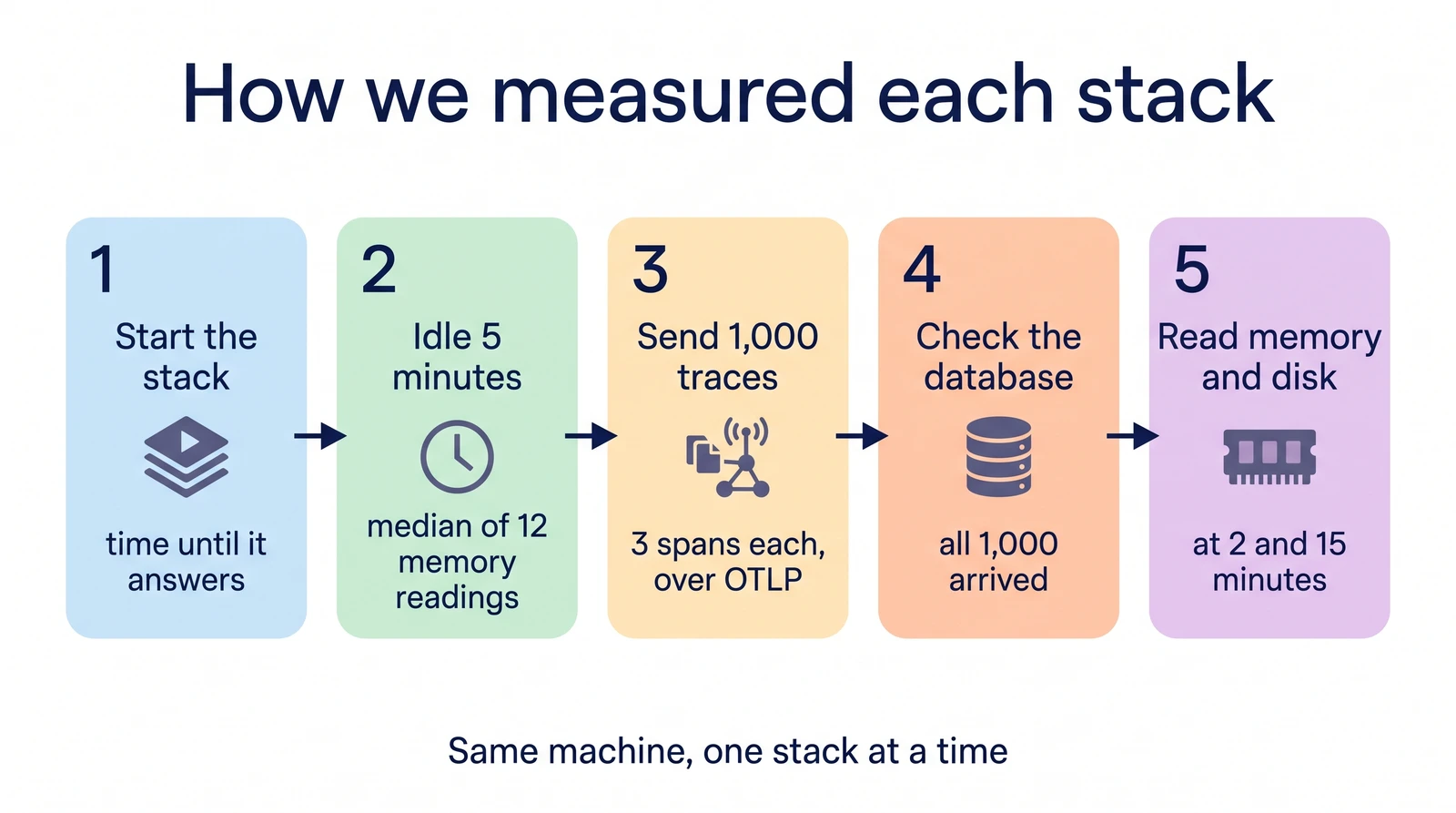
doesn't offer <code>gpt-4o-mini</code> as of this comparison (it's a curated list, not a live
mirror of OpenRouter's catalog) — so the screenshots below show MLflow's gateway
endpoint on <code>openai/gpt-4o</code>. The latency benchmark is separate: it runs both gateways
against a native OpenAI provider on <code>gpt-4o-mini</code>, which removes that constraint and
lets every leg end at the same host. Self-hosted MLflow had no login screen and
no credentials to configure, so this comparison was run as an anonymous local user —
exactly what a reader self-hosting it for the first time would see. License, pricing,
team structure, and community stats live on the <a href="https://acruxcore.com/compare" target="_blank" rel="noopener noreferrer" class="">compare
page</a> instead of here — they were always tables, and a
price change there is one edit instead of three.</p></div></div>
<h3 class="anchor anchorTargetStickyNavbar_SAay" id="at-a-glance">At a glance<a href="https://acruxcore.com/blog/acruxcore-vs-mlflow#at-a-glance" class="hash-link" aria-label="Direct link to At a glance" title="Direct link to At a glance" translate="no">​</a></h3>


<table><thead><tr><th>Aspect</th><th>MLflow</th><th>AcruxCore</th><th>Winner</th></tr></thead><tbody><tr><td>Where the platform sits</td><td>In the request path — a real AI Gateway with usage tracking, budgets, and guardrails</td><td>In the request path — routing, caching, budgets</td><td>Depends</td></tr><tr><td>Prompt templating</td><td>Full Jinja2 — real <code>{% if %}</code>/<code>{% for %}</code>, but SDK-only creation</td><td>Real nunjucks <code>{% if %}</code>/<code>{% for %}</code>, UI + SDK creation</td><td>AcruxCore</td></tr><tr><td>Sending a live call</td><td>Tokens + latency shown per-call; cost only in the aggregate Usage dashboard</td><td>Cost, cache, latency all shown inline per call</td><td>AcruxCore</td></tr><tr><td>Tracing depth</td><td>Single span per gateway call, but prompt-version linking is a separate explicit call</td><td>Single automatic span, prompt-version linked automatically</td><td>AcruxCore</td></tr><tr><td>Tool handling</td><td>MCP Registry — catalogs external MCP <em>servers</em>, doesn't execute a tool itself</td><td>Versioned catalog, real executed calls, analytics</td><td>Depends</td></tr><tr><td>Evaluation &amp; datasets</td><td>Built-in LLM-as-judge + custom code judges; dataset list page didn't refresh after creating one</td><td>Version × model sweep from real trace feedback</td><td>Depends</td></tr><tr><td>Measured overhead</td><td>+135 to +225 ms across three 100-round runs, never crossing zero</td><td>+21 to +43 ms across the same three runs</td><td>AcruxCore</td></tr><tr><td>Guardrails</td><td>Safety + PII detection + custom, per gateway endpoint</td><td>None</td><td>MLflow</td></tr><tr><td>Spend controls</td><td>Budget policy per endpoint — reset period, on-exceeded action</td><td>Spend cap per team or virtual key, enforced before the provider call, plus RPM/TPM limits</td><td>Tie</td></tr><tr><td>MCP server</td><td><a href="https://mlflow.org/docs/latest/genai/mcp/" target="_blank" rel="noopener noreferrer" class="">Local program, still experimental</a>: tools for traces, scorers, experiments and runs, none for prompts</td><td><a href="https://docs.acruxcore.com/docs/guides/connect-an-mcp-client" target="_blank" rel="noopener noreferrer" class="">Hosted or local</a>: commit, promote and run stored prompts, read traces, run experiments</td><td>AcruxCore</td></tr></tbody></table>
<p>License, pricing, team structure, security, and community stats: see
<a href="https://acruxcore.com/compare" target="_blank" rel="noopener noreferrer" class="">AcruxCore vs MLflow on the compare page</a>.</p>
<p>Full breakdown, screenshots, and the verdict below.</p>
<h2 class="anchor anchorTargetStickyNavbar_SAay" id="where-the-platform-sits--in-the-request-path-or-beside-it">Where the platform sits — in the request path, or beside it<a href="https://acruxcore.com/blog/acruxcore-vs-mlflow#where-the-platform-sits--in-the-request-path-or-beside-it" class="hash-link" aria-label="Direct link to Where the platform sits — in the request path, or beside it" title="Direct link to Where the platform sits — in the request path, or beside it" translate="no">​</a></h2>
<p>Every other observability-first platform we've compared sits <strong>beside</strong> the request
path: your own client calls the provider, and the tool ingests a trace after the fact.
MLflow doesn't. Its <strong>AI Gateway</strong> is a real proxy: you create a named endpoint, pick a
provider and model, and get back an OpenAI-compatible URL. Every call through it is
usage-tracked and traced server-side, the same shape as AcruxCore's own gateway.</p>
<details class="details_B4FW alert alert--info details_SZgV" data-collapsed="true"><summary>Show screenshot: MLflow AI Gateway endpoint overview</summary><div><div class="collapsibleContent_VYua">
<!-- -->
<p><img decoding="async" loading="lazy" alt="MLflow's AI Gateway endpoint overview for vip-support-triage: Provider OpenRouter, Model openai/gpt-4o at 100%, and a &quot;View starter code&quot; panel showing the exact curl for POST /gateway/mlflow/v1/chat/completions with the endpoint name as the model parameter" src="https://acruxcore.com/blog/assets/images/mf-00-gateway-endpoint-overview-205527882d5713c9db0bd3cc69552617.png" width="1400" height="1000" class="img__Ss2"></p>
</div></div></details>
<p>We created the endpoint, then called it with a plain curl — no SDK, no auth header
beyond what the endpoint already stores — and got a real completion back with
<code>"provider": "openrouter"</code> in the response. AcruxCore's own request-path gateway is one
sentence here; see the
<a class="" href="https://acruxcore.com/blog/acruxcore-hands-on-walkthrough#3-send-a-stored-prompt-reference-through-the-gateway">walkthrough</a>
for the picture.</p>
<p>The endpoint also ships an aggregate <strong>Usage dashboard</strong> — requests, p50/p90/p99
latency, token usage, and cost broken down by model — that neither of the other four
platforms we've compared has an equivalent of.</p>
<details class="details_B4FW alert alert--info details_SZgV" data-collapsed="true"><summary>Show screenshot: MLflow AI Gateway usage and cost dashboard</summary><div><div class="collapsibleContent_VYua">
<!-- -->
<p><img decoding="async" loading="lazy" alt="MLflow's endpoint Usage tab: 160 requests, 1.10s average latency, 0 errors, 3.16K tokens, and a Cost Breakdown donut chart showing $0.011913 total cost, 100% openai/gpt-4o" src="https://acruxcore.com/blog/assets/images/mf-10-usage-cost-dashboard-09b3a552c0977945431417d4a55bf59e.png" width="1400" height="2000" class="img__Ss2"></p>
</div></div></details>


<table><thead><tr><th>Feature</th><th>MLflow</th><th>AcruxCore</th></tr></thead><tbody><tr><td>Where it sits</td><td>In the request path — a named Gateway endpoint</td><td>In the request path — every call routes through it</td></tr><tr><td>Provider/model picker</td><td>Curated list per provider (60+ providers) — some models absent even if the provider serves them</td><td>Any model string your registered credential supports</td></tr><tr><td>Aggregate cost/usage view</td><td>Per-endpoint dashboard: requests, latency percentiles, tokens, cost by model</td><td>Team-wide Gateway Telemetry</td></tr><tr><td>Per-call cost shown inline</td><td>No — see "Sending a live call" below</td><td>Yes</td></tr></tbody></table>
<h2 class="anchor anchorTargetStickyNavbar_SAay" id="spend-controls--both-platforms-stop-the-call">Spend controls — both platforms stop the call<a href="https://acruxcore.com/blog/acruxcore-vs-mlflow#spend-controls--both-platforms-stop-the-call" class="hash-link" aria-label="Direct link to Spend controls — both platforms stop the call" title="Direct link to Spend controls — both platforms stop the call" translate="no">​</a></h2>
<p>Sitting in the request path is what makes a spend cap enforceable rather than
advisory, and both platforms use it. MLflow's <strong>Budgets</strong> page (under AI Gateway)
creates a policy per endpoint: a reset period, an action for when it's exceeded, and a
spending window, tracked against real current spend. No policy existed on this build,
so this is a comparison of the two configuration surfaces, not of two enforcement
runs.</p>
<p>AcruxCore's cap is scoped to a team or to a single virtual key, over a day, week,
month, or the key's whole lifetime. Enforcement happens before the provider is called:
the request reserves its estimated cost against the cap, and one that would cross it
comes back <code>402 BUDGET_EXCEEDED</code> instead of being billed. Owners and admins get an
email once at 80% of the cap and again when it's exhausted. Separately, a virtual key
can carry RPM and TPM limits, which return <code>429</code> on the same pre-call path.</p>
<details class="details_B4FW alert alert--info details_SZgV" data-collapsed="true"><summary>Show screenshot: Budgets on MLflow</summary><div><div class="collapsibleContent_VYua">
<!-- -->
<p><img decoding="async" loading="lazy" alt="MLflow's empty Budgets page: &quot;No budget policies created. Set spending limits and control costs across your endpoints,&quot; with a Create budget policy button and columns for Reset period, On Exceeded, Window Start/End, and Current Spend" src="https://acruxcore.com/blog/assets/images/mf-11-budgets-c8d815dfb799a9ba2ffb9aa11e20b43e.png" width="1400" height="1000" class="img__Ss2"></p>
</div></div></details>


<table><thead><tr><th>Feature</th><th>MLflow</th><th>AcruxCore</th></tr></thead><tbody><tr><td>Cap scope</td><td>Per Gateway endpoint</td><td>Per team, or per virtual key</td></tr><tr><td>Reset period</td><td>Per-policy spending window</td><td>Day, week, month, or total</td></tr><tr><td>When the cap is hit</td><td>Configurable on-exceeded action</td><td><code>402 BUDGET_EXCEEDED</code> before the provider call</td></tr><tr><td>Warning before the cap</td><td>Not found</td><td>Email to owners and admins at 80%</td></tr><tr><td>Request rate limiting</td><td>Not found</td><td>Per-virtual-key RPM and TPM, <code>429</code> before the provider call</td></tr></tbody></table>
<h2 class="anchor anchorTargetStickyNavbar_SAay" id="prompt-authoring--versioning">Prompt authoring &amp; versioning<a href="https://acruxcore.com/blog/acruxcore-vs-mlflow#prompt-authoring--versioning" class="hash-link" aria-label="Direct link to Prompt authoring &amp; versioning" title="Direct link to Prompt authoring &amp; versioning" translate="no">​</a></h2>
<p>MLflow's Prompt Registry has <strong>no "create" button anywhere in the UI</strong> — the empty
state literally offers "Get help registering a prompt" and "Copy for coding agent."
Every prompt starts life as a <code>mlflow.genai.register_prompt()</code> call.</p>
<p>What that call can hold was the real surprise here: MLflow's templates are <strong>full
Jinja2</strong>, not flat <code>{{variable}}</code> substitution. We registered the fixture's actual
<code>{% if is_vip %}...{% else %}...{% endif %}</code> and <code>{% for ticket in tickets %}...{% endfor %}</code> logic verbatim — no flattening needed, the first competitor in this series
where that's been true.</p>
<details class="details_B4FW alert alert--info details_SZgV" data-collapsed="true"><summary>Show screenshots: prompt version and diff view on MLflow</summary><div><div class="collapsibleContent_VYua">
<!-- -->
<p><img decoding="async" loading="lazy" alt="MLflow's prompt detail page for vip-support-triage version 3, showing @production and @staging aliases, a commit message, and the full Jinja2 system template with if/else and for-loop syntax rendered as literal text" src="https://acruxcore.com/blog/assets/images/mf-01-prompt-version-3-d4e31b90be9747ab97496ff7cacbe8a0.png" width="1400" height="1000" class="img__Ss2">
<img decoding="async" loading="lazy" alt="MLflow's word-level diff between version 3 and version 2, with &quot;4&quot; highlighted red and &quot;5&quot; highlighted green on the sentence-count line" src="https://acruxcore.com/blog/assets/images/mf-02-diff-view-54ed1086688b3677cd4b969673427365.png" width="1400" height="1000" class="img__Ss2">
<img decoding="async" loading="lazy" alt="AcruxCore's Diff tab showing a real unified diff between prompt version 2 and version 3" src="https://acruxcore.com/blog/assets/images/acx-03-diff-tab-7eaf8502858ad216dc1d948928d0b75a.png" width="1400" height="1000" class="img__Ss2"></p>
</div></div></details>
<p>MLflow also has real <code>@production</code> / <code>@staging</code> aliases — <code>set_prompt_alias()</code> — the
same functional idea as AcruxCore's aliases, just set via SDK call rather than a UI
button. AcruxCore's own prompt editor is one sentence here; see the
<a class="" href="https://acruxcore.com/blog/acruxcore-hands-on-walkthrough#2-create-a-prompt-version-it-and-promote-an-alias">walkthrough</a>
for the picture.</p>


<table><thead><tr><th>Feature</th><th>MLflow</th><th>AcruxCore</th></tr></thead><tbody><tr><td>Conditional templating</td><td>Full Jinja2 — verified hands-on, <code>{% if %}</code>/<code>{% for %}</code> both work</td><td>Real nunjucks <code>{% if %}</code>/<code>{% for %}</code>, rendered server-side</td></tr><tr><td>Creating a prompt</td><td>SDK only — no UI form anywhere</td><td>UI form or SDK</td></tr><tr><td>Version comparison</td><td>Real word-level diff</td><td>Standing Diff tab, unified word-level diff</td></tr><tr><td>Live/staging labels</td><td>Real <code>@production</code>/<code>@staging</code> aliases, set via SDK</td><td><code>production</code>/<code>staging</code> aliases your app fetches at runtime</td></tr></tbody></table>
<h2 class="anchor anchorTargetStickyNavbar_SAay" id="sending-a-live-call">Sending a live call<a href="https://acruxcore.com/blog/acruxcore-vs-mlflow#sending-a-live-call" class="hash-link" aria-label="Direct link to Sending a live call" title="Direct link to Sending a live call" translate="no">​</a></h2>
<p>We sent the rendered prompt through the Gateway endpoint's OpenAI-compatible
<code>/gateway/mlflow/v1/chat/completions</code> route. The trace shows tokens, latency, and the
full request/response — but <strong>no cost figure on the individual trace</strong>, even though the
aggregate Usage dashboard above computes cost just fine. Cost lives at the dashboard
level, not the per-call level.</p>
<details class="details_B4FW alert alert--info details_SZgV" data-collapsed="true"><summary>Show screenshots: a live gateway call on both platforms</summary><div><div class="collapsibleContent_VYua">
<!-- -->
<p><img decoding="async" loading="lazy" alt="MLflow's trace detail for a single gateway call: Inputs showing the user message, a provider/openrouter/openai/gpt-4o span at 1.37s, Outputs with the assistant's reply, and a usage JSON block with prompt_tokens/completion_tokens/total_tokens but no cost field" src="https://acruxcore.com/blog/assets/images/mf-03-trace-detail-cf7910f9cb176a72e61fb2a11e2e931a.png" width="1400" height="1000" class="img__Ss2">
<img decoding="async" loading="lazy" alt="AcruxCore Playground's Stored-prompt tab, showing the same completion plus a Gateway Telemetry panel with provider, cost, cache status, and latency" src="https://acruxcore.com/blog/assets/images/acx-04-playground-run-44f0839517d13d574beb62a1eccd47f6.png" width="1440" height="1400" class="img__Ss2"></p>
</div></div></details>


<table><thead><tr><th>Feature</th><th>MLflow</th><th>AcruxCore</th></tr></thead><tbody><tr><td>Per-call telemetry</td><td>Tokens + latency inline; cost only in the aggregate dashboard</td><td>Cost, cache status, and latency all shown inline</td></tr><tr><td>Requires a real key</td><td>Yes (stored on the endpoint at creation time)</td><td>Yes</td></tr></tbody></table>
<h2 class="anchor anchorTargetStickyNavbar_SAay" id="tracing--observability">Tracing &amp; observability<a href="https://acruxcore.com/blog/acruxcore-vs-mlflow#tracing--observability" class="hash-link" aria-label="Direct link to Tracing &amp; observability" title="Direct link to Tracing &amp; observability" translate="no">​</a></h2>
<p>Every Gateway call is traced automatically — that part is a genuine, automatic side
effect, same as AcruxCore. What's <em>not</em> automatic is the link back to the prompt
version: MLflow's trace-to-prompt link needs an explicit
<code>client.link_prompt_versions_to_trace()</code> call after the request completes. We wrote a
small script (<code>mlflow_gateway_run.py</code>) that renders the prompt locally, calls the
Gateway, then makes that separate linking call — and it shows up correctly under the
trace's <strong>Linked prompts</strong> tab.</p>
<details class="details_B4FW alert alert--info details_SZgV" data-collapsed="true"><summary>Show screenshot: a trace linked to its prompt version</summary><div><div class="collapsibleContent_VYua">
<!-- -->
<p><img decoding="async" loading="lazy" alt="MLflow's trace detail Linked prompts tab, showing a table with one row: prompt name vip-support-triage, version 3" src="https://acruxcore.com/blog/assets/images/mf-04-trace-linked-prompt-f733d503c0e5f814a425938dde6eb6f6.png" width="1400" height="1000" class="img__Ss2">
<img decoding="async" loading="lazy" alt="AcruxCore's trace detail: one LLM span with model, provider, tokens, cost, and latency, linked back to the exact gateway request and prompt version" src="https://acruxcore.com/blog/assets/images/acx-05-trace-detail-b1664736ec89c78e1ea61d76bce324d5.png" width="1400" height="1300" class="img__Ss2"></p>
</div></div></details>


<table><thead><tr><th>Feature</th><th>MLflow</th><th>AcruxCore</th></tr></thead><tbody><tr><td>Trace shape</td><td>Single span per gateway call</td><td>Single span per gateway call</td></tr><tr><td>How the call is traced</td><td>Automatic — a side effect of the Gateway call</td><td>Automatic — a side effect of the gateway call</td></tr><tr><td>Prompt-version lineage</td><td>Requires an explicit <code>link_prompt_versions_to_trace()</code> call</td><td>Automatic — attached at render time</td></tr></tbody></table>
<h2 class="anchor anchorTargetStickyNavbar_SAay" id="how-tools-are-handled--schema-registry-or-execution">How tools are handled — schema registry, or execution<a href="https://acruxcore.com/blog/acruxcore-vs-mlflow#how-tools-are-handled--schema-registry-or-execution" class="hash-link" aria-label="Direct link to How tools are handled — schema registry, or execution" title="Direct link to How tools are handled — schema registry, or execution" translate="no">​</a></h2>
<p>MLflow's answer here is an <strong>MCP Registry</strong> (Beta): you register an external <a href="https://modelcontextprotocol.io/" target="_blank" rel="noopener noreferrer" class="">Model
Context Protocol</a> server by pasting its <code>server.json</code>
manifest — name, source repo, icon, tags. It's a discovery catalog for MCP <em>servers</em>
your agents can connect to, not a schema-and-execution catalog for individual tools.</p>
<details class="details_B4FW alert alert--info details_SZgV" data-collapsed="true"><summary>Show screenshots: MCP Registry on MLflow, Tool Catalog on AcruxCore</summary><div><div class="collapsibleContent_VYua">
<!-- -->
<p><img decoding="async" loading="lazy" alt="MLflow's empty MCP Registry page, with a &quot;Create MCP server&quot; button and the description &quot;Register and catalog MCP servers for your organization&quot;" src="https://acruxcore.com/blog/assets/images/mf-05-mcp-registry-19040394e37e9f9fe49dae633cf7ecb8.png" width="1400" height="1000" class="img__Ss2">
<img decoding="async" loading="lazy" alt="AcruxCore's Tool analytics page — call volume, error rate, and P50/P95 latency per tool, aggregated from traced executions" src="https://acruxcore.com/blog/assets/images/acx-08-tool-analytics-5670235ce2d99243b4cc29dc928324b3.png" width="981" height="450" class="img__Ss2"></p>
</div></div></details>
<p>Neither model is strictly better — they answer different questions. MLflow's registry
answers "which MCP servers exist and are they reachable?" AcruxCore's catalog answers
"what did this specific tool call cost, and how often does it fail?" Nothing in MLflow's
MCP Registry executes a tool call or records its latency; nothing in AcruxCore's
catalog discovers external MCP servers.</p>


<table><thead><tr><th>Feature</th><th>MLflow</th><th>AcruxCore</th></tr></thead><tbody><tr><td>What's catalogued</td><td>External MCP servers, via a <code>server.json</code> manifest</td><td>Individual tool schemas, defined and versioned in-platform</td></tr><tr><td>Execution</td><td>None — it's a discovery registry, not an execution path</td><td>Real, gateway-executed calls</td></tr><tr><td>Analytics</td><td>Not applicable</td><td>Calls, error rate, and latency per tool</td></tr></tbody></table>
<h2 class="anchor anchorTargetStickyNavbar_SAay" id="evaluation--datasets">Evaluation &amp; datasets<a href="https://acruxcore.com/blog/acruxcore-vs-mlflow#evaluation--datasets" class="hash-link" aria-label="Direct link to Evaluation &amp; datasets" title="Direct link to Evaluation &amp; datasets" translate="no">​</a></h2>
<p>MLflow ships <strong>built-in LLM-as-judge</strong> and custom code judges from an empty state with
two clear entry points, plus dataset creation from the UI or from any trace via "Add to
dataset."</p>
<details class="details_B4FW alert alert--info details_SZgV" data-collapsed="true"><summary>Show screenshots: Judges and a populated evaluation dataset on MLflow</summary><div><div class="collapsibleContent_VYua">
<!-- -->
<p><img decoding="async" loading="lazy" alt="MLflow's empty Judges page: &quot;Add a judge to your experiment to measure your GenAI app quality,&quot; with New LLM judge and New custom code judge buttons" src="https://acruxcore.com/blog/assets/images/mf-07-judges-b03aafd253e9d46e52a403a97e0498e9.png" width="1400" height="1000" class="img__Ss2">
<img decoding="async" loading="lazy" alt="MLflow's vip-support-triage-eval dataset detail page with 2 records, each an Inputs/Expectations pair, tagged with the creating user" src="https://acruxcore.com/blog/assets/images/mf-06-eval-dataset-b5ce42eee4ac1036ac7bba4ecc87682d.png" width="1400" height="1000" class="img__Ss2"></p>
</div></div></details>
<p>One real bug hit hands-on: after creating the dataset and naming it, the <strong>Datasets
list page kept showing its empty "Create an evaluation dataset" state</strong> — reloading
didn't fix it. The dataset existed the whole time (confirmed via
<code>mlflow.genai.datasets.search_datasets()</code>, and its own detail page rendered fine when
linked directly) — the list view just never picked it up in this build.</p>
<p>AcruxCore's dataset — built from a real feedback row — is one sentence here; see the
<a class="" href="https://acruxcore.com/blog/acruxcore-hands-on-walkthrough#5-build-a-dataset-from-real-feedback">walkthrough</a>
for the screenshot.</p>


<table><thead><tr><th>Feature</th><th>MLflow</th><th>AcruxCore</th></tr></thead><tbody><tr><td>LLM-as-judge</td><td>Built-in judges, plus custom code judges</td><td>Not built in</td></tr><tr><td>Dataset creation</td><td>UI form, or "Add to dataset" from any trace</td><td>Span-level trace feedback, manual entry, API, or a CSV/JSON file</td></tr><tr><td>Datasets list page</td><td>Confirmed bug: didn't show a dataset that existed server-side</td><td>Not applicable</td></tr></tbody></table>
<h2 class="anchor anchorTargetStickyNavbar_SAay" id="sdk--developer-experience">SDK &amp; developer experience<a href="https://acruxcore.com/blog/acruxcore-vs-mlflow#sdk--developer-experience" class="hash-link" aria-label="Direct link to SDK &amp; developer experience" title="Direct link to SDK &amp; developer experience" translate="no">​</a></h2>
<p>MLflow's SDK has dedicated surfaces for each step — <code>load_prompt()</code>,
<code>start_span()</code>, and a separate <code>link_prompt_versions_to_trace()</code> call. AcruxCore's two
calls (<code>hub.prompts.render()</code>, <code>hub.gateway.chat()</code>) do the same three things — render,
call, trace-and-link — in one round trip.</p>
<div class="language-python codeBlockContainer_ZGJx theme-code-block" style="--prism-color:#393A34;--prism-background-color:#f6f8fa"><div class="codeBlockTitle_L5qy">mlflow_gateway_run.py</div><div class="codeBlockContent_kX1v"><pre tabindex="0" class="prism-code language-python codeBlock_TAPP thin-scrollbar" style="color:#393A34;background-color:#f6f8fa"><code class="codeBlockLines_AdAo"><div class="token-line" style="color:#393A34"><span class="token plain">prompt </span><span class="token operator" style="color:#393A34">=</span><span class="token plain"> mlflow</span><span class="token punctuation" style="color:#393A34">.</span><span class="token plain">genai</span><span class="token punctuation" style="color:#393A34">.</span><span class="token plain">load_prompt</span><span class="token punctuation" style="color:#393A34">(</span><span class="token string" style="color:#e3116c">"prompts:/vip-support-triage@production"</span><span class="token punctuation" style="color:#393A34">)</span><span class="token plain"></span><br></div><div class="token-line" style="color:#393A34"><span class="token plain">rendered </span><span class="token operator" style="color:#393A34">=</span><span class="token plain"> prompt</span><span class="token punctuation" style="color:#393A34">.</span><span class="token builtin">format</span><span class="token punctuation" style="color:#393A34">(</span><span class="token operator" style="color:#393A34">**</span><span class="token plain">VARIABLES</span><span class="token punctuation" style="color:#393A34">)</span><span class="token plain"></span><br></div><div class="token-line" style="color:#393A34"><span class="token plain" style="display:inline-block"></span><br></div><div class="token-line" style="color:#393A34"><span class="token plain"></span><span class="token keyword" style="color:#00009f">with</span><span class="token plain"> mlflow</span><span class="token punctuation" style="color:#393A34">.</span><span class="token plain">start_span</span><span class="token punctuation" style="color:#393A34">(</span><span class="token plain">name</span><span class="token operator" style="color:#393A34">=</span><span class="token string" style="color:#e3116c">"vip-support-triage-gateway-call"</span><span class="token punctuation" style="color:#393A34">)</span><span class="token plain"> </span><span class="token keyword" style="color:#00009f">as</span><span class="token plain"> span</span><span class="token punctuation" style="color:#393A34">:</span><span class="token plain"></span><br></div><div class="token-line" style="color:#393A34"><span class="token plain">    resp </span><span class="token operator" style="color:#393A34">=</span><span class="token plain"> requests</span><span class="token punctuation" style="color:#393A34">.</span><span class="token plain">post</span><span class="token punctuation" style="color:#393A34">(</span><span class="token string-interpolation string" style="color:#e3116c">f"</span><span class="token string-interpolation interpolation punctuation" style="color:#393A34">{</span><span class="token string-interpolation interpolation">TRACKING_URI</span><span class="token string-interpolation interpolation punctuation" style="color:#393A34">}</span><span class="token string-interpolation string" style="color:#e3116c">/gateway/mlflow/v1/chat/completions"</span><span class="token punctuation" style="color:#393A34">,</span><span class="token plain"></span><br></div><div class="token-line" style="color:#393A34"><span class="token plain">                          json</span><span class="token operator" style="color:#393A34">=</span><span class="token punctuation" style="color:#393A34">{</span><span class="token string" style="color:#e3116c">"model"</span><span class="token punctuation" style="color:#393A34">:</span><span class="token plain"> </span><span class="token string" style="color:#e3116c">"vip-support-triage"</span><span class="token punctuation" style="color:#393A34">,</span><span class="token plain"> </span><span class="token string" style="color:#e3116c">"messages"</span><span class="token punctuation" style="color:#393A34">:</span><span class="token plain"> rendered</span><span class="token punctuation" style="color:#393A34">}</span><span class="token punctuation" style="color:#393A34">)</span><span class="token plain"></span><br></div><div class="token-line" style="color:#393A34"><span class="token plain">    trace_id </span><span class="token operator" style="color:#393A34">=</span><span class="token plain"> span</span><span class="token punctuation" style="color:#393A34">.</span><span class="token plain">trace_id</span><br></div><div class="token-line" style="color:#393A34"><span class="token plain" style="display:inline-block"></span><br></div><div class="token-line" style="color:#393A34"><span class="token plain">mlflow</span><span class="token punctuation" style="color:#393A34">.</span><span class="token plain">MlflowClient</span><span class="token punctuation" style="color:#393A34">(</span><span class="token punctuation" style="color:#393A34">)</span><span class="token punctuation" style="color:#393A34">.</span><span class="token plain">link_prompt_versions_to_trace</span><span class="token punctuation" style="color:#393A34">(</span><span class="token plain"></span><br></div><div class="token-line" style="color:#393A34"><span class="token plain">    trace_id</span><span class="token operator" style="color:#393A34">=</span><span class="token plain">trace_id</span><span class="token punctuation" style="color:#393A34">,</span><span class="token plain"> prompt_versions</span><span class="token operator" style="color:#393A34">=</span><span class="token punctuation" style="color:#393A34">[</span><span class="token plain">prompt</span><span class="token punctuation" style="color:#393A34">]</span><span class="token plain"></span><br></div><div class="token-line" style="color:#393A34"><span class="token plain"></span><span class="token punctuation" style="color:#393A34">)</span><br></div></code></pre></div></div>
<div class="language-python codeBlockContainer_ZGJx theme-code-block" style="--prism-color:#393A34;--prism-background-color:#f6f8fa"><div class="codeBlockTitle_L5qy">acx_sdk_run.py</div><div class="codeBlockContent_kX1v"><pre tabindex="0" class="prism-code language-python codeBlock_TAPP thin-scrollbar" style="color:#393A34;background-color:#f6f8fa"><code class="codeBlockLines_AdAo"><div class="token-line" style="color:#393A34"><span class="token plain">rendered </span><span class="token operator" style="color:#393A34">=</span><span class="token plain"> </span><span class="token keyword" style="color:#00009f">await</span><span class="token plain"> hub</span><span class="token punctuation" style="color:#393A34">.</span><span class="token plain">prompts</span><span class="token punctuation" style="color:#393A34">.</span><span class="token plain">render</span><span class="token punctuation" style="color:#393A34">(</span><span class="token string" style="color:#e3116c">"vip-support-triage"</span><span class="token punctuation" style="color:#393A34">,</span><span class="token plain"> </span><span class="token string" style="color:#e3116c">"production"</span><span class="token punctuation" style="color:#393A34">,</span><span class="token plain"> VARIABLES</span><span class="token punctuation" style="color:#393A34">)</span><span class="token plain"></span><br></div><div class="token-line" style="color:#393A34"><span class="token plain">result </span><span class="token operator" style="color:#393A34">=</span><span class="token plain"> </span><span class="token keyword" style="color:#00009f">await</span><span class="token plain"> hub</span><span class="token punctuation" style="color:#393A34">.</span><span class="token plain">gateway</span><span class="token punctuation" style="color:#393A34">.</span><span class="token plain">chat</span><span class="token punctuation" style="color:#393A34">(</span><span class="token plain"></span><br></div><div class="token-line" style="color:#393A34"><span class="token plain">    rendered</span><span class="token punctuation" style="color:#393A34">.</span><span class="token plain">model</span><span class="token punctuation" style="color:#393A34">,</span><span class="token plain"> rendered</span><span class="token punctuation" style="color:#393A34">.</span><span class="token plain">messages</span><span class="token punctuation" style="color:#393A34">,</span><span class="token plain"></span><br></div><div class="token-line" style="color:#393A34"><span class="token plain">    temperature</span><span class="token operator" style="color:#393A34">=</span><span class="token number" style="color:#36acaa">0</span><span class="token punctuation" style="color:#393A34">,</span><span class="token plain"> max_tokens</span><span class="token operator" style="color:#393A34">=</span><span class="token number" style="color:#36acaa">256</span><span class="token punctuation" style="color:#393A34">,</span><span class="token plain"></span><br></div><div class="token-line" style="color:#393A34"><span class="token plain">    prompt_version_id</span><span class="token operator" style="color:#393A34">=</span><span class="token plain">rendered</span><span class="token punctuation" style="color:#393A34">.</span><span class="token plain">version_id</span><span class="token punctuation" style="color:#393A34">,</span><span class="token plain"></span><br></div><div class="token-line" style="color:#393A34"><span class="token plain"></span><span class="token punctuation" style="color:#393A34">)</span><br></div></code></pre></div></div>
<p>Real output, both platforms:</p>
<div class="language-json codeBlockContainer_ZGJx theme-code-block" style="--prism-color:#393A34;--prism-background-color:#f6f8fa"><div class="codeBlockTitle_L5qy">mlflow_gateway_run.py output</div><div class="codeBlockContent_kX1v"><pre tabindex="0" class="prism-code language-json codeBlock_TAPP thin-scrollbar" style="color:#393A34;background-color:#f6f8fa"><code class="codeBlockLines_AdAo"><div class="token-line" style="color:#393A34"><span class="token punctuation" style="color:#393A34">{</span><span class="token plain"></span><br></div><div class="token-line" style="color:#393A34"><span class="token plain">  </span><span class="token property" style="color:#36acaa">"content"</span><span class="token operator" style="color:#393A34">:</span><span class="token plain"> </span><span class="token string" style="color:#e3116c">"I apologize for the inconvenience. I'll prioritize your request and have our support team review your open ticket #4821 regarding the billing export button..."</span><span class="token punctuation" style="color:#393A34">,</span><span class="token plain"></span><br></div><div class="token-line" style="color:#393A34"><span class="token plain">  </span><span class="token property" style="color:#36acaa">"model"</span><span class="token operator" style="color:#393A34">:</span><span class="token plain"> </span><span class="token string" style="color:#e3116c">"openai/gpt-4o"</span><span class="token punctuation" style="color:#393A34">,</span><span class="token plain"></span><br></div><div class="token-line" style="color:#393A34"><span class="token plain">  </span><span class="token property" style="color:#36acaa">"prompt_tokens"</span><span class="token operator" style="color:#393A34">:</span><span class="token plain"> </span><span class="token number" style="color:#36acaa">95</span><span class="token punctuation" style="color:#393A34">,</span><span class="token plain"></span><br></div><div class="token-line" style="color:#393A34"><span class="token plain">  </span><span class="token property" style="color:#36acaa">"completion_tokens"</span><span class="token operator" style="color:#393A34">:</span><span class="token plain"> </span><span class="token number" style="color:#36acaa">45</span><span class="token punctuation" style="color:#393A34">,</span><span class="token plain"></span><br></div><div class="token-line" style="color:#393A34"><span class="token plain">  </span><span class="token property" style="color:#36acaa">"elapsed_s"</span><span class="token operator" style="color:#393A34">:</span><span class="token plain"> </span><span class="token number" style="color:#36acaa">2.232</span><span class="token punctuation" style="color:#393A34">,</span><span class="token plain"></span><br></div><div class="token-line" style="color:#393A34"><span class="token plain">  </span><span class="token property" style="color:#36acaa">"trace_id"</span><span class="token operator" style="color:#393A34">:</span><span class="token plain"> </span><span class="token string" style="color:#e3116c">"tr-50862fac52f978588cca2bc167fc3aa2"</span><span class="token plain"></span><br></div><div class="token-line" style="color:#393A34"><span class="token plain"></span><span class="token punctuation" style="color:#393A34">}</span><br></div></code></pre></div></div>
<div class="language-json codeBlockContainer_ZGJx theme-code-block" style="--prism-color:#393A34;--prism-background-color:#f6f8fa"><div class="codeBlockTitle_L5qy">acx_sdk_run.py output</div><div class="codeBlockContent_kX1v"><pre tabindex="0" class="prism-code language-json codeBlock_TAPP thin-scrollbar" style="color:#393A34;background-color:#f6f8fa"><code class="codeBlockLines_AdAo"><div class="token-line" style="color:#393A34"><span class="token punctuation" style="color:#393A34">{</span><span class="token plain"></span><br></div><div class="token-line" style="color:#393A34"><span class="token plain">  </span><span class="token property" style="color:#36acaa">"content"</span><span class="token operator" style="color:#393A34">:</span><span class="token plain"> </span><span class="token string" style="color:#e3116c">"I apologize for the inconvenience with the billing export button. I will escalate this issue immediately..."</span><span class="token punctuation" style="color:#393A34">,</span><span class="token plain"></span><br></div><div class="token-line" style="color:#393A34"><span class="token plain">  </span><span class="token property" style="color:#36acaa">"model"</span><span class="token operator" style="color:#393A34">:</span><span class="token plain"> </span><span class="token string" style="color:#e3116c">"openai/gpt-4o-mini"</span><span class="token punctuation" style="color:#393A34">,</span><span class="token plain"></span><br></div><div class="token-line" style="color:#393A34"><span class="token plain">  </span><span class="token property" style="color:#36acaa">"prompt_tokens"</span><span class="token operator" style="color:#393A34">:</span><span class="token plain"> </span><span class="token number" style="color:#36acaa">100</span><span class="token punctuation" style="color:#393A34">,</span><span class="token plain"></span><br></div><div class="token-line" style="color:#393A34"><span class="token plain">  </span><span class="token property" style="color:#36acaa">"completion_tokens"</span><span class="token operator" style="color:#393A34">:</span><span class="token plain"> </span><span class="token number" style="color:#36acaa">51</span><span class="token punctuation" style="color:#393A34">,</span><span class="token plain"></span><br></div><div class="token-line" style="color:#393A34"><span class="token plain">  </span><span class="token property" style="color:#36acaa">"cost_usd"</span><span class="token operator" style="color:#393A34">:</span><span class="token plain"> </span><span class="token number" style="color:#36acaa">0.0000456</span><span class="token punctuation" style="color:#393A34">,</span><span class="token plain"></span><br></div><div class="token-line" style="color:#393A34"><span class="token plain">  </span><span class="token property" style="color:#36acaa">"trace_id"</span><span class="token operator" style="color:#393A34">:</span><span class="token plain"> </span><span class="token string" style="color:#e3116c">"a5a2324c-4c48-4e40-8bfb-2b8379772d67"</span><span class="token plain"></span><br></div><div class="token-line" style="color:#393A34"><span class="token plain"></span><span class="token punctuation" style="color:#393A34">}</span><br></div></code></pre></div></div>
<p>Full scripts:
<a href="https://github.com/AcruxCore/AcruxCore/blob/main/scripts/comparison/mlflow-vs-acruxcore/python/mlflow_gateway_run.py" target="_blank" rel="noopener noreferrer" class=""><code>mlflow_gateway_run.py</code></a>
and
<a href="https://github.com/AcruxCore/AcruxCore/blob/main/scripts/comparison/mlflow-vs-acruxcore/python/acx_sdk_run.py" target="_blank" rel="noopener noreferrer" class=""><code>acx_sdk_run.py</code></a>.</p>


<table><thead><tr><th>Feature</th><th>MLflow</th><th>AcruxCore</th></tr></thead><tbody><tr><td>SDK model</td><td>Separate render / call / link-to-trace calls</td><td>Two calls: render, then gateway-chat (traces automatically)</td></tr><tr><td>Cost in the return value</td><td>No — not on the trace or the passthrough response</td><td>Yes — <code>cost_usd</code> on every gateway response</td></tr></tbody></table>
<h2 class="anchor anchorTargetStickyNavbar_SAay" id="latency-overhead--measured">Latency overhead — measured<a href="https://acruxcore.com/blog/acruxcore-vs-mlflow#latency-overhead--measured" class="hash-link" aria-label="Direct link to Latency overhead — measured" title="Direct link to Latency overhead — measured" translate="no">​</a></h2>
<p>We timed the identical call three ways, interleaved in rotating order over 100 rounds
so a network blip hits all three equally: a raw direct call to the provider (baseline),
the same call through MLflow's AI Gateway endpoint, and the same call through
AcruxCore's gateway. Both gateways were pointed at a native OpenAI provider on
<code>gpt-4o-mini</code>, and the script refuses to start unless AcruxCore's model resolves to an
OpenAI credential — so all three legs provably end at the same host. It ran three times.</p>


<table><thead><tr><th>Run</th><th>Direct-call median</th><th>MLflow gap</th><th>AcruxCore gap</th></tr></thead><tbody><tr><td>1</td><td>611 ms</td><td>+225 ms, CI [+112, +275]</td><td>+21 ms, CI [+5, +35]</td></tr><tr><td>2</td><td>611 ms</td><td>+157 ms, CI [+73, +250]</td><td>+43 ms, CI [+22, +58]</td></tr><tr><td>3</td><td>613 ms</td><td>+135 ms, CI [+63, +255]</td><td>+36 ms, CI [+23, +55]</td></tr></tbody></table>
<p>This is the one row in this series where the two gateways are not close. MLflow's
overhead lands between +135 ms and +225 ms and <strong>no confidence interval crosses zero</strong> in
any run, so it is a real cost rather than measurement noise. AcruxCore's lands between
+21 ms and +43 ms — also real, and roughly five times smaller. Both are doing comparable
work on the request path: resolve an endpoint, forward the call, record usage.</p>
<p>Full script:
<a href="https://github.com/AcruxCore/AcruxCore/blob/main/scripts/comparison/mlflow-vs-acruxcore/python/latency_bench.py" target="_blank" rel="noopener noreferrer" class=""><code>latency_bench.py</code></a>.</p>
<h2 class="anchor anchorTargetStickyNavbar_SAay" id="friction-hit-during-this-run">Friction hit during this run<a href="https://acruxcore.com/blog/acruxcore-vs-mlflow#friction-hit-during-this-run" class="hash-link" aria-label="Direct link to Friction hit during this run" title="Direct link to Friction hit during this run" translate="no">​</a></h2>
<p>Real friction hit while doing this comparison, not a symmetric wish list.</p>
<p><strong>MLflow</strong></p>
<ul>
<li class="">👍 No login wall at all on self-host — straight into a working instance.</li>
<li class="">👍 Full Jinja2 templates — no flattening needed, the first competitor in this series
where that's true.</li>
<li class="">👍 A real Gateway endpoint with a working curl snippet shown right on its overview page.</li>
<li class="">👎 The OpenRouter model picker doesn't include <code>gpt-4o-mini</code>, even though OpenRouter's
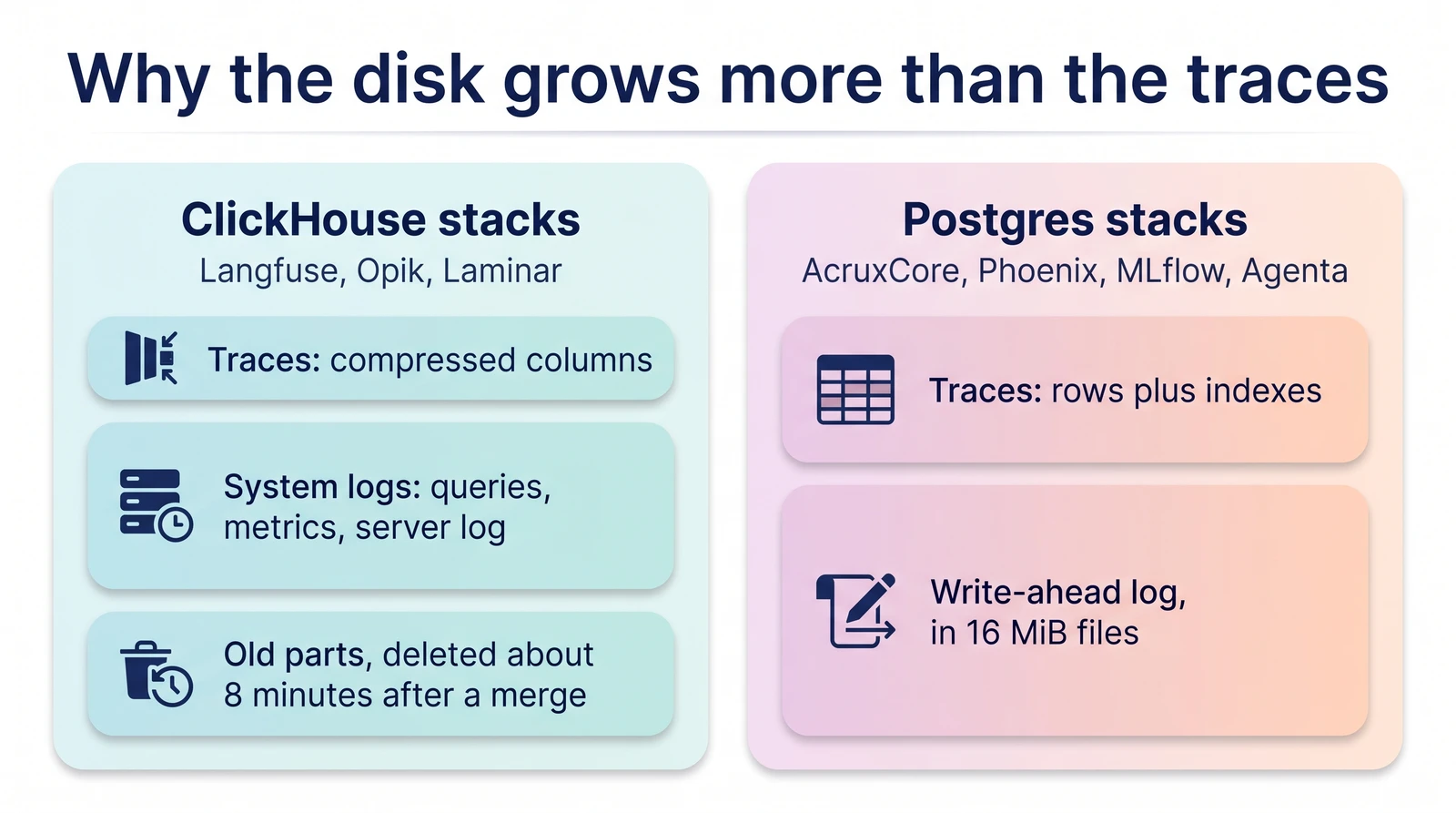
own live catalog still serves it — the picker is a curated static list, not a mirror
of the provider's actual catalog.</li>
<li class="">👎 The Datasets list page didn't show a dataset that demonstrably existed server-side.</li>
<li class="">👎 Linking a trace to its prompt version needs a separate, easy-to-forget SDK call.</li>
</ul>
<p><strong>AcruxCore</strong></p>
<ul>
<li class="">👍 One gateway call, and the trace <em>and</em> its prompt-version link both happen for free.</li>
<li class="">👍 Cost is on every gateway response, not just an aggregate dashboard.</li>
<li class="">👎 A model with no registered per-1M rate shows a blank <code>—</code> cost instead of <code>$0</code> or an
estimate, until you register one.</li>
</ul>
<h2 class="anchor anchorTargetStickyNavbar_SAay" id="what-mlflow-does-that-acruxcore-doesnt">What MLflow does that AcruxCore doesn't<a href="https://acruxcore.com/blog/acruxcore-vs-mlflow#what-mlflow-does-that-acruxcore-doesnt" class="hash-link" aria-label="Direct link to What MLflow does that AcruxCore doesn't" title="Direct link to What MLflow does that AcruxCore doesn't" translate="no">​</a></h2>
<p>Sourced from MLflow's own dashboard and docs, not from this post's earlier aspects —
those carry the same bias any of our own feature list would.</p>
<p><strong>Guardrails — Safety and PII detection, built into every Gateway endpoint.</strong>
Each endpoint has its own Guardrails tab, and creating one offers three types: a Safety
guardrail ("detects harmful, offensive, or toxic content"), a PII Detection guardrail
("detects personally identifiable information such as names, emails, and phone
numbers"), or a fully custom guardrail with your own instructions. AcruxCore has no
equivalent: nothing inspects a call's input or output for unsafe content or personal
data before or after it reaches the model.</p>
<details class="details_B4FW alert alert--info details_SZgV" data-collapsed="true"><summary>Show screenshot: guardrail types on MLflow</summary><div><div class="collapsibleContent_VYua">
<!-- -->
<p><img decoding="async" loading="lazy" alt="MLflow's &quot;Create Guardrail&quot; dialog, showing three options: Safety (detects harmful, offensive, or toxic content), PII Detection (detects names, emails, and phone numbers), and Custom Guardrail" src="https://acruxcore.com/blog/assets/images/mf-09-guardrail-types-65304f8dcd88298f4ff0fd43170e21b1.png" width="1400" height="1000" class="img__Ss2"></p>
</div></div></details>
<p><strong>An MCP Registry, and a built-in AI assistant.</strong> Beyond guardrails: MLflow's MCP
Registry (covered in "How tools are handled") has no AcruxCore equivalent at all, and
every page ships a docked "MLflow Assistant" chat panel that can answer questions about
your own experiments, traces, and evaluations, plus a one-click "Detect Issues" button
on the experiment overview that uses AI to flag latency and correctness problems across
recent traces. AcruxCore has no in-product assistant or automated issue detection.</p>
<p>AcruxCore has no equivalent to any of the three — no guardrails, no catalog of external MCP servers,
and no in-product AI assistant.</p>
<h2 class="anchor anchorTargetStickyNavbar_SAay" id="is-acruxcore-an-mlflow-alternative">Is AcruxCore an MLflow alternative?<a href="https://acruxcore.com/blog/acruxcore-vs-mlflow#is-acruxcore-an-mlflow-alternative" class="hash-link" aria-label="Direct link to Is AcruxCore an MLflow alternative?" title="Direct link to Is AcruxCore an MLflow alternative?" translate="no">​</a></h2>
<p>Partly, and the split is clean. MLflow is much more than an LLM-ops tool — it is an
experiment tracker with years of history, tens of thousands of GitHub stars and hundreds of
contributors. If you already run MLflow for classical ML, nothing here suggests removing it.</p>
<p>As an <em>LLM gateway</em>, it is the closest structural match to us of anything we have compared,
which is what makes the measured numbers the interesting part: its AI Gateway added +135 to
+225 ms across three 100-round runs and never once crossed zero, where ours added +21 to
+43 ms in the same runs. Two identical designs, about 5× apart.</p>
<p>What you would give up is real. MLflow has Safety and PII guardrails on every gateway
endpoint and enforced spend Budgets with a reset period and an on-exceeded action. We have
spend caps and rate limits, but no content guardrail at all.</p>
<h2 class="anchor anchorTargetStickyNavbar_SAay" id="verdict">Verdict<a href="https://acruxcore.com/blog/acruxcore-vs-mlflow#verdict" class="hash-link" aria-label="Direct link to Verdict" title="Direct link to Verdict" translate="no">​</a></h2>


<table><thead><tr><th></th><th>MLflow</th><th>AcruxCore</th></tr></thead><tbody><tr><td>Strongest at</td><td>Guardrails and PII detection, full Jinja2 prompt logic, a genuinely request-path gateway, LLM-as-judge evaluation</td><td>Cost shown on every call, automatic prompt-version lineage, a tool catalog that actually executes and measures calls</td></tr><tr><td>Weakest at</td><td>No cost on individual traces, prompt-version linking needs a separate call, a real dataset-list UI bug hit hands-on</td><td>No guardrails, no registry of external MCP servers</td></tr><tr><td>Pick it if</td><td>You want guardrails and full templating logic layered onto a platform that's also a serious classical-ML tracker</td><td>You want the provider call itself — gateway, cost, tools, prompt lineage — traced for free, with nothing bolted on after the fact</td></tr></tbody></table>
<p>This is the closest structural match to AcruxCore of any competitor we've compared:
both run a real gateway in the request path, and both trace as a side effect of that
same call. Both enforce a spend cap on that path (<strong>Spend controls</strong> above). Because
both sit in the request path, the cost of that hop is directly comparable, and it is the
one place they diverge sharply: MLflow's gateway adds +135 to +225 ms where ours adds
+21 to +43 ms (<strong>Latency overhead</strong> above). Otherwise they diverge in what sits <em>around</em>
the call — MLflow layers on guardrails that AcruxCore
doesn't have (<strong>What MLflow does that AcruxCore doesn't</strong> above); AcruxCore keeps cost
and prompt lineage automatic and
inline where MLflow makes you dashboard-hunt for cost or make a second SDK call for
lineage (<strong>Sending a live call</strong> and <strong>Tracing &amp; observability</strong> above). See the full
picture, including license, pricing, and team structure, on the <a href="https://acruxcore.com/compare" target="_blank" rel="noopener noreferrer" class="">compare
page</a>.</p>
<p>To compare more tools, see <a class="" href="https://acruxcore.com/blog/hands-on-llm-ops-comparison">10 LLM observability tools tested hands-on</a>,
<a class="" href="https://acruxcore.com/blog/langsmith-alternatives">8 LangSmith alternatives</a> and <a class="" href="https://acruxcore.com/blog/langfuse-alternatives">8 Langfuse alternatives</a>.</p>
<p>Want to run this yourself? The
<a href="https://docs.acruxcore.com/docs/getting-started/quickstart" target="_blank" rel="noopener noreferrer" class="">Quickstart</a> gets you from sign-up to a traced,
gateway-routed call in about ten minutes.</p>]]></content>
        <author>
            <name>The AcruxCore Team</name>
            <uri>https://acruxcore.com</uri>
        </author>
        <category label="LLMOps comparison" term="LLMOps comparison"/>
        <category label="LLM gateway" term="LLM gateway"/>
        <category label="Prompt management" term="Prompt management"/>
    </entry>
    <entry>
        <title type="html"><![CDATA[Full-cycle latency across six LLM-ops platforms, measured against real OpenAI]]></title>
        <id>https://acruxcore.com/blog/full-cycle-latency-benchmark</id>
        <link href="https://acruxcore.com/blog/full-cycle-latency-benchmark"/>
        <updated>2026-08-11T00:00:00.000Z</updated>
        <summary type="html"><![CDATA[We timed prompt-fetch-plus-completion, not just the model call, across Opik, MLflow, Langfuse, Helicone, Phoenix, and AcruxCore's gateway and gateway-free BYOK modes, against a real OpenAI baseline — then ran it four times to see what's stable and what isn't.]]></summary>
        <content type="html"><![CDATA[<p>Every latency number we'd published before this measured one thing: the completion
call. But a real request to any of these platforms is usually two round trips —
fetch or resolve a stored prompt, <strong>then</strong> complete it — and most of them were
benchmarked against OpenRouter, not the provider whose name is on the model.</p>
<p>So this one measures the <strong>full cycle</strong>, on <strong>real OpenAI billing</strong>, across all six
platforms plus both of AcruxCore's calling modes — eight paths in one interleaved
run. We also ran it four independent times, because a single 100-round run against
a live third-party API turned out to not be enough to trust a single number, and
that's worth showing rather than hiding.</p>
<!-- -->
<h2 class="anchor anchorTargetStickyNavbar_SAay" id="the-setup">The setup<a href="https://acruxcore.com/blog/full-cycle-latency-benchmark#the-setup" class="hash-link" aria-label="Direct link to The setup" title="Direct link to The setup" translate="no">​</a></h2>
<p>All eight paths hit the same upstream — real <code>api.openai.com</code>, model <code>gpt-4o-mini</code>
— with the same prompt and parameters (<code>temperature: 0</code>, <code>max_tokens: 5</code>). Each
path does whatever that platform's stored-prompt feature actually requires (fetch
a prompt, resolve a template, or nothing, if the platform has no such concept),
then completes it, timed together as one number:</p>
<ol>
<li class=""><strong>OpenAI direct</strong> — no platform in the loop. The baseline.</li>
<li class=""><strong>Opik tracked SDK**</strong> — Opik's <code>track_openai()</code> wrapper around a direct call.</li>
<li class=""><strong>MLflow AI Gateway**</strong> — routed through a local MLflow AI Gateway endpoint.</li>
<li class=""><strong>Langfuse OTel SDK</strong> — <code>langfuse.get_prompt()</code>, then a call instrumented with
Langfuse's OpenTelemetry integration.</li>
<li class=""><strong>Helicone AI Gateway</strong> — routed through Helicone's AI Gateway.*</li>
<li class=""><strong>Phoenix OTel SDK</strong> — a call instrumented with Arize Phoenix's OpenTelemetry
integration.</li>
<li class=""><strong>AcruxCore gateway</strong> — <code>hub.prompts.render()</code>, then <code>hub.gateway.chat()</code>
routed through AcruxCore's gateway.</li>
<li class=""><strong>AcruxCore BYOK (gateway-free)</strong> — the same render call, then
<code>hub.gateway.chat()</code> with a <code>provider</code> config that posts to OpenAI directly,
skipping the gateway. See
<a href="https://docs.acruxcore.com/docs/tutorials/build-a-rag-agent-without-the-gateway" target="_blank" rel="noopener noreferrer" class="">build a RAG agent without the gateway</a>
for the full BYO path.</li>
</ol>
<p>Each run is <strong>100 rounds plus 3 discarded warm-up rounds</strong>, with the eight paths
<strong>interleaved in rotating order</strong> — the running order shifts every round, so no
path is always first and a passing network blip hits all eight equally.
Connections are pooled. We report <strong>medians with a 95% bootstrap confidence
interval</strong> (5,000 resamples) on the gap against the OpenAI baseline: if that
interval crosses zero, the gap isn't distinguishable from noise at this sample
size, and we say so rather than quoting the point estimate as if it were exact.</p>
<p>Full script:
<a href="https://github.com/AcruxCore/AcruxCore/blob/main/scripts/comparison/shared/full-cycle-latency-bench.py" target="_blank" rel="noopener noreferrer" class=""><code>full-cycle-latency-bench.py</code></a>.</p>
<h2 class="anchor anchorTargetStickyNavbar_SAay" id="median-full-cycle-latency-all-eight-paths">Median full-cycle latency, all eight paths<a href="https://acruxcore.com/blog/full-cycle-latency-benchmark#median-full-cycle-latency-all-eight-paths" class="hash-link" aria-label="Direct link to Median full-cycle latency, all eight paths" title="Direct link to Median full-cycle latency, all eight paths" translate="no">​</a></h2>
<figure>
<svg viewBox="0 0 720 392" role="img" aria-label="Median full-cycle latency in milliseconds: Opik tracked SDK (single merged message, see note) 810, MLflow AI Gateway (single merged message, see note) 902, Langfuse OTel SDK 954, Helicone AI Gateway 977, Phoenix OTel SDK 973, OpenAI direct baseline 978, AcruxCore BYOK 1022, AcruxCore gateway 1032" style="max-width:100%;height:auto;font-family:system-ui,sans-serif;font-size:14px">
  <line x1="180" y1="10" x2="180" y2="366" stroke="currentColor" stroke-opacity="0.25"></line>
  <text x="170" y="42" text-anchor="end" fill="currentColor">Opik tracked SDK**</text>
  <rect x="180" y="26" width="365" height="26" rx="4" fill="#10a37f"></rect>
  <text x="555" y="44" fill="currentColor" font-weight="700">810 ms</text>
  <text x="170" y="86" text-anchor="end" fill="currentColor">MLflow AI Gateway**</text>
  <rect x="180" y="70" width="406" height="26" rx="4" fill="#10a37f"></rect>
  <text x="596" y="88" fill="currentColor" font-weight="700">902 ms</text>
  <text x="170" y="130" text-anchor="end" fill="currentColor">Langfuse OTel SDK</text>
  <rect x="180" y="114" width="429" height="26" rx="4" fill="#10a37f"></rect>
  <text x="619" y="132" fill="currentColor" font-weight="700">954 ms</text>
  <text x="170" y="174" text-anchor="end" fill="currentColor">Helicone AI Gateway*</text>
  <rect x="180" y="158" width="440" height="26" rx="4" fill="#10a37f"></rect>
  <text x="630" y="176" fill="currentColor" font-weight="700">977 ms</text>
  <text x="170" y="218" text-anchor="end" fill="currentColor">Phoenix OTel SDK</text>
  <rect x="180" y="202" width="438" height="26" rx="4" fill="#10a37f"></rect>
  <text x="628" y="220" fill="currentColor" font-weight="700">973 ms</text>
  <text x="170" y="262" text-anchor="end" fill="currentColor">OpenAI direct (baseline)</text>
  <rect x="180" y="246" width="440" height="26" rx="4" fill="#9ca3af"></rect>
  <text x="630" y="264" fill="currentColor" font-weight="700">978 ms</text>
  <text x="170" y="306" text-anchor="end" fill="currentColor">AcruxCore BYOK</text>
  <rect x="180" y="290" width="460" height="26" rx="4" fill="#6366f1"></rect>
  <text x="650" y="308" fill="currentColor" font-weight="700">1022 ms</text>
  <text x="170" y="350" text-anchor="end" fill="currentColor">AcruxCore gateway</text>
  <rect x="180" y="334" width="464" height="26" rx="4" fill="#6366f1"></rect>
  <text x="654" y="352" fill="currentColor" font-weight="700">1032 ms</text>
  <text x="180" y="382" fill="currentColor" fill-opacity="0.6" font-size="12px">0</text>
  <text x="630" y="382" text-anchor="middle" fill="currentColor" fill-opacity="0.6" font-size="12px">1000 ms</text>
</svg>
<figcaption>
<em>Median of 100 rounds, real OpenAI billing, most recent of four independent runs (raw data and all four runs' results are committed alongside the script).</em>
<br>
<span style="display:inline-flex;gap:16px;align-items:center;margin-top:6px;font-size:12px;flex-wrap:wrap">
  <span style="display:inline-flex;gap:6px;align-items:center"><span style="width:10px;height:10px;border-radius:2px;background:#9ca3af;display:inline-block"></span> OpenAI direct (reference)</span>
  <span style="display:inline-flex;gap:6px;align-items:center"><span style="width:10px;height:10px;border-radius:2px;background:#10a37f;display:inline-block"></span> Other platform</span>
  <span style="display:inline-flex;gap:6px;align-items:center"><span style="width:10px;height:10px;border-radius:2px;background:#6366f1;display:inline-block"></span> AcruxCore</span>
</span>
</figcaption>
</figure>
<p>All eight paths land within about 220ms of each other on the median — small next
to the ~600–800ms the model call itself takes. The tail tells a fuller story:</p>


<table><thead><tr><th>Path</th><th style="text-align:right">median</th><th style="text-align:right">p95</th><th style="text-align:right">p99</th></tr></thead><tbody><tr><td>Opik tracked SDK**</td><td style="text-align:right">810 ms</td><td style="text-align:right">1982 ms</td><td style="text-align:right">10999 ms</td></tr><tr><td>MLflow AI Gateway**</td><td style="text-align:right">902 ms</td><td style="text-align:right">1472 ms</td><td style="text-align:right">3370 ms</td></tr><tr><td>Langfuse OTel SDK</td><td style="text-align:right">954 ms</td><td style="text-align:right">1487 ms</td><td style="text-align:right">6002 ms</td></tr><tr><td>Helicone AI Gateway*</td><td style="text-align:right">977 ms</td><td style="text-align:right">1471 ms</td><td style="text-align:right">2166 ms</td></tr><tr><td>Phoenix OTel SDK</td><td style="text-align:right">973 ms</td><td style="text-align:right">1366 ms</td><td style="text-align:right">2695 ms</td></tr><tr><td>OpenAI direct (baseline)</td><td style="text-align:right">978 ms</td><td style="text-align:right">2706 ms</td><td style="text-align:right">6402 ms</td></tr><tr><td>AcruxCore BYOK (gateway-free)</td><td style="text-align:right">1022 ms</td><td style="text-align:right">1458 ms</td><td style="text-align:right">3688 ms</td></tr><tr><td>AcruxCore gateway</td><td style="text-align:right">1032 ms</td><td style="text-align:right">1676 ms</td><td style="text-align:right">3546 ms</td></tr></tbody></table>
<p>Notice the baseline's own p99 (6402ms) is worse than every platform's median and
most of their p99s — a reminder that raw OpenAI, with nothing in front of it, has
the widest tail here. That's normal live-network variance, not evidence any
platform is "faster than the provider it calls."</p>
<p>Median, p95, and p99 are still only three numbers standing in for 100 real
measurements each. Here's every one of those 800 rounds, plotted:</p>
<figure>
<p><img decoding="async" loading="lazy" alt="Box plot of all 100 measured rounds per leg, across all eight paths, with individual rounds jittered on top. Boxes show the median and interquartile range; a dashed line marks the OpenAI baseline's median. A handful of multi-second spikes per leg are capped at 4 seconds and marked with a triangle rather than hidden." src="https://acruxcore.com/blog/assets/images/01-all-platforms-distribution-5d61ef86249e964bc6fdbfa63b371592.png" width="1440" height="810" class="img__Ss2"></p>
<figcaption><em>Every measured round (not just the median), most recent of four independent runs. Generated from `results.json` by <a href="https://github.com/AcruxCore/AcruxCore/blob/main/scripts/comparison/shared/plot_latency_charts.py" target="_blank" rel="noopener noreferrer" class="">plot_latency_charts.py</a>.</em></figcaption>
</figure>
<p>The boxes overlap heavily — that's the point. Opik's box sits visibly lower than
the rest, which is what the negative gap in the next section is measuring; every
other platform's box straddles the baseline's dashed median line.</p>
<h2 class="anchor anchorTargetStickyNavbar_SAay" id="is-any-of-this-gap-real">Is any of this gap real?<a href="https://acruxcore.com/blog/full-cycle-latency-benchmark#is-any-of-this-gap-real" class="hash-link" aria-label="Direct link to Is any of this gap real?" title="Direct link to Is any of this gap real?" translate="no">​</a></h2>
<p>A median alone doesn't tell you whether a platform costs something or whether
you're looking at noise. Bootstrapping the gap against the OpenAI baseline, per
round (so a shared network blip cancels out), gives a confidence interval:</p>


<table><thead><tr><th>Platform</th><th style="text-align:right">gap vs. OpenAI</th><th>95% CI</th><th style="text-align:center">statistically real?</th></tr></thead><tbody><tr><td>Opik tracked SDK**</td><td style="text-align:right">−140 ms</td><td>[−287, −32]</td><td style="text-align:center">Yes — doesn't cross zero</td></tr><tr><td>MLflow AI Gateway**</td><td style="text-align:right">−81 ms</td><td>[−155, +34]</td><td style="text-align:center">No</td></tr><tr><td>Langfuse OTel SDK</td><td style="text-align:right">−22 ms</td><td>[−95, +84]</td><td style="text-align:center">No</td></tr><tr><td>Helicone AI Gateway*</td><td style="text-align:right">−6 ms</td><td>[−71, +111]</td><td style="text-align:center">No</td></tr><tr><td>Phoenix OTel SDK</td><td style="text-align:right">0 ms</td><td>[−122, +101]</td><td style="text-align:center">No</td></tr><tr><td>AcruxCore BYOK</td><td style="text-align:right">+39 ms</td><td>[−1, +155]</td><td style="text-align:center">No</td></tr><tr><td>AcruxCore gateway</td><td style="text-align:right">+63 ms</td><td>[−19, +172]</td><td style="text-align:center">No</td></tr></tbody></table>
<p>Only Opik's gap clears the zero line here, and it's negative — faster than the raw
baseline. Everything else, AcruxCore included, is statistically indistinguishable
from calling OpenAI with nothing in front of it, in this particular 100-round
sample.</p>
<p>Opik's negative gap isn't a one-run fluke: it shows up in all four independent
runs (−140ms to −168ms), and it's not a few outliers dragging the median either —
plotting every round against the same-round baseline shows Opik coming back
faster in 72–77% of individual rounds, every run:</p>
<figure>
<p><img decoding="async" loading="lazy" alt="Scatter plot of Opik tracked SDK versus OpenAI baseline latency, round by round, with a 9-round rolling median line for each. Opik's rolling median line sits below the baseline's for most of the run. Opik came back faster than the same-round baseline in 72 of 100 rounds." src="https://acruxcore.com/blog/assets/images/02-opik-vs-baseline-per-round-dbbe16467c3446b365ef7e0ba5c3b1bf.png" width="1440" height="720" class="img__Ss2"></p>
<figcaption><em>Raw round-by-round latency, most recent run — same round index means the same round of the interleaved benchmark. The rolling median makes the separation visible through the network noise. Same script as the chart above.</em></figcaption>
</figure>
<p>That's a real, repeatable pattern. What it isn't, yet, is a fully explained one:
an isolated side-by-side test of the two candidate causes — Opik's prompt
rendering into a single merged message versus the baseline's separate
system/user messages, and the <code>track_openai()</code> wrapper itself — reproduced only a
small and inconsistent fraction of the gap, nowhere near its full size. The
honest state of this one: real effect, confirmed cause not yet found. We're not
going to publish a tidy explanation we haven't verified.</p>
<p><em>*Helicone's leg times completion only, not a real prompt fetch — its number is
directly comparable to the baseline's shape, not the other platforms'
two-round-trip cycles.</em></p>
<div class="theme-admonition theme-admonition-note admonition_IZjC alert alert--secondary"><div class="admonitionHeading_uVvU"><span class="admonitionIcon_HiR3"><svg viewBox="0 0 14 16"><path fill-rule="evenodd" d="M6.3 5.69a.942.942 0 0 1-.28-.7c0-.28.09-.52.28-.7.19-.18.42-.28.7-.28.28 0 .52.09.7.28.18.19.28.42.28.7 0 .28-.09.52-.28.7a1 1 0 0 1-.7.3c-.28 0-.52-.11-.7-.3zM8 7.99c-.02-.25-.11-.48-.31-.69-.2-.19-.42-.3-.69-.31H6c-.27.02-.48.13-.69.31-.2.2-.3.44-.31.69h1v3c.02.27.11.5.31.69.2.2.42.31.69.31h1c.27 0 .48-.11.69-.31.2-.19.3-.42.31-.69H8V7.98v.01zM7 2.3c-3.14 0-5.7 2.54-5.7 5.68 0 3.14 2.56 5.7 5.7 5.7s5.7-2.55 5.7-5.7c0-3.15-2.56-5.69-5.7-5.69v.01zM7 .98c3.86 0 7 3.14 7 7s-3.14 7-7 7-7-3.12-7-7 3.14-7 7-7z"></path></svg></span>note</div><div class="admonitionContent_bl22"><p>**Opik and MLflow store this prompt as flat text, not role-tagged chat
messages — confirmed against each platform's own stored data. So both send one
merged user message, not the system-plus-user split every other leg uses,
which makes neither a fully apples-to-apples structural comparison. That's
weaker evidence than it looks for "merged message causes the gap," though:
MLflow shares the exact same shape and its gap crosses zero — if the message
shape alone drove it, both should show it.</p></div></div>
<h2 class="anchor anchorTargetStickyNavbar_SAay" id="how-stable-is-that-gap-run-to-run">How stable is that gap, run to run?<a href="https://acruxcore.com/blog/full-cycle-latency-benchmark#how-stable-is-that-gap-run-to-run" class="hash-link" aria-label="Direct link to How stable is that gap, run to run?" title="Direct link to How stable is that gap, run to run?" translate="no">​</a></h2>
<p>Here's the part worth showing rather than skipping past: we ran the full
eight-path benchmark <strong>four separate times</strong>, on different occasions, with
identical code. Tracking AcruxCore's two modes against the OpenAI baseline across
all four runs:</p>
<figure>
<svg viewBox="0 0 720 320" role="img" aria-label="AcruxCore gateway gap vs OpenAI baseline across four runs: +194ms, +53ms, 0ms, +63ms. AcruxCore BYOK gap, tested from run 2 onward: -8ms, -38ms, +39ms. All error bars are 95% confidence intervals; zero means statistically identical to raw OpenAI." style="max-width:100%;height:auto;font-family:system-ui,sans-serif;font-size:13px">
  <line x1="60" y1="20" x2="680" y2="20" stroke="currentColor" stroke-opacity="0.12"></line>
  <text x="50" y="52" text-anchor="end" fill="currentColor" fill-opacity="0.6" font-size="12px">+200</text>
  <line x1="60" y1="48" x2="680" y2="48" stroke="currentColor" stroke-opacity="0.12"></line>
  <text x="50" y="107" text-anchor="end" fill="currentColor" fill-opacity="0.6" font-size="12px">+100</text>
  <line x1="60" y1="103" x2="680" y2="103" stroke="currentColor" stroke-opacity="0.12"></line>
  <text x="50" y="162" text-anchor="end" fill="currentColor" font-weight="700" font-size="12px">0</text>
  <line x1="60" y1="158" x2="680" y2="158" stroke="currentColor" stroke-opacity="0.4" stroke-dasharray="4 4"></line>
  <text x="50" y="217" text-anchor="end" fill="currentColor" fill-opacity="0.6" font-size="12px">−100</text>
  <line x1="60" y1="213" x2="680" y2="213" stroke="currentColor" stroke-opacity="0.12"></line>
  <line x1="138" y1="28" x2="138" y2="107" stroke="#6366f1" stroke-width="2"></line>
  <line x1="293" y1="99" x2="293" y2="148" stroke="#6366f1" stroke-width="2"></line>
  <line x1="448" y1="115" x2="448" y2="195" stroke="#6366f1" stroke-width="2"></line>
  <line x1="603" y1="63" x2="603" y2="168" stroke="#6366f1" stroke-width="2"></line>
  <polyline points="138,51 293,128 448,158 603,123" fill="none" stroke="#6366f1" stroke-width="2.5"></polyline>
  <circle cx="138" cy="51" r="5" fill="#6366f1"></circle>
  <circle cx="293" cy="128" r="5" fill="#6366f1"></circle>
  <circle cx="448" cy="158" r="5" fill="#6366f1"></circle>
  <circle cx="603" cy="123" r="5" fill="#6366f1"></circle>
  <text x="138" y="38" text-anchor="middle" fill="#6366f1" font-weight="700" font-size="12px">+194</text>
  <text x="293" y="118" text-anchor="middle" fill="#6366f1" font-weight="700" font-size="12px">+53</text>
  <text x="448" y="148" text-anchor="middle" fill="#6366f1" font-weight="700" font-size="12px">0</text>
  <text x="623" y="126" text-anchor="middle" fill="#6366f1" font-weight="700" font-size="12px">+63</text>
  <line x1="293" y1="140" x2="293" y2="197" stroke="#d97706" stroke-width="2"></line>
  <line x1="448" y1="137" x2="448" y2="224" stroke="#d97706" stroke-width="2"></line>
  <line x1="603" y1="72" x2="603" y2="158" stroke="#d97706" stroke-width="2"></line>
  <polyline points="293,162 448,178 603,136" fill="none" stroke="#d97706" stroke-width="2.5" stroke-dasharray="1 0"></polyline>
  <rect x="288" y="157" width="10" height="10" fill="#d97706"></rect>
  <rect x="443" y="173" width="10" height="10" fill="#d97706"></rect>
  <rect x="598" y="131" width="10" height="10" fill="#d97706"></rect>
  <text x="293" y="235" text-anchor="middle" fill="#d97706" font-weight="700" font-size="12px">−8</text>
  <text x="448" y="251" text-anchor="middle" fill="#d97706" font-weight="700" font-size="12px">−38</text>
  <text x="603" y="87" text-anchor="middle" fill="#d97706" font-weight="700" font-size="12px">+39</text>
  <text x="138" y="290" text-anchor="middle" fill="currentColor">Run 1</text>
  <text x="293" y="290" text-anchor="middle" fill="currentColor">Run 2</text>
  <text x="448" y="290" text-anchor="middle" fill="currentColor">Run 3</text>
  <text x="603" y="290" text-anchor="middle" fill="currentColor">Run 4</text>
</svg>
<figcaption>
<em>Gap vs. OpenAI baseline (ms), four independent 100-round runs of identical code. Vertical bars are 95% bootstrap confidence intervals; the dashed line at zero is "statistically identical to raw OpenAI." AcruxCore BYOK wasn't yet a leg in Run 1.</em>
<br>
<span style="display:inline-flex;gap:16px;align-items:center;margin-top:6px;font-size:12px;flex-wrap:wrap">
  <span style="display:inline-flex;gap:6px;align-items:center"><span style="width:10px;height:10px;border-radius:50%;background:#6366f1;display:inline-block"></span> AcruxCore gateway</span>
  <span style="display:inline-flex;gap:6px;align-items:center"><span style="width:10px;height:10px;background:#d97706;display:inline-block"></span> AcruxCore BYOK</span>
</span>
</figcaption>
</figure>


<table><thead><tr><th>Run</th><th style="text-align:right">AcruxCore gateway gap</th><th style="text-align:center">Crosses zero?</th><th style="text-align:right">AcruxCore BYOK gap</th><th style="text-align:center">Crosses zero?</th></tr></thead><tbody><tr><td>Run 1</td><td style="text-align:right">+194 ms</td><td style="text-align:center">No</td><td style="text-align:right">— (not tested yet)</td><td style="text-align:center">—</td></tr><tr><td>Run 2</td><td style="text-align:right">+53 ms</td><td style="text-align:center">No</td><td style="text-align:right">−8 ms</td><td style="text-align:center">Yes</td></tr><tr><td>Run 3</td><td style="text-align:right">0 ms</td><td style="text-align:center">Yes</td><td style="text-align:right">−38 ms</td><td style="text-align:center">Yes</td></tr><tr><td>Run 4</td><td style="text-align:right">+63 ms</td><td style="text-align:center">Yes</td><td style="text-align:right">+39 ms</td><td style="text-align:center">Yes</td></tr></tbody></table>
<p>The gateway's point estimate moves from +194ms down to 0ms and back to +63ms
across four runs of unchanged code — only two of the four even clear statistical
significance. <strong>BYOK's gap crosses zero in every run it was measured.</strong></p>
<p>That difference is itself informative. A 100-round bootstrap on top of a highly
variable, 600–800ms live-network signal has real estimation width — commonly
±100–150ms per run at this sample size — which is enough to swallow a true
underlying effect of a few tens of milliseconds. A small, real, and stable cost
will still look like it's bouncing between 0 and 190ms across separate runs,
purely from sampling noise, even though nothing about the code changed between
them. <strong>BYOK skips the gateway's synchronous work — a rate-limit check, a
budget-reserve transaction, and the request-persist step — while still recording
a trace asynchronously</strong>, and that's the one number here that came back the same
every time we asked.</p>
<p><strong>The honest takeaway: if you need a single number for "how much does the
gateway cost," don't take one run's point estimate — the range across four runs
is closer to the truth than any one of them.</strong> We're publishing all four runs'
raw data alongside the script for exactly that reason.</p>
<h2 class="anchor anchorTargetStickyNavbar_SAay" id="what-this-means-for-you">What this means for you<a href="https://acruxcore.com/blog/full-cycle-latency-benchmark#what-this-means-for-you" class="hash-link" aria-label="Direct link to What this means for you" title="Direct link to What this means for you" translate="no">​</a></h2>
<ul>
<li class=""><strong>All eight paths cluster within ~220ms of each other on the median</strong> — small
next to the ~600–800ms the model call itself takes.</li>
<li class=""><strong>Only one gap in this benchmark is consistently distinguishable from
noise across runs</strong>: Opik's client-side wrapper measured faster than raw
OpenAI. Part of that leg also isn't a strict apples-to-apples comparison —
Opik sends one merged message instead of the split system/user shape every
other leg uses (see the ** note above) — but isolated testing found the
message shape explains only a small part of the gap, not the cause.</li>
<li class=""><strong>AcruxCore's gateway adds a small cost that this method can't pin to an exact
number</strong> — somewhere in the tens of milliseconds, from synchronous DB work on
the request path, but not stable enough across independent runs to quote as a
fixed figure.</li>
<li class=""><strong>AcruxCore's BYOK mode is the one result that held up identically across every
run</strong>: statistically indistinguishable from calling OpenAI directly, while
still reporting a trace. If you want the gateway's tracing and versioned
prompts without its synchronous request-path work, that's the trade BYOK
makes — see
<a href="https://docs.acruxcore.com/docs/guides/route-calls-through-the-gateway" target="_blank" rel="noopener noreferrer" class="">route your calls through the gateway</a>
for the other side of that choice.</li>
<li class=""><strong>Real third-party network latency is the dominant, most variable term in
every path here</strong> — hundreds of milliseconds and swings of a similar size,
next to a local cost measured in the tens.</li>
</ul>
<h2 class="anchor anchorTargetStickyNavbar_SAay" id="reproduce-it">Reproduce it<a href="https://acruxcore.com/blog/full-cycle-latency-benchmark#reproduce-it" class="hash-link" aria-label="Direct link to Reproduce it" title="Direct link to Reproduce it" translate="no">​</a></h2>
<p>The script needs <code>OPENAI_API_KEY</code>, a personal AcruxCore API key, and local
instances of whichever of Opik / MLflow / Langfuse / Phoenix / Helicone you want
to include — it skips a platform cleanly if its env vars aren't set. Run it with
<code>python full-cycle-latency-bench.py</code>; it prints the summary table and the
bootstrap gap analysis to stdout, then writes <code>results.json</code>. Run it more than
once before trusting any single number, for the reason above.</p>
<p>Full script and all four runs' raw data:
<a href="https://github.com/AcruxCore/AcruxCore/blob/main/scripts/comparison/shared/full-cycle-latency-bench.py" target="_blank" rel="noopener noreferrer" class=""><code>scripts/comparison/shared/</code></a>
on GitHub. Both charts above are generated straight from <code>results.json</code> by
<a href="https://github.com/AcruxCore/AcruxCore/blob/main/scripts/comparison/shared/plot_latency_charts.py" target="_blank" rel="noopener noreferrer" class=""><code>plot_latency_charts.py</code></a>
in the same folder — point it at any run's <code>results.json</code> to regenerate them.</p>
<p>For the narrower question of what AcruxCore's own gateway costs against a BYO
call on the same machine, see
<a class="" href="https://acruxcore.com/blog/llm-gateway-overhead">how much overhead does an LLM gateway add?</a></p>
<p>For license, price and features of the same tools, see <a class="" href="https://acruxcore.com/blog/hands-on-llm-ops-comparison">10 LLM observability tools tested hands-on</a>.</p>]]></content>
        <author>
            <name>The AcruxCore Team</name>
            <uri>https://acruxcore.com</uri>
        </author>
        <category label="LLMOps comparison" term="LLMOps comparison"/>
        <category label="LLM latency" term="LLM latency"/>
        <category label="LLM gateway" term="LLM gateway"/>
    </entry>
    <entry>
        <title type="html"><![CDATA[AcruxCore vs Helicone: two request-path proxies, measured]]></title>
        <id>https://acruxcore.com/blog/acruxcore-vs-helicone</id>
        <link href="https://acruxcore.com/blog/acruxcore-vs-helicone"/>
        <updated>2026-08-07T00:00:00.000Z</updated>
        <summary type="html"><![CDATA[AcruxCore vs Helicone: both sit in the request path. We rebuilt one prompt on each, and timed 300 benchmark rounds through both gateways.]]></summary>
        <content type="html"><![CDATA[<p>Helicone is a proxy-first LLM observability tool — you point your API base URL at it and
it sits in the request path, which makes it architecturally closer to AcruxCore's own
gateway than most competitors in this series. So we built the same prompt —
<code>vip-support-triage</code>, a support agent that changes tone for VIP customers and lists
their open tickets — on self-hosted Helicone, then tried to run the identical sequence
we've run on every platform in this series: create the prompt, send a live call,
inspect the trace, build a dataset, and call it from a script. On this self-hosted
build, three of those steps hit real, reproducible errors on Helicone's side before we
ever got a trace. We're publishing those errors, not routing around them — that's the
most useful thing we found.</p>
<!-- -->
<div class="theme-admonition theme-admonition-note admonition_IZjC alert alert--secondary"><div class="admonitionHeading_uVvU"><span class="admonitionIcon_HiR3"><svg viewBox="0 0 14 16"><path fill-rule="evenodd" d="M6.3 5.69a.942.942 0 0 1-.28-.7c0-.28.09-.52.28-.7.19-.18.42-.28.7-.28.28 0 .52.09.7.28.18.19.28.42.28.7 0 .28-.09.52-.28.7a1 1 0 0 1-.7.3c-.28 0-.52-.11-.7-.3zM8 7.99c-.02-.25-.11-.48-.31-.69-.2-.19-.42-.3-.69-.31H6c-.27.02-.48.13-.69.31-.2.2-.3.44-.31.69h1v3c.02.27.11.5.31.69.2.2.42.31.69.31h1c.27 0 .48-.11.69-.31.2-.19.3-.42.31-.69H8V7.98v.01zM7 2.3c-3.14 0-5.7 2.54-5.7 5.68 0 3.14 2.56 5.7 5.7 5.7s5.7-2.55 5.7-5.7c0-3.15-2.56-5.69-5.7-5.69v.01zM7 .98c3.86 0 7 3.14 7 7s-3.14 7-7 7-7-3.12-7-7 3.14-7 7-7z"></path></svg></span>Same example, both sides</div><div class="admonitionContent_bl22"><p>Every paired screenshot below comes from the exact same prompt and the exact same
customer message, aimed at the exact same downstream model (<code>openai/gpt-4o-mini</code> via
OpenRouter) on both platforms. Where Helicone's own request path or logging pipeline
failed before completing that call, we show the real error instead of a trace — that
failure <strong>is</strong> the finding for that aspect, not a gap we padded over. License,
pricing, team structure, and community stats live on the
<a href="https://acruxcore.com/compare" target="_blank" rel="noopener noreferrer" class="">compare page</a> instead of here — they were always tables, and a
price change there is one edit instead of three.</p></div></div>
<h3 class="anchor anchorTargetStickyNavbar_SAay" id="at-a-glance">At a glance<a href="https://acruxcore.com/blog/acruxcore-vs-helicone#at-a-glance" class="hash-link" aria-label="Direct link to At a glance" title="Direct link to At a glance" translate="no">​</a></h3>


<table><thead><tr><th>Aspect</th><th>Helicone</th><th>AcruxCore</th><th>Winner</th></tr></thead><tbody><tr><td>Request-path gateway</td><td>Real design (caching, rate limits) but BYOK routing to a non-native provider 501s / hard-forwards to the wrong host</td><td>Routed our OpenRouter call successfully, every time</td><td>Depends</td></tr><tr><td>Prompt templating</td><td>Flat <code>{{ hc:var:type }}</code> substitution only</td><td>Real nunjucks <code>{% if %}</code> / <code>{% for %}</code> logic</td><td>AcruxCore</td></tr><tr><td>Playground</td><td><code>/generate</code> returns 401 "Invalid session" on every attempt</td><td>Runs, shows cost/cache/latency inline</td><td>AcruxCore</td></tr><tr><td>Tracing pipeline</td><td>Manual-log endpoint 500s — self-host missing <code>S3_REGION</code></td><td>Automatic single span, always written</td><td>AcruxCore</td></tr><tr><td>Tool catalog</td><td>No tool-catalog concept found anywhere in the nav</td><td>Versioned catalog, real executed calls, analytics</td><td>AcruxCore</td></tr><tr><td>Dataset creation</td><td>Built from Request rows — none existed, since no call ever logged</td><td>From real span-level trace feedback</td><td>AcruxCore</td></tr><tr><td>SDK &amp; DX</td><td>Direct-call script ran; the log-to-Helicone call it makes 500s</td><td>Automatic side effect of <code>hub.gateway.chat()</code></td><td>AcruxCore</td></tr><tr><td>Measured overhead</td><td>−15 to +3 ms, but forwarding only — nothing was logged</td><td>+4 to +10 ms, logging included</td><td>Tie</td></tr><tr><td>Real friction hit</td><td>Auth + config bugs blocked the Playground and manual logging; the gateway itself was fine</td><td>Nothing to instrument, zero extra code</td><td>AcruxCore</td></tr><tr><td>MCP server</td><td><a href="https://github.com/Helicone/helicone/tree/main/helicone-mcp" target="_blank" rel="noopener noreferrer" class="">Local program, three tools</a>: query requests and sessions, send raw messages through the gateway</td><td><a href="https://docs.acruxcore.com/docs/guides/connect-an-mcp-client" target="_blank" rel="noopener noreferrer" class="">Hosted or local</a>: commit, promote and run stored prompts, read traces, run experiments</td><td>AcruxCore</td></tr></tbody></table>
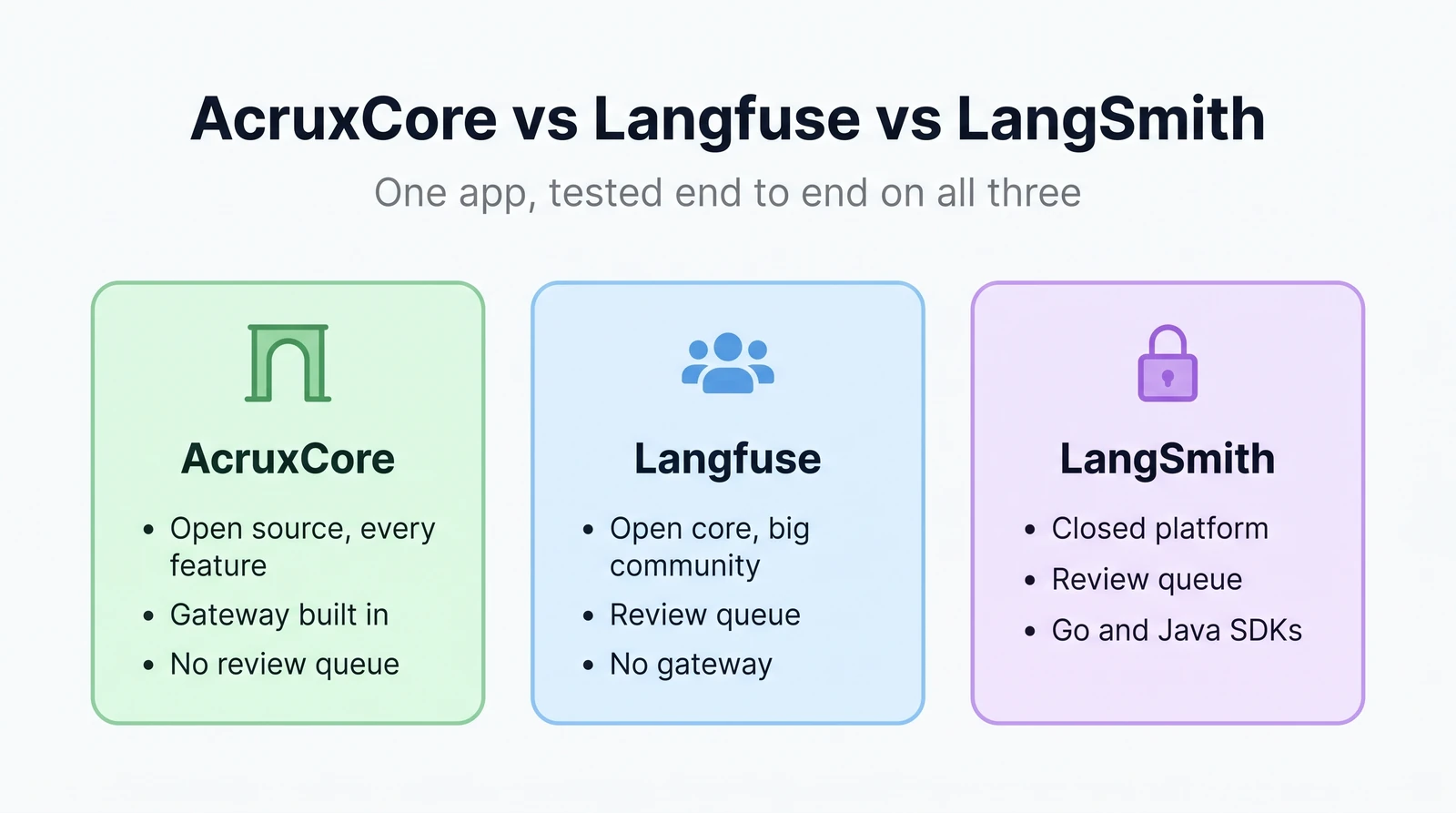
<p>License, pricing, team structure, security, and community stats: see
<a href="https://acruxcore.com/compare" target="_blank" rel="noopener noreferrer" class="">AcruxCore vs Helicone on the compare page</a>.</p>
<p>Full breakdown, screenshots, and the verdict below.</p>
<h2 class="anchor anchorTargetStickyNavbar_SAay" id="where-the-platform-sits--in-the-request-path-or-beside-it">Where the platform sits — in the request path, or beside it<a href="https://acruxcore.com/blog/acruxcore-vs-helicone#where-the-platform-sits--in-the-request-path-or-beside-it" class="hash-link" aria-label="Direct link to Where the platform sits — in the request path, or beside it" title="Direct link to Where the platform sits — in the request path, or beside it" translate="no">​</a></h2>
<p>Unlike most competitors in this series, Helicone genuinely is a request-path product
by design: its Providers page lets you register 20+ providers for its "AI Gateway",
and its Cache and Rate Limits pages document real header-controlled response caching
(<code>Helicone-Cache-Enabled</code>) and rate limiting. Hands-on, routing a <strong>non-native</strong>
provider through it failed two different ways: <code>POST /v1/gateway/oai/v1/chat/ completions</code> forwards the <code>Authorization</code> header straight to <code>api.openai.com</code>
regardless of the OpenRouter key registered in Settings, and the generic
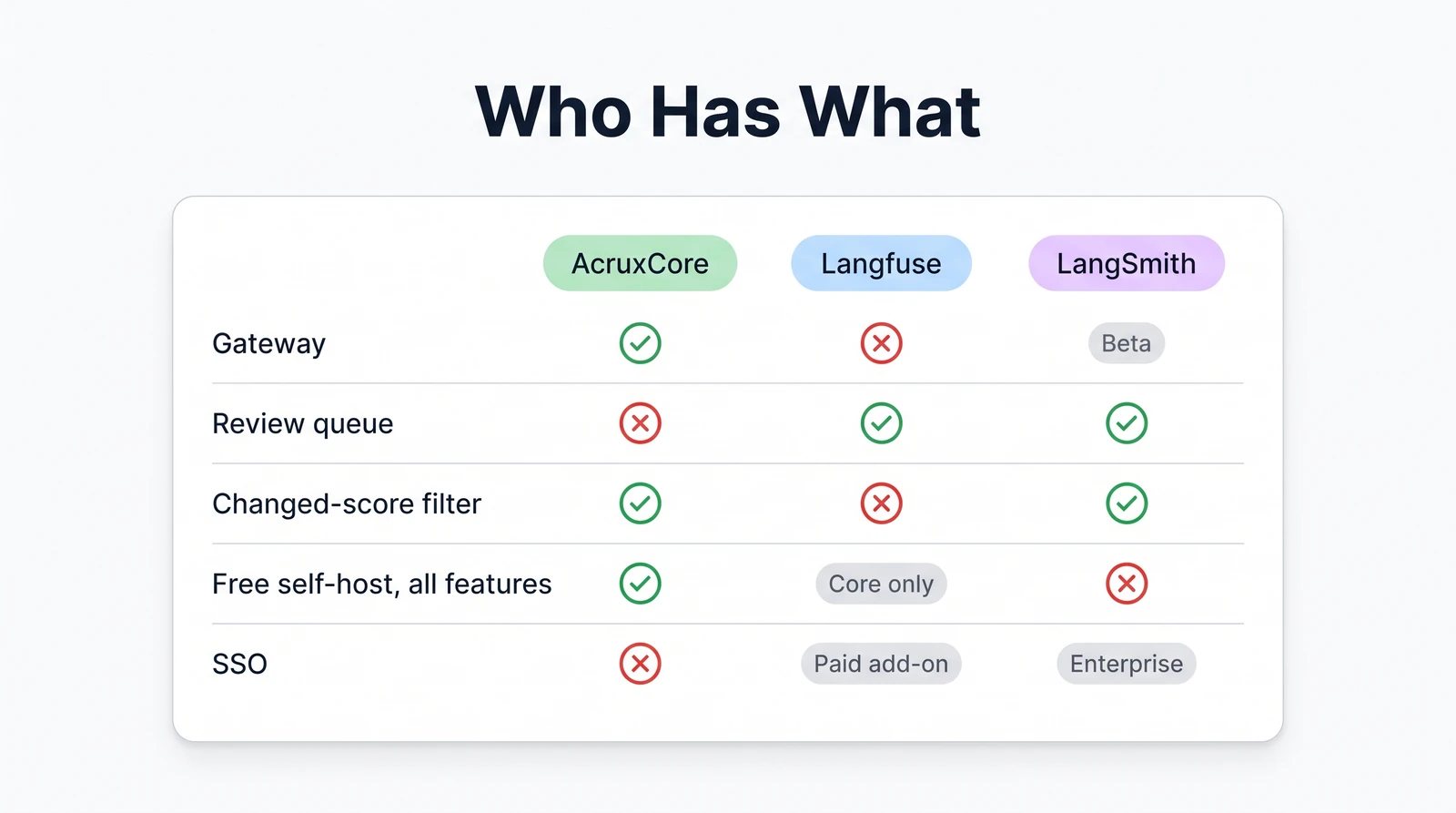
multi-provider path (<code>/v1/gateway/gateway/...</code>) returns a flat <code>HTTP 501 "Not implemented"</code> — confirmed by reading the self-hosted <code>jawn</code> service's own compiled
source, where that handler is a stub. AcruxCore's gateway sits <strong>in the request
path</strong> too, and routed our OpenRouter call successfully on every one of the 100
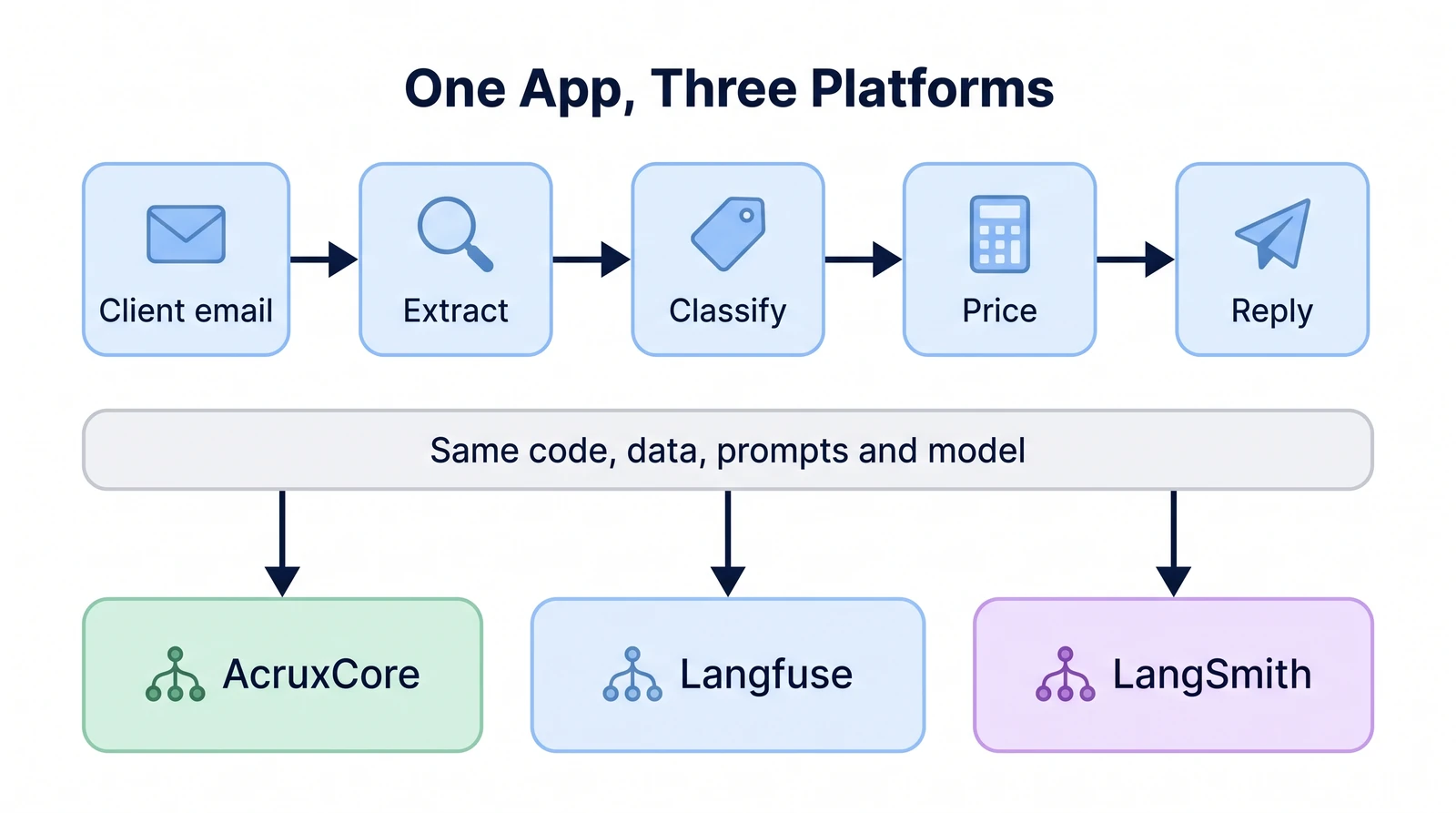
benchmark rounds below.</p>
<details class="details_B4FW alert alert--info details_SZgV" data-collapsed="true"><summary>Show screenshots: gateway provider setup on Helicone, telemetry on AcruxCore</summary><div><div class="collapsibleContent_VYua">
<!-- -->
<p><img decoding="async" loading="lazy" alt="Helicone's Providers page with OpenRouter registered and &quot;Enable for AI Gateway (BYOK)&quot; checked — the feature the request-path proxy is supposed to use" src="https://acruxcore.com/blog/assets/images/hl-04-gateway-provider-dd54a3ad02062ef5cf7bfc7d028d73a2.png" width="2160" height="1350" class="img__Ss2">
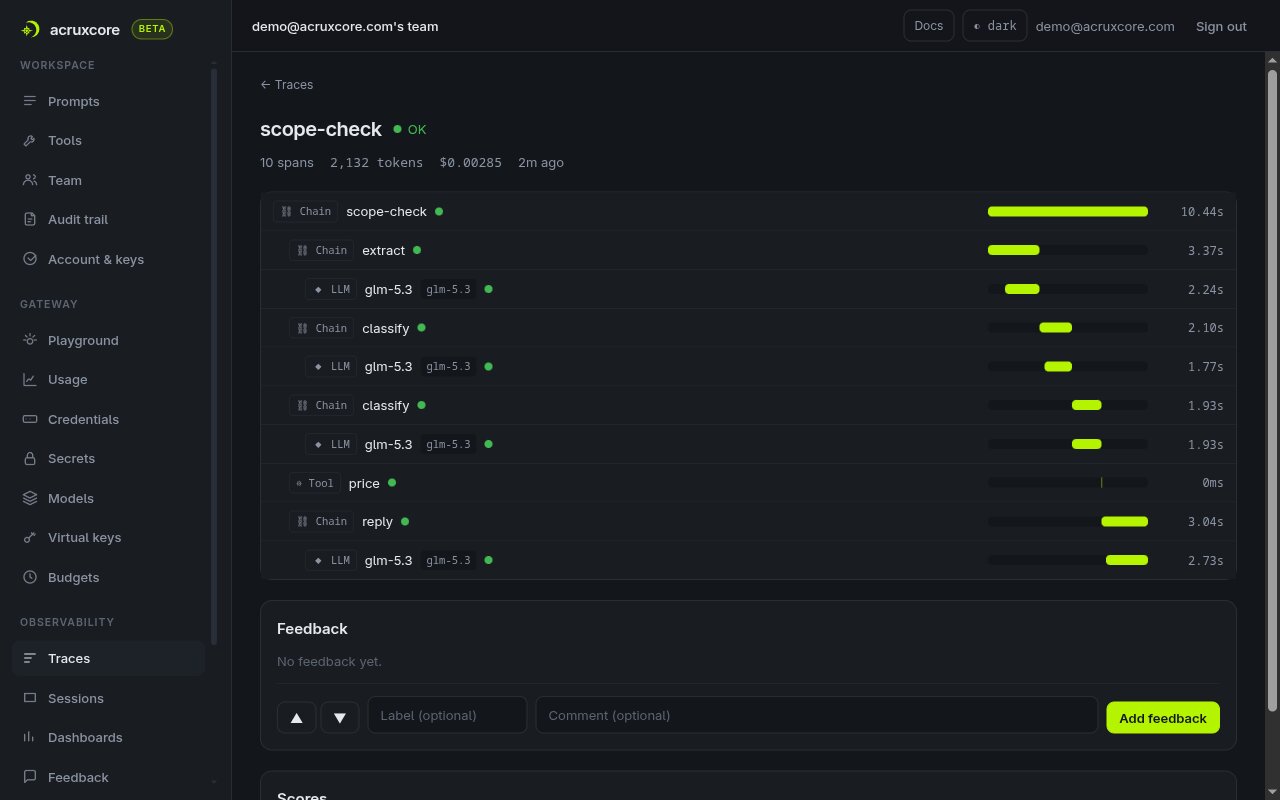
<img decoding="async" loading="lazy" alt="AcruxCore's Gateway Telemetry panel — provider, model, cost, cache status, and latency, all computed inline before the response is returned" src="https://acruxcore.com/blog/assets/images/acx-04-playground-run-44f0839517d13d574beb62a1eccd47f6.png" width="1440" height="1400" class="img__Ss2"></p>
</div></div></details>


<table><thead><tr><th>Feature</th><th>Helicone</th><th>AcruxCore</th></tr></thead><tbody><tr><td>Where it sits</td><td>In the request path — caching and rate-limit headers are real, documented features</td><td>In the request path — every call routes through it</td></tr><tr><td>BYOK routing (non-native provider)</td><td>501 on the generic path; hard-forwarded to the wrong host on the named path</td><td>Worked on 100/100 benchmark rounds</td></tr><tr><td>Caching, rate limits</td><td>Documented header controls (<code>Helicone-Cache-Enabled</code>, etc.)</td><td>Built in, applied before the provider call</td></tr></tbody></table>
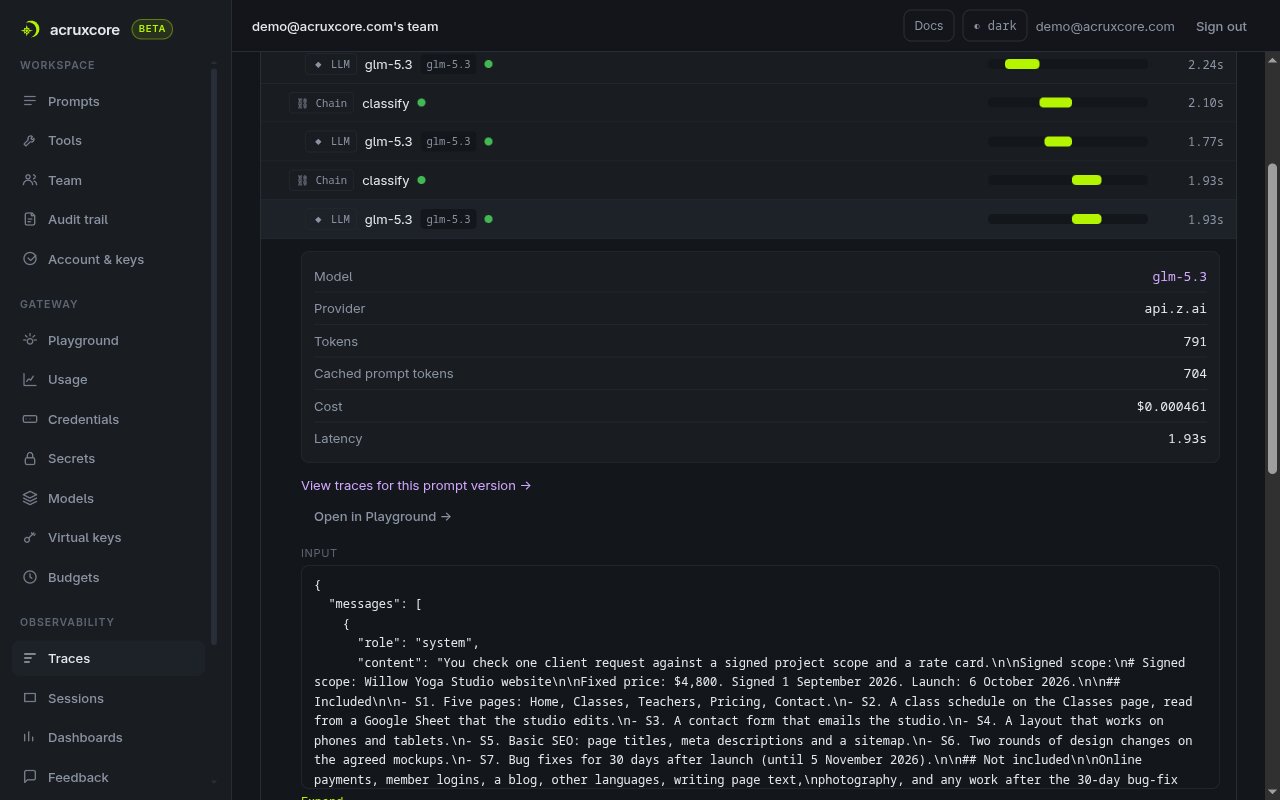
<h2 class="anchor anchorTargetStickyNavbar_SAay" id="prompt-authoring--versioning">Prompt authoring &amp; versioning<a href="https://acruxcore.com/blog/acruxcore-vs-helicone#prompt-authoring--versioning" class="hash-link" aria-label="Direct link to Prompt authoring &amp; versioning" title="Direct link to Prompt authoring &amp; versioning" translate="no">​</a></h2>
<p>AcruxCore's editor uses <strong>nunjucks</strong> — real <code>{% if %}</code> and <code>{% for %}</code> logic, so the
VIP branch and the ticket list live in the template itself. Helicone's Playground
templating is flat <code>{{ hc:var:type }}</code> substitution with a type annotation per
variable, so we had to flatten the VIP note and the ticket list into plain text before
saving the prompt — the same compromise a competitor forced in an earlier comparison.
Saving created a single <code>v0</code>, auto-labeled <code>production</code>; a second version never got
created because the next step (a live Run) is the one that's broken on this build.</p>
<details class="details_B4FW alert alert--info details_SZgV" data-collapsed="true"><summary>Show screenshots: prompt editor and versions on both platforms</summary><div><div class="collapsibleContent_VYua">
<!-- -->
<p><img decoding="async" loading="lazy" alt="Helicone's Playground with the recreated vip-support-triage system message, showing the flat {{ hc:company }} variable syntax and the Save Prompt dialog with our commit message about flattening the nunjucks logic" src="https://acruxcore.com/blog/assets/images/hl-01-prompt-editor-723016d969b0321c63d759142b2fc710.png" width="2160" height="1350" class="img__Ss2">
<img decoding="async" loading="lazy" alt="Helicone's saved prompt detail page: v0, auto-labeled &quot;production&quot;, model gpt-4o-mini, no second version or diff control visible with only one version saved" src="https://acruxcore.com/blog/assets/images/hl-02-versions-319ee06d2ca31077d0484bc9a678ba16.png" width="2160" height="1350" class="img__Ss2">
<img decoding="async" loading="lazy" alt="AcruxCore's Diff tab showing a real unified diff between prompt version 2 and version 3" src="https://acruxcore.com/blog/assets/images/acx-03-diff-tab-7eaf8502858ad216dc1d948928d0b75a.png" width="1400" height="1000" class="img__Ss2"></p>
</div></div></details>
<p>AcruxCore's own prompt editor — real nunjucks conditionals and loops rendering VIP
status and the ticket list inline — is one sentence here; see the
<a class="" href="https://acruxcore.com/blog/acruxcore-hands-on-walkthrough#2-create-a-prompt-version-it-and-promote-an-alias">walkthrough</a>
for the picture.</p>


<table><thead><tr><th>Feature</th><th>Helicone</th><th>AcruxCore</th></tr></thead><tbody><tr><td>Conditional templating</td><td>Flat <code>{{ hc:var:type }}</code> only — verified hands-on, no <code>{% if %}</code>/<code>{% for %}</code></td><td>Real nunjucks <code>{% if %}</code>/<code>{% for %}</code>, rendered server-side</td></tr><tr><td>Version comparison</td><td>Not reached — only one version exists on this build</td><td>Standing <strong>Diff</strong> tab, unified diff between any two versions</td></tr><tr><td>Live label</td><td><code>production</code> auto-applied to the first version</td><td><code>production</code> / <code>staging</code> <strong>aliases</strong> your app fetches at runtime</td></tr></tbody></table>
<h2 class="anchor anchorTargetStickyNavbar_SAay" id="sending-a-live-call">Sending a live call<a href="https://acruxcore.com/blog/acruxcore-vs-helicone#sending-a-live-call" class="hash-link" aria-label="Direct link to Sending a live call" title="Direct link to Sending a live call" translate="no">​</a></h2>
<p>This is where the run stopped producing new evidence and started producing bugs.
Clicking <strong>Run</strong> in Helicone's Playground returns <code>{"error":"Invalid session","trace": "isAuthenticated.error"}</code> every time, on every model, after a fresh login, and after
clearing local storage. Network inspection shows why: the request to
<code>/v1/playground/generate</code> carries a <code>helicone-authorization</code> header with an <strong>empty
JWT token</strong> (<code>"token":""</code>). AcruxCore's Playground, by contrast, ran the same prompt
and rendered the completion inline with cost, cache, and latency.</p>
<details class="details_B4FW alert alert--info details_SZgV" data-collapsed="true"><summary>Show screenshots: Playground run — blocked on Helicone, working on AcruxCore</summary><div><div class="collapsibleContent_VYua">
<!-- -->
<p><img decoding="async" loading="lazy" alt="Helicone's Playground after clicking Run: the response panel shows the literal JSON error {&quot;error&quot;:&quot;Invalid session&quot;,&quot;trace&quot;:&quot;isAuthenticated.error&quot;} instead of a completion" src="https://acruxcore.com/blog/assets/images/hl-03-playground-blocked-3298a56c3f77a77eca9db138ed4d466b.png" width="2160" height="1350" class="img__Ss2">
<img decoding="async" loading="lazy" alt="AcruxCore Playground's Stored-prompt tab, showing the same completion plus a Gateway Telemetry panel with provider, cost, cache status, and latency" src="https://acruxcore.com/blog/assets/images/acx-04-playground-run-44f0839517d13d574beb62a1eccd47f6.png" width="1440" height="1400" class="img__Ss2"></p>
</div></div></details>


<table><thead><tr><th>Feature</th><th>Helicone</th><th>AcruxCore</th></tr></thead><tbody><tr><td>Playground</td><td><code>Run</code> 401s with an empty auth token on this self-hosted build</td><td>Runs against a <strong>stored prompt reference</strong>, shows cost/cache/latency inline</td></tr><tr><td>Requires a real key</td><td>Yes (OpenRouter, registered in Settings → Providers)</td><td>Yes</td></tr></tbody></table>
<h2 class="anchor anchorTargetStickyNavbar_SAay" id="tracing--observability">Tracing &amp; observability<a href="https://acruxcore.com/blog/acruxcore-vs-helicone#tracing--observability" class="hash-link" aria-label="Direct link to Tracing &amp; observability" title="Direct link to Tracing &amp; observability" translate="no">​</a></h2>
<p>With the Playground blocked, we fell back to Helicone's other documented path:
call the provider directly, then POST the request/response pair to its manual-logging
endpoint (<code>/v1/trace/custom/log</code> self-hosted; <code>api.worker.helicone.ai/custom/v1/log</code> on
Helicone Cloud). The direct OpenRouter call succeeded. The log call returned
<code>HTTP 500 {"details":"Region is missing"}</code> — the self-hosted docker-compose ships its
<code>jawn</code> service without an <code>S3_REGION</code> env var, so its S3 client fails to construct
before the trace ever reaches ClickHouse. AcruxCore's trace, meanwhile, is written
automatically as a side effect of the gateway call — nothing to log by hand at all.</p>
<details class="details_B4FW alert alert--info details_SZgV" data-collapsed="true"><summary>Show screenshots: Requests page on Helicone, trace detail on AcruxCore</summary><div><div class="collapsibleContent_VYua">
<!-- -->
<p><img decoding="async" loading="lazy" alt="Helicone's Requests page still showing only its static &quot;Integrate to see your requests&quot; preview data — our real OpenRouter calls never appear because the log call failed" src="https://acruxcore.com/blog/assets/images/hl-06-datasets-empty-302d9992ca17ec0768f6642c171cedf1.png" width="2160" height="1350" class="img__Ss2">
<img decoding="async" loading="lazy" alt="AcruxCore's trace detail: one LLM span with model, provider, tokens, cost, and latency, linked back to the exact gateway request and prompt version" src="https://acruxcore.com/blog/assets/images/acx-05-trace-detail-b1664736ec89c78e1ea61d76bce324d5.png" width="1400" height="1300" class="img__Ss2"></p>
</div></div></details>


<table><thead><tr><th>Feature</th><th>Helicone</th><th>AcruxCore</th></tr></thead><tbody><tr><td>Trace shape</td><td>Not reached — the logging call 500s on this build</td><td>Single span per gateway call</td></tr><tr><td>How it's produced</td><td>Manual logging call, which failed on a missing S3 config</td><td>Automatic — a side effect of the gateway call</td></tr><tr><td>Links back to prompt version</td><td>Not reached</td><td>Yes — "View traces for this prompt version"</td></tr></tbody></table>
<h2 class="anchor anchorTargetStickyNavbar_SAay" id="how-tools-are-handled--schema-registry-or-execution">How tools are handled — schema registry, or execution<a href="https://acruxcore.com/blog/acruxcore-vs-helicone#how-tools-are-handled--schema-registry-or-execution" class="hash-link" aria-label="Direct link to How tools are handled — schema registry, or execution" title="Direct link to How tools are handled — schema registry, or execution" translate="no">​</a></h2>
<p>We checked every nav section — Segments (Sessions, Properties, Users, Cache, HQL),
Improve (Prompts, Datasets, Playground), Monitor (Rate Limits, Alerts) — and found no
tool-catalog concept anywhere in self-hosted Helicone: no schema builder, no execution
record, nothing. AcruxCore has a real <strong>Tool Catalog</strong> — callable functions, versioned
like prompts, with their own analytics page, wired into the gateway so a call is a
real, traced execution.</p>
<details class="details_B4FW alert alert--info details_SZgV" data-collapsed="true"><summary>Show screenshot: tool analytics on AcruxCore</summary><div><div class="collapsibleContent_VYua">
<!-- -->
<p><img decoding="async" loading="lazy" alt="AcruxCore's Tool analytics page — call volume, error rate, and P50/P95 latency per tool, aggregated from traced executions" src="https://acruxcore.com/blog/assets/images/acx-08-tool-analytics-5670235ce2d99243b4cc29dc928324b3.png" width="981" height="450" class="img__Ss2"></p>
</div></div></details>
<p>AcruxCore's Tools page — a dozen real, versioned tools — is one sentence here; see the
<a class="" href="https://acruxcore.com/blog/acruxcore-hands-on-walkthrough#7-a-versioned-tool-catalog">walkthrough</a> for the
screenshot.</p>


<table><thead><tr><th>Feature</th><th>Helicone</th><th>AcruxCore</th></tr></thead><tbody><tr><td>Tool catalog</td><td>Not found in any nav section checked</td><td>Persistent, versioned catalog with its own page</td></tr><tr><td>Execution</td><td>Not applicable — no catalog object to execute</td><td>Real, gateway-executed calls</td></tr><tr><td>Tool analytics</td><td>Not available</td><td>Calls, error rate, and latency per tool</td></tr></tbody></table>
<h2 class="anchor anchorTargetStickyNavbar_SAay" id="evaluation--datasets">Evaluation &amp; datasets<a href="https://acruxcore.com/blog/acruxcore-vs-helicone#evaluation--datasets" class="hash-link" aria-label="Direct link to Evaluation &amp; datasets" title="Direct link to Evaluation &amp; datasets" translate="no">​</a></h2>
<p>Helicone's Datasets page is explicit about where rows come from: "Create Your First
Dataset" links straight to the Requests page, meaning a dataset is curated from real
logged requests. Because no request of ours ever landed in Helicone (see <strong>Tracing &amp;
observability</strong> above), the Requests table held nothing but static preview data, and
there was nothing to curate into a dataset. AcruxCore builds datasets from real
span-level trace feedback, which we captured via the frozen fixture in an earlier run.</p>
<details class="details_B4FW alert alert--info details_SZgV" data-collapsed="true"><summary>Show screenshot: empty Datasets page on Helicone</summary><div><div class="collapsibleContent_VYua">
<!-- -->
<p><img decoding="async" loading="lazy" alt="Helicone's empty Datasets page: &quot;Create Your First Dataset — Curate your dataset from requests data,&quot; with a Go to requests button, since no request rows exist" src="https://acruxcore.com/blog/assets/images/hl-06-datasets-empty-302d9992ca17ec0768f6642c171cedf1.png" width="2160" height="1350" class="img__Ss2"></p>
</div></div></details>
<p>AcruxCore's dataset — built from a real feedback row, since the vip-support-triage
trace's own single-span feedback wasn't eligible — is one sentence here; see the
<a class="" href="https://acruxcore.com/blog/acruxcore-hands-on-walkthrough#5-build-a-dataset-from-real-feedback">walkthrough</a>
for the screenshot.</p>


<table><thead><tr><th>Feature</th><th>Helicone</th><th>AcruxCore</th></tr></thead><tbody><tr><td>Dataset creation</td><td>From real Request rows only — none existed on this run</td><td>Span-level trace feedback, manual entry, API, or a CSV/JSON file</td></tr><tr><td>Experiments</td><td>Not reached</td><td>Version × model sweep with an automatic baseline</td></tr></tbody></table>
<h2 class="anchor anchorTargetStickyNavbar_SAay" id="sdk--developer-experience">SDK &amp; developer experience<a href="https://acruxcore.com/blog/acruxcore-vs-helicone#sdk--developer-experience" class="hash-link" aria-label="Direct link to SDK &amp; developer experience" title="Direct link to SDK &amp; developer experience" translate="no">​</a></h2>
<p>AcruxCore's SDK has dedicated surfaces — <code>hub.prompts.render()</code> then
<code>hub.gateway.chat()</code> — and the trace is automatic. Helicone has no stored-prompt SDK
call to make in this situation, so our script calls OpenRouter directly with <code>requests</code>
and then attempts Helicone's manual-log call — which is the same call that 500s above.</p>
<div class="language-python codeBlockContainer_ZGJx theme-code-block" style="--prism-color:#393A34;--prism-background-color:#f6f8fa"><div class="codeBlockTitle_L5qy">acx_sdk_run.py</div><div class="codeBlockContent_kX1v"><pre tabindex="0" class="prism-code language-python codeBlock_TAPP thin-scrollbar" style="color:#393A34;background-color:#f6f8fa"><code class="codeBlockLines_AdAo"><div class="token-line" style="color:#393A34"><span class="token plain">rendered </span><span class="token operator" style="color:#393A34">=</span><span class="token plain"> </span><span class="token keyword" style="color:#00009f">await</span><span class="token plain"> hub</span><span class="token punctuation" style="color:#393A34">.</span><span class="token plain">prompts</span><span class="token punctuation" style="color:#393A34">.</span><span class="token plain">render</span><span class="token punctuation" style="color:#393A34">(</span><span class="token string" style="color:#e3116c">"vip-support-triage"</span><span class="token punctuation" style="color:#393A34">,</span><span class="token plain"> </span><span class="token string" style="color:#e3116c">"production"</span><span class="token punctuation" style="color:#393A34">,</span><span class="token plain"> VARIABLES</span><span class="token punctuation" style="color:#393A34">)</span><span class="token plain"></span><br></div><div class="token-line" style="color:#393A34"><span class="token plain">result </span><span class="token operator" style="color:#393A34">=</span><span class="token plain"> </span><span class="token keyword" style="color:#00009f">await</span><span class="token plain"> hub</span><span class="token punctuation" style="color:#393A34">.</span><span class="token plain">gateway</span><span class="token punctuation" style="color:#393A34">.</span><span class="token plain">chat</span><span class="token punctuation" style="color:#393A34">(</span><span class="token plain"></span><br></div><div class="token-line" style="color:#393A34"><span class="token plain">    rendered</span><span class="token punctuation" style="color:#393A34">.</span><span class="token plain">model</span><span class="token punctuation" style="color:#393A34">,</span><span class="token plain"> rendered</span><span class="token punctuation" style="color:#393A34">.</span><span class="token plain">messages</span><span class="token punctuation" style="color:#393A34">,</span><span class="token plain"></span><br></div><div class="token-line" style="color:#393A34"><span class="token plain">    temperature</span><span class="token operator" style="color:#393A34">=</span><span class="token number" style="color:#36acaa">0</span><span class="token punctuation" style="color:#393A34">,</span><span class="token plain"> max_tokens</span><span class="token operator" style="color:#393A34">=</span><span class="token number" style="color:#36acaa">256</span><span class="token punctuation" style="color:#393A34">,</span><span class="token plain"></span><br></div><div class="token-line" style="color:#393A34"><span class="token plain">    prompt_version_id</span><span class="token operator" style="color:#393A34">=</span><span class="token plain">rendered</span><span class="token punctuation" style="color:#393A34">.</span><span class="token plain">version_id</span><span class="token punctuation" style="color:#393A34">,</span><span class="token plain"></span><br></div><div class="token-line" style="color:#393A34"><span class="token plain"></span><span class="token punctuation" style="color:#393A34">)</span><br></div></code></pre></div></div>
<div class="language-python codeBlockContainer_ZGJx theme-code-block" style="--prism-color:#393A34;--prism-background-color:#f6f8fa"><div class="codeBlockTitle_L5qy">hl_trace_run.py</div><div class="codeBlockContent_kX1v"><pre tabindex="0" class="prism-code language-python codeBlock_TAPP thin-scrollbar" style="color:#393A34;background-color:#f6f8fa"><code class="codeBlockLines_AdAo"><div class="token-line" style="color:#393A34"><span class="token plain">res </span><span class="token operator" style="color:#393A34">=</span><span class="token plain"> requests</span><span class="token punctuation" style="color:#393A34">.</span><span class="token plain">post</span><span class="token punctuation" style="color:#393A34">(</span><span class="token string" style="color:#e3116c">"https://openrouter.ai/api/v1/chat/completions"</span><span class="token punctuation" style="color:#393A34">,</span><span class="token plain"> </span><span class="token punctuation" style="color:#393A34">.</span><span class="token punctuation" style="color:#393A34">.</span><span class="token punctuation" style="color:#393A34">.</span><span class="token punctuation" style="color:#393A34">,</span><span class="token plain"> json</span><span class="token operator" style="color:#393A34">=</span><span class="token plain">body</span><span class="token punctuation" style="color:#393A34">)</span><span class="token plain"></span><br></div><div class="token-line" style="color:#393A34"><span class="token plain">log_res </span><span class="token operator" style="color:#393A34">=</span><span class="token plain"> requests</span><span class="token punctuation" style="color:#393A34">.</span><span class="token plain">post</span><span class="token punctuation" style="color:#393A34">(</span><span class="token string-interpolation string" style="color:#e3116c">f"</span><span class="token string-interpolation interpolation punctuation" style="color:#393A34">{</span><span class="token string-interpolation interpolation">HELICONE_BASE_URL</span><span class="token string-interpolation interpolation punctuation" style="color:#393A34">}</span><span class="token string-interpolation string" style="color:#e3116c">/v1/trace/custom/log"</span><span class="token punctuation" style="color:#393A34">,</span><span class="token plain"> </span><span class="token punctuation" style="color:#393A34">.</span><span class="token punctuation" style="color:#393A34">.</span><span class="token punctuation" style="color:#393A34">.</span><span class="token punctuation" style="color:#393A34">,</span><span class="token plain"> json</span><span class="token operator" style="color:#393A34">=</span><span class="token plain">log_body</span><span class="token punctuation" style="color:#393A34">)</span><span class="token plain"></span><br></div><div class="token-line" style="color:#393A34"><span class="token plain"></span><span class="token comment" style="color:#999988;font-style:italic"># log_res.status_code == 500 — "Region is missing"</span><br></div></code></pre></div></div>
<p>The AcruxCore call produced a real trace within seconds. The Helicone script's
completion succeeded; its logging call reproduced the exact 500 from <strong>Tracing &amp;
observability</strong> above, every time we ran it. AcruxCore's SDK-produced trace is one
sentence here; see the
<a class="" href="https://acruxcore.com/blog/acruxcore-hands-on-walkthrough#doing-this-from-code">walkthrough</a> for the
screenshot.</p>
<p>Full scripts: <a href="https://github.com/AcruxCore/AcruxCore/blob/main/scripts/comparison/helicone-vs-acruxcore/python/acx_sdk_run.py" target="_blank" rel="noopener noreferrer" class=""><code>acx_sdk_run.py</code></a>
and <a href="https://github.com/AcruxCore/AcruxCore/blob/main/scripts/comparison/helicone-vs-acruxcore/python/hl_trace_run.py" target="_blank" rel="noopener noreferrer" class=""><code>hl_trace_run.py</code></a>.</p>


<table><thead><tr><th>Feature</th><th>Helicone</th><th>AcruxCore</th></tr></thead><tbody><tr><td>SDK model</td><td>Call the provider yourself, then manually log the pair</td><td>Dedicated <code>hub.prompts</code> / <code>hub.gateway</code> surface</td></tr><tr><td>Getting a trace</td><td>Manual-log call 500s on this self-hosted build</td><td>Automatic side effect of <code>hub.gateway.chat()</code></td></tr></tbody></table>
<h2 class="anchor anchorTargetStickyNavbar_SAay" id="latency-overhead--measured">Latency overhead — measured<a href="https://acruxcore.com/blog/acruxcore-vs-helicone#latency-overhead--measured" class="hash-link" aria-label="Direct link to Latency overhead — measured" title="Direct link to Latency overhead — measured" translate="no">​</a></h2>
<p>We timed the identical fixed call three ways, interleaved in rotating order over 100
rounds: a raw direct call to the provider (baseline), the same call through Helicone's
<code>/v1/gateway/oai</code> proxy, and the same call through AcruxCore's gateway. Both are the
cost of an extra network hop rather than client-side instrumentation. Every leg ends at
<code>gpt-4o-mini</code> on <code>api.openai.com</code> — which matters here more than anywhere else in this
series, because that endpoint forwards to OpenAI and nothing else. It ran three times.</p>


<table><thead><tr><th>Run</th><th>Direct-call median</th><th>Helicone gap</th><th>AcruxCore gap</th></tr></thead><tbody><tr><td>1</td><td>632 ms</td><td>−15 ms, CI [−29, −4]</td><td>+4 ms, CI [−21, +20]</td></tr><tr><td>2</td><td>629 ms</td><td>−8 ms, CI [−27, +19]</td><td>+7 ms, CI [−9, +28]</td></tr><tr><td>3</td><td>617 ms</td><td>+3 ms, CI [−19, +23]</td><td>+10 ms, CI [−7, +32]</td></tr></tbody></table>
<p><strong>Every round on every leg succeeded — 300 of 300.</strong> Helicone's overhead lands between
−15 ms and +3 ms, AcruxCore's between +4 ms and +10 ms, and every AcruxCore interval
crosses zero.</p>
<p>The two numbers are not measuring the same amount of work, so we are calling this a
tie rather than a Helicone win. Helicone's self-hosted gateway forwards on the provider
key alone; attributing a request to an organization — which is what makes it <em>logged</em> —
needs a Helicone API key, and this run had none. Its ClickHouse request table held zero
rows afterwards. So its number is the cost of forwarding, a floor, while AcruxCore's
includes writing the span. A logged Helicone request would cost more than −15 ms.</p>
<p>For a broader run — real OpenAI billing instead of OpenRouter, six platforms in one
interleaved benchmark, and four independent runs to check how stable the numbers
are — see
<a class="" href="https://acruxcore.com/blog/full-cycle-latency-benchmark">full-cycle latency across six LLM-ops platforms</a>.</p>
<h2 class="anchor anchorTargetStickyNavbar_SAay" id="friction-hit-during-this-run">Friction hit during this run<a href="https://acruxcore.com/blog/acruxcore-vs-helicone#friction-hit-during-this-run" class="hash-link" aria-label="Direct link to Friction hit during this run" title="Direct link to Friction hit during this run" translate="no">​</a></h2>
<p>Real friction hit while doing this comparison, not a symmetric wish list.</p>
<p><strong>Helicone</strong></p>
<ul>
<li class="">👍 Registering a provider key for its "AI Gateway" (Settings → Providers) took one
form and immediately showed "1 key configured" — the UI itself is polished.</li>
<li class="">👍 Response caching and rate limiting are real, documented, header-controlled
features — not something we had to infer.</li>
<li class="">👎 The Playground's <code>Run</code> button 401s with an <strong>empty JWT token</strong> in its own auth
header, on every attempt, on a fresh login.</li>
<li class="">👎 The generic multi-provider gateway route returns a hardcoded <code>"Not implemented"</code>
— a stub, not a partial implementation.</li>
<li class="">👎 The manual-logging endpoint 500s on a missing <code>S3_REGION</code> env var that the
self-hosted <code>docker-compose</code> never sets.</li>
<li class="">👎 "Add New Member" has no role selector at all — just an email field.</li>
</ul>
<p><strong>AcruxCore</strong></p>
<ul>
<li class="">👍 Nothing to instrument — <code>hub.gateway.chat()</code> (or the Playground) writes the trace
as a side effect, no wrapper client, no manual logging call.</li>
<li class="">👍 Every gateway call in the 100-round benchmark succeeded — no auth or config
surprises.</li>
<li class="">👎 A model with no registered per-1M rate shows a blank <code>—</code> cost instead of <code>$0</code> or
an estimate, until you register one.</li>
</ul>
<h2 class="anchor anchorTargetStickyNavbar_SAay" id="what-helicone-does-that-acruxcore-doesnt">What Helicone does that AcruxCore doesn't<a href="https://acruxcore.com/blog/acruxcore-vs-helicone#what-helicone-does-that-acruxcore-doesnt" class="hash-link" aria-label="Direct link to What Helicone does that AcruxCore doesn't" title="Direct link to What Helicone does that AcruxCore doesn't" translate="no">​</a></h2>
<p>Sourced from Helicone's own dashboard, not from this post's earlier aspects — those
carry the same bias any of our own feature list would, and this run's bugs shouldn't
be read as "Helicone has nothing real to offer."</p>
<p><strong>Rate Limit Rules — a real rule builder, separate from the broken BYOK gateway
path.</strong> Monitor → Rate Limits has two tabs: Rate Limited Requests (a live chart) and
Rate Limit Rules, where "Create Rule" opens a genuine rule builder. AcruxCore enforces
RPM and TPM limits per virtual key, but has no rule object that can scope a limit to an
individual end user the way a Helicone rule can.</p>
<details class="details_B4FW alert alert--info details_SZgV" data-collapsed="true"><summary>Show screenshot: Rate Limit Rules on Helicone</summary><div><div class="collapsibleContent_VYua">
<!-- -->
<p><img decoding="async" loading="lazy" alt="Helicone's Rate Limit Rules tab: &quot;No rate limits defined yet. Create your first rate limit rule to get started,&quot; with a Create Rule button" src="https://acruxcore.com/blog/assets/images/hl-14-rate-limit-rules-b564e4b924d8e803e8bc41ad0256ca60.png" width="1440" height="900" class="img__Ss2"></p>
</div></div></details>
<p><strong>Per-user request tracking via a single header.</strong> The Users page tracks per-user
request volumes and usage patterns the moment a caller adds one header
(<code>Helicone-User-Id: john@doe.com</code>) to a request — no separate user-management setup.
AcruxCore's tracing has no per-end-user dimension at all today.</p>
<details class="details_B4FW alert alert--info details_SZgV" data-collapsed="true"><summary>Show screenshot: per-user request tracking on Helicone</summary><div><div class="collapsibleContent_VYua">
<!-- -->
<p><img decoding="async" loading="lazy" alt="Helicone's &quot;Start Tracking User Metrics&quot; empty state: &quot;Start tracking per-user request volumes and usage patterns with a simple header: Helicone-User-Id: john@doe.com&quot;" src="https://acruxcore.com/blog/assets/images/hl-15-per-user-tracking-d7464e42339b10283f4ae3505cfd54f2.png" width="1440" height="900" class="img__Ss2"></p>
</div></div></details>
<p><strong>Alerts — real-time Slack or email notifications on error-rate or other
thresholds.</strong> "Create Your First Alert" wires a threshold directly to a Slack channel
or an email address. AcruxCore has no alerting surface — you have to go look.</p>
<details class="details_B4FW alert alert--info details_SZgV" data-collapsed="true"><summary>Show screenshot: Alerts on Helicone</summary><div><div class="collapsibleContent_VYua">
<!-- -->
<p><img decoding="async" loading="lazy" alt="Helicone's Alerts empty state: &quot;Create Your First Alert — Receive real-time notifications in Slack or via email when something goes wrong,&quot; with a Create Alert button" src="https://acruxcore.com/blog/assets/images/hl-16-alerts-72ad2864a77b75836edb4ec693966188.png" width="1440" height="900" class="img__Ss2"></p>
</div></div></details>
<p>All three are genuinely useful, and none of them touched the bugs we hit elsewhere in
this post — Rate Limit Rules and Alerts are configuration surfaces, not request-path
code, so they didn't need the same <code>S3_REGION</code> or BYOK routing to work correctly.</p>
<h2 class="anchor anchorTargetStickyNavbar_SAay" id="is-acruxcore-a-helicone-alternative">Is AcruxCore a Helicone alternative?<a href="https://acruxcore.com/blog/acruxcore-vs-helicone#is-acruxcore-a-helicone-alternative" class="hash-link" aria-label="Direct link to Is AcruxCore a Helicone alternative?" title="Direct link to Is AcruxCore a Helicone alternative?" translate="no">​</a></h2>
<p>Yes — this is the closest like-for-like swap in the whole series, because both tools sit in
the request path and do the same job. Helicone's gateway forwarded all 300 benchmark rounds
here and its rate-limit rule builder is real and works, so this is not a case of one tool
being broken.</p>
<p>What decides it is prompts and tools. Helicone's templating is flat <code>{{ hc:var:type }}</code>
substitution with no conditionals, and we found no tool-catalog concept anywhere in its
navigation. If you use Helicone purely as a logging proxy and your prompts live in your code,
it does that job. If your prompts need versions, aliases and real <code>{% if %}</code> logic, or you
want the gateway to execute and measure tools, that is what moving buys you.</p>
<p>One thing to check before you switch: Helicone can scope a rate limit to an individual end
user, where ours stops at the virtual key.</p>
<h2 class="anchor anchorTargetStickyNavbar_SAay" id="verdict">Verdict<a href="https://acruxcore.com/blog/acruxcore-vs-helicone#verdict" class="hash-link" aria-label="Direct link to Verdict" title="Direct link to Verdict" translate="no">​</a></h2>


<table><thead><tr><th></th><th>Helicone</th><th>AcruxCore</th></tr></thead><tbody><tr><td>Strongest at</td><td>A genuinely proxy-first design with real caching/rate-limit controls; per-user request tracking via one header; real-time Slack/email alerting; a gateway hop that costs nothing measurable</td><td>Every live-call path worked first time — Playground, SDK, gateway, and the trace written without extra code</td></tr><tr><td>Weakest at</td><td>On this self-hosted build: Playground auth and manual logging fail with real, reproducible errors, and the gateway only forwards to its native providers</td><td>No per-user tracking dimension; no rate-limit-rule object; no alerting surface</td></tr><tr><td>Pick it if</td><td>You want a proxy-first tool with per-user tracking and alerting, and can either use its native providers or debug the BYOK path yourself on self-host</td><td>You want every step — prompt, call, trace, dataset — to work the first time, with nothing to route around</td></tr></tbody></table>
<p>The honest headline of this comparison isn't "AcruxCore wins every row" — it doesn't;
Helicone's rate-limit rules, per-user tracking, alerting (<strong>What Helicone does that
AcruxCore doesn't</strong> above) and a gateway hop with no measurable cost are real strengths
AcruxCore either lacks or only matches. It's that on a <strong>self-hosted build acquired
mid-transition to maintenance mode</strong>, two independent, verifiable bugs — an empty auth
token in the Playground and a missing <code>S3_REGION</code> env var — blocked the Playground and
the manual-logging path. Its AI Gateway itself is sound: it served 300 of 300 rounds
here. What it will not do is route to a provider it does not natively support, which is
the constraint to plan around. AcruxCore's equivalent paths (<strong>Sending a live call</strong>,
<strong>Tracing &amp; observability</strong>, <strong>Latency overhead</strong> above) all worked too. See the full
picture, including license, pricing, and team structure, on the
<a href="https://acruxcore.com/compare" target="_blank" rel="noopener noreferrer" class="">compare page</a>.</p>
<p>To compare more tools, see <a class="" href="https://acruxcore.com/blog/hands-on-llm-ops-comparison">10 LLM observability tools tested hands-on</a>.</p>
<p>Want to run this yourself? The <a href="https://docs.acruxcore.com/docs/getting-started/quickstart" target="_blank" rel="noopener noreferrer" class="">Quickstart</a> gets you
from sign-up to a traced, gateway-routed call in about ten minutes.</p>]]></content>
        <author>
            <name>The AcruxCore Team</name>
            <uri>https://acruxcore.com</uri>
        </author>
        <category label="LLMOps comparison" term="LLMOps comparison"/>
        <category label="LLM gateway" term="LLM gateway"/>
        <category label="LLM tracing" term="LLM tracing"/>
    </entry>
    <entry>
        <title type="html"><![CDATA[AcruxCore vs Opik: guardrails, PII and online evaluation]]></title>
        <id>https://acruxcore.com/blog/acruxcore-vs-opik</id>
        <link href="https://acruxcore.com/blog/acruxcore-vs-opik"/>
        <updated>2026-08-07T00:00:00.000Z</updated>
        <summary type="html"><![CDATA[AcruxCore vs Opik tested hands-on — one prompt rebuilt on self-hosted Opik and AcruxCore, with real screenshots, an SDK trace and a latency benchmark.]]></summary>
        <content type="html"><![CDATA[<p>Opik is Comet's open-source LLM-ops platform, and unlike some competitors we've covered
it ships with genuinely no login wall when self-hosted — you <code>docker compose up</code> and
you're working inside a real workspace immediately. We built the same prompt —
<code>vip-support-triage</code>, a support agent that changes tone for VIP customers and lists
their open tickets — on both platforms, then ran the identical sequence on each: create
the prompt, version it, send a live call, inspect the trace, build a dataset, run an
experiment, and call it from an SDK script.</p>
<!-- -->
<div class="theme-admonition theme-admonition-note admonition_IZjC alert alert--secondary"><div class="admonitionHeading_uVvU"><span class="admonitionIcon_HiR3"><svg viewBox="0 0 14 16"><path fill-rule="evenodd" d="M6.3 5.69a.942.942 0 0 1-.28-.7c0-.28.09-.52.28-.7.19-.18.42-.28.7-.28.28 0 .52.09.7.28.18.19.28.42.28.7 0 .28-.09.52-.28.7a1 1 0 0 1-.7.3c-.28 0-.52-.11-.7-.3zM8 7.99c-.02-.25-.11-.48-.31-.69-.2-.19-.42-.3-.69-.31H6c-.27.02-.48.13-.69.31-.2.2-.3.44-.31.69h1v3c.02.27.11.5.31.69.2.2.42.31.69.31h1c.27 0 .48-.11.69-.31.2-.19.3-.42.31-.69H8V7.98v.01zM7 2.3c-3.14 0-5.7 2.54-5.7 5.68 0 3.14 2.56 5.7 5.7 5.7s5.7-2.55 5.7-5.7c0-3.15-2.56-5.69-5.7-5.69v.01zM7 .98c3.86 0 7 3.14 7 7s-3.14 7-7 7-7-3.12-7-7 3.14-7 7-7z"></path></svg></span>Same example, both sides</div><div class="admonitionContent_bl22"><p>Every paired screenshot below comes from the exact same prompt and the exact same
customer message, sent through the exact same downstream model
(<code>openai/gpt-4o-mini</code> via OpenRouter) on both platforms. Opik's self-hosted instance
had no login screen and no credentials to configure, so this comparison was run as an
anonymous local user — exactly what a reader self-hosting it for the first time would
see. Where a step is genuinely one-sided — no equivalent screen exists on the other
product — we say so instead of padding it out. License, pricing, team structure, and
community stats live on the <a href="https://acruxcore.com/compare" target="_blank" rel="noopener noreferrer" class="">compare page</a> instead of here — they were
always tables, and a price change there is one edit instead of three.</p></div></div>
<h3 class="anchor anchorTargetStickyNavbar_SAay" id="at-a-glance">At a glance<a href="https://acruxcore.com/blog/acruxcore-vs-opik#at-a-glance" class="hash-link" aria-label="Direct link to At a glance" title="Direct link to At a glance" translate="no">​</a></h3>


<table><thead><tr><th>Aspect</th><th>Opik</th><th>AcruxCore</th><th>Winner</th></tr></thead><tbody><tr><td>Dataset creation</td><td>Add-to-dataset from any trace, inline dataset creation</td><td>Span-level trace feedback, manual entry, API, or a CSV/JSON file</td><td>Depends</td></tr><tr><td>Prompt templating</td><td>Flat <code>{{variable}}</code> only, but real Diff view + environment labels</td><td>Real nunjucks <code>{% if %}</code> / <code>{% for %}</code> logic, real Diff tab</td><td>AcruxCore</td></tr><tr><td>Playground</td><td>Latency + tokens shown inline, no cost, no cache</td><td>Cost, cache, latency shown inline</td><td>AcruxCore</td></tr><tr><td>Tracing depth</td><td>Span tree via client-side SDK instrumentation</td><td>Single automatic span</td><td>Depends</td></tr><tr><td>Request-path gateway</td><td>None — ingests a trace after your own call</td><td>Built in — routing, caching, budgets</td><td>AcruxCore</td></tr><tr><td>Tool catalog</td><td>No catalog at all — "Agent playground" needs a live connected process</td><td>Versioned catalog, real executed calls, analytics</td><td>AcruxCore</td></tr><tr><td>SDK trace capture</td><td>Wrap a client with <code>track_openai()</code></td><td>Automatic side effect of the gateway call</td><td>AcruxCore</td></tr><tr><td>Measured overhead</td><td>+2 to +22 ms across three 100-round runs</td><td>+9 to +31 ms across the same three runs</td><td>Opik, barely</td></tr><tr><td>Time-to-first-trace</td><td>Only via the SDK path, after wrapping a client</td><td>Zero code, first call</td><td>AcruxCore</td></tr><tr><td>MCP server</td><td><a href="https://www.comet.com/docs/opik/mcp-server" target="_blank" rel="noopener noreferrer" class="">Hosted, or a local program still in Beta</a>: read traces and prompts, save a prompt version</td><td><a href="https://docs.acruxcore.com/docs/guides/connect-an-mcp-client" target="_blank" rel="noopener noreferrer" class="">Hosted or local</a>: also promote an alias, run a stored prompt through the gateway, run experiments</td><td>AcruxCore</td></tr></tbody></table>
<p>License, pricing, team structure, security, and community stats: see
<a href="https://acruxcore.com/compare" target="_blank" rel="noopener noreferrer" class="">AcruxCore vs Opik on the compare page</a>.</p>
<p>Full breakdown, screenshots, and the verdict below.</p>
<h2 class="anchor anchorTargetStickyNavbar_SAay" id="evaluation--datasets">Evaluation &amp; datasets<a href="https://acruxcore.com/blog/acruxcore-vs-opik#evaluation--datasets" class="hash-link" aria-label="Direct link to Evaluation &amp; datasets" title="Direct link to Evaluation &amp; datasets" translate="no">​</a></h2>
<p>Opik's "Add to → Dataset" works straight from a trace's detail panel — broader than a
span-only restriction we hit on another platform — and creating a brand-new dataset is
a one-step inline dialog from that same menu.</p>
<details class="details_B4FW alert alert--info details_SZgV" data-collapsed="true"><summary>Show screenshot: Add to dataset dialog on Opik</summary><div><div class="collapsibleContent_VYua">
<!-- -->
<p><img decoding="async" loading="lazy" alt="Opik's Add to dataset dialog, with a newly-created vip-support-triage-feedback dataset selected and the trace's nested spans, tags, feedback scores, and usage metrics all checked to copy in" src="https://acruxcore.com/blog/assets/images/op-07-dataset-f1e1d4d2355f7443daa114ab3e6261e2.png" width="1100" height="1066" class="img__Ss2"></p>
</div></div></details>
<p>AcruxCore's dataset — built from a real feedback row, since the vip-support-triage
trace's own single-span feedback wasn't eligible — is one sentence here; see the
<a class="" href="https://acruxcore.com/blog/acruxcore-hands-on-walkthrough#5-build-a-dataset-from-real-feedback">walkthrough</a>
for the screenshot.</p>
<p>Running an experiment against that dataset from the UI goes through "Open in
Playground" — the dataset's rows load as bindable variables
(<code>{{input.messages.1.content}}</code>-style paths), then Run. Clicking "Run an experiment"
directly instead explicitly says <strong>"Use this dataset to run an experiment using the
Python SDK"</strong> — confirming the SDK is the primary path for a scripted experiment, with
the Playground as the interactive alternative.</p>
<details class="details_B4FW alert alert--info details_SZgV" data-collapsed="true"><summary>Show screenshot: dataset-bound experiment run in Opik's Playground</summary><div><div class="collapsibleContent_VYua">
<!-- -->
<p><img decoding="async" loading="lazy" alt="Opik's Playground with the dataset loaded, a variant bound to the dataset's message field, and a real experiment result row showing the model's reply next to the dataset's expected output and feedback score" src="https://acruxcore.com/blog/assets/images/op-08-experiment-run-ea76dfbc0d9a8f68737d161137039033.png" width="1100" height="1066" class="img__Ss2"></p>
</div></div></details>
<p>AcruxCore's Run report for that dataset against gpt-4o-mini — a plain, unscored
manual run — is one sentence here; see the
<a class="" href="https://acruxcore.com/blog/acruxcore-hands-on-walkthrough#6-check-the-run-history">walkthrough</a> for the
screenshot.</p>


<table><thead><tr><th>Feature</th><th>Opik</th><th>AcruxCore</th></tr></thead><tbody><tr><td>Dataset creation</td><td>From any trace directly, inline "create new dataset" in the same dialog</td><td>Span-level trace feedback, manual entry, API, or a CSV/JSON file</td></tr><tr><td>Experiments</td><td>Interactive via Playground, or scripted via the Python SDK (UI explicitly defers to it)</td><td>Version × model sweep with an automatic baseline, run from the UI</td></tr><tr><td>Feedback scores</td><td>Thumbs-up/down "Human review," visible in the dataset row copied over</td><td>Span-level feedback, gates dataset eligibility</td></tr></tbody></table>
<h2 class="anchor anchorTargetStickyNavbar_SAay" id="prompt-authoring--versioning">Prompt authoring &amp; versioning<a href="https://acruxcore.com/blog/acruxcore-vs-opik#prompt-authoring--versioning" class="hash-link" aria-label="Direct link to Prompt authoring &amp; versioning" title="Direct link to Prompt authoring &amp; versioning" translate="no">​</a></h2>
<p>Opik's Prompt library offers a "text prompt" or a "chat prompt" — both are flat
<code>{{variable}}</code> substitution, confirmed hands-on: there is no <code>{% if %}</code> or <code>{% for %}</code>
anywhere. We flattened the VIP-branch note and the two-item ticket list into plain
text, the same way an earlier comparison had to for Langfuse, keeping only
<code>{{company}}</code> and <code>{{customer_message}}</code> as real variables.</p>
<details class="details_B4FW alert alert--info details_SZgV" data-collapsed="true"><summary>Show screenshots: prompt editor and versions on both platforms</summary><div><div class="collapsibleContent_VYua">
<!-- -->
<p><img decoding="async" loading="lazy" alt="Opik's New chat prompt dialog for the recreated vip-support-triage prompt, showing flat {{company}} and {{customer_message}} variable substitution with no conditional syntax available" src="https://acruxcore.com/blog/assets/images/op-01-prompt-editor-4e51c2ec23f30324b6e5b3bae5034d47.png" width="1100" height="1066" class="img__Ss2">
<img decoding="async" loading="lazy" alt="Opik's prompt detail page for v1, with Use, Deploy to, and Edit controls above the rendered system and user messages" src="https://acruxcore.com/blog/assets/images/op-02-versions-8c1e5a66bd9e87890b978c31a5fb7f86.png" width="1100" height="1066" class="img__Ss2">
<img decoding="async" loading="lazy" alt="AcruxCore's Diff tab showing a real unified diff between prompt version 2 and version 3" src="https://acruxcore.com/blog/assets/images/acx-03-diff-tab-7eaf8502858ad216dc1d948928d0b75a.png" width="1400" height="1000" class="img__Ss2"></p>
</div></div></details>
<p>AcruxCore's own prompt editor — real nunjucks conditionals and loops rendering VIP
status and the ticket list inline — is one sentence here; see the
<a class="" href="https://acruxcore.com/blog/acruxcore-hands-on-walkthrough#2-create-a-prompt-version-it-and-promote-an-alias">walkthrough</a>
for the picture.</p>
<p>Unlike a competitor we compared earlier that had no diff feature at all, Opik does have
a real version comparison — we edited the prompt to create v2 and used its "Diff"
button:</p>
<details class="details_B4FW alert alert--info details_SZgV" data-collapsed="true"><summary>Show screenshot: version diff panel on Opik</summary><div><div class="collapsibleContent_VYua">
<!-- -->
<p><img decoding="async" loading="lazy" alt="Opik's Compare v1 to v2 panel, showing the old system message in red strikethrough on the left and the new message in green on the right, side by side" src="https://acruxcore.com/blog/assets/images/op-03-diff-tab-1ae5830c10cd9ab828ad7031b73f86b2.png" width="1100" height="1066" class="img__Ss2"></p>
</div></div></details>
<p>It also has an environment-labelling control ("Deploy to") that tags a specific
version as <code>production</code>, <code>staging</code>, or <code>development</code> — functionally close to Acrux
Core's aliases, just without the runtime "fetch by alias" SDK call:</p>
<details class="details_B4FW alert alert--info details_SZgV" data-collapsed="true"><summary>Show screenshot: Deploy to / environment labels on Opik</summary><div><div class="collapsibleContent_VYua">
<!-- -->
<p><img decoding="async" loading="lazy" alt="Opik's Deploy to menu, with v2 now tagged production via a green badge next to the version number" src="https://acruxcore.com/blog/assets/images/op-04-deploy-label-eb19a5997c283c5b233c5ae4ced5e443.png" width="1100" height="1066" class="img__Ss2"></p>
</div></div></details>


<table><thead><tr><th>Feature</th><th>Opik</th><th>AcruxCore</th></tr></thead><tbody><tr><td>Conditional templating</td><td>Flat <code>{{variable}}</code> only — verified hands-on, no <code>{% if %}</code>/<code>{% for %}</code></td><td>Real nunjucks <code>{% if %}</code>/<code>{% for %}</code>, rendered server-side</td></tr><tr><td>Version comparison</td><td>Real "Diff" view, whole-message red/green (not word-level)</td><td>Standing <strong>Diff</strong> tab, unified word-level diff between any two versions</td></tr><tr><td>Live/staging labels</td><td>"Deploy to" tags a version <code>production</code>/<code>staging</code>/<code>development</code></td><td><code>production</code> / <code>staging</code> <strong>aliases</strong> your app fetches at runtime</td></tr></tbody></table>
<h2 class="anchor anchorTargetStickyNavbar_SAay" id="sending-a-live-call">Sending a live call<a href="https://acruxcore.com/blog/acruxcore-vs-opik#sending-a-live-call" class="hash-link" aria-label="Direct link to Sending a live call" title="Direct link to Sending a live call" translate="no">​</a></h2>
<p>Opik's Prompt playground accepts OpenRouter directly as a named provider — paste a key,
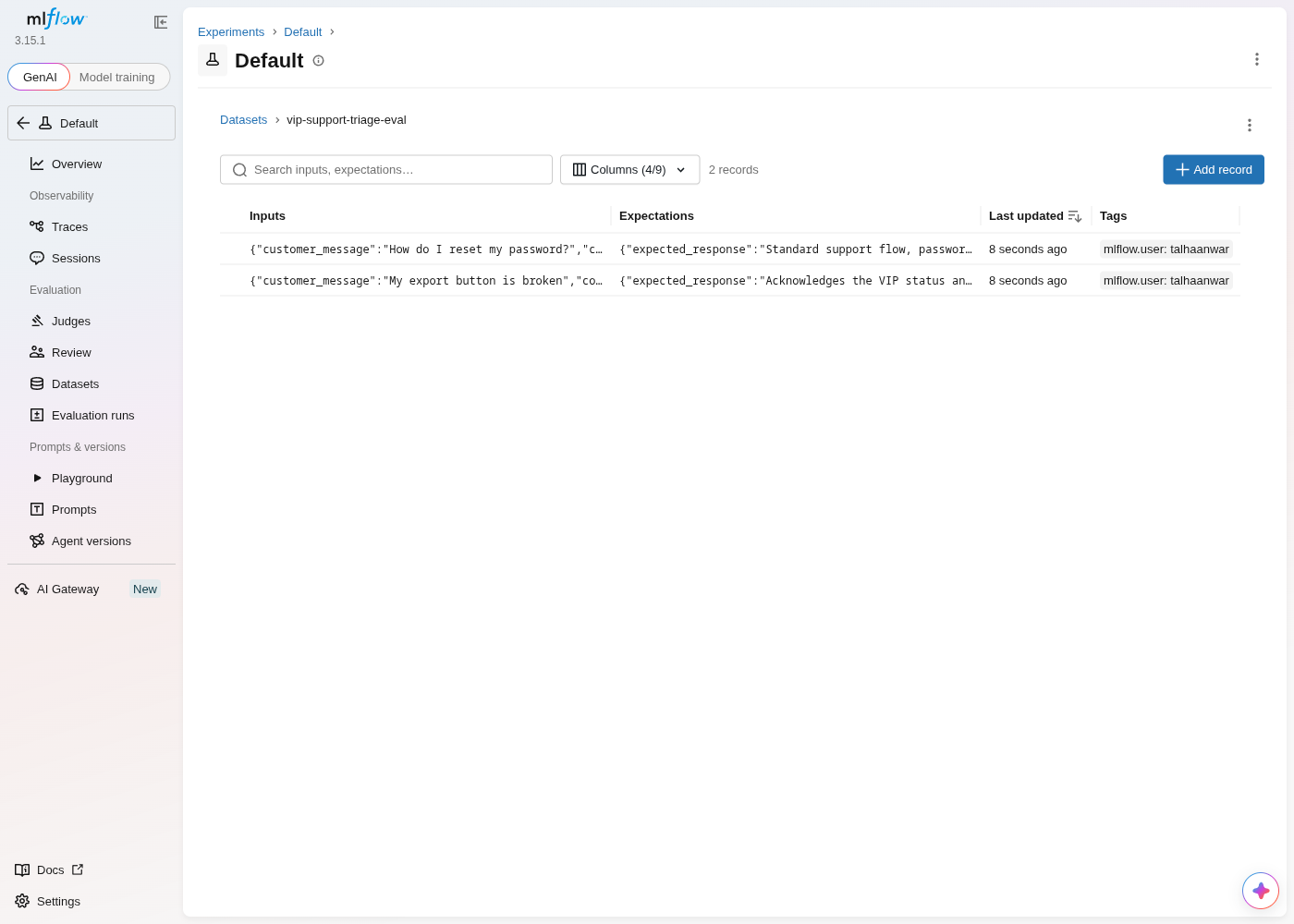
search any OpenRouter-routed model by name. Both playgrounds produced the identical VIP
reply from the identical inputs.</p>
<details class="details_B4FW alert alert--info details_SZgV" data-collapsed="true"><summary>Show screenshots: Playground run on both platforms</summary><div><div class="collapsibleContent_VYua">
<!-- -->
<p><img decoding="async" loading="lazy" alt="Opik's Prompt playground with the recreated prompt loaded, openai/gpt-4o-mini selected via OpenRouter, and Output A showing the real completion with 1.9s latency and 163 tokens" src="https://acruxcore.com/blog/assets/images/op-05-playground-run-a294f369ff3f0f7fa68b752462e39cd0.png" width="1100" height="1066" class="img__Ss2">
<img decoding="async" loading="lazy" alt="AcruxCore Playground's Stored-prompt tab, showing the same completion plus a Gateway Telemetry panel with provider, cost, cache status, and latency" src="https://acruxcore.com/blog/assets/images/acx-04-playground-run-44f0839517d13d574beb62a1eccd47f6.png" width="1440" height="1400" class="img__Ss2"></p>
</div></div></details>


<table><thead><tr><th>Feature</th><th>Opik</th><th>AcruxCore</th></tr></thead><tbody><tr><td>Playground</td><td>Runs against any OpenRouter-routed model, shows latency + tokens inline, no cost</td><td>Runs against a <strong>stored prompt reference</strong>, shows cost/cache/latency inline</td></tr><tr><td>Requires a real key</td><td>Yes</td><td>Yes</td></tr></tbody></table>
<h2 class="anchor anchorTargetStickyNavbar_SAay" id="tracing--observability">Tracing &amp; observability<a href="https://acruxcore.com/blog/acruxcore-vs-opik#tracing--observability" class="hash-link" aria-label="Direct link to Tracing &amp; observability" title="Direct link to Tracing &amp; observability" translate="no">​</a></h2>
<p>Confirmed hands-on: running the prompt from Opik's Playground left the project's Logs
tab at "No traces yet" — the Playground alone does not trace, the same finding as an
earlier comparison. A real trace only appeared after calling the SDK-wrapped client,
producing a two-level span tree: an outer <code>chat_completion_create</code> trace wrapping an
inner LLM span with model, provider, tokens, and cost.</p>
<details class="details_B4FW alert alert--info details_SZgV" data-collapsed="true"><summary>Show screenshots: trace detail on both platforms</summary><div><div class="collapsibleContent_VYua">
<!-- -->
<p><img decoding="async" loading="lazy" alt="Opik's trace detail: a two-node span tree (outer trace + inner LLM span), 2.6s latency, <$0.01 cost, 138 total tokens, full system/user/assistant messages shown" src="https://acruxcore.com/blog/assets/images/op-06-trace-detail-1a06ecd3434ea30b9eaa72b25da8a9c5.png" width="1100" height="1066" class="img__Ss2">
<img decoding="async" loading="lazy" alt="AcruxCore's trace detail: one LLM span with model, provider, tokens, cost, and latency, linked back to the exact gateway request and prompt version" src="https://acruxcore.com/blog/assets/images/acx-05-trace-detail-b1664736ec89c78e1ea61d76bce324d5.png" width="1400" height="1300" class="img__Ss2"></p>
</div></div></details>


<table><thead><tr><th>Feature</th><th>Opik</th><th>AcruxCore</th></tr></thead><tbody><tr><td>Trace shape</td><td>Span tree (outer trace + inner LLM span)</td><td>Single span per gateway call</td></tr><tr><td>How it's produced</td><td>Client-side <code>track_openai()</code> wrapper</td><td>Automatic — a side effect of the gateway call</td></tr><tr><td>Playground produces a trace</td><td>No — confirmed, Logs stayed empty after a Playground run</td><td>Yes — every Playground run is traced</td></tr></tbody></table>
<h2 class="anchor anchorTargetStickyNavbar_SAay" id="where-the-platform-sits--in-the-request-path-or-beside-it">Where the platform sits — in the request path, or beside it<a href="https://acruxcore.com/blog/acruxcore-vs-opik#where-the-platform-sits--in-the-request-path-or-beside-it" class="hash-link" aria-label="Direct link to Where the platform sits — in the request path, or beside it" title="Direct link to Where the platform sits — in the request path, or beside it" translate="no">​</a></h2>
<p>AcruxCore's gateway sits <strong>in the request path</strong>: every call is routed through it, so
BYOK provider selection, caching, budgets, and virtual keys all apply before the
provider is ever called, and the trace is a side effect of that same hop. Opik sits
<strong>beside</strong> the request path too — like the other observability-first platforms we've
compared, it ingests a trace <em>after</em> your own client made the call, so there's nothing
to route, cache, or budget against on its side.</p>


<table><thead><tr><th>Feature</th><th>Opik</th><th>AcruxCore</th></tr></thead><tbody><tr><td>Where it sits</td><td>Beside the request path — call providers yourself, trace is reported after</td><td>In the request path — every call routes through it</td></tr><tr><td>BYOK, caching, budgets, virtual keys</td><td>Not applicable — no request path to apply them to</td><td>Built in, applied before the provider call</td></tr></tbody></table>
<h2 class="anchor anchorTargetStickyNavbar_SAay" id="how-tools-are-handled--schema-registry-or-execution">How tools are handled — schema registry, or execution<a href="https://acruxcore.com/blog/acruxcore-vs-opik#how-tools-are-handled--schema-registry-or-execution" class="hash-link" aria-label="Direct link to How tools are handled — schema registry, or execution" title="Direct link to How tools are handled — schema registry, or execution" translate="no">​</a></h2>
<p>Opik has no tool catalog concept at all. Its closest surface, "Agent playground," is
not a schema-definition UI — it's a <strong>live-connection debugger</strong>: you add
<code>@opik.track(entrypoint=True)</code> to a running agent's own code and run a connector
command in your terminal, and Opik waits for that process to connect.</p>
<details class="details_B4FW alert alert--info details_SZgV" data-collapsed="true"><summary>Show screenshots: Agent playground on Opik, tool analytics on AcruxCore</summary><div><div class="collapsibleContent_VYua">
<!-- -->
<p><img decoding="async" loading="lazy" alt="Opik's Agent playground showing Disconnected status and setup instructions to add @opik.track(entrypoint=True) to a running agent and run a connection command in the terminal" src="https://acruxcore.com/blog/assets/images/op-09-agent-playground-connect-585cef80c815fcca53e1b328444ffd4a.png" width="1100" height="1066" class="img__Ss2">
<img decoding="async" loading="lazy" alt="AcruxCore's Tool analytics page — call volume, error rate, and P50/P95 latency per tool, aggregated from traced executions" src="https://acruxcore.com/blog/assets/images/acx-08-tool-analytics-5670235ce2d99243b4cc29dc928324b3.png" width="981" height="450" class="img__Ss2"></p>
</div></div></details>
<p>With nothing connected, the page just sits at "Disconnected" showing setup copy — this
is weaker than even the placeholder "Create LLM Tool" schema dialog a prior
comparison found on another platform, since that at least produced a stored,
reusable JSON Schema object from the UI with zero code. AcruxCore's Tools page — a
dozen real, versioned tools — is one sentence here; see the
<a class="" href="https://acruxcore.com/blog/acruxcore-hands-on-walkthrough#7-a-versioned-tool-catalog">walkthrough</a> for the
screenshot.</p>


<table><thead><tr><th>Feature</th><th>Opik</th><th>AcruxCore</th></tr></thead><tbody><tr><td>Tool catalog</td><td>None — no schema object, no list view, no per-tool page</td><td>Persistent, versioned catalog with its own page</td></tr><tr><td>Agent visibility</td><td>Requires a live process connected via code + terminal command</td><td>Real, gateway-executed calls, traced automatically</td></tr><tr><td>Tool analytics</td><td>Not available</td><td>Calls, error rate, and latency per tool</td></tr></tbody></table>
<h2 class="anchor anchorTargetStickyNavbar_SAay" id="sdk--developer-experience">SDK &amp; developer experience<a href="https://acruxcore.com/blog/acruxcore-vs-opik#sdk--developer-experience" class="hash-link" aria-label="Direct link to SDK &amp; developer experience" title="Direct link to SDK &amp; developer experience" translate="no">​</a></h2>
<p>Opik wraps a client you already own; the trace only appears once that wrapped client
makes a call. AcruxCore's SDK has dedicated surfaces — <code>hub.prompts.render()</code> then
<code>hub.gateway.chat()</code> — and the trace is automatic.</p>
<div class="language-python codeBlockContainer_ZGJx theme-code-block" style="--prism-color:#393A34;--prism-background-color:#f6f8fa"><div class="codeBlockTitle_L5qy">op_trace_run.py</div><div class="codeBlockContent_kX1v"><pre tabindex="0" class="prism-code language-python codeBlock_TAPP thin-scrollbar" style="color:#393A34;background-color:#f6f8fa"><code class="codeBlockLines_AdAo"><div class="token-line" style="color:#393A34"><span class="token plain">client </span><span class="token operator" style="color:#393A34">=</span><span class="token plain"> track_openai</span><span class="token punctuation" style="color:#393A34">(</span><span class="token plain"></span><br></div><div class="token-line" style="color:#393A34"><span class="token plain">    OpenAI</span><span class="token punctuation" style="color:#393A34">(</span><span class="token plain">api_key</span><span class="token operator" style="color:#393A34">=</span><span class="token plain">OPENROUTER_KEY</span><span class="token punctuation" style="color:#393A34">,</span><span class="token plain"> base_url</span><span class="token operator" style="color:#393A34">=</span><span class="token string" style="color:#e3116c">"https://openrouter.ai/api/v1"</span><span class="token punctuation" style="color:#393A34">)</span><span class="token punctuation" style="color:#393A34">,</span><span class="token plain"></span><br></div><div class="token-line" style="color:#393A34"><span class="token plain">    project_name</span><span class="token operator" style="color:#393A34">=</span><span class="token string" style="color:#e3116c">"Default Project"</span><span class="token punctuation" style="color:#393A34">,</span><span class="token plain"></span><br></div><div class="token-line" style="color:#393A34"><span class="token plain"></span><span class="token punctuation" style="color:#393A34">)</span><span class="token plain"></span><br></div><div class="token-line" style="color:#393A34"><span class="token plain">response </span><span class="token operator" style="color:#393A34">=</span><span class="token plain"> client</span><span class="token punctuation" style="color:#393A34">.</span><span class="token plain">chat</span><span class="token punctuation" style="color:#393A34">.</span><span class="token plain">completions</span><span class="token punctuation" style="color:#393A34">.</span><span class="token plain">create</span><span class="token punctuation" style="color:#393A34">(</span><span class="token plain"></span><br></div><div class="token-line" style="color:#393A34"><span class="token plain">    model</span><span class="token operator" style="color:#393A34">=</span><span class="token string" style="color:#e3116c">"openai/gpt-4o-mini"</span><span class="token punctuation" style="color:#393A34">,</span><span class="token plain"> temperature</span><span class="token operator" style="color:#393A34">=</span><span class="token number" style="color:#36acaa">0</span><span class="token punctuation" style="color:#393A34">,</span><span class="token plain"> max_tokens</span><span class="token operator" style="color:#393A34">=</span><span class="token number" style="color:#36acaa">256</span><span class="token punctuation" style="color:#393A34">,</span><span class="token plain"></span><br></div><div class="token-line" style="color:#393A34"><span class="token plain">    messages</span><span class="token operator" style="color:#393A34">=</span><span class="token punctuation" style="color:#393A34">[</span><span class="token punctuation" style="color:#393A34">{</span><span class="token string" style="color:#e3116c">"role"</span><span class="token punctuation" style="color:#393A34">:</span><span class="token plain"> </span><span class="token string" style="color:#e3116c">"system"</span><span class="token punctuation" style="color:#393A34">,</span><span class="token plain"> </span><span class="token string" style="color:#e3116c">"content"</span><span class="token punctuation" style="color:#393A34">:</span><span class="token plain"> SYSTEM_PROMPT</span><span class="token punctuation" style="color:#393A34">}</span><span class="token punctuation" style="color:#393A34">,</span><span class="token plain"></span><br></div><div class="token-line" style="color:#393A34"><span class="token plain">              </span><span class="token punctuation" style="color:#393A34">{</span><span class="token string" style="color:#e3116c">"role"</span><span class="token punctuation" style="color:#393A34">:</span><span class="token plain"> </span><span class="token string" style="color:#e3116c">"user"</span><span class="token punctuation" style="color:#393A34">,</span><span class="token plain"> </span><span class="token string" style="color:#e3116c">"content"</span><span class="token punctuation" style="color:#393A34">:</span><span class="token plain"> USER_MESSAGE</span><span class="token punctuation" style="color:#393A34">}</span><span class="token punctuation" style="color:#393A34">]</span><span class="token punctuation" style="color:#393A34">,</span><span class="token plain"></span><br></div><div class="token-line" style="color:#393A34"><span class="token plain"></span><span class="token punctuation" style="color:#393A34">)</span><br></div></code></pre></div></div>
<div class="language-python codeBlockContainer_ZGJx theme-code-block" style="--prism-color:#393A34;--prism-background-color:#f6f8fa"><div class="codeBlockTitle_L5qy">acx_sdk_run.py</div><div class="codeBlockContent_kX1v"><pre tabindex="0" class="prism-code language-python codeBlock_TAPP thin-scrollbar" style="color:#393A34;background-color:#f6f8fa"><code class="codeBlockLines_AdAo"><div class="token-line" style="color:#393A34"><span class="token plain">rendered </span><span class="token operator" style="color:#393A34">=</span><span class="token plain"> </span><span class="token keyword" style="color:#00009f">await</span><span class="token plain"> hub</span><span class="token punctuation" style="color:#393A34">.</span><span class="token plain">prompts</span><span class="token punctuation" style="color:#393A34">.</span><span class="token plain">render</span><span class="token punctuation" style="color:#393A34">(</span><span class="token string" style="color:#e3116c">"vip-support-triage"</span><span class="token punctuation" style="color:#393A34">,</span><span class="token plain"> </span><span class="token string" style="color:#e3116c">"production"</span><span class="token punctuation" style="color:#393A34">,</span><span class="token plain"> VARIABLES</span><span class="token punctuation" style="color:#393A34">)</span><span class="token plain"></span><br></div><div class="token-line" style="color:#393A34"><span class="token plain">result </span><span class="token operator" style="color:#393A34">=</span><span class="token plain"> </span><span class="token keyword" style="color:#00009f">await</span><span class="token plain"> hub</span><span class="token punctuation" style="color:#393A34">.</span><span class="token plain">gateway</span><span class="token punctuation" style="color:#393A34">.</span><span class="token plain">chat</span><span class="token punctuation" style="color:#393A34">(</span><span class="token plain"></span><br></div><div class="token-line" style="color:#393A34"><span class="token plain">    rendered</span><span class="token punctuation" style="color:#393A34">.</span><span class="token plain">model</span><span class="token punctuation" style="color:#393A34">,</span><span class="token plain"> rendered</span><span class="token punctuation" style="color:#393A34">.</span><span class="token plain">messages</span><span class="token punctuation" style="color:#393A34">,</span><span class="token plain"></span><br></div><div class="token-line" style="color:#393A34"><span class="token plain">    temperature</span><span class="token operator" style="color:#393A34">=</span><span class="token number" style="color:#36acaa">0</span><span class="token punctuation" style="color:#393A34">,</span><span class="token plain"> max_tokens</span><span class="token operator" style="color:#393A34">=</span><span class="token number" style="color:#36acaa">256</span><span class="token punctuation" style="color:#393A34">,</span><span class="token plain"></span><br></div><div class="token-line" style="color:#393A34"><span class="token plain">    prompt_version_id</span><span class="token operator" style="color:#393A34">=</span><span class="token plain">rendered</span><span class="token punctuation" style="color:#393A34">.</span><span class="token plain">version_id</span><span class="token punctuation" style="color:#393A34">,</span><span class="token plain"></span><br></div><div class="token-line" style="color:#393A34"><span class="token plain"></span><span class="token punctuation" style="color:#393A34">)</span><br></div></code></pre></div></div>
<p>Both produced a real trace within seconds of the call returning:</p>
<details class="details_B4FW alert alert--info details_SZgV" data-collapsed="true"><summary>Show screenshot: SDK-produced trace on Opik</summary><div><div class="collapsibleContent_VYua">
<!-- -->
<p><img decoding="async" loading="lazy" alt="Opik's trace for the script-generated call: 138 total tokens, <$0.01 cost, 2.6s latency, model and provider metadata visible on the span" src="https://acruxcore.com/blog/assets/images/op-06-trace-detail-1a06ecd3434ea30b9eaa72b25da8a9c5.png" width="1100" height="1066" class="img__Ss2"></p>
</div></div></details>
<p>Full scripts: <a href="https://github.com/AcruxCore/AcruxCore/blob/main/scripts/comparison/opik-vs-acruxcore/python/op_trace_run.py" target="_blank" rel="noopener noreferrer" class=""><code>op_trace_run.py</code></a> and <a href="https://github.com/AcruxCore/AcruxCore/blob/main/scripts/comparison/opik-vs-acruxcore/python/acx_sdk_run.py" target="_blank" rel="noopener noreferrer" class=""><code>acx_sdk_run.py</code></a>.</p>
<p>AcruxCore's SDK-produced trace is one sentence here; see the
<a class="" href="https://acruxcore.com/blog/acruxcore-hands-on-walkthrough#doing-this-from-code">walkthrough</a> for the
screenshot.</p>


<table><thead><tr><th>Feature</th><th>Opik</th><th>AcruxCore</th></tr></thead><tbody><tr><td>SDK model</td><td>Wrap your own client (<code>track_openai(OpenAI(...))</code>)</td><td>Dedicated <code>hub.prompts</code> / <code>hub.gateway</code> surface</td></tr><tr><td>Getting a trace</td><td>Automatic once the wrapped client is called</td><td>Automatic side effect of <code>hub.gateway.chat()</code></td></tr></tbody></table>
<h2 class="anchor anchorTargetStickyNavbar_SAay" id="latency-overhead--measured">Latency overhead — measured<a href="https://acruxcore.com/blog/acruxcore-vs-opik#latency-overhead--measured" class="hash-link" aria-label="Direct link to Latency overhead — measured" title="Direct link to Latency overhead — measured" translate="no">​</a></h2>
<p>We timed the identical call three ways, interleaved in rotating order over 100 rounds
so a network blip hits all three equally: a raw direct call to the provider (baseline),
the same call wrapped in Opik's <code>track_openai()</code> client, and the same call through
AcruxCore's gateway. Every leg ends at <code>gpt-4o-mini</code> on <code>api.openai.com</code> with the same
key and body, and the script refuses to start unless the gateway model resolves to a
native OpenAI credential — so all three provably share one upstream. This measures two
different kinds of overhead — Opik's is client-side instrumentation cost, AcruxCore's is
an extra network hop that buys routing and caching — not a rigged head-to-head.</p>
<p>One run is not a result: the median gap moves enough between runs that a single number
would mislead. So it ran three times.</p>


<table><thead><tr><th>Run</th><th>Direct-call median</th><th>Opik gap</th><th>AcruxCore gap</th></tr></thead><tbody><tr><td>1</td><td>617 ms</td><td>+22 ms, CI [+7, +47]</td><td>+22 ms, CI [+10, +42]</td></tr><tr><td>2</td><td>625 ms</td><td>+2 ms, CI [−13, +18]</td><td>+9 ms, CI [−6, +27]</td></tr><tr><td>3</td><td>612 ms</td><td>+4 ms, CI [−15, +26]</td><td>+31 ms, CI [+5, +45]</td></tr></tbody></table>
<p>Opik's overhead lands between +2 ms and +22 ms, AcruxCore's between +9 ms and +31 ms.
Opik's was never the higher of the two, though the two were identical in the first run.
In two of the three runs both confidence intervals cross zero, so neither path is
reliably distinguishable from calling the provider directly at this sample size.</p>
<p>Full script: <a href="https://github.com/AcruxCore/AcruxCore/blob/main/scripts/comparison/opik-vs-acruxcore/python/latency_bench.py" target="_blank" rel="noopener noreferrer" class=""><code>latency_bench.py</code></a>.</p>
<p>For a broader run — six platforms in one interleaved benchmark, the stored-prompt fetch
timed alongside the completion, and four independent runs to check how stable the
numbers are — see
<a class="" href="https://acruxcore.com/blog/full-cycle-latency-benchmark">full-cycle latency across six LLM-ops platforms</a>.</p>
<h2 class="anchor anchorTargetStickyNavbar_SAay" id="friction-hit-during-this-run">Friction hit during this run<a href="https://acruxcore.com/blog/acruxcore-vs-opik#friction-hit-during-this-run" class="hash-link" aria-label="Direct link to Friction hit during this run" title="Direct link to Friction hit during this run" translate="no">​</a></h2>
<p>Real friction hit while doing this comparison, not a symmetric wish list.</p>
<p><strong>Opik</strong></p>
<ul>
<li class="">👍 No login wall at all on self-host — straight into a working project.</li>
<li class="">👍 OpenRouter is a first-class named provider in the Playground, no custom-base-URL workaround needed.</li>
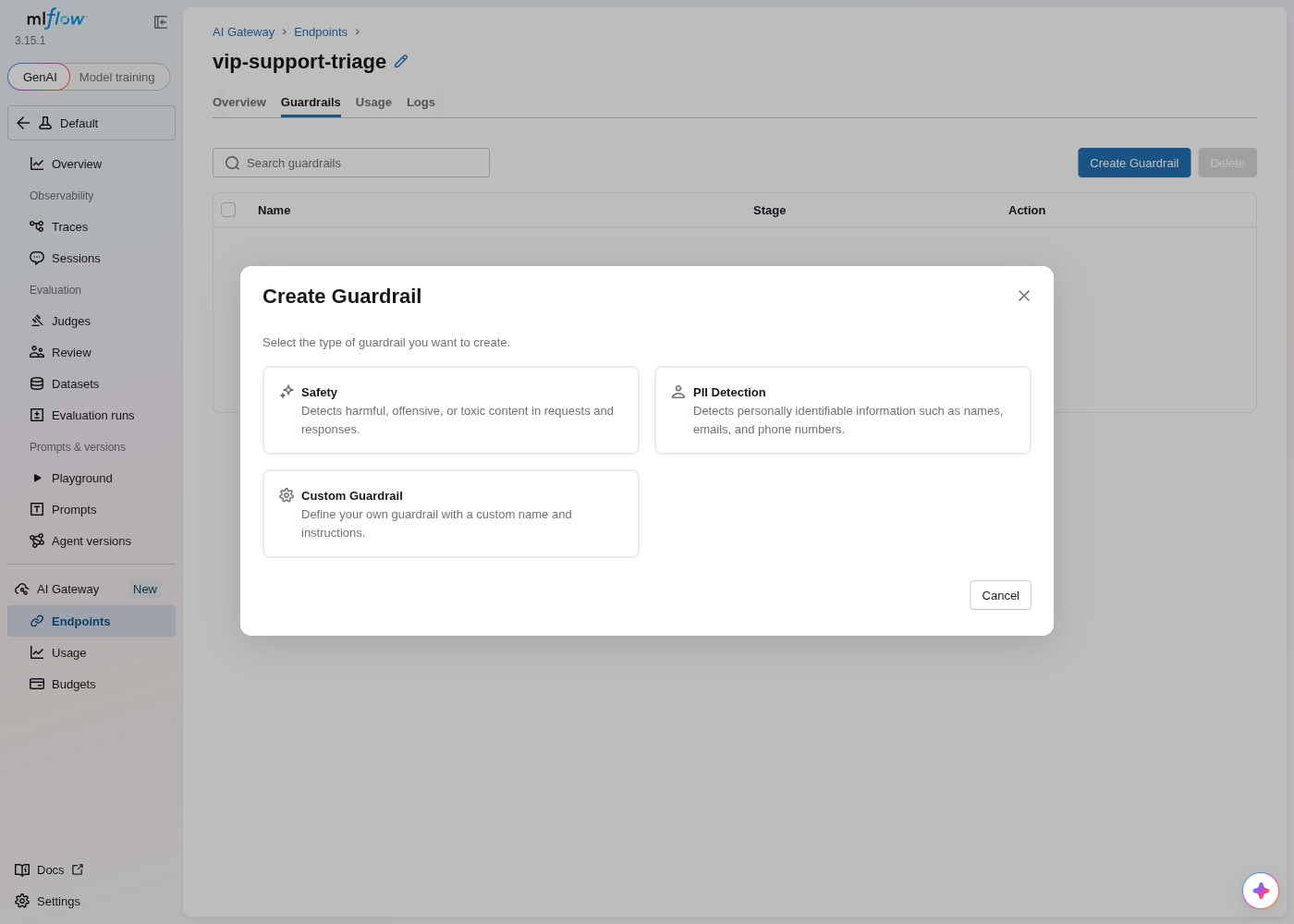
<li class="">👍 "Add to dataset" works directly from any trace, with inline "create new dataset" in the same dialog.</li>
<li class="">👎 The Prompt playground doesn't produce a trace — only a wrapped SDK call does.</li>
<li class="">👎 Running an experiment from a dataset explicitly defers to the SDK; the UI-only path is the Playground, not a real batch experiment runner.</li>
<li class="">👎 The Agent playground requires editing your own agent's code and running a terminal connector command just to see it — no schema-only path at all.</li>
</ul>
<p><strong>AcruxCore</strong></p>
<ul>
<li class="">👍 Nothing to instrument — <code>hub.gateway.chat()</code> (or the Playground) writes the trace as a side effect, no wrapper client.</li>
<li class="">👍 Nunjucks conditionals and loops are real template logic, not something you flatten by hand first.</li>
<li class="">👎 A model with no registered per-1M rate shows a blank <code>—</code> cost instead of <code>$0</code> or an estimate, until you register one.</li>
</ul>
<p><strong>Time-to-first-trace:</strong> AcruxCore gets there on the first call with zero
tracing-specific code. Opik gets there too, but only through the SDK path, after
wrapping a client.</p>
<h2 class="anchor anchorTargetStickyNavbar_SAay" id="what-opik-does-that-acruxcore-doesnt">What Opik does that AcruxCore doesn't<a href="https://acruxcore.com/blog/acruxcore-vs-opik#what-opik-does-that-acruxcore-doesnt" class="hash-link" aria-label="Direct link to What Opik does that AcruxCore doesn't" title="Direct link to What Opik does that AcruxCore doesn't" translate="no">​</a></h2>
<p>Sourced from Opik's own dashboard and docs, not from this post's earlier aspects —
those carry the same bias any of our own feature list would.</p>
<p><strong>Guardrails — a Topic guardrail and a PII guardrail, configurable per project.</strong>
Opik's "Set a guardrail" panel lets you enable a topic-restriction check (with a
sensitivity slider and a comma-separated restricted-topics list) and a PII check that
flags specific categories — credit card number, phone number, email, and more — each
with its own sensitivity threshold, plus a ready-to-run Python snippet using
<code>opik.guardrails</code>. AcruxCore has no equivalent: nothing inspects a call's input or
output for restricted topics or personal data before or after it reaches the model.</p>
<details class="details_B4FW alert alert--info details_SZgV" data-collapsed="true"><summary>Show screenshot: guardrails panel on Opik</summary><div><div class="collapsibleContent_VYua">
<!-- -->
<p><img decoding="async" loading="lazy" alt="Opik's &quot;Set a guardrail&quot; panel: Topic guardrail and PII guardrail toggles with sensitivity sliders, a restricted personal data checklist (credit card number, phone number checked), and a Python code sample using opik.guardrails" src="https://acruxcore.com/blog/assets/images/op-12-guardrails-1ec8a1d4f087d036240f5bdd4abfc347.png" width="1440" height="900" class="img__Ss2"></p>
</div></div></details>
<p><strong>Test suites — a dedicated pre-deployment regression object.</strong> Distinct from
Experiments: import test cases from a CSV or JSON file, or define them in the SDK,
each with an expected output and a scoring method, framed by Opik itself as
regression testing rather than dataset-driven experimentation.</p>
<details class="details_B4FW alert alert--info details_SZgV" data-collapsed="true"><summary>Show screenshot: Test suites on Opik</summary><div><div class="collapsibleContent_VYua">
<!-- -->
<p><img decoding="async" loading="lazy" alt="Opik's empty Test suites page, offering Upload a file (CSV/JSON) or Use SDK as the two ways to define test cases with expected outputs and scoring" src="https://acruxcore.com/blog/assets/images/op-11-test-suites-feefd1b0ab6beef402f88493235dfe80.png" width="1076" height="1041" class="img__Ss2"></p>
</div></div></details>
<p>AcruxCore has no equivalent to guardrails or a separate pre-deployment test-suite
object. It does have its own rule-based online evaluation — a judge (built-in or your
own prompt) scoring every matching live trace as it lands, not just a dataset run on
demand.</p>
<h2 class="anchor anchorTargetStickyNavbar_SAay" id="is-acruxcore-an-opik-alternative">Is AcruxCore an Opik alternative?<a href="https://acruxcore.com/blog/acruxcore-vs-opik#is-acruxcore-an-opik-alternative" class="hash-link" aria-label="Direct link to Is AcruxCore an Opik alternative?" title="Direct link to Is AcruxCore an Opik alternative?" translate="no">​</a></h2>
<p>For the day-to-day loop of running a prompt in production, yes. For pre-deployment testing,
not yet.</p>
<p>Opik has no tool catalog at all, its experiments default to the SDK rather than the UI, and
its Playground produces no trace — only a wrapped SDK call does, which makes for a genuinely
confusing first hour if you are evaluating it by clicking around.</p>
<p>Two things you would lose are real, and we will not talk around them: Opik's Topic and PII
guardrails, configurable per project, and its Test suites — a dedicated pre-deployment
regression object that nothing else in this series has an equivalent of. If either is the
reason you run Opik, we are not a replacement for it.</p>
<h2 class="anchor anchorTargetStickyNavbar_SAay" id="verdict">Verdict<a href="https://acruxcore.com/blog/acruxcore-vs-opik#verdict" class="hash-link" aria-label="Direct link to Verdict" title="Direct link to Verdict" translate="no">​</a></h2>


<table><thead><tr><th></th><th>Opik</th><th>AcruxCore</th></tr></thead><tbody><tr><td>Strongest at</td><td>Guardrails and PII detection, dedicated test suites, self-host with zero setup friction, real diff/deploy on prompts</td><td>A request-path gateway with routing, caching, and budgets on every call; tools that actually execute and get measured; datasets built from real feedback; rule-based online evaluation with a real judge model and custom judge prompts</td></tr><tr><td>Weakest at</td><td>No tool catalog at all; experiments default to the SDK, not the UI; Playground doesn't produce a trace</td><td>No guardrails, no dedicated test-suite object</td></tr><tr><td>Pick it if</td><td>You want guardrails and regression test suites layered onto a client you already own</td><td>You want the provider call itself — gateway, tools, feedback-driven datasets, and online scoring rules — traced for free, with nothing bolted on after the fact</td></tr></tbody></table>
<p>Opik's guardrails and test suites (<strong>What Opik does that AcruxCore
doesn't</strong> above) are real, and neither is something AcruxCore has an answer
for today. But on the loop that runs a production LLM app day to day, this comparison
landed on AcruxCore's side: Opik has no tool catalog at all (<strong>How tools are handled</strong>
above), and its Playground doesn't produce a trace, only a wrapped SDK call does
(<strong>Tracing &amp; observability</strong> above). AcruxCore's gateway, tool catalog, and
feedback-driven datasets stay in one integrated flow. See the full picture, including
license, pricing, and team structure, on the <a href="https://acruxcore.com/compare" target="_blank" rel="noopener noreferrer" class="">compare page</a>.</p>
<p>To compare more tools, see <a class="" href="https://acruxcore.com/blog/hands-on-llm-ops-comparison">10 LLM observability tools tested hands-on</a>,
<a class="" href="https://acruxcore.com/blog/langsmith-alternatives">8 LangSmith alternatives</a> and <a class="" href="https://acruxcore.com/blog/langfuse-alternatives">8 Langfuse alternatives</a>.</p>
<p>Want to run this yourself? The <a href="https://docs.acruxcore.com/docs/getting-started/quickstart" target="_blank" rel="noopener noreferrer" class="">Quickstart</a> gets you
from sign-up to a traced, gateway-routed call in about ten minutes.</p>]]></content>
        <author>
            <name>The AcruxCore Team</name>
            <uri>https://acruxcore.com</uri>
        </author>
        <category label="LLMOps comparison" term="LLMOps comparison"/>
        <category label="Prompt management" term="Prompt management"/>
        <category label="LLM tracing" term="LLM tracing"/>
    </entry>
    <entry>
        <title type="html"><![CDATA[AcruxCore vs Arize Phoenix: OTel tracing vs a gateway]]></title>
        <id>https://acruxcore.com/blog/acruxcore-vs-phoenix</id>
        <link href="https://acruxcore.com/blog/acruxcore-vs-phoenix"/>
        <updated>2026-08-07T00:00:00.000Z</updated>
        <summary type="html"><![CDATA[AcruxCore vs Arize Phoenix tested hands-on — one prompt rebuilt on Phoenix and AcruxCore, with real screenshots, an SDK trace and a latency benchmark.]]></summary>
        <content type="html"><![CDATA[<p>Arize Phoenix is the OTel-native tracing-and-eval project a lot of teams reach for
first, so it deserves a real answer, not a table copied from two docs sites. We built
the same prompt — <code>vip-support-triage</code>, a support agent that changes tone for VIP
customers and lists their open tickets — on both platforms, then ran the identical
sequence on each: create the prompt, version it, send a live call, inspect the trace,
build a dataset, run an experiment, and call it from an SDK script.</p>
<!-- -->
<div class="theme-admonition theme-admonition-note admonition_IZjC alert alert--secondary"><div class="admonitionHeading_uVvU"><span class="admonitionIcon_HiR3"><svg viewBox="0 0 14 16"><path fill-rule="evenodd" d="M6.3 5.69a.942.942 0 0 1-.28-.7c0-.28.09-.52.28-.7.19-.18.42-.28.7-.28.28 0 .52.09.7.28.18.19.28.42.28.7 0 .28-.09.52-.28.7a1 1 0 0 1-.7.3c-.28 0-.52-.11-.7-.3zM8 7.99c-.02-.25-.11-.48-.31-.69-.2-.19-.42-.3-.69-.31H6c-.27.02-.48.13-.69.31-.2.2-.3.44-.31.69h1v3c.02.27.11.5.31.69.2.2.42.31.69.31h1c.27 0 .48-.11.69-.31.2-.19.3-.42.31-.69H8V7.98v.01zM7 2.3c-3.14 0-5.7 2.54-5.7 5.68 0 3.14 2.56 5.7 5.7 5.7s5.7-2.55 5.7-5.7c0-3.15-2.56-5.69-5.7-5.69v.01zM7 .98c3.86 0 7 3.14 7 7s-3.14 7-7 7-7-3.12-7-7 3.14-7 7-7z"></path></svg></span>Same example, both sides</div><div class="admonitionContent_bl22"><p>Every paired screenshot below comes from the exact same prompt and the exact same
customer message, sent through the exact same downstream model
(<code>openai/gpt-4o-mini</code> via OpenRouter, configured as a Custom AI Provider in Phoenix) on
both platforms. Where a step is genuinely one-sided — no equivalent screen exists on
the other product — we say so instead of padding it out. License, pricing, team
structure, and community stats live on the <a href="https://acruxcore.com/compare" target="_blank" rel="noopener noreferrer" class="">compare page</a> instead of
here — they were always tables, and a price change there is one edit instead of three.</p></div></div>
<h3 class="anchor anchorTargetStickyNavbar_SAay" id="at-a-glance">At a glance<a href="https://acruxcore.com/blog/acruxcore-vs-phoenix#at-a-glance" class="hash-link" aria-label="Direct link to At a glance" title="Direct link to At a glance" translate="no">​</a></h3>


<table><thead><tr><th>Aspect</th><th>Phoenix</th><th>AcruxCore</th><th>Winner</th></tr></thead><tbody><tr><td>Tracing depth</td><td>Single span, OTel semantic conventions, rich attribute tabs</td><td>Single automatic span</td><td>Phoenix</td></tr><tr><td>Prompt templating</td><td>Mustache — <code>{{#section}}</code> doubles as both if <em>and</em> for</td><td>Real nunjucks <code>{% if %}</code> / <code>{% for %}</code> logic</td><td>AcruxCore</td></tr><tr><td>Playground</td><td>Cost, tokens, latency shown inline</td><td>Cost, cache, latency shown inline</td><td>Tie</td></tr><tr><td>Request-path gateway</td><td>None — Playground calls proxy through a GraphQL mutation, SDK calls go direct</td><td>Built in — routing, caching, budgets</td><td>AcruxCore</td></tr><tr><td>Tool catalog</td><td>Ad-hoc per-prompt tool JSON, no catalog page</td><td>Versioned catalog, real executed calls, analytics</td><td>AcruxCore</td></tr><tr><td>Dataset creation</td><td>From a trace span, or manually</td><td>Span-level trace feedback, manual entry, API, or a CSV/JSON file</td><td>Tie</td></tr><tr><td>SDK trace capture</td><td>Instrument a client + call the provider yourself</td><td>Automatic side effect of the gateway call</td><td>AcruxCore</td></tr><tr><td>Measured overhead</td><td>−14 to +21 ms across three 100-round runs</td><td>+11 to +51 ms across the same three runs</td><td>Phoenix, barely</td></tr><tr><td>Time-to-first-trace</td><td>SDK setup (register + instrument) before anything lands</td><td>Zero code, first gateway call</td><td>AcruxCore</td></tr><tr><td>MCP server</td><td><a href="https://github.com/Arize-ai/phoenix/tree/main/js/packages/phoenix-mcp" target="_blank" rel="noopener noreferrer" class="">A local program</a>, plus a hosted endpoint that exposes every REST route, SQL analytics and GraphQL</td><td><a href="https://docs.acruxcore.com/docs/guides/connect-an-mcp-client" target="_blank" rel="noopener noreferrer" class="">Hosted or local</a>: commit and promote prompts, run a stored prompt through the gateway, run experiments, use the tool catalog</td><td>Depends</td></tr></tbody></table>
<p>License, pricing, team structure, security, and community stats: see
<a href="https://acruxcore.com/compare" target="_blank" rel="noopener noreferrer" class="">AcruxCore vs Phoenix on the compare page</a>.</p>
<p>Full breakdown, screenshots, and the verdict below.</p>
<h2 class="anchor anchorTargetStickyNavbar_SAay" id="tracing--observability">Tracing &amp; observability<a href="https://acruxcore.com/blog/acruxcore-vs-phoenix#tracing--observability" class="hash-link" aria-label="Direct link to Tracing &amp; observability" title="Direct link to Tracing &amp; observability" translate="no">​</a></h2>
<p>Same call, genuinely richer trace UI on Phoenix's side. Its Info/Attributes/Events
tabs, per-span cost and token counts, and OTel semantic-convention attributes gave us
more to look at than AcruxCore's single-span view — deserved credit even though this
is the comparison's own template.</p>
<details class="details_B4FW alert alert--info details_SZgV" data-collapsed="true"><summary>Show screenshots: trace detail on both platforms</summary><div><div class="collapsibleContent_VYua">
<!-- -->
<p><img decoding="async" loading="lazy" alt="Phoenix's trace detail: ChatCompletion span showing status, total cost, latency, and the full input/output messages — including the &quot;- #: &quot; blank ticket line from the Playground's flat-input bug" src="https://acruxcore.com/blog/assets/images/px-05-trace-detail-80c7363415c76b281e8928831fd58f0f.png" width="1400" height="1000" class="img__Ss2">
<img decoding="async" loading="lazy" alt="AcruxCore's trace detail: one LLM span with model, provider, tokens, cost, and latency, linked back to the exact gateway request and prompt version" src="https://acruxcore.com/blog/assets/images/acx-05-trace-detail-b1664736ec89c78e1ea61d76bce324d5.png" width="1400" height="1300" class="img__Ss2"></p>
</div></div></details>


<table><thead><tr><th>Feature</th><th>Phoenix</th><th>AcruxCore</th></tr></thead><tbody><tr><td>Trace shape</td><td>Single span, rich attribute/event tabs</td><td>Single span per gateway call</td></tr><tr><td>How it's produced</td><td>Client-side OTel instrumentation (Playground calls proxy through Phoenix's own GraphQL backend)</td><td>Automatic — a side effect of the gateway call</td></tr><tr><td>Links back to prompt version</td><td>Not surfaced in this run</td><td>Yes — "View traces for this prompt version"</td></tr></tbody></table>
<h2 class="anchor anchorTargetStickyNavbar_SAay" id="prompt-authoring--versioning">Prompt authoring &amp; versioning<a href="https://acruxcore.com/blog/acruxcore-vs-phoenix#prompt-authoring--versioning" class="hash-link" aria-label="Direct link to Prompt authoring &amp; versioning" title="Direct link to Prompt authoring &amp; versioning" translate="no">​</a></h2>
<p>Phoenix's Prompts feature only exists inside the Playground — there is no standalone
"create prompt" form, you build it live and save it from there. Its templating engine
is <strong>Mustache</strong>, selectable alongside F-String and no-templating. Mustache has no
separate if-statement: <code>{{#is_vip}}...{{/is_vip}}</code> is the <em>same</em> section syntax used
for looping over <code>tickets</code>, so a truthy scalar and an array are handled by one
construct, not two. That's a real difference from nunjucks, where <code>{% if %}</code> and
<code>{% for %}</code> are distinct.</p>
<details class="details_B4FW alert alert--info details_SZgV" data-collapsed="true"><summary>Show screenshots: prompt editor, detail, and diff view</summary><div><div class="collapsibleContent_VYua">
<!-- -->
<p><img decoding="async" loading="lazy" alt="Phoenix's Playground with the vip-support-triage prompt loaded, showing Mustache section syntax for the VIP conditional and the tickets loop, tagged &quot;production&quot;, with real cost/token/latency telemetry from a live run" src="https://acruxcore.com/blog/assets/images/px-01-prompt-editor-8e0c682b69d87e56ad8105058f6b8464.png" width="1400" height="1000" class="img__Ss2">
<img decoding="async" loading="lazy" alt="Phoenix's prompt detail page — version 1 tagged &quot;production&quot; in the Latest Versions panel, separate from the prompt-level Labels field which reads &quot;No Labels&quot;" src="https://acruxcore.com/blog/assets/images/px-02-prompt-detail-0976a549e48ccb7f50f4ba207d4f4a21.png" width="1400" height="1000" class="img__Ss2">
<img decoding="async" loading="lazy" alt="Phoenix's version diff view — a second version highlighted in green for the one added line, with the version list and its &quot;staging&quot; tag alongside" src="https://acruxcore.com/blog/assets/images/px-03-diff-tab-965d850c5d543ba597900d061dd64cd4.png" width="1400" height="1000" class="img__Ss2">
<img decoding="async" loading="lazy" alt="AcruxCore's Diff tab showing a real unified diff between prompt version 2 and version 3" src="https://acruxcore.com/blog/assets/images/acx-03-diff-tab-7eaf8502858ad216dc1d948928d0b75a.png" width="1400" height="1000" class="img__Ss2"></p>
</div></div></details>
<p>AcruxCore's own prompt editor — real nunjucks conditionals and loops rendering VIP
status and the ticket list inline — is one sentence here rather than another
screenshot; see the <a class="" href="https://acruxcore.com/blog/acruxcore-hands-on-walkthrough#2-create-a-prompt-version-it-and-promote-an-alias">walkthrough</a>
for the picture.</p>
<p>Phoenix also has a real, separate diff view between versions — we didn't expect that
going in. But it exposed a structural gap: the Playground's input fields are flat text
boxes. Typing a JSON array into the <code>tickets</code> field for the Mustache loop to consume
doesn't parse it — Mustache treats the whole string as one truthy value, the loop runs
once with no bound fields, and the ticket lines render blank (<code>- #: </code>) with no error.
The SDK renders it correctly (see <strong>SDK &amp; DX</strong> below) because there the array is a real
Python list, not a string typed into a box — so this is a Playground-input limitation,
not a templating-engine one.</p>


<table><thead><tr><th>Feature</th><th>Phoenix</th><th>AcruxCore</th></tr></thead><tbody><tr><td>Conditional templating</td><td>Mustache sections — same syntax for if and for, verified hands-on</td><td>Real nunjucks <code>{% if %}</code>/<code>{% for %}</code>, rendered server-side</td></tr><tr><td>Version comparison</td><td>Real <strong>Diff</strong> toggle between any two versions</td><td>Standing <strong>Diff</strong> tab, unified diff between any two versions</td></tr><tr><td>Live/staging labels</td><td><code>production</code> / <code>staging</code> <strong>tags</strong> on a version</td><td><code>production</code> / <code>staging</code> <strong>aliases</strong> your app fetches at runtime</td></tr><tr><td>Structured variables in Playground</td><td>Flat text input only — arrays/objects don't parse, fail silently</td><td>Typed variable schema</td></tr></tbody></table>
<h2 class="anchor anchorTargetStickyNavbar_SAay" id="sending-a-live-call">Sending a live call<a href="https://acruxcore.com/blog/acruxcore-vs-phoenix#sending-a-live-call" class="hash-link" aria-label="Direct link to Sending a live call" title="Direct link to Sending a live call" translate="no">​</a></h2>
<p>Both need a real connected model before anything runs. Phoenix required one extra
setup step: OpenAI-compatible providers with a custom base URL live under <strong>Custom AI
Providers</strong>, separate from the built-in OpenAI/Anthropic/Bedrock/Gemini list, and we
had to switch its API Type from "Responses" to "Chat Completions" for OpenRouter to
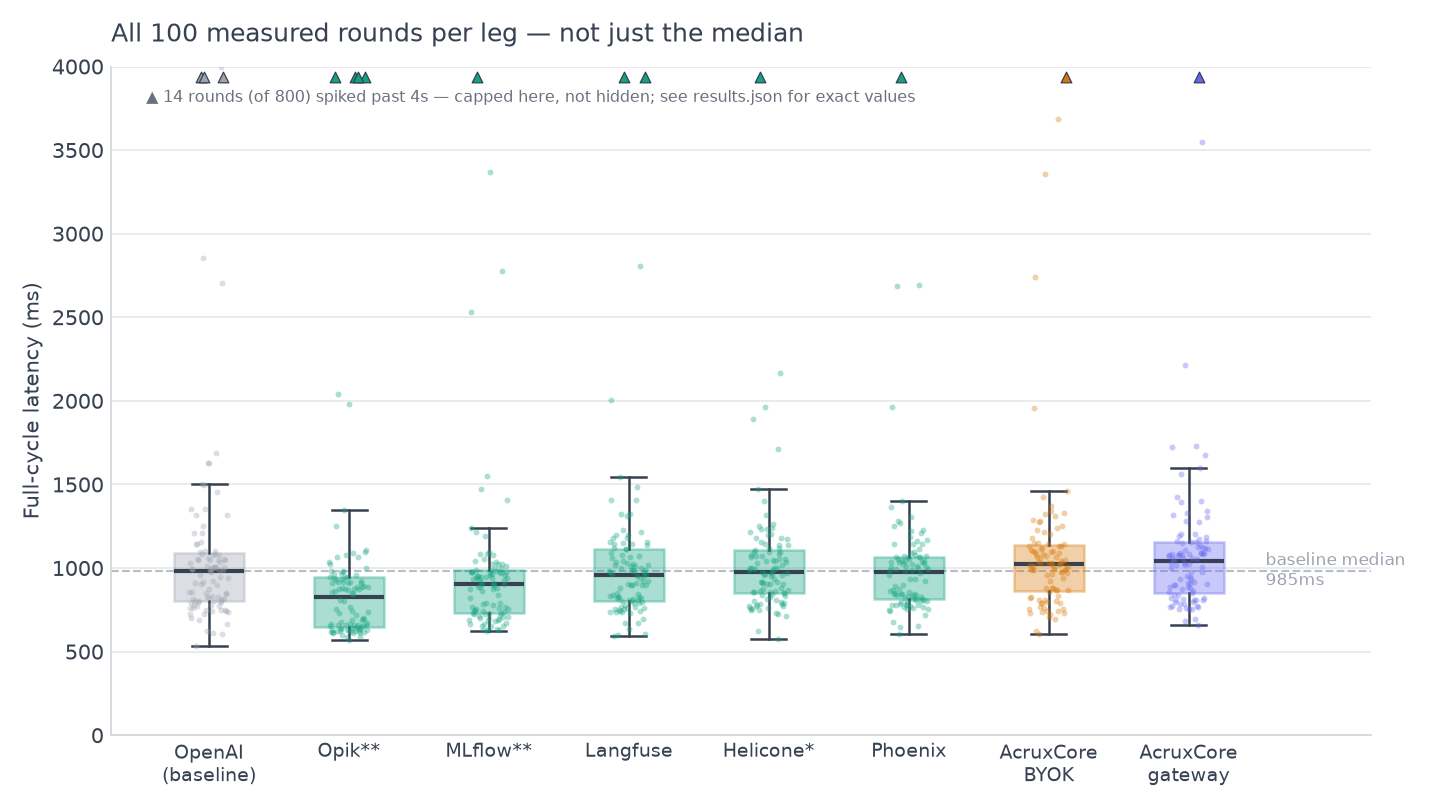
accept the request.</p>
<details class="details_B4FW alert alert--info details_SZgV" data-collapsed="true"><summary>Show screenshots: Playground run on both platforms</summary><div><div class="collapsibleContent_VYua">
<!-- -->
<p><img decoding="async" loading="lazy" alt="Phoenix's Playground run: the saved vip-support-triage prompt, Mustache inputs filled in, and a real completion with 1.9s latency, 122 tokens, and <$0.01 cost shown inline" src="https://acruxcore.com/blog/assets/images/px-04-playground-run-ea446b23e5283b0ace27266177f80600.png" width="1400" height="1000" class="img__Ss2">
<img decoding="async" loading="lazy" alt="AcruxCore Playground's Stored-prompt tab, showing the same completion plus a Gateway Telemetry panel with provider, cost, cache status, and latency" src="https://acruxcore.com/blog/assets/images/acx-04-playground-run-44f0839517d13d574beb62a1eccd47f6.png" width="1440" height="1400" class="img__Ss2"></p>
</div></div></details>


<table><thead><tr><th>Feature</th><th>Phoenix</th><th>AcruxCore</th></tr></thead><tbody><tr><td>Playground</td><td>Runs against a saved prompt version, cost/tokens/latency shown inline</td><td>Runs against a <strong>stored prompt reference</strong>, shows cost/cache/latency inline</td></tr><tr><td>Custom OpenAI-compatible providers</td><td>Yes — separate "Custom AI Providers" section, needs the right API Type set</td><td>Native — any OpenAI-compatible base URL</td></tr></tbody></table>
<h2 class="anchor anchorTargetStickyNavbar_SAay" id="where-the-platform-sits--in-the-request-path-or-beside-it">Where the platform sits — in the request path, or beside it<a href="https://acruxcore.com/blog/acruxcore-vs-phoenix#where-the-platform-sits--in-the-request-path-or-beside-it" class="hash-link" aria-label="Direct link to Where the platform sits — in the request path, or beside it" title="Direct link to Where the platform sits — in the request path, or beside it" translate="no">​</a></h2>
<p>AcruxCore's gateway sits <strong>in the request path</strong>: every call is routed through it, so
BYOK provider selection, caching, budgets, and virtual keys all apply before the
provider is ever called. Phoenix sits <strong>beside</strong> the request path, on purpose — its
Playground's "Run" button doesn't call the provider from your browser at all; network
inspection during a real run showed the call going out as a single <code>POST /graphql</code> to
Phoenix's own backend, a UI-only relay with no routing, caching, or budget logic
behind it. Its SDK path (see <strong>SDK &amp; DX</strong> below) skips that relay entirely and calls
the provider directly. That's a legitimate design choice — it works with any provider
without changing your call site — not a missing feature.</p>


<table><thead><tr><th>Feature</th><th>Phoenix</th><th>AcruxCore</th></tr></thead><tbody><tr><td>Where it sits</td><td>Beside the request path — Playground proxies via GraphQL, SDK calls go direct</td><td>In the request path — every call routes through it</td></tr><tr><td>BYOK, caching, budgets, virtual keys</td><td>Not applicable — no persistent request path to apply them to</td><td>Built in, applied before the provider call</td></tr></tbody></table>
<h2 class="anchor anchorTargetStickyNavbar_SAay" id="how-tools-are-handled--schema-registry-or-execution">How tools are handled — schema registry, or execution<a href="https://acruxcore.com/blog/acruxcore-vs-phoenix#how-tools-are-handled--schema-registry-or-execution" class="hash-link" aria-label="Direct link to How tools are handled — schema registry, or execution" title="Direct link to How tools are handled — schema registry, or execution" translate="no">​</a></h2>
<p>AcruxCore has a real <strong>Tool Catalog</strong> — callable functions, versioned like prompts,
with their own analytics page. Phoenix has no equivalent nav item at all: the closest
thing is a "+ Tool" control inside the Playground's message editor, which defines a
JSON Schema function for that one prompt run. There's no catalog, no versioning, and
nothing gets executed or measured — the schema is registered, never run.</p>
<details class="details_B4FW alert alert--info details_SZgV" data-collapsed="true"><summary>Show screenshot: tool analytics on AcruxCore</summary><div><div class="collapsibleContent_VYua">
<!-- -->
<p><img decoding="async" loading="lazy" alt="AcruxCore's per-tool analytics: volume, error rate, and P50/P95 latency" src="https://acruxcore.com/blog/assets/images/acx-08-tool-analytics-5670235ce2d99243b4cc29dc928324b3.png" width="981" height="450" class="img__Ss2"></p>
</div></div></details>
<p>AcruxCore's Tools page — a dozen versioned tools with real execution history — is one
sentence here; see the
<a class="" href="https://acruxcore.com/blog/acruxcore-hands-on-walkthrough#7-a-versioned-tool-catalog">walkthrough</a> for the
screenshot.</p>


<table><thead><tr><th>Feature</th><th>Phoenix</th><th>AcruxCore</th></tr></thead><tbody><tr><td>Tool definition</td><td>Ad-hoc JSON Schema per prompt, in the Playground</td><td>Versioned catalog entry, reusable across prompts</td></tr><tr><td>Execution &amp; analytics</td><td>Not found</td><td>Real executed calls, volume/error-rate/P50-P95 per tool</td></tr></tbody></table>
<h2 class="anchor anchorTargetStickyNavbar_SAay" id="evaluation--datasets">Evaluation &amp; datasets<a href="https://acruxcore.com/blog/acruxcore-vs-phoenix#evaluation--datasets" class="hash-link" aria-label="Direct link to Evaluation &amp; datasets" title="Direct link to Evaluation &amp; datasets" translate="no">​</a></h2>
<p>Phoenix's dataset flow starts from a real trace: select a span, "Add to Dataset,"
name it, done — genuinely as smooth as AcruxCore's. Its Evaluators page also draws a
clear diagram distinguishing <strong>LLM evaluators</strong> (AI-judged) from <strong>Code evaluators</strong>
(deterministic checks like <code>exact_match</code> and regex) — a distinction AcruxCore doesn't
surface as its own category, worth crediting.</p>
<p>Running an experiment against that dataset is where it broke down: the dataset stored
the span's <em>rendered</em> <code>messages</code> array, not the original template variables
(<code>company</code>, <code>is_vip</code>, <code>tickets</code>, <code>question</code>). Pointing the experiment at our saved
prompt produced "Dataset is missing input for variables" — the captured example and
the templated prompt don't speak the same shape without manual remapping.</p>
<details class="details_B4FW alert alert--info details_SZgV" data-collapsed="true"><summary>Show screenshots: evaluators overview and the failed experiment run</summary><div><div class="collapsibleContent_VYua">
<!-- -->
<p><img decoding="async" loading="lazy" alt="Phoenix's Evaluators overview diagram: Dataset → Task (Playground Prompt) → Evaluator (LLM or Code) → Score" src="https://acruxcore.com/blog/assets/images/px-12-evaluators-overview-1f88f828e4a5cec31494d99b03afb9c3.png" width="1400" height="1000" class="img__Ss2">
<img decoding="async" loading="lazy" alt="Phoenix's experiment view over the new dataset — the saved prompt selected, but &quot;Dataset is missing input for variables: company, is_vip, tickets, question&quot; because the dataset stored rendered messages, not template variables" src="https://acruxcore.com/blog/assets/images/px-11-experiment-run-abc39cc3e727fc6c76263d5a3d8c41b9.png" width="1400" height="1000" class="img__Ss2"></p>
</div></div></details>
<p>AcruxCore's dataset (built from trace feedback) and its experiment run report are one
sentence each here; see the walkthrough's
<a class="" href="https://acruxcore.com/blog/acruxcore-hands-on-walkthrough#5-build-a-dataset-from-real-feedback">dataset</a>
and
<a class="" href="https://acruxcore.com/blog/acruxcore-hands-on-walkthrough#6-check-the-run-history">run-history</a>
sections for the screenshots.</p>


<table><thead><tr><th>Feature</th><th>Phoenix</th><th>AcruxCore</th></tr></thead><tbody><tr><td>Dataset from a trace</td><td>Yes — select a span, add to dataset</td><td>Yes — from real span-level trace feedback</td></tr><tr><td>Evaluator types</td><td>LLM evaluators and deterministic Code evaluators, distinct paths</td><td>LLM-judged evaluation</td></tr><tr><td>Running a templated prompt against a trace-sourced dataset</td><td>Broke — dataset stores rendered messages, not template variables</td><td>Not attempted in this comparison</td></tr></tbody></table>
<h2 class="anchor anchorTargetStickyNavbar_SAay" id="sdk--dx">SDK &amp; DX<a href="https://acruxcore.com/blog/acruxcore-vs-phoenix#sdk--dx" class="hash-link" aria-label="Direct link to SDK &amp; DX" title="Direct link to SDK &amp; DX" translate="no">​</a></h2>
<p>AcruxCore's SDK renders a <em>stored</em> prompt server-side
(<code>hub.prompts.render()</code>) and the gateway writes the trace with no tracing code in the
caller at all. Phoenix's Python SDK has no equivalent render call — there's no
server-side templating endpoint to hit, so the Mustache logic built in the Playground
had to be <strong>hand-duplicated in Python</strong> in our script. The upside: once instrumented,
<code>OpenAIInstrumentor</code> auto-wraps the OpenAI client and the trace lands correctly —
including the ticket loop rendering right, unlike the Playground's flat-input bug,
because here <code>tickets</code> is a real Python list.</p>
<div class="language-python codeBlockContainer_ZGJx theme-code-block" style="--prism-color:#393A34;--prism-background-color:#f6f8fa"><div class="codeBlockContent_kX1v"><pre tabindex="0" class="prism-code language-python codeBlock_TAPP thin-scrollbar" style="color:#393A34;background-color:#f6f8fa"><code class="codeBlockLines_AdAo"><div class="token-line" style="color:#393A34"><span class="token keyword" style="color:#00009f">from</span><span class="token plain"> phoenix</span><span class="token punctuation" style="color:#393A34">.</span><span class="token plain">otel </span><span class="token keyword" style="color:#00009f">import</span><span class="token plain"> register</span><br></div><div class="token-line" style="color:#393A34"><span class="token plain"></span><span class="token keyword" style="color:#00009f">from</span><span class="token plain"> openinference</span><span class="token punctuation" style="color:#393A34">.</span><span class="token plain">instrumentation</span><span class="token punctuation" style="color:#393A34">.</span><span class="token plain">openai </span><span class="token keyword" style="color:#00009f">import</span><span class="token plain"> OpenAIInstrumentor</span><br></div><div class="token-line" style="color:#393A34"><span class="token plain"></span><span class="token keyword" style="color:#00009f">from</span><span class="token plain"> openai </span><span class="token keyword" style="color:#00009f">import</span><span class="token plain"> OpenAI</span><br></div><div class="token-line" style="color:#393A34"><span class="token plain" style="display:inline-block"></span><br></div><div class="token-line" style="color:#393A34"><span class="token plain">tracer_provider </span><span class="token operator" style="color:#393A34">=</span><span class="token plain"> register</span><span class="token punctuation" style="color:#393A34">(</span><span class="token plain"></span><br></div><div class="token-line" style="color:#393A34"><span class="token plain">    endpoint</span><span class="token operator" style="color:#393A34">=</span><span class="token string" style="color:#e3116c">"http://localhost:6006/v1/traces"</span><span class="token punctuation" style="color:#393A34">,</span><span class="token plain"></span><br></div><div class="token-line" style="color:#393A34"><span class="token plain">    project_name</span><span class="token operator" style="color:#393A34">=</span><span class="token string" style="color:#e3116c">"vip-support-triage-sdk"</span><span class="token punctuation" style="color:#393A34">,</span><span class="token plain"></span><br></div><div class="token-line" style="color:#393A34"><span class="token plain"></span><span class="token punctuation" style="color:#393A34">)</span><span class="token plain"></span><br></div><div class="token-line" style="color:#393A34"><span class="token plain">OpenAIInstrumentor</span><span class="token punctuation" style="color:#393A34">(</span><span class="token punctuation" style="color:#393A34">)</span><span class="token punctuation" style="color:#393A34">.</span><span class="token plain">instrument</span><span class="token punctuation" style="color:#393A34">(</span><span class="token plain">tracer_provider</span><span class="token operator" style="color:#393A34">=</span><span class="token plain">tracer_provider</span><span class="token punctuation" style="color:#393A34">)</span><span class="token plain"></span><br></div><div class="token-line" style="color:#393A34"><span class="token plain" style="display:inline-block"></span><br></div><div class="token-line" style="color:#393A34"><span class="token plain">client </span><span class="token operator" style="color:#393A34">=</span><span class="token plain"> OpenAI</span><span class="token punctuation" style="color:#393A34">(</span><span class="token plain">api_key</span><span class="token operator" style="color:#393A34">=</span><span class="token plain">OPENROUTER_KEY</span><span class="token punctuation" style="color:#393A34">,</span><span class="token plain"> base_url</span><span class="token operator" style="color:#393A34">=</span><span class="token string" style="color:#e3116c">"https://openrouter.ai/api/v1"</span><span class="token punctuation" style="color:#393A34">)</span><span class="token plain"></span><br></div><div class="token-line" style="color:#393A34"><span class="token plain"></span><span class="token comment" style="color:#999988;font-style:italic"># system message rendered by hand — Phoenix has no server-side prompt-render call</span><br></div></code></pre></div></div>
<p>Full script:
<a href="https://github.com/AcruxCore/AcruxCore/blob/main/scripts/comparison/phoenix-vs-acruxcore/python/px_trace_run.py" target="_blank" rel="noopener noreferrer" class=""><code>px_trace_run.py</code></a>.
AcruxCore's leg:
<a href="https://github.com/AcruxCore/AcruxCore/blob/main/scripts/comparison/phoenix-vs-acruxcore/python/acx_sdk_run.py" target="_blank" rel="noopener noreferrer" class=""><code>acx_sdk_run.py</code></a>.</p>
<details class="details_B4FW alert alert--info details_SZgV" data-collapsed="true"><summary>Show screenshot: SDK-produced trace on Phoenix</summary><div><div class="collapsibleContent_VYua">
<!-- -->
<p><img decoding="async" loading="lazy" alt="Phoenix's trace produced by the SDK script — the system message's ticket loop rendering correctly (&quot;- #4821: ...&quot;, &quot;- #4790: ...&quot;) because tickets is a real Python list, not a flat text box" src="https://acruxcore.com/blog/assets/images/px-09-sdk-trace-dfb8b42ec876760ebe0f019cd4c59788.png" width="1400" height="1000" class="img__Ss2"></p>
</div></div></details>
<p>AcruxCore's SDK-produced trace, with prompt-version lineage attached automatically, is
one sentence here; see the
<a class="" href="https://acruxcore.com/blog/acruxcore-hands-on-walkthrough#doing-this-from-code">walkthrough</a> for the
screenshot.</p>


<table><thead><tr><th>Feature</th><th>Phoenix</th><th>AcruxCore</th></tr></thead><tbody><tr><td>Prompt rendering</td><td>No server-side render call — caller re-implements the template logic</td><td><code>hub.prompts.render()</code> — one call, server-side</td></tr><tr><td>Tracing</td><td>Manual instrument step (<code>register</code> + <code>OpenAIInstrumentor</code>), then automatic</td><td>Automatic side effect of <code>hub.gateway.chat()</code>, zero tracing code</td></tr></tbody></table>
<h2 class="anchor anchorTargetStickyNavbar_SAay" id="latency-overhead--measured">Latency overhead — measured<a href="https://acruxcore.com/blog/acruxcore-vs-phoenix#latency-overhead--measured" class="hash-link" aria-label="Direct link to Latency overhead — measured" title="Direct link to Latency overhead — measured" translate="no">​</a></h2>
<p>100 interleaved rounds, three legs, rotating order, warm-up discarded — the same
method as every comparison in this series. <code>phoenix_otel</code> wraps a raw OpenAI client
with <code>openinference-instrumentation-openai</code>; <code>acx_gateway</code> is a raw POST to a local
AcruxCore gateway. Every leg ends at <code>gpt-4o-mini</code> on <code>api.openai.com</code> with the same
key and body, and the script refuses to start unless the gateway model resolves to a
native OpenAI credential — so all three provably share one upstream.</p>
<p>One run is not a result: the median gap moves enough between runs that a single
number would mislead. So it ran three times.</p>


<table><thead><tr><th>Run</th><th>Direct-call median</th><th>Phoenix gap</th><th>AcruxCore gap</th></tr></thead><tbody><tr><td>1</td><td>599 ms</td><td>+21 ms, CI [+2, +44]</td><td>+51 ms, CI [+27, +72]</td></tr><tr><td>2</td><td>630 ms</td><td>−14 ms, CI [−30, +5]</td><td>+11 ms, CI [−3, +24]</td></tr><tr><td>3</td><td>615 ms</td><td>+8 ms, CI [−11, +30]</td><td>+38 ms, CI [+16, +58]</td></tr></tbody></table>
<p>Phoenix's overhead lands between −14 ms and +21 ms, AcruxCore's between +11 ms and
+51 ms. Phoenix's was the lower of the two in all three runs, by roughly 30 ms —
consistent enough to be real, and small enough that no application would notice it.
The two are different kinds of cost: client-side OTel instrumentation pays CPU and
serialization, an extra network hop pays routing and caching. Full script:
<a href="https://github.com/AcruxCore/AcruxCore/blob/main/scripts/comparison/phoenix-vs-acruxcore/python/latency_bench.py" target="_blank" rel="noopener noreferrer" class=""><code>latency_bench.py</code></a>.</p>
<p>For a broader run — six platforms in one interleaved benchmark, the stored-prompt
fetch timed alongside the completion, and four independent runs to check how stable
the numbers are — see
<a class="" href="https://acruxcore.com/blog/full-cycle-latency-benchmark">full-cycle latency across six LLM-ops platforms</a>.</p>
<h2 class="anchor anchorTargetStickyNavbar_SAay" id="friction-hit-during-this-run">Friction hit during this run<a href="https://acruxcore.com/blog/acruxcore-vs-phoenix#friction-hit-during-this-run" class="hash-link" aria-label="Direct link to Friction hit during this run" title="Direct link to Friction hit during this run" translate="no">​</a></h2>
<p>Setting up the Custom AI Provider was straightforward once we found it under
Settings → AI Providers rather than the API Keys popover. Real friction we hit in this
run: the Playground's flat-text variable inputs silently mis-render structured data
(see <strong>Prompt authoring &amp; versioning</strong> above); a dataset built from a trace can't drive
an experiment against a templated prompt without remapping (see <strong>Evaluation &amp;
datasets</strong> above); and visiting <code>/account</code> on this no-auth local install crashes with
"Something went wrong" rather than a graceful empty state.</p>


<table><thead><tr><th>Feature</th><th>Phoenix</th><th>AcruxCore</th></tr></thead><tbody><tr><td>Time-to-first-trace</td><td>Requires <code>register()</code> + <code>instrument()</code> before any call</td><td>Zero code — first gateway call traces itself</td></tr><tr><td>Custom provider setup</td><td>Real feature, one extra field (API Type) to get right</td><td>Native BYOK, no extra step</td></tr></tbody></table>
<h2 class="anchor anchorTargetStickyNavbar_SAay" id="what-phoenix-does-that-acruxcore-doesnt">What Phoenix does that AcruxCore doesn't<a href="https://acruxcore.com/blog/acruxcore-vs-phoenix#what-phoenix-does-that-acruxcore-doesnt" class="hash-link" aria-label="Direct link to What Phoenix does that AcruxCore doesn't" title="Direct link to What Phoenix does that AcruxCore doesn't" translate="no">​</a></h2>
<p>Sourced from Phoenix's own dashboard and docs, not from this post's earlier aspects —
those carry the same bias any of our own feature list would.</p>
<p><strong>PXI, a built-in assistant docked in the dashboard.</strong> A chat panel lives in every
Phoenix page, seeded with suggestions like "Find critical issues" and "Explain a
concept," and it can answer questions about your own traces, not just about Phoenix in
general. AcruxCore has no equivalent — no in-dashboard assistant at all.</p>
<details class="details_B4FW alert alert--info details_SZgV" data-collapsed="true"><summary>Show screenshot: PXI, Phoenix's built-in assistant</summary><div><div class="collapsibleContent_VYua">
<!-- -->
<p><img decoding="async" loading="lazy" alt="Phoenix's &quot;Meet PXI, your Phoenix assistant&quot; panel, with suggested prompts (How do I use Phoenix?, Explain a concept, Find critical issues) and a Tracing settings section controlling whether the assistant's own sessions are saved" src="https://acruxcore.com/blog/assets/images/px-13-ask-pxi-94151006e4d52086a08b778b43b69762.png" width="1440" height="900" class="img__Ss2"></p>
</div></div></details>
<p><strong>Per-project data retention on a schedule, plus typed annotation configs.</strong> Project
Settings lets you set a retention policy with an actual schedule (this instance's
default runs "At 12:00 AM, only on Sunday (UTC)"), and define named annotation types
(here, a Categorical <code>user_feedback</code> config) rather than a single free-form rating.
AcruxCore's payload capture is one team-wide on/off switch; it has no per-project
retention schedule and no typed-annotation configuration.</p>
<details class="details_B4FW alert alert--info details_SZgV" data-collapsed="true"><summary>Show screenshot: per-project retention and annotation config on Phoenix</summary><div><div class="collapsibleContent_VYua">
<!-- -->
<p><img decoding="async" loading="lazy" alt="Phoenix's per-project Config tab: a retention policy with a real schedule, and an Annotation Configs table defining a Categorical &quot;user_feedback&quot; type" src="https://acruxcore.com/blog/assets/images/px-14-project-config-71843076545075da72a92072c9dd7aba.png" width="1440" height="900" class="img__Ss2"></p>
</div></div></details>
<p>One earlier expectation didn't hold up: Phoenix's docs list Tracing, Evaluation, Prompt
Engineering, Datasets &amp; Experiments, and PXI as its top-level capabilities today — no
embedding-drift-analysis section turned up in the docs nav or in this instance's UI, so
we're not carrying that claim forward from older material.</p>
<h2 class="anchor anchorTargetStickyNavbar_SAay" id="is-acruxcore-an-arize-phoenix-alternative">Is AcruxCore an Arize Phoenix alternative?<a href="https://acruxcore.com/blog/acruxcore-vs-phoenix#is-acruxcore-an-arize-phoenix-alternative" class="hash-link" aria-label="Direct link to Is AcruxCore an Arize Phoenix alternative?" title="Direct link to Is AcruxCore an Arize Phoenix alternative?" translate="no">​</a></h2>
<p>For running an LLM app, yes. For notebook-based analysis, no.</p>
<p>Phoenix has no request-path gateway, its "tool" is an unversioned JSON Schema saved per
prompt that never executes, and the local open-source install has no team, role or audit
concept at all — that last one is worth checking first if more than one person needs access.</p>
<p>Phoenix's per-span attribute depth is genuinely better than ours, and PXI, its docked
assistant, has no equivalent here. If your work happens inside a notebook and OTel-native
tracing is the whole job, Phoenix is the better fit.</p>
<p>We also accept OTel-instrumented traces on an OTLP endpoint, so keeping Phoenix's
instrumentation while moving the calls themselves to our gateway is a supported combination
rather than a fork in the road.</p>
<h2 class="anchor anchorTargetStickyNavbar_SAay" id="verdict">Verdict<a href="https://acruxcore.com/blog/acruxcore-vs-phoenix#verdict" class="hash-link" aria-label="Direct link to Verdict" title="Direct link to Verdict" translate="no">​</a></h2>


<table><thead><tr><th></th><th>Phoenix</th><th>AcruxCore</th></tr></thead><tbody><tr><td>Strongest at</td><td>Rich per-span trace attributes, a genuine LLM-vs-code evaluator split, a built-in dashboard assistant</td><td>A request-path gateway with routing, caching, and budgets on every call; tools that actually execute and get measured; server-side prompt rendering with zero tracing code</td></tr><tr><td>Weakest at</td><td>No request-path gateway; no team/RBAC/audit at all in local OSS; Playground's flat inputs silently mis-render structured template data</td><td>No in-dashboard assistant; narrower eval-evaluator taxonomy; no audit export</td></tr><tr><td>Pick it if</td><td>You want OTel-native tracing and evals layered onto a client you already own, and don't need team/RBAC out of the box</td><td>You want the provider call itself — gateway, tools, feedback-driven datasets — traced for free, with a real team model, nothing bolted on after the fact; AcruxCore also accepts your own OTel-instrumented traces directly via its OTLP endpoint</td></tr></tbody></table>
<p>Phoenix's tracing depth and its LLM/code evaluator split (<strong>Tracing &amp; observability</strong>,
<strong>Evaluation &amp; datasets</strong> above) are real strengths, and so is PXI, its built-in
assistant (<strong>What Phoenix does that AcruxCore doesn't</strong>). But on the loop that
actually runs a production LLM app day to day, this comparison landed on AcruxCore's
side each time: Phoenix has no request-path gateway at all (<strong>Where the platform sits</strong>
above), its "tool" is an unversioned JSON Schema saved per-prompt, never executed or
measured (<strong>How tools are handled</strong> above), and its local OSS install has no team,
role, or audit concept whatsoever. AcruxCore does all three natively, in one
integrated flow. See the full picture, including license, pricing, and team structure,
on the <a href="https://acruxcore.com/compare" target="_blank" rel="noopener noreferrer" class="">compare page</a>.</p>
<p>To compare more tools, see <a class="" href="https://acruxcore.com/blog/hands-on-llm-ops-comparison">10 LLM observability tools tested hands-on</a>,
<a class="" href="https://acruxcore.com/blog/langsmith-alternatives">8 LangSmith alternatives</a> and <a class="" href="https://acruxcore.com/blog/langfuse-alternatives">8 Langfuse alternatives</a>.</p>
<p>Want to run this yourself? The <a href="https://docs.acruxcore.com/docs/getting-started/quickstart" target="_blank" rel="noopener noreferrer" class="">Quickstart</a> gets you
from sign-up to a traced, gateway-routed call in about ten minutes.</p>]]></content>
        <author>
            <name>The AcruxCore Team</name>
            <uri>https://acruxcore.com</uri>
        </author>
        <category label="LLMOps comparison" term="LLMOps comparison"/>
        <category label="LLM tracing" term="LLM tracing"/>
    </entry>
    <entry>
        <title type="html"><![CDATA[AcruxCore vs Langfuse: org hierarchy vs a flat team]]></title>
        <id>https://acruxcore.com/blog/acruxcore-vs-langfuse</id>
        <link href="https://acruxcore.com/blog/acruxcore-vs-langfuse"/>
        <updated>2026-08-06T00:00:00.000Z</updated>
        <summary type="html"><![CDATA[AcruxCore vs Langfuse tested hands-on — the same prompt rebuilt and run on both, with real screenshots, an SDK trace and a measured latency benchmark.]]></summary>
        <content type="html"><![CDATA[<p>Langfuse is the LLM-ops platform we get compared to most often, and it deserves a real
answer, not a table copied from two docs sites. So we built the same prompt —
<code>vip-support-triage</code>, a support agent that changes tone for VIP customers and lists
their open tickets — on both platforms, then ran the identical sequence on each: create
the prompt, version it, send a live call, inspect the trace, build a dataset, run an
experiment, and call it from an SDK script.</p>
<!-- -->
<div class="theme-admonition theme-admonition-note admonition_IZjC alert alert--secondary"><div class="admonitionHeading_uVvU"><span class="admonitionIcon_HiR3"><svg viewBox="0 0 14 16"><path fill-rule="evenodd" d="M6.3 5.69a.942.942 0 0 1-.28-.7c0-.28.09-.52.28-.7.19-.18.42-.28.7-.28.28 0 .52.09.7.28.18.19.28.42.28.7 0 .28-.09.52-.28.7a1 1 0 0 1-.7.3c-.28 0-.52-.11-.7-.3zM8 7.99c-.02-.25-.11-.48-.31-.69-.2-.19-.42-.3-.69-.31H6c-.27.02-.48.13-.69.31-.2.2-.3.44-.31.69h1v3c.02.27.11.5.31.69.2.2.42.31.69.31h1c.27 0 .48-.11.69-.31.2-.19.3-.42.31-.69H8V7.98v.01zM7 2.3c-3.14 0-5.7 2.54-5.7 5.68 0 3.14 2.56 5.7 5.7 5.7s5.7-2.55 5.7-5.7c0-3.15-2.56-5.69-5.7-5.69v.01zM7 .98c3.86 0 7 3.14 7 7s-3.14 7-7 7-7-3.12-7-7 3.14-7 7-7z"></path></svg></span>Same example, both sides</div><div class="admonitionContent_bl22"><p>Every paired screenshot below comes from the exact same prompt and the exact same
customer message, sent through the exact same downstream model
(<code>openai/gpt-4o-mini</code> via OpenRouter) on both platforms. The latency benchmark further
down is separate: every leg of it goes straight to <code>api.openai.com</code>, so the two sections
quote different upstreams on purpose. Where a step is genuinely
one-sided — no equivalent screen exists on the other product — we say so instead of
padding it out. License, pricing, team structure, and community stats live on the
<a href="https://acruxcore.com/compare" target="_blank" rel="noopener noreferrer" class="">compare page</a> instead of here — they were always tables, and a
price change there is one edit instead of three.</p></div></div>
<h3 class="anchor anchorTargetStickyNavbar_SAay" id="at-a-glance">At a glance<a href="https://acruxcore.com/blog/acruxcore-vs-langfuse#at-a-glance" class="hash-link" aria-label="Direct link to At a glance" title="Direct link to At a glance" translate="no">​</a></h3>


<table><thead><tr><th>Aspect</th><th>Langfuse</th><th>AcruxCore</th><th>Winner</th></tr></thead><tbody><tr><td>Prompt templating</td><td>Flat <code>{{variable}}</code> substitution only</td><td>Real nunjucks <code>{% if %}</code> / <code>{% for %}</code> logic</td><td>AcruxCore</td></tr><tr><td>Playground</td><td>No cost/latency shown inline</td><td>Cost, cache, latency shown inline</td><td>AcruxCore</td></tr><tr><td>Tracing depth</td><td>Span tree via client-side OTel instrumentation</td><td>Single automatic span</td><td>Langfuse</td></tr><tr><td>Request-path gateway</td><td>None — ingests a trace after your own call</td><td>Built in — routing, caching, budgets</td><td>AcruxCore</td></tr><tr><td>Tool catalog</td><td>A schema saved from the Playground, never executed</td><td>Versioned catalog, real executed calls, analytics</td><td>AcruxCore</td></tr><tr><td>Dataset creation</td><td>Manual entry, API, or from a trace</td><td>Span-level trace feedback, manual entry, API, or a CSV/JSON file</td><td>AcruxCore</td></tr><tr><td>SDK trace capture</td><td>Wrap a client + open an observation context</td><td>Automatic side effect of the gateway call</td><td>AcruxCore</td></tr><tr><td>Measured overhead</td><td>−22 ms, CI crosses zero</td><td>+63 ms, CI crosses zero</td><td>Tie</td></tr><tr><td>Time-to-first-trace</td><td>Only via the SDK path, after setup</td><td>Zero code, first call</td><td>AcruxCore</td></tr><tr><td>MCP server</td><td><a href="https://langfuse.com/docs/api-and-data-platform/features/mcp-server" target="_blank" rel="noopener noreferrer" class="">Hosted in the app</a>: tools for prompts and labels, datasets, scores, annotation queues and dashboards</td><td><a href="https://docs.acruxcore.com/docs/guides/connect-an-mcp-client" target="_blank" rel="noopener noreferrer" class="">Hosted or local</a>: prompts and aliases, plus running a stored prompt through the gateway, experiments and the tool catalog</td><td>Depends</td></tr></tbody></table>
<p>License, pricing, team structure, security, and community stats: see
<a href="https://acruxcore.com/compare" target="_blank" rel="noopener noreferrer" class="">AcruxCore vs Langfuse on the compare page</a>.</p>
<p>Full breakdown, screenshots, and the verdict below.</p>
<h2 class="anchor anchorTargetStickyNavbar_SAay" id="prompt-authoring--versioning">Prompt authoring &amp; versioning<a href="https://acruxcore.com/blog/acruxcore-vs-langfuse#prompt-authoring--versioning" class="hash-link" aria-label="Direct link to Prompt authoring &amp; versioning" title="Direct link to Prompt authoring &amp; versioning" translate="no">​</a></h2>
<p>AcruxCore's editor uses <strong>nunjucks</strong> — real <code>{% if %}</code> and <code>{% for %}</code> logic, so the
VIP branch and the ticket list live in the template itself. Langfuse's templating is
flat <code>{{variable}}</code> substitution only, so we had to pre-render the VIP note and the
ticket list into plain strings before the prompt ever saw them — Langfuse's own commit
message on the recreated prompt says so explicitly.</p>
<details class="details_B4FW alert alert--info details_SZgV" data-collapsed="true"><summary>Show screenshots: prompt editor, versions, and the diff tab</summary><div><div class="collapsibleContent_VYua">
<!-- -->
<p><img decoding="async" loading="lazy" alt="Langfuse's create-prompt screen for the recreated vip-support-triage prompt, with a commit message noting it was adapted from AcruxCore's nunjucks template since Langfuse only supports flat variable substitution" src="https://acruxcore.com/blog/assets/images/lf-01-prompt-editor-5d1c47d3eaf797d76610d4fb9b334349.png" width="1440" height="900" class="img__Ss2">
<img decoding="async" loading="lazy" alt="Langfuse's prompt versions list showing a single version — no diff or compare control anywhere in the version history UI" src="https://acruxcore.com/blog/assets/images/lf-02-versions-6c34115372cdb9200075ac66adfbc9cd.png" width="1440" height="900" class="img__Ss2">
<img decoding="async" loading="lazy" alt="AcruxCore's Diff tab showing a real unified diff between prompt version 2 and version 3" src="https://acruxcore.com/blog/assets/images/acx-03-diff-tab-7eaf8502858ad216dc1d948928d0b75a.png" width="1400" height="1000" class="img__Ss2"></p>
</div></div></details>
<p>AcruxCore's own prompt editor — real nunjucks conditionals and loops rendering VIP
status and the ticket list inline — is one sentence here; see the
<a class="" href="https://acruxcore.com/blog/acruxcore-hands-on-walkthrough#2-create-a-prompt-version-it-and-promote-an-alias">walkthrough</a>
for the picture.</p>


<table><thead><tr><th>Feature</th><th>Langfuse</th><th>AcruxCore</th></tr></thead><tbody><tr><td>Conditional templating</td><td>Flat <code>{{variable}}</code> only — verified hands-on, no <code>{% if %}</code>/<code>{% for %}</code></td><td>Real nunjucks <code>{% if %}</code>/<code>{% for %}</code>, rendered server-side</td></tr><tr><td>Version comparison</td><td>No diff/compare control found in the version history UI</td><td>Standing <strong>Diff</strong> tab, unified diff between any two versions</td></tr><tr><td>Live/staging labels</td><td><code>production</code> / <code>latest</code> labels on a version</td><td><code>production</code> / <code>staging</code> <strong>aliases</strong> your app fetches at runtime</td></tr></tbody></table>
<h2 class="anchor anchorTargetStickyNavbar_SAay" id="sending-a-live-call">Sending a live call<a href="https://acruxcore.com/blog/acruxcore-vs-langfuse#sending-a-live-call" class="hash-link" aria-label="Direct link to Sending a live call" title="Direct link to Sending a live call" translate="no">​</a></h2>
<p>Both need a real connected model before anything runs — neither offers a free trial
call. With that in place, both Playgrounds render the exact same reply from the exact
same inputs.</p>
<details class="details_B4FW alert alert--info details_SZgV" data-collapsed="true"><summary>Show screenshots: Playground run on both platforms</summary><div><div class="collapsibleContent_VYua">
<!-- -->
<p><img decoding="async" loading="lazy" alt="Langfuse Playground with the recreated prompt loaded, showing the real completion in the Output panel" src="https://acruxcore.com/blog/assets/images/lf-03-playground-run-22904e458de2dd74b9cd0cca3e0f9d95.png" width="1440" height="900" class="img__Ss2">
<img decoding="async" loading="lazy" alt="AcruxCore Playground's Stored-prompt tab, showing the same completion plus a Gateway Telemetry panel with provider, cost, cache status, and latency" src="https://acruxcore.com/blog/assets/images/acx-04-playground-run-44f0839517d13d574beb62a1eccd47f6.png" width="1440" height="1400" class="img__Ss2"></p>
</div></div></details>


<table><thead><tr><th>Feature</th><th>Langfuse</th><th>AcruxCore</th></tr></thead><tbody><tr><td>Playground</td><td>Runs against any connected model, no telemetry shown inline</td><td>Runs against a <strong>stored prompt reference</strong>, shows cost/cache/latency inline</td></tr><tr><td>Requires a real key</td><td>Yes</td><td>Yes</td></tr></tbody></table>
<h2 class="anchor anchorTargetStickyNavbar_SAay" id="tracing--observability">Tracing &amp; observability<a href="https://acruxcore.com/blog/acruxcore-vs-langfuse#tracing--observability" class="hash-link" aria-label="Direct link to Tracing &amp; observability" title="Direct link to Tracing &amp; observability" translate="no">​</a></h2>
<p>Same call, two different trace shapes. AcruxCore's trace is one span, written as a
side effect of the gateway call itself. Langfuse's is a two-level tree — a parent
span wrapping the generation — because its SDK instruments the call rather than
routing it.</p>
<details class="details_B4FW alert alert--info details_SZgV" data-collapsed="true"><summary>Show screenshots: trace detail on both platforms</summary><div><div class="collapsibleContent_VYua">
<!-- -->
<p><img decoding="async" loading="lazy" alt="Langfuse's trace detail: a two-node span tree (request span + generation span), 1.81s latency, $0.000048 cost, 154 total tokens" src="https://acruxcore.com/blog/assets/images/lf-04-trace-detail-d3394e71c40c0cfe0f5870753dcd4c97.png" width="1440" height="900" class="img__Ss2">
<img decoding="async" loading="lazy" alt="AcruxCore's trace detail: one LLM span with model, provider, tokens, cost, and latency, linked back to the exact gateway request and prompt version" src="https://acruxcore.com/blog/assets/images/acx-05-trace-detail-b1664736ec89c78e1ea61d76bce324d5.png" width="1400" height="1300" class="img__Ss2"></p>
</div></div></details>


<table><thead><tr><th>Feature</th><th>Langfuse</th><th>AcruxCore</th></tr></thead><tbody><tr><td>Trace shape</td><td>Span tree (request + generation)</td><td>Single span per gateway call</td></tr><tr><td>How it's produced</td><td>Client-side OTel instrumentation</td><td>Automatic — a side effect of the gateway call</td></tr><tr><td>Links back to prompt version</td><td>Not surfaced in this run</td><td>Yes — "View traces for this prompt version"</td></tr></tbody></table>
<h2 class="anchor anchorTargetStickyNavbar_SAay" id="where-the-platform-sits--in-the-request-path-or-beside-it">Where the platform sits — in the request path, or beside it<a href="https://acruxcore.com/blog/acruxcore-vs-langfuse#where-the-platform-sits--in-the-request-path-or-beside-it" class="hash-link" aria-label="Direct link to Where the platform sits — in the request path, or beside it" title="Direct link to Where the platform sits — in the request path, or beside it" translate="no">​</a></h2>
<p>AcruxCore's gateway sits <strong>in the request path</strong>: every call is routed through it, so
BYOK provider selection, caching, budgets, and virtual keys all apply before the
provider is ever called, and the trace is a side effect of that same hop. Langfuse
sits <strong>beside</strong> the request path — it ingests a trace <em>after</em> your own client made the
call — so there's nothing to route, cache, or budget against on its side. That's a
structural difference in what each product is, not something Langfuse does worse.</p>


<table><thead><tr><th>Feature</th><th>Langfuse</th><th>AcruxCore</th></tr></thead><tbody><tr><td>Where it sits</td><td>Beside the request path — call providers yourself, trace is reported after</td><td>In the request path — every call routes through it</td></tr><tr><td>BYOK, caching, budgets, virtual keys</td><td>Not applicable — no request path to apply them to</td><td>Built in, applied before the provider call</td></tr></tbody></table>
<h2 class="anchor anchorTargetStickyNavbar_SAay" id="how-tools-are-handled--schema-registry-or-execution">How tools are handled — schema registry, or execution<a href="https://acruxcore.com/blog/acruxcore-vs-langfuse#how-tools-are-handled--schema-registry-or-execution" class="hash-link" aria-label="Direct link to How tools are handled — schema registry, or execution" title="Direct link to How tools are handled — schema registry, or execution" translate="no">​</a></h2>
<p>AcruxCore has a real <strong>Tool Catalog</strong> — callable functions, versioned like prompts,
with their own analytics page. Langfuse has nothing like it: the closest thing is a
"Create new tool" button tucked inside the Playground, which just defines a JSON
Schema for function-calling and saves it project-wide — we made one, reloaded the page
in a fresh window, and it was still there, offered back to us in the same combobox. So
it persists, but that's all it does: no catalog page, no list view outside that one
dropdown, no version history, no analytics, and nothing actually <em>executes</em> it —
Langfuse hands the schema to the model and stops there. AcruxCore's tools are wired
into the gateway, so a call is a real, traced execution with its own cost and latency,
not just a shape the model is told about.</p>
<details class="details_B4FW alert alert--info details_SZgV" data-collapsed="true"><summary>Show screenshots: tool creation on Langfuse, tool analytics on AcruxCore</summary><div><div class="collapsibleContent_VYua">
<!-- -->
<p><img decoding="async" loading="lazy" alt="Langfuse's Create LLM Tool dialog in the Playground, defining get_ticket_priority with a JSON Schema parameter" src="https://acruxcore.com/blog/assets/images/lf-13-tool-create-c067320904d2cdc6b9b1f480b5e7d011.png" width="1440" height="900" class="img__Ss2">
<img decoding="async" loading="lazy" alt="Langfuse's saved tool re-appearing in the Playground's tool picker after a full page reload, confirming it's stored project-wide, not per-session" src="https://acruxcore.com/blog/assets/images/lf-15-tool-persists-4bf52b15c62ff90b72a92765a0daa79e.png" width="1440" height="900" class="img__Ss2">
<img decoding="async" loading="lazy" alt="AcruxCore's Tool analytics page — call volume, error rate, and P50/P95 latency per tool, aggregated from traced executions" src="https://acruxcore.com/blog/assets/images/acx-08-tool-analytics-5670235ce2d99243b4cc29dc928324b3.png" width="981" height="450" class="img__Ss2"></p>
</div></div></details>
<p>AcruxCore's Tools page — a dozen real, versioned tools including
<code>get_order_status</code>, <code>query_database</code>, and <code>get_weather</code> — is one sentence here; see the
<a class="" href="https://acruxcore.com/blog/acruxcore-hands-on-walkthrough#7-a-versioned-tool-catalog">walkthrough</a> for the
screenshot.</p>


<table><thead><tr><th>Feature</th><th>Langfuse</th><th>AcruxCore</th></tr></thead><tbody><tr><td>Tool catalog</td><td>A schema saved from the Playground, reusable project-wide, but no dedicated page or list view</td><td>Persistent, versioned catalog with its own page</td></tr><tr><td>Execution</td><td>None — the schema is shown to the model, never run</td><td>Real, gateway-executed calls</td></tr><tr><td>Tool analytics</td><td>Not available</td><td>Calls, error rate, and latency per tool</td></tr></tbody></table>
<h2 class="anchor anchorTargetStickyNavbar_SAay" id="evaluation--datasets">Evaluation &amp; datasets<a href="https://acruxcore.com/blog/acruxcore-vs-langfuse#evaluation--datasets" class="hash-link" aria-label="Direct link to Evaluation &amp; datasets" title="Direct link to Evaluation &amp; datasets" translate="no">​</a></h2>
<p>Both build datasets and run experiments against them. Langfuse lets you type a dataset
item by hand or pull one from a trace. AcruxCore builds datasets from real feedback on a
trace, from rows typed by hand, or from a CSV or JSON file. The feedback path takes only
<strong>span-level</strong> feedback, so a single-span trace's own thumbs-up can't be turned into a
dataset (we hit this directly and had to reuse a trace with more than one span).</p>
<details class="details_B4FW alert alert--info details_SZgV" data-collapsed="true"><summary>Show screenshots: dataset item and experiment result on Langfuse</summary><div><div class="collapsibleContent_VYua">
<!-- -->
<p><img decoding="async" loading="lazy" alt="Langfuse's Create dataset item dialog, with the flattened input variables and a hand-written expected output" src="https://acruxcore.com/blog/assets/images/lf-06-dataset-item-0159808019f4c812265013dbc2205876.png" width="1440" height="900" class="img__Ss2">
<img decoding="async" loading="lazy" alt="Langfuse's experiment result row: real input/output pairs, but Total Cost showing $0.00 for a custom model without registered pricing" src="https://acruxcore.com/blog/assets/images/lf-08-experiment-result-c404fe81f0ea6f2d1cdcf64e25ab2c2b.png" width="1440" height="900" class="img__Ss2"></p>
</div></div></details>
<p>AcruxCore's dataset (built from trace feedback) and its experiment run report are one
sentence each here; see the walkthrough's
<a class="" href="https://acruxcore.com/blog/acruxcore-hands-on-walkthrough#5-build-a-dataset-from-real-feedback">dataset</a> and
<a class="" href="https://acruxcore.com/blog/acruxcore-hands-on-walkthrough#6-check-the-run-history">run-history</a> sections
for the screenshots.</p>


<table><thead><tr><th>Feature</th><th>Langfuse</th><th>AcruxCore</th></tr></thead><tbody><tr><td>Dataset creation</td><td>Manual entry, API, or from a trace</td><td>Span-level trace feedback, manual entry, API, or a CSV/JSON file</td></tr><tr><td>Experiments</td><td>Prompt × model matrix, evaluator step in the wizard</td><td>Version × model sweep with an automatic baseline</td></tr><tr><td>Cost accounting we actually saw</td><td>$0.00 for an unregistered custom model</td><td>Real per-call cost, computed inline</td></tr></tbody></table>
<h2 class="anchor anchorTargetStickyNavbar_SAay" id="sdk--developer-experience">SDK &amp; developer experience<a href="https://acruxcore.com/blog/acruxcore-vs-langfuse#sdk--developer-experience" class="hash-link" aria-label="Direct link to SDK &amp; developer experience" title="Direct link to SDK &amp; developer experience" translate="no">​</a></h2>
<p>Same call, two SDK philosophies. AcruxCore's SDK has dedicated surfaces —
<code>hub.prompts.render()</code> then <code>hub.gateway.chat()</code> — and the trace is automatic.
Langfuse wraps a client you already own; the trace only appears once you open an
explicit observation context around the call.</p>
<div class="language-python codeBlockContainer_ZGJx theme-code-block" style="--prism-color:#393A34;--prism-background-color:#f6f8fa"><div class="codeBlockTitle_L5qy">acx_sdk_run.py</div><div class="codeBlockContent_kX1v"><pre tabindex="0" class="prism-code language-python codeBlock_TAPP thin-scrollbar" style="color:#393A34;background-color:#f6f8fa"><code class="codeBlockLines_AdAo"><div class="token-line" style="color:#393A34"><span class="token plain">rendered </span><span class="token operator" style="color:#393A34">=</span><span class="token plain"> </span><span class="token keyword" style="color:#00009f">await</span><span class="token plain"> hub</span><span class="token punctuation" style="color:#393A34">.</span><span class="token plain">prompts</span><span class="token punctuation" style="color:#393A34">.</span><span class="token plain">render</span><span class="token punctuation" style="color:#393A34">(</span><span class="token string" style="color:#e3116c">"vip-support-triage"</span><span class="token punctuation" style="color:#393A34">,</span><span class="token plain"> </span><span class="token string" style="color:#e3116c">"production"</span><span class="token punctuation" style="color:#393A34">,</span><span class="token plain"> VARIABLES</span><span class="token punctuation" style="color:#393A34">)</span><span class="token plain"></span><br></div><div class="token-line" style="color:#393A34"><span class="token plain">result </span><span class="token operator" style="color:#393A34">=</span><span class="token plain"> </span><span class="token keyword" style="color:#00009f">await</span><span class="token plain"> hub</span><span class="token punctuation" style="color:#393A34">.</span><span class="token plain">gateway</span><span class="token punctuation" style="color:#393A34">.</span><span class="token plain">chat</span><span class="token punctuation" style="color:#393A34">(</span><span class="token plain"></span><br></div><div class="token-line" style="color:#393A34"><span class="token plain">    rendered</span><span class="token punctuation" style="color:#393A34">.</span><span class="token plain">model</span><span class="token punctuation" style="color:#393A34">,</span><span class="token plain"> rendered</span><span class="token punctuation" style="color:#393A34">.</span><span class="token plain">messages</span><span class="token punctuation" style="color:#393A34">,</span><span class="token plain"></span><br></div><div class="token-line" style="color:#393A34"><span class="token plain">    temperature</span><span class="token operator" style="color:#393A34">=</span><span class="token number" style="color:#36acaa">0</span><span class="token punctuation" style="color:#393A34">,</span><span class="token plain"> max_tokens</span><span class="token operator" style="color:#393A34">=</span><span class="token number" style="color:#36acaa">256</span><span class="token punctuation" style="color:#393A34">,</span><span class="token plain"></span><br></div><div class="token-line" style="color:#393A34"><span class="token plain">    prompt_version_id</span><span class="token operator" style="color:#393A34">=</span><span class="token plain">rendered</span><span class="token punctuation" style="color:#393A34">.</span><span class="token plain">version_id</span><span class="token punctuation" style="color:#393A34">,</span><span class="token plain"></span><br></div><div class="token-line" style="color:#393A34"><span class="token plain"></span><span class="token punctuation" style="color:#393A34">)</span><br></div></code></pre></div></div>
<div class="language-python codeBlockContainer_ZGJx theme-code-block" style="--prism-color:#393A34;--prism-background-color:#f6f8fa"><div class="codeBlockTitle_L5qy">lf_trace_run.py</div><div class="codeBlockContent_kX1v"><pre tabindex="0" class="prism-code language-python codeBlock_TAPP thin-scrollbar" style="color:#393A34;background-color:#f6f8fa"><code class="codeBlockLines_AdAo"><div class="token-line" style="color:#393A34"><span class="token keyword" style="color:#00009f">with</span><span class="token plain"> langfuse</span><span class="token punctuation" style="color:#393A34">.</span><span class="token plain">start_as_current_observation</span><span class="token punctuation" style="color:#393A34">(</span><span class="token plain">name</span><span class="token operator" style="color:#393A34">=</span><span class="token string" style="color:#e3116c">"vip-support-triage-request"</span><span class="token punctuation" style="color:#393A34">,</span><span class="token plain"> as_type</span><span class="token operator" style="color:#393A34">=</span><span class="token string" style="color:#e3116c">"span"</span><span class="token punctuation" style="color:#393A34">)</span><span class="token punctuation" style="color:#393A34">:</span><span class="token plain"></span><br></div><div class="token-line" style="color:#393A34"><span class="token plain">    response </span><span class="token operator" style="color:#393A34">=</span><span class="token plain"> client</span><span class="token punctuation" style="color:#393A34">.</span><span class="token plain">chat</span><span class="token punctuation" style="color:#393A34">.</span><span class="token plain">completions</span><span class="token punctuation" style="color:#393A34">.</span><span class="token plain">create</span><span class="token punctuation" style="color:#393A34">(</span><span class="token plain"></span><br></div><div class="token-line" style="color:#393A34"><span class="token plain">        model</span><span class="token operator" style="color:#393A34">=</span><span class="token string" style="color:#e3116c">"openai/gpt-4o-mini"</span><span class="token punctuation" style="color:#393A34">,</span><span class="token plain"></span><br></div><div class="token-line" style="color:#393A34"><span class="token plain">        messages</span><span class="token operator" style="color:#393A34">=</span><span class="token punctuation" style="color:#393A34">[</span><span class="token punctuation" style="color:#393A34">{</span><span class="token string" style="color:#e3116c">"role"</span><span class="token punctuation" style="color:#393A34">:</span><span class="token plain"> </span><span class="token string" style="color:#e3116c">"system"</span><span class="token punctuation" style="color:#393A34">,</span><span class="token plain"> </span><span class="token string" style="color:#e3116c">"content"</span><span class="token punctuation" style="color:#393A34">:</span><span class="token plain"> system_prompt</span><span class="token punctuation" style="color:#393A34">}</span><span class="token punctuation" style="color:#393A34">,</span><span class="token plain"></span><br></div><div class="token-line" style="color:#393A34"><span class="token plain">                  </span><span class="token punctuation" style="color:#393A34">{</span><span class="token string" style="color:#e3116c">"role"</span><span class="token punctuation" style="color:#393A34">:</span><span class="token plain"> </span><span class="token string" style="color:#e3116c">"user"</span><span class="token punctuation" style="color:#393A34">,</span><span class="token plain"> </span><span class="token string" style="color:#e3116c">"content"</span><span class="token punctuation" style="color:#393A34">:</span><span class="token plain"> user_message</span><span class="token punctuation" style="color:#393A34">}</span><span class="token punctuation" style="color:#393A34">]</span><span class="token punctuation" style="color:#393A34">,</span><span class="token plain"></span><br></div><div class="token-line" style="color:#393A34"><span class="token plain">    </span><span class="token punctuation" style="color:#393A34">)</span><br></div></code></pre></div></div>
<p>Both produced a real trace within seconds of the call returning:</p>
<details class="details_B4FW alert alert--info details_SZgV" data-collapsed="true"><summary>Show screenshot: SDK-produced trace on Langfuse</summary><div><div class="collapsibleContent_VYua">
<!-- -->
<p><img decoding="async" loading="lazy" alt="Langfuse's trace for the script-generated call: same VIP reply, 1.81s latency, $0.000048, OpenTelemetry SDK metadata visible" src="https://acruxcore.com/blog/assets/images/lf-09-sdk-trace-eef01eee34963e69ff5ead03058c1ebe.png" width="1440" height="900" class="img__Ss2"></p>
</div></div></details>
<p>Full scripts: <a href="https://github.com/AcruxCore/AcruxCore/blob/main/scripts/blogs/acruxcore-vs-langfuse/python/acx_sdk_run.py" target="_blank" rel="noopener noreferrer" class=""><code>acx_sdk_run.py</code></a> and <a href="https://github.com/AcruxCore/AcruxCore/blob/main/scripts/blogs/acruxcore-vs-langfuse/python/lf_trace_run.py" target="_blank" rel="noopener noreferrer" class=""><code>lf_trace_run.py</code></a>.</p>
<p>AcruxCore's SDK-produced trace is one sentence here; see the
<a class="" href="https://acruxcore.com/blog/acruxcore-hands-on-walkthrough#doing-this-from-code">walkthrough</a> for the
screenshot.</p>


<table><thead><tr><th>Feature</th><th>Langfuse</th><th>AcruxCore</th></tr></thead><tbody><tr><td>SDK model</td><td>Wrap your own client (<code>langfuse.openai</code>)</td><td>Dedicated <code>hub.prompts</code> / <code>hub.gateway</code> surface</td></tr><tr><td>Getting a trace</td><td>Requires an explicit observation context</td><td>Automatic side effect of <code>hub.gateway.chat()</code></td></tr></tbody></table>
<h2 class="anchor anchorTargetStickyNavbar_SAay" id="latency-overhead--measured">Latency overhead — measured<a href="https://acruxcore.com/blog/acruxcore-vs-langfuse#latency-overhead--measured" class="hash-link" aria-label="Direct link to Latency overhead — measured" title="Direct link to Latency overhead — measured" translate="no">​</a></h2>
<p>Langfuse's overhead is client-side instrumentation; ours is an extra network hop that
buys routing, caching and budgets. Those are two different kinds of cost, so this is not
a head-to-head — it is two numbers measured the same way, in the same run.</p>
<p>Both come from our
<a class="" href="https://acruxcore.com/blog/full-cycle-latency-benchmark">full-cycle benchmark</a>: eight paths interleaved in
rotating order, 100 rounds each, repeated four independent times, with <strong>every leg ending
at <code>gpt-4o-mini</code> on <code>api.openai.com</code></strong>. It times the <em>full cycle</em> — resolve or fetch the
stored prompt, then complete it — rather than the completion alone, which is the honest
unit when a platform needs two round trips to answer one request.</p>
<p>The last column is the one that decides each row. A gap only counts if its 95%
confidence interval stays clear of zero. When the interval contains zero, "no
difference at all" is one of the answers the data allows — so the gap is noise with a
number attached, not a measurement.</p>


<table><thead><tr><th>Path</th><th style="text-align:right">median</th><th style="text-align:right">gap vs. baseline</th><th>95% CI</th><th style="text-align:center">Distinguishable from zero?</th></tr></thead><tbody><tr><td>OpenAI direct (baseline)</td><td style="text-align:right">978 ms</td><td style="text-align:right">—</td><td>—</td><td style="text-align:center">—</td></tr><tr><td>Langfuse OTel SDK</td><td style="text-align:right">954 ms</td><td style="text-align:right">−22 ms</td><td>[−95, +84]</td><td style="text-align:center">No</td></tr><tr><td>AcruxCore BYOK (gateway-free)</td><td style="text-align:right">1022 ms</td><td style="text-align:right">+39 ms</td><td>[−1, +155]</td><td style="text-align:center">No</td></tr><tr><td>AcruxCore gateway</td><td style="text-align:right">1032 ms</td><td style="text-align:right">+63 ms</td><td>[−19, +172]</td><td style="text-align:center">No</td></tr></tbody></table>
<p>Every interval here contains zero, so no row is a result. That includes Langfuse's
−22 ms: it is a sample artifact, <strong>not</strong> evidence that wrapping a client is faster than
calling OpenAI directly. Read those three rows as "too small to measure in this run".</p>
<p>On a call that already takes about a second, neither Langfuse's instrumentation nor our
gateway hop is something a user would feel — and the baseline's own p99 (6402 ms) is
worse than either platform's, which is a useful reminder that raw OpenAI with nothing in
front of it has the widest tail here.</p>
<p>That benchmark ran four times precisely because one 100-round run against a live
third-party API is not enough to trust a single figure. All 800 rounds are plotted in the
<a class="" href="https://acruxcore.com/blog/full-cycle-latency-benchmark">full write-up</a>.</p>
<h2 class="anchor anchorTargetStickyNavbar_SAay" id="friction-hit-during-this-run">Friction hit during this run<a href="https://acruxcore.com/blog/acruxcore-vs-langfuse#friction-hit-during-this-run" class="hash-link" aria-label="Direct link to Friction hit during this run" title="Direct link to Friction hit during this run" translate="no">​</a></h2>
<p>Real friction hit while doing this comparison, not a symmetric wish list.</p>
<p><strong>Langfuse</strong></p>
<ul>
<li class="">👍 Self-hosting was fast — one <code>docker compose up</code>, working on first login.</li>
<li class="">👍 The experiment wizard validates your dataset variables against the prompt <em>before</em> it spends a call.</li>
<li class="">👎 Flat templating pushed the VIP-branch and ticket-list logic back onto the caller (see <strong>Prompt authoring &amp; versioning</strong> above).</li>
<li class="">👎 The Playground doesn't produce a trace — only a scripted SDK call does.</li>
<li class="">👎 A doc example called <code>start_as_current_span</code>, which doesn't exist on SDK 4.14.1; the real method is <code>start_as_current_observation</code>.</li>
</ul>
<p><strong>AcruxCore</strong></p>
<ul>
<li class="">👍 Nothing to instrument — <code>hub.gateway.chat()</code> (or the Playground) writes the trace as a side effect, no wrapper client.</li>
<li class="">👍 Nunjucks conditionals and loops are real template logic, not something you flatten by hand first.</li>
<li class="">👎 A model with no registered per-1M rate shows a blank <code>—</code> cost instead of <code>$0</code> or an estimate, until you register one.</li>
</ul>
<p><strong>Time-to-first-trace:</strong> AcruxCore gets there on the first call with zero
tracing-specific code. Langfuse gets there too, but only through the SDK path, and only
after wrapping a client and opening an observation context.</p>
<h2 class="anchor anchorTargetStickyNavbar_SAay" id="what-langfuse-does-that-acruxcore-doesnt">What Langfuse does that AcruxCore doesn't<a href="https://acruxcore.com/blog/acruxcore-vs-langfuse#what-langfuse-does-that-acruxcore-doesnt" class="hash-link" aria-label="Direct link to What Langfuse does that AcruxCore doesn't" title="Direct link to What Langfuse does that AcruxCore doesn't" translate="no">​</a></h2>
<p>Sourced from Langfuse's own dashboard, not from this post's earlier aspects — those
carry the same bias any of our own feature list would.</p>
<p><strong>Monitors — automated alerts on cost, quality, or latency, wired to Slack, Webhooks,
or GitHub Actions.</strong> Set a threshold once and get notified when a metric moves outside
it, with the notification routed to a channel your team already watches. AcruxCore
has budgets that cut off spend, but no equivalent alerting surface across cost,
quality, and latency together.</p>
<details class="details_B4FW alert alert--info details_SZgV" data-collapsed="true"><summary>Show screenshot: Monitors &amp; alerts setup on Langfuse</summary><div><div class="collapsibleContent_VYua">
<!-- -->
<p><img decoding="async" loading="lazy" alt="Langfuse's Monitors setup: &quot;Catch issues before they impact your users,&quot; with Connect Slack / Connect Webhooks / Connect GitHub Actions options and a Create Monitor button" src="https://acruxcore.com/blog/assets/images/lf-17-monitors-alerts-58d8930a70d062b09f7df65481c6b13f.png" width="1440" height="900" class="img__Ss2"></p>
</div></div></details>
<p>We also checked for SSO/SCIM, expected from the pricing page's Enterprise tier — this
self-hosted organization's Settings has no SSO or SCIM section at all, consistent with
it being a paid-plan feature rather than something to demo locally.</p>
<h2 class="anchor anchorTargetStickyNavbar_SAay" id="is-acruxcore-a-langfuse-alternative">Is AcruxCore a Langfuse alternative?<a href="https://acruxcore.com/blog/acruxcore-vs-langfuse#is-acruxcore-a-langfuse-alternative" class="hash-link" aria-label="Direct link to Is AcruxCore a Langfuse alternative?" title="Direct link to Is AcruxCore a Langfuse alternative?" translate="no">​</a></h2>
<p>For the prompt-and-call half of the job, yes. Langfuse has no request-path gateway, so
routing, caching, budgets and rate limits have no call to act on; its "tool" is a JSON schema
saved from a Playground dropdown that never executes; and its datasets are hand-authored or
pulled from a trace, while AcruxCore can also build one from feedback your users already gave.</p>
<p>For observability on its own, Langfuse is more mature than we are, with a much larger
framework-integration surface and threshold alerting we do not have. RBAC and audit sit
behind its paid tiers, which is worth checking against your own plan before comparing.</p>
<p>If you want the gateway but would rather keep Langfuse for tracing, that works: we accept
OTel-instrumented traces directly on an OTLP endpoint.</p>
<h2 class="anchor anchorTargetStickyNavbar_SAay" id="verdict">Verdict<a href="https://acruxcore.com/blog/acruxcore-vs-langfuse#verdict" class="hash-link" aria-label="Direct link to Verdict" title="Direct link to Verdict" translate="no">​</a></h2>


<table><thead><tr><th></th><th>Langfuse</th><th>AcruxCore</th></tr></thead><tbody><tr><td>Strongest at</td><td>Tracing depth, org/project structure, threshold alerting</td><td>A request-path gateway with routing, caching, and budgets on every call; tools that actually execute and get measured, not just described; datasets built straight from real production feedback</td></tr><tr><td>Weakest at</td><td>No request-path gateway; tools are a schema in a Playground dropdown, not a catalog; RBAC and audit gated behind paid tiers</td><td>No cost/quality/latency alerting</td></tr><tr><td>Pick it if</td><td>You want mature, OTel-native observability layered onto a client you already own, with automated alerting</td><td>You want the provider call itself — gateway, tools, feedback-driven datasets, and a rule-based judge scoring live traffic — traced for free, with nothing bolted on after the fact; AcruxCore also takes your own OTel-instrumented traces directly via its OTLP endpoint</td></tr></tbody></table>
<p>Tracing depth and threshold-based alerting are real Langfuse wins (<strong>Tracing &amp;
observability</strong> and <strong>What Langfuse does that AcruxCore doesn't</strong> above). But on the
three things that make up the actual day-to-day loop of running an LLM app — the
gateway, the tool catalog, and building datasets from feedback — this comparison came
down in AcruxCore's favor every time, not just "different shape." Langfuse has no
request-path gateway at all (<strong>Where the platform sits</strong> above), its "tool" is a
schema saved from a Playground dropdown that's never actually executed (<strong>How tools
are handled</strong> above), and its datasets are built by hand or pulled from a trace, not
generated from feedback your users already gave (<strong>Evaluation &amp; datasets</strong> above).
AcruxCore does all three natively, in one integrated flow. See the full picture,
including license, pricing, and team structure, on the
<a href="https://acruxcore.com/compare" target="_blank" rel="noopener noreferrer" class="">compare page</a>.</p>
<p>LangSmith is in the picture too? <a class="" href="https://acruxcore.com/blog/acruxcore-vs-langfuse-vs-langsmith">AcruxCore vs Langfuse vs LangSmith</a>
builds one app on all three and measures it.</p>
<p>Want to run this yourself? The <a href="https://docs.acruxcore.com/docs/getting-started/quickstart" target="_blank" rel="noopener noreferrer" class="">Quickstart</a> gets you
from sign-up to a traced, gateway-routed call in about ten minutes.</p>
<p>To compare more than two tools, <a class="" href="https://acruxcore.com/blog/langfuse-alternatives">8 best Langfuse alternatives for startups</a>
covers MLflow, OpenLIT, Laminar, Opik, Arize Phoenix, LangSmith and Braintrust as well.</p>
<p>To compare Langfuse and LangSmith with each other, <a class="" href="https://acruxcore.com/blog/langfuse-vs-langsmith">Langfuse vs LangSmith</a>
runs one app end to end on both.</p>]]></content>
        <author>
            <name>The AcruxCore Team</name>
            <uri>https://acruxcore.com</uri>
        </author>
        <category label="LLMOps comparison" term="LLMOps comparison"/>
        <category label="Prompt management" term="Prompt management"/>
        <category label="LLM tracing" term="LLM tracing"/>
    </entry>
    <entry>
        <title type="html"><![CDATA[Exact-match gateway caching: latency and cost saved]]></title>
        <id>https://acruxcore.com/blog/exact-match-gateway-caching</id>
        <link href="https://acruxcore.com/blog/exact-match-gateway-caching"/>
        <updated>2026-08-01T00:00:00.000Z</updated>
        <summary type="html"><![CDATA[We measured the gateway's exact-match response cache against the calls it's built for — a ~100x latency drop on a hit, and zero cost, from a live run.]]></summary>
        <content type="html"><![CDATA[<p>A gateway virtual key can be given a cache window: set <code>cacheTtlSeconds</code> and
an <strong>exact-match</strong> repeat of a call — same model, same messages, same
<code>temperature</code>/<code>max_tokens</code>/<code>top_p</code>/<code>stop</code> — is served from Postgres instead
of the provider. We ran the same fixed set of prompts through it repeatedly
to see what a hit is actually worth, in milliseconds and in dollars.</p>
<!-- -->
<h2 class="anchor anchorTargetStickyNavbar_SAay" id="the-setup">The setup<a href="https://acruxcore.com/blog/exact-match-gateway-caching#the-setup" class="hash-link" aria-label="Direct link to The setup" title="Direct link to The setup" translate="no">​</a></h2>
<p>Fifteen distinct one-word-answer prompts, sent through <code>gpt-4o-mini</code> with
<code>temperature: 0</code> (the cache deliberately never stores a call with an
implicit or non-zero temperature — see the note below on why). Each of the
15 prompts was sent <strong>four times</strong>: the first send of a prompt is
necessarily a cache miss; the three repeats that follow are hits, since
nothing about the request changed. Sixty calls total, against a virtual key
created just for this run with a five-minute cache window, on a real running
gateway.</p>
<h2 class="anchor anchorTargetStickyNavbar_SAay" id="the-latency-gap">The latency gap<a href="https://acruxcore.com/blog/exact-match-gateway-caching#the-latency-gap" class="hash-link" aria-label="Direct link to The latency gap" title="Direct link to The latency gap" translate="no">​</a></h2>
<figure>
<svg viewBox="0 0 720 170" role="img" aria-label="Median and p95 latency, cache miss vs cache hit: miss median 902ms p95 2709ms, hit median 9ms p95 10ms" style="max-width:100%;height:auto;font-family:system-ui,sans-serif;font-size:14px">
  <text x="180" y="24" text-anchor="end" fill="currentColor">Miss — median</text>
  <rect x="184" y="8" width="451" height="24" rx="4" fill="#6366f1"></rect>
  <text x="643" y="26" fill="currentColor" font-weight="700">902 ms</text>
  <text x="180" y="58" text-anchor="end" fill="currentColor">Miss — p95</text>
  <rect x="184" y="42" width="536" height="24" rx="4" fill="#6366f1" fill-opacity="0.55"></rect>
  <text x="728" y="60" fill="currentColor" font-weight="700">2709 ms</text>
  <text x="180" y="102" text-anchor="end" fill="currentColor">Hit — median</text>
  <rect x="184" y="86" width="5" height="24" rx="2" fill="#10a37f"></rect>
  <text x="197" y="104" fill="currentColor" font-weight="700">9 ms</text>
  <text x="180" y="136" text-anchor="end" fill="currentColor">Hit — p95</text>
  <rect x="184" y="120" width="6" height="24" rx="2" fill="#10a37f" fill-opacity="0.7"></rect>
  <text x="198" y="138" fill="currentColor" font-weight="700">10 ms</text>
</svg>
<figcaption><em>60 calls, 15 unique prompts × 4 repeats, one live run, 1 August 2026. The p95 bar is truncated to keep the hit bars visible — see the table below for exact numbers.</em></figcaption>
</figure>


<table><thead><tr><th></th><th style="text-align:right">n</th><th style="text-align:right">median</th><th style="text-align:right">p95</th></tr></thead><tbody><tr><td>Cache miss (real provider call)</td><td style="text-align:right">15</td><td style="text-align:right">902 ms</td><td style="text-align:right">2709 ms</td></tr><tr><td>Cache hit (Postgres lookup)</td><td style="text-align:right">45</td><td style="text-align:right">9 ms</td><td style="text-align:right">10 ms</td></tr></tbody></table>
<p>A hit is <strong>about 100x faster</strong> than a miss here, and its p95 is barely wider
than its median — that's the shape you'd expect from a single indexed
lookup versus a network round trip to a model provider, where the tail is
dominated by the provider's own variance, not the gateway's.</p>
<h2 class="anchor anchorTargetStickyNavbar_SAay" id="the-cost-gap">The cost gap<a href="https://acruxcore.com/blog/exact-match-gateway-caching#the-cost-gap" class="hash-link" aria-label="Direct link to The cost gap" title="Direct link to The cost gap" translate="no">​</a></h2>
<p>The cache doesn't just skip the network call — it skips the bill. A hit's
<code>x-gateway-cost-usd</code> header reads <code>0</code>, and the gateway's own ledger records
<code>cache_hit</code> rows at zero cost rather than opening a spend-tracking
transaction at all:</p>


<table><thead><tr><th></th><th style="text-align:right">calls</th><th style="text-align:right">total cost</th></tr></thead><tbody><tr><td>Misses (real spend)</td><td style="text-align:right">15</td><td style="text-align:right">$0.000063</td></tr><tr><td>Hits (would-have-cost, at the measured miss rate)</td><td style="text-align:right">45</td><td style="text-align:right">$0.000189</td></tr><tr><td><strong>Actual spend, this run</strong></td><td style="text-align:right">60</td><td style="text-align:right"><strong>$0.000063</strong></td></tr></tbody></table>
<p>At this run's 1-in-4 duplicate rate, caching cut spend by <strong>75%</strong> — which is
just the duplicate share of the traffic (45 of 60 calls were repeats). The
absolute numbers above are tiny because <code>gpt-4o-mini</code> is cheap and the test
used 5-token replies; the <em>ratio</em> is what's portable. Route traffic through
the gateway where a meaningful share of calls repeat exactly — a support bot
answering the same handful of FAQs, a batch job re-processing overlapping
input — and that ratio is your cost reduction, whatever your real per-call
price is.</p>
<h2 class="anchor anchorTargetStickyNavbar_SAay" id="what-actually-gets-cached">What actually gets cached<a href="https://acruxcore.com/blog/exact-match-gateway-caching#what-actually-gets-cached" class="hash-link" aria-label="Direct link to What actually gets cached" title="Direct link to What actually gets cached" translate="no">​</a></h2>
<p>The cache key is a hash of <code>model</code>, <code>messages</code> (in order), <code>temperature</code>,
<code>max_tokens</code>, <code>top_p</code>, and <code>stop</code> — nothing more, nothing less. A few
specifics worth knowing before you rely on it:</p>
<ul>
<li class=""><strong><code>temperature</code> must be explicitly <code>0</code>.</strong> An omitted temperature is never
cached, on purpose — the assumption is that if you didn't pin the
temperature down, you don't want a stale answer standing in for a fresh
sample.</li>
<li class=""><strong>Streaming calls are never cached</strong>, on either side — a streamed request
is never looked up and never stored.</li>
<li class=""><strong>The cache is per-team.</strong> Two teams sending the identical request get
two separate entries; nothing about a hit is shared across tenants.</li>
<li class=""><strong>It's still fully traced.</strong> A hit writes the same span a miss would,
tagged so you can tell them apart, and still shows the real token counts —
only the cost is zero and no provider was actually called.</li>
</ul>
<h2 class="anchor anchorTargetStickyNavbar_SAay" id="what-this-means-for-you">What this means for you<a href="https://acruxcore.com/blog/exact-match-gateway-caching#what-this-means-for-you" class="hash-link" aria-label="Direct link to What this means for you" title="Direct link to What this means for you" translate="no">​</a></h2>
<ul>
<li class=""><strong>Turn it on for a virtual key that serves repeat traffic</strong> — the win
scales with how often the <em>exact</em> same request recurs, not with volume on
its own.</li>
<li class=""><strong>Pin <code>temperature: 0</code> deliberately</strong> if you want caching — it's the one
field the gateway insists on before it will store anything.</li>
<li class=""><strong>Cost savings equal your duplicate rate</strong>, not a fixed percentage — this
run's 75% came from sending each prompt four times; a lower repeat rate
buys proportionally less.</li>
</ul>
<div class="theme-admonition theme-admonition-note admonition_IZjC alert alert--secondary"><div class="admonitionHeading_uVvU"><span class="admonitionIcon_HiR3"><svg viewBox="0 0 14 16"><path fill-rule="evenodd" d="M6.3 5.69a.942.942 0 0 1-.28-.7c0-.28.09-.52.28-.7.19-.18.42-.28.7-.28.28 0 .52.09.7.28.18.19.28.42.28.7 0 .28-.09.52-.28.7a1 1 0 0 1-.7.3c-.28 0-.52-.11-.7-.3zM8 7.99c-.02-.25-.11-.48-.31-.69-.2-.19-.42-.3-.69-.31H6c-.27.02-.48.13-.69.31-.2.2-.3.44-.31.69h1v3c.02.27.11.5.31.69.2.2.42.31.69.31h1c.27 0 .48-.11.69-.31.2-.19.3-.42.31-.69H8V7.98v.01zM7 2.3c-3.14 0-5.7 2.54-5.7 5.68 0 3.14 2.56 5.7 5.7 5.7s5.7-2.55 5.7-5.7c0-3.15-2.56-5.69-5.7-5.69v.01zM7 .98c3.86 0 7 3.14 7 7s-3.14 7-7 7-7-3.12-7-7 3.14-7 7-7z"></path></svg></span>note</div><div class="admonitionContent_bl22"><p>Want to reproduce this? The exact numbers above come from one live run of
<code>gateway-cache-bench.mjs</code> against a running gateway — 15 fixed prompts, 4
passes each, a virtual key with <code>cacheTtlSeconds</code> set, reading the real
<code>x-gateway-cache</code> and <code>x-gateway-cost-usd</code> response headers rather than
inferring hit/miss from latency alone.</p></div></div>]]></content>
        <author>
            <name>The AcruxCore Team</name>
            <uri>https://acruxcore.com</uri>
        </author>
        <category label="LLM gateway" term="LLM gateway"/>
        <category label="LLM latency" term="LLM latency"/>
    </entry>
    <entry>
        <title type="html"><![CDATA[One gateway, three providers: request shapes compared]]></title>
        <id>https://acruxcore.com/blog/one-gateway-three-providers</id>
        <link href="https://acruxcore.com/blog/one-gateway-three-providers"/>
        <updated>2026-08-01T00:00:00.000Z</updated>
        <summary type="html"><![CDATA[The same chat request, translated into Anthropic, Gemini, and OpenAI's own shapes by the gateway's adapters — headers, params, and tool defs, side by side.]]></summary>
        <content type="html"><![CDATA[<p>Your app sends one <code>POST /gateway/chat/completions</code> request with an
OpenAI-shaped body; changing providers is a one-field edit to <code>model</code>. What
that field hides is more interesting: underneath, Anthropic, OpenAI, and
Gemini each expect a genuinely different request — a different auth header,
different sampling-param nesting, and a different key for the same tool
definition. We took one fixed request — a system message, a user message, and
one tool definition — and traced it through all three adapters that ship
today to show exactly what each one rewrites and why the gateway needs to do
it at all.</p>
<!-- -->
<h2 class="anchor anchorTargetStickyNavbar_SAay" id="the-one-request-every-path-starts-from">The one request every path starts from<a href="https://acruxcore.com/blog/one-gateway-three-providers#the-one-request-every-path-starts-from" class="hash-link" aria-label="Direct link to The one request every path starts from" title="Direct link to The one request every path starts from" translate="no">​</a></h2>
<div class="language-json codeBlockContainer_ZGJx theme-code-block" style="--prism-color:#393A34;--prism-background-color:#f6f8fa"><div class="codeBlockContent_kX1v"><pre tabindex="0" class="prism-code language-json codeBlock_TAPP thin-scrollbar" style="color:#393A34;background-color:#f6f8fa"><code class="codeBlockLines_AdAo"><div class="token-line" style="color:#393A34"><span class="token punctuation" style="color:#393A34">{</span><span class="token plain"></span><br></div><div class="token-line" style="color:#393A34"><span class="token plain">  </span><span class="token property" style="color:#36acaa">"model"</span><span class="token operator" style="color:#393A34">:</span><span class="token plain"> </span><span class="token string" style="color:#e3116c">"demo-model"</span><span class="token punctuation" style="color:#393A34">,</span><span class="token plain"></span><br></div><div class="token-line" style="color:#393A34"><span class="token plain">  </span><span class="token property" style="color:#36acaa">"messages"</span><span class="token operator" style="color:#393A34">:</span><span class="token plain"> </span><span class="token punctuation" style="color:#393A34">[</span><span class="token plain"></span><br></div><div class="token-line" style="color:#393A34"><span class="token plain">    </span><span class="token punctuation" style="color:#393A34">{</span><span class="token plain"> </span><span class="token property" style="color:#36acaa">"role"</span><span class="token operator" style="color:#393A34">:</span><span class="token plain"> </span><span class="token string" style="color:#e3116c">"system"</span><span class="token punctuation" style="color:#393A34">,</span><span class="token plain"> </span><span class="token property" style="color:#36acaa">"content"</span><span class="token operator" style="color:#393A34">:</span><span class="token plain"> </span><span class="token string" style="color:#e3116c">"You are a concise, friendly support agent."</span><span class="token plain"> </span><span class="token punctuation" style="color:#393A34">}</span><span class="token punctuation" style="color:#393A34">,</span><span class="token plain"></span><br></div><div class="token-line" style="color:#393A34"><span class="token plain">    </span><span class="token punctuation" style="color:#393A34">{</span><span class="token plain"> </span><span class="token property" style="color:#36acaa">"role"</span><span class="token operator" style="color:#393A34">:</span><span class="token plain"> </span><span class="token string" style="color:#e3116c">"user"</span><span class="token punctuation" style="color:#393A34">,</span><span class="token plain"> </span><span class="token property" style="color:#36acaa">"content"</span><span class="token operator" style="color:#393A34">:</span><span class="token plain"> </span><span class="token string" style="color:#e3116c">"My order has not arrived yet — can you look it up?"</span><span class="token plain"> </span><span class="token punctuation" style="color:#393A34">}</span><span class="token plain"></span><br></div><div class="token-line" style="color:#393A34"><span class="token plain">  </span><span class="token punctuation" style="color:#393A34">]</span><span class="token punctuation" style="color:#393A34">,</span><span class="token plain"></span><br></div><div class="token-line" style="color:#393A34"><span class="token plain">  </span><span class="token property" style="color:#36acaa">"temperature"</span><span class="token operator" style="color:#393A34">:</span><span class="token plain"> </span><span class="token number" style="color:#36acaa">0.2</span><span class="token punctuation" style="color:#393A34">,</span><span class="token plain"></span><br></div><div class="token-line" style="color:#393A34"><span class="token plain">  </span><span class="token property" style="color:#36acaa">"max_tokens"</span><span class="token operator" style="color:#393A34">:</span><span class="token plain"> </span><span class="token number" style="color:#36acaa">200</span><span class="token punctuation" style="color:#393A34">,</span><span class="token plain"></span><br></div><div class="token-line" style="color:#393A34"><span class="token plain">  </span><span class="token property" style="color:#36acaa">"tools"</span><span class="token operator" style="color:#393A34">:</span><span class="token plain"> </span><span class="token punctuation" style="color:#393A34">[</span><span class="token plain"></span><br></div><div class="token-line" style="color:#393A34"><span class="token plain">    </span><span class="token punctuation" style="color:#393A34">{</span><span class="token plain"></span><br></div><div class="token-line" style="color:#393A34"><span class="token plain">      </span><span class="token property" style="color:#36acaa">"type"</span><span class="token operator" style="color:#393A34">:</span><span class="token plain"> </span><span class="token string" style="color:#e3116c">"function"</span><span class="token punctuation" style="color:#393A34">,</span><span class="token plain"></span><br></div><div class="token-line" style="color:#393A34"><span class="token plain">      </span><span class="token property" style="color:#36acaa">"function"</span><span class="token operator" style="color:#393A34">:</span><span class="token plain"> </span><span class="token punctuation" style="color:#393A34">{</span><span class="token plain"></span><br></div><div class="token-line" style="color:#393A34"><span class="token plain">        </span><span class="token property" style="color:#36acaa">"name"</span><span class="token operator" style="color:#393A34">:</span><span class="token plain"> </span><span class="token string" style="color:#e3116c">"lookup_order"</span><span class="token punctuation" style="color:#393A34">,</span><span class="token plain"></span><br></div><div class="token-line" style="color:#393A34"><span class="token plain">        </span><span class="token property" style="color:#36acaa">"description"</span><span class="token operator" style="color:#393A34">:</span><span class="token plain"> </span><span class="token string" style="color:#e3116c">"Look up an order by its id."</span><span class="token punctuation" style="color:#393A34">,</span><span class="token plain"></span><br></div><div class="token-line" style="color:#393A34"><span class="token plain">        </span><span class="token property" style="color:#36acaa">"parameters"</span><span class="token operator" style="color:#393A34">:</span><span class="token plain"> </span><span class="token punctuation" style="color:#393A34">{</span><span class="token plain"> </span><span class="token property" style="color:#36acaa">"type"</span><span class="token operator" style="color:#393A34">:</span><span class="token plain"> </span><span class="token string" style="color:#e3116c">"object"</span><span class="token punctuation" style="color:#393A34">,</span><span class="token plain"> </span><span class="token property" style="color:#36acaa">"properties"</span><span class="token operator" style="color:#393A34">:</span><span class="token plain"> </span><span class="token punctuation" style="color:#393A34">{</span><span class="token plain"> </span><span class="token property" style="color:#36acaa">"orderId"</span><span class="token operator" style="color:#393A34">:</span><span class="token plain"> </span><span class="token punctuation" style="color:#393A34">{</span><span class="token plain"> </span><span class="token property" style="color:#36acaa">"type"</span><span class="token operator" style="color:#393A34">:</span><span class="token plain"> </span><span class="token string" style="color:#e3116c">"string"</span><span class="token plain"> </span><span class="token punctuation" style="color:#393A34">}</span><span class="token plain"> </span><span class="token punctuation" style="color:#393A34">}</span><span class="token punctuation" style="color:#393A34">,</span><span class="token plain"> </span><span class="token property" style="color:#36acaa">"required"</span><span class="token operator" style="color:#393A34">:</span><span class="token plain"> </span><span class="token punctuation" style="color:#393A34">[</span><span class="token string" style="color:#e3116c">"orderId"</span><span class="token punctuation" style="color:#393A34">]</span><span class="token plain"> </span><span class="token punctuation" style="color:#393A34">}</span><span class="token plain"></span><br></div><div class="token-line" style="color:#393A34"><span class="token plain">      </span><span class="token punctuation" style="color:#393A34">}</span><span class="token plain"></span><br></div><div class="token-line" style="color:#393A34"><span class="token plain">    </span><span class="token punctuation" style="color:#393A34">}</span><span class="token plain"></span><br></div><div class="token-line" style="color:#393A34"><span class="token plain">  </span><span class="token punctuation" style="color:#393A34">]</span><span class="token punctuation" style="color:#393A34">,</span><span class="token plain"></span><br></div><div class="token-line" style="color:#393A34"><span class="token plain">  </span><span class="token property" style="color:#36acaa">"tool_choice"</span><span class="token operator" style="color:#393A34">:</span><span class="token plain"> </span><span class="token string" style="color:#e3116c">"auto"</span><span class="token plain"></span><br></div><div class="token-line" style="color:#393A34"><span class="token plain"></span><span class="token punctuation" style="color:#393A34">}</span><br></div></code></pre></div></div>
<p>That's the whole client-facing contract, regardless of which model answers
it. Below is what each adapter actually builds from it, captured by running
the gateway's own adapter code directly against this exact request.</p>
<h2 class="anchor anchorTargetStickyNavbar_SAay" id="anthropic-system-hoisted-out-tools-renamed-no-authorization-header">Anthropic: system hoisted out, tools renamed, no <code>Authorization</code> header<a href="https://acruxcore.com/blog/one-gateway-three-providers#anthropic-system-hoisted-out-tools-renamed-no-authorization-header" class="hash-link" aria-label="Direct link to anthropic-system-hoisted-out-tools-renamed-no-authorization-header" title="Direct link to anthropic-system-hoisted-out-tools-renamed-no-authorization-header" translate="no">​</a></h2>
<div class="language-json codeBlockContainer_ZGJx theme-code-block" style="--prism-color:#393A34;--prism-background-color:#f6f8fa"><div class="codeBlockContent_kX1v"><pre tabindex="0" class="prism-code language-json codeBlock_TAPP thin-scrollbar" style="color:#393A34;background-color:#f6f8fa"><code class="codeBlockLines_AdAo"><div class="token-line" style="color:#393A34"><span class="token plain">POST https</span><span class="token operator" style="color:#393A34">:</span><span class="token comment" style="color:#999988;font-style:italic">//api.anthropic.com/v1/messages</span><span class="token plain"></span><br></div><div class="token-line" style="color:#393A34"><span class="token plain">x-api-key</span><span class="token operator" style="color:#393A34">:</span><span class="token plain"> &lt;key&gt;</span><br></div><div class="token-line" style="color:#393A34"><span class="token plain">anthropic-version</span><span class="token operator" style="color:#393A34">:</span><span class="token plain"> </span><span class="token number" style="color:#36acaa">2023</span><span class="token number" style="color:#36acaa">-06</span><span class="token number" style="color:#36acaa">-01</span><span class="token plain"></span><br></div><div class="token-line" style="color:#393A34"><span class="token plain" style="display:inline-block"></span><br></div><div class="token-line" style="color:#393A34"><span class="token plain"></span><span class="token punctuation" style="color:#393A34">{</span><span class="token plain"></span><br></div><div class="token-line" style="color:#393A34"><span class="token plain">  </span><span class="token property" style="color:#36acaa">"model"</span><span class="token operator" style="color:#393A34">:</span><span class="token plain"> </span><span class="token string" style="color:#e3116c">"demo-model"</span><span class="token punctuation" style="color:#393A34">,</span><span class="token plain"></span><br></div><div class="token-line" style="color:#393A34"><span class="token plain">  </span><span class="token property" style="color:#36acaa">"messages"</span><span class="token operator" style="color:#393A34">:</span><span class="token plain"> </span><span class="token punctuation" style="color:#393A34">[</span><span class="token plain"></span><br></div><div class="token-line" style="color:#393A34"><span class="token plain">    </span><span class="token punctuation" style="color:#393A34">{</span><span class="token plain"> </span><span class="token property" style="color:#36acaa">"role"</span><span class="token operator" style="color:#393A34">:</span><span class="token plain"> </span><span class="token string" style="color:#e3116c">"user"</span><span class="token punctuation" style="color:#393A34">,</span><span class="token plain"> </span><span class="token property" style="color:#36acaa">"content"</span><span class="token operator" style="color:#393A34">:</span><span class="token plain"> </span><span class="token string" style="color:#e3116c">"My order has not arrived yet — can you look it up?"</span><span class="token plain"> </span><span class="token punctuation" style="color:#393A34">}</span><span class="token plain"></span><br></div><div class="token-line" style="color:#393A34"><span class="token plain">  </span><span class="token punctuation" style="color:#393A34">]</span><span class="token punctuation" style="color:#393A34">,</span><span class="token plain"></span><br></div><div class="token-line" style="color:#393A34"><span class="token plain">  </span><span class="token property" style="color:#36acaa">"max_tokens"</span><span class="token operator" style="color:#393A34">:</span><span class="token plain"> </span><span class="token number" style="color:#36acaa">200</span><span class="token punctuation" style="color:#393A34">,</span><span class="token plain"></span><br></div><div class="token-line" style="color:#393A34"><span class="token plain">  </span><span class="token property" style="color:#36acaa">"system"</span><span class="token operator" style="color:#393A34">:</span><span class="token plain"> </span><span class="token string" style="color:#e3116c">"You are a concise, friendly support agent."</span><span class="token punctuation" style="color:#393A34">,</span><span class="token plain"></span><br></div><div class="token-line" style="color:#393A34"><span class="token plain">  </span><span class="token property" style="color:#36acaa">"temperature"</span><span class="token operator" style="color:#393A34">:</span><span class="token plain"> </span><span class="token number" style="color:#36acaa">0.2</span><span class="token punctuation" style="color:#393A34">,</span><span class="token plain"></span><br></div><div class="token-line" style="color:#393A34"><span class="token plain">  </span><span class="token property" style="color:#36acaa">"tools"</span><span class="token operator" style="color:#393A34">:</span><span class="token plain"> </span><span class="token punctuation" style="color:#393A34">[</span><span class="token plain"></span><br></div><div class="token-line" style="color:#393A34"><span class="token plain">    </span><span class="token punctuation" style="color:#393A34">{</span><span class="token plain"> </span><span class="token property" style="color:#36acaa">"name"</span><span class="token operator" style="color:#393A34">:</span><span class="token plain"> </span><span class="token string" style="color:#e3116c">"lookup_order"</span><span class="token punctuation" style="color:#393A34">,</span><span class="token plain"> </span><span class="token property" style="color:#36acaa">"description"</span><span class="token operator" style="color:#393A34">:</span><span class="token plain"> </span><span class="token string" style="color:#e3116c">"Look up an order by its id."</span><span class="token punctuation" style="color:#393A34">,</span><span class="token plain"> </span><span class="token property" style="color:#36acaa">"input_schema"</span><span class="token operator" style="color:#393A34">:</span><span class="token plain"> </span><span class="token punctuation" style="color:#393A34">{</span><span class="token plain"> </span><span class="token property" style="color:#36acaa">"type"</span><span class="token operator" style="color:#393A34">:</span><span class="token plain"> </span><span class="token string" style="color:#e3116c">"object"</span><span class="token punctuation" style="color:#393A34">,</span><span class="token plain"> </span><span class="token property" style="color:#36acaa">"properties"</span><span class="token operator" style="color:#393A34">:</span><span class="token plain"> </span><span class="token punctuation" style="color:#393A34">{</span><span class="token plain"> </span><span class="token property" style="color:#36acaa">"orderId"</span><span class="token operator" style="color:#393A34">:</span><span class="token plain"> </span><span class="token punctuation" style="color:#393A34">{</span><span class="token plain"> </span><span class="token property" style="color:#36acaa">"type"</span><span class="token operator" style="color:#393A34">:</span><span class="token plain"> </span><span class="token string" style="color:#e3116c">"string"</span><span class="token plain"> </span><span class="token punctuation" style="color:#393A34">}</span><span class="token plain"> </span><span class="token punctuation" style="color:#393A34">}</span><span class="token punctuation" style="color:#393A34">,</span><span class="token plain"> </span><span class="token property" style="color:#36acaa">"required"</span><span class="token operator" style="color:#393A34">:</span><span class="token plain"> </span><span class="token punctuation" style="color:#393A34">[</span><span class="token string" style="color:#e3116c">"orderId"</span><span class="token punctuation" style="color:#393A34">]</span><span class="token plain"> </span><span class="token punctuation" style="color:#393A34">}</span><span class="token plain"> </span><span class="token punctuation" style="color:#393A34">}</span><span class="token plain"></span><br></div><div class="token-line" style="color:#393A34"><span class="token plain">  </span><span class="token punctuation" style="color:#393A34">]</span><span class="token punctuation" style="color:#393A34">,</span><span class="token plain"></span><br></div><div class="token-line" style="color:#393A34"><span class="token plain">  </span><span class="token property" style="color:#36acaa">"tool_choice"</span><span class="token operator" style="color:#393A34">:</span><span class="token plain"> </span><span class="token punctuation" style="color:#393A34">{</span><span class="token plain"> </span><span class="token property" style="color:#36acaa">"type"</span><span class="token operator" style="color:#393A34">:</span><span class="token plain"> </span><span class="token string" style="color:#e3116c">"auto"</span><span class="token plain"> </span><span class="token punctuation" style="color:#393A34">}</span><span class="token plain"></span><br></div><div class="token-line" style="color:#393A34"><span class="token plain"></span><span class="token punctuation" style="color:#393A34">}</span><br></div></code></pre></div></div>
<ul>
<li class="">The <code>system</code> message never appears in <code>messages</code> at all — it's pulled out
and joined into a top-level <code>system</code> string.</li>
<li class=""><code>max_tokens</code> is <strong>required</strong>; the adapter defaults it to 1024 if a caller
omits it, since Anthropic's API rejects a request without one.</li>
<li class="">Auth is <code>x-api-key</code>, not <code>Authorization: Bearer</code> — plus a mandatory
<code>anthropic-version</code> header pinning the API version.</li>
<li class="">A tool's <code>parameters</code> becomes <code>input_schema</code> — same JSON Schema, different
key.</li>
</ul>
<p>A live call through the gateway to an Anthropic-backed model with this same
system and user message came back through the same normalization path as
the other two:</p>
<div class="language-json codeBlockContainer_ZGJx theme-code-block" style="--prism-color:#393A34;--prism-background-color:#f6f8fa"><div class="codeBlockContent_kX1v"><pre tabindex="0" class="prism-code language-json codeBlock_TAPP thin-scrollbar" style="color:#393A34;background-color:#f6f8fa"><code class="codeBlockLines_AdAo"><div class="token-line" style="color:#393A34"><span class="token punctuation" style="color:#393A34">{</span><span class="token property" style="color:#36acaa">"id"</span><span class="token operator" style="color:#393A34">:</span><span class="token string" style="color:#e3116c">"msg_011CdbQLdD7d1TBhx2cp7izz"</span><span class="token punctuation" style="color:#393A34">,</span><span class="token property" style="color:#36acaa">"model"</span><span class="token operator" style="color:#393A34">:</span><span class="token string" style="color:#e3116c">"claude-haiku-4-5-20251001"</span><span class="token punctuation" style="color:#393A34">,</span><span class="token property" style="color:#36acaa">"object"</span><span class="token operator" style="color:#393A34">:</span><span class="token string" style="color:#e3116c">"chat.completion"</span><span class="token punctuation" style="color:#393A34">,</span><span class="token property" style="color:#36acaa">"created"</span><span class="token operator" style="color:#393A34">:</span><span class="token number" style="color:#36acaa">1785558766</span><span class="token punctuation" style="color:#393A34">,</span><span class="token property" style="color:#36acaa">"choices"</span><span class="token operator" style="color:#393A34">:</span><span class="token punctuation" style="color:#393A34">[</span><span class="token punctuation" style="color:#393A34">{</span><span class="token property" style="color:#36acaa">"index"</span><span class="token operator" style="color:#393A34">:</span><span class="token number" style="color:#36acaa">0</span><span class="token punctuation" style="color:#393A34">,</span><span class="token property" style="color:#36acaa">"message"</span><span class="token operator" style="color:#393A34">:</span><span class="token punctuation" style="color:#393A34">{</span><span class="token property" style="color:#36acaa">"role"</span><span class="token operator" style="color:#393A34">:</span><span class="token string" style="color:#e3116c">"assistant"</span><span class="token punctuation" style="color:#393A34">,</span><span class="token property" style="color:#36acaa">"content"</span><span class="token operator" style="color:#393A34">:</span><span class="token string" style="color:#e3116c">"I'd be happy to help you look up your order! Could you please provide me with your order ID? You can usually find this in your confirmation email or account."</span><span class="token punctuation" style="color:#393A34">}</span><span class="token punctuation" style="color:#393A34">,</span><span class="token property" style="color:#36acaa">"finish_reason"</span><span class="token operator" style="color:#393A34">:</span><span class="token string" style="color:#e3116c">"stop"</span><span class="token punctuation" style="color:#393A34">}</span><span class="token punctuation" style="color:#393A34">]</span><span class="token punctuation" style="color:#393A34">,</span><span class="token property" style="color:#36acaa">"usage"</span><span class="token operator" style="color:#393A34">:</span><span class="token punctuation" style="color:#393A34">{</span><span class="token property" style="color:#36acaa">"prompt_tokens"</span><span class="token operator" style="color:#393A34">:</span><span class="token number" style="color:#36acaa">584</span><span class="token punctuation" style="color:#393A34">,</span><span class="token property" style="color:#36acaa">"completion_tokens"</span><span class="token operator" style="color:#393A34">:</span><span class="token number" style="color:#36acaa">37</span><span class="token punctuation" style="color:#393A34">,</span><span class="token property" style="color:#36acaa">"total_tokens"</span><span class="token operator" style="color:#393A34">:</span><span class="token number" style="color:#36acaa">621</span><span class="token punctuation" style="color:#393A34">}</span><span class="token punctuation" style="color:#393A34">}</span><br></div></code></pre></div></div>
<h2 class="anchor anchorTargetStickyNavbar_SAay" id="gemini-model-in-the-url-messages-become-contents-sampling-params-nest">Gemini: model in the URL, messages become <code>contents</code>, sampling params nest<a href="https://acruxcore.com/blog/one-gateway-three-providers#gemini-model-in-the-url-messages-become-contents-sampling-params-nest" class="hash-link" aria-label="Direct link to gemini-model-in-the-url-messages-become-contents-sampling-params-nest" title="Direct link to gemini-model-in-the-url-messages-become-contents-sampling-params-nest" translate="no">​</a></h2>
<div class="language-json codeBlockContainer_ZGJx theme-code-block" style="--prism-color:#393A34;--prism-background-color:#f6f8fa"><div class="codeBlockContent_kX1v"><pre tabindex="0" class="prism-code language-json codeBlock_TAPP thin-scrollbar" style="color:#393A34;background-color:#f6f8fa"><code class="codeBlockLines_AdAo"><div class="token-line" style="color:#393A34"><span class="token plain">POST https</span><span class="token operator" style="color:#393A34">:</span><span class="token comment" style="color:#999988;font-style:italic">//generativelanguage.googleapis.com/v1beta/models/demo-model:generateContent</span><span class="token plain"></span><br></div><div class="token-line" style="color:#393A34"><span class="token plain">x-goog-api-key</span><span class="token operator" style="color:#393A34">:</span><span class="token plain"> &lt;key&gt;</span><br></div><div class="token-line" style="color:#393A34"><span class="token plain" style="display:inline-block"></span><br></div><div class="token-line" style="color:#393A34"><span class="token plain"></span><span class="token punctuation" style="color:#393A34">{</span><span class="token plain"></span><br></div><div class="token-line" style="color:#393A34"><span class="token plain">  </span><span class="token property" style="color:#36acaa">"contents"</span><span class="token operator" style="color:#393A34">:</span><span class="token plain"> </span><span class="token punctuation" style="color:#393A34">[</span><span class="token plain"></span><br></div><div class="token-line" style="color:#393A34"><span class="token plain">    </span><span class="token punctuation" style="color:#393A34">{</span><span class="token plain"> </span><span class="token property" style="color:#36acaa">"role"</span><span class="token operator" style="color:#393A34">:</span><span class="token plain"> </span><span class="token string" style="color:#e3116c">"user"</span><span class="token punctuation" style="color:#393A34">,</span><span class="token plain"> </span><span class="token property" style="color:#36acaa">"parts"</span><span class="token operator" style="color:#393A34">:</span><span class="token plain"> </span><span class="token punctuation" style="color:#393A34">[</span><span class="token punctuation" style="color:#393A34">{</span><span class="token plain"> </span><span class="token property" style="color:#36acaa">"text"</span><span class="token operator" style="color:#393A34">:</span><span class="token plain"> </span><span class="token string" style="color:#e3116c">"My order has not arrived yet — can you look it up?"</span><span class="token plain"> </span><span class="token punctuation" style="color:#393A34">}</span><span class="token punctuation" style="color:#393A34">]</span><span class="token plain"> </span><span class="token punctuation" style="color:#393A34">}</span><span class="token plain"></span><br></div><div class="token-line" style="color:#393A34"><span class="token plain">  </span><span class="token punctuation" style="color:#393A34">]</span><span class="token punctuation" style="color:#393A34">,</span><span class="token plain"></span><br></div><div class="token-line" style="color:#393A34"><span class="token plain">  </span><span class="token property" style="color:#36acaa">"systemInstruction"</span><span class="token operator" style="color:#393A34">:</span><span class="token plain"> </span><span class="token punctuation" style="color:#393A34">{</span><span class="token plain"> </span><span class="token property" style="color:#36acaa">"parts"</span><span class="token operator" style="color:#393A34">:</span><span class="token plain"> </span><span class="token punctuation" style="color:#393A34">[</span><span class="token punctuation" style="color:#393A34">{</span><span class="token plain"> </span><span class="token property" style="color:#36acaa">"text"</span><span class="token operator" style="color:#393A34">:</span><span class="token plain"> </span><span class="token string" style="color:#e3116c">"You are a concise, friendly support agent."</span><span class="token plain"> </span><span class="token punctuation" style="color:#393A34">}</span><span class="token punctuation" style="color:#393A34">]</span><span class="token plain"> </span><span class="token punctuation" style="color:#393A34">}</span><span class="token punctuation" style="color:#393A34">,</span><span class="token plain"></span><br></div><div class="token-line" style="color:#393A34"><span class="token plain">  </span><span class="token property" style="color:#36acaa">"generationConfig"</span><span class="token operator" style="color:#393A34">:</span><span class="token plain"> </span><span class="token punctuation" style="color:#393A34">{</span><span class="token plain"> </span><span class="token property" style="color:#36acaa">"temperature"</span><span class="token operator" style="color:#393A34">:</span><span class="token plain"> </span><span class="token number" style="color:#36acaa">0.2</span><span class="token punctuation" style="color:#393A34">,</span><span class="token plain"> </span><span class="token property" style="color:#36acaa">"maxOutputTokens"</span><span class="token operator" style="color:#393A34">:</span><span class="token plain"> </span><span class="token number" style="color:#36acaa">200</span><span class="token plain"> </span><span class="token punctuation" style="color:#393A34">}</span><span class="token punctuation" style="color:#393A34">,</span><span class="token plain"></span><br></div><div class="token-line" style="color:#393A34"><span class="token plain">  </span><span class="token property" style="color:#36acaa">"tools"</span><span class="token operator" style="color:#393A34">:</span><span class="token plain"> </span><span class="token punctuation" style="color:#393A34">[</span><span class="token plain"></span><br></div><div class="token-line" style="color:#393A34"><span class="token plain">    </span><span class="token punctuation" style="color:#393A34">{</span><span class="token plain"> </span><span class="token property" style="color:#36acaa">"functionDeclarations"</span><span class="token operator" style="color:#393A34">:</span><span class="token plain"> </span><span class="token punctuation" style="color:#393A34">[</span><span class="token punctuation" style="color:#393A34">{</span><span class="token plain"> </span><span class="token property" style="color:#36acaa">"name"</span><span class="token operator" style="color:#393A34">:</span><span class="token plain"> </span><span class="token string" style="color:#e3116c">"lookup_order"</span><span class="token punctuation" style="color:#393A34">,</span><span class="token plain"> </span><span class="token property" style="color:#36acaa">"description"</span><span class="token operator" style="color:#393A34">:</span><span class="token plain"> </span><span class="token string" style="color:#e3116c">"Look up an order by its id."</span><span class="token punctuation" style="color:#393A34">,</span><span class="token plain"> </span><span class="token property" style="color:#36acaa">"parameters"</span><span class="token operator" style="color:#393A34">:</span><span class="token plain"> </span><span class="token punctuation" style="color:#393A34">{</span><span class="token plain"> </span><span class="token property" style="color:#36acaa">"type"</span><span class="token operator" style="color:#393A34">:</span><span class="token plain"> </span><span class="token string" style="color:#e3116c">"object"</span><span class="token punctuation" style="color:#393A34">,</span><span class="token plain"> </span><span class="token property" style="color:#36acaa">"properties"</span><span class="token operator" style="color:#393A34">:</span><span class="token plain"> </span><span class="token punctuation" style="color:#393A34">{</span><span class="token plain"> </span><span class="token property" style="color:#36acaa">"orderId"</span><span class="token operator" style="color:#393A34">:</span><span class="token plain"> </span><span class="token punctuation" style="color:#393A34">{</span><span class="token plain"> </span><span class="token property" style="color:#36acaa">"type"</span><span class="token operator" style="color:#393A34">:</span><span class="token plain"> </span><span class="token string" style="color:#e3116c">"string"</span><span class="token plain"> </span><span class="token punctuation" style="color:#393A34">}</span><span class="token plain"> </span><span class="token punctuation" style="color:#393A34">}</span><span class="token punctuation" style="color:#393A34">,</span><span class="token plain"> </span><span class="token property" style="color:#36acaa">"required"</span><span class="token operator" style="color:#393A34">:</span><span class="token plain"> </span><span class="token punctuation" style="color:#393A34">[</span><span class="token string" style="color:#e3116c">"orderId"</span><span class="token punctuation" style="color:#393A34">]</span><span class="token plain"> </span><span class="token punctuation" style="color:#393A34">}</span><span class="token plain"> </span><span class="token punctuation" style="color:#393A34">}</span><span class="token punctuation" style="color:#393A34">]</span><span class="token plain"> </span><span class="token punctuation" style="color:#393A34">}</span><span class="token plain"></span><br></div><div class="token-line" style="color:#393A34"><span class="token plain">  </span><span class="token punctuation" style="color:#393A34">]</span><span class="token punctuation" style="color:#393A34">,</span><span class="token plain"></span><br></div><div class="token-line" style="color:#393A34"><span class="token plain">  </span><span class="token property" style="color:#36acaa">"toolConfig"</span><span class="token operator" style="color:#393A34">:</span><span class="token plain"> </span><span class="token punctuation" style="color:#393A34">{</span><span class="token plain"> </span><span class="token property" style="color:#36acaa">"functionCallingConfig"</span><span class="token operator" style="color:#393A34">:</span><span class="token plain"> </span><span class="token punctuation" style="color:#393A34">{</span><span class="token plain"> </span><span class="token property" style="color:#36acaa">"mode"</span><span class="token operator" style="color:#393A34">:</span><span class="token plain"> </span><span class="token string" style="color:#e3116c">"AUTO"</span><span class="token plain"> </span><span class="token punctuation" style="color:#393A34">}</span><span class="token plain"> </span><span class="token punctuation" style="color:#393A34">}</span><span class="token plain"></span><br></div><div class="token-line" style="color:#393A34"><span class="token plain"></span><span class="token punctuation" style="color:#393A34">}</span><br></div></code></pre></div></div>
<ul>
<li class="">The model name is in the <strong>URL path</strong>, not the request body at all.</li>
<li class=""><code>messages</code> becomes <code>contents</code>, and <code>assistant</code> becomes <code>model</code> — Gemini
has no <code>assistant</code> role.</li>
<li class=""><code>temperature</code> and <code>max_tokens</code> don't pass through directly; they nest
under <code>generationConfig</code> (and <code>max_tokens</code> is renamed
<code>maxOutputTokens</code>).</li>
<li class="">Tools get wrapped in an extra array: <code>tools: [{ functionDeclarations: [...] }]</code>
— one object holding all your functions, not one array entry per
function.</li>
<li class="">Auth is <code>x-goog-api-key</code> — a third distinct header name, and no version
header.</li>
</ul>
<p>A live call through the gateway to a Gemini-backed model with this same
system and user message came back through the same normalization path as
the other two:</p>
<div class="language-json codeBlockContainer_ZGJx theme-code-block" style="--prism-color:#393A34;--prism-background-color:#f6f8fa"><div class="codeBlockContent_kX1v"><pre tabindex="0" class="prism-code language-json codeBlock_TAPP thin-scrollbar" style="color:#393A34;background-color:#f6f8fa"><code class="codeBlockLines_AdAo"><div class="token-line" style="color:#393A34"><span class="token punctuation" style="color:#393A34">{</span><span class="token property" style="color:#36acaa">"id"</span><span class="token operator" style="color:#393A34">:</span><span class="token string" style="color:#e3116c">"chatcmpl-0c393a95-d15d-4446-8f06-f63f301462fd"</span><span class="token punctuation" style="color:#393A34">,</span><span class="token property" style="color:#36acaa">"model"</span><span class="token operator" style="color:#393A34">:</span><span class="token string" style="color:#e3116c">"gemini-flash-latest"</span><span class="token punctuation" style="color:#393A34">,</span><span class="token property" style="color:#36acaa">"object"</span><span class="token operator" style="color:#393A34">:</span><span class="token string" style="color:#e3116c">"chat.completion"</span><span class="token punctuation" style="color:#393A34">,</span><span class="token property" style="color:#36acaa">"created"</span><span class="token operator" style="color:#393A34">:</span><span class="token number" style="color:#36acaa">1785558362</span><span class="token punctuation" style="color:#393A34">,</span><span class="token property" style="color:#36acaa">"choices"</span><span class="token operator" style="color:#393A34">:</span><span class="token punctuation" style="color:#393A34">[</span><span class="token punctuation" style="color:#393A34">{</span><span class="token property" style="color:#36acaa">"index"</span><span class="token operator" style="color:#393A34">:</span><span class="token number" style="color:#36acaa">0</span><span class="token punctuation" style="color:#393A34">,</span><span class="token property" style="color:#36acaa">"message"</span><span class="token operator" style="color:#393A34">:</span><span class="token punctuation" style="color:#393A34">{</span><span class="token property" style="color:#36acaa">"role"</span><span class="token operator" style="color:#393A34">:</span><span class="token string" style="color:#e3116c">"assistant"</span><span class="token punctuation" style="color:#393A34">,</span><span class="token property" style="color:#36acaa">"content"</span><span class="token operator" style="color:#393A34">:</span><span class="token string" style="color:#e3116c">"I'd be happy to help check on your order! Could you please provide your order ID?"</span><span class="token punctuation" style="color:#393A34">}</span><span class="token punctuation" style="color:#393A34">,</span><span class="token property" style="color:#36acaa">"finish_reason"</span><span class="token operator" style="color:#393A34">:</span><span class="token string" style="color:#e3116c">"stop"</span><span class="token punctuation" style="color:#393A34">}</span><span class="token punctuation" style="color:#393A34">]</span><span class="token punctuation" style="color:#393A34">,</span><span class="token property" style="color:#36acaa">"usage"</span><span class="token operator" style="color:#393A34">:</span><span class="token punctuation" style="color:#393A34">{</span><span class="token property" style="color:#36acaa">"prompt_tokens"</span><span class="token operator" style="color:#393A34">:</span><span class="token number" style="color:#36acaa">70</span><span class="token punctuation" style="color:#393A34">,</span><span class="token property" style="color:#36acaa">"completion_tokens"</span><span class="token operator" style="color:#393A34">:</span><span class="token number" style="color:#36acaa">20</span><span class="token punctuation" style="color:#393A34">,</span><span class="token property" style="color:#36acaa">"total_tokens"</span><span class="token operator" style="color:#393A34">:</span><span class="token number" style="color:#36acaa">173</span><span class="token punctuation" style="color:#393A34">}</span><span class="token punctuation" style="color:#393A34">}</span><br></div></code></pre></div></div>
<h2 class="anchor anchorTargetStickyNavbar_SAay" id="openai-the-gateways-own-shape-close-to-a-passthrough">OpenAI: the gateway's own shape, close to a passthrough<a href="https://acruxcore.com/blog/one-gateway-three-providers#openai-the-gateways-own-shape-close-to-a-passthrough" class="hash-link" aria-label="Direct link to OpenAI: the gateway's own shape, close to a passthrough" title="Direct link to OpenAI: the gateway's own shape, close to a passthrough" translate="no">​</a></h2>
<div class="language-json codeBlockContainer_ZGJx theme-code-block" style="--prism-color:#393A34;--prism-background-color:#f6f8fa"><div class="codeBlockContent_kX1v"><pre tabindex="0" class="prism-code language-json codeBlock_TAPP thin-scrollbar" style="color:#393A34;background-color:#f6f8fa"><code class="codeBlockLines_AdAo"><div class="token-line" style="color:#393A34"><span class="token plain">POST https</span><span class="token operator" style="color:#393A34">:</span><span class="token comment" style="color:#999988;font-style:italic">//api.openai.com/v1/chat/completions</span><span class="token plain"></span><br></div><div class="token-line" style="color:#393A34"><span class="token plain">Authorization</span><span class="token operator" style="color:#393A34">:</span><span class="token plain"> Bearer &lt;key&gt;</span><br></div><div class="token-line" style="color:#393A34"><span class="token plain" style="display:inline-block"></span><br></div><div class="token-line" style="color:#393A34"><span class="token plain"></span><span class="token punctuation" style="color:#393A34">{</span><span class="token plain"></span><br></div><div class="token-line" style="color:#393A34"><span class="token plain">  </span><span class="token property" style="color:#36acaa">"model"</span><span class="token operator" style="color:#393A34">:</span><span class="token plain"> </span><span class="token string" style="color:#e3116c">"demo-model"</span><span class="token punctuation" style="color:#393A34">,</span><span class="token plain"></span><br></div><div class="token-line" style="color:#393A34"><span class="token plain">  </span><span class="token property" style="color:#36acaa">"messages"</span><span class="token operator" style="color:#393A34">:</span><span class="token plain"> </span><span class="token punctuation" style="color:#393A34">[</span><span class="token plain"></span><br></div><div class="token-line" style="color:#393A34"><span class="token plain">    </span><span class="token punctuation" style="color:#393A34">{</span><span class="token plain"> </span><span class="token property" style="color:#36acaa">"role"</span><span class="token operator" style="color:#393A34">:</span><span class="token plain"> </span><span class="token string" style="color:#e3116c">"system"</span><span class="token punctuation" style="color:#393A34">,</span><span class="token plain"> </span><span class="token property" style="color:#36acaa">"content"</span><span class="token operator" style="color:#393A34">:</span><span class="token plain"> </span><span class="token string" style="color:#e3116c">"You are a concise, friendly support agent."</span><span class="token plain"> </span><span class="token punctuation" style="color:#393A34">}</span><span class="token punctuation" style="color:#393A34">,</span><span class="token plain"></span><br></div><div class="token-line" style="color:#393A34"><span class="token plain">    </span><span class="token punctuation" style="color:#393A34">{</span><span class="token plain"> </span><span class="token property" style="color:#36acaa">"role"</span><span class="token operator" style="color:#393A34">:</span><span class="token plain"> </span><span class="token string" style="color:#e3116c">"user"</span><span class="token punctuation" style="color:#393A34">,</span><span class="token plain"> </span><span class="token property" style="color:#36acaa">"content"</span><span class="token operator" style="color:#393A34">:</span><span class="token plain"> </span><span class="token string" style="color:#e3116c">"My order has not arrived yet — can you look it up?"</span><span class="token plain"> </span><span class="token punctuation" style="color:#393A34">}</span><span class="token plain"></span><br></div><div class="token-line" style="color:#393A34"><span class="token plain">  </span><span class="token punctuation" style="color:#393A34">]</span><span class="token punctuation" style="color:#393A34">,</span><span class="token plain"></span><br></div><div class="token-line" style="color:#393A34"><span class="token plain">  </span><span class="token property" style="color:#36acaa">"temperature"</span><span class="token operator" style="color:#393A34">:</span><span class="token plain"> </span><span class="token number" style="color:#36acaa">0.2</span><span class="token punctuation" style="color:#393A34">,</span><span class="token plain"></span><br></div><div class="token-line" style="color:#393A34"><span class="token plain">  </span><span class="token property" style="color:#36acaa">"max_tokens"</span><span class="token operator" style="color:#393A34">:</span><span class="token plain"> </span><span class="token number" style="color:#36acaa">200</span><span class="token punctuation" style="color:#393A34">,</span><span class="token plain"></span><br></div><div class="token-line" style="color:#393A34"><span class="token plain">  </span><span class="token property" style="color:#36acaa">"tools"</span><span class="token operator" style="color:#393A34">:</span><span class="token plain"> </span><span class="token punctuation" style="color:#393A34">[</span><span class="token plain"></span><br></div><div class="token-line" style="color:#393A34"><span class="token plain">    </span><span class="token punctuation" style="color:#393A34">{</span><span class="token plain"> </span><span class="token property" style="color:#36acaa">"type"</span><span class="token operator" style="color:#393A34">:</span><span class="token plain"> </span><span class="token string" style="color:#e3116c">"function"</span><span class="token punctuation" style="color:#393A34">,</span><span class="token plain"> </span><span class="token property" style="color:#36acaa">"function"</span><span class="token operator" style="color:#393A34">:</span><span class="token plain"> </span><span class="token punctuation" style="color:#393A34">{</span><span class="token plain"> </span><span class="token property" style="color:#36acaa">"name"</span><span class="token operator" style="color:#393A34">:</span><span class="token plain"> </span><span class="token string" style="color:#e3116c">"lookup_order"</span><span class="token punctuation" style="color:#393A34">,</span><span class="token plain"> </span><span class="token property" style="color:#36acaa">"description"</span><span class="token operator" style="color:#393A34">:</span><span class="token plain"> </span><span class="token string" style="color:#e3116c">"Look up an order by its id."</span><span class="token punctuation" style="color:#393A34">,</span><span class="token plain"> </span><span class="token property" style="color:#36acaa">"parameters"</span><span class="token operator" style="color:#393A34">:</span><span class="token plain"> </span><span class="token punctuation" style="color:#393A34">{</span><span class="token plain"> </span><span class="token property" style="color:#36acaa">"type"</span><span class="token operator" style="color:#393A34">:</span><span class="token plain"> </span><span class="token string" style="color:#e3116c">"object"</span><span class="token punctuation" style="color:#393A34">,</span><span class="token plain"> </span><span class="token property" style="color:#36acaa">"properties"</span><span class="token operator" style="color:#393A34">:</span><span class="token plain"> </span><span class="token punctuation" style="color:#393A34">{</span><span class="token plain"> </span><span class="token property" style="color:#36acaa">"orderId"</span><span class="token operator" style="color:#393A34">:</span><span class="token plain"> </span><span class="token punctuation" style="color:#393A34">{</span><span class="token plain"> </span><span class="token property" style="color:#36acaa">"type"</span><span class="token operator" style="color:#393A34">:</span><span class="token plain"> </span><span class="token string" style="color:#e3116c">"string"</span><span class="token plain"> </span><span class="token punctuation" style="color:#393A34">}</span><span class="token plain"> </span><span class="token punctuation" style="color:#393A34">}</span><span class="token punctuation" style="color:#393A34">,</span><span class="token plain"> </span><span class="token property" style="color:#36acaa">"required"</span><span class="token operator" style="color:#393A34">:</span><span class="token plain"> </span><span class="token punctuation" style="color:#393A34">[</span><span class="token string" style="color:#e3116c">"orderId"</span><span class="token punctuation" style="color:#393A34">]</span><span class="token plain"> </span><span class="token punctuation" style="color:#393A34">}</span><span class="token plain"> </span><span class="token punctuation" style="color:#393A34">}</span><span class="token plain"> </span><span class="token punctuation" style="color:#393A34">}</span><span class="token plain"></span><br></div><div class="token-line" style="color:#393A34"><span class="token plain">  </span><span class="token punctuation" style="color:#393A34">]</span><span class="token punctuation" style="color:#393A34">,</span><span class="token plain"></span><br></div><div class="token-line" style="color:#393A34"><span class="token plain">  </span><span class="token property" style="color:#36acaa">"tool_choice"</span><span class="token operator" style="color:#393A34">:</span><span class="token plain"> </span><span class="token string" style="color:#e3116c">"auto"</span><span class="token punctuation" style="color:#393A34">,</span><span class="token plain"></span><br></div><div class="token-line" style="color:#393A34"><span class="token plain">  </span><span class="token property" style="color:#36acaa">"stream"</span><span class="token operator" style="color:#393A34">:</span><span class="token plain"> </span><span class="token boolean" style="color:#36acaa">false</span><span class="token plain"></span><br></div><div class="token-line" style="color:#393A34"><span class="token plain"></span><span class="token punctuation" style="color:#393A34">}</span><br></div></code></pre></div></div>
<p>Because the gateway's own client-facing API already mirrors OpenAI's Chat
Completions shape, this adapter does almost nothing: <code>messages</code>, <code>tools</code>,
and <code>tool_choice</code> pass straight through unchanged, <code>Authorization: Bearer</code>
is the standard header, and the only addition is an explicit <code>stream: false</code>.
A live call through the gateway to <code>gpt-4o-mini</code> with this same system and
user message came back exactly as you'd expect from that passthrough:</p>
<div class="language-json codeBlockContainer_ZGJx theme-code-block" style="--prism-color:#393A34;--prism-background-color:#f6f8fa"><div class="codeBlockContent_kX1v"><pre tabindex="0" class="prism-code language-json codeBlock_TAPP thin-scrollbar" style="color:#393A34;background-color:#f6f8fa"><code class="codeBlockLines_AdAo"><div class="token-line" style="color:#393A34"><span class="token punctuation" style="color:#393A34">{</span><span class="token property" style="color:#36acaa">"id"</span><span class="token operator" style="color:#393A34">:</span><span class="token string" style="color:#e3116c">"gen-1785557584-vX8IgUyDLe4W8wtJx8bX"</span><span class="token punctuation" style="color:#393A34">,</span><span class="token property" style="color:#36acaa">"model"</span><span class="token operator" style="color:#393A34">:</span><span class="token string" style="color:#e3116c">"openai/gpt-4o-mini"</span><span class="token punctuation" style="color:#393A34">,</span><span class="token property" style="color:#36acaa">"object"</span><span class="token operator" style="color:#393A34">:</span><span class="token string" style="color:#e3116c">"chat.completion"</span><span class="token punctuation" style="color:#393A34">,</span><span class="token property" style="color:#36acaa">"created"</span><span class="token operator" style="color:#393A34">:</span><span class="token number" style="color:#36acaa">1785557584</span><span class="token punctuation" style="color:#393A34">,</span><span class="token property" style="color:#36acaa">"choices"</span><span class="token operator" style="color:#393A34">:</span><span class="token punctuation" style="color:#393A34">[</span><span class="token punctuation" style="color:#393A34">{</span><span class="token property" style="color:#36acaa">"index"</span><span class="token operator" style="color:#393A34">:</span><span class="token number" style="color:#36acaa">0</span><span class="token punctuation" style="color:#393A34">,</span><span class="token property" style="color:#36acaa">"message"</span><span class="token operator" style="color:#393A34">:</span><span class="token punctuation" style="color:#393A34">{</span><span class="token property" style="color:#36acaa">"role"</span><span class="token operator" style="color:#393A34">:</span><span class="token string" style="color:#e3116c">"assistant"</span><span class="token punctuation" style="color:#393A34">,</span><span class="token property" style="color:#36acaa">"content"</span><span class="token operator" style="color:#393A34">:</span><span class="token string" style="color:#e3116c">"I'm sorry to hear your order hasn't arrived yet! Unfortunately, I can't look up specific orders. However, I recommend checking your order confirmation email for tracking information or contacting customer support directly for assistance. Let me know if you need help with anything else!"</span><span class="token punctuation" style="color:#393A34">}</span><span class="token punctuation" style="color:#393A34">,</span><span class="token property" style="color:#36acaa">"finish_reason"</span><span class="token operator" style="color:#393A34">:</span><span class="token string" style="color:#e3116c">"stop"</span><span class="token punctuation" style="color:#393A34">}</span><span class="token punctuation" style="color:#393A34">]</span><span class="token punctuation" style="color:#393A34">,</span><span class="token property" style="color:#36acaa">"usage"</span><span class="token operator" style="color:#393A34">:</span><span class="token punctuation" style="color:#393A34">{</span><span class="token property" style="color:#36acaa">"prompt_tokens"</span><span class="token operator" style="color:#393A34">:</span><span class="token number" style="color:#36acaa">33</span><span class="token punctuation" style="color:#393A34">,</span><span class="token property" style="color:#36acaa">"completion_tokens"</span><span class="token operator" style="color:#393A34">:</span><span class="token number" style="color:#36acaa">54</span><span class="token punctuation" style="color:#393A34">,</span><span class="token property" style="color:#36acaa">"total_tokens"</span><span class="token operator" style="color:#393A34">:</span><span class="token number" style="color:#36acaa">87</span><span class="token punctuation" style="color:#393A34">}</span><span class="token punctuation" style="color:#393A34">}</span><br></div></code></pre></div></div>
<h2 class="anchor anchorTargetStickyNavbar_SAay" id="side-by-side">Side by side<a href="https://acruxcore.com/blog/one-gateway-three-providers#side-by-side" class="hash-link" aria-label="Direct link to Side by side" title="Direct link to Side by side" translate="no">​</a></h2>


<table><thead><tr><th></th><th>Anthropic</th><th>Gemini</th><th>OpenAI</th></tr></thead><tbody><tr><td>Model name</td><td>In body (<code>model</code>)</td><td><strong>In URL path</strong></td><td>In body (<code>model</code>)</td></tr><tr><td>System message</td><td>Hoisted to top-level <code>system</code> string</td><td>Hoisted to <code>systemInstruction.parts</code></td><td>Stays inline in <code>messages</code></td></tr><tr><td><code>assistant</code> role</td><td>Unchanged</td><td>Renamed to <code>model</code></td><td>Unchanged</td></tr><tr><td>Sampling params</td><td>Inline (<code>temperature</code>, <code>max_tokens</code>)</td><td>Nested under <code>generationConfig</code>, <code>max_tokens</code>→<code>maxOutputTokens</code></td><td>Inline, unchanged</td></tr><tr><td>Tool schema field</td><td><code>input_schema</code></td><td><code>parameters</code>, wrapped in <code>functionDeclarations</code></td><td><code>parameters</code>, unchanged</td></tr><tr><td>Auth header</td><td><code>x-api-key</code> + <code>anthropic-version</code></td><td><code>x-goog-api-key</code></td><td><code>Authorization: Bearer</code></td></tr><tr><td><code>max_tokens</code></td><td><strong>Required</strong> — defaults to 1024 if omitted</td><td>Optional</td><td>Optional</td></tr></tbody></table>
<p>Whichever model you point at, your code keeps sending the one shape at the
top of this post — the row you never have to write yourself is whichever
one your chosen provider needs.</p>
<h2 class="anchor anchorTargetStickyNavbar_SAay" id="what-this-means-for-you">What this means for you<a href="https://acruxcore.com/blog/one-gateway-three-providers#what-this-means-for-you" class="hash-link" aria-label="Direct link to What this means for you" title="Direct link to What this means for you" translate="no">​</a></h2>
<ul>
<li class=""><strong>Switching models is a <code>model</code> field change</strong>, not a rewrite — the
translation in every row above happens inside the gateway, not in your
code.</li>
<li class=""><strong>Anthropic's required <code>max_tokens</code></strong> is the one place a request could
behave differently across providers if you rely on omitting it — set it
explicitly if you plan to swap models later.</li>
<li class=""><strong>Tool definitions travel as one JSON Schema</strong>, no matter which provider
answers — you write <code>parameters</code> once and never touch <code>input_schema</code> or
<code>functionDeclarations</code> yourself.</li>
</ul>
<div class="theme-admonition theme-admonition-note admonition_IZjC alert alert--secondary"><div class="admonitionHeading_uVvU"><span class="admonitionIcon_HiR3"><svg viewBox="0 0 14 16"><path fill-rule="evenodd" d="M6.3 5.69a.942.942 0 0 1-.28-.7c0-.28.09-.52.28-.7.19-.18.42-.28.7-.28.28 0 .52.09.7.28.18.19.28.42.28.7 0 .28-.09.52-.28.7a1 1 0 0 1-.7.3c-.28 0-.52-.11-.7-.3zM8 7.99c-.02-.25-.11-.48-.31-.69-.2-.19-.42-.3-.69-.31H6c-.27.02-.48.13-.69.31-.2.2-.3.44-.31.69h1v3c.02.27.11.5.31.69.2.2.42.31.69.31h1c.27 0 .48-.11.69-.31.2-.19.3-.42.31-.69H8V7.98v.01zM7 2.3c-3.14 0-5.7 2.54-5.7 5.68 0 3.14 2.56 5.7 5.7 5.7s5.7-2.55 5.7-5.7c0-3.15-2.56-5.69-5.7-5.69v.01zM7 .98c3.86 0 7 3.14 7 7s-3.14 7-7 7-7-3.12-7-7 3.14-7 7-7z"></path></svg></span>note</div><div class="admonitionContent_bl22"><p>Want to reproduce this? Every response above is the real thing — one live
call per provider through the running gateway, to an Anthropic-backed, a
Gemini-backed, and an OpenAI-backed model, all given the exact same system
and user message (only the registered <code>model</code> name differed from the
<code>"demo-model"</code> placeholder shown in the request bodies above). The request
shapes themselves come from running the gateway's real, unmodified adapter
classes directly against the one request at the top of this post.</p></div></div>
<p>Want to try this yourself? The <a href="https://docs.acruxcore.com/docs/getting-started/quickstart" target="_blank" rel="noopener noreferrer" class="">Quickstart</a>
gets you from sign-up to a traced, gateway-routed call in about ten minutes.</p>]]></content>
        <author>
            <name>The AcruxCore Team</name>
            <uri>https://acruxcore.com</uri>
        </author>
        <category label="LLM gateway" term="LLM gateway"/>
    </entry>
    <entry>
        <title type="html"><![CDATA[10 LLM Observability Tools Tested Hands-On (2026)]]></title>
        <id>https://acruxcore.com/blog/hands-on-llm-ops-comparison</id>
        <link href="https://acruxcore.com/blog/hands-on-llm-ops-comparison"/>
        <updated>2026-07-27T00:00:00.000Z</updated>
        <summary type="html"><![CDATA[We tested 10 LLM observability tools hands-on, including Langfuse, Opik, MLflow, Laminar and Agenta. We compare tracing, evals and measured latency, with screenshots.]]></summary>
        <content type="html"><![CDATA[<p>Most comparisons of the best LLM observability tools are written from docs and marketing pages. We didn't do that here.
We ran ten LLM-ops platforms ourselves — <strong>LangSmith</strong>, <strong>Langfuse</strong>, <strong>PromptLayer</strong>,
<strong>Arize Phoenix</strong>, <strong>Opik</strong>, <strong>MLflow</strong>, <strong>Helicone</strong>, <strong>Laminar</strong>, and <strong>Agenta</strong>, plus our own
<strong>AcruxCore</strong> as the baseline — and did the same thing on each one: create a prompt, version
it, run it live with a real model key, inspect the resulting trace, and try to build an eval.
Then we wrote a small script against each platform's own SDK and ran that too, and timed every
one of them against a direct call to the provider.</p>
<p>Most people who search for LLM observability tools want tracing and monitoring, and one section
below covers both. Prompt management, evals, guardrails, and tool calling get their own
sections too. For open source LLM observability tools that you can self-host,
<a class="" href="https://acruxcore.com/blog/self-hosting-llm-observability">a separate post</a> measures the memory and disk use of
seven open source observability tools on one machine.</p>
<!-- -->
<div class="theme-admonition theme-admonition-tip admonition_IZjC alert alert--success"><div class="admonitionHeading_uVvU"><span class="admonitionIcon_HiR3"><svg viewBox="0 0 12 16"><path fill-rule="evenodd" d="M6.5 0C3.48 0 1 2.19 1 5c0 .92.55 2.25 1 3 1.34 2.25 1.78 2.78 2 4v1h5v-1c.22-1.22.66-1.75 2-4 .45-.75 1-2.08 1-3 0-2.81-2.48-5-5.5-5zm3.64 7.48c-.25.44-.47.8-.67 1.11-.86 1.41-1.25 2.06-1.45 3.23-.02.05-.02.11-.02.17H5c0-.06 0-.13-.02-.17-.2-1.17-.59-1.83-1.45-3.23-.2-.31-.42-.67-.67-1.11C2.44 6.78 2 5.65 2 5c0-2.2 2.02-4 4.5-4 1.22 0 2.36.42 3.22 1.19C10.55 2.94 11 3.94 11 5c0 .66-.44 1.78-.86 2.48zM4 14h5c-.23 1.14-1.3 2-2.5 2s-2.27-.86-2.5-2z"></path></svg></span>The 30-second version</div><div class="admonitionContent_bl22"><ul>
<li class=""><strong>Matches</strong> the field on prompt versioning (immutable versions + a movable pointer) and
span-based tracing.</li>
<li class=""><strong>Ahead</strong> on three things: a feedback→prompt loop you run from the dashboard (<strong>Improve from
feedback</strong>) — Opik and MLflow have real optimizers too, both SDK-only — tools as
versioned+measured objects (<strong>Tool Catalog</strong>), and a gateway <strong>in</strong> the request path that
can refuse a call over budget. Measured against the same OpenAI baseline, it adds +4 to +51 ms
and MLflow's gateway adds +135 to +225 ms.</li>
<li class=""><strong>Behind</strong> on three things: no content guardrails (Opik and MLflow have real ones), no
pairwise experiments and no library of rule evaluators on the server (Agenta ships 15
evaluator types), and
no way to ask an arbitrary question of your own trace data (Laminar has a real SQL editor
and a composable dashboard builder).</li>
<li class="">Full reasoning: <a href="https://acruxcore.com/blog/hands-on-llm-ops-comparison#where-acruxcore-stands" class="">Where AcruxCore stands</a>.</li>
</ul></div></div>
<h2 class="anchor anchorTargetStickyNavbar_SAay" id="what-is-llm-observability">What is LLM observability?<a href="https://acruxcore.com/blog/hands-on-llm-ops-comparison#what-is-llm-observability" class="hash-link" aria-label="Direct link to What is LLM observability?" title="Direct link to What is LLM observability?" translate="no">​</a></h2>
<p>LLM observability means recording what your model calls do, so you can debug and improve
them. Other names for the same category are AI observability tools and LLM tracking tools. An LLM observability tool records each call as a trace: the prompt, the response, the
tokens, the cost and the latency. For an agent, one trace holds every step of a run. Each
model call and each tool call is a span, a timed record of one step, and the spans sit inside
one parent span for the whole run. Most tools in this category also store prompt versions,
run evaluations, and collect user feedback. This post tests tracing, prompt versions,
evaluations and feedback on each platform.</p>
<h2 class="anchor anchorTargetStickyNavbar_SAay" id="contents">Contents<a href="https://acruxcore.com/blog/hands-on-llm-ops-comparison#contents" class="hash-link" aria-label="Direct link to Contents" title="Direct link to Contents" translate="no">​</a></h2>
<ul>
<li class=""><a href="https://acruxcore.com/blog/hands-on-llm-ops-comparison#what-is-llm-observability" class="">What is LLM observability?</a></li>
<li class=""><a href="https://acruxcore.com/blog/hands-on-llm-ops-comparison#at-a-glance" class="">At a glance</a> — the summary table, all ten platforms</li>
<li class=""><a href="https://acruxcore.com/blog/hands-on-llm-ops-comparison#prompt-management" class="">Prompt management</a></li>
<li class=""><a href="https://acruxcore.com/blog/hands-on-llm-ops-comparison#llm-tracing-and-monitoring" class="">LLM tracing and monitoring</a>
<ul>
<li class=""><a href="https://acruxcore.com/blog/hands-on-llm-ops-comparison#where-the-platform-sits--in-the-request-path-or-beside-it" class="">Where the platform sits — in the request path, or beside it</a></li>
<li class=""><a href="https://acruxcore.com/blog/hands-on-llm-ops-comparison#latency-overhead--measured-on-seven-of-the-ten" class="">Latency overhead — measured</a></li>
</ul>
</li>
<li class=""><a href="https://acruxcore.com/blog/hands-on-llm-ops-comparison#evaluation" class="">Evaluation</a></li>
<li class=""><a href="https://acruxcore.com/blog/hands-on-llm-ops-comparison#guardrails-and-spend-controls" class="">Guardrails and spend controls</a></li>
<li class=""><a href="https://acruxcore.com/blog/hands-on-llm-ops-comparison#from-feedback-to-a-fixed-prompt" class="">From feedback to a fixed prompt</a></li>
<li class=""><a href="https://acruxcore.com/blog/hands-on-llm-ops-comparison#developer-experience" class="">Developer experience</a></li>
<li class=""><a href="https://acruxcore.com/blog/hands-on-llm-ops-comparison#tools-and-tool-calling" class="">Tools and tool-calling</a></li>
<li class=""><a href="https://acruxcore.com/blog/hands-on-llm-ops-comparison#pricing-and-free-tier-limits" class="">Pricing and free-tier limits</a></li>
<li class=""><a href="https://acruxcore.com/blog/hands-on-llm-ops-comparison#whats-unique-to-one-platform" class="">What's unique to one platform</a></li>
<li class=""><a href="https://acruxcore.com/blog/hands-on-llm-ops-comparison#where-acruxcore-stands" class="">Where AcruxCore stands</a> — the verdict</li>
</ul>
<p>Each platform gets its own detailed, screenshot-backed post — that's where the evidence
lives. LangSmith, Langfuse and PromptLayer each got a full hands-on walkthrough of their own.
Phoenix, Opik, MLflow, Helicone, Laminar and Agenta were each run as a matched, paired
comparison directly against AcruxCore, using a second fixture prompt (<code>vip-support-triage</code>)
built for that side-by-side format:</p>
<ul>
<li class=""><a class="" href="https://acruxcore.com/blog/langsmith-hands-on-walkthrough">Hands-on with LangSmith</a></li>
<li class=""><a class="" href="https://acruxcore.com/blog/langfuse-hands-on-walkthrough">Hands-on with Langfuse</a></li>
<li class=""><a class="" href="https://acruxcore.com/blog/promptlayer-hands-on-walkthrough">A hands-on walkthrough of PromptLayer</a></li>
<li class=""><a class="" href="https://acruxcore.com/blog/acruxcore-hands-on-walkthrough">A hands-on walkthrough of AcruxCore</a></li>
<li class=""><a class="" href="https://acruxcore.com/blog/acruxcore-vs-phoenix">AcruxCore vs Arize Phoenix</a></li>
<li class=""><a class="" href="https://acruxcore.com/blog/acruxcore-vs-opik">AcruxCore vs Opik</a></li>
<li class=""><a class="" href="https://acruxcore.com/blog/acruxcore-vs-mlflow">AcruxCore vs MLflow</a></li>
<li class=""><a class="" href="https://acruxcore.com/blog/acruxcore-vs-helicone">AcruxCore vs Helicone</a></li>
<li class=""><a class="" href="https://acruxcore.com/blog/acruxcore-vs-laminar">AcruxCore vs Laminar</a></li>
<li class=""><a class="" href="https://acruxcore.com/blog/acruxcore-vs-agenta">AcruxCore vs Agenta</a></li>
<li class=""><a class="" href="https://acruxcore.com/blog/acruxcore-vs-braintrust">AcruxCore vs Braintrust</a></li>
</ul>
<p>Two later posts build one app on the hosted platforms and measure each step:
<a class="" href="https://acruxcore.com/blog/langfuse-vs-langsmith">Langfuse vs LangSmith</a> and
<a class="" href="https://acruxcore.com/blog/acruxcore-vs-langfuse-vs-langsmith">AcruxCore vs Langfuse vs LangSmith</a>.</p>
<p>This post is the synthesis: what's actually different, what's genuinely unique to one
platform, and an honest read on where AcruxCore stands next to the other nine.</p>
<p>Datadog LLM Observability and W&amp;B Weave are not in this comparison, because we have not run
either one hands-on.</p>
<div class="theme-admonition theme-admonition-note admonition_IZjC alert alert--secondary"><div class="admonitionHeading_uVvU"><span class="admonitionIcon_HiR3"><svg viewBox="0 0 14 16"><path fill-rule="evenodd" d="M6.3 5.69a.942.942 0 0 1-.28-.7c0-.28.09-.52.28-.7.19-.18.42-.28.7-.28.28 0 .52.09.7.28.18.19.28.42.28.7 0 .28-.09.52-.28.7a1 1 0 0 1-.7.3c-.28 0-.52-.11-.7-.3zM8 7.99c-.02-.25-.11-.48-.31-.69-.2-.19-.42-.3-.69-.31H6c-.27.02-.48.13-.69.31-.2.2-.3.44-.31.69h1v3c.02.27.11.5.31.69.2.2.42.31.69.31h1c.27 0 .48-.11.69-.31.2-.19.3-.42.31-.69H8V7.98v.01zM7 2.3c-3.14 0-5.7 2.54-5.7 5.68 0 3.14 2.56 5.7 5.7 5.7s5.7-2.55 5.7-5.7c0-3.15-2.56-5.69-5.7-5.69v.01zM7 .98c3.86 0 7 3.14 7 7s-3.14 7-7 7-7-3.12-7-7 3.14-7 7-7z"></path></svg></span>Two fixtures, one honest seam</div><div class="admonitionContent_bl22"><p>LangSmith, Langfuse, and PromptLayer ran against AcruxCore in one pass on the original
<code>support-triage</code> prompt. Phoenix, Opik, MLflow, Helicone, Laminar, and Agenta came later, each
compared one-on-one against AcruxCore on a second fixture, <code>vip-support-triage</code>. The two
groups were never run against <em>each other</em> — treat any row spanning all ten as two passes
stitched together, not one race. The one exception is
<a href="https://acruxcore.com/blog/hands-on-llm-ops-comparison#latency-overhead--measured-on-seven-of-the-ten" class="">latency</a>: the main table there comes from the
second group's runs, all against the same OpenAI baseline, so the numbers in that table <em>are</em>
comparable. Agenta's benchmark ended at OpenRouter instead of <code>api.openai.com</code>. A different
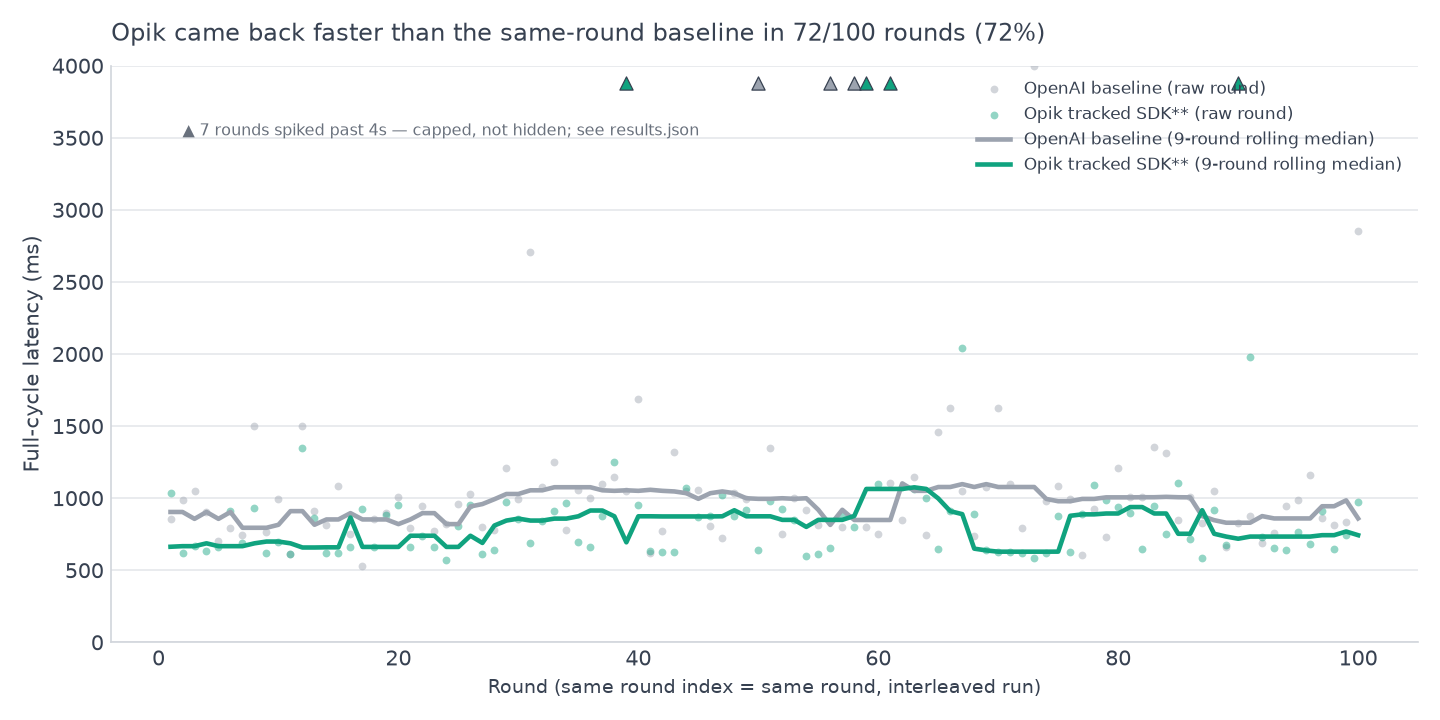
provider gives a different baseline, so Agenta's numbers sit in a separate table.</p></div></div>
<h2 class="anchor anchorTargetStickyNavbar_SAay" id="at-a-glance">At a glance<a href="https://acruxcore.com/blog/hands-on-llm-ops-comparison#at-a-glance" class="hash-link" aria-label="Direct link to At a glance" title="Direct link to At a glance" translate="no">​</a></h2>
<p>The sections below go deep on each dimension with screenshots. LangSmith, Langfuse and
PromptLayer come from one interleaved run with AcruxCore. Phoenix, Opik, MLflow, Helicone,
Laminar and Agenta each come from a separate one-on-one pass against AcruxCore (see the note above). So read across a row as "how
does each platform compare to AcruxCore," not as one ten-way race:</p>


<table><thead><tr><th>Dimension</th><th>LangSmith</th><th>Langfuse</th><th>PromptLayer</th><th>Phoenix</th><th>Opik</th><th>MLflow</th><th>Helicone</th><th>Laminar</th><th>Agenta</th><th>AcruxCore</th></tr></thead><tbody><tr><td>Prompt versioning</td><td>Git-like commits + Environments</td><td>Immutable versions + labels</td><td>Immutable versions + Release Labels + inline diff</td><td>Mustache sections (one construct for if <em>and</em> for) + real Diff view + tags</td><td>Flat <code>{{variable}}</code> only + real Diff view + Deploy-to labels</td><td>Full Jinja2 <code>{% if %}</code>/<code>{% for %}</code>, SDK-only creation + real diff + aliases</td><td>Flat <code>{{ hc:var:type }}</code> only; one version on this run, diff not reached</td><td><strong>No prompt registry at all</strong> — one mutable playground row, overwritten on edit, no variables</td><td>Versions inside variants + three environments + JSON diff; Jinja2 <code>{% if %}</code>/<code>{% for %}</code> render, but a variable that appears only inside them gets no input field</td><td>Immutable versions + Aliases + Diff tab</td></tr><tr><td>Tracing</td><td>Span-based (SDK-wrapped)</td><td>Span-based (SDK-wrapped)</td><td>Flat Request Log by default; Traces are separate and opt-in</td><td>Single rich span, OTel semantic conventions; Playground relays via GraphQL, not a real call</td><td>Span tree via <code>track_openai()</code>; confirmed the Playground alone produces no trace</td><td>Single span, automatic; prompt-version link needs a separate explicit SDK call</td><td>Not reached this run — manual-log endpoint 500'd on a missing self-host env var</td><td>OTel-native nested span tree; tree, transcript and cost-heatmap views; 15+ framework integrations</td><td>Span tree, automatic for its invoke endpoint; SDK calls need OpenTelemetry setup and a <code>store_refs()</code> call for the prompt link</td><td>Span-based (gateway auto-traces every call)</td></tr><tr><td>Where the platform sits</td><td>Beside the request path</td><td>Beside the request path</td><td>Beside the request path</td><td>Beside — Playground proxies via GraphQL, SDK calls go direct</td><td>Beside — ingests a trace after your own call</td><td><strong>In</strong> the request path — a real AI Gateway</td><td><strong>In</strong> the request path — its gateway served 300/300 rounds on a native OpenAI key, but forwards without logging until an org key is set</td><td>Beside — deliberately; we read its server routes and it has no inbound proxy at all</td><td><strong>In</strong> the path for its invoke endpoint (stored prompt → model); beside it for SDK-traced calls</td><td><strong>In</strong> the request path — every call routes through it</td></tr><tr><td>Guardrails / spend controls</td><td>None found</td><td>None found</td><td>None found</td><td>None found</td><td>Topic + PII guardrails, per project</td><td>Safety + PII + custom guardrails, and spend Budgets, per gateway endpoint</td><td>Rate Limit Rules (not content-inspecting); no PII/safety guardrail found</td><td>PII redaction on ingested spans; no spend control is possible from beside the path</td><td>None found — no spend cap, per-key rate limit or cache on invoke, and no content guardrail in its source</td><td>Spend caps and RPM/TPM limits enforced pre-call; no content guardrail</td></tr><tr><td>Evaluation</td><td>Datasets + Experiments, hand-authored examples</td><td>Datasets + Experiments, hand-authored examples</td><td>A/B test on live traffic + ad-hoc model-comparison grid</td><td>Dataset from a trace span + LLM/Code evaluator split; a templated-prompt experiment failed on a variable-shape mismatch</td><td>Dataset from any trace + inline creation; UI experiments defer to the SDK; plus dedicated Test suites</td><td>Built-in LLM-as-judge + custom code judges; hit a real dataset-list-page bug</td><td>Datasets curated from Request rows; none existed since no call was ever logged this run</td><td>Code-first: your data, your executor, your scorer functions, run locally or in CI; datasets one click from a span; plus labeling queues</td><td>15 built-in evaluator types set up in the UI (rules, code, webhook, LLM judge); auto, human, live and SDK evaluations; annotation queues</td><td>Datasets from feedback, typed by hand, or imported from a CSV/JSON file; plus rule-based online evaluation — a judge scoring every matching live trace</td></tr><tr><td>Feedback → Playground → save loop</td><td>Feedback + Dataset + Annotation Queue exist, but no trace → Playground jump</td><td>Full loop: trace → Playground (pre-loaded) → Save as prompt</td><td>Full loop: Request → Playground (pre-loaded) → Save Template</td><td>Not run as this exact loop — see <a class="" href="https://acruxcore.com/blog/acruxcore-vs-phoenix">Phoenix vs AcruxCore</a></td><td>Not run as this exact loop — see <a class="" href="https://acruxcore.com/blog/acruxcore-vs-opik">Opik vs AcruxCore</a></td><td>Not run as this exact loop — see <a class="" href="https://acruxcore.com/blog/acruxcore-vs-mlflow">MLflow vs AcruxCore</a></td><td>Not run as this exact loop — see <a class="" href="https://acruxcore.com/blog/acruxcore-vs-helicone">Helicone vs AcruxCore</a></td><td>Trace → playground exists ("Experiment in playground"), but there is no prompt version to save back into</td><td>Not run as this exact loop — a trace has Playground, Add to testset and Annotate buttons; see <a class="" href="https://acruxcore.com/blog/acruxcore-vs-agenta">Agenta vs AcruxCore</a></td><td>Full loop, plus an automated version: feedback → drafted candidates → judged run → Promote to production</td></tr><tr><td>Automatic prompt optimizer †</td><td>Polly's <strong>Optimize prompt</strong> rewrites the prompt conversationally in the Playground — no dataset, no scored candidates</td><td>None in the product — an Agent Skill for Claude Code edits prompts through the API from your editor</td><td>None found — A/B tests and eval pipelines score versions you wrote yourself</td><td>Arize's Prompt Learning does rewrite from eval results, but it is a separate clone-and-run repo, not part of the Phoenix app</td><td><strong>Opik Agent Optimizer</strong> — MetaPrompt, GEPA, evolutionary and few-shot Bayesian search, SDK-driven, runs logged back to the UI</td><td><strong><code>optimize_prompts()</code></strong> (experimental) — DSPy MIPROv2 or GEPA against a dataset, winner registered as a new prompt version; SDK-only</td><td>"Auto-Improve" was a single-pass rewrite in the prompt editor deprecated on 20 August 2025; nothing replaced it</td><td>No prompt registry, so there is nothing for an optimizer to rewrite</td><td>Not checked — this row comes from the 10 September 2026 docs check, before Agenta was added</td><td><strong>Improve from feedback</strong> — failing cases draft candidates, each judged against production across a model grid, promote from the report; started in the dashboard</td></tr><tr><td>Tool calling</td><td>Shows up as spans only; no catalog</td><td>Playground-scoped tool schema; no catalog</td><td>Per-request tool-call count; no catalog</td><td>Ad-hoc JSON Schema per Playground prompt; nothing executes or gets measured</td><td>No tool-catalog concept at all; its "Agent playground" needs a live process wired in by code</td><td>MCP Registry — catalogs external MCP <em>servers</em> by manifest, doesn't execute an individual tool</td><td>No tool-catalog concept found in any nav section checked</td><td>Tool schema is a JSONB field on a playground row; tool calls show as spans; nothing executes</td><td>Tool schemas typed per prompt; Composio actions and MCP servers for agents; no catalog of your own tools</td><td>Dedicated versioned Tool Catalog + a Tool analytics page</td></tr><tr><td>Developer experience</td><td><code>wrap_openai</code> + <code>@traceable</code> around your own OpenAI call</td><td>Drop-in OpenAI wrapper, built on OpenTelemetry</td><td><code>pl_client.openai</code> wrapper around your own OpenAI call</td><td><code>register()</code> + <code>OpenAIInstrumentor()</code>; no server-side render call, so template logic gets hand-duplicated in Python</td><td><code>track_openai()</code> wraps a client you already own; trace appears once it's called</td><td><code>load_prompt()</code> + <code>start_span()</code> + a separate <code>link_prompt_versions_to_trace()</code> call</td><td>No stored-prompt SDK call; a direct provider call plus a manual log() call that 500'd this run</td><td>One <code>Laminar.initialize()</code> auto-instruments your client; a CLI queries your own traces in SQL</td><td><code>ag.init()</code> + <code>OpenAIInstrumentor()</code> + <code>@ag.instrument()</code> + <code>store_refs()</code> around your own call, or one invoke call for a stored prompt</td><td><code>hub.prompts.render</code> + <code>hub.gateway.chat</code> — no direct call to a provider at all, Node and Python</td></tr><tr><td>Measured overhead</td><td>Not benchmarked in this series</td><td>−22 ms in the six-platform full-cycle run, CI crosses zero</td><td>Not benchmarked in this series</td><td>−14 to +21 ms over 3 runs, CI crosses zero</td><td>+2 to +22 ms over 3 runs, CI crosses zero</td><td><strong>+135 to +225 ms</strong> over 3 runs — never crosses zero</td><td>−15 to +3 ms over 3 runs, but forwarding only, nothing logged</td><td>−8 to +18 ms over 3 runs, CI crosses zero</td><td>Invoke −107 to +160 ms over 3 runs, on an OpenRouter baseline; CI crosses zero in every run</td><td>+4 to +51 ms over all 15 runs — see <a href="https://acruxcore.com/blog/hands-on-llm-ops-comparison#latency-overhead--measured-on-seven-of-the-ten" class="">Latency overhead</a> below</td></tr><tr><td>Audit trail</td><td>Not checked in this series</td><td>Present in the UI, gated behind the Enterprise plan ($2,499/mo — on hosted Langfuse too)</td><td>Not checked in this series</td><td>Not found in any settings page checked</td><td>Not found anywhere in the settings pages checked</td><td>Not found — Settings has only General, LLM Connections, and Webhooks</td><td>Not found in the settings pages checked</td><td>Not found in any project or workspace settings page checked</td><td>Enterprise plan only, on Agenta Cloud and self-hosted</td><td>Team-wide trail, on by default — 34 event types, filtered by area, event or person</td></tr><tr><td>Pricing (what we actually saw)</td><td>Not verified hands-on</td><td>Not verified hands-on</td><td>Team Trial plan with visible quotas</td><td>See <a href="https://acruxcore.com/compare" target="_blank" rel="noopener noreferrer" class="">compare page</a></td><td>See <a href="https://acruxcore.com/compare" target="_blank" rel="noopener noreferrer" class="">compare page</a></td><td>See <a href="https://acruxcore.com/compare" target="_blank" rel="noopener noreferrer" class="">compare page</a></td><td>See <a href="https://acruxcore.com/compare" target="_blank" rel="noopener noreferrer" class="">compare page</a></td><td>See <a href="https://acruxcore.com/compare" target="_blank" rel="noopener noreferrer" class="">compare page</a></td><td>See <a href="https://acruxcore.com/compare" target="_blank" rel="noopener noreferrer" class="">compare page</a></td><td>Open source, free during public beta — no trial, no quota</td></tr></tbody></table>
<p>† The prompt-optimizer row is the one row here <strong>not</strong> run hands-on. It was checked against each
platform's own docs and source on 10 September 2026, after this comparison was published, because
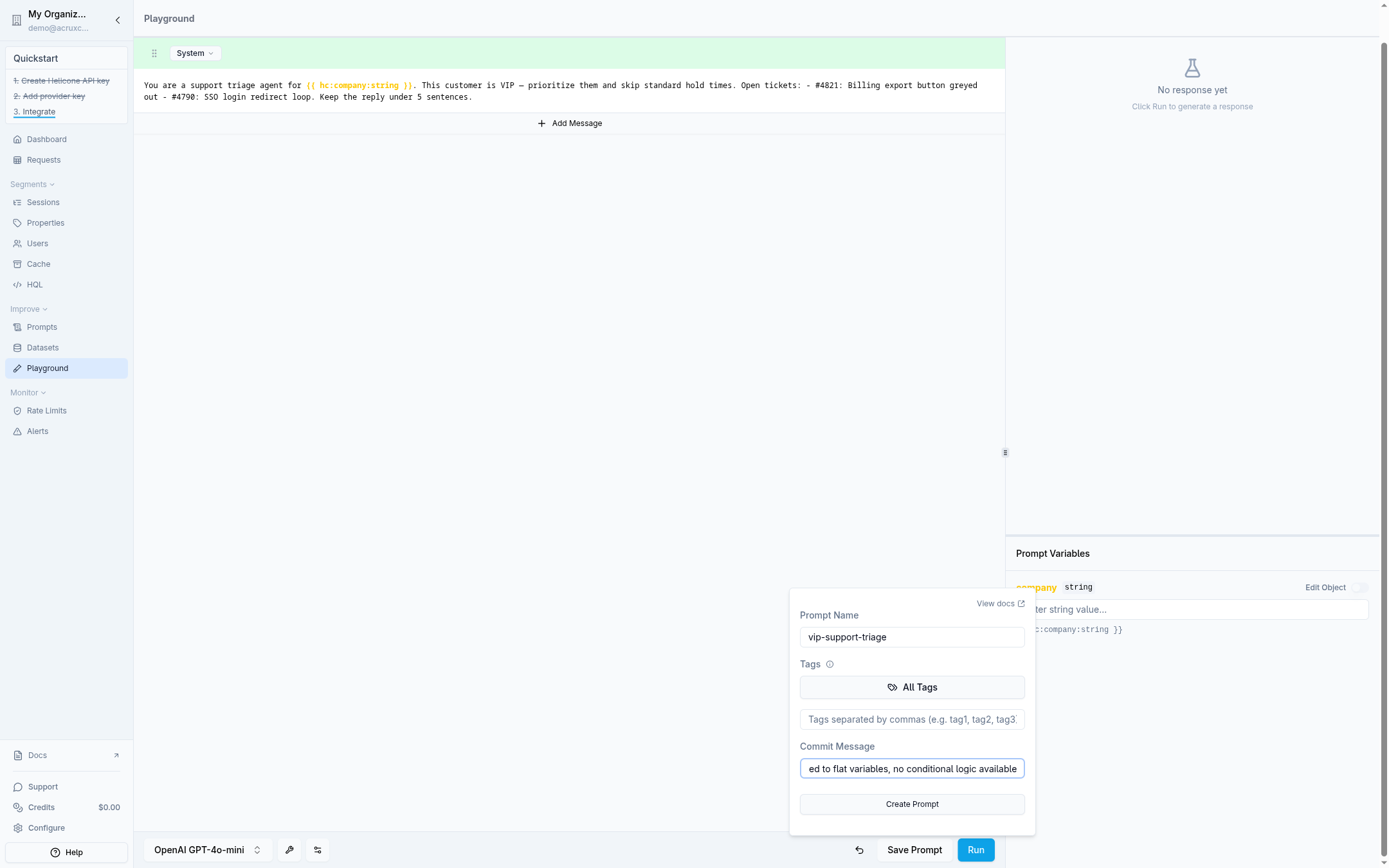
the original pass asked readers to tell us if a feedback-triggered rewrite loop existed elsewhere —
and on two platforms it does. Every other row is something we drove ourselves.</p>
<p>License, team structure, security, and community stats for Langfuse, Phoenix, Opik, MLflow,
Helicone, Laminar, and Agenta live on the <a href="https://acruxcore.com/compare" target="_blank" rel="noopener noreferrer" class="">compare page</a> rather than repeated here
— they're tables there too, so a price or license change is one edit instead of seven. The audit-trail row
above is the short version of the one there, which carries each fact's source and the date it was checked.</p>
<h2 class="anchor anchorTargetStickyNavbar_SAay" id="prompt-management">Prompt management<a href="https://acruxcore.com/blog/hands-on-llm-ops-comparison#prompt-management" class="hash-link" aria-label="Direct link to Prompt management" title="Direct link to Prompt management" translate="no">​</a></h2>
<div class="theme-admonition theme-admonition-info admonition_IZjC alert alert--info"><div class="admonitionHeading_uVvU"><span class="admonitionIcon_HiR3"><svg viewBox="0 0 14 16"><path fill-rule="evenodd" d="M7 2.3c3.14 0 5.7 2.56 5.7 5.7s-2.56 5.7-5.7 5.7A5.71 5.71 0 0 1 1.3 8c0-3.14 2.56-5.7 5.7-5.7zM7 1C3.14 1 0 4.14 0 8s3.14 7 7 7 7-3.14 7-7-3.14-7-7-7zm1 3H6v5h2V4zm0 6H6v2h2v-2z"></path></svg></span>Quick take</div><div class="admonitionContent_bl22"><p>MLflow ties AcruxCore on real conditional templating. Agenta renders the same Jinja2 tags, but
its editor misses the variables used inside them. Six platforms flatten <code>if</code>/<code>for</code> logic into
plain text before saving, and Laminar has no prompt registry at all.</p></div></div>
<p>Nine of the ten tools landed on the same underlying idea — <strong>immutable versions plus a
movable pointer</strong> — just with wildly different amounts of real templating logic and ceremony
around it. Laminar is the one that doesn't, and deliberately: it has no prompts table in its
schema, only <code>playgrounds</code>, one mutable row of messages per playground.</p>


<table><thead><tr><th>Platform</th><th>Conditional templating</th><th>Live/staging mechanism</th><th>Diff on save</th></tr></thead><tbody><tr><td>LangSmith</td><td>Flat <code>{{variable}}</code></td><td>Named <strong>Environments</strong> (Production/Staging)</td><td>Not shown inline</td></tr><tr><td>Langfuse</td><td><code>{{variable}}</code> + Jinja-style <code>{% if %}</code> in a real production prompt</td><td><strong>Labels</strong> (<code>production</code>/<code>latest</code>)</td><td>Not shown inline</td></tr><tr><td>PromptLayer</td><td>Flat <code>{{variable}}</code>, auto-detected while typing</td><td><strong>Release Labels</strong> attached to a version</td><td>Yes — colored line diff in the save dialog</td></tr><tr><td>Phoenix</td><td>Mustache — <code>{{#section}}</code> doubles as both if <em>and</em> for</td><td><code>production</code>/<code>staging</code> <strong>tags</strong></td><td>Yes — real version-diff toggle</td></tr><tr><td>Opik</td><td>Flat <code>{{variable}}</code> only, verified hands-on — no <code>{% if %}</code>/<code>{% for %}</code></td><td>"Deploy to" <strong>tags</strong> a version</td><td>Yes — real Diff panel</td></tr><tr><td>MLflow</td><td>Full <strong>Jinja2</strong> — <code>{% if %}</code>/<code>{% for %}</code> both real, registered verbatim, no flattening needed</td><td><code>@production</code>/<code>@staging</code> <strong>SDK aliases</strong></td><td>Yes — real word-level diff</td></tr><tr><td>Helicone</td><td>Flat <code>{{ hc:var:type }}</code> only</td><td><code>production</code> auto-applied to v1</td><td>Not reached — only one version ever existed on this run</td></tr><tr><td>Laminar</td><td><strong>None</strong> — no prompt registry, and no variables in prompts at all</td><td>None</td><td>None — editing the playground row overwrites it</td></tr><tr><td>Agenta</td><td>Full <strong>Jinja2</strong> rendered, but the editor's variable list missed <code>is_vip</code> and <code>tickets</code></td><td>Three <strong>environments</strong> (production/staging/development), deployed from the commit dialog</td><td>Yes — in the commit dialog, plus a JSON diff of the whole config</td></tr><tr><td>AcruxCore</td><td>Real <strong>nunjucks</strong> <code>{% if %}</code>/<code>{% for %}</code>, rendered server-side</td><td><strong>Aliases</strong> (<code>production</code>/<code>staging</code>)</td><td>Yes — dedicated Diff tab on the prompt page</td></tr></tbody></table>
<p>Ranked by how much real conditional logic survives:</p>
<ol>
<li class=""><strong>MLflow</strong> — strongest of any competitor. The only one where the fixture's actual
<code>{% if is_vip %}</code> branch and <code>{% for ticket in tickets %}</code> loop didn't need flattening,
matching AcruxCore's own nunjucks logic feature for feature.</li>
<li class=""><strong>Langfuse and AcruxCore</strong> — real production conditionals (Jinja-style / nunjucks), one
rung below MLflow.</li>
<li class=""><strong>Agenta</strong> — renders both tags, but its editor builds the variable list wrong. The list
held <code>company</code> and the loop variable <code>ticket</code>, and missed <code>is_vip</code> and <code>tickets</code>, which
appear only inside the tags. The playground had no field for them, so both <code>{% else %}</code>
branches ran. The invoke endpoint returned HTTP 400 until we edited <code>input_keys</code> by hand.</li>
<li class=""><strong>Phoenix</strong> — a real but different construct: Mustache sections do double duty as both
<code>if</code> and <code>for</code>.</li>
<li class=""><strong>Opik, Helicone, LangSmith, PromptLayer</strong> — flat substitution only. The VIP branch and
the ticket list had to be flattened into plain text before saving.</li>
<li class=""><strong>Laminar</strong> — no prompt registry to flatten <em>into</em>. The fixture had to be flattened by
hand and then inlined in the script itself, because there is nothing on the platform to
fetch a prompt from. We checked the database schema, not just the sidebar, to be sure.</li>
</ol>
<p>On promotion: we actually clicked "promote" and watched the label move on AcruxCore
(<code>production</code> v1 → v2), PromptLayer (Release Label), Phoenix and Opik (their own tag/deploy
controls), MLflow (<code>@production</code>/<code>@staging</code> via SDK call), and Agenta (a deploy menu in the
commit dialog). LangSmith's Environments
feature exists but had nothing deployed on our test account, so we saw the UI, not a live
promotion. Helicone never got this far on this run — the Playground's live-call step failed
before a second version could even be created (see <strong>Tracing and observability</strong> below).
Laminar has nothing to promote: with no versions there is no pointer to move.</p>
<details class="details_B4FW alert alert--info details_SZgV" data-collapsed="true"><summary>See the actual screens: prompt versioning on nine platforms (Laminar has no prompt registry)</summary><div><div class="collapsibleContent_VYua">
<!-- -->
<p><strong>LangSmith</strong> — commit history with a hash per save, model config attached to the prompt:</p>
<p><img decoding="async" loading="lazy" alt="LangSmith prompt detail page showing two commits in the history and model configuration" src="https://acruxcore.com/blog/assets/images/ls-02-prompt-versions-80d436ecbf233efbeb66c480c238d753.png" width="1254" height="622" class="img__Ss2"></p>
<p><strong>Langfuse</strong> — immutable versions with <code>production</code>/<code>latest</code> labels, variables auto-detected:</p>
<p><img decoding="async" loading="lazy" alt="Langfuse prompt versions list showing v1 tagged production and v2 tagged latest" src="https://acruxcore.com/blog/assets/images/lf-05-prompt-versions-dc98792b7932f7da2210a88844706d88.jpg" width="1502" height="813" class="img__Ss2"></p>
<p><strong>PromptLayer</strong> — a colored line diff shown right in the save dialog, plus Release Labels in the version history:</p>
<p><img decoding="async" loading="lazy" alt="PromptLayer save-new-version dialog showing a colored diff of the message changes" src="https://acruxcore.com/blog/assets/images/03-save-version-diff-61d1cd0652f08a288e925e028e5fe79d.png" width="1562" height="784" class="img__Ss2">
<img decoding="async" loading="lazy" alt="PromptLayer version history panel showing versions with commit messages and a Release Label control" src="https://acruxcore.com/blog/assets/images/04-version-history-and-empty-traces-ef90c7d679759f1276c56641478b1f98.png" width="1562" height="784" class="img__Ss2"></p>
<p><strong>Phoenix</strong> — Mustache sections for both the VIP conditional and the tickets loop, and a real version diff:</p>
<p><img decoding="async" loading="lazy" alt="Phoenix's Playground with the vip-support-triage prompt loaded, showing Mustache section syntax for the VIP conditional and the tickets loop, tagged &quot;production&quot;, with real cost/token/latency telemetry from a live run" src="https://acruxcore.com/blog/assets/images/px-01-prompt-editor-8e0c682b69d87e56ad8105058f6b8464.png" width="1400" height="1000" class="img__Ss2">
<img decoding="async" loading="lazy" alt="Phoenix's version diff view — a second version highlighted in green for the one added line, with the version list and its &quot;staging&quot; tag alongside" src="https://acruxcore.com/blog/assets/images/px-03-diff-tab-965d850c5d543ba597900d061dd64cd4.png" width="1400" height="1000" class="img__Ss2"></p>
<p><strong>Opik</strong> — flat <code>{{variable}}</code> substitution, a real Diff panel, and a "Deploy to" environment label:</p>
<p><img decoding="async" loading="lazy" alt="Opik's New chat prompt dialog for the recreated vip-support-triage prompt, showing flat {{company}} and {{customer_message}} variable substitution with no conditional syntax available" src="https://acruxcore.com/blog/assets/images/op-01-prompt-editor-4e51c2ec23f30324b6e5b3bae5034d47.png" width="1100" height="1066" class="img__Ss2">
<img decoding="async" loading="lazy" alt="Opik's Compare v1 to v2 panel, showing the old system message in red strikethrough on the left and the new message in green on the right, side by side" src="https://acruxcore.com/blog/assets/images/op-03-diff-tab-1ae5830c10cd9ab828ad7031b73f86b2.png" width="1100" height="1066" class="img__Ss2"></p>
<p><strong>MLflow</strong> — the only competitor with real Jinja2 conditionals and loops, registered verbatim:</p>
<p><img decoding="async" loading="lazy" alt="MLflow's prompt detail page for vip-support-triage version 3, showing @production and @staging aliases, a commit message, and the full Jinja2 system template with if/else and for-loop syntax rendered as literal text" src="https://acruxcore.com/blog/assets/images/mf-01-prompt-version-3-d4e31b90be9747ab97496ff7cacbe8a0.png" width="1400" height="1000" class="img__Ss2">
<img decoding="async" loading="lazy" alt="MLflow's word-level diff between version 3 and version 2, with &quot;4&quot; highlighted red and &quot;5&quot; highlighted green on the sentence-count line" src="https://acruxcore.com/blog/assets/images/mf-02-diff-view-54ed1086688b3677cd4b969673427365.png" width="1400" height="1000" class="img__Ss2"></p>
<p><strong>Helicone</strong> — flat <code>{{ hc:var:type }}</code> substitution, and the single version this run ever produced:</p>
<p><img decoding="async" loading="lazy" alt="Helicone's Playground with the recreated vip-support-triage system message, showing the flat {{ hc:company }} variable syntax and the Save Prompt dialog with our commit message about flattening the nunjucks logic" src="https://acruxcore.com/blog/assets/images/hl-01-prompt-editor-723016d969b0321c63d759142b2fc710.png" width="2160" height="1350" class="img__Ss2"></p>
<p><strong>Agenta</strong> — the variable panel that missed <code>is_vip</code> and <code>tickets</code>, and the commit dialog with its diff and deploy menu:</p>
<p><img decoding="async" loading="lazy" alt="Agenta's prompt editor with the vip-support-triage system message in Jinja2, and a variable panel that lists only company and a ticket object with id and title" src="https://acruxcore.com/blog/assets/images/ag-01-jinja-variables-74902325eed73559649c7cd26227e61c.png" width="1920" height="1200" class="img__Ss2">
<img decoding="async" loading="lazy" alt="Agenta's commit dialog for vip-support-triage: a What's changing panel with Model and Instructions (+3 / −3), a New version tab that saves as version 2, and a Deploy to menu with production, staging and development checkboxes" src="https://acruxcore.com/blog/assets/images/ag-03-commit-and-deploy-9bc2db32070254c66cfa3d14c4d9be1e.png" width="1920" height="1200" class="img__Ss2"></p>
<p><strong>AcruxCore</strong> — the prompt editor, the Versions tab after promoting <code>production</code> to v2, and the Diff tab:</p>
<p><img decoding="async" loading="lazy" alt="AcruxCore prompt editor showing version tabs including Editor, Preview, Versions, Diff, Audit" src="https://acruxcore.com/blog/assets/images/02-prompt-editor-ab10819d0e7955b02180b49a49b55c03.png" width="1440" height="900" class="img__Ss2">
<img decoding="async" loading="lazy" alt="AcruxCore Versions tab listing v2 tagged PRODUCTION and v1 tagged STAGING, each with a promote link and a View traces link" src="https://acruxcore.com/blog/assets/images/03-alias-promoted-2383ba06757e3ccf6db56d4c41625b02.png" width="1440" height="900" class="img__Ss2">
<img decoding="async" loading="lazy" alt="AcruxCore's Diff tab showing a line-level, colored diff between prompt version 1 and version 2" src="https://acruxcore.com/blog/assets/images/04-diff-tab-fadb8f3c67c657c14c074d0dd41b52e8.png" width="1440" height="900" class="img__Ss2"></p>
</div></div></details>
<p><a id="tracing-and-observability" class="anchorTargetStickyNavbar_SAay"></a></p>
<h2 class="anchor anchorTargetStickyNavbar_SAay" id="llm-tracing-and-monitoring">LLM tracing and monitoring<a href="https://acruxcore.com/blog/hands-on-llm-ops-comparison#llm-tracing-and-monitoring" class="hash-link" aria-label="Direct link to LLM tracing and monitoring" title="Direct link to LLM tracing and monitoring" translate="no">​</a></h2>
<div class="theme-admonition theme-admonition-info admonition_IZjC alert alert--info"><div class="admonitionHeading_uVvU"><span class="admonitionIcon_HiR3"><svg viewBox="0 0 14 16"><path fill-rule="evenodd" d="M7 2.3c3.14 0 5.7 2.56 5.7 5.7s-2.56 5.7-5.7 5.7A5.71 5.71 0 0 1 1.3 8c0-3.14 2.56-5.7 5.7-5.7zM7 1C3.14 1 0 4.14 0 8s3.14 7 7 7 7-3.14 7-7-3.14-7-7-7zm1 3H6v5h2V4zm0 6H6v2h2v-2z"></path></svg></span>Quick take</div><div class="admonitionContent_bl22"><p>7 platforms trace by default, 3 don't — and on 2 of those 7, clicking the Playground
doesn't produce a trace at all. Laminar's is the richest of the ten.</p></div></div>
<p>LLM tracing records each model call as a trace. LLM monitoring tools watch those traces over
time for cost, latency and errors. This section shows how each tool records a call, whether
your call passes through the tool on its way to the model, and how much latency the tool
adds. On tracing, the ten tools split into the two groups below.</p>
<p><strong>Span-based, multi-step tracing is the default</strong> on LangSmith, Langfuse, Phoenix, MLflow,
Laminar, Agenta, and AcruxCore — each shows a tree or a rich single span, not just a flat call
record:</p>
<ul>
<li class=""><strong>LangSmith</strong> — a real trace showed a parent run containing a tool-call span and a
separate LLM-call span.</li>
<li class=""><strong>Langfuse</strong> — a trace groups a <code>chat-completion</code> generation under a top-level trace, with
session and user badges right on the header.</li>
<li class=""><strong>Phoenix</strong> — its single span is genuinely richer than AcruxCore's own view:
Info/Attributes/Events tabs and OTel semantic-convention attributes, credit due even on
our own fixture.</li>
<li class=""><strong>MLflow</strong> — every Gateway call traces automatically, but linking it back to the prompt
version that produced it needs a separate, easy-to-forget <code>link_prompt_versions_to_trace()</code>
call. AcruxCore attaches that link at render time, with nothing extra to call.</li>
<li class=""><strong>Laminar</strong> — the deepest of the ten, and the one this whole category is built around.
<code>Laminar.initialize()</code> patches your client through OpenTelemetry and an <code>@observe()</code>
decorator nests the model call under a parent span, so the <em>shape</em> of an agent run lands in
the trace, not just the call. It ships tree, transcript, and cost-heatmap views, and
auto-instruments 15+ agent frameworks (Browser Use, Stagehand, Mastra, Pydantic AI) from
one line.</li>
<li class=""><strong>Agenta</strong> — a call through its invoke endpoint traces itself, as a <code>chat_v0</code> span over a
<code>litellm_client</code> child. A call from your own code needs <code>ag.init()</code>, an OpenTelemetry
instrumentor and a decorator. The SDK trace links to the prompt only after a
<code>ag.tracing.store_refs()</code> call; without it, the trace page showed "No references found".</li>
<li class=""><strong>AcruxCore</strong> — every gateway call is auto-traced as a span the moment it's routed
through, with the SDK's <code>trace()</code> available to wrap additional steps into the same tree.</li>
</ul>
<p><strong>PromptLayer, Opik, and Helicone are the outliers, each for a different reason:</strong></p>
<ul>
<li class=""><strong>PromptLayer</strong> — default is a flat per-call <strong>Request Log</strong> (model, latency, cost,
tokens, no nested steps). True multi-step <strong>Traces</strong> are a separate, opt-in feature that
stayed empty even after several live model calls; it needs explicit SDK-level
<code>trace_id</code>/span instrumentation, which we didn't set up.</li>
<li class=""><strong>Opik</strong> — its Logs tab stayed at "No traces yet" after a Playground run. A real trace
only appeared once we called the SDK-wrapped client instead.</li>
<li class=""><strong>Helicone</strong> — never produced a trace at all on this run. Its Playground's <code>Run</code> button
401'd with an empty auth token, and the fallback manual-logging call 500'd on a missing
<code>S3_REGION</code> environment variable in the self-hosted <code>docker-compose</code> — a real,
reproducible bug, not a design choice.</li>
</ul>
<p><strong>AI agent observability</strong> needs one more thing from a tracer: one agent run should land as one
trace, with each model call and tool call nested inside it. Of the agent observability tools
here, LangSmith showed a tool-call span next to an LLM span under one parent run. Laminar's <code>@observe()</code> decorator nests the steps of
an agent run under a parent span. When the AcruxCore SDK runs the calls between the model and
your tools, it writes one trace that holds every model call and every tool call. Langfuse and AcruxCore also group traces by a
session id, so a multi-turn conversation reads as one thread.</p>
<p><strong>A related surprise: running the Playground does not create a trace at all on either
Langfuse or Opik.</strong> We confirmed zero new rows in each platform's tracing view immediately
after a successful Playground run — only real SDK/API-instrumented calls show up there. If
you're evaluating either by clicking around its Playground, you can easily conclude tracing
"isn't working" when it's actually just not wired to that particular button.</p>
<p><strong>Why AcruxCore needs no tracing setup step:</strong> the gateway sits <strong>in</strong> the request path —
your call physically routes through AcruxCore's servers, so it's traced by construction, the
same reason MLflow's Gateway calls and Agenta's invoke calls trace automatically too. LangSmith,
Langfuse, Phoenix, Opik, Laminar, and Agenta's SDK instead trace by having their SDK wrap or observe a call you still make
directly to the provider. Neither approach is strictly "better", and Laminar is the clearest illustration of why: a
span produced inside your own process sees everything your code does — retries, tool loops,
framework internals, a whole agent — while a span produced by the gateway always exists and
always knows which prompt version produced it, but only ever sees what went through the
gateway. More on this split, and where Helicone
fits into it, right below.</p>
<details class="details_B4FW alert alert--info details_SZgV" data-collapsed="true"><summary>See the actual screens: trace views on all ten platforms (Helicone never produced one)</summary><div><div class="collapsibleContent_VYua">
<!-- -->
<p><strong>LangSmith</strong> — a real span tree from a live run: parent chain, prompt-template spans, and the model call, with real latency and token count:</p>
<p><img decoding="async" loading="lazy" alt="LangSmith trace detail showing a RunnableSequence span tree feeding into a gpt-5.6-terra span, with latency and token count" src="https://acruxcore.com/blog/assets/images/ls-live-02-trace-span-tree-ec60caeb9326d4c3984d6f145c2dcbf7.png" width="1440" height="900" class="img__Ss2"></p>
<p><strong>Langfuse</strong> — session and user badges live on the trace header, with cost/token breakdown inline:</p>
<p><img decoding="async" loading="lazy" alt="Langfuse trace detail panel showing session grouping, cost, token counts, and tags" src="https://acruxcore.com/blog/assets/images/lf-03-trace-detail-7f6ddd7f0a234d895a3f81bbfabe471a.jpg" width="1502" height="813" class="img__Ss2"></p>
<p><strong>PromptLayer</strong> — the flat Request Log (what you get by default) versus Traces, which stayed empty even after a live model call:</p>
<p><img decoding="async" loading="lazy" alt="PromptLayer Request Log detail page for a live request, showing model, cost, and token counts" src="https://acruxcore.com/blog/assets/images/08-live-request-log-detail-d9988f9c63adb434cbc98b3df7bd64a1.jpg" width="1568" height="739" class="img__Ss2">
<img decoding="async" loading="lazy" alt="PromptLayer Traces and Analytics page showing No traces found even after a live model call" src="https://acruxcore.com/blog/assets/images/09-live-traces-still-empty-ffd1768f874a581bf14d15fed570a708.jpg" width="1568" height="739" class="img__Ss2"></p>
<p><strong>Phoenix</strong> — a single span, richer attribute/event tabs than AcruxCore's own view:</p>
<p><img decoding="async" loading="lazy" alt="Phoenix's trace detail: ChatCompletion span showing status, total cost, latency, and the full input/output messages" src="https://acruxcore.com/blog/assets/images/px-05-trace-detail-80c7363415c76b281e8928831fd58f0f.png" width="1400" height="1000" class="img__Ss2"></p>
<p><strong>Opik</strong> — a two-level span tree, but only after the SDK-wrapped client was called, not from the Playground:</p>
<p><img decoding="async" loading="lazy" alt="Opik's trace detail: a two-node span tree (outer trace + inner LLM span), 2.6s latency, <$0.01 cost, 138 total tokens, full system/user/assistant messages shown" src="https://acruxcore.com/blog/assets/images/op-06-trace-detail-1a06ecd3434ea30b9eaa72b25da8a9c5.png" width="1100" height="1066" class="img__Ss2"></p>
<p><strong>MLflow</strong> — automatic on every Gateway call, with prompt-version lineage requiring a separate explicit call:</p>
<p><img decoding="async" loading="lazy" alt="MLflow's trace detail Linked prompts tab, showing a table with one row: prompt name vip-support-triage, version 3" src="https://acruxcore.com/blog/assets/images/mf-04-trace-linked-prompt-f733d503c0e5f814a425938dde6eb6f6.png" width="1400" height="1000" class="img__Ss2"></p>
<p><strong>Laminar</strong> — a nested span tree with the full message transcript, token count, and cost on the child span:</p>
<p><img decoding="async" loading="lazy" alt="Laminar span detail: a tree with vip_support_triage above an openai.chat child, and a right panel showing System, User and Assistant messages with 158 tokens and $0.0001" src="https://acruxcore.com/blog/assets/images/lm-04-span-llm-messages-ff7af0e3139b093737e6ae713f68f000.png" width="1750" height="1250" class="img__Ss2"></p>
<p><strong>Agenta</strong> — an invoke call traced automatically, with Playground, Add to testset and Annotate buttons on the trace:</p>
<p><img decoding="async" loading="lazy" alt="Agenta trace of an invoke call: a chat_v0 workflow span over a litellm_client child, 1.77 s, $0.000044, 152 tokens, with the is_vip, company, tickets and customer_message inputs, the assistant reply citing ticket #4821, and Playground, Add to testset and Annotate buttons" src="https://acruxcore.com/blog/assets/images/ag-07-invoke-trace-4b456eb2dc36d6f341bbbf95e3a4a0fe.png" width="1920" height="1200" class="img__Ss2"></p>
<p><strong>Helicone</strong> — the Requests page never populated on this run, because the logging call it depends on failed:</p>
<p><img decoding="async" loading="lazy" alt="Helicone's Requests page still showing only its static &quot;Integrate to see your requests&quot; preview data — our real OpenRouter calls never appear because the log call failed" src="https://acruxcore.com/blog/assets/images/hl-06-datasets-empty-302d9992ca17ec0768f6642c171cedf1.png" width="2160" height="1350" class="img__Ss2"></p>
<p><strong>AcruxCore</strong> — a gateway call auto-traced as a span, with model/provider fields visible on the span itself:</p>
<p><img decoding="async" loading="lazy" alt="AcruxCore trace detail page showing 1 span, token count, and status OK" src="https://acruxcore.com/blog/assets/images/06-trace-detail-863a70399ab46c5781a57e187dc63308.png" width="1440" height="900" class="img__Ss2">
<img decoding="async" loading="lazy" alt="AcruxCore's LLM span expanded, showing Model, Provider, Tokens, and Latency fields plus the full request Input and response Output JSON" src="https://acruxcore.com/blog/assets/images/07-trace-span-detail-6d1c636ac208eef4a56fcc50d4c0be58.png" width="1440" height="900" class="img__Ss2"></p>
</div></div></details>


<table><thead><tr><th>Feature</th><th>Trace shape</th><th>Produced by the Playground?</th><th>Prompt-version link</th></tr></thead><tbody><tr><td>LangSmith</td><td>Span tree (parent run + child spans)</td><td>Yes</td><td>Not tracked as a distinct step</td></tr><tr><td>Langfuse</td><td>Trace groups a generation, session/user badges</td><td><strong>No</strong> — confirmed</td><td>Not applicable</td></tr><tr><td>PromptLayer</td><td>Flat Request Log by default; Traces opt-in and stayed empty</td><td>Only unlocks running, not tracing</td><td>Not applicable</td></tr><tr><td>Phoenix</td><td>Single span, rich attribute/event tabs</td><td>Playground doesn't call the provider directly (GraphQL relay)</td><td>Not surfaced in this run</td></tr><tr><td>Opik</td><td>Span tree (outer trace + inner LLM span)</td><td><strong>No</strong> — confirmed, only the SDK path traces</td><td>Not applicable</td></tr><tr><td>MLflow</td><td>Single span per Gateway call</td><td>Yes, automatically</td><td>Requires a separate <code>link_prompt_versions_to_trace()</code> call</td></tr><tr><td>Helicone</td><td>Not reached — logging call 500'd</td><td>No — Playground <code>Run</code> 401'd</td><td>Not reached</td></tr><tr><td>Laminar</td><td>Nested span tree, arbitrary depth; tree, transcript and cost-heatmap views</td><td>Not checked this run — the playground opens <em>from</em> a span, not the reverse</td><td>No prompt registry to link to</td></tr><tr><td>Agenta</td><td>Span tree (<code>chat_v0</code> → <code>litellm_client</code> for invoke)</td><td>Not checked this run</td><td>Automatic for invoke; a <code>store_refs()</code> call for SDK traces</td></tr><tr><td>AcruxCore</td><td>Single span per gateway call</td><td>Yes, automatically</td><td>Automatic — attached at render time</td></tr></tbody></table>
<p>The obvious follow-up question is whether sitting in the request path costs you latency —
covered next, and measured on seven of the ten further down.</p>
<h3 class="anchor anchorTargetStickyNavbar_SAay" id="where-the-platform-sits--in-the-request-path-or-beside-it">Where the platform sits — in the request path, or beside it<a href="https://acruxcore.com/blog/hands-on-llm-ops-comparison#where-the-platform-sits--in-the-request-path-or-beside-it" class="hash-link" aria-label="Direct link to Where the platform sits — in the request path, or beside it" title="Direct link to Where the platform sits — in the request path, or beside it" translate="no">​</a></h3>
<p>The gateway-versus-SDK split above is really about one underlying design choice most LLM
observability platforms have to make: does the platform sit <strong>in</strong> the request path,
physically routing your call, or <strong>beside</strong> it, watching a call you still make yourself?
LangSmith, Langfuse, PromptLayer, Phoenix, Opik, and Laminar are all "beside" — your client
calls the provider directly, and each platform's SDK observes or a manual log call reports it
after the fact. MLflow, Helicone, and AcruxCore are genuinely "in the path": you call a named
gateway endpoint, and it's the one that calls the provider. That structural similarity makes
MLflow the closest match to AcruxCore's own architecture of any competitor in this series.
Agenta sits in the path for one kind of call and beside it for another. Its invoke endpoint
renders a stored prompt and calls the model. Its SDK traces a call that your own code makes.</p>
<p>Laminar is the most deliberate "beside" of the ten, and worth reading as a design position
rather than a missing feature. We checked its server's routes directly: the only
<code>/chat/completions</code> handling anywhere in the codebase is its own <em>outbound</em> client for its AI
features, not an inbound proxy. That buys real things — any provider works immediately, there
is no proxy to configure or keep up, and nothing Laminar does can fail your production call.
The cost is that a budget, a cache hit, or a virtual key has no call left to act on: by the
time Laminar sees the request, the money is already spent.</p>
<p>Helicone is in the path and its gateway works — it served 300 of 300 rounds in the benchmark
below on a native OpenAI key. Two things did break for us: routing a non-native (OpenRouter)
key through it failed two ways, with one route hard-forwarding the <code>Authorization</code> header to
<code>api.openai.com</code> regardless of the provider we'd registered and the generic multi-provider
route returning a flat <code>501 Not implemented</code>; and until an organization API key is set, the
gateway forwards the call without logging it, which is why its trace pipeline never populated
here. Those are bugs and configuration gaps on this build, not evidence against the design.</p>
<p>Agenta's invoke endpoint is in the path, but it checks no budget, rate limit or cache before
it calls the model. We
searched Agenta's source for a spend cap, a response cache and virtual keys, and the invoke
service has none of them. In Agenta, each prompt can set fallback models and a retry policy. Agenta also
has a separate LLM gateway, whose purpose is to keep provider keys out of the agent sandbox,
and it is off by default.</p>
<p>Being "in the path" isn't automatically better — it's a different trade. It buys routing,
caching, and budget enforcement before the provider is ever called, at the cost of one more
hop and one more thing that has to work; sitting "beside" the path costs nothing extra but
means tracing depends on remembering to instrument every call site.</p>


<table><thead><tr><th>Feature</th><th>Phoenix</th><th>Opik</th><th>MLflow</th><th>Helicone</th><th>Laminar</th><th>Agenta</th></tr></thead><tbody><tr><td>Where it sits</td><td>Beside — Playground proxies via GraphQL, SDK calls go direct</td><td>Beside — ingests a trace after your own call</td><td><strong>In</strong> the path — a named Gateway endpoint</td><td><strong>In</strong> the path — its gateway forwarded 300/300 rounds</td><td>Beside, by design — no inbound proxy exists in its codebase</td><td><strong>In</strong> the path for invoke; beside it for SDK-traced calls</td></tr><tr><td>BYOK, caching, budgets</td><td>Not applicable</td><td>Not applicable</td><td>Real Gateway usage tracking, guardrails, and Budgets per endpoint</td><td>Documented cache/rate-limit headers; non-native BYOK routing 501'd/misrouted</td><td>Not applicable — nothing to act on before the call</td><td>Provider keys per project; fallback models per prompt; no cache or spend cap on invoke</td></tr></tbody></table>
<h3 class="anchor anchorTargetStickyNavbar_SAay" id="latency-overhead--measured-on-seven-of-the-ten">Latency overhead — measured on seven of the ten<a href="https://acruxcore.com/blog/hands-on-llm-ops-comparison#latency-overhead--measured-on-seven-of-the-ten" class="hash-link" aria-label="Direct link to Latency overhead — measured on seven of the ten" title="Direct link to Latency overhead — measured on seven of the ten" translate="no">​</a></h3>
<p>AcruxCore's own dedicated <a class="" href="https://acruxcore.com/blog/llm-gateway-overhead">gateway-overhead post</a> measured its
software cost against a direct OpenAI call in isolation: about <strong>42 ms</strong>, with the rest of
what you'd see in production being ordinary network distance you control by deploying close
to your callers. The five paired comparisons repeat that measurement fifteen more times,
which is what makes the swing across runs visible rather than hidden behind one number.</p>
<p>Every one of those runs times the identical call three ways — a direct call to the provider
as the baseline, the same call through the competitor's path, the same call through
AcruxCore's gateway — interleaved in rotating order over 100 rounds so a network blip lands
on all three legs equally, with warm-up rounds discarded. <strong>Every leg of every run ends at
<code>gpt-4o-mini</code> on <code>api.openai.com</code></strong>, with the same key and the same body, and each script
resolves which upstream our own gateway model points at before it starts and refuses to run
if the two legs would not match. Direct-call medians landed between 599 ms and 643 ms across
all fifteen runs, which is what makes them comparable to each other.</p>


<table><thead><tr><th>Path</th><th>Gap vs. baseline, across 3 runs</th><th>Distinguishable from zero?</th></tr></thead><tbody><tr><td>Phoenix OTel SDK</td><td>−14 to +21 ms</td><td>Only in 1 of 3 runs</td></tr><tr><td>Opik tracked SDK</td><td>+2 to +22 ms</td><td>Only in 1 of 3 runs</td></tr><tr><td>MLflow AI Gateway</td><td><strong>+135 to +225 ms</strong></td><td><strong>Yes — no interval crosses zero in any run</strong></td></tr><tr><td>Helicone AI Gateway</td><td>−15 to +3 ms</td><td>Only in 1 of 3 runs, and on the <em>faster</em>-than-baseline side — see the caveat below</td></tr><tr><td>Laminar OTel SDK</td><td>−8 to +18 ms</td><td>Only in 1 of 3 runs</td></tr><tr><td>AcruxCore gateway</td><td><strong>+4 to +51 ms</strong> across all 15 runs</td><td>In 8 of 15 runs — small, but often real</td></tr></tbody></table>
<p>LangSmith, Langfuse, and PromptLayer are absent from that table because they were never
benchmarked in this series — the first three walkthroughs predate it. Langfuse does appear in
the <a class="" href="https://acruxcore.com/blog/full-cycle-latency-benchmark">six-platform run</a> linked below, at −22 ms with a
confidence interval of [−95, +84] — but that run measures the <strong>full cycle</strong>, a prompt fetch
plus the completion, where this table measures the completion alone. The two are not directly
comparable, which is why Langfuse has no row above rather than a borrowed one.</p>
<p>Agenta's benchmark is reported separately, because every leg of it ends at OpenRouter
instead of <code>api.openai.com</code>. The direct-call median on OpenRouter was between 1,018 and
1,166 ms, and the run-to-run spread was several hundred milliseconds. Over three 100-round runs:</p>


<table><thead><tr><th>Path (OpenRouter baseline)</th><th>Gap vs. baseline, across 3 runs</th><th>Distinguishable from zero?</th></tr></thead><tbody><tr><td>Agenta traced SDK</td><td>−138 to +207 ms</td><td>No — in none of 3 runs</td></tr><tr><td>Agenta invoke</td><td>−107 to +160 ms</td><td>No — in none of 3 runs</td></tr><tr><td>AcruxCore gateway</td><td>+27 to +293 ms</td><td>No — in none of 3 runs</td></tr></tbody></table>
<p>On this baseline, the benchmark could not separate any path from a direct call. The full
table, with the intervals for each run, is in
<a class="" href="https://acruxcore.com/blog/acruxcore-vs-agenta#latency-overhead-measured">AcruxCore vs Agenta</a>.</p>
<p>Three things in that table are worth saying plainly.</p>
<p><strong>The SDK-instrumentation platforms are, in practice, free.</strong> Phoenix, Opik, and Laminar all
sit inside tens of milliseconds of a raw call, and each of them crossed zero in two runs out
of three. Adding client-side tracing to a call that already takes 600 ms is not something
your users will feel.</p>
<p><strong>Helicone's number is a floor, not a like-for-like.</strong> Its gateway forwarded every round, but
without an organization API key set it forwards <em>without logging</em> — we confirmed 0 rows in
its ClickHouse <code>request_response_rmt</code> table afterwards. So it is being timed doing less work
than the other gateways in this table, and the comparison is unfair in Helicone's favour, not
against it.</p>
<p><strong>The two gateways doing comparable work are about 5× apart.</strong> MLflow's AI Gateway is the
only path in this entire series whose overhead never once crossed zero, at +135 to +225 ms;
AcruxCore's, doing the same job plus writing a trace, ran +4 to +51 ms. Helicone is the third
in-path gateway here, but as the caveat above says it was forwarding without logging, so it
isn't doing the same work. MLflow against AcruxCore is the one place in this post where two
structurally identical designs can be compared directly.</p>
<p>AcruxCore's own number still moving from +4 ms to +51 ms across fifteen separate 100-round
runs is the same lesson as our dedicated <a class="" href="https://acruxcore.com/blog/llm-gateway-overhead">gateway-overhead post</a>:
a single run's overhead is noisy, and the honest number is a range with a confidence interval,
not one point estimate. Anyone quoting a single figure for gateway overhead — ours included —
is quoting one sample. The
<a class="" href="https://acruxcore.com/blog/full-cycle-latency-benchmark">full-cycle, six-platform benchmark</a> is the most rigorous
version of this measurement we've published, and it puts Opik, MLflow, Langfuse, Helicone, and
Phoenix in one interleaved run against AcruxCore's gateway and gateway-free BYOK modes.</p>
<h2 class="anchor anchorTargetStickyNavbar_SAay" id="evaluation">Evaluation<a href="https://acruxcore.com/blog/hands-on-llm-ops-comparison#evaluation" class="hash-link" aria-label="Direct link to Evaluation" title="Direct link to Evaluation" translate="no">​</a></h2>
<div class="theme-admonition theme-admonition-info admonition_IZjC alert alert--info"><div class="admonitionHeading_uVvU"><span class="admonitionIcon_HiR3"><svg viewBox="0 0 14 16"><path fill-rule="evenodd" d="M7 2.3c3.14 0 5.7 2.56 5.7 5.7s-2.56 5.7-5.7 5.7A5.71 5.71 0 0 1 1.3 8c0-3.14 2.56-5.7 5.7-5.7zM7 1C3.14 1 0 4.14 0 8s3.14 7 7 7 7-3.14 7-7-3.14-7-7-7zm1 3H6v5h2V4zm0 6H6v2h2v-2z"></path></svg></span>Quick take</div><div class="admonitionContent_bl22"><p>LangSmith, Langfuse, Phoenix, Opik, and Laminar all let a fresh account build a dataset in
minutes (hand-authored or one-click from a trace). Agenta has the most built-in evaluator
types here, 15, all set up in the UI. AcruxCore builds datasets from real feedback, from rows
typed by hand, or from an imported CSV or JSON file.</p></div></div>
<p>LangSmith, Langfuse, Phoenix, and Opik are the most mature here, and we have real numbers
and real bugs to show for it, not just descriptions of the UI. Laminar arrives at the same
place from the opposite direction — code first, nothing defined in the UI at all.</p>
<ul>
<li class=""><strong>LangSmith</strong>: added examples to an existing dataset through a JSON-in/JSON-out dialog,
then ran a real <strong>Experiment</strong> — 5 rows, a Correctness evaluator scoring <strong>0.80</strong>, and
P50/P99 latency around 0.99s. LangSmith also has <strong>Pairwise Experiments</strong>, a dedicated
UI for comparing two experiment runs against each other side by side.</li>
<li class=""><strong>Langfuse</strong>: found an existing 5-item dataset, ran a real experiment end to end —
completed in seconds at <strong>$0.00021</strong> total cost, 1.55s latency, with a real generated
output for every row (e.g. a support-greeting prompt correctly personalized to each
row's name and company).</li>
<li class=""><strong>PromptLayer</strong>: no persistent "dataset you build up and reuse across experiments." What
it has instead is two things: a <strong>release-label A/B test</strong> comparing live traffic between
two named prompt versions, and an <strong>Evaluate → Model comparison</strong> tool that builds a real,
ad-hoc spreadsheet calling multiple models on the same input row side by side (we ran this
live: gpt-4o vs gpt-4o-mini, with cost/latency columns). It covers more eval ground than
it first appears — just organized around one-off comparison grids rather than a
save-once, run-many dataset object.</li>
<li class=""><strong>Phoenix</strong>: builds a dataset from a trace as smoothly as AcruxCore does — select a span,
"Add to Dataset," done — and its Evaluators page draws a real distinction AcruxCore
doesn't surface as its own category: <strong>LLM evaluators</strong> (AI-judged) versus <strong>Code
evaluators</strong> (deterministic checks like <code>exact_match</code> and regex). Pointing a real
experiment at that dataset broke, though: it stores the trace's <em>rendered</em> messages, not
the original template variables, so running the templated prompt against it failed with
"Dataset is missing input for variables."</li>
<li class=""><strong>Opik</strong> is the deepest platform here on this dimension, not just for its dataset flow
(also from any trace, with inline "create new dataset" in the same dialog): alongside
that, it has dedicated <strong>Test suites</strong> (import cases from a CSV/JSON or the SDK, framed
explicitly as pre-deployment regression testing) and <strong>Online evaluation</strong> — rules that
score live production traffic automatically. AcruxCore has its own rule-based version of
the latter (see the AcruxCore entry below); Test suites remain something no other
platform in this whole post has.</li>
<li class=""><strong>MLflow</strong> ships built-in <strong>LLM-as-judge</strong> and custom code judges from a clean empty
state, plus dataset creation from the UI or "Add to dataset" from any trace. We hit one
real bug of our own here: after naming and creating a dataset, its list page kept showing
the empty state — the dataset existed the whole time, confirmed via the SDK, the list view
just never picked it up.</li>
<li class=""><strong>Laminar</strong> is the code-first end of this spectrum. There is no way to define an eval in
its UI: you write <code>evaluate(data=..., executor=..., evaluators={...})</code> and run it on your
machine or in CI, and it traces every call, scores every row, and tracks the scores across
runs — we ran one over three triage cases and got per-row scores sitting beside each
datapoint's own trace, with the scorer functions themselves appearing as spans. Datasets
come from traces with one click on a span. The honest trade against AcruxCore is
straightforward: Laminar's scorers are arbitrary Python and can assert anything, but
somebody has to run them; ours run themselves against live traffic, but they are LLM judges
producing a sampled numeric score, not arbitrary assertions.</li>
<li class=""><strong>Agenta</strong> has the largest built-in evaluator library in this post. Its source defines 15
types: eleven rules that need no model (exact match, regex, JSON diff, Levenshtein distance
and others), semantic similarity, a webhook that sends the output to your URL, custom code
that runs inside Agenta, and an LLM judge. We built a judge in the UI and ran an auto
evaluation of one prompt version over a three-row test set. The run finished in 2.37 seconds
with a judge score of 66.67%. Agenta also offers human, live and SDK evaluations, and
annotation queues.</li>
<li class=""><strong>Helicone</strong>'s dataset path never got evidence on this run: its Datasets page curates rows
from the Requests table, and since no call of ours ever successfully logged (see
<strong>Tracing and observability</strong> above), there was nothing to curate.</li>
<li class=""><strong>AcruxCore</strong>: datasets are built by <strong>selecting real production feedback rows</strong> (thumbs
up/down on traces), by typing rows by hand, or by importing a CSV or JSON file. We tested
the feedback path end to end: thumbs-upped a real trace, went to the Feedback page,
selected that row, and clicked <strong>Create dataset</strong> — it built a real, named dataset with
1 example immediately. A brand-new account with no traffic can start from a typed or
imported test set instead. Separately, AcruxCore also has rule-based <strong>online evaluation</strong>: a rule with a judge
(built-in or a custom prompt) scores every matching live trace as it lands, the same idea
as Opik's Online evaluation above.</li>
</ul>
<details class="details_B4FW alert alert--info details_SZgV" data-collapsed="true"><summary>See the actual screens: evaluation on all ten platforms (Helicone had nothing to show)</summary><div><div class="collapsibleContent_VYua">
<!-- -->
<p><strong>LangSmith</strong> — a real Experiment run: 5 rows scored by a Correctness evaluator:</p>
<p><img decoding="async" loading="lazy" alt="LangSmith experiment results grid showing 5 rows with Inputs, Reference Outputs, and generated Outputs columns" src="https://acruxcore.com/blog/assets/images/ls-live-03-experiment-results-6ffff8ac263e605f7425796bb9c10e93.jpg" width="1250" height="627" class="img__Ss2"></p>
<p><strong>Langfuse</strong> — a completed experiment run, real cost and latency for the whole dataset:</p>
<p><img decoding="async" loading="lazy" alt="Langfuse experiment run row showing completed status, item count, latency, and total cost" src="https://acruxcore.com/blog/assets/images/lf-live-03-experiment-result-5f893cf14c3a4c718d08117e1ae5a9e1.jpg" width="1568" height="740" class="img__Ss2"></p>
<p><strong>PromptLayer</strong> — the Model comparison table, calling two real models side by side on one input row:</p>
<p><img decoding="async" loading="lazy" alt="PromptLayer model-comparison table showing gpt-4o and gpt-4o-mini outputs side by side" src="https://acruxcore.com/blog/assets/images/10-live-model-comparison-eval-c6a75204c68be9187ac1089f1d623729.jpg" width="1568" height="740" class="img__Ss2"></p>
<p><strong>Phoenix</strong> — the LLM/Code evaluator split, and the experiment that failed on a variable-shape mismatch:</p>
<p><img decoding="async" loading="lazy" alt="Phoenix's Evaluators overview diagram: Dataset → Task (Playground Prompt) → Evaluator (LLM or Code) → Score" src="https://acruxcore.com/blog/assets/images/px-12-evaluators-overview-1f88f828e4a5cec31494d99b03afb9c3.png" width="1400" height="1000" class="img__Ss2">
<img decoding="async" loading="lazy" alt="Phoenix's experiment view over the new dataset — the saved prompt selected, but &quot;Dataset is missing input for variables: company, is_vip, tickets, question&quot; because the dataset stored rendered messages, not template variables" src="https://acruxcore.com/blog/assets/images/px-11-experiment-run-abc39cc3e727fc6c76263d5a3d8c41b9.png" width="1400" height="1000" class="img__Ss2"></p>
<p><strong>Opik</strong> — a dataset-bound experiment run, plus the Test suites page no other platform here has an equivalent of, and the Online evaluation page that AcruxCore also has a rule-based version of:</p>
<p><img decoding="async" loading="lazy" alt="Opik's Playground with the dataset loaded, a variant bound to the dataset's message field, and a real experiment result row showing the model's reply next to the dataset's expected output and feedback score" src="https://acruxcore.com/blog/assets/images/op-08-experiment-run-ea76dfbc0d9a8f68737d161137039033.png" width="1100" height="1066" class="img__Ss2">
<img decoding="async" loading="lazy" alt="Opik's empty Test suites page, offering Upload a file (CSV/JSON) or Use SDK as the two ways to define test cases with expected outputs and scoring" src="https://acruxcore.com/blog/assets/images/op-11-test-suites-feefd1b0ab6beef402f88493235dfe80.png" width="1076" height="1041" class="img__Ss2">
<img decoding="async" loading="lazy" alt="Opik's &quot;No online evaluations yet&quot; empty state under Online evaluation, with &quot;Create a rule to automatically score your model's outputs&quot; and a Create your first rule button" src="https://acruxcore.com/blog/assets/images/op-13-online-evaluation-e5579f78dee4dae8f9aef9f43167c0c9.png" width="1440" height="900" class="img__Ss2"></p>
<p><strong>MLflow</strong> — built-in judges, and the dataset the list page failed to show:</p>
<p><img decoding="async" loading="lazy" alt="MLflow's empty Judges page: &quot;Add a judge to your experiment to measure your GenAI app quality,&quot; with New LLM judge and New custom code judge buttons" src="https://acruxcore.com/blog/assets/images/mf-07-judges-b03aafd253e9d46e52a403a97e0498e9.png" width="1400" height="1000" class="img__Ss2">
<img decoding="async" loading="lazy" alt="MLflow's vip-support-triage-eval dataset detail page with 2 records, each an Inputs/Expectations pair, tagged with the creating user" src="https://acruxcore.com/blog/assets/images/mf-06-eval-dataset-b5ce42eee4ac1036ac7bba4ecc87682d.png" width="1400" height="1000" class="img__Ss2"></p>
<p><strong>Laminar</strong> — an SDK-run evaluation, its scorer functions visible as spans under the executor:</p>
<p><img decoding="async" loading="lazy" alt="Laminar evaluation results for vip-triage-v1: average scores of 1 for both evaluators, three scored rows, and a trace tree with executor and evaluator spans" src="https://acruxcore.com/blog/assets/images/lm-10-evaluation-run-760d6d3d56fea1c162fe40d1812ffbae.png" width="1750" height="1250" class="img__Ss2"></p>
<p><strong>Agenta</strong> — the LLM judge editor with its test panel, and the finished auto evaluation:</p>
<p><img decoding="async" loading="lazy" alt="Agenta's New Evaluator drawer for an LLM-as-a-judge, with a system prompt about grading model outputs, a user message with {{inputs}} and {{outputs}}, the model set to OpenAI GPT-4o-mini, and an empty Test Evaluator panel on the right" src="https://acruxcore.com/blog/assets/images/ag-08-judge-editor-b75e94961b686767078ae724c292b086.png" width="1920" height="1200" class="img__Ss2">
<img decoding="async" loading="lazy" alt="Agenta evaluation run overview for default-v4-vip-triage-cases: status Success, cost US$0.00, duration 2.37 s, 261 tokens, and a triage-judge score of 66.67%, with a radar chart of score, cost and duration" src="https://acruxcore.com/blog/assets/images/ag-09-eval-run-6f491b1e283b991256a81eae81d1f9fb.png" width="1920" height="1200" class="img__Ss2"></p>
<p><strong>AcruxCore</strong> — selecting a real feedback row, then the resulting dataset it built:</p>
<p><img decoding="async" loading="lazy" alt="AcruxCore Feedback page with one real feedback row checked, showing 1 feedback row selected and a Create dataset button" src="https://acruxcore.com/blog/assets/images/08-feedback-selected-e78bd4bec1b6e3093cd1c196e2a8df90.png" width="1440" height="900" class="img__Ss2">
<img decoding="async" loading="lazy" alt="AcruxCore Evaluations page listing a real dataset named support-triage-regression with 1 example, created just now" src="https://acruxcore.com/blog/assets/images/09-dataset-created-276231d48d86fba68ae3ede47e7eedee.png" width="1440" height="900" class="img__Ss2"></p>
</div></div></details>
<h2 class="anchor anchorTargetStickyNavbar_SAay" id="guardrails-and-spend-controls">Guardrails and spend controls<a href="https://acruxcore.com/blog/hands-on-llm-ops-comparison#guardrails-and-spend-controls" class="hash-link" aria-label="Direct link to Guardrails and spend controls" title="Direct link to Guardrails and spend controls" translate="no">​</a></h2>
<div class="theme-admonition theme-admonition-info admonition_IZjC alert alert--info"><div class="admonitionHeading_uVvU"><span class="admonitionIcon_HiR3"><svg viewBox="0 0 14 16"><path fill-rule="evenodd" d="M7 2.3c3.14 0 5.7 2.56 5.7 5.7s-2.56 5.7-5.7 5.7A5.71 5.71 0 0 1 1.3 8c0-3.14 2.56-5.7 5.7-5.7zM7 1C3.14 1 0 4.14 0 8s3.14 7 7 7 7-3.14 7-7-3.14-7-7-7zm1 3H6v5h2V4zm0 6H6v2h2v-2z"></path></svg></span>Quick take</div><div class="admonitionContent_bl22"><p>Opik and MLflow each have a real content guardrail; Helicone has a rate-limit rule builder;
Laminar redacts PII on the way into storage. AcruxCore enforces spend caps and rate limits on
its gateway, but has no content guardrail.</p></div></div>
<p>Two different dimensions sit behind this heading. Nothing on LangSmith, Langfuse,
PromptLayer, Phoenix, Laminar, Agenta, or AcruxCore inspects a call's input or output and <em>stops</em> it
for restricted content. Enforcing a spending cap is a separate question, and one only a
platform in the request path can answer at all — MLflow and AcruxCore both do; the
observability-first platforms have no call left to stop. Agenta's invoke endpoint is in the
path, but Agenta's source has no spend cap or per-key rate limit for invoke calls.</p>
<p><strong>Opik</strong> has a "Set a guardrail" panel, configurable per project: a <strong>Topic guardrail</strong>
(a sensitivity slider plus a restricted-topics list) and a <strong>PII guardrail</strong> that flags
specific categories — credit card numbers, phone numbers, emails, and more — each with its
own threshold, plus a ready-to-run Python snippet using <code>opik.guardrails</code>.</p>
<p><strong>MLflow</strong> goes further: every Gateway endpoint has its own Guardrails tab offering a
<strong>Safety</strong> guardrail ("detects harmful, offensive, or toxic content"), a <strong>PII Detection</strong>
guardrail, or a fully custom guardrail with your own instructions — and a separate
<strong>Budgets</strong> page where a policy sets a reset period, an action for when it's exceeded, and a
spending window, tracked against real current spend.</p>
<p><strong>Laminar</strong> does something adjacent that is worth naming precisely, because it is easy to
file under the wrong heading: a project-level toggle runs every ingested span through a <strong>PII
redactor</strong> before storage, replacing detected names, emails, and phone numbers. That protects
your <em>stored traces</em>, not your call — the request has already happened and the money is
already spent. AcruxCore always scrubs a fixed set of secret patterns (API keys, bearer
tokens, AWS access keys, email addresses) and has a team-level switch to stop capturing
payloads at all, but nothing that detects names, phone numbers, or addresses.</p>
<p><strong>Helicone</strong> doesn't have a content-inspecting guardrail, but its Monitor → Rate Limits page
has a real <strong>Rate Limit Rules</strong> builder, distinct from the BYOK routing bugs we hit
elsewhere on this build — a genuine, working configuration surface even where other parts
of this run weren't.</p>
<details class="details_B4FW alert alert--info details_SZgV" data-collapsed="true"><summary>See the actual screens: guardrails, budgets, and rate limits</summary><div><div class="collapsibleContent_VYua">
<!-- -->
<p><img decoding="async" loading="lazy" alt="Opik's &quot;Set a guardrail&quot; panel: Topic guardrail and PII guardrail toggles with sensitivity sliders, a restricted personal data checklist (credit card number, phone number checked), and a Python code sample using opik.guardrails" src="https://acruxcore.com/blog/assets/images/op-12-guardrails-1ec8a1d4f087d036240f5bdd4abfc347.png" width="1440" height="900" class="img__Ss2">
<img decoding="async" loading="lazy" alt="MLflow's &quot;Create Guardrail&quot; dialog, showing three options: Safety (detects harmful, offensive, or toxic content), PII Detection (detects names, emails, and phone numbers), and Custom Guardrail" src="https://acruxcore.com/blog/assets/images/mf-09-guardrail-types-65304f8dcd88298f4ff0fd43170e21b1.png" width="1400" height="1000" class="img__Ss2">
<img decoding="async" loading="lazy" alt="MLflow's empty Budgets page: &quot;No budget policies created. Set spending limits and control costs across your endpoints,&quot; with a Create budget policy button and columns for Reset period, On Exceeded, Window Start/End, and Current Spend" src="https://acruxcore.com/blog/assets/images/mf-11-budgets-c8d815dfb799a9ba2ffb9aa11e20b43e.png" width="1400" height="1000" class="img__Ss2">
<img decoding="async" loading="lazy" alt="Helicone's Rate Limit Rules tab: &quot;No rate limits defined yet. Create your first rate limit rule to get started,&quot; with a Create Rule button" src="https://acruxcore.com/blog/assets/images/hl-14-rate-limit-rules-b564e4b924d8e803e8bc41ad0256ca60.png" width="1440" height="900" class="img__Ss2"></p>
</div></div></details>


<table><thead><tr><th>Feature</th><th>Opik</th><th>MLflow</th><th>Helicone</th><th>Laminar</th><th>Agenta</th><th>AcruxCore</th></tr></thead><tbody><tr><td>Content guardrails</td><td>Topic + PII, per project</td><td>Safety + PII + custom, per Gateway endpoint</td><td>Not found</td><td>Not on the call — PII redaction on stored spans only</td><td>Not found in its source</td><td>None</td></tr><tr><td>Spend enforcement</td><td>Not found</td><td>Real Budgets: reset period, on-exceeded action, spend tracking</td><td>Not found (cost is visible, not capped)</td><td>Structurally impossible from beside the path</td><td>Not found on invoke (cost is visible, not capped)</td><td>Cap per team or virtual key, <code>402</code> before the provider call</td></tr><tr><td>Rate limiting</td><td>Not found</td><td>Not found</td><td>Real Rate Limit Rules, segmented per end user</td><td>Not applicable</td><td>Limits on Agenta's own API, not per key on model calls</td><td>Per-virtual-key RPM/TPM, <code>429</code> before the provider call</td></tr></tbody></table>
<p>Content guardrails are the row with no AcruxCore answer today — a real gap next to Opik and
MLflow, not a rebuttal to the request-path or tool-catalog advantages the rest of this post
covers. On rate limiting the difference is narrower than the row suggests: Helicone can
scope a rule to an individual end user, where an AcruxCore limit stops at the virtual key.</p>
<h2 class="anchor anchorTargetStickyNavbar_SAay" id="from-feedback-to-a-fixed-prompt">From feedback to a fixed prompt<a href="https://acruxcore.com/blog/hands-on-llm-ops-comparison#from-feedback-to-a-fixed-prompt" class="hash-link" aria-label="Direct link to From feedback to a fixed prompt" title="Direct link to From feedback to a fixed prompt" translate="no">​</a></h2>
<div class="theme-admonition theme-admonition-info admonition_IZjC alert alert--info"><div class="admonitionHeading_uVvU"><span class="admonitionIcon_HiR3"><svg viewBox="0 0 14 16"><path fill-rule="evenodd" d="M7 2.3c3.14 0 5.7 2.56 5.7 5.7s-2.56 5.7-5.7 5.7A5.71 5.71 0 0 1 1.3 8c0-3.14 2.56-5.7 5.7-5.7zM7 1C3.14 1 0 4.14 0 8s3.14 7 7 7 7-3.14 7-7-3.14-7-7-7zm1 3H6v5h2V4zm0 6H6v2h2v-2z"></path></svg></span>Quick take</div><div class="admonitionContent_bl22"><p>Langfuse and PromptLayer connect feedback → Playground → save in 3 clicks. AcruxCore is the
only one of the four with an automated version of that whole loop — though Opik and MLflow,
which were not part of this four-platform pass, both ship an optimizer of their own from the SDK.</p></div></div>
<p>There's a question none of the sections above answer on its own: once a real trace has bad
(or good) feedback on it, how much manual work does it take to turn that into an actual
prompt change? We tested this directly on all four platforms — starting from a piece of
feedback, how many clicks to reach a saved prompt version?</p>
<p><strong>LangSmith</strong> has the pieces but not the path. A trace has its own <strong>Add feedback</strong> control,
and <strong>Add to Dataset</strong> / <strong>Add to Annotation Queue</strong> buttons sit right next to it — but
there's no link from a trace into the Playground with that exact call pre-loaded. To act on
a piece of feedback, you'd copy the input/output out by hand and rebuild the call in the
Playground yourself, or go find the source Prompt separately.</p>
<p><strong>Langfuse</strong> connects the whole thing. A generation inside a trace has <strong>Add to datasets</strong>,
<strong>Annotate</strong>, and a <strong>Playground</strong> button, in that order. Clicking Playground → <em>Fresh
playground</em> opens the real Playground with that exact system message and model already
filled in — edit it, then <strong>Save as prompt</strong> writes it back as a new prompt version. Trace →
Playground → Save, three real clicks.</p>
<p><strong>PromptLayer</strong> has the identical shape under different names. A Request Log entry has
<strong>Score N/A</strong> (manual feedback), <strong>Add to Table</strong> (dataset), and <strong>Open in Playground</strong> —
which opens in a mode tied directly to the prompt that produced it. Edit the message, hit
<strong>Save Template</strong> (<code>Ctrl+S</code>), and it commits a new version of that same prompt.</p>
<p><strong>AcruxCore</strong> has the same manual path — the LLM span on a trace carries its own <strong>Open in
Playground →</strong> link — but also has something none of the other three do: an automated
version of the entire loop. Select one or more feedback rows on the Feedback page and click
<strong>Improve from feedback</strong>. It builds a dataset from the selected rows, drafts several
candidate rewrites of the target prompt, runs the current production version <em>and</em> every
candidate against that dataset through an LLM judge, and returns a scored leaderboard — each
score linking back to its own trace and the judge's own trace. A <strong>Promote to production</strong>
button sits directly on the winning candidate.</p>
<p>We ran this for real: 1 feedback row in, 3 drafted candidates plus the production baseline
out, every one scored 100/HIGH by the judge (a single example doesn't stress-test the
candidates much, so treat the scores as illustrative, not a real "which one wins"
comparison) — but the mechanism itself is the point. It's the only one of the four platforms
where "here's a bad answer" can become "here's a better prompt, live" without leaving the
feedback page.</p>
<details class="details_B4FW alert alert--info details_SZgV" data-collapsed="true"><summary>See the actual screens: feedback → playground → save on all four platforms</summary><div><div class="collapsibleContent_VYua">
<!-- -->
<p><strong>LangSmith</strong> — feedback exists on the trace, but the action bar has no Playground link:</p>
<p><img decoding="async" loading="lazy" alt="LangSmith trace action bar showing Add to, Share, Copy run, and More actions buttons, with an Add feedback control in the Feedback tab and no Playground option" src="https://acruxcore.com/blog/assets/images/ls-trace-actions-a984b7205c6a9da0b5e94bf073ceec3b.png" width="2304" height="1177" class="img__Ss2"></p>
<p><strong>Langfuse</strong> — the Playground button on a trace generation, then the Playground itself pre-loaded with that exact call:</p>
<p><img decoding="async" loading="lazy" alt="Langfuse trace generation panel showing Add to datasets, Annotate, and Playground buttons, with a Fresh playground / Add to existing menu open" src="https://acruxcore.com/blog/assets/images/lf-playground-menu-d5a8cb9c0b34b9290f76994474e6b401.png" width="1440" height="900" class="img__Ss2">
<img decoding="async" loading="lazy" alt="Langfuse Playground pre-loaded with the trace's exact system message and model, with a Save as prompt button" src="https://acruxcore.com/blog/assets/images/lf-playground-loaded-a8ae18ce7a9c39796bb755ff25dcc8e3.png" width="1440" height="900" class="img__Ss2"></p>
<p><strong>PromptLayer</strong> — the same loop from a Request Log entry:</p>
<p><img decoding="async" loading="lazy" alt="PromptLayer Request Log page showing Open in Playground, Score N/A, and Add to Table controls above a real chat exchange" src="https://acruxcore.com/blog/assets/images/pl-request-loop-a9506af91af26103b15147bf651caed6.png" width="2304" height="1177" class="img__Ss2">
<img decoding="async" loading="lazy" alt="PromptLayer Playground pre-loaded from that request, with a Save Template button" src="https://acruxcore.com/blog/assets/images/pl-playground-save-463a3c84c9ded7dc14ce638e7ed6f3b8.png" width="2304" height="1177" class="img__Ss2"></p>
<p><strong>AcruxCore</strong> — feedback selected, then the automated Improve-from-feedback run:</p>
<p><img decoding="async" loading="lazy" alt="AcruxCore Feedback page with one feedback row selected and a Create dataset button" src="https://acruxcore.com/blog/assets/images/08-feedback-selected-e78bd4bec1b6e3093cd1c196e2a8df90.png" width="1440" height="900" class="img__Ss2">
<img decoding="async" loading="lazy" alt="AcruxCore Run report leaderboard showing 4 variants (3 drafted candidates plus production) scored 85.0-90.0 against gpt-4o-mini" src="https://acruxcore.com/blog/assets/images/acx-improve-leaderboard-96420ba941ab9a6d54a3a911660c2efc.png" width="1440" height="900" class="img__Ss2">
<img decoding="async" loading="lazy" alt="AcruxCore candidate detail panel showing judge reasoning, a Passed verdict, and a Promote to production button" src="https://acruxcore.com/blog/assets/images/acx-improve-promote-9676730b5ea4fb7816bc4c27bbfaba8f.png" width="1440" height="900" class="img__Ss2"></p>
<p>Every run above — whether triggered by hand or by Improve-from-feedback — lands in
AcruxCore's <strong>Runs</strong> tab, next to Datasets, with status, score, the best-scoring variant,
and duration for each one:</p>
<p><img decoding="async" loading="lazy" alt="AcruxCore Runs tab listing past evaluation runs with status, score, best variant, and duration columns" src="https://acruxcore.com/blog/assets/images/acx-runs-tab-6fdc6948bc3b964939efff88c5bed235.png" width="1440" height="900" class="img__Ss2"></p>
</div></div></details>
<p>This exact trace → Playground → save loop wasn't re-run on Phoenix, Opik, MLflow, Helicone,
or Agenta — their comparisons instead tested dataset-from-trace or evaluation (see
<strong>Evaluation</strong> above). That was the closest step each of those comparison posts ran
hands-on. An Agenta trace does have a <strong>Playground</strong> button, beside <strong>Add to testset</strong> and
<strong>Annotate</strong>, but we did not follow it through to a saved version.</p>
<p><strong>On two of them, an automated rewrite loop does exist</strong>, and this is the correction to the
question this section originally left open. <strong>Opik</strong> ships the Opik Agent Optimizer, an
Apache-2.0 package that rewrites a prompt against a dataset and a metric using MetaPrompt,
GEPA, evolutionary or few-shot Bayesian search — more algorithms than AcruxCore implements,
and it optimizes MCP tool signatures too. <strong>MLflow</strong> has <code>mlflow.genai.optimize_prompts()</code>,
still marked experimental, which runs DSPy's MIPROv2 or GEPA against a dataset and registers
the rewritten template as a new version in its Prompt Registry. <strong>Phoenix</strong> has a third:
Arize's Prompt Learning optimizer rewrites from eval results, but it lives in a separate
repository you install by cloning, documented as a tutorial rather than shipped in the app.</p>
<p>Both Opik's and MLflow's are driven entirely from the SDK — there is no button in either
product that starts one — and both begin from a dataset you already have rather than from
feedback rows. That is the real difference now, and it is a narrower one than "nobody else
does this": AcruxCore's version is reachable from the dashboard and starts at the point a
human says an answer was wrong. <strong>Helicone</strong>'s only optimizer was a single-pass rewrite in a
prompt editor deprecated in August 2025, and <strong>Langfuse</strong> publishes an Agent Skill for Claude
Code rather than anything in the product itself. These four were checked from docs and source
on 10 September 2026, not re-run hands-on.</p>
<p><strong>Laminar is the one platform where this loop cannot exist</strong>, and the reason is structural
rather than a gap. It has the first half and arguably the nicest version of it: an
"Experiment in playground" button lifts a call straight out of a traced span. But with no
prompt registry, there is no version to save the edit back into — the playground row is
overwritten and that is the end of it. What it has instead is a <strong>labeling queue</strong>: a span
gets pushed into a named queue where a reviewer works items one at a time against a defined
annotation schema, then pushes the labelled result into a dataset. AcruxCore has trace
feedback but no queue — no reviewer assignment, no next-unlabelled-item workflow, no rubric,
no completion tracking. Those are two different answers to "a human looked at this and had an
opinion", and Laminar's is the more organised one. Agenta also has annotation queues. A
reviewer opens a trace from the queue, answers the questions the queue defines, and moves to
the next trace.</p>
<h2 class="anchor anchorTargetStickyNavbar_SAay" id="developer-experience">Developer experience<a href="https://acruxcore.com/blog/hands-on-llm-ops-comparison#developer-experience" class="hash-link" aria-label="Direct link to Developer experience" title="Direct link to Developer experience" translate="no">​</a></h2>
<div class="theme-admonition theme-admonition-info admonition_IZjC alert alert--info"><div class="admonitionHeading_uVvU"><span class="admonitionIcon_HiR3"><svg viewBox="0 0 14 16"><path fill-rule="evenodd" d="M7 2.3c3.14 0 5.7 2.56 5.7 5.7s-2.56 5.7-5.7 5.7A5.71 5.71 0 0 1 1.3 8c0-3.14 2.56-5.7 5.7-5.7zM7 1C3.14 1 0 4.14 0 8s3.14 7 7 7 7-3.14 7-7-3.14-7-7-7zm1 3H6v5h2V4zm0 6H6v2h2v-2z"></path></svg></span>Quick take</div><div class="admonitionContent_bl22"><p>7 of 9 competitors wrap a provider call you still make yourself. MLflow is a gateway your
call always routes through, and Agenta also offers an invoke endpoint for a stored prompt. AcruxCore is a gateway too, but optional — a gateway-free BYOK
mode lets your code call the provider directly when you want that. Laminar's onboarding is
the only one aimed at a coding agent rather than at you.</p></div></div>
<p>Seven of the nine competitors follow the same basic shape: <strong>you call the model provider
yourself, and the platform's SDK wraps or observes that call.</strong></p>
<div class="language-python codeBlockContainer_ZGJx theme-code-block" style="--prism-color:#393A34;--prism-background-color:#f6f8fa"><div class="codeBlockContent_kX1v"><pre tabindex="0" class="prism-code language-python codeBlock_TAPP thin-scrollbar" style="color:#393A34;background-color:#f6f8fa"><code class="codeBlockLines_AdAo"><div class="token-line" style="color:#393A34"><span class="token comment" style="color:#999988;font-style:italic"># LangSmith</span><span class="token plain"></span><br></div><div class="token-line" style="color:#393A34"><span class="token plain">client </span><span class="token operator" style="color:#393A34">=</span><span class="token plain"> wrap_openai</span><span class="token punctuation" style="color:#393A34">(</span><span class="token plain">OpenAI</span><span class="token punctuation" style="color:#393A34">(</span><span class="token plain">api_key</span><span class="token operator" style="color:#393A34">=</span><span class="token punctuation" style="color:#393A34">.</span><span class="token punctuation" style="color:#393A34">.</span><span class="token punctuation" style="color:#393A34">.</span><span class="token punctuation" style="color:#393A34">)</span><span class="token punctuation" style="color:#393A34">)</span><span class="token plain"></span><br></div><div class="token-line" style="color:#393A34"><span class="token plain" style="display:inline-block"></span><br></div><div class="token-line" style="color:#393A34"><span class="token plain"></span><span class="token comment" style="color:#999988;font-style:italic"># Langfuse</span><span class="token plain"></span><br></div><div class="token-line" style="color:#393A34"><span class="token plain"></span><span class="token keyword" style="color:#00009f">from</span><span class="token plain"> langfuse</span><span class="token punctuation" style="color:#393A34">.</span><span class="token plain">openai </span><span class="token keyword" style="color:#00009f">import</span><span class="token plain"> openai</span><br></div><div class="token-line" style="color:#393A34"><span class="token plain">client </span><span class="token operator" style="color:#393A34">=</span><span class="token plain"> openai</span><span class="token punctuation" style="color:#393A34">.</span><span class="token plain">OpenAI</span><span class="token punctuation" style="color:#393A34">(</span><span class="token plain">api_key</span><span class="token operator" style="color:#393A34">=</span><span class="token punctuation" style="color:#393A34">.</span><span class="token punctuation" style="color:#393A34">.</span><span class="token punctuation" style="color:#393A34">.</span><span class="token punctuation" style="color:#393A34">)</span><span class="token plain"></span><br></div><div class="token-line" style="color:#393A34"><span class="token plain" style="display:inline-block"></span><br></div><div class="token-line" style="color:#393A34"><span class="token plain"></span><span class="token comment" style="color:#999988;font-style:italic"># PromptLayer</span><span class="token plain"></span><br></div><div class="token-line" style="color:#393A34"><span class="token plain">pl_client </span><span class="token operator" style="color:#393A34">=</span><span class="token plain"> PromptLayer</span><span class="token punctuation" style="color:#393A34">(</span><span class="token plain">api_key</span><span class="token operator" style="color:#393A34">=</span><span class="token punctuation" style="color:#393A34">.</span><span class="token punctuation" style="color:#393A34">.</span><span class="token punctuation" style="color:#393A34">.</span><span class="token punctuation" style="color:#393A34">)</span><span class="token plain"></span><br></div><div class="token-line" style="color:#393A34"><span class="token plain">client </span><span class="token operator" style="color:#393A34">=</span><span class="token plain"> pl_client</span><span class="token punctuation" style="color:#393A34">.</span><span class="token plain">openai</span><span class="token punctuation" style="color:#393A34">.</span><span class="token plain">OpenAI</span><span class="token punctuation" style="color:#393A34">(</span><span class="token plain">api_key</span><span class="token operator" style="color:#393A34">=</span><span class="token punctuation" style="color:#393A34">.</span><span class="token punctuation" style="color:#393A34">.</span><span class="token punctuation" style="color:#393A34">.</span><span class="token punctuation" style="color:#393A34">)</span><span class="token plain"></span><br></div><div class="token-line" style="color:#393A34"><span class="token plain" style="display:inline-block"></span><br></div><div class="token-line" style="color:#393A34"><span class="token plain"></span><span class="token comment" style="color:#999988;font-style:italic"># Opik — the same "wrap a client you already own" shape</span><span class="token plain"></span><br></div><div class="token-line" style="color:#393A34"><span class="token plain">client </span><span class="token operator" style="color:#393A34">=</span><span class="token plain"> track_openai</span><span class="token punctuation" style="color:#393A34">(</span><span class="token plain">OpenAI</span><span class="token punctuation" style="color:#393A34">(</span><span class="token plain">api_key</span><span class="token operator" style="color:#393A34">=</span><span class="token plain">OPENROUTER_KEY</span><span class="token punctuation" style="color:#393A34">,</span><span class="token plain"> base_url</span><span class="token operator" style="color:#393A34">=</span><span class="token string" style="color:#e3116c">"https://openrouter.ai/api/v1"</span><span class="token punctuation" style="color:#393A34">)</span><span class="token punctuation" style="color:#393A34">)</span><span class="token plain"></span><br></div><div class="token-line" style="color:#393A34"><span class="token plain" style="display:inline-block"></span><br></div><div class="token-line" style="color:#393A34"><span class="token plain"></span><span class="token comment" style="color:#999988;font-style:italic"># Phoenix goes a step further in the same direction — instrument once, no per-call wrapping —</span><span class="token plain"></span><br></div><div class="token-line" style="color:#393A34"><span class="token plain"></span><span class="token comment" style="color:#999988;font-style:italic"># but has no server-side prompt-render endpoint, so its Mustache logic had to be</span><span class="token plain"></span><br></div><div class="token-line" style="color:#393A34"><span class="token plain"></span><span class="token comment" style="color:#999988;font-style:italic"># hand-duplicated in Python for the script to render it correctly:</span><span class="token plain"></span><br></div><div class="token-line" style="color:#393A34"><span class="token plain"></span><span class="token keyword" style="color:#00009f">from</span><span class="token plain"> phoenix</span><span class="token punctuation" style="color:#393A34">.</span><span class="token plain">otel </span><span class="token keyword" style="color:#00009f">import</span><span class="token plain"> register</span><br></div><div class="token-line" style="color:#393A34"><span class="token plain"></span><span class="token keyword" style="color:#00009f">from</span><span class="token plain"> openinference</span><span class="token punctuation" style="color:#393A34">.</span><span class="token plain">instrumentation</span><span class="token punctuation" style="color:#393A34">.</span><span class="token plain">openai </span><span class="token keyword" style="color:#00009f">import</span><span class="token plain"> OpenAIInstrumentor</span><br></div><div class="token-line" style="color:#393A34"><span class="token plain">OpenAIInstrumentor</span><span class="token punctuation" style="color:#393A34">(</span><span class="token punctuation" style="color:#393A34">)</span><span class="token punctuation" style="color:#393A34">.</span><span class="token plain">instrument</span><span class="token punctuation" style="color:#393A34">(</span><span class="token plain">tracer_provider</span><span class="token operator" style="color:#393A34">=</span><span class="token plain">register</span><span class="token punctuation" style="color:#393A34">(</span><span class="token plain">endpoint</span><span class="token operator" style="color:#393A34">=</span><span class="token string" style="color:#e3116c">"http://localhost:6006/v1/traces"</span><span class="token punctuation" style="color:#393A34">)</span><span class="token punctuation" style="color:#393A34">)</span><span class="token plain"></span><br></div><div class="token-line" style="color:#393A34"><span class="token plain" style="display:inline-block"></span><br></div><div class="token-line" style="color:#393A34"><span class="token plain"></span><span class="token comment" style="color:#999988;font-style:italic"># Laminar — the same instrument-once idea, plus a decorator that gives the trace its shape</span><span class="token plain"></span><br></div><div class="token-line" style="color:#393A34"><span class="token plain"></span><span class="token keyword" style="color:#00009f">from</span><span class="token plain"> lmnr </span><span class="token keyword" style="color:#00009f">import</span><span class="token plain"> Laminar</span><span class="token punctuation" style="color:#393A34">,</span><span class="token plain"> observe</span><br></div><div class="token-line" style="color:#393A34"><span class="token plain">Laminar</span><span class="token punctuation" style="color:#393A34">.</span><span class="token plain">initialize</span><span class="token punctuation" style="color:#393A34">(</span><span class="token plain">project_api_key</span><span class="token operator" style="color:#393A34">=</span><span class="token plain">os</span><span class="token punctuation" style="color:#393A34">.</span><span class="token plain">environ</span><span class="token punctuation" style="color:#393A34">[</span><span class="token string" style="color:#e3116c">"LMNR_PROJECT_API_KEY"</span><span class="token punctuation" style="color:#393A34">]</span><span class="token punctuation" style="color:#393A34">,</span><span class="token plain"> base_url</span><span class="token operator" style="color:#393A34">=</span><span class="token string" style="color:#e3116c">"http://localhost:8000"</span><span class="token punctuation" style="color:#393A34">)</span><span class="token plain"></span><br></div><div class="token-line" style="color:#393A34"><span class="token plain" style="display:inline-block"></span><br></div><div class="token-line" style="color:#393A34"><span class="token plain"></span><span class="token decorator annotation punctuation" style="color:#393A34">@observe</span><span class="token punctuation" style="color:#393A34">(</span><span class="token plain">name</span><span class="token operator" style="color:#393A34">=</span><span class="token string" style="color:#e3116c">"vip_support_triage"</span><span class="token punctuation" style="color:#393A34">)</span><span class="token plain"></span><br></div><div class="token-line" style="color:#393A34"><span class="token plain"></span><span class="token keyword" style="color:#00009f">def</span><span class="token plain"> </span><span class="token function" style="color:#d73a49">triage</span><span class="token punctuation" style="color:#393A34">(</span><span class="token plain">message</span><span class="token punctuation" style="color:#393A34">:</span><span class="token plain"> </span><span class="token builtin">str</span><span class="token punctuation" style="color:#393A34">)</span><span class="token plain"> </span><span class="token operator" style="color:#393A34">-</span><span class="token operator" style="color:#393A34">&gt;</span><span class="token plain"> </span><span class="token builtin">str</span><span class="token punctuation" style="color:#393A34">:</span><span class="token plain"></span><br></div><div class="token-line" style="color:#393A34"><span class="token plain">    </span><span class="token keyword" style="color:#00009f">return</span><span class="token plain"> client</span><span class="token punctuation" style="color:#393A34">.</span><span class="token plain">chat</span><span class="token punctuation" style="color:#393A34">.</span><span class="token plain">completions</span><span class="token punctuation" style="color:#393A34">.</span><span class="token plain">create</span><span class="token punctuation" style="color:#393A34">(</span><span class="token plain">model</span><span class="token operator" style="color:#393A34">=</span><span class="token string" style="color:#e3116c">"gpt-4o-mini"</span><span class="token punctuation" style="color:#393A34">,</span><span class="token plain"> messages</span><span class="token operator" style="color:#393A34">=</span><span class="token punctuation" style="color:#393A34">[</span><span class="token punctuation" style="color:#393A34">.</span><span class="token punctuation" style="color:#393A34">.</span><span class="token punctuation" style="color:#393A34">.</span><span class="token punctuation" style="color:#393A34">]</span><span class="token punctuation" style="color:#393A34">)</span><span class="token punctuation" style="color:#393A34">.</span><span class="token plain">choices</span><span class="token punctuation" style="color:#393A34">[</span><span class="token number" style="color:#36acaa">0</span><span class="token punctuation" style="color:#393A34">]</span><span class="token punctuation" style="color:#393A34">.</span><span class="token plain">message</span><span class="token punctuation" style="color:#393A34">.</span><span class="token plain">content</span><br></div><div class="token-line" style="color:#393A34"><span class="token plain" style="display:inline-block"></span><br></div><div class="token-line" style="color:#393A34"><span class="token plain"></span><span class="token comment" style="color:#999988;font-style:italic"># Agenta — instrument once, decorate, then link the trace to the prompt by hand</span><span class="token plain"></span><br></div><div class="token-line" style="color:#393A34"><span class="token plain">ag</span><span class="token punctuation" style="color:#393A34">.</span><span class="token plain">init</span><span class="token punctuation" style="color:#393A34">(</span><span class="token punctuation" style="color:#393A34">)</span><span class="token plain"></span><br></div><div class="token-line" style="color:#393A34"><span class="token plain">OpenAIInstrumentor</span><span class="token punctuation" style="color:#393A34">(</span><span class="token punctuation" style="color:#393A34">)</span><span class="token punctuation" style="color:#393A34">.</span><span class="token plain">instrument</span><span class="token punctuation" style="color:#393A34">(</span><span class="token punctuation" style="color:#393A34">)</span><span class="token plain"></span><br></div><div class="token-line" style="color:#393A34"><span class="token plain" style="display:inline-block"></span><br></div><div class="token-line" style="color:#393A34"><span class="token plain"></span><span class="token decorator annotation punctuation" style="color:#393A34">@ag</span><span class="token decorator annotation punctuation" style="color:#393A34">.</span><span class="token decorator annotation punctuation" style="color:#393A34">instrument</span><span class="token punctuation" style="color:#393A34">(</span><span class="token punctuation" style="color:#393A34">)</span><span class="token plain"></span><br></div><div class="token-line" style="color:#393A34"><span class="token plain"></span><span class="token keyword" style="color:#00009f">def</span><span class="token plain"> </span><span class="token function" style="color:#d73a49">triage</span><span class="token punctuation" style="color:#393A34">(</span><span class="token plain">variables</span><span class="token punctuation" style="color:#393A34">:</span><span class="token plain"> </span><span class="token builtin">dict</span><span class="token punctuation" style="color:#393A34">)</span><span class="token plain"> </span><span class="token operator" style="color:#393A34">-</span><span class="token operator" style="color:#393A34">&gt;</span><span class="token plain"> </span><span class="token builtin">str</span><span class="token punctuation" style="color:#393A34">:</span><span class="token plain"></span><br></div><div class="token-line" style="color:#393A34"><span class="token plain">    config </span><span class="token operator" style="color:#393A34">=</span><span class="token plain"> ag</span><span class="token punctuation" style="color:#393A34">.</span><span class="token plain">ConfigManager</span><span class="token punctuation" style="color:#393A34">.</span><span class="token plain">get_from_registry</span><span class="token punctuation" style="color:#393A34">(</span><span class="token plain">app_slug</span><span class="token operator" style="color:#393A34">=</span><span class="token plain">APP_SLUG</span><span class="token punctuation" style="color:#393A34">,</span><span class="token plain"> environment_slug</span><span class="token operator" style="color:#393A34">=</span><span class="token string" style="color:#e3116c">"production"</span><span class="token punctuation" style="color:#393A34">)</span><span class="token plain"></span><br></div><div class="token-line" style="color:#393A34"><span class="token plain">    prompt </span><span class="token operator" style="color:#393A34">=</span><span class="token plain"> PromptTemplate</span><span class="token punctuation" style="color:#393A34">(</span><span class="token operator" style="color:#393A34">**</span><span class="token plain">config</span><span class="token punctuation" style="color:#393A34">[</span><span class="token string" style="color:#e3116c">"prompt"</span><span class="token punctuation" style="color:#393A34">]</span><span class="token punctuation" style="color:#393A34">)</span><span class="token punctuation" style="color:#393A34">.</span><span class="token builtin">format</span><span class="token punctuation" style="color:#393A34">(</span><span class="token operator" style="color:#393A34">**</span><span class="token plain">variables</span><span class="token punctuation" style="color:#393A34">)</span><span class="token plain"></span><br></div><div class="token-line" style="color:#393A34"><span class="token plain">    response </span><span class="token operator" style="color:#393A34">=</span><span class="token plain"> client</span><span class="token punctuation" style="color:#393A34">.</span><span class="token plain">chat</span><span class="token punctuation" style="color:#393A34">.</span><span class="token plain">completions</span><span class="token punctuation" style="color:#393A34">.</span><span class="token plain">create</span><span class="token punctuation" style="color:#393A34">(</span><span class="token operator" style="color:#393A34">**</span><span class="token plain">prompt</span><span class="token punctuation" style="color:#393A34">.</span><span class="token plain">to_openai_kwargs</span><span class="token punctuation" style="color:#393A34">(</span><span class="token punctuation" style="color:#393A34">)</span><span class="token punctuation" style="color:#393A34">)</span><span class="token plain"></span><br></div><div class="token-line" style="color:#393A34"><span class="token plain">    ag</span><span class="token punctuation" style="color:#393A34">.</span><span class="token plain">tracing</span><span class="token punctuation" style="color:#393A34">.</span><span class="token plain">store_refs</span><span class="token punctuation" style="color:#393A34">(</span><span class="token punctuation" style="color:#393A34">{</span><span class="token string" style="color:#e3116c">"application.slug"</span><span class="token punctuation" style="color:#393A34">:</span><span class="token plain"> APP_SLUG</span><span class="token punctuation" style="color:#393A34">,</span><span class="token plain"> </span><span class="token string" style="color:#e3116c">"environment.slug"</span><span class="token punctuation" style="color:#393A34">:</span><span class="token plain"> </span><span class="token string" style="color:#e3116c">"production"</span><span class="token punctuation" style="color:#393A34">}</span><span class="token punctuation" style="color:#393A34">)</span><span class="token plain"></span><br></div><div class="token-line" style="color:#393A34"><span class="token plain">    </span><span class="token keyword" style="color:#00009f">return</span><span class="token plain"> response</span><span class="token punctuation" style="color:#393A34">.</span><span class="token plain">choices</span><span class="token punctuation" style="color:#393A34">[</span><span class="token number" style="color:#36acaa">0</span><span class="token punctuation" style="color:#393A34">]</span><span class="token punctuation" style="color:#393A34">.</span><span class="token plain">message</span><span class="token punctuation" style="color:#393A34">.</span><span class="token plain">content</span><br></div></code></pre></div></div>
<ul>
<li class="">Each of the first three took under 10 lines to get a real, traced (or logged) call
working, once an OpenAI key and a platform-specific API key existed.</li>
<li class="">That setup step — bring your own provider key, generate a platform key — was the single
biggest source of friction across this entire exercise: LangSmith's Playground,
Langfuse's Playground and Experiments, and PromptLayer's live runs were all fully blocked
until we added one.</li>
<li class="">None of the three ship a trial model key or built-in provider access.</li>
</ul>
<p><strong>Laminar's onboarding is the most coding-agent-first of the ten</strong>, and it is a genuinely
different idea about who reads the docs. Its empty traces page hands you a prompt to paste
into your coding agent; <code>npx lmnr-cli setup</code> authenticates, writes a project key to <code>.env</code>,
and installs a "Laminar skill"; and the CLI can query your traces in SQL, so the agent can
verify its own instrumentation worked. It also ships a debugger — <code>LMNR_DEBUG=1</code> lets an
agent run your agent, read the resulting trace, change the code, and re-run with cached
state. No other platform in this post ships a debugger like <code>LMNR_DEBUG</code>, and AcruxCore does
not either. AcruxCore has an <a href="https://docs.acruxcore.com/docs/guides/connect-an-mcp-client" target="_blank" rel="noopener noreferrer" class="">MCP server</a> for a coding agent
instead. Through it, the agent can run a stored prompt through the AcruxCore gateway, read the
trace that the run produced, and commit a new prompt version.</p>
<p><strong>MLflow and Helicone break the wrap-a-client pattern in opposite directions.</strong> MLflow needs
the most calls of any platform in this whole series to do what AcruxCore's two calls do —
<code>load_prompt()</code>, then <code>start_span()</code> around the Gateway call, then a separate,
easy-to-forget <code>link_prompt_versions_to_trace()</code> afterward:</p>
<div class="language-python codeBlockContainer_ZGJx theme-code-block" style="--prism-color:#393A34;--prism-background-color:#f6f8fa"><div class="codeBlockContent_kX1v"><pre tabindex="0" class="prism-code language-python codeBlock_TAPP thin-scrollbar" style="color:#393A34;background-color:#f6f8fa"><code class="codeBlockLines_AdAo"><div class="token-line" style="color:#393A34"><span class="token comment" style="color:#999988;font-style:italic"># MLflow — three separate calls to render, trace, and link lineage</span><span class="token plain"></span><br></div><div class="token-line" style="color:#393A34"><span class="token plain">prompt </span><span class="token operator" style="color:#393A34">=</span><span class="token plain"> mlflow</span><span class="token punctuation" style="color:#393A34">.</span><span class="token plain">genai</span><span class="token punctuation" style="color:#393A34">.</span><span class="token plain">load_prompt</span><span class="token punctuation" style="color:#393A34">(</span><span class="token string" style="color:#e3116c">"prompts:/vip-support-triage@production"</span><span class="token punctuation" style="color:#393A34">)</span><span class="token plain"></span><br></div><div class="token-line" style="color:#393A34"><span class="token plain"></span><span class="token keyword" style="color:#00009f">with</span><span class="token plain"> mlflow</span><span class="token punctuation" style="color:#393A34">.</span><span class="token plain">start_span</span><span class="token punctuation" style="color:#393A34">(</span><span class="token plain">name</span><span class="token operator" style="color:#393A34">=</span><span class="token string" style="color:#e3116c">"vip-support-triage-gateway-call"</span><span class="token punctuation" style="color:#393A34">)</span><span class="token plain"> </span><span class="token keyword" style="color:#00009f">as</span><span class="token plain"> span</span><span class="token punctuation" style="color:#393A34">:</span><span class="token plain"></span><br></div><div class="token-line" style="color:#393A34"><span class="token plain">    resp </span><span class="token operator" style="color:#393A34">=</span><span class="token plain"> requests</span><span class="token punctuation" style="color:#393A34">.</span><span class="token plain">post</span><span class="token punctuation" style="color:#393A34">(</span><span class="token string-interpolation string" style="color:#e3116c">f"</span><span class="token string-interpolation interpolation punctuation" style="color:#393A34">{</span><span class="token string-interpolation interpolation">TRACKING_URI</span><span class="token string-interpolation interpolation punctuation" style="color:#393A34">}</span><span class="token string-interpolation string" style="color:#e3116c">/gateway/mlflow/v1/chat/completions"</span><span class="token punctuation" style="color:#393A34">,</span><span class="token plain"> json</span><span class="token operator" style="color:#393A34">=</span><span class="token punctuation" style="color:#393A34">{</span><span class="token punctuation" style="color:#393A34">.</span><span class="token punctuation" style="color:#393A34">.</span><span class="token punctuation" style="color:#393A34">.</span><span class="token punctuation" style="color:#393A34">}</span><span class="token punctuation" style="color:#393A34">)</span><span class="token plain"></span><br></div><div class="token-line" style="color:#393A34"><span class="token plain">mlflow</span><span class="token punctuation" style="color:#393A34">.</span><span class="token plain">MlflowClient</span><span class="token punctuation" style="color:#393A34">(</span><span class="token punctuation" style="color:#393A34">)</span><span class="token punctuation" style="color:#393A34">.</span><span class="token plain">link_prompt_versions_to_trace</span><span class="token punctuation" style="color:#393A34">(</span><span class="token plain">trace_id</span><span class="token operator" style="color:#393A34">=</span><span class="token plain">span</span><span class="token punctuation" style="color:#393A34">.</span><span class="token plain">trace_id</span><span class="token punctuation" style="color:#393A34">,</span><span class="token plain"> prompt_versions</span><span class="token operator" style="color:#393A34">=</span><span class="token punctuation" style="color:#393A34">[</span><span class="token plain">prompt</span><span class="token punctuation" style="color:#393A34">]</span><span class="token punctuation" style="color:#393A34">)</span><br></div></code></pre></div></div>
<p>Helicone has no stored-prompt SDK surface at all: the script calls the provider directly
with <code>requests</code>, then attempts Helicone's manual-log endpoint — the exact call that 500'd in
<strong>Tracing and observability</strong> above, every time we ran it:</p>
<div class="language-python codeBlockContainer_ZGJx theme-code-block" style="--prism-color:#393A34;--prism-background-color:#f6f8fa"><div class="codeBlockContent_kX1v"><pre tabindex="0" class="prism-code language-python codeBlock_TAPP thin-scrollbar" style="color:#393A34;background-color:#f6f8fa"><code class="codeBlockLines_AdAo"><div class="token-line" style="color:#393A34"><span class="token comment" style="color:#999988;font-style:italic"># Helicone — call the provider directly, then a manual log call (which 500'd this run)</span><span class="token plain"></span><br></div><div class="token-line" style="color:#393A34"><span class="token plain">res </span><span class="token operator" style="color:#393A34">=</span><span class="token plain"> requests</span><span class="token punctuation" style="color:#393A34">.</span><span class="token plain">post</span><span class="token punctuation" style="color:#393A34">(</span><span class="token string" style="color:#e3116c">"https://openrouter.ai/api/v1/chat/completions"</span><span class="token punctuation" style="color:#393A34">,</span><span class="token plain"> </span><span class="token punctuation" style="color:#393A34">.</span><span class="token punctuation" style="color:#393A34">.</span><span class="token punctuation" style="color:#393A34">.</span><span class="token punctuation" style="color:#393A34">,</span><span class="token plain"> json</span><span class="token operator" style="color:#393A34">=</span><span class="token plain">body</span><span class="token punctuation" style="color:#393A34">)</span><span class="token plain"></span><br></div><div class="token-line" style="color:#393A34"><span class="token plain">log_res </span><span class="token operator" style="color:#393A34">=</span><span class="token plain"> requests</span><span class="token punctuation" style="color:#393A34">.</span><span class="token plain">post</span><span class="token punctuation" style="color:#393A34">(</span><span class="token string-interpolation string" style="color:#e3116c">f"</span><span class="token string-interpolation interpolation punctuation" style="color:#393A34">{</span><span class="token string-interpolation interpolation">HELICONE_BASE_URL</span><span class="token string-interpolation interpolation punctuation" style="color:#393A34">}</span><span class="token string-interpolation string" style="color:#e3116c">/v1/trace/custom/log"</span><span class="token punctuation" style="color:#393A34">,</span><span class="token plain"> </span><span class="token punctuation" style="color:#393A34">.</span><span class="token punctuation" style="color:#393A34">.</span><span class="token punctuation" style="color:#393A34">.</span><span class="token punctuation" style="color:#393A34">,</span><span class="token plain"> json</span><span class="token operator" style="color:#393A34">=</span><span class="token plain">log_body</span><span class="token punctuation" style="color:#393A34">)</span><br></div></code></pre></div></div>
<p>AcruxCore's SDK looks different from all of these because the gateway is in the path, not just
watching — and it ships as both a Node and a Python package, so we ran the same call both
ways:</p>
<div class="language-javascript codeBlockContainer_ZGJx theme-code-block" style="--prism-color:#393A34;--prism-background-color:#f6f8fa"><div class="codeBlockContent_kX1v"><pre tabindex="0" class="prism-code language-javascript codeBlock_TAPP thin-scrollbar" style="color:#393A34;background-color:#f6f8fa"><code class="codeBlockLines_AdAo"><div class="token-line" style="color:#393A34"><span class="token comment" style="color:#999988;font-style:italic">// Node — npm install @acruxcoreai/sdk</span><span class="token plain"></span><br></div><div class="token-line" style="color:#393A34"><span class="token plain"></span><span class="token keyword" style="color:#00009f">const</span><span class="token plain"> </span><span class="token punctuation" style="color:#393A34">{</span><span class="token plain"> messages </span><span class="token punctuation" style="color:#393A34">}</span><span class="token plain"> </span><span class="token operator" style="color:#393A34">=</span><span class="token plain"> </span><span class="token keyword control-flow" style="color:#00009f">await</span><span class="token plain"> hub</span><span class="token punctuation" style="color:#393A34">.</span><span class="token property-access">prompts</span><span class="token punctuation" style="color:#393A34">.</span><span class="token method function property-access" style="color:#d73a49">render</span><span class="token punctuation" style="color:#393A34">(</span><span class="token string" style="color:#e3116c">'support-triage'</span><span class="token punctuation" style="color:#393A34">,</span><span class="token plain"> </span><span class="token string" style="color:#e3116c">'production'</span><span class="token punctuation" style="color:#393A34">,</span><span class="token plain"> </span><span class="token punctuation" style="color:#393A34">{</span><span class="token plain"> </span><span class="token spread operator" style="color:#393A34">...</span><span class="token plain"> </span><span class="token punctuation" style="color:#393A34">}</span><span class="token punctuation" style="color:#393A34">)</span><span class="token punctuation" style="color:#393A34">;</span><span class="token plain"></span><br></div><div class="token-line" style="color:#393A34"><span class="token plain"></span><span class="token keyword" style="color:#00009f">const</span><span class="token plain"> result </span><span class="token operator" style="color:#393A34">=</span><span class="token plain"> </span><span class="token keyword control-flow" style="color:#00009f">await</span><span class="token plain"> hub</span><span class="token punctuation" style="color:#393A34">.</span><span class="token property-access">gateway</span><span class="token punctuation" style="color:#393A34">.</span><span class="token method function property-access" style="color:#d73a49">chat</span><span class="token punctuation" style="color:#393A34">(</span><span class="token punctuation" style="color:#393A34">{</span><span class="token plain"> </span><span class="token literal-property property" style="color:#36acaa">model</span><span class="token operator" style="color:#393A34">:</span><span class="token plain"> </span><span class="token string" style="color:#e3116c">'gpt-4o-mini'</span><span class="token punctuation" style="color:#393A34">,</span><span class="token plain"> messages </span><span class="token punctuation" style="color:#393A34">}</span><span class="token punctuation" style="color:#393A34">)</span><span class="token punctuation" style="color:#393A34">;</span><br></div></code></pre></div></div>
<div class="language-python codeBlockContainer_ZGJx theme-code-block" style="--prism-color:#393A34;--prism-background-color:#f6f8fa"><div class="codeBlockContent_kX1v"><pre tabindex="0" class="prism-code language-python codeBlock_TAPP thin-scrollbar" style="color:#393A34;background-color:#f6f8fa"><code class="codeBlockLines_AdAo"><div class="token-line" style="color:#393A34"><span class="token comment" style="color:#999988;font-style:italic"># Python — pip install acruxcore</span><span class="token plain"></span><br></div><div class="token-line" style="color:#393A34"><span class="token plain">rendered </span><span class="token operator" style="color:#393A34">=</span><span class="token plain"> </span><span class="token keyword" style="color:#00009f">await</span><span class="token plain"> hub</span><span class="token punctuation" style="color:#393A34">.</span><span class="token plain">prompts</span><span class="token punctuation" style="color:#393A34">.</span><span class="token plain">render</span><span class="token punctuation" style="color:#393A34">(</span><span class="token string" style="color:#e3116c">"support-triage"</span><span class="token punctuation" style="color:#393A34">,</span><span class="token plain"> </span><span class="token string" style="color:#e3116c">"production"</span><span class="token punctuation" style="color:#393A34">,</span><span class="token plain"> </span><span class="token punctuation" style="color:#393A34">{</span><span class="token plain"> </span><span class="token punctuation" style="color:#393A34">.</span><span class="token punctuation" style="color:#393A34">.</span><span class="token punctuation" style="color:#393A34">.</span><span class="token plain"> </span><span class="token punctuation" style="color:#393A34">}</span><span class="token punctuation" style="color:#393A34">)</span><span class="token plain"></span><br></div><div class="token-line" style="color:#393A34"><span class="token plain">result </span><span class="token operator" style="color:#393A34">=</span><span class="token plain"> </span><span class="token keyword" style="color:#00009f">await</span><span class="token plain"> hub</span><span class="token punctuation" style="color:#393A34">.</span><span class="token plain">gateway</span><span class="token punctuation" style="color:#393A34">.</span><span class="token plain">chat</span><span class="token punctuation" style="color:#393A34">(</span><span class="token string" style="color:#e3116c">"gpt-4o-mini"</span><span class="token punctuation" style="color:#393A34">,</span><span class="token plain"> rendered</span><span class="token punctuation" style="color:#393A34">.</span><span class="token plain">messages</span><span class="token punctuation" style="color:#393A34">)</span><br></div></code></pre></div></div>
<p>One call renders the stored prompt <em>and</em> routes it through the gateway — no separate
"wrap my OpenAI client" step, no server-side render-then-link-then-trace sequence, because
there's no direct call to the provider in your code at all, in either language. The demo
account we used already had a provider key configured from earlier work, so we didn't
personally hit a BYOK wall on AcruxCore in this session — but to be clear, AcruxCore's
gateway is BYOK too; this account just happened to already be set up.</p>
<p>Every script from this section, plus the six latency benchmarks they feed, is committed and
runnable — see the full source for
<a href="https://github.com/AcruxCore/AcruxCore/blob/main/scripts/comparison/phoenix-vs-acruxcore/python/px_trace_run.py" target="_blank" rel="noopener noreferrer" class="">Phoenix</a>,
<a href="https://github.com/AcruxCore/AcruxCore/blob/main/scripts/comparison/opik-vs-acruxcore/python/op_trace_run.py" target="_blank" rel="noopener noreferrer" class="">Opik</a>,
<a href="https://github.com/AcruxCore/AcruxCore/blob/main/scripts/comparison/mlflow-vs-acruxcore/python/mlflow_gateway_run.py" target="_blank" rel="noopener noreferrer" class="">MLflow</a>,
<a href="https://github.com/AcruxCore/AcruxCore/blob/main/scripts/comparison/helicone-vs-acruxcore/python/hl_trace_run.py" target="_blank" rel="noopener noreferrer" class="">Helicone</a>,
<a href="https://github.com/AcruxCore/AcruxCore/blob/main/scripts/comparison/laminar-vs-acruxcore/python/lm_trace_run.py" target="_blank" rel="noopener noreferrer" class="">Laminar</a>, and
<a href="https://github.com/AcruxCore/AcruxCore/blob/main/scripts/comparison/agenta-vs-acruxcore/python/ag_trace_run.py" target="_blank" rel="noopener noreferrer" class="">Agenta</a>.</p>
<details class="details_B4FW alert alert--info details_SZgV" data-collapsed="true"><summary>See the actual screens: the trace each platform's SDK script produced</summary><div><div class="collapsibleContent_VYua">
<!-- -->
<p><strong>LangSmith</strong> — <code>wrap_openai</code> + <code>@traceable</code>, no LangChain required:</p>
<p><img decoding="async" loading="lazy" alt="LangSmith trace detail for a script-generated call, showing a nested ChatOpenAI span, token count, and cost" src="https://acruxcore.com/blog/assets/images/ls-sdk-01-trace-from-script-46040abed1be7edbd68b6fbf37c423e0.jpg" width="1254" height="622" class="img__Ss2"></p>
<p><strong>Langfuse</strong> — the drop-in OpenAI wrapper, built on OpenTelemetry:</p>
<p><img decoding="async" loading="lazy" alt="Langfuse trace detail for a script-generated call, showing cost, latency, and OpenTelemetry SDK metadata" src="https://acruxcore.com/blog/assets/images/lf-sdk-01-trace-from-script-5172981da49dce353265075469df0abe.jpg" width="1568" height="778" class="img__Ss2"></p>
<p><strong>PromptLayer</strong> — <code>pl_client.openai</code> instead of importing <code>openai</code> directly:</p>
<p><img decoding="async" loading="lazy" alt="PromptLayer Requests table with the SDK-originated call at the top, showing model and real generated response" src="https://acruxcore.com/blog/assets/images/11-sdk-request-log-ce793abb4565c7c17e4cb6a0c88aa233.jpg" width="1568" height="740" class="img__Ss2"></p>
<p><strong>Phoenix</strong> — the ticket loop rendering correctly because <code>tickets</code> is a real Python list here, unlike the Playground's flat text box:</p>
<p><img decoding="async" loading="lazy" alt="Phoenix's trace produced by the SDK script — the system message's ticket loop rendering correctly (&quot;- #4821: ...&quot;, &quot;- #4790: ...&quot;), because tickets is a real Python list, not a flat text box" src="https://acruxcore.com/blog/assets/images/px-09-sdk-trace-dfb8b42ec876760ebe0f019cd4c59788.png" width="1400" height="1000" class="img__Ss2"></p>
<p><strong>Opik</strong> — the same two-level span tree as the earlier Playground fixture, produced by the wrapped client:</p>
<p><img decoding="async" loading="lazy" alt="Opik's trace for the script-generated call: 138 total tokens, <$0.01 cost, 2.6s latency, model and provider metadata visible on the span" src="https://acruxcore.com/blog/assets/images/op-06-trace-detail-1a06ecd3434ea30b9eaa72b25da8a9c5.png" width="1100" height="1066" class="img__Ss2"></p>
<p><strong>MLflow</strong> — automatic on the Gateway call, prompt lineage attached by the extra explicit call:</p>
<p><img decoding="async" loading="lazy" alt="MLflow's trace detail Linked prompts tab, showing a table with one row: prompt name vip-support-triage, version 3" src="https://acruxcore.com/blog/assets/images/mf-04-trace-linked-prompt-f733d503c0e5f814a425938dde6eb6f6.png" width="1400" height="1000" class="img__Ss2"></p>
<p><strong>Helicone</strong> — no trace to show; the manual-log call reproduced the same 500 every time:</p>
<p><img decoding="async" loading="lazy" alt="Helicone's Requests page still showing only its static &quot;Integrate to see your requests&quot; preview data — our real OpenRouter calls never appear because the log call failed" src="https://acruxcore.com/blog/assets/images/hl-06-datasets-empty-302d9992ca17ec0768f6642c171cedf1.png" width="2160" height="1350" class="img__Ss2"></p>
<p><strong>Laminar</strong> — the integration grid and the "get started in one prompt" panel aimed at a coding agent:</p>
<p><img decoding="async" loading="lazy" alt="Laminar onboarding: a grid of integrations including Vercel AI SDK, Claude Agent SDK, OpenAI Agents SDK, Browser Use and Stagehand, beside a &quot;Get started in one prompt&quot; panel for a coding agent" src="https://acruxcore.com/blog/assets/images/lm-01-onboarding-integrations-953e2f422534c70d9688a6be5cb89f57.png" width="1400" height="1000" class="img__Ss2"></p>
<p><strong>Agenta</strong> — the decorated <code>triage</code> span over an <code>openai.chat</code> child, with the template variables as inputs:</p>
<p><img decoding="async" loading="lazy" alt="Agenta trace produced by the SDK script: a triage workflow span over an openai.chat child, 2.67 s, $0.000053, 166 tokens, with is_vip, company, tickets and customer_message as inputs and the model's reply as output" src="https://acruxcore.com/blog/assets/images/ag-13-sdk-trace-eae70f732d30cb0f4c06ec2fa6d186ec.png" width="1920" height="1200" class="img__Ss2"></p>
<p><strong>AcruxCore</strong> — <code>hub.prompts.render</code> + <code>hub.gateway.chat</code>, one gateway hop, no OpenAI client at all:</p>
<p><img decoding="async" loading="lazy" alt="AcruxCore trace detail for a script-generated call, showing the expanded LLM span with Model, Provider, Tokens, Latency, and the real request/response JSON" src="https://acruxcore.com/blog/assets/images/acx-sdk-trace-bcd4dc8d65a829560f3a739858a93dfc.png" width="1440" height="900" class="img__Ss2"></p>
<p>Both the Node and Python scripts' calls land on this same single-span trace page, just
with their own request ID and token count each run.</p>
</div></div></details>
<h2 class="anchor anchorTargetStickyNavbar_SAay" id="tools-and-tool-calling">Tools and tool-calling<a href="https://acruxcore.com/blog/hands-on-llm-ops-comparison#tools-and-tool-calling" class="hash-link" aria-label="Direct link to Tools and tool-calling" title="Direct link to Tools and tool-calling" translate="no">​</a></h2>
<div class="theme-admonition theme-admonition-info admonition_IZjC alert alert--info"><div class="admonitionHeading_uVvU"><span class="admonitionIcon_HiR3"><svg viewBox="0 0 14 16"><path fill-rule="evenodd" d="M7 2.3c3.14 0 5.7 2.56 5.7 5.7s-2.56 5.7-5.7 5.7A5.71 5.71 0 0 1 1.3 8c0-3.14 2.56-5.7 5.7-5.7zM7 1C3.14 1 0 4.14 0 8s3.14 7 7 7 7-3.14 7-7-3.14-7-7-7zm1 3H6v5h2V4zm0 6H6v2h2v-2z"></path></svg></span>Quick take</div><div class="admonitionContent_bl22"><p>Only AcruxCore treats a tool as a versioned, measured object. Everyone else shows a tool
call as a trace span or a per-session schema; MLflow catalogs external MCP servers instead
of individual tools.</p></div></div>
<p>Across all ten platforms, only one treats a tool as a governed object the way it treats a
prompt — the rest can <em>show</em> a tool call somewhere, or catalog something adjacent to a tool,
but nothing else versions, executes, and measures an individual tool the way AcruxCore does.</p>
<ul>
<li class=""><strong>LangSmith</strong> — no separate tools section at all. When a traced chain includes a
LangChain tool node, the tool call shows up as its own child span inside the trace (we saw
this earlier: a <code>lookup_product_docs</code> span next to the <code>gpt-4o-mini</code> span in a real run) —
but that's a side effect of tracing, not a registry. There's nowhere to list, version, or
see aggregate call stats for a tool independent of the traces that happened to use it.</li>
<li class=""><strong>Langfuse</strong> — the Playground has a <strong>Tools</strong> control, but it's scoped to that one
Playground session: "Configure tools for your model to use," starting from "No tools
attached," with a <strong>Create new tool</strong> action that defines a JSON schema for that run.
Nothing here persists as a team-wide, reusable, versioned object — close the Playground
tab and the tool definition is gone unless you paste it in again next time.</li>
<li class=""><strong>PromptLayer</strong> — tracks a <strong>Tool Calls</strong> count as a field on every Request Log entry
(ours read "0 Tool Calls"), and its Playground has a <strong>Tools &amp; Output</strong> control for
attaching a function schema to a run — the same per-session shape as Langfuse, just under
a different name.</li>
<li class=""><strong>Phoenix</strong> — its only surface is a "+ Tool" control inside the Playground's message
editor: an ad-hoc JSON Schema for that one prompt run, never executed or measured.</li>
<li class=""><strong>Opik</strong> — no schema-definition UI whatsoever. Its closest nav item, "Agent playground,"
is a live-connection debugger — you add <code>@opik.track(entrypoint=True)</code> to a running
agent's own code and run a terminal connector command, and it sits at "Disconnected"
until that process connects. That's weaker than even Phoenix's placeholder schema dialog,
which at least produces a stored (if unversioned) object from the UI.</li>
<li class=""><strong>Helicone</strong> — no tool-catalog concept found in any nav section we checked (Segments,
Improve, or Monitor).</li>
<li class=""><strong>Laminar</strong> — tool calls show up as spans, which is the best view of them in this whole
post, and a tool <em>schema</em> is stored as a <code>tools</code> JSONB field on a playground row. There is
no tool catalog page, no version history for a tool, and nothing in Laminar executes one —
your agent does, and Laminar watches. That is exactly consistent with sitting beside the
request path.</li>
<li class=""><strong>Agenta</strong> — two kinds of tool, neither of them your own versioned tool. A prompt can carry
tool schemas, typed in the playground and saved with the prompt version. Agents get a
catalog of third-party actions from Composio, plus MCP servers you connect by URL, and
Agenta runs those actions on its server. On a self-hosted install the Composio catalog
returns HTTP 503 until you set a Composio API key.</li>
<li class=""><strong>MLflow</strong> — the one genuine exception, and it answers a different question than
AcruxCore does. Its <strong>MCP Registry</strong> (Beta) catalogs external
<a href="https://modelcontextprotocol.io/" target="_blank" rel="noopener noreferrer" class="">Model Context Protocol</a> <em>servers</em> — paste a
<code>server.json</code> manifest and it's discoverable by name, source repo, and tags. That's a
real, persistent, versioned-feeling object, closer to AcruxCore's Tool Catalog than
anything else here — but it answers "which MCP servers exist and are they reachable?",
not "what did this specific tool call cost, and how often does it fail?" Nothing in
MLflow's registry executes a tool call or records its latency; nothing in AcruxCore's
catalog discovers external MCP servers. Neither model is strictly better — each is built
for a different question.</li>
<li class=""><strong>AcruxCore</strong> — the only one with a dedicated <strong>Tools</strong> section in the main navigation,
separate from Prompts. A tool (we had one real one, <code>get_weather</code>) gets its own page with
<strong>Versions</strong> and <strong>Aliases</strong> tabs — the identical versioning model prompts use — plus a
standalone <strong>Tool analytics</strong> page that aggregates real call volume, error rate, and
P50/P95 latency per tool, sourced from traced tool executions. Tools are first-class,
reusable, governed objects here, not a byproduct of tracing, a one-off Playground schema,
or (MLflow) a discovery catalog of external servers.</li>
</ul>
<details class="details_B4FW alert alert--info details_SZgV" data-collapsed="true"><summary>See the actual screens: tools on the platforms that have a tool page (Helicone, Laminar and Agenta are not shown)</summary><div><div class="collapsibleContent_VYua">
<!-- -->
<p><strong>LangSmith</strong> — a tool call only ever shows up as a span inside a trace:</p>
<p><img decoding="async" loading="lazy" alt="LangSmith trace view showing a lookup_product_docs tool-call span next to a gpt-4o-mini LLM span" src="https://acruxcore.com/blog/assets/images/ls-07-trace-span-view-542801a2ba32538c319e3dc377d3d349.png" width="1254" height="622" class="img__Ss2"></p>
<p><strong>Langfuse</strong> — a Playground-scoped tool definition, not a persistent catalog:</p>
<p><img decoding="async" loading="lazy" alt="Langfuse Playground's Tools panel showing &quot;No tools attached&quot; and a Create new tool button" src="https://acruxcore.com/blog/assets/images/lf-tools-attach-e0e2e9c18ab07d54e7685a22ed1e212b.png" width="1440" height="900" class="img__Ss2"></p>
<p><strong>PromptLayer</strong> — a Tools &amp; Output control on the same per-request Playground shown earlier:</p>
<p><img decoding="async" loading="lazy" alt="PromptLayer Playground toolbar showing a Tools &amp; Output button next to Save Template" src="https://acruxcore.com/blog/assets/images/pl-playground-save-463a3c84c9ded7dc14ce638e7ed6f3b8.png" width="2304" height="1177" class="img__Ss2"></p>
<p><strong>Phoenix</strong> — the same live-run Playground screen, its tool control lives inside the message editor, not a separate section:</p>
<p><img decoding="async" loading="lazy" alt="Phoenix's Playground with the vip-support-triage prompt loaded, showing Mustache section syntax for the VIP conditional and the tickets loop, tagged &quot;production&quot;, with real cost/token/latency telemetry from a live run" src="https://acruxcore.com/blog/assets/images/px-01-prompt-editor-8e0c682b69d87e56ad8105058f6b8464.png" width="1400" height="1000" class="img__Ss2"></p>
<p><strong>Opik</strong> — the Agent playground, sitting disconnected until a live process is wired in by code:</p>
<p><img decoding="async" loading="lazy" alt="Opik's Agent playground showing Disconnected status and setup instructions to add @opik.track(entrypoint=True) to a running agent and run a connection command in the terminal" src="https://acruxcore.com/blog/assets/images/op-09-agent-playground-connect-585cef80c815fcca53e1b328444ffd4a.png" width="1100" height="1066" class="img__Ss2"></p>
<p><strong>MLflow</strong> — a real, persistent catalog, but of external MCP servers rather than individual tools:</p>
<p><img decoding="async" loading="lazy" alt="MLflow's empty MCP Registry page, with a &quot;Create MCP server&quot; button and the description &quot;Register and catalog MCP servers for your organization&quot;" src="https://acruxcore.com/blog/assets/images/mf-05-mcp-registry-19040394e37e9f9fe49dae633cf7ecb8.png" width="1400" height="1000" class="img__Ss2"></p>
<p><strong>AcruxCore</strong> — a dedicated, versioned Tool Catalog with its own analytics page:</p>
<p><img decoding="async" loading="lazy" alt="AcruxCore Tools page listing the get_weather tool with a description and creation date" src="https://acruxcore.com/blog/assets/images/acx-tools-catalog-0522e35015fbd2f8d2d342e5bea546ae.png" width="1440" height="900" class="img__Ss2">
<img decoding="async" loading="lazy" alt="AcruxCore tool detail page showing Versions and Aliases tabs, identical to the prompt versioning model" src="https://acruxcore.com/blog/assets/images/acx-tools-versions-43f5ff2bb720679d3a9cf59711d66101.png" width="1440" height="900" class="img__Ss2">
<img decoding="async" loading="lazy" alt="AcruxCore Tool analytics page showing call volume, error rate, and P50/P95 latency for get_weather" src="https://acruxcore.com/blog/assets/images/acx-tools-analytics-7036b39b6df2398f71710ad2af91ad66.png" width="1440" height="900" class="img__Ss2"></p>
</div></div></details>
<h2 class="anchor anchorTargetStickyNavbar_SAay" id="pricing-and-free-tier-limits">Pricing and free-tier limits<a href="https://acruxcore.com/blog/hands-on-llm-ops-comparison#pricing-and-free-tier-limits" class="hash-link" aria-label="Direct link to Pricing and free-tier limits" title="Direct link to Pricing and free-tier limits" translate="no">​</a></h2>
<div class="theme-admonition theme-admonition-info admonition_IZjC alert alert--info"><div class="admonitionHeading_uVvU"><span class="admonitionIcon_HiR3"><svg viewBox="0 0 14 16"><path fill-rule="evenodd" d="M7 2.3c3.14 0 5.7 2.56 5.7 5.7s-2.56 5.7-5.7 5.7A5.71 5.71 0 0 1 1.3 8c0-3.14 2.56-5.7 5.7-5.7zM7 1C3.14 1 0 4.14 0 8s3.14 7 7 7 7-3.14 7-7-3.14-7-7-7zm1 3H6v5h2V4zm0 6H6v2h2v-2z"></path></svg></span>Quick take</div><div class="admonitionContent_bl22"><p>No hands-on pricing audit for LangSmith/Langfuse/PromptLayer here — the dated, sourced numbers
for Langfuse/Phoenix/Opik/MLflow/Helicone/Laminar/Agenta live on the <a href="https://acruxcore.com/compare" target="_blank" rel="noopener noreferrer" class="">compare page</a>.</p></div></div>
<p>We didn't do a full plan-by-plan pricing audit as part of this hands-on pass — plan
details and quotas change often enough that we'd rather point you at each platform's
current pricing page than publish numbers that go stale. The one concrete thing we did
see directly: PromptLayer's workspace was on a <strong>Team Trial</strong> ("Trial ends in 7 days") with
visible usage quotas (100,000 request logs/month, 7,500 evaluation cells/month, 10,000
workflow node executions/month on that plan). We didn't verify equivalent numbers for
LangSmith or Langfuse hands-on, so we're deliberately not guessing at them here.</p>
<p><strong>AcruxCore</strong> is the one platform here where pricing isn't a moving target: it's open
source under Apache 2.0 and self-hostable, and free to use during the public beta — no
trial clock, no seat count, no usage quota to run into.</p>
<p>For Phoenix, Opik, MLflow, Helicone, Laminar, and Agenta, we did do that plan-by-plan audit — as its
own dated, sourced table rather than prose here, since a pricing or license change is then one
edit instead of seven. See license, self-hosting, team structure, security, and community
stats (stars, contributors, latest release) for those six and for Langfuse, next to
AcruxCore, on the <a href="https://acruxcore.com/compare" target="_blank" rel="noopener noreferrer" class="">compare page</a>.</p>
<h2 class="anchor anchorTargetStickyNavbar_SAay" id="whats-unique-to-one-platform">What's unique to one platform<a href="https://acruxcore.com/blog/hands-on-llm-ops-comparison#whats-unique-to-one-platform" class="hash-link" aria-label="Direct link to What's unique to one platform" title="Direct link to What's unique to one platform" translate="no">​</a></h2>
<p>Pulled directly from each platform's own walkthrough — these are things only that one
platform does, not just a different button for the same idea.</p>
<p><strong>LangSmith</strong></p>
<ul>
<li class="">Git-like prompt commits with named Environments you promote a specific commit into.</li>
<li class="">A dedicated <strong>Studio</strong> section for connecting LangGraph agents — no equivalent on any
other platform here.</li>
<li class=""><strong>Pairwise Experiments</strong> — comparing two experiment runs side by side, not just viewing
each one's aggregate score in isolation.</li>
<li class="">Rich per-span metadata (<code>ls_run_depth</code>, a <code>framework</code> tag) attached automatically, no
extra configuration.</li>
</ul>
<p><strong>Langfuse</strong></p>
<ul>
<li class="">Organization → project hierarchy as a first-class structure.</li>
<li class="">Session and user badges live directly on the trace header, clickable to jump to every
other trace in that session/user.</li>
<li class="">One-click <strong>"Add to datasets"</strong> straight from a trace — turning real production
behavior into eval data with no separate authoring step.</li>
</ul>
<p><strong>PromptLayer</strong></p>
<ul>
<li class="">Release-label <strong>A/B testing on live traffic</strong>, instead of dataset-based offline
experiments.</li>
<li class="">Automatic <code>{{variable}}</code> detection while typing — no declaration step.</li>
<li class="">A visible, colored line diff shown <strong>before you even save</strong> a new prompt version.</li>
<li class="">A live, ad-hoc <strong>model-comparison table</strong> (the Evaluate button) that calls multiple
models on one input row without requiring a saved dataset first.</li>
</ul>
<p><strong>Phoenix</strong></p>
<ul>
<li class=""><strong>PXI</strong>, a chat assistant docked in every page, seeded with suggestions like "Find
critical issues" and able to answer questions about your own traces, not just the product.</li>
<li class=""><strong>Per-project data retention on a real schedule</strong>, plus typed annotation configs
(a Categorical <code>user_feedback</code> type, for instance) rather than one free-form rating.</li>
<li class="">A genuine <strong>LLM-evaluator vs. code-evaluator</strong> split, drawn as its own diagram.</li>
</ul>
<p><strong>Opik</strong></p>
<ul>
<li class=""><strong>Guardrails</strong> — a Topic guardrail and a PII guardrail, configurable per project, with a
ready-to-run <code>opik.guardrails</code> snippet.</li>
<li class=""><strong>Test suites</strong> — a dedicated pre-deployment regression object, distinct from Experiments,
importable from a CSV/JSON file.</li>
<li class="">No login wall at all on self-host — straight into a working project.</li>
</ul>
<p><strong>MLflow</strong></p>
<ul>
<li class=""><strong>Guardrails and Budgets on every Gateway endpoint</strong> — Safety, PII, and custom content
checks, plus real spend-limit policies with a reset period and an on-exceeded action.</li>
<li class=""><strong>Full Jinja2 prompt templates</strong> — the only competitor in this whole series where the
fixture's actual <code>{% if %}</code>/<code>{% for %}</code> logic didn't need flattening.</li>
<li class="">An <strong>MCP Registry</strong> cataloging external Model Context Protocol servers, and a docked
"MLflow Assistant" that can flag latency/correctness problems across recent traces.</li>
<li class="">By far the largest, oldest project compared here — 27,000+ GitHub stars, 444
contributors, shipping since 2018.</li>
</ul>
<p><strong>Helicone</strong></p>
<ul>
<li class=""><strong>Rate Limit Rules</strong> — a real rule builder, separate from the BYOK routing bugs we hit
elsewhere on this build.</li>
<li class=""><strong>Per-user request tracking via one header</strong> (<code>Helicone-User-Id</code>) — no separate
user-management setup at all.</li>
<li class=""><strong>Real-time Slack or email alerts</strong> on error-rate or other thresholds.</li>
</ul>
<p><strong>Laminar</strong></p>
<ul>
<li class=""><strong>A real SQL editor over your own spans</strong> — not a filter builder. SQL against the
ClickHouse span store, with table, JSON, and chart output, saved queries, CSV export, and
an "Ask AI" button that writes the query for you. Nothing else in this post lets you ask an
arbitrary question of your trace data.</li>
<li class=""><strong>A composable dashboard builder</strong> — drag-and-drop, resizable cards, each backed by a
metric or your own SQL query.</li>
<li class=""><strong>Labeling queues</strong> — a reviewer works spans one at a time against a defined annotation
schema, then pushes the labelled result to a dataset.</li>
<li class=""><strong>Signals</strong> — describe a behaviour in plain English, give it a structured output schema, and
an LLM watches traces for it, clustering matching events into behavioural patterns. This one
needs a caveat we won't soften: AcruxCore's own online-evaluation rules cover much of the
same ground, so this is <em>not</em> a capability we lack — what we lack is the event-and-cluster
model on top of it. And on the lite self-hosted stack, after enabling Signals and running a
fresh trace through, no event was produced within our observation window. The builder is
real; the end-to-end result we could not confirm.</li>
<li class=""><strong>An agent-driven debugger</strong> — <code>LMNR_DEBUG=1</code> hands the run-inspect-rerun loop to a coding
agent, with cached state between runs.</li>
<li class=""><strong>Browser-agent session recording</strong> for Browser Use, Stagehand, and Playwright. AcruxCore's
"Sessions" means traces grouped by a caller-supplied session id — a conversation thread, not
a recording.</li>
<li class=""><strong>Slack alert delivery</strong>; AcruxCore's only notification channel is email.</li>
</ul>
<p><strong>Agenta</strong></p>
<ul>
<li class=""><strong>15 built-in evaluator types set up in the UI</strong>, including a webhook evaluator that sends
each output to your own URL for a score.</li>
<li class=""><strong>An agent builder</strong> — describe an agent in plain language or start from one of 29
templates; agents run on a schedule or an event and can answer in Slack.</li>
<li class=""><strong>Webhooks on deploy</strong> — a deployed configuration can post to your URL with an HMAC
signature or start a GitHub Actions workflow.</li>
<li class=""><strong>Variants</strong> — several branches of one prompt side by side, each with its own versions.</li>
</ul>
<p><strong>AcruxCore</strong></p>
<ul>
<li class=""><strong>Stored-prompt gateway calls</strong> — send a prompt name + alias, and the gateway renders
and routes it in one request, with no client-side templating step at all. Agenta's invoke
endpoint also serves a stored prompt in one call. AcruxCore's stored-prompt call also goes
through its budget, rate-limit and cache checks.</li>
<li class=""><strong>Feedback-driven datasets</strong> — eval data can come from real thumbs-up/down on production
traces, alongside typed or imported test sets.</li>
<li class=""><strong>Gateway-as-tracing-source</strong> — every call is traced automatically because it physically
routes through the gateway, not because an SDK wrapper is watching it.</li>
<li class=""><strong>Improve from feedback</strong> — an automated loop that turns selected feedback rows into
drafted prompt rewrites, runs the current production version and every candidate through
an LLM judge, and lets you promote the winner in one click. None of the other nine
connect feedback to a rewrite-and-promote path this directly.</li>
<li class=""><strong>A first-class, versioned Tool Catalog</strong> with its own analytics page (call volume, error
rate, latency per tool). The other nine expose tool calls as trace spans, per-session
schema attachments, a JSONB field on a playground row, a catalog of external MCP servers
(MLflow), or a catalog of third-party actions (Agenta's Composio actions). None of them
versions your own tool, runs it, and measures each call.</li>
<li class=""><strong>Gateway response caching</strong> — cacheable calls can be served straight from the gateway.
Helicone documents the identical idea (<code>Helicone-Cache-Enabled</code>) since it's also in the
request path by design, but we never got a cached call to complete on this self-hosted
build (see <strong>Where the platform sits</strong> above) — so this is AcruxCore's own verified,
working feature next to Helicone's real but unverified-on-this-run one, not a feature
unique to AcruxCore's architecture.</li>
<li class=""><strong>A second, full-parity SDK</strong> — everything above is also available from Python
(<code>pip install acruxcore</code>), not just the TypeScript client.</li>
</ul>
<h2 class="anchor anchorTargetStickyNavbar_SAay" id="where-acruxcore-stands">Where AcruxCore stands<a href="https://acruxcore.com/blog/hands-on-llm-ops-comparison#where-acruxcore-stands" class="hash-link" aria-label="Direct link to Where AcruxCore stands" title="Direct link to Where AcruxCore stands" translate="no">​</a></h2>
<p><strong>Matches:</strong></p>
<ul>
<li class="">The alias/label-promotion model — immutable versions plus a movable pointer — is where
LangSmith, Langfuse, PromptLayer, Phoenix, Opik, and MLflow all converge in some form, and
roughly where AcruxCore already is, with a dedicated Diff tab covering the same ground as
PromptLayer's, Phoenix's, Opik's, and MLflow's own diff views.</li>
<li class="">Span-based automatic tracing puts AcruxCore level with LangSmith, Langfuse, Phoenix, and
MLflow — ahead of PromptLayer's flat-by-default request log and Opik's Playground (which
produces no trace at all), and behind Laminar, whose nested agent traces, transcript and
cost-heatmap views, and 15+ framework integrations are the deepest here.</li>
</ul>
<p><strong>Ahead:</strong> three genuine structural advantages, not just UI polish, held up across all
nine competitors:</p>
<ol>
<li class="">The feedback → Playground → save loop that Langfuse and PromptLayer both have (and
LangSmith doesn't) is fully present in AcruxCore too — plus an automated version of it in
<strong>Improve from feedback</strong>. This is the narrowest of the three advantages, and it narrowed
further after publication: Opik and MLflow both ship a real prompt optimizer, and Opik's
covers more algorithms than ours does. What neither has is a way to start one without
writing code, or a path that begins at a human marking an answer wrong rather than at a
dataset you already built. For Laminar the loop is structurally impossible: it has the
nicest trace → playground jump of any platform here, and no prompt version to save the
result back into.</li>
<li class="">The <strong>Tool Catalog</strong> treats tools as versioned, aliased, analytics-backed objects that
actually execute and get measured, while every other platform here only ever shows a
tool call as a trace span, a one-off Playground schema, a catalog of external MCP servers
(MLflow), or a catalog of third-party actions (Agenta).</li>
<li class="">Being genuinely <strong>in the request path</strong> turns tracing, cost, and caching into a side
effect of the call itself rather than a separate instrumentation step. MLflow and Helicone
share that design, and Agenta's invoke endpoint is in the path too but has no budget or
cache. On the OpenAI baseline AcruxCore's gateway was the cheaper of the two gateways doing
comparable work (+4 to +51 ms against MLflow's +135 to +225 ms), and the only one that
wrote a trace on every single round.</li>
</ol>
<p><strong>Also ahead, on narrower evidence:</strong> a <strong>team-wide audit trail</strong> — every recorded change to API
keys, members, gateway credentials, secrets, prompts and tools, filterable by area, by a single event,
or by the person who did it, and readable by an owner or admin from the day a workspace exists. This is
scoped more tightly than the three above and we won't inflate it: it holds against the seven
self-hostable platforms on the <a href="https://acruxcore.com/compare" target="_blank" rel="noopener noreferrer" class="">compare page</a>. Five of them had no audit
log we could find in any settings page. Langfuse's is real but gated behind the $2,499/mo Enterprise
plan, on hosted Langfuse too. Agenta's is also Enterprise only, on Agenta Cloud and self-hosted.
LangSmith and PromptLayer were never checked for it in this series, so read that row as seven
platforms, not nine. What ours does not do yet is export or
expire: there is no CSV or JSON download, and no retention window to configure. See
<a href="https://docs.acruxcore.com/docs/guides/read-the-team-audit-trail" target="_blank" rel="noopener noreferrer" class="">Read the team audit trail</a>.</p>
<p><strong>Behind:</strong> three real gaps stand out now — the third is one that Laminar exposed as a whole
missing category:</p>
<ol>
<li class=""><strong>Content guardrails</strong> — Opik's Topic/PII guardrails and MLflow's Safety/PII guardrails
are real, working features that AcruxCore has no answer for today; see
<strong>Guardrails and spend controls</strong> above.</li>
<li class=""><strong>Evaluation tooling</strong> — LangSmith's Pairwise Experiments, PromptLayer's ad-hoc
model-comparison grid, Opik's dedicated Test suites, Laminar's arbitrary-code scorers, and
Agenta's 15 built-in evaluator types are all things AcruxCore doesn't have an equivalent
for today.</li>
<li class=""><strong>Asking your own trace data a question</strong> — this is the gap Laminar made obvious, and it
is a category rather than a feature. Laminar ships SQL over its span store, with saved
queries, CSV export, and AI-written queries, plus a drag-and-drop dashboard builder where
every card can be backed by your own query. AcruxCore's analytics page groups by exactly
one of <code>day</code>, <code>model</code>, <code>session</code>, or <code>prompt_version</code> and renders a fixed set of tiles.
The state lives in the URL, so a view is shareable as a link — but you cannot compose one,
and there is no way to ask an arbitrary question at all. Laminar's labeling queues and its
browser-agent session recording are two more things we have no answer for. Agenta's
annotation queues work like Laminar's labeling queues: a reviewer goes through traces one
at a time and answers a fixed set of questions.</li>
</ol>
<p><strong>Worth adopting:</strong></p>
<ul>
<li class="">Laminar's SQL-over-spans editor is the single feature from this whole series we most wish
we had. A fixed analytics page answers the questions we thought of; a query box answers the
ones the user thought of.</li>
<li class="">Opik's optimizer algorithms — GEPA and evolutionary search do something our single
meta-prompt rewrite pass does not, and both are published, reproducible methods.</li>
<li class="">Opik's or MLflow's guardrails (a Topic/PII check on input or output) would close the
largest <em>capability</em> gap this expanded comparison surfaced — AcruxCore has no
content-inspection layer at all today.</li>
<li class="">A lightweight, no-dataset-required comparison tool (PromptLayer's Model comparison) would
remove the "nothing to evaluate yet" wall for brand-new AcruxCore accounts, without
displacing the feedback-driven dataset model as the deeper, long-term path.</li>
<li class="">A library of rule evaluators on the server (Agenta's exact match, regex, JSON diff and
others), so a check that needs no model can run without the SDK.</li>
<li class="">A pairwise run-comparison view (LangSmith), once AcruxCore accounts typically have more
than one experiment run to compare.</li>
<li class="">Langfuse's session/user badges directly on the trace header are a small but genuinely
nice affordance — AcruxCore supports session grouping, but we didn't verify a
one-click badge-to-filter interaction as smooth as Langfuse's in this pass.</li>
</ul>
<p>Nothing here suggests AcruxCore needs a different architecture. Being in the request path is
a real structural advantage shared with MLflow, Helicone and Agenta's invoke endpoint. On the
OpenAI baseline, AcruxCore's gateway costs a fraction of MLflow's. The three real gaps — content
guardrails, evaluation tooling, and composable querying of your own trace data — are product
features to build, not a redesign.</p>
<p>Want the deepest look at any one of these nine, run as a real matched example rather than a
synthesis? Three got a full hands-on walkthrough of their own, and six got a dedicated
paired comparison against AcruxCore using the same fixture prompt each time:</p>
<ul>
<li class=""><a class="" href="https://acruxcore.com/blog/langsmith-hands-on-walkthrough">Hands-on with LangSmith</a></li>
<li class=""><a class="" href="https://acruxcore.com/blog/langfuse-hands-on-walkthrough">Hands-on with Langfuse</a></li>
<li class=""><a class="" href="https://acruxcore.com/blog/promptlayer-hands-on-walkthrough">A hands-on walkthrough of PromptLayer</a></li>
<li class=""><a class="" href="https://acruxcore.com/blog/acruxcore-vs-phoenix">AcruxCore vs Arize Phoenix</a> — OpenTelemetry tracing depth against a request-path gateway.</li>
<li class=""><a class="" href="https://acruxcore.com/blog/acruxcore-vs-opik">AcruxCore vs Opik</a> — guardrails, PII, and online evaluation against a working Tool Catalog.</li>
<li class=""><a class="" href="https://acruxcore.com/blog/acruxcore-vs-mlflow">AcruxCore vs MLflow</a> — the closest structural match of any competitor here; its gateway measured about 5× our overhead.</li>
<li class=""><a class="" href="https://acruxcore.com/blog/acruxcore-vs-helicone">AcruxCore vs Helicone</a> — two request-path proxies, and the real self-hosted bugs we hit around one of them.</li>
<li class=""><a class="" href="https://acruxcore.com/blog/acruxcore-vs-laminar">AcruxCore vs Laminar</a> — SQL over agent spans and a custom dashboard builder against prompt versioning and a request-path gateway.</li>
<li class=""><a class="" href="https://acruxcore.com/blog/acruxcore-vs-agenta">AcruxCore vs Agenta</a> — 15 built-in evaluator types and annotation queues against a request-path gateway and versioned tools.</li>
<li class=""><a class="" href="https://acruxcore.com/blog/langfuse-vs-langsmith">Langfuse vs LangSmith</a> — one app run end to end on both hosted platforms.</li>
<li class=""><a class="" href="https://acruxcore.com/blog/acruxcore-vs-langfuse-vs-langsmith">AcruxCore vs Langfuse vs LangSmith</a> — the same app built and measured on all three.</li>
<li class=""><a class="" href="https://acruxcore.com/blog/langsmith-alternatives">8 LangSmith alternatives</a> — license, self-hosting, price and features for eight tools, starting from LangSmith.</li>
<li class=""><a class="" href="https://acruxcore.com/blog/langfuse-alternatives">8 Langfuse alternatives</a> — the same comparison, starting from Langfuse.</li>
<li class=""><a class="" href="https://acruxcore.com/blog/self-hosting-llm-observability">Self-hosting LLM observability: seven open-source tools measured</a> — memory, disk and trace storage for seven self-hosted stacks on one machine.</li>
</ul>
<p>And for the full license, pricing, team-structure, security, and community picture across the
seven self-hostable competitors next to AcruxCore, see the <a href="https://acruxcore.com/compare" target="_blank" rel="noopener noreferrer" class="">compare page</a>.</p>
<p>Want to see it for yourself? The <a href="https://docs.acruxcore.com/docs/getting-started/quickstart" target="_blank" rel="noopener noreferrer" class="">Quickstart</a>
gets you from sign-up to a traced, gateway-routed call in about ten minutes.</p>]]></content>
        <author>
            <name>The AcruxCore Team</name>
            <uri>https://acruxcore.com</uri>
        </author>
        <category label="LLMOps comparison" term="LLMOps comparison"/>
        <category label="Prompt management" term="Prompt management"/>
        <category label="LLM tracing" term="LLM tracing"/>
    </entry>
    <entry>
        <title type="html"><![CDATA[AcruxCore vs LangChain: the same tool-calling agent, built twice]]></title>
        <id>https://acruxcore.com/blog/tool-agent-sdk-langchain-vs-acruxcore</id>
        <link href="https://acruxcore.com/blog/tool-agent-sdk-langchain-vs-acruxcore"/>
        <updated>2026-07-27T00:00:00.000Z</updated>
        <summary type="html"><![CDATA[AcruxCore vs LangChain for tool-calling agents, tested. We rewrote the same agent with LangChain's create_agent and the AcruxCore SDK's run_tool_loop, ran both live, and compared the code and traces.]]></summary>
        <content type="html"><![CDATA[<p>The <a class="" href="https://acruxcore.com/blog/tool-calling-traces-langsmith-vs-acruxcore">previous post</a> compares how
LangSmith and AcruxCore trace the same tool-calling agent.</p>
<p>This post compares the code you write when the tool is a function in your own app.
LangChain's <code>create_agent</code> runs against the AcruxCore SDK's <code>run_tool_loop</code>. Same tool, same question, same model (<code>openai/gpt-4o-mini</code> via
OpenRouter), both run live.</p>
<!-- -->
<h2 class="anchor anchorTargetStickyNavbar_SAay" id="langchain-the-tool-is-a-decorated-function-the-loop-is-a-graph">LangChain: the tool is a decorated function, the loop is a graph<a href="https://acruxcore.com/blog/tool-agent-sdk-langchain-vs-acruxcore#langchain-the-tool-is-a-decorated-function-the-loop-is-a-graph" class="hash-link" aria-label="Direct link to LangChain: the tool is a decorated function, the loop is a graph" title="Direct link to LangChain: the tool is a decorated function, the loop is a graph" translate="no">​</a></h2>
<p>LangChain derives the tool schema from your type hints and docstring, which is a genuinely
nice trick — you write one function and the JSON Schema falls out of it:</p>
<div class="language-python codeBlockContainer_ZGJx theme-code-block" style="--prism-color:#393A34;--prism-background-color:#f6f8fa"><div class="codeBlockContent_kX1v"><pre tabindex="0" class="prism-code language-python codeBlock_TAPP thin-scrollbar" style="color:#393A34;background-color:#f6f8fa"><code class="codeBlockLines_AdAo"><div class="token-line" style="color:#393A34"><span class="token decorator annotation punctuation" style="color:#393A34">@tool</span><span class="token plain"></span><br></div><div class="token-line" style="color:#393A34"><span class="token plain"></span><span class="token keyword" style="color:#00009f">def</span><span class="token plain"> </span><span class="token function" style="color:#d73a49">get_weather_tool</span><span class="token punctuation" style="color:#393A34">(</span><span class="token plain">city</span><span class="token punctuation" style="color:#393A34">:</span><span class="token plain"> </span><span class="token builtin">str</span><span class="token punctuation" style="color:#393A34">)</span><span class="token plain"> </span><span class="token operator" style="color:#393A34">-</span><span class="token operator" style="color:#393A34">&gt;</span><span class="token plain"> </span><span class="token builtin">dict</span><span class="token punctuation" style="color:#393A34">:</span><span class="token plain"></span><br></div><div class="token-line" style="color:#393A34"><span class="token plain">    </span><span class="token triple-quoted-string string" style="color:#e3116c">"""Get the current weather for a city.</span><br></div><div class="token-line" style="color:#393A34"><span class="token triple-quoted-string string" style="display:inline-block;color:#e3116c"></span><br></div><div class="token-line" style="color:#393A34"><span class="token triple-quoted-string string" style="color:#e3116c">    Returns temperature in Celsius, what it feels like, a text condition, and humidity.</span><br></div><div class="token-line" style="color:#393A34"><span class="token triple-quoted-string string" style="display:inline-block;color:#e3116c"></span><br></div><div class="token-line" style="color:#393A34"><span class="token triple-quoted-string string" style="color:#e3116c">    Args:</span><br></div><div class="token-line" style="color:#393A34"><span class="token triple-quoted-string string" style="color:#e3116c">        city: City name, e.g. 'Lahore' or 'Berlin'.</span><br></div><div class="token-line" style="color:#393A34"><span class="token triple-quoted-string string" style="color:#e3116c">    """</span><span class="token plain"></span><br></div><div class="token-line" style="color:#393A34"><span class="token plain">    </span><span class="token keyword" style="color:#00009f">return</span><span class="token plain"> get_weather</span><span class="token punctuation" style="color:#393A34">(</span><span class="token plain">city</span><span class="token punctuation" style="color:#393A34">)</span><span class="token plain"></span><br></div><div class="token-line" style="color:#393A34"><span class="token plain" style="display:inline-block"></span><br></div><div class="token-line" style="color:#393A34"><span class="token plain" style="display:inline-block"></span><br></div><div class="token-line" style="color:#393A34"><span class="token plain">model </span><span class="token operator" style="color:#393A34">=</span><span class="token plain"> ChatOpenAI</span><span class="token punctuation" style="color:#393A34">(</span><span class="token plain">model</span><span class="token operator" style="color:#393A34">=</span><span class="token string" style="color:#e3116c">"openai/gpt-4o-mini"</span><span class="token punctuation" style="color:#393A34">,</span><span class="token plain"> api_key</span><span class="token operator" style="color:#393A34">=</span><span class="token punctuation" style="color:#393A34">.</span><span class="token punctuation" style="color:#393A34">.</span><span class="token punctuation" style="color:#393A34">.</span><span class="token punctuation" style="color:#393A34">,</span><span class="token plain"> base_url</span><span class="token operator" style="color:#393A34">=</span><span class="token string" style="color:#e3116c">"https://openrouter.ai/api/v1"</span><span class="token punctuation" style="color:#393A34">)</span><span class="token plain"></span><br></div><div class="token-line" style="color:#393A34"><span class="token plain">agent </span><span class="token operator" style="color:#393A34">=</span><span class="token plain"> create_agent</span><span class="token punctuation" style="color:#393A34">(</span><span class="token plain">model</span><span class="token operator" style="color:#393A34">=</span><span class="token plain">model</span><span class="token punctuation" style="color:#393A34">,</span><span class="token plain"> tools</span><span class="token operator" style="color:#393A34">=</span><span class="token punctuation" style="color:#393A34">[</span><span class="token plain">get_weather_tool</span><span class="token punctuation" style="color:#393A34">]</span><span class="token punctuation" style="color:#393A34">,</span><span class="token plain"> system_prompt</span><span class="token operator" style="color:#393A34">=</span><span class="token plain">SYSTEM_PROMPT</span><span class="token punctuation" style="color:#393A34">)</span><span class="token plain"></span><br></div><div class="token-line" style="color:#393A34"><span class="token plain">result </span><span class="token operator" style="color:#393A34">=</span><span class="token plain"> agent</span><span class="token punctuation" style="color:#393A34">.</span><span class="token plain">invoke</span><span class="token punctuation" style="color:#393A34">(</span><span class="token punctuation" style="color:#393A34">{</span><span class="token string" style="color:#e3116c">"messages"</span><span class="token punctuation" style="color:#393A34">:</span><span class="token plain"> </span><span class="token punctuation" style="color:#393A34">[</span><span class="token punctuation" style="color:#393A34">{</span><span class="token string" style="color:#e3116c">"role"</span><span class="token punctuation" style="color:#393A34">:</span><span class="token plain"> </span><span class="token string" style="color:#e3116c">"user"</span><span class="token punctuation" style="color:#393A34">,</span><span class="token plain"> </span><span class="token string" style="color:#e3116c">"content"</span><span class="token punctuation" style="color:#393A34">:</span><span class="token plain"> QUESTION</span><span class="token punctuation" style="color:#393A34">}</span><span class="token punctuation" style="color:#393A34">]</span><span class="token punctuation" style="color:#393A34">}</span><span class="token punctuation" style="color:#393A34">)</span><br></div></code></pre></div></div>
<p>Tracing needs <strong>zero</strong> lines. Set <code>LANGCHAIN_TRACING_V2=true</code> before the import and every
run reports itself. That is the strongest thing about the LangChain/LangSmith pairing: if
you are already on LangChain, observability costs you an environment variable.</p>
<p>What you get in the trace is a graph, not a list:</p>
<div class="language-text codeBlockContainer_ZGJx theme-code-block" style="--prism-color:#393A34;--prism-background-color:#f6f8fa"><div class="codeBlockContent_kX1v"><pre tabindex="0" class="prism-code language-text codeBlock_TAPP thin-scrollbar" style="color:#393A34;background-color:#f6f8fa"><code class="codeBlockLines_AdAo"><div class="token-line" style="color:#393A34"><span class="token plain">LangGraph                     386 tokens</span><br></div><div class="token-line" style="color:#393A34"><span class="token plain">├─ model</span><br></div><div class="token-line" style="color:#393A34"><span class="token plain">│   └─ ChatOpenAI             150</span><br></div><div class="token-line" style="color:#393A34"><span class="token plain">├─ tools</span><br></div><div class="token-line" style="color:#393A34"><span class="token plain">│   └─ get_weather_tool</span><br></div><div class="token-line" style="color:#393A34"><span class="token plain">└─ model</span><br></div><div class="token-line" style="color:#393A34"><span class="token plain">    └─ ChatOpenAI             236</span><br></div></code></pre></div></div>
<p>Seven runs for one agent turn. The <code>model</code> and <code>tools</code> wrappers are LangGraph's own nodes.
Useful when you are debugging the graph itself; noise when you only want to know what the
tool returned.</p>
<h2 class="anchor anchorTargetStickyNavbar_SAay" id="acruxcore-the-same-decorator-and-the-tool-becomes-a-catalog-version">AcruxCore: the same decorator, and the tool becomes a catalog version<a href="https://acruxcore.com/blog/tool-agent-sdk-langchain-vs-acruxcore#acruxcore-the-same-decorator-and-the-tool-becomes-a-catalog-version" class="hash-link" aria-label="Direct link to AcruxCore: the same decorator, and the tool becomes a catalog version" title="Direct link to AcruxCore: the same decorator, and the tool becomes a catalog version" translate="no">​</a></h2>
<p>The AcruxCore side is the LangChain shape with one word changed:</p>
<div class="language-python codeBlockContainer_ZGJx theme-code-block" style="--prism-color:#393A34;--prism-background-color:#f6f8fa"><div class="codeBlockContent_kX1v"><pre tabindex="0" class="prism-code language-python codeBlock_TAPP thin-scrollbar" style="color:#393A34;background-color:#f6f8fa"><code class="codeBlockLines_AdAo"><div class="token-line" style="color:#393A34"><span class="token keyword" style="color:#00009f">from</span><span class="token plain"> acruxcore </span><span class="token keyword" style="color:#00009f">import</span><span class="token plain"> AcruxCore</span><span class="token punctuation" style="color:#393A34">,</span><span class="token plain"> acrux</span><br></div><div class="token-line" style="color:#393A34"><span class="token plain" style="display:inline-block"></span><br></div><div class="token-line" style="color:#393A34"><span class="token plain"></span><span class="token decorator annotation punctuation" style="color:#393A34">@acrux</span><span class="token decorator annotation punctuation" style="color:#393A34">.</span><span class="token decorator annotation punctuation" style="color:#393A34">tool</span><span class="token plain"></span><br></div><div class="token-line" style="color:#393A34"><span class="token plain"></span><span class="token keyword" style="color:#00009f">def</span><span class="token plain"> </span><span class="token function" style="color:#d73a49">get_weather_local</span><span class="token punctuation" style="color:#393A34">(</span><span class="token plain">city</span><span class="token punctuation" style="color:#393A34">:</span><span class="token plain"> </span><span class="token builtin">str</span><span class="token punctuation" style="color:#393A34">)</span><span class="token plain"> </span><span class="token operator" style="color:#393A34">-</span><span class="token operator" style="color:#393A34">&gt;</span><span class="token plain"> </span><span class="token builtin">dict</span><span class="token punctuation" style="color:#393A34">:</span><span class="token plain"></span><br></div><div class="token-line" style="color:#393A34"><span class="token plain">    </span><span class="token triple-quoted-string string" style="color:#e3116c">"""Get the current weather for a city.</span><br></div><div class="token-line" style="color:#393A34"><span class="token triple-quoted-string string" style="display:inline-block;color:#e3116c"></span><br></div><div class="token-line" style="color:#393A34"><span class="token triple-quoted-string string" style="color:#e3116c">    Returns temperature in Celsius, what it feels like, a text condition, and humidity.</span><br></div><div class="token-line" style="color:#393A34"><span class="token triple-quoted-string string" style="display:inline-block;color:#e3116c"></span><br></div><div class="token-line" style="color:#393A34"><span class="token triple-quoted-string string" style="color:#e3116c">    Args:</span><br></div><div class="token-line" style="color:#393A34"><span class="token triple-quoted-string string" style="color:#e3116c">        city: City name, e.g. 'Lahore' or 'Berlin'.</span><br></div><div class="token-line" style="color:#393A34"><span class="token triple-quoted-string string" style="color:#e3116c">    """</span><span class="token plain"></span><br></div><div class="token-line" style="color:#393A34"><span class="token plain">    </span><span class="token keyword" style="color:#00009f">return</span><span class="token plain"> get_weather</span><span class="token punctuation" style="color:#393A34">(</span><span class="token plain">city</span><span class="token punctuation" style="color:#393A34">)</span><span class="token plain"></span><br></div><div class="token-line" style="color:#393A34"><span class="token plain" style="display:inline-block"></span><br></div><div class="token-line" style="color:#393A34"><span class="token plain" style="display:inline-block"></span><br></div><div class="token-line" style="color:#393A34"><span class="token plain"></span><span class="token keyword" style="color:#00009f">async</span><span class="token plain"> </span><span class="token keyword" style="color:#00009f">with</span><span class="token plain"> AcruxCore</span><span class="token punctuation" style="color:#393A34">(</span><span class="token punctuation" style="color:#393A34">)</span><span class="token plain"> </span><span class="token keyword" style="color:#00009f">as</span><span class="token plain"> client</span><span class="token punctuation" style="color:#393A34">:</span><span class="token plain"></span><br></div><div class="token-line" style="color:#393A34"><span class="token plain">    result </span><span class="token operator" style="color:#393A34">=</span><span class="token plain"> </span><span class="token keyword" style="color:#00009f">await</span><span class="token plain"> client</span><span class="token punctuation" style="color:#393A34">.</span><span class="token plain">gateway</span><span class="token punctuation" style="color:#393A34">.</span><span class="token plain">run_tool_loop</span><span class="token punctuation" style="color:#393A34">(</span><span class="token plain"></span><br></div><div class="token-line" style="color:#393A34"><span class="token plain">        model</span><span class="token operator" style="color:#393A34">=</span><span class="token string" style="color:#e3116c">"gpt-4o-mini"</span><span class="token punctuation" style="color:#393A34">,</span><span class="token plain"></span><br></div><div class="token-line" style="color:#393A34"><span class="token plain">        messages</span><span class="token operator" style="color:#393A34">=</span><span class="token plain">build_messages</span><span class="token punctuation" style="color:#393A34">(</span><span class="token punctuation" style="color:#393A34">)</span><span class="token punctuation" style="color:#393A34">,</span><span class="token plain"></span><br></div><div class="token-line" style="color:#393A34"><span class="token plain">        tools</span><span class="token operator" style="color:#393A34">=</span><span class="token punctuation" style="color:#393A34">[</span><span class="token plain">get_weather_local</span><span class="token punctuation" style="color:#393A34">]</span><span class="token punctuation" style="color:#393A34">,</span><span class="token plain"></span><br></div><div class="token-line" style="color:#393A34"><span class="token plain">        trace</span><span class="token operator" style="color:#393A34">=</span><span class="token punctuation" style="color:#393A34">{</span><span class="token string" style="color:#e3116c">"name"</span><span class="token punctuation" style="color:#393A34">:</span><span class="token plain"> </span><span class="token string" style="color:#e3116c">"weather-tool-agent-sdk"</span><span class="token punctuation" style="color:#393A34">}</span><span class="token punctuation" style="color:#393A34">,</span><span class="token plain"></span><br></div><div class="token-line" style="color:#393A34"><span class="token plain">    </span><span class="token punctuation" style="color:#393A34">)</span><br></div></code></pre></div></div>
<p><code>@acrux.tool</code> reads the same three things off the function that LangChain's <code>@tool</code> does:
the <strong>name</strong> from <code>__name__</code>, the <strong>model-facing description</strong> from the docstring summary,
and the <strong>argument schema</strong> from the type hints, with each <code>Args:</code> line becoming that
property's description. <code>run_tool_loop</code> owns the whole loop — call the model, run the tool
calls, append results, repeat — and reports one trace over all of it.</p>
<p>The difference is what happens to the tool. On the first call the loop sends the derived
spec to <code>POST /tools/sync</code>, and the tool becomes a <strong>versioned catalog entry</strong>: name,
description, <code>parametersSchema</code>, version number, <code>production</code> and <code>staging</code> aliases. That
call is create-or-commit-or-nothing — it creates the tool when the name is new, commits a
version only when the spec changed, and commits nothing on a re-run — so it is safe at the
top of a long-running service. We verified the idempotency: run the script twice and the
version count stays at 1.</p>
<p>So the tool exists in two places at once, deliberately. The catalog owns the <strong>contract</strong>
that the model is shown, and your function owns the <strong>body</strong>. Any other service, in any
language, can resolve that contract and call the tool; and you can promote a new version
from the dashboard without touching this file.</p>
<h3 class="anchor anchorTargetStickyNavbar_SAay" id="two-ways-in-and-why-this-post-uses-one-of-them">Two ways in, and why this post uses one of them<a href="https://acruxcore.com/blog/tool-agent-sdk-langchain-vs-acruxcore#two-ways-in-and-why-this-post-uses-one-of-them" class="hash-link" aria-label="Direct link to Two ways in, and why this post uses one of them" title="Direct link to Two ways in, and why this post uses one of them" translate="no">​</a></h3>
<p>There are exactly two ways a tool gets into the catalog, and the choice follows from one
question: <strong>who runs the tool body?</strong></p>


<table><thead><tr><th>The body is</th><th>You declare it with</th><th>Who executes it</th></tr></thead><tbody><tr><td>a function in your code</td><td><code>@acrux.tool</code> on the function</td><td>your process</td></tr><tr><td>an HTTP request to some API</td><td>an <code>http</code> executor via <code>POST /tools/sync</code>, or the dashboard</td><td>the platform</td></tr></tbody></table>
<p>Both produce the same artifact — a versioned catalog entry with aliases — and neither needs
a setup step before your script runs. The version records which one it is in its <code>executor</code>
field, so nothing has to guess later:</p>
<div class="language-json codeBlockContainer_ZGJx theme-code-block" style="--prism-color:#393A34;--prism-background-color:#f6f8fa"><div class="codeBlockContent_kX1v"><pre tabindex="0" class="prism-code language-json codeBlock_TAPP thin-scrollbar" style="color:#393A34;background-color:#f6f8fa"><code class="codeBlockLines_AdAo"><div class="token-line" style="color:#393A34"><span class="token punctuation" style="color:#393A34">{</span><span class="token property" style="color:#36acaa">"type"</span><span class="token operator" style="color:#393A34">:</span><span class="token plain"> </span><span class="token string" style="color:#e3116c">"client"</span><span class="token punctuation" style="color:#393A34">}</span><span class="token plain">                                   </span><span class="token comment" style="color:#999988;font-style:italic">// your app runs it</span><span class="token plain"></span><br></div><div class="token-line" style="color:#393A34"><span class="token plain"></span><span class="token punctuation" style="color:#393A34">{</span><span class="token property" style="color:#36acaa">"type"</span><span class="token operator" style="color:#393A34">:</span><span class="token plain"> </span><span class="token string" style="color:#e3116c">"http"</span><span class="token punctuation" style="color:#393A34">,</span><span class="token plain"> </span><span class="token property" style="color:#36acaa">"url"</span><span class="token operator" style="color:#393A34">:</span><span class="token plain"> </span><span class="token string" style="color:#e3116c">"..."</span><span class="token punctuation" style="color:#393A34">,</span><span class="token plain"> </span><span class="token property" style="color:#36acaa">"method"</span><span class="token operator" style="color:#393A34">:</span><span class="token plain"> </span><span class="token string" style="color:#e3116c">"GET"</span><span class="token punctuation" style="color:#393A34">,</span><span class="token plain"> ...</span><span class="token punctuation" style="color:#393A34">}</span><span class="token plain"> </span><span class="token comment" style="color:#999988;font-style:italic">// the platform runs it</span><br></div></code></pre></div></div>
<p>This post uses the first. The <a class="" href="https://acruxcore.com/blog/tool-calling-traces-langsmith-vs-acruxcore">previous post</a>
uses the second, which is why the tool here is named <code>get_weather_local</code> rather than reusing
that post's <code>get_weather</code>: one name per execution model, so neither version lies about who
does the work.</p>
<p><a href="https://docs.acruxcore.com/docs/guides/create-a-tool" target="_blank" rel="noopener noreferrer" class="">Create a tool</a> walks through the whole
path — declaring, syncing, inspecting the result in the dashboard, attaching it to a prompt,
and the routing rules for tools you did not declare locally.</p>
<h3 class="anchor anchorTargetStickyNavbar_SAay" id="the-trace">The trace<a href="https://acruxcore.com/blog/tool-agent-sdk-langchain-vs-acruxcore#the-trace" class="hash-link" aria-label="Direct link to The trace" title="Direct link to The trace" translate="no">​</a></h3>
<p>From the self-contained run at the end of this post, which declares the same tool under the
name <code>get_weather_standalone</code>:</p>
<div class="language-text codeBlockContainer_ZGJx theme-code-block" style="--prism-color:#393A34;--prism-background-color:#f6f8fa"><div class="codeBlockContent_kX1v"><pre tabindex="0" class="prism-code language-text codeBlock_TAPP thin-scrollbar" style="color:#393A34;background-color:#f6f8fa"><code class="codeBlockLines_AdAo"><div class="token-line" style="color:#393A34"><span class="token plain">weather-agent-standalone      3 spans   371 tokens   ok</span><br></div><div class="token-line" style="color:#393A34"><span class="token plain">├─ llm  (openai/gpt-4o-mini)  1632ms   131</span><br></div><div class="token-line" style="color:#393A34"><span class="token plain">│   └─ tool get_weather_standalone   603ms   (toolVersionId 82e53d6a…:1)</span><br></div><div class="token-line" style="color:#393A34"><span class="token plain">└─ llm  (openai/gpt-4o-mini)  1746ms   240</span><br></div></code></pre></div></div>
<p>Three spans, one per thing that actually happened. The client-side tracing code for this is
none: no tracing SDK, no decorator, no span object. The gateway writes the <code>llm</code> spans
because it is the thing making the provider call, and the SDK writes the <code>tool</code> span around
your function and threads it into the same trace.</p>
<p><img decoding="async" loading="lazy" alt="The tool span from the run, showing executorType client and the tool version id" src="https://acruxcore.com/blog/assets/images/04-client-tool-span-cc2aadf9cc302c331612992932f081f9.png" width="1280" height="800" class="img__Ss2"></p>
<p><code>executorType: client</code> is the span saying your process ran the tool, and <code>toolVersionId</code>
names the exact contract version the model was shown — the thing a decorated local function
on its own cannot tell you, and the reason the catalog round-trip is there at all.</p>
<h2 class="anchor anchorTargetStickyNavbar_SAay" id="counting-the-code">Counting the code<a href="https://acruxcore.com/blog/tool-agent-sdk-langchain-vs-acruxcore#counting-the-code" class="hash-link" aria-label="Direct link to Counting the code" title="Direct link to Counting the code" translate="no">​</a></h2>
<p>One rule for this to mean anything: <strong>each script must run on its own</strong>, with no setup done
beforehand in a terminal or a dashboard. Registration counts if it is required. Lines of
real code, excluding docstrings, comments and blank lines:</p>


<table><thead><tr><th></th><th>LangChain + LangSmith</th><th>AcruxCore SDK</th></tr></thead><tbody><tr><td>Agent with tracing</td><td><strong>50</strong></td><td><strong>36</strong></td></tr><tr><td>Complete self-contained script (the two at the end of this post)</td><td><strong>40</strong></td><td><strong>40</strong></td></tr></tbody></table>
<p>The first row differs because the LangChain leg wires the model client itself —
<code>ChatOpenAI(model=..., api_key=..., base_url=...)</code> plus the tracing env vars — while the
AcruxCore leg names a model the gateway already knows. On the fully self-contained scripts
the two are level at 40 lines each.</p>
<p>Both figures are checkable: the two self-contained scripts are at the end of this post, and
the pair behind the first row is here. They import one shared module for the tool body and
the question, which is
<a class="" href="https://acruxcore.com/blog/tool-calling-traces-langsmith-vs-acruxcore#run-it-yourself-the-complete-scripts">printed in full in the previous post</a>.</p>
<details class="details_B4FW alert alert--info details_SZgV" data-collapsed="true"><summary><strong>tool_agent_langchain.py</strong> — LangChain's <code>create_agent</code>, 50 lines of code</summary><div><div class="collapsibleContent_VYua">
<!-- -->
<div class="language-python codeBlockContainer_ZGJx theme-code-block" style="--prism-color:#393A34;--prism-background-color:#f6f8fa"><div class="codeBlockTitle_L5qy">tool_agent_langchain.py</div><div class="codeBlockContent_kX1v"><pre tabindex="0" class="prism-code language-python codeBlock_TAPP thin-scrollbar" style="color:#393A34;background-color:#f6f8fa"><code class="codeBlockLines_AdAo"><div class="token-line" style="color:#393A34"><span class="token triple-quoted-string string" style="color:#e3116c">"""SDK leg: the same get_weather agent using LangChain + LangSmith.</span><br></div><div class="token-line" style="color:#393A34"><span class="token triple-quoted-string string" style="display:inline-block;color:#e3116c"></span><br></div><div class="token-line" style="color:#393A34"><span class="token triple-quoted-string string" style="color:#e3116c">The counterpart to `tool_agent_acruxcore_sdk.py`. LangChain's `create_agent`</span><br></div><div class="token-line" style="color:#393A34"><span class="token triple-quoted-string string" style="color:#e3116c">owns the loop, `@tool` turns a plain function into a tool with a schema derived</span><br></div><div class="token-line" style="color:#393A34"><span class="token triple-quoted-string string" style="color:#e3116c">from its type hints and docstring, and tracing needs no code at all — importing</span><br></div><div class="token-line" style="color:#393A34"><span class="token triple-quoted-string string" style="color:#e3116c">LangChain with `LANGCHAIN_TRACING_V2=true` set is enough.</span><br></div><div class="token-line" style="color:#393A34"><span class="token triple-quoted-string string" style="display:inline-block;color:#e3116c"></span><br></div><div class="token-line" style="color:#393A34"><span class="token triple-quoted-string string" style="color:#e3116c">Run:</span><br></div><div class="token-line" style="color:#393A34"><span class="token triple-quoted-string string" style="color:#e3116c">  export LANGSMITH_API_KEY=lsv2_pt_...</span><br></div><div class="token-line" style="color:#393A34"><span class="token triple-quoted-string string" style="color:#e3116c">  export OPENROUTER_API_KEY=sk-or-v1-...</span><br></div><div class="token-line" style="color:#393A34"><span class="token triple-quoted-string string" style="color:#e3116c">  python scripts/blogs/tool-agent-sdk-langchain-vs-acruxcore/python/tool_agent_langchain.py</span><br></div><div class="token-line" style="color:#393A34"><span class="token triple-quoted-string string" style="display:inline-block;color:#e3116c"></span><br></div><div class="token-line" style="color:#393A34"><span class="token triple-quoted-string string" style="color:#e3116c">Needs: pip install langchain langchain-openai langsmith</span><br></div><div class="token-line" style="color:#393A34"><span class="token triple-quoted-string string" style="color:#e3116c">"""</span><span class="token plain"></span><br></div><div class="token-line" style="color:#393A34"><span class="token plain" style="display:inline-block"></span><br></div><div class="token-line" style="color:#393A34"><span class="token plain"></span><span class="token keyword" style="color:#00009f">import</span><span class="token plain"> json</span><br></div><div class="token-line" style="color:#393A34"><span class="token plain"></span><span class="token keyword" style="color:#00009f">import</span><span class="token plain"> os</span><br></div><div class="token-line" style="color:#393A34"><span class="token plain"></span><span class="token keyword" style="color:#00009f">import</span><span class="token plain"> sys</span><br></div><div class="token-line" style="color:#393A34"><span class="token plain" style="display:inline-block"></span><br></div><div class="token-line" style="color:#393A34"><span class="token plain">PROJECT </span><span class="token operator" style="color:#393A34">=</span><span class="token plain"> </span><span class="token string" style="color:#e3116c">"weather-tool-agent-langchain"</span><span class="token plain"></span><br></div><div class="token-line" style="color:#393A34"><span class="token plain" style="display:inline-block"></span><br></div><div class="token-line" style="color:#393A34"><span class="token plain"></span><span class="token comment" style="color:#999988;font-style:italic"># Must be set before LangChain is imported — the tracer reads them at import time.</span><span class="token plain"></span><br></div><div class="token-line" style="color:#393A34"><span class="token plain">os</span><span class="token punctuation" style="color:#393A34">.</span><span class="token plain">environ</span><span class="token punctuation" style="color:#393A34">[</span><span class="token string" style="color:#e3116c">"LANGCHAIN_TRACING_V2"</span><span class="token punctuation" style="color:#393A34">]</span><span class="token plain"> </span><span class="token operator" style="color:#393A34">=</span><span class="token plain"> </span><span class="token string" style="color:#e3116c">"true"</span><span class="token plain"></span><br></div><div class="token-line" style="color:#393A34"><span class="token plain">os</span><span class="token punctuation" style="color:#393A34">.</span><span class="token plain">environ</span><span class="token punctuation" style="color:#393A34">[</span><span class="token string" style="color:#e3116c">"LANGCHAIN_PROJECT"</span><span class="token punctuation" style="color:#393A34">]</span><span class="token plain"> </span><span class="token operator" style="color:#393A34">=</span><span class="token plain"> PROJECT</span><br></div><div class="token-line" style="color:#393A34"><span class="token plain">os</span><span class="token punctuation" style="color:#393A34">.</span><span class="token plain">environ</span><span class="token punctuation" style="color:#393A34">[</span><span class="token string" style="color:#e3116c">"LANGSMITH_PROJECT"</span><span class="token punctuation" style="color:#393A34">]</span><span class="token plain"> </span><span class="token operator" style="color:#393A34">=</span><span class="token plain"> PROJECT</span><br></div><div class="token-line" style="color:#393A34"><span class="token plain" style="display:inline-block"></span><br></div><div class="token-line" style="color:#393A34"><span class="token plain"></span><span class="token keyword" style="color:#00009f">if</span><span class="token plain"> </span><span class="token keyword" style="color:#00009f">not</span><span class="token plain"> os</span><span class="token punctuation" style="color:#393A34">.</span><span class="token plain">environ</span><span class="token punctuation" style="color:#393A34">.</span><span class="token plain">get</span><span class="token punctuation" style="color:#393A34">(</span><span class="token string" style="color:#e3116c">"LANGSMITH_API_KEY"</span><span class="token punctuation" style="color:#393A34">)</span><span class="token punctuation" style="color:#393A34">:</span><span class="token plain"></span><br></div><div class="token-line" style="color:#393A34"><span class="token plain">    sys</span><span class="token punctuation" style="color:#393A34">.</span><span class="token plain">exit</span><span class="token punctuation" style="color:#393A34">(</span><span class="token string" style="color:#e3116c">"LANGSMITH_API_KEY is not set"</span><span class="token punctuation" style="color:#393A34">)</span><span class="token plain"></span><br></div><div class="token-line" style="color:#393A34"><span class="token plain"></span><span class="token keyword" style="color:#00009f">if</span><span class="token plain"> </span><span class="token keyword" style="color:#00009f">not</span><span class="token plain"> os</span><span class="token punctuation" style="color:#393A34">.</span><span class="token plain">environ</span><span class="token punctuation" style="color:#393A34">.</span><span class="token plain">get</span><span class="token punctuation" style="color:#393A34">(</span><span class="token string" style="color:#e3116c">"OPENROUTER_API_KEY"</span><span class="token punctuation" style="color:#393A34">)</span><span class="token punctuation" style="color:#393A34">:</span><span class="token plain"></span><br></div><div class="token-line" style="color:#393A34"><span class="token plain">    sys</span><span class="token punctuation" style="color:#393A34">.</span><span class="token plain">exit</span><span class="token punctuation" style="color:#393A34">(</span><span class="token string" style="color:#e3116c">"OPENROUTER_API_KEY is not set"</span><span class="token punctuation" style="color:#393A34">)</span><span class="token plain"></span><br></div><div class="token-line" style="color:#393A34"><span class="token plain" style="display:inline-block"></span><br></div><div class="token-line" style="color:#393A34"><span class="token plain"></span><span class="token keyword" style="color:#00009f">from</span><span class="token plain"> langchain</span><span class="token punctuation" style="color:#393A34">.</span><span class="token plain">agents </span><span class="token keyword" style="color:#00009f">import</span><span class="token plain"> create_agent  </span><span class="token comment" style="color:#999988;font-style:italic"># noqa: E402  (after the env vars above)</span><span class="token plain"></span><br></div><div class="token-line" style="color:#393A34"><span class="token plain"></span><span class="token keyword" style="color:#00009f">from</span><span class="token plain"> langchain_core</span><span class="token punctuation" style="color:#393A34">.</span><span class="token plain">tools </span><span class="token keyword" style="color:#00009f">import</span><span class="token plain"> tool  </span><span class="token comment" style="color:#999988;font-style:italic"># noqa: E402</span><span class="token plain"></span><br></div><div class="token-line" style="color:#393A34"><span class="token plain"></span><span class="token keyword" style="color:#00009f">from</span><span class="token plain"> langchain_openai </span><span class="token keyword" style="color:#00009f">import</span><span class="token plain"> ChatOpenAI  </span><span class="token comment" style="color:#999988;font-style:italic"># noqa: E402</span><span class="token plain"></span><br></div><div class="token-line" style="color:#393A34"><span class="token plain" style="display:inline-block"></span><br></div><div class="token-line" style="color:#393A34"><span class="token plain"></span><span class="token keyword" style="color:#00009f">from</span><span class="token plain"> weather_tool_shared </span><span class="token keyword" style="color:#00009f">import</span><span class="token plain"> </span><span class="token punctuation" style="color:#393A34">(</span><span class="token plain">  </span><span class="token comment" style="color:#999988;font-style:italic"># noqa: E402</span><span class="token plain"></span><br></div><div class="token-line" style="color:#393A34"><span class="token plain">    MODEL_OPENROUTER</span><span class="token punctuation" style="color:#393A34">,</span><span class="token plain"></span><br></div><div class="token-line" style="color:#393A34"><span class="token plain">    QUESTION</span><span class="token punctuation" style="color:#393A34">,</span><span class="token plain"></span><br></div><div class="token-line" style="color:#393A34"><span class="token plain">    SYSTEM_PROMPT</span><span class="token punctuation" style="color:#393A34">,</span><span class="token plain"></span><br></div><div class="token-line" style="color:#393A34"><span class="token plain">    get_weather</span><span class="token punctuation" style="color:#393A34">,</span><span class="token plain"></span><br></div><div class="token-line" style="color:#393A34"><span class="token plain"></span><span class="token punctuation" style="color:#393A34">)</span><span class="token plain"></span><br></div><div class="token-line" style="color:#393A34"><span class="token plain" style="display:inline-block"></span><br></div><div class="token-line" style="color:#393A34"><span class="token plain" style="display:inline-block"></span><br></div><div class="token-line" style="color:#393A34"><span class="token plain"></span><span class="token decorator annotation punctuation" style="color:#393A34">@tool</span><span class="token plain"></span><br></div><div class="token-line" style="color:#393A34"><span class="token plain"></span><span class="token keyword" style="color:#00009f">def</span><span class="token plain"> </span><span class="token function" style="color:#d73a49">get_weather_tool</span><span class="token punctuation" style="color:#393A34">(</span><span class="token plain">city</span><span class="token punctuation" style="color:#393A34">:</span><span class="token plain"> </span><span class="token builtin">str</span><span class="token punctuation" style="color:#393A34">)</span><span class="token plain"> </span><span class="token operator" style="color:#393A34">-</span><span class="token operator" style="color:#393A34">&gt;</span><span class="token plain"> </span><span class="token builtin">dict</span><span class="token punctuation" style="color:#393A34">:</span><span class="token plain"></span><br></div><div class="token-line" style="color:#393A34"><span class="token plain">    </span><span class="token triple-quoted-string string" style="color:#e3116c">"""Get the current weather for a city.</span><br></div><div class="token-line" style="color:#393A34"><span class="token triple-quoted-string string" style="display:inline-block;color:#e3116c"></span><br></div><div class="token-line" style="color:#393A34"><span class="token triple-quoted-string string" style="color:#e3116c">    Returns temperature in Celsius, what it feels like, a text condition, and humidity.</span><br></div><div class="token-line" style="color:#393A34"><span class="token triple-quoted-string string" style="display:inline-block;color:#e3116c"></span><br></div><div class="token-line" style="color:#393A34"><span class="token triple-quoted-string string" style="color:#e3116c">    Args:</span><br></div><div class="token-line" style="color:#393A34"><span class="token triple-quoted-string string" style="color:#e3116c">        city: City name, e.g. 'Lahore' or 'Berlin'.</span><br></div><div class="token-line" style="color:#393A34"><span class="token triple-quoted-string string" style="color:#e3116c">    """</span><span class="token plain"></span><br></div><div class="token-line" style="color:#393A34"><span class="token plain">    </span><span class="token keyword" style="color:#00009f">return</span><span class="token plain"> get_weather</span><span class="token punctuation" style="color:#393A34">(</span><span class="token plain">city</span><span class="token punctuation" style="color:#393A34">)</span><span class="token plain"></span><br></div><div class="token-line" style="color:#393A34"><span class="token plain" style="display:inline-block"></span><br></div><div class="token-line" style="color:#393A34"><span class="token plain" style="display:inline-block"></span><br></div><div class="token-line" style="color:#393A34"><span class="token plain"></span><span class="token keyword" style="color:#00009f">def</span><span class="token plain"> </span><span class="token function" style="color:#d73a49">main</span><span class="token punctuation" style="color:#393A34">(</span><span class="token punctuation" style="color:#393A34">)</span><span class="token plain"> </span><span class="token operator" style="color:#393A34">-</span><span class="token operator" style="color:#393A34">&gt;</span><span class="token plain"> </span><span class="token boolean" style="color:#36acaa">None</span><span class="token punctuation" style="color:#393A34">:</span><span class="token plain"></span><br></div><div class="token-line" style="color:#393A34"><span class="token plain">    </span><span class="token triple-quoted-string string" style="color:#e3116c">"""Build the agent and run the same question through it."""</span><span class="token plain"></span><br></div><div class="token-line" style="color:#393A34"><span class="token plain">    model </span><span class="token operator" style="color:#393A34">=</span><span class="token plain"> ChatOpenAI</span><span class="token punctuation" style="color:#393A34">(</span><span class="token plain"></span><br></div><div class="token-line" style="color:#393A34"><span class="token plain">        model</span><span class="token operator" style="color:#393A34">=</span><span class="token plain">MODEL_OPENROUTER</span><span class="token punctuation" style="color:#393A34">,</span><span class="token plain"></span><br></div><div class="token-line" style="color:#393A34"><span class="token plain">        api_key</span><span class="token operator" style="color:#393A34">=</span><span class="token plain">os</span><span class="token punctuation" style="color:#393A34">.</span><span class="token plain">environ</span><span class="token punctuation" style="color:#393A34">[</span><span class="token string" style="color:#e3116c">"OPENROUTER_API_KEY"</span><span class="token punctuation" style="color:#393A34">]</span><span class="token punctuation" style="color:#393A34">,</span><span class="token plain"></span><br></div><div class="token-line" style="color:#393A34"><span class="token plain">        base_url</span><span class="token operator" style="color:#393A34">=</span><span class="token string" style="color:#e3116c">"https://openrouter.ai/api/v1"</span><span class="token punctuation" style="color:#393A34">,</span><span class="token plain"></span><br></div><div class="token-line" style="color:#393A34"><span class="token plain">    </span><span class="token punctuation" style="color:#393A34">)</span><span class="token plain"></span><br></div><div class="token-line" style="color:#393A34"><span class="token plain">    agent </span><span class="token operator" style="color:#393A34">=</span><span class="token plain"> create_agent</span><span class="token punctuation" style="color:#393A34">(</span><span class="token plain">model</span><span class="token operator" style="color:#393A34">=</span><span class="token plain">model</span><span class="token punctuation" style="color:#393A34">,</span><span class="token plain"> tools</span><span class="token operator" style="color:#393A34">=</span><span class="token punctuation" style="color:#393A34">[</span><span class="token plain">get_weather_tool</span><span class="token punctuation" style="color:#393A34">]</span><span class="token punctuation" style="color:#393A34">,</span><span class="token plain"> system_prompt</span><span class="token operator" style="color:#393A34">=</span><span class="token plain">SYSTEM_PROMPT</span><span class="token punctuation" style="color:#393A34">)</span><span class="token plain"></span><br></div><div class="token-line" style="color:#393A34"><span class="token plain" style="display:inline-block"></span><br></div><div class="token-line" style="color:#393A34"><span class="token plain">    result </span><span class="token operator" style="color:#393A34">=</span><span class="token plain"> agent</span><span class="token punctuation" style="color:#393A34">.</span><span class="token plain">invoke</span><span class="token punctuation" style="color:#393A34">(</span><span class="token punctuation" style="color:#393A34">{</span><span class="token string" style="color:#e3116c">"messages"</span><span class="token punctuation" style="color:#393A34">:</span><span class="token plain"> </span><span class="token punctuation" style="color:#393A34">[</span><span class="token punctuation" style="color:#393A34">{</span><span class="token string" style="color:#e3116c">"role"</span><span class="token punctuation" style="color:#393A34">:</span><span class="token plain"> </span><span class="token string" style="color:#e3116c">"user"</span><span class="token punctuation" style="color:#393A34">,</span><span class="token plain"> </span><span class="token string" style="color:#e3116c">"content"</span><span class="token punctuation" style="color:#393A34">:</span><span class="token plain"> QUESTION</span><span class="token punctuation" style="color:#393A34">}</span><span class="token punctuation" style="color:#393A34">]</span><span class="token punctuation" style="color:#393A34">}</span><span class="token punctuation" style="color:#393A34">)</span><span class="token plain"></span><br></div><div class="token-line" style="color:#393A34"><span class="token plain" style="display:inline-block"></span><br></div><div class="token-line" style="color:#393A34"><span class="token plain">    messages </span><span class="token operator" style="color:#393A34">=</span><span class="token plain"> result</span><span class="token punctuation" style="color:#393A34">[</span><span class="token string" style="color:#e3116c">"messages"</span><span class="token punctuation" style="color:#393A34">]</span><span class="token plain"></span><br></div><div class="token-line" style="color:#393A34"><span class="token plain">    tool_calls </span><span class="token operator" style="color:#393A34">=</span><span class="token plain"> </span><span class="token punctuation" style="color:#393A34">[</span><span class="token plain"></span><br></div><div class="token-line" style="color:#393A34"><span class="token plain">        </span><span class="token punctuation" style="color:#393A34">{</span><span class="token string" style="color:#e3116c">"name"</span><span class="token punctuation" style="color:#393A34">:</span><span class="token plain"> tc</span><span class="token punctuation" style="color:#393A34">[</span><span class="token string" style="color:#e3116c">"name"</span><span class="token punctuation" style="color:#393A34">]</span><span class="token punctuation" style="color:#393A34">,</span><span class="token plain"> </span><span class="token string" style="color:#e3116c">"args"</span><span class="token punctuation" style="color:#393A34">:</span><span class="token plain"> tc</span><span class="token punctuation" style="color:#393A34">[</span><span class="token string" style="color:#e3116c">"args"</span><span class="token punctuation" style="color:#393A34">]</span><span class="token punctuation" style="color:#393A34">}</span><span class="token plain"></span><br></div><div class="token-line" style="color:#393A34"><span class="token plain">        </span><span class="token keyword" style="color:#00009f">for</span><span class="token plain"> m </span><span class="token keyword" style="color:#00009f">in</span><span class="token plain"> messages</span><br></div><div class="token-line" style="color:#393A34"><span class="token plain">        </span><span class="token keyword" style="color:#00009f">for</span><span class="token plain"> tc </span><span class="token keyword" style="color:#00009f">in</span><span class="token plain"> </span><span class="token punctuation" style="color:#393A34">(</span><span class="token builtin">getattr</span><span class="token punctuation" style="color:#393A34">(</span><span class="token plain">m</span><span class="token punctuation" style="color:#393A34">,</span><span class="token plain"> </span><span class="token string" style="color:#e3116c">"tool_calls"</span><span class="token punctuation" style="color:#393A34">,</span><span class="token plain"> </span><span class="token boolean" style="color:#36acaa">None</span><span class="token punctuation" style="color:#393A34">)</span><span class="token plain"> </span><span class="token keyword" style="color:#00009f">or</span><span class="token plain"> </span><span class="token punctuation" style="color:#393A34">[</span><span class="token punctuation" style="color:#393A34">]</span><span class="token punctuation" style="color:#393A34">)</span><span class="token plain"></span><br></div><div class="token-line" style="color:#393A34"><span class="token plain">    </span><span class="token punctuation" style="color:#393A34">]</span><span class="token plain"></span><br></div><div class="token-line" style="color:#393A34"><span class="token plain">    </span><span class="token keyword" style="color:#00009f">print</span><span class="token punctuation" style="color:#393A34">(</span><span class="token plain"></span><br></div><div class="token-line" style="color:#393A34"><span class="token plain">        json</span><span class="token punctuation" style="color:#393A34">.</span><span class="token plain">dumps</span><span class="token punctuation" style="color:#393A34">(</span><span class="token plain"></span><br></div><div class="token-line" style="color:#393A34"><span class="token plain">            </span><span class="token punctuation" style="color:#393A34">{</span><span class="token plain"></span><br></div><div class="token-line" style="color:#393A34"><span class="token plain">                </span><span class="token string" style="color:#e3116c">"answer"</span><span class="token punctuation" style="color:#393A34">:</span><span class="token plain"> messages</span><span class="token punctuation" style="color:#393A34">[</span><span class="token operator" style="color:#393A34">-</span><span class="token number" style="color:#36acaa">1</span><span class="token punctuation" style="color:#393A34">]</span><span class="token punctuation" style="color:#393A34">.</span><span class="token plain">content</span><span class="token punctuation" style="color:#393A34">,</span><span class="token plain"></span><br></div><div class="token-line" style="color:#393A34"><span class="token plain">                </span><span class="token string" style="color:#e3116c">"tool_calls"</span><span class="token punctuation" style="color:#393A34">:</span><span class="token plain"> tool_calls</span><span class="token punctuation" style="color:#393A34">,</span><span class="token plain"></span><br></div><div class="token-line" style="color:#393A34"><span class="token plain">                </span><span class="token string" style="color:#e3116c">"message_count"</span><span class="token punctuation" style="color:#393A34">:</span><span class="token plain"> </span><span class="token builtin">len</span><span class="token punctuation" style="color:#393A34">(</span><span class="token plain">messages</span><span class="token punctuation" style="color:#393A34">)</span><span class="token punctuation" style="color:#393A34">,</span><span class="token plain"></span><br></div><div class="token-line" style="color:#393A34"><span class="token plain">            </span><span class="token punctuation" style="color:#393A34">}</span><span class="token punctuation" style="color:#393A34">,</span><span class="token plain"></span><br></div><div class="token-line" style="color:#393A34"><span class="token plain">            indent</span><span class="token operator" style="color:#393A34">=</span><span class="token number" style="color:#36acaa">2</span><span class="token punctuation" style="color:#393A34">,</span><span class="token plain"></span><br></div><div class="token-line" style="color:#393A34"><span class="token plain">        </span><span class="token punctuation" style="color:#393A34">)</span><span class="token plain"></span><br></div><div class="token-line" style="color:#393A34"><span class="token plain">    </span><span class="token punctuation" style="color:#393A34">)</span><span class="token plain"></span><br></div><div class="token-line" style="color:#393A34"><span class="token plain">    </span><span class="token keyword" style="color:#00009f">print</span><span class="token punctuation" style="color:#393A34">(</span><span class="token string-interpolation string" style="color:#e3116c">f"\nLangSmith project: </span><span class="token string-interpolation interpolation punctuation" style="color:#393A34">{</span><span class="token string-interpolation interpolation">PROJECT</span><span class="token string-interpolation interpolation punctuation" style="color:#393A34">}</span><span class="token string-interpolation string" style="color:#e3116c">"</span><span class="token punctuation" style="color:#393A34">)</span><span class="token plain"></span><br></div><div class="token-line" style="color:#393A34"><span class="token plain" style="display:inline-block"></span><br></div><div class="token-line" style="color:#393A34"><span class="token plain" style="display:inline-block"></span><br></div><div class="token-line" style="color:#393A34"><span class="token plain"></span><span class="token keyword" style="color:#00009f">if</span><span class="token plain"> __name__ </span><span class="token operator" style="color:#393A34">==</span><span class="token plain"> </span><span class="token string" style="color:#e3116c">"__main__"</span><span class="token punctuation" style="color:#393A34">:</span><span class="token plain"></span><br></div><div class="token-line" style="color:#393A34"><span class="token plain">    main</span><span class="token punctuation" style="color:#393A34">(</span><span class="token punctuation" style="color:#393A34">)</span><br></div></code></pre></div></div>
</div></div></details>
<details class="details_B4FW alert alert--info details_SZgV" data-collapsed="true"><summary><strong>tool_agent_acruxcore_sdk.py</strong> — the AcruxCore SDK's <code>run_tool_loop</code>, 36 lines of code</summary><div><div class="collapsibleContent_VYua">
<!-- -->
<div class="language-python codeBlockContainer_ZGJx theme-code-block" style="--prism-color:#393A34;--prism-background-color:#f6f8fa"><div class="codeBlockTitle_L5qy">tool_agent_acruxcore_sdk.py</div><div class="codeBlockContent_kX1v"><pre tabindex="0" class="prism-code language-python codeBlock_TAPP thin-scrollbar" style="color:#393A34;background-color:#f6f8fa"><code class="codeBlockLines_AdAo"><div class="token-line" style="color:#393A34"><span class="token triple-quoted-string string" style="color:#e3116c">"""SDK leg: the same get_weather agent using the `acruxcore` Python SDK.</span><br></div><div class="token-line" style="color:#393A34"><span class="token triple-quoted-string string" style="display:inline-block;color:#e3116c"></span><br></div><div class="token-line" style="color:#393A34"><span class="token triple-quoted-string string" style="color:#e3116c">This is the third way to write the run, after the raw-REST/OpenAI-client legs.</span><br></div><div class="token-line" style="color:#393A34"><span class="token triple-quoted-string string" style="color:#e3116c">`run_tool_loop` owns the entire loop — call the model, run the tool calls, append</span><br></div><div class="token-line" style="color:#393A34"><span class="token triple-quoted-string string" style="color:#e3116c">results, repeat — and reports one trace covering all of it. Three things disappear</span><br></div><div class="token-line" style="color:#393A34"><span class="token triple-quoted-string string" style="color:#e3116c">compared to `tool_agent_acruxcore.py`:</span><br></div><div class="token-line" style="color:#393A34"><span class="token triple-quoted-string string" style="display:inline-block;color:#e3116c"></span><br></div><div class="token-line" style="color:#393A34"><span class="token triple-quoted-string string" style="color:#e3116c">* No registration step: `@acrux.tool` is the tool definition, and the loop</span><br></div><div class="token-line" style="color:#393A34"><span class="token triple-quoted-string string" style="color:#e3116c">  reconciles it with the catalog on its first call. Re-running with an unchanged</span><br></div><div class="token-line" style="color:#393A34"><span class="token triple-quoted-string string" style="color:#e3116c">  function commits nothing.</span><br></div><div class="token-line" style="color:#393A34"><span class="token triple-quoted-string string" style="color:#e3116c">* No tool schema is assembled: the derived schema is what the catalog holds, and</span><br></div><div class="token-line" style="color:#393A34"><span class="token triple-quoted-string string" style="color:#e3116c">  the gateway serves the model that same version.</span><br></div><div class="token-line" style="color:#393A34"><span class="token triple-quoted-string string" style="color:#e3116c">* No trace plumbing: no trace id to mint, no headers to set, no parent span to</span><br></div><div class="token-line" style="color:#393A34"><span class="token triple-quoted-string string" style="color:#e3116c">  thread. The gateway writes the `llm` spans, the SDK writes the `tool` spans.</span><br></div><div class="token-line" style="color:#393A34"><span class="token triple-quoted-string string" style="display:inline-block;color:#e3116c"></span><br></div><div class="token-line" style="color:#393A34"><span class="token triple-quoted-string string" style="color:#e3116c">Run:</span><br></div><div class="token-line" style="color:#393A34"><span class="token triple-quoted-string string" style="color:#e3116c">  export ACRUXCORE_API_KEY=acx_sk_...</span><br></div><div class="token-line" style="color:#393A34"><span class="token triple-quoted-string string" style="color:#e3116c">  python scripts/blogs/tool-agent-sdk-langchain-vs-acruxcore/python/tool_agent_acruxcore_sdk.py</span><br></div><div class="token-line" style="color:#393A34"><span class="token triple-quoted-string string" style="display:inline-block;color:#e3116c"></span><br></div><div class="token-line" style="color:#393A34"><span class="token triple-quoted-string string" style="color:#e3116c">Needs: pip install acruxcore</span><br></div><div class="token-line" style="color:#393A34"><span class="token triple-quoted-string string" style="color:#e3116c">"""</span><span class="token plain"></span><br></div><div class="token-line" style="color:#393A34"><span class="token plain" style="display:inline-block"></span><br></div><div class="token-line" style="color:#393A34"><span class="token plain"></span><span class="token keyword" style="color:#00009f">import</span><span class="token plain"> asyncio</span><br></div><div class="token-line" style="color:#393A34"><span class="token plain"></span><span class="token keyword" style="color:#00009f">import</span><span class="token plain"> json</span><br></div><div class="token-line" style="color:#393A34"><span class="token plain"></span><span class="token keyword" style="color:#00009f">import</span><span class="token plain"> os</span><br></div><div class="token-line" style="color:#393A34"><span class="token plain"></span><span class="token keyword" style="color:#00009f">import</span><span class="token plain"> sys</span><br></div><div class="token-line" style="color:#393A34"><span class="token plain"></span><span class="token keyword" style="color:#00009f">from</span><span class="token plain"> typing </span><span class="token keyword" style="color:#00009f">import</span><span class="token plain"> Any</span><br></div><div class="token-line" style="color:#393A34"><span class="token plain" style="display:inline-block"></span><br></div><div class="token-line" style="color:#393A34"><span class="token plain"></span><span class="token keyword" style="color:#00009f">from</span><span class="token plain"> acruxcore </span><span class="token keyword" style="color:#00009f">import</span><span class="token plain"> AcruxCore</span><span class="token punctuation" style="color:#393A34">,</span><span class="token plain"> acrux</span><br></div><div class="token-line" style="color:#393A34"><span class="token plain" style="display:inline-block"></span><br></div><div class="token-line" style="color:#393A34"><span class="token plain"></span><span class="token keyword" style="color:#00009f">from</span><span class="token plain"> weather_tool_shared </span><span class="token keyword" style="color:#00009f">import</span><span class="token plain"> MODEL_ACRUXCORE</span><span class="token punctuation" style="color:#393A34">,</span><span class="token plain"> build_messages</span><span class="token punctuation" style="color:#393A34">,</span><span class="token plain"> get_weather</span><br></div><div class="token-line" style="color:#393A34"><span class="token plain" style="display:inline-block"></span><br></div><div class="token-line" style="color:#393A34"><span class="token plain">BASE_URL </span><span class="token operator" style="color:#393A34">=</span><span class="token plain"> os</span><span class="token punctuation" style="color:#393A34">.</span><span class="token plain">environ</span><span class="token punctuation" style="color:#393A34">.</span><span class="token plain">get</span><span class="token punctuation" style="color:#393A34">(</span><span class="token string" style="color:#e3116c">"ACRUXCORE_BASE_URL"</span><span class="token punctuation" style="color:#393A34">,</span><span class="token plain"> </span><span class="token string" style="color:#e3116c">"https://acruxcore.com/api/v1"</span><span class="token punctuation" style="color:#393A34">)</span><span class="token plain"></span><br></div><div class="token-line" style="color:#393A34"><span class="token plain">TRACE_NAME </span><span class="token operator" style="color:#393A34">=</span><span class="token plain"> </span><span class="token string" style="color:#e3116c">"weather-tool-agent-sdk"</span><span class="token plain"></span><br></div><div class="token-line" style="color:#393A34"><span class="token plain" style="display:inline-block"></span><br></div><div class="token-line" style="color:#393A34"><span class="token plain"></span><span class="token keyword" style="color:#00009f">if</span><span class="token plain"> </span><span class="token keyword" style="color:#00009f">not</span><span class="token plain"> os</span><span class="token punctuation" style="color:#393A34">.</span><span class="token plain">environ</span><span class="token punctuation" style="color:#393A34">.</span><span class="token plain">get</span><span class="token punctuation" style="color:#393A34">(</span><span class="token string" style="color:#e3116c">"ACRUXCORE_API_KEY"</span><span class="token punctuation" style="color:#393A34">)</span><span class="token punctuation" style="color:#393A34">:</span><span class="token plain"></span><br></div><div class="token-line" style="color:#393A34"><span class="token plain">    sys</span><span class="token punctuation" style="color:#393A34">.</span><span class="token plain">exit</span><span class="token punctuation" style="color:#393A34">(</span><span class="token string" style="color:#e3116c">"ACRUXCORE_API_KEY is not set"</span><span class="token punctuation" style="color:#393A34">)</span><span class="token plain"></span><br></div><div class="token-line" style="color:#393A34"><span class="token plain" style="display:inline-block"></span><br></div><div class="token-line" style="color:#393A34"><span class="token plain" style="display:inline-block"></span><br></div><div class="token-line" style="color:#393A34"><span class="token plain"></span><span class="token comment" style="color:#999988;font-style:italic"># A distinct name from the `http`-executor `get_weather`: this loop runs the tool in</span><span class="token plain"></span><br></div><div class="token-line" style="color:#393A34"><span class="token plain"></span><span class="token comment" style="color:#999988;font-style:italic"># this process, so its version declares a `client` executor. Registering both under</span><span class="token plain"></span><br></div><div class="token-line" style="color:#393A34"><span class="token plain"></span><span class="token comment" style="color:#999988;font-style:italic"># one name would mean one of them lying about who runs the tool. The decorator takes</span><span class="token plain"></span><br></div><div class="token-line" style="color:#393A34"><span class="token plain"></span><span class="token comment" style="color:#999988;font-style:italic"># the name from the function, so the distinction lives in the function name.</span><span class="token plain"></span><br></div><div class="token-line" style="color:#393A34"><span class="token plain"></span><span class="token decorator annotation punctuation" style="color:#393A34">@acrux</span><span class="token decorator annotation punctuation" style="color:#393A34">.</span><span class="token decorator annotation punctuation" style="color:#393A34">tool</span><span class="token plain"></span><br></div><div class="token-line" style="color:#393A34"><span class="token plain"></span><span class="token keyword" style="color:#00009f">def</span><span class="token plain"> </span><span class="token function" style="color:#d73a49">get_weather_local</span><span class="token punctuation" style="color:#393A34">(</span><span class="token plain">city</span><span class="token punctuation" style="color:#393A34">:</span><span class="token plain"> </span><span class="token builtin">str</span><span class="token punctuation" style="color:#393A34">)</span><span class="token plain"> </span><span class="token operator" style="color:#393A34">-</span><span class="token operator" style="color:#393A34">&gt;</span><span class="token plain"> </span><span class="token builtin">dict</span><span class="token punctuation" style="color:#393A34">[</span><span class="token builtin">str</span><span class="token punctuation" style="color:#393A34">,</span><span class="token plain"> Any</span><span class="token punctuation" style="color:#393A34">]</span><span class="token punctuation" style="color:#393A34">:</span><span class="token plain"></span><br></div><div class="token-line" style="color:#393A34"><span class="token plain">    </span><span class="token triple-quoted-string string" style="color:#e3116c">"""Get the current weather for a city.</span><br></div><div class="token-line" style="color:#393A34"><span class="token triple-quoted-string string" style="display:inline-block;color:#e3116c"></span><br></div><div class="token-line" style="color:#393A34"><span class="token triple-quoted-string string" style="color:#e3116c">    Returns temperature in Celsius, what it feels like, a text condition, and humidity.</span><br></div><div class="token-line" style="color:#393A34"><span class="token triple-quoted-string string" style="display:inline-block;color:#e3116c"></span><br></div><div class="token-line" style="color:#393A34"><span class="token triple-quoted-string string" style="color:#e3116c">    Args:</span><br></div><div class="token-line" style="color:#393A34"><span class="token triple-quoted-string string" style="color:#e3116c">        city: City name, e.g. 'Lahore' or 'Berlin'.</span><br></div><div class="token-line" style="color:#393A34"><span class="token triple-quoted-string string" style="color:#e3116c">    """</span><span class="token plain"></span><br></div><div class="token-line" style="color:#393A34"><span class="token plain">    </span><span class="token keyword" style="color:#00009f">return</span><span class="token plain"> get_weather</span><span class="token punctuation" style="color:#393A34">(</span><span class="token plain">city</span><span class="token punctuation" style="color:#393A34">)</span><span class="token plain"></span><br></div><div class="token-line" style="color:#393A34"><span class="token plain" style="display:inline-block"></span><br></div><div class="token-line" style="color:#393A34"><span class="token plain" style="display:inline-block"></span><br></div><div class="token-line" style="color:#393A34"><span class="token plain"></span><span class="token keyword" style="color:#00009f">async</span><span class="token plain"> </span><span class="token keyword" style="color:#00009f">def</span><span class="token plain"> </span><span class="token function" style="color:#d73a49">main</span><span class="token punctuation" style="color:#393A34">(</span><span class="token punctuation" style="color:#393A34">)</span><span class="token plain"> </span><span class="token operator" style="color:#393A34">-</span><span class="token operator" style="color:#393A34">&gt;</span><span class="token plain"> </span><span class="token boolean" style="color:#36acaa">None</span><span class="token punctuation" style="color:#393A34">:</span><span class="token plain"></span><br></div><div class="token-line" style="color:#393A34"><span class="token plain">    </span><span class="token keyword" style="color:#00009f">async</span><span class="token plain"> </span><span class="token keyword" style="color:#00009f">with</span><span class="token plain"> AcruxCore</span><span class="token punctuation" style="color:#393A34">(</span><span class="token plain">api_key</span><span class="token operator" style="color:#393A34">=</span><span class="token plain">os</span><span class="token punctuation" style="color:#393A34">.</span><span class="token plain">environ</span><span class="token punctuation" style="color:#393A34">[</span><span class="token string" style="color:#e3116c">"ACRUXCORE_API_KEY"</span><span class="token punctuation" style="color:#393A34">]</span><span class="token punctuation" style="color:#393A34">,</span><span class="token plain"> base_url</span><span class="token operator" style="color:#393A34">=</span><span class="token plain">BASE_URL</span><span class="token punctuation" style="color:#393A34">)</span><span class="token plain"> </span><span class="token keyword" style="color:#00009f">as</span><span class="token plain"> client</span><span class="token punctuation" style="color:#393A34">:</span><span class="token plain"></span><br></div><div class="token-line" style="color:#393A34"><span class="token plain">        result </span><span class="token operator" style="color:#393A34">=</span><span class="token plain"> </span><span class="token keyword" style="color:#00009f">await</span><span class="token plain"> client</span><span class="token punctuation" style="color:#393A34">.</span><span class="token plain">gateway</span><span class="token punctuation" style="color:#393A34">.</span><span class="token plain">run_tool_loop</span><span class="token punctuation" style="color:#393A34">(</span><span class="token plain"></span><br></div><div class="token-line" style="color:#393A34"><span class="token plain">            model</span><span class="token operator" style="color:#393A34">=</span><span class="token plain">MODEL_ACRUXCORE</span><span class="token punctuation" style="color:#393A34">,</span><span class="token plain"></span><br></div><div class="token-line" style="color:#393A34"><span class="token plain">            messages</span><span class="token operator" style="color:#393A34">=</span><span class="token plain">build_messages</span><span class="token punctuation" style="color:#393A34">(</span><span class="token punctuation" style="color:#393A34">)</span><span class="token punctuation" style="color:#393A34">,</span><span class="token plain"></span><br></div><div class="token-line" style="color:#393A34"><span class="token plain">            </span><span class="token comment" style="color:#999988;font-style:italic"># One argument replaces the register-then-reference dance: the loop syncs</span><span class="token plain"></span><br></div><div class="token-line" style="color:#393A34"><span class="token plain">            </span><span class="token comment" style="color:#999988;font-style:italic"># this tool, then names it to the gateway as a catalog ref.</span><span class="token plain"></span><br></div><div class="token-line" style="color:#393A34"><span class="token plain">            tools</span><span class="token operator" style="color:#393A34">=</span><span class="token punctuation" style="color:#393A34">[</span><span class="token plain">get_weather_local</span><span class="token punctuation" style="color:#393A34">]</span><span class="token punctuation" style="color:#393A34">,</span><span class="token plain"></span><br></div><div class="token-line" style="color:#393A34"><span class="token plain">            trace</span><span class="token operator" style="color:#393A34">=</span><span class="token punctuation" style="color:#393A34">{</span><span class="token string" style="color:#e3116c">"name"</span><span class="token punctuation" style="color:#393A34">:</span><span class="token plain"> TRACE_NAME</span><span class="token punctuation" style="color:#393A34">}</span><span class="token punctuation" style="color:#393A34">,</span><span class="token plain"></span><br></div><div class="token-line" style="color:#393A34"><span class="token plain">        </span><span class="token punctuation" style="color:#393A34">)</span><span class="token plain"></span><br></div><div class="token-line" style="color:#393A34"><span class="token plain" style="display:inline-block"></span><br></div><div class="token-line" style="color:#393A34"><span class="token plain">    </span><span class="token keyword" style="color:#00009f">print</span><span class="token punctuation" style="color:#393A34">(</span><span class="token plain"></span><br></div><div class="token-line" style="color:#393A34"><span class="token plain">        json</span><span class="token punctuation" style="color:#393A34">.</span><span class="token plain">dumps</span><span class="token punctuation" style="color:#393A34">(</span><span class="token plain"></span><br></div><div class="token-line" style="color:#393A34"><span class="token plain">            </span><span class="token punctuation" style="color:#393A34">{</span><span class="token plain"></span><br></div><div class="token-line" style="color:#393A34"><span class="token plain">                </span><span class="token string" style="color:#e3116c">"answer"</span><span class="token punctuation" style="color:#393A34">:</span><span class="token plain"> result</span><span class="token punctuation" style="color:#393A34">.</span><span class="token plain">content</span><span class="token punctuation" style="color:#393A34">,</span><span class="token plain"></span><br></div><div class="token-line" style="color:#393A34"><span class="token plain">                </span><span class="token string" style="color:#e3116c">"iterations"</span><span class="token punctuation" style="color:#393A34">:</span><span class="token plain"> result</span><span class="token punctuation" style="color:#393A34">.</span><span class="token plain">iterations</span><span class="token punctuation" style="color:#393A34">,</span><span class="token plain"></span><br></div><div class="token-line" style="color:#393A34"><span class="token plain">                </span><span class="token string" style="color:#e3116c">"stopped_at_limit"</span><span class="token punctuation" style="color:#393A34">:</span><span class="token plain"> result</span><span class="token punctuation" style="color:#393A34">.</span><span class="token plain">stopped_at_limit</span><span class="token punctuation" style="color:#393A34">,</span><span class="token plain"></span><br></div><div class="token-line" style="color:#393A34"><span class="token plain">                </span><span class="token string" style="color:#e3116c">"trace_id"</span><span class="token punctuation" style="color:#393A34">:</span><span class="token plain"> result</span><span class="token punctuation" style="color:#393A34">.</span><span class="token plain">trace_id</span><span class="token punctuation" style="color:#393A34">,</span><span class="token plain"></span><br></div><div class="token-line" style="color:#393A34"><span class="token plain">            </span><span class="token punctuation" style="color:#393A34">}</span><span class="token punctuation" style="color:#393A34">,</span><span class="token plain"></span><br></div><div class="token-line" style="color:#393A34"><span class="token plain">            indent</span><span class="token operator" style="color:#393A34">=</span><span class="token number" style="color:#36acaa">2</span><span class="token punctuation" style="color:#393A34">,</span><span class="token plain"></span><br></div><div class="token-line" style="color:#393A34"><span class="token plain">        </span><span class="token punctuation" style="color:#393A34">)</span><span class="token plain"></span><br></div><div class="token-line" style="color:#393A34"><span class="token plain">    </span><span class="token punctuation" style="color:#393A34">)</span><span class="token plain"></span><br></div><div class="token-line" style="color:#393A34"><span class="token plain">    </span><span class="token keyword" style="color:#00009f">print</span><span class="token punctuation" style="color:#393A34">(</span><span class="token string-interpolation string" style="color:#e3116c">f"\nAcruxCore trace: </span><span class="token string-interpolation interpolation punctuation" style="color:#393A34">{</span><span class="token string-interpolation interpolation">BASE_URL</span><span class="token string-interpolation interpolation punctuation" style="color:#393A34">.</span><span class="token string-interpolation interpolation">replace</span><span class="token string-interpolation interpolation punctuation" style="color:#393A34">(</span><span class="token string-interpolation interpolation string" style="color:#e3116c">'/api/v1'</span><span class="token string-interpolation interpolation punctuation" style="color:#393A34">,</span><span class="token string-interpolation interpolation"> </span><span class="token string-interpolation interpolation string" style="color:#e3116c">''</span><span class="token string-interpolation interpolation punctuation" style="color:#393A34">)</span><span class="token string-interpolation interpolation punctuation" style="color:#393A34">}</span><span class="token string-interpolation string" style="color:#e3116c">/traces/</span><span class="token string-interpolation interpolation punctuation" style="color:#393A34">{</span><span class="token string-interpolation interpolation">result</span><span class="token string-interpolation interpolation punctuation" style="color:#393A34">.</span><span class="token string-interpolation interpolation">trace_id</span><span class="token string-interpolation interpolation punctuation" style="color:#393A34">}</span><span class="token string-interpolation string" style="color:#e3116c">"</span><span class="token punctuation" style="color:#393A34">)</span><span class="token plain"></span><br></div><div class="token-line" style="color:#393A34"><span class="token plain" style="display:inline-block"></span><br></div><div class="token-line" style="color:#393A34"><span class="token plain" style="display:inline-block"></span><br></div><div class="token-line" style="color:#393A34"><span class="token plain"></span><span class="token keyword" style="color:#00009f">if</span><span class="token plain"> __name__ </span><span class="token operator" style="color:#393A34">==</span><span class="token plain"> </span><span class="token string" style="color:#e3116c">"__main__"</span><span class="token punctuation" style="color:#393A34">:</span><span class="token plain"></span><br></div><div class="token-line" style="color:#393A34"><span class="token plain">    asyncio</span><span class="token punctuation" style="color:#393A34">.</span><span class="token plain">run</span><span class="token punctuation" style="color:#393A34">(</span><span class="token plain">main</span><span class="token punctuation" style="color:#393A34">(</span><span class="token punctuation" style="color:#393A34">)</span><span class="token punctuation" style="color:#393A34">)</span><br></div></code></pre></div></div>
</div></div></details>
<div class="theme-admonition theme-admonition-note admonition_IZjC alert alert--secondary"><div class="admonitionHeading_uVvU"><span class="admonitionIcon_HiR3"><svg viewBox="0 0 14 16"><path fill-rule="evenodd" d="M6.3 5.69a.942.942 0 0 1-.28-.7c0-.28.09-.52.28-.7.19-.18.42-.28.7-.28.28 0 .52.09.7.28.18.19.28.42.28.7 0 .28-.09.52-.28.7a1 1 0 0 1-.7.3c-.28 0-.52-.11-.7-.3zM8 7.99c-.02-.25-.11-.48-.31-.69-.2-.19-.42-.3-.69-.31H6c-.27.02-.48.13-.69.31-.2.2-.3.44-.31.69h1v3c.02.27.11.5.31.69.2.2.42.31.69.31h1c.27 0 .48-.11.69-.31.2-.19.3-.42.31-.69H8V7.98v.01zM7 2.3c-3.14 0-5.7 2.54-5.7 5.68 0 3.14 2.56 5.7 5.7 5.7s5.7-2.55 5.7-5.7c0-3.15-2.56-5.69-5.7-5.69v.01zM7 .98c3.86 0 7 3.14 7 7s-3.14 7-7 7-7-3.12-7-7 3.14-7 7-7z"></path></svg></span>The counting rule matters more than the numbers</div><div class="admonitionContent_bl22"><p>An earlier version of this post showed AcruxCore winning by a wider margin, because the
count left out getting the tool into the catalog — we had done that beforehand with curl, so
the comparison charged LangChain for its <code>@tool</code> and charged us for nothing. If a benchmark
shows a platform's own product winning, check what happened before the script ran.</p></div></div>
<p>What you buy for those 40 lines still differs. LangChain gives you a graph and a large
ecosystem of components. AcruxCore gives you a versioned catalog artifact your other
services can call, in any language, and a version you can promote without redeploying the
caller.</p>
<h2 class="anchor anchorTargetStickyNavbar_SAay" id="is-acruxcore-a-langchain-alternative">Is AcruxCore a LangChain alternative?<a href="https://acruxcore.com/blog/tool-agent-sdk-langchain-vs-acruxcore#is-acruxcore-a-langchain-alternative" class="hash-link" aria-label="Direct link to Is AcruxCore a LangChain alternative?" title="Direct link to Is AcruxCore a LangChain alternative?" translate="no">​</a></h2>
<p>For a tool-calling agent, yes. For an agent that needs LangChain's retrievers, memory and
integrations, no.</p>
<p><strong>On tool ergonomics they are now level.</strong> Both decorators read the schema off your type
hints and docstring, and neither needs a separate registration step.</p>
<p><strong>AcruxCore wins on the loop and the trace.</strong> One call replaces the loop, parallel tool
calls are dispatched concurrently for you, and the trace has one span per real event
instead of a graph node per framework abstraction. Schema drift is also off the table: the
model is handed whatever <code>production</code> points at, so the definition cannot fall out of step
with the code the way a hand-maintained schema can.</p>
<p><strong>LangChain wins on reach.</strong> If your agent needs retrievers, memory, a vector store and
four integrations, that ecosystem exists and ours does not.</p>
<p><strong>On tracing setup they are effectively tied at zero.</strong> LangChain needs an env var; the
AcruxCore SDK needs nothing, because the trace is a property of the gateway call rather
than something a client library has to be told to emit.</p>
<div class="theme-admonition theme-admonition-tip admonition_IZjC alert alert--success"><div class="admonitionHeading_uVvU"><span class="admonitionIcon_HiR3"><svg viewBox="0 0 12 16"><path fill-rule="evenodd" d="M6.5 0C3.48 0 1 2.19 1 5c0 .92.55 2.25 1 3 1.34 2.25 1.78 2.78 2 4v1h5v-1c.22-1.22.66-1.75 2-4 .45-.75 1-2.08 1-3 0-2.81-2.48-5-5.5-5zm3.64 7.48c-.25.44-.47.8-.67 1.11-.86 1.41-1.25 2.06-1.45 3.23-.02.05-.02.11-.02.17H5c0-.06 0-.13-.02-.17-.2-1.17-.59-1.83-1.45-3.23-.2-.31-.42-.67-.67-1.11C2.44 6.78 2 5.65 2 5c0-2.2 2.02-4 4.5-4 1.22 0 2.36.42 3.22 1.19C10.55 2.94 11 3.94 11 5c0 .66-.44 1.78-.86 2.48zM4 14h5c-.23 1.14-1.3 2-2.5 2s-2.27-.86-2.5-2z"></path></svg></span>If you are choosing today</div><div class="admonitionContent_bl22"><p>Already committed to LangChain? Stay there and turn on LangSmith — the marginal cost of
observability is one environment variable. Building services in more than one language, or
wanting to change a tool without redeploying its callers? The catalog plus <code>run_tool_loop</code>
buys you a versioned artifact and a cleaner trace, for the same amount of code.</p></div></div>
<h2 class="anchor anchorTargetStickyNavbar_SAay" id="run-it-yourself-the-two-complete-scripts">Run it yourself: the two complete scripts<a href="https://acruxcore.com/blog/tool-agent-sdk-langchain-vs-acruxcore#run-it-yourself-the-two-complete-scripts" class="hash-link" aria-label="Direct link to Run it yourself: the two complete scripts" title="Direct link to Run it yourself: the two complete scripts" translate="no">​</a></h2>
<p>Everything above is excerpts. These two are the whole thing — no local imports, nothing to
set up in a dashboard or a terminal first. Both were executed exactly as printed, and the
output of those runs is shown underneath each one. Open either to copy it.</p>
<details class="details_B4FW alert alert--info details_SZgV" data-collapsed="true"><summary><strong>standalone_langchain_agent.py</strong> — LangChain + LangSmith, 40 lines</summary><div><div class="collapsibleContent_VYua">
<!-- -->
<div class="language-bash codeBlockContainer_ZGJx theme-code-block" style="--prism-color:#393A34;--prism-background-color:#f6f8fa"><div class="codeBlockContent_kX1v"><pre tabindex="0" class="prism-code language-bash codeBlock_TAPP thin-scrollbar" style="color:#393A34;background-color:#f6f8fa"><code class="codeBlockLines_AdAo"><div class="token-line" style="color:#393A34"><span class="token plain">pip </span><span class="token function" style="color:#d73a49">install</span><span class="token plain"> langchain langchain-openai langsmith requests</span><br></div><div class="token-line" style="color:#393A34"><span class="token plain"></span><span class="token builtin class-name">export</span><span class="token plain"> </span><span class="token assign-left variable" style="color:#36acaa">LANGSMITH_API_KEY</span><span class="token operator" style="color:#393A34">=</span><span class="token plain">lsv2_pt_</span><span class="token punctuation" style="color:#393A34">..</span><span class="token plain">.</span><br></div><div class="token-line" style="color:#393A34"><span class="token plain"></span><span class="token builtin class-name">export</span><span class="token plain"> </span><span class="token assign-left variable" style="color:#36acaa">OPENROUTER_API_KEY</span><span class="token operator" style="color:#393A34">=</span><span class="token plain">sk-or-v1-</span><span class="token punctuation" style="color:#393A34">..</span><span class="token plain">.</span><br></div><div class="token-line" style="color:#393A34"><span class="token plain">python standalone_langchain_agent.py</span><br></div></code></pre></div></div>
<div class="language-python codeBlockContainer_ZGJx theme-code-block" style="--prism-color:#393A34;--prism-background-color:#f6f8fa"><div class="codeBlockTitle_L5qy">standalone_langchain_agent.py</div><div class="codeBlockContent_kX1v"><pre tabindex="0" class="prism-code language-python codeBlock_TAPP thin-scrollbar" style="color:#393A34;background-color:#f6f8fa"><code class="codeBlockLines_AdAo"><div class="token-line" style="color:#393A34"><span class="token triple-quoted-string string" style="color:#e3116c">"""Complete, self-contained LangChain + LangSmith tool agent.</span><br></div><div class="token-line" style="color:#393A34"><span class="token triple-quoted-string string" style="display:inline-block;color:#e3116c"></span><br></div><div class="token-line" style="color:#393A34"><span class="token triple-quoted-string string" style="color:#e3116c">Copy-pasteable: no local imports, nothing to set up first. This is the version</span><br></div><div class="token-line" style="color:#393A34"><span class="token triple-quoted-string string" style="color:#e3116c">embedded in the blog post, kept here so it can be run and stay honest.</span><br></div><div class="token-line" style="color:#393A34"><span class="token triple-quoted-string string" style="display:inline-block;color:#e3116c"></span><br></div><div class="token-line" style="color:#393A34"><span class="token triple-quoted-string string" style="color:#e3116c">  pip install langchain langchain-openai langsmith requests</span><br></div><div class="token-line" style="color:#393A34"><span class="token triple-quoted-string string" style="color:#e3116c">  export LANGSMITH_API_KEY=lsv2_pt_...</span><br></div><div class="token-line" style="color:#393A34"><span class="token triple-quoted-string string" style="color:#e3116c">  export OPENROUTER_API_KEY=sk-or-v1-...</span><br></div><div class="token-line" style="color:#393A34"><span class="token triple-quoted-string string" style="color:#e3116c">  python standalone_langchain_agent.py</span><br></div><div class="token-line" style="color:#393A34"><span class="token triple-quoted-string string" style="color:#e3116c">"""</span><span class="token plain"></span><br></div><div class="token-line" style="color:#393A34"><span class="token plain" style="display:inline-block"></span><br></div><div class="token-line" style="color:#393A34"><span class="token plain"></span><span class="token keyword" style="color:#00009f">import</span><span class="token plain"> os</span><br></div><div class="token-line" style="color:#393A34"><span class="token plain" style="display:inline-block"></span><br></div><div class="token-line" style="color:#393A34"><span class="token plain"></span><span class="token comment" style="color:#999988;font-style:italic"># Must be set before LangChain is imported — the tracer reads them at import time.</span><span class="token plain"></span><br></div><div class="token-line" style="color:#393A34"><span class="token plain">os</span><span class="token punctuation" style="color:#393A34">.</span><span class="token plain">environ</span><span class="token punctuation" style="color:#393A34">[</span><span class="token string" style="color:#e3116c">"LANGCHAIN_TRACING_V2"</span><span class="token punctuation" style="color:#393A34">]</span><span class="token plain"> </span><span class="token operator" style="color:#393A34">=</span><span class="token plain"> </span><span class="token string" style="color:#e3116c">"true"</span><span class="token plain"></span><br></div><div class="token-line" style="color:#393A34"><span class="token plain">os</span><span class="token punctuation" style="color:#393A34">.</span><span class="token plain">environ</span><span class="token punctuation" style="color:#393A34">[</span><span class="token string" style="color:#e3116c">"LANGCHAIN_PROJECT"</span><span class="token punctuation" style="color:#393A34">]</span><span class="token plain"> </span><span class="token operator" style="color:#393A34">=</span><span class="token plain"> </span><span class="token string" style="color:#e3116c">"weather-agent-standalone"</span><span class="token plain"></span><br></div><div class="token-line" style="color:#393A34"><span class="token plain" style="display:inline-block"></span><br></div><div class="token-line" style="color:#393A34"><span class="token plain"></span><span class="token keyword" style="color:#00009f">import</span><span class="token plain"> requests</span><br></div><div class="token-line" style="color:#393A34"><span class="token plain"></span><span class="token keyword" style="color:#00009f">from</span><span class="token plain"> langchain</span><span class="token punctuation" style="color:#393A34">.</span><span class="token plain">agents </span><span class="token keyword" style="color:#00009f">import</span><span class="token plain"> create_agent</span><br></div><div class="token-line" style="color:#393A34"><span class="token plain"></span><span class="token keyword" style="color:#00009f">from</span><span class="token plain"> langchain_core</span><span class="token punctuation" style="color:#393A34">.</span><span class="token plain">tools </span><span class="token keyword" style="color:#00009f">import</span><span class="token plain"> tool</span><br></div><div class="token-line" style="color:#393A34"><span class="token plain"></span><span class="token keyword" style="color:#00009f">from</span><span class="token plain"> langchain_openai </span><span class="token keyword" style="color:#00009f">import</span><span class="token plain"> ChatOpenAI</span><br></div><div class="token-line" style="color:#393A34"><span class="token plain" style="display:inline-block"></span><br></div><div class="token-line" style="color:#393A34"><span class="token plain">MODEL </span><span class="token operator" style="color:#393A34">=</span><span class="token plain"> </span><span class="token string" style="color:#e3116c">"openai/gpt-4o-mini"</span><span class="token plain"></span><br></div><div class="token-line" style="color:#393A34"><span class="token plain">SYSTEM_PROMPT </span><span class="token operator" style="color:#393A34">=</span><span class="token plain"> </span><span class="token punctuation" style="color:#393A34">(</span><span class="token plain"></span><br></div><div class="token-line" style="color:#393A34"><span class="token plain">    </span><span class="token string" style="color:#e3116c">"You are a concise outdoor-activity advisor. When a question depends on the "</span><span class="token plain"></span><br></div><div class="token-line" style="color:#393A34"><span class="token plain">    </span><span class="token string" style="color:#e3116c">"weather, call the weather tool before answering. Answer in at most three "</span><span class="token plain"></span><br></div><div class="token-line" style="color:#393A34"><span class="token plain">    </span><span class="token string" style="color:#e3116c">"sentences and always state the temperature you based the advice on."</span><span class="token plain"></span><br></div><div class="token-line" style="color:#393A34"><span class="token plain"></span><span class="token punctuation" style="color:#393A34">)</span><span class="token plain"></span><br></div><div class="token-line" style="color:#393A34"><span class="token plain" style="display:inline-block"></span><br></div><div class="token-line" style="color:#393A34"><span class="token plain" style="display:inline-block"></span><br></div><div class="token-line" style="color:#393A34"><span class="token plain"></span><span class="token decorator annotation punctuation" style="color:#393A34">@tool</span><span class="token plain"></span><br></div><div class="token-line" style="color:#393A34"><span class="token plain"></span><span class="token keyword" style="color:#00009f">def</span><span class="token plain"> </span><span class="token function" style="color:#d73a49">get_weather</span><span class="token punctuation" style="color:#393A34">(</span><span class="token plain">city</span><span class="token punctuation" style="color:#393A34">:</span><span class="token plain"> </span><span class="token builtin">str</span><span class="token punctuation" style="color:#393A34">)</span><span class="token plain"> </span><span class="token operator" style="color:#393A34">-</span><span class="token operator" style="color:#393A34">&gt;</span><span class="token plain"> </span><span class="token builtin">dict</span><span class="token punctuation" style="color:#393A34">:</span><span class="token plain"></span><br></div><div class="token-line" style="color:#393A34"><span class="token plain">    </span><span class="token triple-quoted-string string" style="color:#e3116c">"""Get the current weather for a city.</span><br></div><div class="token-line" style="color:#393A34"><span class="token triple-quoted-string string" style="display:inline-block;color:#e3116c"></span><br></div><div class="token-line" style="color:#393A34"><span class="token triple-quoted-string string" style="color:#e3116c">    Returns temperature in Celsius, what it feels like, a text condition, and humidity.</span><br></div><div class="token-line" style="color:#393A34"><span class="token triple-quoted-string string" style="display:inline-block;color:#e3116c"></span><br></div><div class="token-line" style="color:#393A34"><span class="token triple-quoted-string string" style="color:#e3116c">    Args:</span><br></div><div class="token-line" style="color:#393A34"><span class="token triple-quoted-string string" style="color:#e3116c">        city: City name, e.g. 'Lahore' or 'Berlin'.</span><br></div><div class="token-line" style="color:#393A34"><span class="token triple-quoted-string string" style="color:#e3116c">    """</span><span class="token plain"></span><br></div><div class="token-line" style="color:#393A34"><span class="token plain">    res </span><span class="token operator" style="color:#393A34">=</span><span class="token plain"> requests</span><span class="token punctuation" style="color:#393A34">.</span><span class="token plain">get</span><span class="token punctuation" style="color:#393A34">(</span><span class="token string-interpolation string" style="color:#e3116c">f"https://wttr.in/</span><span class="token string-interpolation interpolation punctuation" style="color:#393A34">{</span><span class="token string-interpolation interpolation">city</span><span class="token string-interpolation interpolation punctuation" style="color:#393A34">}</span><span class="token string-interpolation string" style="color:#e3116c">"</span><span class="token punctuation" style="color:#393A34">,</span><span class="token plain"> params</span><span class="token operator" style="color:#393A34">=</span><span class="token punctuation" style="color:#393A34">{</span><span class="token string" style="color:#e3116c">"format"</span><span class="token punctuation" style="color:#393A34">:</span><span class="token plain"> </span><span class="token string" style="color:#e3116c">"j1"</span><span class="token punctuation" style="color:#393A34">}</span><span class="token punctuation" style="color:#393A34">,</span><span class="token plain"> timeout</span><span class="token operator" style="color:#393A34">=</span><span class="token number" style="color:#36acaa">20</span><span class="token punctuation" style="color:#393A34">)</span><span class="token plain"></span><br></div><div class="token-line" style="color:#393A34"><span class="token plain">    res</span><span class="token punctuation" style="color:#393A34">.</span><span class="token plain">raise_for_status</span><span class="token punctuation" style="color:#393A34">(</span><span class="token punctuation" style="color:#393A34">)</span><span class="token plain"></span><br></div><div class="token-line" style="color:#393A34"><span class="token plain">    payload </span><span class="token operator" style="color:#393A34">=</span><span class="token plain"> res</span><span class="token punctuation" style="color:#393A34">.</span><span class="token plain">json</span><span class="token punctuation" style="color:#393A34">(</span><span class="token punctuation" style="color:#393A34">)</span><span class="token plain"></span><br></div><div class="token-line" style="color:#393A34"><span class="token plain">    current </span><span class="token operator" style="color:#393A34">=</span><span class="token plain"> payload</span><span class="token punctuation" style="color:#393A34">[</span><span class="token string" style="color:#e3116c">"current_condition"</span><span class="token punctuation" style="color:#393A34">]</span><span class="token punctuation" style="color:#393A34">[</span><span class="token number" style="color:#36acaa">0</span><span class="token punctuation" style="color:#393A34">]</span><span class="token plain"></span><br></div><div class="token-line" style="color:#393A34"><span class="token plain">    </span><span class="token keyword" style="color:#00009f">return</span><span class="token plain"> </span><span class="token punctuation" style="color:#393A34">{</span><span class="token plain"></span><br></div><div class="token-line" style="color:#393A34"><span class="token plain">        </span><span class="token string" style="color:#e3116c">"location"</span><span class="token punctuation" style="color:#393A34">:</span><span class="token plain"> payload</span><span class="token punctuation" style="color:#393A34">[</span><span class="token string" style="color:#e3116c">"nearest_area"</span><span class="token punctuation" style="color:#393A34">]</span><span class="token punctuation" style="color:#393A34">[</span><span class="token number" style="color:#36acaa">0</span><span class="token punctuation" style="color:#393A34">]</span><span class="token punctuation" style="color:#393A34">[</span><span class="token string" style="color:#e3116c">"areaName"</span><span class="token punctuation" style="color:#393A34">]</span><span class="token punctuation" style="color:#393A34">[</span><span class="token number" style="color:#36acaa">0</span><span class="token punctuation" style="color:#393A34">]</span><span class="token punctuation" style="color:#393A34">[</span><span class="token string" style="color:#e3116c">"value"</span><span class="token punctuation" style="color:#393A34">]</span><span class="token punctuation" style="color:#393A34">,</span><span class="token plain"></span><br></div><div class="token-line" style="color:#393A34"><span class="token plain">        </span><span class="token string" style="color:#e3116c">"temp_c"</span><span class="token punctuation" style="color:#393A34">:</span><span class="token plain"> </span><span class="token builtin">int</span><span class="token punctuation" style="color:#393A34">(</span><span class="token plain">current</span><span class="token punctuation" style="color:#393A34">[</span><span class="token string" style="color:#e3116c">"temp_C"</span><span class="token punctuation" style="color:#393A34">]</span><span class="token punctuation" style="color:#393A34">)</span><span class="token punctuation" style="color:#393A34">,</span><span class="token plain"></span><br></div><div class="token-line" style="color:#393A34"><span class="token plain">        </span><span class="token string" style="color:#e3116c">"feels_like_c"</span><span class="token punctuation" style="color:#393A34">:</span><span class="token plain"> </span><span class="token builtin">int</span><span class="token punctuation" style="color:#393A34">(</span><span class="token plain">current</span><span class="token punctuation" style="color:#393A34">[</span><span class="token string" style="color:#e3116c">"FeelsLikeC"</span><span class="token punctuation" style="color:#393A34">]</span><span class="token punctuation" style="color:#393A34">)</span><span class="token punctuation" style="color:#393A34">,</span><span class="token plain"></span><br></div><div class="token-line" style="color:#393A34"><span class="token plain">        </span><span class="token string" style="color:#e3116c">"condition"</span><span class="token punctuation" style="color:#393A34">:</span><span class="token plain"> current</span><span class="token punctuation" style="color:#393A34">[</span><span class="token string" style="color:#e3116c">"weatherDesc"</span><span class="token punctuation" style="color:#393A34">]</span><span class="token punctuation" style="color:#393A34">[</span><span class="token number" style="color:#36acaa">0</span><span class="token punctuation" style="color:#393A34">]</span><span class="token punctuation" style="color:#393A34">[</span><span class="token string" style="color:#e3116c">"value"</span><span class="token punctuation" style="color:#393A34">]</span><span class="token punctuation" style="color:#393A34">,</span><span class="token plain"></span><br></div><div class="token-line" style="color:#393A34"><span class="token plain">        </span><span class="token string" style="color:#e3116c">"humidity_pct"</span><span class="token punctuation" style="color:#393A34">:</span><span class="token plain"> </span><span class="token builtin">int</span><span class="token punctuation" style="color:#393A34">(</span><span class="token plain">current</span><span class="token punctuation" style="color:#393A34">[</span><span class="token string" style="color:#e3116c">"humidity"</span><span class="token punctuation" style="color:#393A34">]</span><span class="token punctuation" style="color:#393A34">)</span><span class="token punctuation" style="color:#393A34">,</span><span class="token plain"></span><br></div><div class="token-line" style="color:#393A34"><span class="token plain">    </span><span class="token punctuation" style="color:#393A34">}</span><span class="token plain"></span><br></div><div class="token-line" style="color:#393A34"><span class="token plain" style="display:inline-block"></span><br></div><div class="token-line" style="color:#393A34"><span class="token plain" style="display:inline-block"></span><br></div><div class="token-line" style="color:#393A34"><span class="token plain"></span><span class="token keyword" style="color:#00009f">def</span><span class="token plain"> </span><span class="token function" style="color:#d73a49">main</span><span class="token punctuation" style="color:#393A34">(</span><span class="token punctuation" style="color:#393A34">)</span><span class="token plain"> </span><span class="token operator" style="color:#393A34">-</span><span class="token operator" style="color:#393A34">&gt;</span><span class="token plain"> </span><span class="token boolean" style="color:#36acaa">None</span><span class="token punctuation" style="color:#393A34">:</span><span class="token plain"></span><br></div><div class="token-line" style="color:#393A34"><span class="token plain">    model </span><span class="token operator" style="color:#393A34">=</span><span class="token plain"> ChatOpenAI</span><span class="token punctuation" style="color:#393A34">(</span><span class="token plain"></span><br></div><div class="token-line" style="color:#393A34"><span class="token plain">        model</span><span class="token operator" style="color:#393A34">=</span><span class="token plain">MODEL</span><span class="token punctuation" style="color:#393A34">,</span><span class="token plain"></span><br></div><div class="token-line" style="color:#393A34"><span class="token plain">        api_key</span><span class="token operator" style="color:#393A34">=</span><span class="token plain">os</span><span class="token punctuation" style="color:#393A34">.</span><span class="token plain">environ</span><span class="token punctuation" style="color:#393A34">[</span><span class="token string" style="color:#e3116c">"OPENROUTER_API_KEY"</span><span class="token punctuation" style="color:#393A34">]</span><span class="token punctuation" style="color:#393A34">,</span><span class="token plain"></span><br></div><div class="token-line" style="color:#393A34"><span class="token plain">        base_url</span><span class="token operator" style="color:#393A34">=</span><span class="token string" style="color:#e3116c">"https://openrouter.ai/api/v1"</span><span class="token punctuation" style="color:#393A34">,</span><span class="token plain"></span><br></div><div class="token-line" style="color:#393A34"><span class="token plain">    </span><span class="token punctuation" style="color:#393A34">)</span><span class="token plain"></span><br></div><div class="token-line" style="color:#393A34"><span class="token plain">    agent </span><span class="token operator" style="color:#393A34">=</span><span class="token plain"> create_agent</span><span class="token punctuation" style="color:#393A34">(</span><span class="token plain">model</span><span class="token operator" style="color:#393A34">=</span><span class="token plain">model</span><span class="token punctuation" style="color:#393A34">,</span><span class="token plain"> tools</span><span class="token operator" style="color:#393A34">=</span><span class="token punctuation" style="color:#393A34">[</span><span class="token plain">get_weather</span><span class="token punctuation" style="color:#393A34">]</span><span class="token punctuation" style="color:#393A34">,</span><span class="token plain"> system_prompt</span><span class="token operator" style="color:#393A34">=</span><span class="token plain">SYSTEM_PROMPT</span><span class="token punctuation" style="color:#393A34">)</span><span class="token plain"></span><br></div><div class="token-line" style="color:#393A34"><span class="token plain" style="display:inline-block"></span><br></div><div class="token-line" style="color:#393A34"><span class="token plain">    result </span><span class="token operator" style="color:#393A34">=</span><span class="token plain"> agent</span><span class="token punctuation" style="color:#393A34">.</span><span class="token plain">invoke</span><span class="token punctuation" style="color:#393A34">(</span><span class="token plain"></span><br></div><div class="token-line" style="color:#393A34"><span class="token plain">        </span><span class="token punctuation" style="color:#393A34">{</span><span class="token string" style="color:#e3116c">"messages"</span><span class="token punctuation" style="color:#393A34">:</span><span class="token plain"> </span><span class="token punctuation" style="color:#393A34">[</span><span class="token punctuation" style="color:#393A34">{</span><span class="token string" style="color:#e3116c">"role"</span><span class="token punctuation" style="color:#393A34">:</span><span class="token plain"> </span><span class="token string" style="color:#e3116c">"user"</span><span class="token punctuation" style="color:#393A34">,</span><span class="token plain"> </span><span class="token string" style="color:#e3116c">"content"</span><span class="token punctuation" style="color:#393A34">:</span><span class="token plain"> </span><span class="token string" style="color:#e3116c">"Should I go for a run in Lahore this evening?"</span><span class="token punctuation" style="color:#393A34">}</span><span class="token punctuation" style="color:#393A34">]</span><span class="token punctuation" style="color:#393A34">}</span><span class="token plain"></span><br></div><div class="token-line" style="color:#393A34"><span class="token plain">    </span><span class="token punctuation" style="color:#393A34">)</span><span class="token plain"></span><br></div><div class="token-line" style="color:#393A34"><span class="token plain" style="display:inline-block"></span><br></div><div class="token-line" style="color:#393A34"><span class="token plain">    </span><span class="token keyword" style="color:#00009f">print</span><span class="token punctuation" style="color:#393A34">(</span><span class="token plain">result</span><span class="token punctuation" style="color:#393A34">[</span><span class="token string" style="color:#e3116c">"messages"</span><span class="token punctuation" style="color:#393A34">]</span><span class="token punctuation" style="color:#393A34">[</span><span class="token operator" style="color:#393A34">-</span><span class="token number" style="color:#36acaa">1</span><span class="token punctuation" style="color:#393A34">]</span><span class="token punctuation" style="color:#393A34">.</span><span class="token plain">content</span><span class="token punctuation" style="color:#393A34">)</span><span class="token plain"></span><br></div><div class="token-line" style="color:#393A34"><span class="token plain">    </span><span class="token keyword" style="color:#00009f">print</span><span class="token punctuation" style="color:#393A34">(</span><span class="token string-interpolation string" style="color:#e3116c">f"\nTrace: smith.langchain.com → project '</span><span class="token string-interpolation interpolation punctuation" style="color:#393A34">{</span><span class="token string-interpolation interpolation">os</span><span class="token string-interpolation interpolation punctuation" style="color:#393A34">.</span><span class="token string-interpolation interpolation">environ</span><span class="token string-interpolation interpolation punctuation" style="color:#393A34">[</span><span class="token string-interpolation interpolation string" style="color:#e3116c">'LANGCHAIN_PROJECT'</span><span class="token string-interpolation interpolation punctuation" style="color:#393A34">]</span><span class="token string-interpolation interpolation punctuation" style="color:#393A34">}</span><span class="token string-interpolation string" style="color:#e3116c">'"</span><span class="token punctuation" style="color:#393A34">)</span><span class="token plain"></span><br></div><div class="token-line" style="color:#393A34"><span class="token plain" style="display:inline-block"></span><br></div><div class="token-line" style="color:#393A34"><span class="token plain" style="display:inline-block"></span><br></div><div class="token-line" style="color:#393A34"><span class="token plain"></span><span class="token keyword" style="color:#00009f">if</span><span class="token plain"> __name__ </span><span class="token operator" style="color:#393A34">==</span><span class="token plain"> </span><span class="token string" style="color:#e3116c">"__main__"</span><span class="token punctuation" style="color:#393A34">:</span><span class="token plain"></span><br></div><div class="token-line" style="color:#393A34"><span class="token plain">    main</span><span class="token punctuation" style="color:#393A34">(</span><span class="token punctuation" style="color:#393A34">)</span><br></div></code></pre></div></div>
<p>Real output:</p>
<div class="language-text codeBlockContainer_ZGJx theme-code-block" style="--prism-color:#393A34;--prism-background-color:#f6f8fa"><div class="codeBlockContent_kX1v"><pre tabindex="0" class="prism-code language-text codeBlock_TAPP thin-scrollbar" style="color:#393A34;background-color:#f6f8fa"><code class="codeBlockLines_AdAo"><div class="token-line" style="color:#393A34"><span class="token plain">The temperature in Lahore is currently 40°C, which feels like 35°C. It's quite hot, so</span><br></div><div class="token-line" style="color:#393A34"><span class="token plain">consider an evening run only if you are well-hydrated and accustomed to high temperatures.</span><br></div><div class="token-line" style="color:#393A34"><span class="token plain">Otherwise, it may be better to postpone your run for a cooler time.</span><br></div><div class="token-line" style="color:#393A34"><span class="token plain" style="display:inline-block"></span><br></div><div class="token-line" style="color:#393A34"><span class="token plain">Trace: smith.langchain.com → project 'weather-agent-standalone'</span><br></div></code></pre></div></div>
</div></div></details>
<details class="details_B4FW alert alert--info details_SZgV" data-collapsed="true"><summary><strong>standalone_acruxcore_sdk_agent.py</strong> — AcruxCore SDK, 40 lines</summary><div><div class="collapsibleContent_VYua">
<!-- -->
<div class="language-bash codeBlockContainer_ZGJx theme-code-block" style="--prism-color:#393A34;--prism-background-color:#f6f8fa"><div class="codeBlockContent_kX1v"><pre tabindex="0" class="prism-code language-bash codeBlock_TAPP thin-scrollbar" style="color:#393A34;background-color:#f6f8fa"><code class="codeBlockLines_AdAo"><div class="token-line" style="color:#393A34"><span class="token plain">pip </span><span class="token function" style="color:#d73a49">install</span><span class="token plain"> acruxcore requests</span><br></div><div class="token-line" style="color:#393A34"><span class="token plain"></span><span class="token builtin class-name">export</span><span class="token plain"> </span><span class="token assign-left variable" style="color:#36acaa">ACRUXCORE_API_KEY</span><span class="token operator" style="color:#393A34">=</span><span class="token plain">acx_sk_</span><span class="token punctuation" style="color:#393A34">..</span><span class="token plain">.</span><br></div><div class="token-line" style="color:#393A34"><span class="token plain">python standalone_acruxcore_sdk_agent.py</span><br></div></code></pre></div></div>
<div class="language-python codeBlockContainer_ZGJx theme-code-block" style="--prism-color:#393A34;--prism-background-color:#f6f8fa"><div class="codeBlockTitle_L5qy">standalone_acruxcore_sdk_agent.py</div><div class="codeBlockContent_kX1v"><pre tabindex="0" class="prism-code language-python codeBlock_TAPP thin-scrollbar" style="color:#393A34;background-color:#f6f8fa"><code class="codeBlockLines_AdAo"><div class="token-line" style="color:#393A34"><span class="token triple-quoted-string string" style="color:#e3116c">"""Complete, self-contained AcruxCore SDK tool agent.</span><br></div><div class="token-line" style="color:#393A34"><span class="token triple-quoted-string string" style="display:inline-block;color:#e3116c"></span><br></div><div class="token-line" style="color:#393A34"><span class="token triple-quoted-string string" style="color:#e3116c">Copy-pasteable: no local imports, nothing to set up first. `@acrux.tool` carries the</span><br></div><div class="token-line" style="color:#393A34"><span class="token triple-quoted-string string" style="color:#e3116c">name, the model-facing description and the argument schema, and `run_tool_loop`</span><br></div><div class="token-line" style="color:#393A34"><span class="token triple-quoted-string string" style="color:#e3116c">reconciles that with the Tool Catalog on its first call. This is the version embedded</span><br></div><div class="token-line" style="color:#393A34"><span class="token triple-quoted-string string" style="color:#e3116c">in the blog post, kept here so it can be run and stay honest.</span><br></div><div class="token-line" style="color:#393A34"><span class="token triple-quoted-string string" style="display:inline-block;color:#e3116c"></span><br></div><div class="token-line" style="color:#393A34"><span class="token triple-quoted-string string" style="color:#e3116c">  pip install acruxcore requests</span><br></div><div class="token-line" style="color:#393A34"><span class="token triple-quoted-string string" style="color:#e3116c">  export ACRUXCORE_API_KEY=acx_sk_...</span><br></div><div class="token-line" style="color:#393A34"><span class="token triple-quoted-string string" style="color:#e3116c">  python standalone_acruxcore_sdk_agent.py</span><br></div><div class="token-line" style="color:#393A34"><span class="token triple-quoted-string string" style="color:#e3116c">"""</span><span class="token plain"></span><br></div><div class="token-line" style="color:#393A34"><span class="token plain" style="display:inline-block"></span><br></div><div class="token-line" style="color:#393A34"><span class="token plain"></span><span class="token keyword" style="color:#00009f">import</span><span class="token plain"> asyncio</span><br></div><div class="token-line" style="color:#393A34"><span class="token plain"></span><span class="token keyword" style="color:#00009f">import</span><span class="token plain"> os</span><br></div><div class="token-line" style="color:#393A34"><span class="token plain" style="display:inline-block"></span><br></div><div class="token-line" style="color:#393A34"><span class="token plain"></span><span class="token keyword" style="color:#00009f">import</span><span class="token plain"> requests</span><br></div><div class="token-line" style="color:#393A34"><span class="token plain"></span><span class="token keyword" style="color:#00009f">from</span><span class="token plain"> acruxcore </span><span class="token keyword" style="color:#00009f">import</span><span class="token plain"> AcruxCore</span><span class="token punctuation" style="color:#393A34">,</span><span class="token plain"> acrux</span><br></div><div class="token-line" style="color:#393A34"><span class="token plain" style="display:inline-block"></span><br></div><div class="token-line" style="color:#393A34"><span class="token plain">BASE_URL </span><span class="token operator" style="color:#393A34">=</span><span class="token plain"> os</span><span class="token punctuation" style="color:#393A34">.</span><span class="token plain">environ</span><span class="token punctuation" style="color:#393A34">.</span><span class="token plain">get</span><span class="token punctuation" style="color:#393A34">(</span><span class="token string" style="color:#e3116c">"ACRUXCORE_BASE_URL"</span><span class="token punctuation" style="color:#393A34">,</span><span class="token plain"> </span><span class="token string" style="color:#e3116c">"https://acruxcore.com/api/v1"</span><span class="token punctuation" style="color:#393A34">)</span><span class="token plain"></span><br></div><div class="token-line" style="color:#393A34"><span class="token plain">API_KEY </span><span class="token operator" style="color:#393A34">=</span><span class="token plain"> os</span><span class="token punctuation" style="color:#393A34">.</span><span class="token plain">environ</span><span class="token punctuation" style="color:#393A34">[</span><span class="token string" style="color:#e3116c">"ACRUXCORE_API_KEY"</span><span class="token punctuation" style="color:#393A34">]</span><span class="token plain"></span><br></div><div class="token-line" style="color:#393A34"><span class="token plain">MODEL </span><span class="token operator" style="color:#393A34">=</span><span class="token plain"> </span><span class="token string" style="color:#e3116c">"gpt-4o-mini"</span><span class="token plain"></span><br></div><div class="token-line" style="color:#393A34"><span class="token plain" style="display:inline-block"></span><br></div><div class="token-line" style="color:#393A34"><span class="token plain">SYSTEM_PROMPT </span><span class="token operator" style="color:#393A34">=</span><span class="token plain"> </span><span class="token punctuation" style="color:#393A34">(</span><span class="token plain"></span><br></div><div class="token-line" style="color:#393A34"><span class="token plain">    </span><span class="token string" style="color:#e3116c">"You are a concise outdoor-activity advisor. When a question depends on the "</span><span class="token plain"></span><br></div><div class="token-line" style="color:#393A34"><span class="token plain">    </span><span class="token string" style="color:#e3116c">"weather, call the weather tool before answering. Answer in at most three "</span><span class="token plain"></span><br></div><div class="token-line" style="color:#393A34"><span class="token plain">    </span><span class="token string" style="color:#e3116c">"sentences and always state the temperature you based the advice on."</span><span class="token plain"></span><br></div><div class="token-line" style="color:#393A34"><span class="token plain"></span><span class="token punctuation" style="color:#393A34">)</span><span class="token plain"></span><br></div><div class="token-line" style="color:#393A34"><span class="token plain" style="display:inline-block"></span><br></div><div class="token-line" style="color:#393A34"><span class="token plain" style="display:inline-block"></span><br></div><div class="token-line" style="color:#393A34"><span class="token plain"></span><span class="token decorator annotation punctuation" style="color:#393A34">@acrux</span><span class="token decorator annotation punctuation" style="color:#393A34">.</span><span class="token decorator annotation punctuation" style="color:#393A34">tool</span><span class="token plain"></span><br></div><div class="token-line" style="color:#393A34"><span class="token plain"></span><span class="token keyword" style="color:#00009f">def</span><span class="token plain"> </span><span class="token function" style="color:#d73a49">get_weather_standalone</span><span class="token punctuation" style="color:#393A34">(</span><span class="token plain">city</span><span class="token punctuation" style="color:#393A34">:</span><span class="token plain"> </span><span class="token builtin">str</span><span class="token punctuation" style="color:#393A34">)</span><span class="token plain"> </span><span class="token operator" style="color:#393A34">-</span><span class="token operator" style="color:#393A34">&gt;</span><span class="token plain"> </span><span class="token builtin">dict</span><span class="token punctuation" style="color:#393A34">:</span><span class="token plain"></span><br></div><div class="token-line" style="color:#393A34"><span class="token plain">    </span><span class="token triple-quoted-string string" style="color:#e3116c">"""Get the current weather for a city.</span><br></div><div class="token-line" style="color:#393A34"><span class="token triple-quoted-string string" style="display:inline-block;color:#e3116c"></span><br></div><div class="token-line" style="color:#393A34"><span class="token triple-quoted-string string" style="color:#e3116c">    Returns temperature in Celsius, what it feels like, a text condition, and humidity.</span><br></div><div class="token-line" style="color:#393A34"><span class="token triple-quoted-string string" style="display:inline-block;color:#e3116c"></span><br></div><div class="token-line" style="color:#393A34"><span class="token triple-quoted-string string" style="color:#e3116c">    Args:</span><br></div><div class="token-line" style="color:#393A34"><span class="token triple-quoted-string string" style="color:#e3116c">        city: City name, e.g. 'Lahore'.</span><br></div><div class="token-line" style="color:#393A34"><span class="token triple-quoted-string string" style="color:#e3116c">    """</span><span class="token plain"></span><br></div><div class="token-line" style="color:#393A34"><span class="token plain">    res </span><span class="token operator" style="color:#393A34">=</span><span class="token plain"> requests</span><span class="token punctuation" style="color:#393A34">.</span><span class="token plain">get</span><span class="token punctuation" style="color:#393A34">(</span><span class="token string-interpolation string" style="color:#e3116c">f"https://wttr.in/</span><span class="token string-interpolation interpolation punctuation" style="color:#393A34">{</span><span class="token string-interpolation interpolation">city</span><span class="token string-interpolation interpolation punctuation" style="color:#393A34">}</span><span class="token string-interpolation string" style="color:#e3116c">"</span><span class="token punctuation" style="color:#393A34">,</span><span class="token plain"> params</span><span class="token operator" style="color:#393A34">=</span><span class="token punctuation" style="color:#393A34">{</span><span class="token string" style="color:#e3116c">"format"</span><span class="token punctuation" style="color:#393A34">:</span><span class="token plain"> </span><span class="token string" style="color:#e3116c">"j1"</span><span class="token punctuation" style="color:#393A34">}</span><span class="token punctuation" style="color:#393A34">,</span><span class="token plain"> timeout</span><span class="token operator" style="color:#393A34">=</span><span class="token number" style="color:#36acaa">20</span><span class="token punctuation" style="color:#393A34">)</span><span class="token plain"></span><br></div><div class="token-line" style="color:#393A34"><span class="token plain">    res</span><span class="token punctuation" style="color:#393A34">.</span><span class="token plain">raise_for_status</span><span class="token punctuation" style="color:#393A34">(</span><span class="token punctuation" style="color:#393A34">)</span><span class="token plain"></span><br></div><div class="token-line" style="color:#393A34"><span class="token plain">    payload </span><span class="token operator" style="color:#393A34">=</span><span class="token plain"> res</span><span class="token punctuation" style="color:#393A34">.</span><span class="token plain">json</span><span class="token punctuation" style="color:#393A34">(</span><span class="token punctuation" style="color:#393A34">)</span><span class="token plain"></span><br></div><div class="token-line" style="color:#393A34"><span class="token plain">    current </span><span class="token operator" style="color:#393A34">=</span><span class="token plain"> payload</span><span class="token punctuation" style="color:#393A34">[</span><span class="token string" style="color:#e3116c">"current_condition"</span><span class="token punctuation" style="color:#393A34">]</span><span class="token punctuation" style="color:#393A34">[</span><span class="token number" style="color:#36acaa">0</span><span class="token punctuation" style="color:#393A34">]</span><span class="token plain"></span><br></div><div class="token-line" style="color:#393A34"><span class="token plain">    </span><span class="token keyword" style="color:#00009f">return</span><span class="token plain"> </span><span class="token punctuation" style="color:#393A34">{</span><span class="token plain"></span><br></div><div class="token-line" style="color:#393A34"><span class="token plain">        </span><span class="token string" style="color:#e3116c">"location"</span><span class="token punctuation" style="color:#393A34">:</span><span class="token plain"> payload</span><span class="token punctuation" style="color:#393A34">[</span><span class="token string" style="color:#e3116c">"nearest_area"</span><span class="token punctuation" style="color:#393A34">]</span><span class="token punctuation" style="color:#393A34">[</span><span class="token number" style="color:#36acaa">0</span><span class="token punctuation" style="color:#393A34">]</span><span class="token punctuation" style="color:#393A34">[</span><span class="token string" style="color:#e3116c">"areaName"</span><span class="token punctuation" style="color:#393A34">]</span><span class="token punctuation" style="color:#393A34">[</span><span class="token number" style="color:#36acaa">0</span><span class="token punctuation" style="color:#393A34">]</span><span class="token punctuation" style="color:#393A34">[</span><span class="token string" style="color:#e3116c">"value"</span><span class="token punctuation" style="color:#393A34">]</span><span class="token punctuation" style="color:#393A34">,</span><span class="token plain"></span><br></div><div class="token-line" style="color:#393A34"><span class="token plain">        </span><span class="token string" style="color:#e3116c">"temp_c"</span><span class="token punctuation" style="color:#393A34">:</span><span class="token plain"> </span><span class="token builtin">int</span><span class="token punctuation" style="color:#393A34">(</span><span class="token plain">current</span><span class="token punctuation" style="color:#393A34">[</span><span class="token string" style="color:#e3116c">"temp_C"</span><span class="token punctuation" style="color:#393A34">]</span><span class="token punctuation" style="color:#393A34">)</span><span class="token punctuation" style="color:#393A34">,</span><span class="token plain"></span><br></div><div class="token-line" style="color:#393A34"><span class="token plain">        </span><span class="token string" style="color:#e3116c">"feels_like_c"</span><span class="token punctuation" style="color:#393A34">:</span><span class="token plain"> </span><span class="token builtin">int</span><span class="token punctuation" style="color:#393A34">(</span><span class="token plain">current</span><span class="token punctuation" style="color:#393A34">[</span><span class="token string" style="color:#e3116c">"FeelsLikeC"</span><span class="token punctuation" style="color:#393A34">]</span><span class="token punctuation" style="color:#393A34">)</span><span class="token punctuation" style="color:#393A34">,</span><span class="token plain"></span><br></div><div class="token-line" style="color:#393A34"><span class="token plain">        </span><span class="token string" style="color:#e3116c">"condition"</span><span class="token punctuation" style="color:#393A34">:</span><span class="token plain"> current</span><span class="token punctuation" style="color:#393A34">[</span><span class="token string" style="color:#e3116c">"weatherDesc"</span><span class="token punctuation" style="color:#393A34">]</span><span class="token punctuation" style="color:#393A34">[</span><span class="token number" style="color:#36acaa">0</span><span class="token punctuation" style="color:#393A34">]</span><span class="token punctuation" style="color:#393A34">[</span><span class="token string" style="color:#e3116c">"value"</span><span class="token punctuation" style="color:#393A34">]</span><span class="token punctuation" style="color:#393A34">,</span><span class="token plain"></span><br></div><div class="token-line" style="color:#393A34"><span class="token plain">        </span><span class="token string" style="color:#e3116c">"humidity_pct"</span><span class="token punctuation" style="color:#393A34">:</span><span class="token plain"> </span><span class="token builtin">int</span><span class="token punctuation" style="color:#393A34">(</span><span class="token plain">current</span><span class="token punctuation" style="color:#393A34">[</span><span class="token string" style="color:#e3116c">"humidity"</span><span class="token punctuation" style="color:#393A34">]</span><span class="token punctuation" style="color:#393A34">)</span><span class="token punctuation" style="color:#393A34">,</span><span class="token plain"></span><br></div><div class="token-line" style="color:#393A34"><span class="token plain">    </span><span class="token punctuation" style="color:#393A34">}</span><span class="token plain"></span><br></div><div class="token-line" style="color:#393A34"><span class="token plain" style="display:inline-block"></span><br></div><div class="token-line" style="color:#393A34"><span class="token plain" style="display:inline-block"></span><br></div><div class="token-line" style="color:#393A34"><span class="token plain"></span><span class="token keyword" style="color:#00009f">async</span><span class="token plain"> </span><span class="token keyword" style="color:#00009f">def</span><span class="token plain"> </span><span class="token function" style="color:#d73a49">main</span><span class="token punctuation" style="color:#393A34">(</span><span class="token punctuation" style="color:#393A34">)</span><span class="token plain"> </span><span class="token operator" style="color:#393A34">-</span><span class="token operator" style="color:#393A34">&gt;</span><span class="token plain"> </span><span class="token boolean" style="color:#36acaa">None</span><span class="token punctuation" style="color:#393A34">:</span><span class="token plain"></span><br></div><div class="token-line" style="color:#393A34"><span class="token plain">    </span><span class="token keyword" style="color:#00009f">async</span><span class="token plain"> </span><span class="token keyword" style="color:#00009f">with</span><span class="token plain"> AcruxCore</span><span class="token punctuation" style="color:#393A34">(</span><span class="token plain">api_key</span><span class="token operator" style="color:#393A34">=</span><span class="token plain">API_KEY</span><span class="token punctuation" style="color:#393A34">,</span><span class="token plain"> base_url</span><span class="token operator" style="color:#393A34">=</span><span class="token plain">BASE_URL</span><span class="token punctuation" style="color:#393A34">)</span><span class="token plain"> </span><span class="token keyword" style="color:#00009f">as</span><span class="token plain"> client</span><span class="token punctuation" style="color:#393A34">:</span><span class="token plain"></span><br></div><div class="token-line" style="color:#393A34"><span class="token plain">        result </span><span class="token operator" style="color:#393A34">=</span><span class="token plain"> </span><span class="token keyword" style="color:#00009f">await</span><span class="token plain"> client</span><span class="token punctuation" style="color:#393A34">.</span><span class="token plain">gateway</span><span class="token punctuation" style="color:#393A34">.</span><span class="token plain">run_tool_loop</span><span class="token punctuation" style="color:#393A34">(</span><span class="token plain"></span><br></div><div class="token-line" style="color:#393A34"><span class="token plain">            model</span><span class="token operator" style="color:#393A34">=</span><span class="token plain">MODEL</span><span class="token punctuation" style="color:#393A34">,</span><span class="token plain"></span><br></div><div class="token-line" style="color:#393A34"><span class="token plain">            messages</span><span class="token operator" style="color:#393A34">=</span><span class="token punctuation" style="color:#393A34">[</span><span class="token plain"></span><br></div><div class="token-line" style="color:#393A34"><span class="token plain">                </span><span class="token punctuation" style="color:#393A34">{</span><span class="token string" style="color:#e3116c">"role"</span><span class="token punctuation" style="color:#393A34">:</span><span class="token plain"> </span><span class="token string" style="color:#e3116c">"system"</span><span class="token punctuation" style="color:#393A34">,</span><span class="token plain"> </span><span class="token string" style="color:#e3116c">"content"</span><span class="token punctuation" style="color:#393A34">:</span><span class="token plain"> SYSTEM_PROMPT</span><span class="token punctuation" style="color:#393A34">}</span><span class="token punctuation" style="color:#393A34">,</span><span class="token plain"></span><br></div><div class="token-line" style="color:#393A34"><span class="token plain">                </span><span class="token punctuation" style="color:#393A34">{</span><span class="token string" style="color:#e3116c">"role"</span><span class="token punctuation" style="color:#393A34">:</span><span class="token plain"> </span><span class="token string" style="color:#e3116c">"user"</span><span class="token punctuation" style="color:#393A34">,</span><span class="token plain"> </span><span class="token string" style="color:#e3116c">"content"</span><span class="token punctuation" style="color:#393A34">:</span><span class="token plain"> </span><span class="token string" style="color:#e3116c">"Should I go for a run in Lahore this evening?"</span><span class="token punctuation" style="color:#393A34">}</span><span class="token punctuation" style="color:#393A34">,</span><span class="token plain"></span><br></div><div class="token-line" style="color:#393A34"><span class="token plain">            </span><span class="token punctuation" style="color:#393A34">]</span><span class="token punctuation" style="color:#393A34">,</span><span class="token plain"></span><br></div><div class="token-line" style="color:#393A34"><span class="token plain">            </span><span class="token comment" style="color:#999988;font-style:italic"># The first call creates the tool, commits v1 and points `production` at it.</span><span class="token plain"></span><br></div><div class="token-line" style="color:#393A34"><span class="token plain">            </span><span class="token comment" style="color:#999988;font-style:italic"># A later run with an unchanged function commits nothing.</span><span class="token plain"></span><br></div><div class="token-line" style="color:#393A34"><span class="token plain">            tools</span><span class="token operator" style="color:#393A34">=</span><span class="token punctuation" style="color:#393A34">[</span><span class="token plain">get_weather_standalone</span><span class="token punctuation" style="color:#393A34">]</span><span class="token punctuation" style="color:#393A34">,</span><span class="token plain"></span><br></div><div class="token-line" style="color:#393A34"><span class="token plain">            trace</span><span class="token operator" style="color:#393A34">=</span><span class="token punctuation" style="color:#393A34">{</span><span class="token string" style="color:#e3116c">"name"</span><span class="token punctuation" style="color:#393A34">:</span><span class="token plain"> </span><span class="token string" style="color:#e3116c">"weather-agent-standalone"</span><span class="token punctuation" style="color:#393A34">}</span><span class="token punctuation" style="color:#393A34">,</span><span class="token plain"></span><br></div><div class="token-line" style="color:#393A34"><span class="token plain">        </span><span class="token punctuation" style="color:#393A34">)</span><span class="token plain"></span><br></div><div class="token-line" style="color:#393A34"><span class="token plain" style="display:inline-block"></span><br></div><div class="token-line" style="color:#393A34"><span class="token plain">    </span><span class="token keyword" style="color:#00009f">print</span><span class="token punctuation" style="color:#393A34">(</span><span class="token plain">result</span><span class="token punctuation" style="color:#393A34">.</span><span class="token plain">content</span><span class="token punctuation" style="color:#393A34">)</span><span class="token plain"></span><br></div><div class="token-line" style="color:#393A34"><span class="token plain">    </span><span class="token keyword" style="color:#00009f">print</span><span class="token punctuation" style="color:#393A34">(</span><span class="token string-interpolation string" style="color:#e3116c">f"\nTrace: </span><span class="token string-interpolation interpolation punctuation" style="color:#393A34">{</span><span class="token string-interpolation interpolation">BASE_URL</span><span class="token string-interpolation interpolation punctuation" style="color:#393A34">.</span><span class="token string-interpolation interpolation">replace</span><span class="token string-interpolation interpolation punctuation" style="color:#393A34">(</span><span class="token string-interpolation interpolation string" style="color:#e3116c">'/api/v1'</span><span class="token string-interpolation interpolation punctuation" style="color:#393A34">,</span><span class="token string-interpolation interpolation"> </span><span class="token string-interpolation interpolation string" style="color:#e3116c">''</span><span class="token string-interpolation interpolation punctuation" style="color:#393A34">)</span><span class="token string-interpolation interpolation punctuation" style="color:#393A34">}</span><span class="token string-interpolation string" style="color:#e3116c">/traces/</span><span class="token string-interpolation interpolation punctuation" style="color:#393A34">{</span><span class="token string-interpolation interpolation">result</span><span class="token string-interpolation interpolation punctuation" style="color:#393A34">.</span><span class="token string-interpolation interpolation">trace_id</span><span class="token string-interpolation interpolation punctuation" style="color:#393A34">}</span><span class="token string-interpolation string" style="color:#e3116c">"</span><span class="token punctuation" style="color:#393A34">)</span><span class="token plain"></span><br></div><div class="token-line" style="color:#393A34"><span class="token plain" style="display:inline-block"></span><br></div><div class="token-line" style="color:#393A34"><span class="token plain" style="display:inline-block"></span><br></div><div class="token-line" style="color:#393A34"><span class="token plain"></span><span class="token keyword" style="color:#00009f">if</span><span class="token plain"> __name__ </span><span class="token operator" style="color:#393A34">==</span><span class="token plain"> </span><span class="token string" style="color:#e3116c">"__main__"</span><span class="token punctuation" style="color:#393A34">:</span><span class="token plain"></span><br></div><div class="token-line" style="color:#393A34"><span class="token plain">    asyncio</span><span class="token punctuation" style="color:#393A34">.</span><span class="token plain">run</span><span class="token punctuation" style="color:#393A34">(</span><span class="token plain">main</span><span class="token punctuation" style="color:#393A34">(</span><span class="token punctuation" style="color:#393A34">)</span><span class="token punctuation" style="color:#393A34">)</span><br></div></code></pre></div></div>
<p>Real output — this is the run whose trace is shown earlier in the post:</p>
<div class="language-text codeBlockContainer_ZGJx theme-code-block" style="--prism-color:#393A34;--prism-background-color:#f6f8fa"><div class="codeBlockContent_kX1v"><pre tabindex="0" class="prism-code language-text codeBlock_TAPP thin-scrollbar" style="color:#393A34;background-color:#f6f8fa"><code class="codeBlockLines_AdAo"><div class="token-line" style="color:#393A34"><span class="token plain">The current temperature in Lahore is 34°C, but it feels like 38°C with smoky haze. It's</span><br></div><div class="token-line" style="color:#393A34"><span class="token plain">advisable to avoid running in these conditions, as the heat and air quality may affect your</span><br></div><div class="token-line" style="color:#393A34"><span class="token plain">health. Consider postponing your run until temperatures are cooler and the air quality</span><br></div><div class="token-line" style="color:#393A34"><span class="token plain">improves.</span><br></div><div class="token-line" style="color:#393A34"><span class="token plain" style="display:inline-block"></span><br></div><div class="token-line" style="color:#393A34"><span class="token plain">Trace: https://acruxcore.com/traces/d29ff672-a065-4e7a-877f-104d4dce5685</span><br></div></code></pre></div></div>
</div></div></details>
<p>The difference in what you had to write is the whole comparison in one place. LangChain: a
decorated function and three lines of wiring. AcruxCore: a decorated function and three
lines of wiring — plus a versioned catalog artifact your other services can call and a
version you can promote without touching this code.</p>]]></content>
        <author>
            <name>The AcruxCore Team</name>
            <uri>https://acruxcore.com</uri>
        </author>
        <category label="LLMOps comparison" term="LLMOps comparison"/>
        <category label="LLM tracing" term="LLM tracing"/>
    </entry>
    <entry>
        <title type="html"><![CDATA[Tool-call traces: LangSmith vs AcruxCore]]></title>
        <id>https://acruxcore.com/blog/tool-calling-traces-langsmith-vs-acruxcore</id>
        <link href="https://acruxcore.com/blog/tool-calling-traces-langsmith-vs-acruxcore"/>
        <updated>2026-07-27T00:00:00.000Z</updated>
        <summary type="html"><![CDATA[We built the same weather agent twice, with a traced Python function on LangSmith and a catalog tool bound to a prompt on AcruxCore, ran both live, and compared the traces and the code.]]></summary>
        <content type="html"><![CDATA[<p>A tool call is the point where an agent stops producing text and calls code or an API.
When an agent gives a wrong answer, the first question is usually what the tool returned
and how long it took. A trace of the run has to answer that.</p>
<p>We built the same agent twice and ran both live. The two agents use the same tool, the same
question and the same model: <code>openai/gpt-4o-mini</code> through OpenRouter. <strong>LangSmith</strong> traces one run
and <strong>AcruxCore</strong> traces the other. Then we ran both again with streaming.</p>
<p>Every number and every output below comes from those runs. The scripts for both platforms
are <a class="" href="https://acruxcore.com/blog/tool-calling-traces-langsmith-vs-acruxcore#run-it-yourself-the-complete-scripts">at the end of the post</a>
in full.</p>
<!-- -->
<h2 class="anchor anchorTargetStickyNavbar_SAay" id="the-tool">The tool<a href="https://acruxcore.com/blog/tool-calling-traces-langsmith-vs-acruxcore#the-tool" class="hash-link" aria-label="Direct link to The tool" title="Direct link to The tool" translate="no">​</a></h2>
<p><code>get_weather(city)</code> calls the public wttr.in endpoint. The raw response is a 39KB forecast,
so the tool trims it to five fields before the model sees it:</p>
<div class="language-json codeBlockContainer_ZGJx theme-code-block" style="--prism-color:#393A34;--prism-background-color:#f6f8fa"><div class="codeBlockContent_kX1v"><pre tabindex="0" class="prism-code language-json codeBlock_TAPP thin-scrollbar" style="color:#393A34;background-color:#f6f8fa"><code class="codeBlockLines_AdAo"><div class="token-line" style="color:#393A34"><span class="token punctuation" style="color:#393A34">{</span><span class="token property" style="color:#36acaa">"location"</span><span class="token operator" style="color:#393A34">:</span><span class="token string" style="color:#e3116c">"Rehmanpura"</span><span class="token punctuation" style="color:#393A34">,</span><span class="token property" style="color:#36acaa">"temp_c"</span><span class="token operator" style="color:#393A34">:</span><span class="token number" style="color:#36acaa">26</span><span class="token punctuation" style="color:#393A34">,</span><span class="token property" style="color:#36acaa">"feels_like_c"</span><span class="token operator" style="color:#393A34">:</span><span class="token number" style="color:#36acaa">25</span><span class="token punctuation" style="color:#393A34">,</span><span class="token property" style="color:#36acaa">"condition"</span><span class="token operator" style="color:#393A34">:</span><span class="token string" style="color:#e3116c">"Clear "</span><span class="token punctuation" style="color:#393A34">,</span><span class="token property" style="color:#36acaa">"humidity_pct"</span><span class="token operator" style="color:#393A34">:</span><span class="token number" style="color:#36acaa">34</span><span class="token punctuation" style="color:#393A34">}</span><br></div></code></pre></div></div>
<p>The LangSmith scripts and the AcruxCore scripts import one shared module. The module holds
the tool, the system prompt and the question. So the two platforms' scripts differ only in
where each piece is stored and how the run is traced.</p>
<h2 class="anchor anchorTargetStickyNavbar_SAay" id="langsmith-the-tool-is-a-decorated-function">LangSmith: the tool is a decorated function<a href="https://acruxcore.com/blog/tool-calling-traces-langsmith-vs-acruxcore#langsmith-the-tool-is-a-decorated-function" class="hash-link" aria-label="Direct link to LangSmith: the tool is a decorated function" title="Direct link to LangSmith: the tool is a decorated function" translate="no">​</a></h2>
<p>On LangSmith, a tool is a Python function in your code. Tracing it takes two imports and
two decorators:</p>
<div class="language-python codeBlockContainer_ZGJx theme-code-block" style="--prism-color:#393A34;--prism-background-color:#f6f8fa"><div class="codeBlockContent_kX1v"><pre tabindex="0" class="prism-code language-python codeBlock_TAPP thin-scrollbar" style="color:#393A34;background-color:#f6f8fa"><code class="codeBlockLines_AdAo"><div class="token-line" style="color:#393A34"><span class="token plain">client </span><span class="token operator" style="color:#393A34">=</span><span class="token plain"> wrap_openai</span><span class="token punctuation" style="color:#393A34">(</span><span class="token plain">OpenAI</span><span class="token punctuation" style="color:#393A34">(</span><span class="token plain">api_key</span><span class="token operator" style="color:#393A34">=</span><span class="token punctuation" style="color:#393A34">.</span><span class="token punctuation" style="color:#393A34">.</span><span class="token punctuation" style="color:#393A34">.</span><span class="token punctuation" style="color:#393A34">,</span><span class="token plain"> base_url</span><span class="token operator" style="color:#393A34">=</span><span class="token string" style="color:#e3116c">"https://openrouter.ai/api/v1"</span><span class="token punctuation" style="color:#393A34">)</span><span class="token punctuation" style="color:#393A34">)</span><span class="token plain"></span><br></div><div class="token-line" style="color:#393A34"><span class="token plain" style="display:inline-block"></span><br></div><div class="token-line" style="color:#393A34"><span class="token plain"></span><span class="token decorator annotation punctuation" style="color:#393A34">@traceable</span><span class="token punctuation" style="color:#393A34">(</span><span class="token plain">run_type</span><span class="token operator" style="color:#393A34">=</span><span class="token string" style="color:#e3116c">"tool"</span><span class="token punctuation" style="color:#393A34">,</span><span class="token plain"> name</span><span class="token operator" style="color:#393A34">=</span><span class="token string" style="color:#e3116c">"get_weather"</span><span class="token punctuation" style="color:#393A34">)</span><span class="token plain"></span><br></div><div class="token-line" style="color:#393A34"><span class="token plain"></span><span class="token keyword" style="color:#00009f">def</span><span class="token plain"> </span><span class="token function" style="color:#d73a49">traced_get_weather</span><span class="token punctuation" style="color:#393A34">(</span><span class="token plain">city</span><span class="token punctuation" style="color:#393A34">:</span><span class="token plain"> </span><span class="token builtin">str</span><span class="token punctuation" style="color:#393A34">)</span><span class="token plain"> </span><span class="token operator" style="color:#393A34">-</span><span class="token operator" style="color:#393A34">&gt;</span><span class="token plain"> </span><span class="token builtin">dict</span><span class="token punctuation" style="color:#393A34">:</span><span class="token plain"></span><br></div><div class="token-line" style="color:#393A34"><span class="token plain">    </span><span class="token keyword" style="color:#00009f">return</span><span class="token plain"> get_weather</span><span class="token punctuation" style="color:#393A34">(</span><span class="token plain">city</span><span class="token punctuation" style="color:#393A34">)</span><span class="token plain"></span><br></div><div class="token-line" style="color:#393A34"><span class="token plain" style="display:inline-block"></span><br></div><div class="token-line" style="color:#393A34"><span class="token plain"></span><span class="token decorator annotation punctuation" style="color:#393A34">@traceable</span><span class="token punctuation" style="color:#393A34">(</span><span class="token plain">run_type</span><span class="token operator" style="color:#393A34">=</span><span class="token string" style="color:#e3116c">"chain"</span><span class="token punctuation" style="color:#393A34">,</span><span class="token plain"> name</span><span class="token operator" style="color:#393A34">=</span><span class="token string" style="color:#e3116c">"weather-tool-agent"</span><span class="token punctuation" style="color:#393A34">)</span><span class="token plain"></span><br></div><div class="token-line" style="color:#393A34"><span class="token plain"></span><span class="token keyword" style="color:#00009f">def</span><span class="token plain"> </span><span class="token function" style="color:#d73a49">run_agent</span><span class="token punctuation" style="color:#393A34">(</span><span class="token punctuation" style="color:#393A34">)</span><span class="token plain"> </span><span class="token operator" style="color:#393A34">-</span><span class="token operator" style="color:#393A34">&gt;</span><span class="token plain"> </span><span class="token builtin">dict</span><span class="token punctuation" style="color:#393A34">:</span><span class="token plain"></span><br></div><div class="token-line" style="color:#393A34"><span class="token plain">    </span><span class="token punctuation" style="color:#393A34">.</span><span class="token punctuation" style="color:#393A34">.</span><span class="token punctuation" style="color:#393A34">.</span><br></div></code></pre></div></div>
<p><code>wrap_openai</code> records every completion as an <code>llm</code> run with token counts. <code>@traceable</code>
records the tool as a <code>tool</code> run. You add both to code you already have, and nothing else
in that code changes. The loop that calls the model, runs the tool and calls the model
again is yours to write.</p>
<p>The trace from the run:</p>
<div class="language-text codeBlockContainer_ZGJx theme-code-block" style="--prism-color:#393A34;--prism-background-color:#f6f8fa"><div class="codeBlockContent_kX1v"><pre tabindex="0" class="prism-code language-text codeBlock_TAPP thin-scrollbar" style="color:#393A34;background-color:#f6f8fa"><code class="codeBlockLines_AdAo"><div class="token-line" style="color:#393A34"><span class="token plain">weather-tool-agent          3.28s   377 tokens</span><br></div><div class="token-line" style="color:#393A34"><span class="token plain">├─ ChatOpenAI               1.45s   145</span><br></div><div class="token-line" style="color:#393A34"><span class="token plain">├─ get_weather              0.52s</span><br></div><div class="token-line" style="color:#393A34"><span class="token plain">└─ ChatOpenAI               1.23s   232</span><br></div></code></pre></div></div>
<h2 class="anchor anchorTargetStickyNavbar_SAay" id="acruxcore-the-tool-and-the-prompt-are-stored-on-the-platform">AcruxCore: the tool and the prompt are stored on the platform<a href="https://acruxcore.com/blog/tool-calling-traces-langsmith-vs-acruxcore#acruxcore-the-tool-and-the-prompt-are-stored-on-the-platform" class="hash-link" aria-label="Direct link to AcruxCore: the tool and the prompt are stored on the platform" title="Direct link to AcruxCore: the tool and the prompt are stored on the platform" translate="no">​</a></h2>
<p>On AcruxCore, three things that the LangSmith script keeps in Python files are stored on the
platform instead:</p>
<ul>
<li class=""><strong>The tool</strong> is an entry in the Tool Catalog. Each version holds the schema the model
reads and an executor that says who runs the tool.</li>
<li class=""><strong>The prompt</strong> is a versioned prompt. Each version holds the messages and the model it
runs on.</li>
<li class=""><strong>The binding</strong> attaches the tool to the prompt. When the prompt runs, the model can call
every tool bound to it.</li>
</ul>
<p>The agent then asks for the prompt by name and runs it.</p>
<h3 class="anchor anchorTargetStickyNavbar_SAay" id="the-tool-an-http-executor">The tool: an <code>http</code> executor<a href="https://acruxcore.com/blog/tool-calling-traces-langsmith-vs-acruxcore#the-tool-an-http-executor" class="hash-link" aria-label="Direct link to the-tool-an-http-executor" title="Direct link to the-tool-an-http-executor" translate="no">​</a></h3>
<p>An executor says who runs the tool body. A <code>client</code> executor means your own process runs a
function. An <code>http</code> executor means the platform makes an HTTP request for you. This post uses
<code>http</code>, so no tool code runs in the agent's process at all.</p>
<p>An <code>http</code> executor is a description of one HTTP request, stored on the tool version. It holds
four things:</p>
<ul>
<li class="">a <strong>method and URL</strong>. <code>{{arg.NAME}}</code> is filled in from the arguments the model produced,
and <code>{{secret.NAME}}</code> from a secret stored on your team;</li>
<li class=""><strong>headers</strong> and <strong>query params</strong>, with the same placeholders, so an API key never sits in
your repo;</li>
<li class="">an optional <strong>request transform</strong>, JavaScript that builds the request body from the
arguments;</li>
<li class="">an optional <strong>response transform</strong>, JavaScript that reshapes the reply before the model
sees it.</li>
</ul>
<p>Both transforms run on the server in an isolated sandbox. The sandbox has no network and no
filesystem, and a transform gets one second. So a transform can reshape JSON, but it cannot
make a call of its own.</p>
<p>Where the LangSmith script has a function body, the AcruxCore tool has a URL and a response
transform. You fill them in on the tool's <strong>New version</strong> form in the dashboard, and no code
of yours holds them:</p>
<p><img decoding="async" loading="lazy" alt="The get_weather version's http executor in the dashboard: method GET, a URL with an arg placeholder, the format query param, and the response transform" src="https://acruxcore.com/blog/assets/images/01-http-executor-e4370cf2218b62f6e4847704a8f7b6c5.png" width="1280" height="960" class="img__Ss2"></p>
<h3 class="anchor anchorTargetStickyNavbar_SAay" id="the-setup-once-per-team">The setup: once per team<a href="https://acruxcore.com/blog/tool-calling-traces-langsmith-vs-acruxcore#the-setup-once-per-team" class="hash-link" aria-label="Direct link to The setup: once per team" title="Direct link to The setup: once per team" translate="no">​</a></h3>
<p>The tool, the prompt and the binding are created once, in the dashboard. If you would rather
keep them in code, <code>setup_acruxcore.py</code> makes the same calls. It sends the executor from the
form above as a Python dict, and these are its main lines:</p>
<div class="language-python codeBlockContainer_ZGJx theme-code-block" style="--prism-color:#393A34;--prism-background-color:#f6f8fa"><div class="codeBlockContent_kX1v"><pre tabindex="0" class="prism-code language-python codeBlock_TAPP thin-scrollbar" style="color:#393A34;background-color:#f6f8fa"><code class="codeBlockLines_AdAo"><div class="token-line" style="color:#393A34"><span class="token plain">tool_id </span><span class="token operator" style="color:#393A34">=</span><span class="token plain"> </span><span class="token punctuation" style="color:#393A34">(</span><span class="token keyword" style="color:#00009f">await</span><span class="token plain"> hub</span><span class="token punctuation" style="color:#393A34">.</span><span class="token plain">tools</span><span class="token punctuation" style="color:#393A34">.</span><span class="token plain">create</span><span class="token punctuation" style="color:#393A34">(</span><span class="token plain">name</span><span class="token operator" style="color:#393A34">=</span><span class="token string" style="color:#e3116c">"get_weather"</span><span class="token punctuation" style="color:#393A34">)</span><span class="token punctuation" style="color:#393A34">)</span><span class="token punctuation" style="color:#393A34">.</span><span class="token builtin">id</span><span class="token plain"></span><br></div><div class="token-line" style="color:#393A34"><span class="token plain"></span><span class="token keyword" style="color:#00009f">await</span><span class="token plain"> hub</span><span class="token punctuation" style="color:#393A34">.</span><span class="token plain">tools</span><span class="token punctuation" style="color:#393A34">.</span><span class="token plain">commit_version</span><span class="token punctuation" style="color:#393A34">(</span><span class="token plain">tool_id</span><span class="token punctuation" style="color:#393A34">,</span><span class="token plain"> parameters_schema</span><span class="token operator" style="color:#393A34">=</span><span class="token punctuation" style="color:#393A34">.</span><span class="token punctuation" style="color:#393A34">.</span><span class="token punctuation" style="color:#393A34">.</span><span class="token punctuation" style="color:#393A34">,</span><span class="token plain"> executor</span><span class="token operator" style="color:#393A34">=</span><span class="token plain">WEATHER_HTTP_EXECUTOR</span><span class="token punctuation" style="color:#393A34">,</span><span class="token plain"></span><br></div><div class="token-line" style="color:#393A34"><span class="token plain">                               description</span><span class="token operator" style="color:#393A34">=</span><span class="token punctuation" style="color:#393A34">.</span><span class="token punctuation" style="color:#393A34">.</span><span class="token punctuation" style="color:#393A34">.</span><span class="token punctuation" style="color:#393A34">)</span><span class="token plain"></span><br></div><div class="token-line" style="color:#393A34"><span class="token plain" style="display:inline-block"></span><br></div><div class="token-line" style="color:#393A34"><span class="token plain">prompt_id </span><span class="token operator" style="color:#393A34">=</span><span class="token plain"> </span><span class="token punctuation" style="color:#393A34">(</span><span class="token keyword" style="color:#00009f">await</span><span class="token plain"> hub</span><span class="token punctuation" style="color:#393A34">.</span><span class="token plain">prompts</span><span class="token punctuation" style="color:#393A34">.</span><span class="token plain">create</span><span class="token punctuation" style="color:#393A34">(</span><span class="token plain">name</span><span class="token operator" style="color:#393A34">=</span><span class="token string" style="color:#e3116c">"weather-advisor"</span><span class="token punctuation" style="color:#393A34">)</span><span class="token punctuation" style="color:#393A34">)</span><span class="token punctuation" style="color:#393A34">.</span><span class="token builtin">id</span><span class="token plain"></span><br></div><div class="token-line" style="color:#393A34"><span class="token plain"></span><span class="token keyword" style="color:#00009f">await</span><span class="token plain"> hub</span><span class="token punctuation" style="color:#393A34">.</span><span class="token plain">prompts</span><span class="token punctuation" style="color:#393A34">.</span><span class="token plain">commit_version</span><span class="token punctuation" style="color:#393A34">(</span><span class="token plain">prompt_id</span><span class="token punctuation" style="color:#393A34">,</span><span class="token plain"> model</span><span class="token operator" style="color:#393A34">=</span><span class="token string" style="color:#e3116c">"gpt-4o-mini"</span><span class="token punctuation" style="color:#393A34">,</span><span class="token plain"> messages</span><span class="token operator" style="color:#393A34">=</span><span class="token punctuation" style="color:#393A34">[</span><span class="token plain"></span><br></div><div class="token-line" style="color:#393A34"><span class="token plain">    </span><span class="token punctuation" style="color:#393A34">{</span><span class="token string" style="color:#e3116c">"role"</span><span class="token punctuation" style="color:#393A34">:</span><span class="token plain"> </span><span class="token string" style="color:#e3116c">"system"</span><span class="token punctuation" style="color:#393A34">,</span><span class="token plain"> </span><span class="token string" style="color:#e3116c">"content"</span><span class="token punctuation" style="color:#393A34">:</span><span class="token plain"> SYSTEM_PROMPT</span><span class="token punctuation" style="color:#393A34">}</span><span class="token punctuation" style="color:#393A34">,</span><span class="token plain"></span><br></div><div class="token-line" style="color:#393A34"><span class="token plain">    </span><span class="token punctuation" style="color:#393A34">{</span><span class="token string" style="color:#e3116c">"role"</span><span class="token punctuation" style="color:#393A34">:</span><span class="token plain"> </span><span class="token string" style="color:#e3116c">"user"</span><span class="token punctuation" style="color:#393A34">,</span><span class="token plain"> </span><span class="token string" style="color:#e3116c">"content"</span><span class="token punctuation" style="color:#393A34">:</span><span class="token plain"> </span><span class="token string" style="color:#e3116c">"Should I go for a run in {{ city }} this evening?"</span><span class="token punctuation" style="color:#393A34">}</span><span class="token punctuation" style="color:#393A34">,</span><span class="token plain"></span><br></div><div class="token-line" style="color:#393A34"><span class="token plain"></span><span class="token punctuation" style="color:#393A34">]</span><span class="token punctuation" style="color:#393A34">)</span><span class="token plain"></span><br></div><div class="token-line" style="color:#393A34"><span class="token plain" style="display:inline-block"></span><br></div><div class="token-line" style="color:#393A34"><span class="token plain"></span><span class="token keyword" style="color:#00009f">await</span><span class="token plain"> hub</span><span class="token punctuation" style="color:#393A34">.</span><span class="token plain">prompts</span><span class="token punctuation" style="color:#393A34">.</span><span class="token plain">set_tool_binding</span><span class="token punctuation" style="color:#393A34">(</span><span class="token plain">prompt_id</span><span class="token punctuation" style="color:#393A34">,</span><span class="token plain"> tool_id</span><span class="token punctuation" style="color:#393A34">,</span><span class="token plain"> tool_alias</span><span class="token operator" style="color:#393A34">=</span><span class="token string" style="color:#e3116c">"production"</span><span class="token punctuation" style="color:#393A34">)</span><br></div></code></pre></div></div>
<p><code>gpt-4o-mini</code> here is a model registered in the gateway, and it points at
<code>openai/gpt-4o-mini</code> on OpenRouter. The binding follows the tool's own <code>production</code> alias,
so the prompt runs whichever tool version that alias points at. The prompt's <strong>Tools</strong> tab
shows the binding:</p>
<p><img decoding="async" loading="lazy" alt="The weather-advisor prompt's Tools tab: get_weather is bound by default and follows the tool's production alias, v1" src="https://acruxcore.com/blog/assets/images/05-prompt-tool-binding-5c3c84375629c578e46a07eae92f4b69.png" width="1280" height="800" class="img__Ss2"></p>
<h3 class="anchor anchorTargetStickyNavbar_SAay" id="the-agent-a-render-and-one-call">The agent: a render and one call<a href="https://acruxcore.com/blog/tool-calling-traces-langsmith-vs-acruxcore#the-agent-a-render-and-one-call" class="hash-link" aria-label="Direct link to The agent: a render and one call" title="Direct link to The agent: a render and one call" translate="no">​</a></h3>
<p>With the setup done, the agent script is two calls:</p>
<div class="language-python codeBlockContainer_ZGJx theme-code-block" style="--prism-color:#393A34;--prism-background-color:#f6f8fa"><div class="codeBlockContent_kX1v"><pre tabindex="0" class="prism-code language-python codeBlock_TAPP thin-scrollbar" style="color:#393A34;background-color:#f6f8fa"><code class="codeBlockLines_AdAo"><div class="token-line" style="color:#393A34"><span class="token keyword" style="color:#00009f">async</span><span class="token plain"> </span><span class="token keyword" style="color:#00009f">with</span><span class="token plain"> AcruxCore</span><span class="token punctuation" style="color:#393A34">(</span><span class="token plain">api_key</span><span class="token operator" style="color:#393A34">=</span><span class="token plain">os</span><span class="token punctuation" style="color:#393A34">.</span><span class="token plain">environ</span><span class="token punctuation" style="color:#393A34">[</span><span class="token string" style="color:#e3116c">"ACRUXCORE_API_KEY"</span><span class="token punctuation" style="color:#393A34">]</span><span class="token punctuation" style="color:#393A34">,</span><span class="token plain"> base_url</span><span class="token operator" style="color:#393A34">=</span><span class="token plain">BASE_URL</span><span class="token punctuation" style="color:#393A34">)</span><span class="token plain"> </span><span class="token keyword" style="color:#00009f">as</span><span class="token plain"> hub</span><span class="token punctuation" style="color:#393A34">:</span><span class="token plain"></span><br></div><div class="token-line" style="color:#393A34"><span class="token plain">    rendered </span><span class="token operator" style="color:#393A34">=</span><span class="token plain"> </span><span class="token keyword" style="color:#00009f">await</span><span class="token plain"> hub</span><span class="token punctuation" style="color:#393A34">.</span><span class="token plain">prompts</span><span class="token punctuation" style="color:#393A34">.</span><span class="token plain">render</span><span class="token punctuation" style="color:#393A34">(</span><span class="token string" style="color:#e3116c">"weather-advisor"</span><span class="token punctuation" style="color:#393A34">,</span><span class="token plain"> </span><span class="token string" style="color:#e3116c">"production"</span><span class="token punctuation" style="color:#393A34">,</span><span class="token plain"> </span><span class="token punctuation" style="color:#393A34">{</span><span class="token string" style="color:#e3116c">"city"</span><span class="token punctuation" style="color:#393A34">:</span><span class="token plain"> </span><span class="token string" style="color:#e3116c">"Lahore"</span><span class="token punctuation" style="color:#393A34">}</span><span class="token punctuation" style="color:#393A34">)</span><span class="token plain"></span><br></div><div class="token-line" style="color:#393A34"><span class="token plain">    result </span><span class="token operator" style="color:#393A34">=</span><span class="token plain"> </span><span class="token keyword" style="color:#00009f">await</span><span class="token plain"> hub</span><span class="token punctuation" style="color:#393A34">.</span><span class="token plain">gateway</span><span class="token punctuation" style="color:#393A34">.</span><span class="token plain">run_prompt_with_tools</span><span class="token punctuation" style="color:#393A34">(</span><span class="token plain"></span><br></div><div class="token-line" style="color:#393A34"><span class="token plain">        rendered</span><span class="token punctuation" style="color:#393A34">,</span><span class="token plain"> trace</span><span class="token operator" style="color:#393A34">=</span><span class="token punctuation" style="color:#393A34">{</span><span class="token string" style="color:#e3116c">"name"</span><span class="token punctuation" style="color:#393A34">:</span><span class="token plain"> </span><span class="token string" style="color:#e3116c">"weather-tool-agent"</span><span class="token punctuation" style="color:#393A34">}</span><span class="token plain"></span><br></div><div class="token-line" style="color:#393A34"><span class="token plain">    </span><span class="token punctuation" style="color:#393A34">)</span><br></div></code></pre></div></div>
<p>The render returns the filled-in messages, the bound model, the bound tools and the id of
the prompt version. <code>run_prompt_with_tools</code> reads all four from it and runs the loop. The
script has no tool schema, no system prompt, no model name and no trace id.</p>
<p>When the model asks for <code>get_weather</code>, three steps follow:</p>
<ol>
<li class=""><strong>The SDK</strong> sees that the tool's version has an <code>http</code> executor. It posts the model's
arguments to <code>POST /tools/:id/execute</code>, with the current trace id.</li>
<li class=""><strong>The platform</strong> fills in the URL, calls wttr.in, runs the response transform, writes a
<code>tool</code> span and returns the trimmed result.</li>
<li class=""><strong>The SDK</strong> adds the result to the conversation as a <code>role: tool</code> message and calls the
model again.</li>
</ol>
<p>In the LangSmith script, step 2 is a function call inside your own process.</p>
<h3 class="anchor anchorTargetStickyNavbar_SAay" id="the-trace">The trace<a href="https://acruxcore.com/blog/tool-calling-traces-langsmith-vs-acruxcore#the-trace" class="hash-link" aria-label="Direct link to The trace" title="Direct link to The trace" translate="no">​</a></h3>
<p>The trace from the run:</p>
<div class="language-text codeBlockContainer_ZGJx theme-code-block" style="--prism-color:#393A34;--prism-background-color:#f6f8fa"><div class="codeBlockContent_kX1v"><pre tabindex="0" class="prism-code language-text codeBlock_TAPP thin-scrollbar" style="color:#393A34;background-color:#f6f8fa"><code class="codeBlockLines_AdAo"><div class="token-line" style="color:#393A34"><span class="token plain">weather-tool-agent          3 spans   381 tokens   $0.0000846</span><br></div><div class="token-line" style="color:#393A34"><span class="token plain">├─ llm  gpt-4o-mini           1.62s    145</span><br></div><div class="token-line" style="color:#393A34"><span class="token plain">│   └─ tool get_weather         705ms        ← run by the platform</span><br></div><div class="token-line" style="color:#393A34"><span class="token plain">└─ llm  gpt-4o-mini           1.40s    236</span><br></div></code></pre></div></div>
<p>The tool span records who ran the tool and which version ran:</p>
<p><img decoding="async" loading="lazy" alt="The tool span expanded: executorType http, httpStatus 200, the tool version id, transformApplied true, and the input and output" src="https://acruxcore.com/blog/assets/images/03-http-tool-span-8800f65cafb5c00572d3baaf88a439f0.png" width="1280" height="800" class="img__Ss2"></p>
<p><code>executorType: http</code> says the platform made the call. <code>transformApplied: true</code> says the reply
was trimmed on the server before the model saw it. <code>toolVersionId</code> names the exact tool
version that ran. Months later, the trace of a bad answer still says which definition of the
tool produced it.</p>
<p>Each <code>llm</code> span holds the id of the prompt version it ran and the variables the prompt was
rendered from, here <code>{"city": "Lahore"}</code>:</p>
<p><img decoding="async" loading="lazy" alt="The first llm span expanded: model openai/gpt-4o-mini, cost $0.0000289, and a link to every trace of this prompt version" src="https://acruxcore.com/blog/assets/images/06-llm-span-prompt-version-fca404bd0de3b0e75392c60b3891f2ee.png" width="1280" height="800" class="img__Ss2"></p>
<p>The link <strong>View traces for this prompt version</strong> lists every run of that version. In the
LangSmith script, the prompt is a string in a Python file, so its trace has no prompt version
to link to.</p>
<p>The 705ms is not a speed result. The API and the client ran on the same machine, so the
number only shows that wttr.in answered.</p>
<h3 class="anchor anchorTargetStickyNavbar_SAay" id="changing-a-piece-without-changing-the-agent">Changing a piece without changing the agent<a href="https://acruxcore.com/blog/tool-calling-traces-langsmith-vs-acruxcore#changing-a-piece-without-changing-the-agent" class="hash-link" aria-label="Direct link to Changing a piece without changing the agent" title="Direct link to Changing a piece without changing the agent" translate="no">​</a></h3>
<p>The agent script names only the prompt and its alias. A change to any of the three stored
pieces reaches it without an edit or a redeploy:</p>
<ul>
<li class="">Commit a new tool version and move the tool's <code>production</code> alias, and the next render
binds the new version.</li>
<li class="">Commit a new prompt version and move the prompt's <code>production</code> alias, and the next render
returns the new messages and model.</li>
<li class="">Bind a second tool to the prompt, and the next render includes it.</li>
</ul>
<p>The SDK caches a render for 60 seconds by default, so a change reaches a running agent
within that time.</p>
<p>If the tool body is a function in your own code, its version gets a <code>client</code> executor
instead. You pass the function by the tool's name, and the SDK runs it:</p>
<div class="language-python codeBlockContainer_ZGJx theme-code-block" style="--prism-color:#393A34;--prism-background-color:#f6f8fa"><div class="codeBlockContent_kX1v"><pre tabindex="0" class="prism-code language-python codeBlock_TAPP thin-scrollbar" style="color:#393A34;background-color:#f6f8fa"><code class="codeBlockLines_AdAo"><div class="token-line" style="color:#393A34"><span class="token plain">result </span><span class="token operator" style="color:#393A34">=</span><span class="token plain"> </span><span class="token keyword" style="color:#00009f">await</span><span class="token plain"> hub</span><span class="token punctuation" style="color:#393A34">.</span><span class="token plain">gateway</span><span class="token punctuation" style="color:#393A34">.</span><span class="token plain">run_prompt_with_tools</span><span class="token punctuation" style="color:#393A34">(</span><span class="token plain"></span><br></div><div class="token-line" style="color:#393A34"><span class="token plain">    rendered</span><span class="token punctuation" style="color:#393A34">,</span><span class="token plain"> client_tools</span><span class="token operator" style="color:#393A34">=</span><span class="token punctuation" style="color:#393A34">{</span><span class="token string" style="color:#e3116c">"get_weather"</span><span class="token punctuation" style="color:#393A34">:</span><span class="token plain"> get_weather</span><span class="token punctuation" style="color:#393A34">}</span><span class="token plain"></span><br></div><div class="token-line" style="color:#393A34"><span class="token plain"></span><span class="token punctuation" style="color:#393A34">)</span><br></div></code></pre></div></div>
<p>The tool span then says <code>executorType: client</code>, and it still names the tool version.
<a href="https://docs.acruxcore.com/docs/guides/call-a-prompts-tools-from-the-sdk" target="_blank" rel="noopener noreferrer" class="">Call a prompt's tools from the SDK</a> covers
both executors.</p>
<h2 class="anchor anchorTargetStickyNavbar_SAay" id="counting-the-code">Counting the code<a href="https://acruxcore.com/blog/tool-calling-traces-langsmith-vs-acruxcore#counting-the-code" class="hash-link" aria-label="Direct link to Counting the code" title="Direct link to Counting the code" translate="no">​</a></h2>
<p>Lines of code, without docstrings, comments and blank lines:</p>


<table><thead><tr><th></th><th>LangSmith</th><th>AcruxCore</th></tr></thead><tbody><tr><td>Agent</td><td><strong>65</strong></td><td><strong>19</strong></td></tr><tr><td>Streaming agent</td><td><strong>70</strong></td><td><strong>25</strong></td></tr><tr><td>One-time setup</td><td>none</td><td><strong>45</strong>, or none if you use the dashboard</td></tr></tbody></table>
<p>Add the setup to the AcruxCore agent, and the two platforms are close: 65 lines on LangSmith
and 64 on AcruxCore. On LangSmith, the loop, the tracing and the tool are in every agent
script. On AcruxCore, the setup runs once per team, and each agent script holds a render
and one call.</p>
<p>The shared module is not counted, because scripts on both platforms import it. Three parts
of the module are used by one platform only. The <code>get_weather</code> function is used only by the
LangSmith scripts, and the <code>http</code> executor only by the AcruxCore setup. The streaming
accumulator is used only by the LangSmith streaming script. It adds 41 lines that the 70 in
the table do not include. All six files are in the toggles at the end, so you can check the
counts.</p>
<p>The <a class="" href="https://acruxcore.com/blog/tool-agent-sdk-langchain-vs-acruxcore">SDK comparison</a> builds the same agent with
LangChain's <code>create_agent</code> and with the AcruxCore SDK's <code>run_tool_loop</code>.</p>
<h2 class="anchor anchorTargetStickyNavbar_SAay" id="streaming-tool-calls">Streaming tool calls<a href="https://acruxcore.com/blog/tool-calling-traces-langsmith-vs-acruxcore#streaming-tool-calls" class="hash-link" aria-label="Direct link to Streaming tool calls" title="Direct link to Streaming tool calls" translate="no">​</a></h2>
<p>A streamed tool call arrives in pieces. The id and the function name come in one frame, and
the JSON arguments come a few characters at a time. A loop has to put the pieces back
together before it can run the tool.</p>
<p>On LangSmith, that is the caller's job. <code>wrap_openai</code> traces the stream, but it does not
hand an assembled tool call back to your code. The LangSmith streaming script joins the
pieces with a 41-line accumulator and rebuilds the assistant message before it runs the
tool. LangSmith recorded the streamed agent as 4 runs and 370 tokens, the same shape as
without streaming.</p>
<p>On AcruxCore, streaming is one argument on the same call:</p>
<div class="language-python codeBlockContainer_ZGJx theme-code-block" style="--prism-color:#393A34;--prism-background-color:#f6f8fa"><div class="codeBlockContent_kX1v"><pre tabindex="0" class="prism-code language-python codeBlock_TAPP thin-scrollbar" style="color:#393A34;background-color:#f6f8fa"><code class="codeBlockLines_AdAo"><div class="token-line" style="color:#393A34"><span class="token plain">events </span><span class="token operator" style="color:#393A34">=</span><span class="token plain"> </span><span class="token keyword" style="color:#00009f">await</span><span class="token plain"> hub</span><span class="token punctuation" style="color:#393A34">.</span><span class="token plain">gateway</span><span class="token punctuation" style="color:#393A34">.</span><span class="token plain">run_prompt_with_tools</span><span class="token punctuation" style="color:#393A34">(</span><span class="token plain">rendered</span><span class="token punctuation" style="color:#393A34">,</span><span class="token plain"> stream</span><span class="token operator" style="color:#393A34">=</span><span class="token boolean" style="color:#36acaa">True</span><span class="token punctuation" style="color:#393A34">)</span><span class="token plain"></span><br></div><div class="token-line" style="color:#393A34"><span class="token plain"></span><span class="token keyword" style="color:#00009f">async</span><span class="token plain"> </span><span class="token keyword" style="color:#00009f">for</span><span class="token plain"> event </span><span class="token keyword" style="color:#00009f">in</span><span class="token plain"> events</span><span class="token punctuation" style="color:#393A34">:</span><span class="token plain"></span><br></div><div class="token-line" style="color:#393A34"><span class="token plain">    </span><span class="token keyword" style="color:#00009f">if</span><span class="token plain"> event</span><span class="token punctuation" style="color:#393A34">.</span><span class="token builtin">type</span><span class="token plain"> </span><span class="token operator" style="color:#393A34">==</span><span class="token plain"> </span><span class="token string" style="color:#e3116c">"content"</span><span class="token punctuation" style="color:#393A34">:</span><span class="token plain"></span><br></div><div class="token-line" style="color:#393A34"><span class="token plain">        </span><span class="token keyword" style="color:#00009f">print</span><span class="token punctuation" style="color:#393A34">(</span><span class="token plain">event</span><span class="token punctuation" style="color:#393A34">.</span><span class="token plain">delta</span><span class="token punctuation" style="color:#393A34">,</span><span class="token plain"> end</span><span class="token operator" style="color:#393A34">=</span><span class="token string" style="color:#e3116c">""</span><span class="token punctuation" style="color:#393A34">,</span><span class="token plain"> flush</span><span class="token operator" style="color:#393A34">=</span><span class="token boolean" style="color:#36acaa">True</span><span class="token punctuation" style="color:#393A34">)</span><span class="token plain"></span><br></div><div class="token-line" style="color:#393A34"><span class="token plain">    </span><span class="token keyword" style="color:#00009f">elif</span><span class="token plain"> event</span><span class="token punctuation" style="color:#393A34">.</span><span class="token builtin">type</span><span class="token plain"> </span><span class="token operator" style="color:#393A34">==</span><span class="token plain"> </span><span class="token string" style="color:#e3116c">"tool_call"</span><span class="token punctuation" style="color:#393A34">:</span><span class="token plain"></span><br></div><div class="token-line" style="color:#393A34"><span class="token plain">        </span><span class="token keyword" style="color:#00009f">print</span><span class="token punctuation" style="color:#393A34">(</span><span class="token string-interpolation string" style="color:#e3116c">f"[calling </span><span class="token string-interpolation interpolation punctuation" style="color:#393A34">{</span><span class="token string-interpolation interpolation">event</span><span class="token string-interpolation interpolation punctuation" style="color:#393A34">.</span><span class="token string-interpolation interpolation">name</span><span class="token string-interpolation interpolation punctuation" style="color:#393A34">}</span><span class="token string-interpolation string" style="color:#e3116c">(</span><span class="token string-interpolation interpolation punctuation" style="color:#393A34">{</span><span class="token string-interpolation interpolation">event</span><span class="token string-interpolation interpolation punctuation" style="color:#393A34">.</span><span class="token string-interpolation interpolation">arguments</span><span class="token string-interpolation interpolation punctuation" style="color:#393A34">}</span><span class="token string-interpolation string" style="color:#e3116c">)]"</span><span class="token punctuation" style="color:#393A34">)</span><br></div></code></pre></div></div>
<p>The SDK joins the pieces of the tool call, runs the tool and starts the next round. The
caller receives four kinds of typed events: <code>content</code>, <code>tool_call</code>, <code>tool_result</code> and <code>done</code>. The output of
the streamed run:</p>
<div class="language-text codeBlockContainer_ZGJx theme-code-block" style="--prism-color:#393A34;--prism-background-color:#f6f8fa"><div class="codeBlockContent_kX1v"><pre tabindex="0" class="prism-code language-text codeBlock_TAPP thin-scrollbar" style="color:#393A34;background-color:#f6f8fa"><code class="codeBlockLines_AdAo"><div class="token-line" style="color:#393A34"><span class="token plain">[calling get_weather({'city': 'Lahore'})]</span><br></div><div class="token-line" style="color:#393A34"><span class="token plain">[get_weather returned {'location': 'Rehmanpura', 'temp_c': 26, 'feels_like_c': 25, 'condition': 'Clear ', 'humidity_pct': 34}]</span><br></div><div class="token-line" style="color:#393A34"><span class="token plain">The temperature in Lahore is currently 26°C and feels like 25°C with clear conditions. It would be comfortable for a run this evening. Enjoy your workout!</span><br></div></code></pre></div></div>
<p>The streamed run produces the same trace as the run without streaming:</p>
<div class="language-text codeBlockContainer_ZGJx theme-code-block" style="--prism-color:#393A34;--prism-background-color:#f6f8fa"><div class="codeBlockContent_kX1v"><pre tabindex="0" class="prism-code language-text codeBlock_TAPP thin-scrollbar" style="color:#393A34;background-color:#f6f8fa"><code class="codeBlockLines_AdAo"><div class="token-line" style="color:#393A34"><span class="token plain">weather-tool-agent-stream     3 spans   370 tokens   status ok</span><br></div><div class="token-line" style="color:#393A34"><span class="token plain">├─ llm  gpt-4o-mini           1.85s    145</span><br></div><div class="token-line" style="color:#393A34"><span class="token plain">│   └─ tool get_weather         701ms</span><br></div><div class="token-line" style="color:#393A34"><span class="token plain">└─ llm  gpt-4o-mini           1.59s    225</span><br></div></code></pre></div></div>
<p>The gateway also joins the pieces before it writes the <code>llm</code> span. So the first round's span
holds the whole call, although the stream delivered the arguments in pieces:</p>
<div class="language-json codeBlockContainer_ZGJx theme-code-block" style="--prism-color:#393A34;--prism-background-color:#f6f8fa"><div class="codeBlockContent_kX1v"><pre tabindex="0" class="prism-code language-json codeBlock_TAPP thin-scrollbar" style="color:#393A34;background-color:#f6f8fa"><code class="codeBlockLines_AdAo"><div class="token-line" style="color:#393A34"><span class="token punctuation" style="color:#393A34">{</span><span class="token property" style="color:#36acaa">"finish_reason"</span><span class="token operator" style="color:#393A34">:</span><span class="token plain"> </span><span class="token string" style="color:#e3116c">"tool_calls"</span><span class="token punctuation" style="color:#393A34">,</span><span class="token plain"></span><br></div><div class="token-line" style="color:#393A34"><span class="token plain"> </span><span class="token property" style="color:#36acaa">"tool_calls"</span><span class="token operator" style="color:#393A34">:</span><span class="token plain"> </span><span class="token punctuation" style="color:#393A34">[</span><span class="token punctuation" style="color:#393A34">{</span><span class="token property" style="color:#36acaa">"id"</span><span class="token operator" style="color:#393A34">:</span><span class="token string" style="color:#e3116c">"call_M3O6stziKo3NVWoAe01dc7FN"</span><span class="token punctuation" style="color:#393A34">,</span><span class="token property" style="color:#36acaa">"type"</span><span class="token operator" style="color:#393A34">:</span><span class="token string" style="color:#e3116c">"function"</span><span class="token punctuation" style="color:#393A34">,</span><span class="token plain"></span><br></div><div class="token-line" style="color:#393A34"><span class="token plain">                 </span><span class="token property" style="color:#36acaa">"function"</span><span class="token operator" style="color:#393A34">:</span><span class="token punctuation" style="color:#393A34">{</span><span class="token property" style="color:#36acaa">"name"</span><span class="token operator" style="color:#393A34">:</span><span class="token string" style="color:#e3116c">"get_weather"</span><span class="token punctuation" style="color:#393A34">,</span><span class="token property" style="color:#36acaa">"arguments"</span><span class="token operator" style="color:#393A34">:</span><span class="token string" style="color:#e3116c">"{\"city\":\"Lahore\"}"</span><span class="token punctuation" style="color:#393A34">}</span><span class="token punctuation" style="color:#393A34">}</span><span class="token punctuation" style="color:#393A34">]</span><span class="token punctuation" style="color:#393A34">}</span><br></div></code></pre></div></div>
<h2 class="anchor anchorTargetStickyNavbar_SAay" id="cost">Cost<a href="https://acruxcore.com/blog/tool-calling-traces-langsmith-vs-acruxcore#cost" class="hash-link" aria-label="Direct link to Cost" title="Direct link to Cost" translate="no">​</a></h2>
<p>Both platforms priced every call. LangSmith priced its run at $0.0000822, and AcruxCore
priced its run at $0.0000846. The two runs used 377 and 381 tokens.</p>
<p>AcruxCore takes the price from the model you register in the gateway, not from the model id
the provider returns. Here <code>gpt-4o-mini</code> is registered with <code>openai/gpt-4o-mini</code> as the
upstream id. Its rates are $0.15 per million input tokens and $0.60 per million output
tokens, and every request that names it is priced at those rates.</p>
<h2 class="anchor anchorTargetStickyNavbar_SAay" id="run-it-yourself-the-complete-scripts">Run it yourself: the complete scripts<a href="https://acruxcore.com/blog/tool-calling-traces-langsmith-vs-acruxcore#run-it-yourself-the-complete-scripts" class="hash-link" aria-label="Direct link to Run it yourself: the complete scripts" title="Direct link to Run it yourself: the complete scripts" translate="no">​</a></h2>
<p>Six files, exactly as executed. The shared module holds the code that the other scripts
import. Run <code>setup_acruxcore.py</code> once before the AcruxCore agents, or create the same tool,
prompt and binding in the dashboard. The scripts are in the repo under
<code>scripts/blogs/tool-calling-traces-langsmith-vs-acruxcore/</code> and <code>scripts/blogs/shared/</code>.</p>
<div class="language-bash codeBlockContainer_ZGJx theme-code-block" style="--prism-color:#393A34;--prism-background-color:#f6f8fa"><div class="codeBlockContent_kX1v"><pre tabindex="0" class="prism-code language-bash codeBlock_TAPP thin-scrollbar" style="color:#393A34;background-color:#f6f8fa"><code class="codeBlockLines_AdAo"><div class="token-line" style="color:#393A34"><span class="token plain">pip </span><span class="token function" style="color:#d73a49">install</span><span class="token plain"> acruxcore openai requests langsmith</span><br></div><div class="token-line" style="color:#393A34"><span class="token plain"></span><span class="token builtin class-name">export</span><span class="token plain"> </span><span class="token assign-left variable" style="color:#36acaa">OPENROUTER_API_KEY</span><span class="token operator" style="color:#393A34">=</span><span class="token plain">sk-or-v1-</span><span class="token punctuation" style="color:#393A34">..</span><span class="token plain">.     </span><span class="token comment" style="color:#999988;font-style:italic"># LangSmith scripts: the model, via OpenRouter</span><span class="token plain"></span><br></div><div class="token-line" style="color:#393A34"><span class="token plain"></span><span class="token builtin class-name">export</span><span class="token plain"> </span><span class="token assign-left variable" style="color:#36acaa">LANGSMITH_API_KEY</span><span class="token operator" style="color:#393A34">=</span><span class="token plain">lsv2_pt_</span><span class="token punctuation" style="color:#393A34">..</span><span class="token plain">.       </span><span class="token comment" style="color:#999988;font-style:italic"># LangSmith scripts: tracing</span><span class="token plain"></span><br></div><div class="token-line" style="color:#393A34"><span class="token plain"></span><span class="token builtin class-name">export</span><span class="token plain"> </span><span class="token assign-left variable" style="color:#36acaa">ACRUXCORE_API_KEY</span><span class="token operator" style="color:#393A34">=</span><span class="token plain">acx_sk_</span><span class="token punctuation" style="color:#393A34">..</span><span class="token plain">.        </span><span class="token comment" style="color:#999988;font-style:italic"># AcruxCore scripts: all calls</span><br></div></code></pre></div></div>
<p>On AcruxCore, register <code>gpt-4o-mini</code> under <strong>Gateway → Models</strong> first, pointing at
<code>openai/gpt-4o-mini</code> on an OpenRouter credential.</p>
<details class="details_B4FW alert alert--info details_SZgV" data-collapsed="true"><summary><strong>weather_tool_shared.py</strong>: the tool, the system prompt, the question and the streaming accumulator, imported by both legs (119 lines of code)</summary><div><div class="collapsibleContent_VYua">
<!-- -->
<div class="language-python codeBlockContainer_ZGJx theme-code-block" style="--prism-color:#393A34;--prism-background-color:#f6f8fa"><div class="codeBlockTitle_L5qy">weather_tool_shared.py</div><div class="codeBlockContent_kX1v"><pre tabindex="0" class="prism-code language-python codeBlock_TAPP thin-scrollbar" style="color:#393A34;background-color:#f6f8fa"><code class="codeBlockLines_AdAo"><div class="token-line" style="color:#393A34"><span class="token triple-quoted-string string" style="color:#e3116c">"""The one tool and the one agent loop that both platform demos share.</span><br></div><div class="token-line" style="color:#393A34"><span class="token triple-quoted-string string" style="display:inline-block;color:#e3116c"></span><br></div><div class="token-line" style="color:#393A34"><span class="token triple-quoted-string string" style="color:#e3116c">`tool_agent_langsmith.py` and `tool_agent_acruxcore.py` (in scripts/blogs/tool-calling-traces-langsmith-vs-acruxcore/python/) both</span><br></div><div class="token-line" style="color:#393A34"><span class="token triple-quoted-string string" style="color:#e3116c">import from here, so the two runs differ ONLY in where the LLM call goes and</span><br></div><div class="token-line" style="color:#393A34"><span class="token triple-quoted-string string" style="color:#e3116c">how the run is traced — never in what the tool does or how the loop is shaped.</span><br></div><div class="token-line" style="color:#393A34"><span class="token triple-quoted-string string" style="display:inline-block;color:#e3116c"></span><br></div><div class="token-line" style="color:#393A34"><span class="token triple-quoted-string string" style="color:#e3116c">The tool is `get_weather(city)`, backed by the public wttr.in JSON endpoint. It</span><br></div><div class="token-line" style="color:#393A34"><span class="token triple-quoted-string string" style="color:#e3116c">needs no API key, which is what makes it registerable as an AcruxCore `http`</span><br></div><div class="token-line" style="color:#393A34"><span class="token triple-quoted-string string" style="color:#e3116c">tool executor without also provisioning a secret.</span><br></div><div class="token-line" style="color:#393A34"><span class="token triple-quoted-string string" style="display:inline-block;color:#e3116c"></span><br></div><div class="token-line" style="color:#393A34"><span class="token triple-quoted-string string" style="color:#e3116c">Needs: pip install openai requests langsmith</span><br></div><div class="token-line" style="color:#393A34"><span class="token triple-quoted-string string" style="color:#e3116c">"""</span><span class="token plain"></span><br></div><div class="token-line" style="color:#393A34"><span class="token plain" style="display:inline-block"></span><br></div><div class="token-line" style="color:#393A34"><span class="token plain"></span><span class="token keyword" style="color:#00009f">import</span><span class="token plain"> json</span><br></div><div class="token-line" style="color:#393A34"><span class="token plain"></span><span class="token keyword" style="color:#00009f">from</span><span class="token plain"> typing </span><span class="token keyword" style="color:#00009f">import</span><span class="token plain"> Any</span><br></div><div class="token-line" style="color:#393A34"><span class="token plain" style="display:inline-block"></span><br></div><div class="token-line" style="color:#393A34"><span class="token plain"></span><span class="token keyword" style="color:#00009f">import</span><span class="token plain"> requests</span><br></div><div class="token-line" style="color:#393A34"><span class="token plain" style="display:inline-block"></span><br></div><div class="token-line" style="color:#393A34"><span class="token plain"></span><span class="token comment" style="color:#999988;font-style:italic"># The model both legs must use. OpenRouter's id; the AcruxCore gateway resolves</span><span class="token plain"></span><br></div><div class="token-line" style="color:#393A34"><span class="token plain"></span><span class="token comment" style="color:#999988;font-style:italic"># the bare `gpt-4o-mini` to this same OpenRouter connection upstream.</span><span class="token plain"></span><br></div><div class="token-line" style="color:#393A34"><span class="token plain">MODEL_OPENROUTER </span><span class="token operator" style="color:#393A34">=</span><span class="token plain"> </span><span class="token string" style="color:#e3116c">"openai/gpt-4o-mini"</span><span class="token plain"></span><br></div><div class="token-line" style="color:#393A34"><span class="token plain">MODEL_ACRUXCORE </span><span class="token operator" style="color:#393A34">=</span><span class="token plain"> </span><span class="token string" style="color:#e3116c">"gpt-4o-mini"</span><span class="token plain"></span><br></div><div class="token-line" style="color:#393A34"><span class="token plain" style="display:inline-block"></span><br></div><div class="token-line" style="color:#393A34"><span class="token plain">WTTR_URL </span><span class="token operator" style="color:#393A34">=</span><span class="token plain"> </span><span class="token string" style="color:#e3116c">"https://wttr.in/{city}"</span><span class="token plain"></span><br></div><div class="token-line" style="color:#393A34"><span class="token plain" style="display:inline-block"></span><br></div><div class="token-line" style="color:#393A34"><span class="token plain"></span><span class="token comment" style="color:#999988;font-style:italic"># The tool schema handed to the model. Identical on both legs — on the AcruxCore</span><span class="token plain"></span><br></div><div class="token-line" style="color:#393A34"><span class="token plain"></span><span class="token comment" style="color:#999988;font-style:italic"># leg this same JSON Schema is also what gets committed as the tool version's</span><span class="token plain"></span><br></div><div class="token-line" style="color:#393A34"><span class="token plain"></span><span class="token comment" style="color:#999988;font-style:italic"># `parametersSchema`, so the catalog and the model see one definition.</span><span class="token plain"></span><br></div><div class="token-line" style="color:#393A34"><span class="token plain">WEATHER_TOOL_SCHEMA</span><span class="token punctuation" style="color:#393A34">:</span><span class="token plain"> </span><span class="token builtin">dict</span><span class="token punctuation" style="color:#393A34">[</span><span class="token builtin">str</span><span class="token punctuation" style="color:#393A34">,</span><span class="token plain"> Any</span><span class="token punctuation" style="color:#393A34">]</span><span class="token plain"> </span><span class="token operator" style="color:#393A34">=</span><span class="token plain"> </span><span class="token punctuation" style="color:#393A34">{</span><span class="token plain"></span><br></div><div class="token-line" style="color:#393A34"><span class="token plain">    </span><span class="token string" style="color:#e3116c">"type"</span><span class="token punctuation" style="color:#393A34">:</span><span class="token plain"> </span><span class="token string" style="color:#e3116c">"function"</span><span class="token punctuation" style="color:#393A34">,</span><span class="token plain"></span><br></div><div class="token-line" style="color:#393A34"><span class="token plain">    </span><span class="token string" style="color:#e3116c">"function"</span><span class="token punctuation" style="color:#393A34">:</span><span class="token plain"> </span><span class="token punctuation" style="color:#393A34">{</span><span class="token plain"></span><br></div><div class="token-line" style="color:#393A34"><span class="token plain">        </span><span class="token string" style="color:#e3116c">"name"</span><span class="token punctuation" style="color:#393A34">:</span><span class="token plain"> </span><span class="token string" style="color:#e3116c">"get_weather"</span><span class="token punctuation" style="color:#393A34">,</span><span class="token plain"></span><br></div><div class="token-line" style="color:#393A34"><span class="token plain">        </span><span class="token string" style="color:#e3116c">"description"</span><span class="token punctuation" style="color:#393A34">:</span><span class="token plain"> </span><span class="token string" style="color:#e3116c">"Get the current weather for a city. Returns temperature in Celsius, "</span><span class="token plain"></span><br></div><div class="token-line" style="color:#393A34"><span class="token plain">        </span><span class="token string" style="color:#e3116c">"what it feels like, a text condition, and humidity."</span><span class="token punctuation" style="color:#393A34">,</span><span class="token plain"></span><br></div><div class="token-line" style="color:#393A34"><span class="token plain">        </span><span class="token string" style="color:#e3116c">"parameters"</span><span class="token punctuation" style="color:#393A34">:</span><span class="token plain"> </span><span class="token punctuation" style="color:#393A34">{</span><span class="token plain"></span><br></div><div class="token-line" style="color:#393A34"><span class="token plain">            </span><span class="token string" style="color:#e3116c">"type"</span><span class="token punctuation" style="color:#393A34">:</span><span class="token plain"> </span><span class="token string" style="color:#e3116c">"object"</span><span class="token punctuation" style="color:#393A34">,</span><span class="token plain"></span><br></div><div class="token-line" style="color:#393A34"><span class="token plain">            </span><span class="token string" style="color:#e3116c">"properties"</span><span class="token punctuation" style="color:#393A34">:</span><span class="token plain"> </span><span class="token punctuation" style="color:#393A34">{</span><span class="token plain"></span><br></div><div class="token-line" style="color:#393A34"><span class="token plain">                </span><span class="token string" style="color:#e3116c">"city"</span><span class="token punctuation" style="color:#393A34">:</span><span class="token plain"> </span><span class="token punctuation" style="color:#393A34">{</span><span class="token plain"></span><br></div><div class="token-line" style="color:#393A34"><span class="token plain">                    </span><span class="token string" style="color:#e3116c">"type"</span><span class="token punctuation" style="color:#393A34">:</span><span class="token plain"> </span><span class="token string" style="color:#e3116c">"string"</span><span class="token punctuation" style="color:#393A34">,</span><span class="token plain"></span><br></div><div class="token-line" style="color:#393A34"><span class="token plain">                    </span><span class="token string" style="color:#e3116c">"description"</span><span class="token punctuation" style="color:#393A34">:</span><span class="token plain"> </span><span class="token string" style="color:#e3116c">"City name, e.g. 'Lahore' or 'Berlin'."</span><span class="token punctuation" style="color:#393A34">,</span><span class="token plain"></span><br></div><div class="token-line" style="color:#393A34"><span class="token plain">                </span><span class="token punctuation" style="color:#393A34">}</span><span class="token plain"></span><br></div><div class="token-line" style="color:#393A34"><span class="token plain">            </span><span class="token punctuation" style="color:#393A34">}</span><span class="token punctuation" style="color:#393A34">,</span><span class="token plain"></span><br></div><div class="token-line" style="color:#393A34"><span class="token plain">            </span><span class="token string" style="color:#e3116c">"required"</span><span class="token punctuation" style="color:#393A34">:</span><span class="token plain"> </span><span class="token punctuation" style="color:#393A34">[</span><span class="token string" style="color:#e3116c">"city"</span><span class="token punctuation" style="color:#393A34">]</span><span class="token punctuation" style="color:#393A34">,</span><span class="token plain"></span><br></div><div class="token-line" style="color:#393A34"><span class="token plain">        </span><span class="token punctuation" style="color:#393A34">}</span><span class="token punctuation" style="color:#393A34">,</span><span class="token plain"></span><br></div><div class="token-line" style="color:#393A34"><span class="token plain">    </span><span class="token punctuation" style="color:#393A34">}</span><span class="token punctuation" style="color:#393A34">,</span><span class="token plain"></span><br></div><div class="token-line" style="color:#393A34"><span class="token plain"></span><span class="token punctuation" style="color:#393A34">}</span><span class="token plain"></span><br></div><div class="token-line" style="color:#393A34"><span class="token plain" style="display:inline-block"></span><br></div><div class="token-line" style="color:#393A34"><span class="token plain"></span><span class="token comment" style="color:#999988;font-style:italic"># The same tool, expressed as an AcruxCore catalog version. This is the AcruxCore</span><span class="token plain"></span><br></div><div class="token-line" style="color:#393A34"><span class="token plain"></span><span class="token comment" style="color:#999988;font-style:italic"># counterpart to `get_weather` below: the URL, the argument templating, and the</span><span class="token plain"></span><br></div><div class="token-line" style="color:#393A34"><span class="token plain"></span><span class="token comment" style="color:#999988;font-style:italic"># response trimming that the platform performs on its side. Kept next to the Python</span><span class="token plain"></span><br></div><div class="token-line" style="color:#393A34"><span class="token plain"></span><span class="token comment" style="color:#999988;font-style:italic"># function on purpose — the two are two implementations of one contract, and a</span><span class="token plain"></span><br></div><div class="token-line" style="color:#393A34"><span class="token plain"></span><span class="token comment" style="color:#999988;font-style:italic"># reader comparing platforms should be able to see both without leaving the file.</span><span class="token plain"></span><br></div><div class="token-line" style="color:#393A34"><span class="token plain">WEATHER_HTTP_EXECUTOR</span><span class="token punctuation" style="color:#393A34">:</span><span class="token plain"> </span><span class="token builtin">dict</span><span class="token punctuation" style="color:#393A34">[</span><span class="token builtin">str</span><span class="token punctuation" style="color:#393A34">,</span><span class="token plain"> Any</span><span class="token punctuation" style="color:#393A34">]</span><span class="token plain"> </span><span class="token operator" style="color:#393A34">=</span><span class="token plain"> </span><span class="token punctuation" style="color:#393A34">{</span><span class="token plain"></span><br></div><div class="token-line" style="color:#393A34"><span class="token plain">    </span><span class="token string" style="color:#e3116c">"type"</span><span class="token punctuation" style="color:#393A34">:</span><span class="token plain"> </span><span class="token string" style="color:#e3116c">"http"</span><span class="token punctuation" style="color:#393A34">,</span><span class="token plain"></span><br></div><div class="token-line" style="color:#393A34"><span class="token plain">    </span><span class="token string" style="color:#e3116c">"url"</span><span class="token punctuation" style="color:#393A34">:</span><span class="token plain"> </span><span class="token string" style="color:#e3116c">"https://wttr.in/{{arg.city}}"</span><span class="token punctuation" style="color:#393A34">,</span><span class="token plain"></span><br></div><div class="token-line" style="color:#393A34"><span class="token plain">    </span><span class="token string" style="color:#e3116c">"method"</span><span class="token punctuation" style="color:#393A34">:</span><span class="token plain"> </span><span class="token string" style="color:#e3116c">"GET"</span><span class="token punctuation" style="color:#393A34">,</span><span class="token plain"></span><br></div><div class="token-line" style="color:#393A34"><span class="token plain">    </span><span class="token string" style="color:#e3116c">"headers"</span><span class="token punctuation" style="color:#393A34">:</span><span class="token plain"> </span><span class="token punctuation" style="color:#393A34">[</span><span class="token punctuation" style="color:#393A34">]</span><span class="token punctuation" style="color:#393A34">,</span><span class="token plain"></span><br></div><div class="token-line" style="color:#393A34"><span class="token plain">    </span><span class="token string" style="color:#e3116c">"query"</span><span class="token punctuation" style="color:#393A34">:</span><span class="token plain"> </span><span class="token punctuation" style="color:#393A34">[</span><span class="token punctuation" style="color:#393A34">{</span><span class="token string" style="color:#e3116c">"name"</span><span class="token punctuation" style="color:#393A34">:</span><span class="token plain"> </span><span class="token string" style="color:#e3116c">"format"</span><span class="token punctuation" style="color:#393A34">,</span><span class="token plain"> </span><span class="token string" style="color:#e3116c">"value"</span><span class="token punctuation" style="color:#393A34">:</span><span class="token plain"> </span><span class="token string" style="color:#e3116c">"j1"</span><span class="token punctuation" style="color:#393A34">}</span><span class="token punctuation" style="color:#393A34">]</span><span class="token punctuation" style="color:#393A34">,</span><span class="token plain"></span><br></div><div class="token-line" style="color:#393A34"><span class="token plain">    </span><span class="token string" style="color:#e3116c">"argMapping"</span><span class="token punctuation" style="color:#393A34">:</span><span class="token plain"> </span><span class="token punctuation" style="color:#393A34">[</span><span class="token punctuation" style="color:#393A34">]</span><span class="token punctuation" style="color:#393A34">,</span><span class="token plain"></span><br></div><div class="token-line" style="color:#393A34"><span class="token plain">    </span><span class="token comment" style="color:#999988;font-style:italic"># Trims wttr.in's ~39KB forecast to the same five fields `get_weather` returns.</span><span class="token plain"></span><br></div><div class="token-line" style="color:#393A34"><span class="token plain">    </span><span class="token comment" style="color:#999988;font-style:italic"># Runs server-side in a locked-down isolate: no network, no filesystem, 1s budget.</span><span class="token plain"></span><br></div><div class="token-line" style="color:#393A34"><span class="token plain">    </span><span class="token string" style="color:#e3116c">"responseTransform"</span><span class="token punctuation" style="color:#393A34">:</span><span class="token plain"> </span><span class="token punctuation" style="color:#393A34">(</span><span class="token plain"></span><br></div><div class="token-line" style="color:#393A34"><span class="token plain">        </span><span class="token string" style="color:#e3116c">"function transform(input) {"</span><span class="token plain"></span><br></div><div class="token-line" style="color:#393A34"><span class="token plain">        </span><span class="token string" style="color:#e3116c">" const c = input.body.current_condition[0];"</span><span class="token plain"></span><br></div><div class="token-line" style="color:#393A34"><span class="token plain">        </span><span class="token string" style="color:#e3116c">" return {"</span><span class="token plain"></span><br></div><div class="token-line" style="color:#393A34"><span class="token plain">        </span><span class="token string" style="color:#e3116c">" location: input.body.nearest_area[0].areaName[0].value,"</span><span class="token plain"></span><br></div><div class="token-line" style="color:#393A34"><span class="token plain">        </span><span class="token string" style="color:#e3116c">" temp_c: Number(c.temp_C),"</span><span class="token plain"></span><br></div><div class="token-line" style="color:#393A34"><span class="token plain">        </span><span class="token string" style="color:#e3116c">" feels_like_c: Number(c.FeelsLikeC),"</span><span class="token plain"></span><br></div><div class="token-line" style="color:#393A34"><span class="token plain">        </span><span class="token string" style="color:#e3116c">" condition: c.weatherDesc[0].value,"</span><span class="token plain"></span><br></div><div class="token-line" style="color:#393A34"><span class="token plain">        </span><span class="token string" style="color:#e3116c">" humidity_pct: Number(c.humidity)"</span><span class="token plain"></span><br></div><div class="token-line" style="color:#393A34"><span class="token plain">        </span><span class="token string" style="color:#e3116c">" };"</span><span class="token plain"></span><br></div><div class="token-line" style="color:#393A34"><span class="token plain">        </span><span class="token string" style="color:#e3116c">" }"</span><span class="token plain"></span><br></div><div class="token-line" style="color:#393A34"><span class="token plain">    </span><span class="token punctuation" style="color:#393A34">)</span><span class="token punctuation" style="color:#393A34">,</span><span class="token plain"></span><br></div><div class="token-line" style="color:#393A34"><span class="token plain"></span><span class="token punctuation" style="color:#393A34">}</span><span class="token plain"></span><br></div><div class="token-line" style="color:#393A34"><span class="token plain" style="display:inline-block"></span><br></div><div class="token-line" style="color:#393A34"><span class="token plain"></span><span class="token comment" style="color:#999988;font-style:italic"># For a loop that dispatches the tool itself (the SDK's `run_tool_loop`), the honest</span><span class="token plain"></span><br></div><div class="token-line" style="color:#393A34"><span class="token plain"></span><span class="token comment" style="color:#999988;font-style:italic"># executor is `client`: the catalog owns the contract, `get_weather` below owns the</span><span class="token plain"></span><br></div><div class="token-line" style="color:#393A34"><span class="token plain"></span><span class="token comment" style="color:#999988;font-style:italic"># body, and `POST /tools/:id/execute` correctly refuses with 422 NOT_EXECUTABLE.</span><span class="token plain"></span><br></div><div class="token-line" style="color:#393A34"><span class="token plain">WEATHER_CLIENT_EXECUTOR</span><span class="token punctuation" style="color:#393A34">:</span><span class="token plain"> </span><span class="token builtin">dict</span><span class="token punctuation" style="color:#393A34">[</span><span class="token builtin">str</span><span class="token punctuation" style="color:#393A34">,</span><span class="token plain"> Any</span><span class="token punctuation" style="color:#393A34">]</span><span class="token plain"> </span><span class="token operator" style="color:#393A34">=</span><span class="token plain"> </span><span class="token punctuation" style="color:#393A34">{</span><span class="token string" style="color:#e3116c">"type"</span><span class="token punctuation" style="color:#393A34">:</span><span class="token plain"> </span><span class="token string" style="color:#e3116c">"client"</span><span class="token punctuation" style="color:#393A34">}</span><span class="token plain"></span><br></div><div class="token-line" style="color:#393A34"><span class="token plain" style="display:inline-block"></span><br></div><div class="token-line" style="color:#393A34"><span class="token plain">SYSTEM_PROMPT </span><span class="token operator" style="color:#393A34">=</span><span class="token plain"> </span><span class="token punctuation" style="color:#393A34">(</span><span class="token plain"></span><br></div><div class="token-line" style="color:#393A34"><span class="token plain">    </span><span class="token string" style="color:#e3116c">"You are a concise outdoor-activity advisor. When a question depends on the "</span><span class="token plain"></span><br></div><div class="token-line" style="color:#393A34"><span class="token plain">    </span><span class="token string" style="color:#e3116c">"weather, call get_weather before answering. Answer in at most three sentences "</span><span class="token plain"></span><br></div><div class="token-line" style="color:#393A34"><span class="token plain">    </span><span class="token string" style="color:#e3116c">"and always state the temperature you based the advice on."</span><span class="token plain"></span><br></div><div class="token-line" style="color:#393A34"><span class="token plain"></span><span class="token punctuation" style="color:#393A34">)</span><span class="token plain"></span><br></div><div class="token-line" style="color:#393A34"><span class="token plain" style="display:inline-block"></span><br></div><div class="token-line" style="color:#393A34"><span class="token plain">QUESTION </span><span class="token operator" style="color:#393A34">=</span><span class="token plain"> </span><span class="token string" style="color:#e3116c">"Should I go for a run in Lahore this evening?"</span><span class="token plain"></span><br></div><div class="token-line" style="color:#393A34"><span class="token plain" style="display:inline-block"></span><br></div><div class="token-line" style="color:#393A34"><span class="token plain" style="display:inline-block"></span><br></div><div class="token-line" style="color:#393A34"><span class="token plain"></span><span class="token keyword" style="color:#00009f">def</span><span class="token plain"> </span><span class="token function" style="color:#d73a49">get_weather</span><span class="token punctuation" style="color:#393A34">(</span><span class="token plain">city</span><span class="token punctuation" style="color:#393A34">:</span><span class="token plain"> </span><span class="token builtin">str</span><span class="token punctuation" style="color:#393A34">)</span><span class="token plain"> </span><span class="token operator" style="color:#393A34">-</span><span class="token operator" style="color:#393A34">&gt;</span><span class="token plain"> </span><span class="token builtin">dict</span><span class="token punctuation" style="color:#393A34">[</span><span class="token builtin">str</span><span class="token punctuation" style="color:#393A34">,</span><span class="token plain"> Any</span><span class="token punctuation" style="color:#393A34">]</span><span class="token punctuation" style="color:#393A34">:</span><span class="token plain"></span><br></div><div class="token-line" style="color:#393A34"><span class="token plain">    </span><span class="token triple-quoted-string string" style="color:#e3116c">"""Fetch current weather for a city and shrink wttr.in's payload to four fields.</span><br></div><div class="token-line" style="color:#393A34"><span class="token triple-quoted-string string" style="display:inline-block;color:#e3116c"></span><br></div><div class="token-line" style="color:#393A34"><span class="token triple-quoted-string string" style="color:#e3116c">    The trimming matters for the comparison: it is exactly what the AcruxCore</span><br></div><div class="token-line" style="color:#393A34"><span class="token triple-quoted-string string" style="color:#e3116c">    tool version does in its `responseTransform`, so both legs feed the model the</span><br></div><div class="token-line" style="color:#393A34"><span class="token triple-quoted-string string" style="color:#e3116c">    same small JSON instead of wttr.in's ~40KB forecast blob.</span><br></div><div class="token-line" style="color:#393A34"><span class="token triple-quoted-string string" style="color:#e3116c">    """</span><span class="token plain"></span><br></div><div class="token-line" style="color:#393A34"><span class="token plain">    res </span><span class="token operator" style="color:#393A34">=</span><span class="token plain"> requests</span><span class="token punctuation" style="color:#393A34">.</span><span class="token plain">get</span><span class="token punctuation" style="color:#393A34">(</span><span class="token plain"></span><br></div><div class="token-line" style="color:#393A34"><span class="token plain">        WTTR_URL</span><span class="token punctuation" style="color:#393A34">.</span><span class="token builtin">format</span><span class="token punctuation" style="color:#393A34">(</span><span class="token plain">city</span><span class="token operator" style="color:#393A34">=</span><span class="token plain">city</span><span class="token punctuation" style="color:#393A34">)</span><span class="token punctuation" style="color:#393A34">,</span><span class="token plain"></span><br></div><div class="token-line" style="color:#393A34"><span class="token plain">        params</span><span class="token operator" style="color:#393A34">=</span><span class="token punctuation" style="color:#393A34">{</span><span class="token string" style="color:#e3116c">"format"</span><span class="token punctuation" style="color:#393A34">:</span><span class="token plain"> </span><span class="token string" style="color:#e3116c">"j1"</span><span class="token punctuation" style="color:#393A34">}</span><span class="token punctuation" style="color:#393A34">,</span><span class="token plain"></span><br></div><div class="token-line" style="color:#393A34"><span class="token plain">        timeout</span><span class="token operator" style="color:#393A34">=</span><span class="token number" style="color:#36acaa">20</span><span class="token punctuation" style="color:#393A34">,</span><span class="token plain"></span><br></div><div class="token-line" style="color:#393A34"><span class="token plain">    </span><span class="token punctuation" style="color:#393A34">)</span><span class="token plain"></span><br></div><div class="token-line" style="color:#393A34"><span class="token plain">    res</span><span class="token punctuation" style="color:#393A34">.</span><span class="token plain">raise_for_status</span><span class="token punctuation" style="color:#393A34">(</span><span class="token punctuation" style="color:#393A34">)</span><span class="token plain"></span><br></div><div class="token-line" style="color:#393A34"><span class="token plain">    payload </span><span class="token operator" style="color:#393A34">=</span><span class="token plain"> res</span><span class="token punctuation" style="color:#393A34">.</span><span class="token plain">json</span><span class="token punctuation" style="color:#393A34">(</span><span class="token punctuation" style="color:#393A34">)</span><span class="token plain"></span><br></div><div class="token-line" style="color:#393A34"><span class="token plain">    current </span><span class="token operator" style="color:#393A34">=</span><span class="token plain"> payload</span><span class="token punctuation" style="color:#393A34">[</span><span class="token string" style="color:#e3116c">"current_condition"</span><span class="token punctuation" style="color:#393A34">]</span><span class="token punctuation" style="color:#393A34">[</span><span class="token number" style="color:#36acaa">0</span><span class="token punctuation" style="color:#393A34">]</span><span class="token plain"></span><br></div><div class="token-line" style="color:#393A34"><span class="token plain">    </span><span class="token comment" style="color:#999988;font-style:italic"># `location` comes from the response, not from the `city` argument, so that this</span><span class="token plain"></span><br></div><div class="token-line" style="color:#393A34"><span class="token plain">    </span><span class="token comment" style="color:#999988;font-style:italic"># function and the AcruxCore responseTransform (which never sees the arguments)</span><span class="token plain"></span><br></div><div class="token-line" style="color:#393A34"><span class="token plain">    </span><span class="token comment" style="color:#999988;font-style:italic"># can return byte-identical shapes.</span><span class="token plain"></span><br></div><div class="token-line" style="color:#393A34"><span class="token plain">    </span><span class="token keyword" style="color:#00009f">return</span><span class="token plain"> </span><span class="token punctuation" style="color:#393A34">{</span><span class="token plain"></span><br></div><div class="token-line" style="color:#393A34"><span class="token plain">        </span><span class="token string" style="color:#e3116c">"location"</span><span class="token punctuation" style="color:#393A34">:</span><span class="token plain"> payload</span><span class="token punctuation" style="color:#393A34">[</span><span class="token string" style="color:#e3116c">"nearest_area"</span><span class="token punctuation" style="color:#393A34">]</span><span class="token punctuation" style="color:#393A34">[</span><span class="token number" style="color:#36acaa">0</span><span class="token punctuation" style="color:#393A34">]</span><span class="token punctuation" style="color:#393A34">[</span><span class="token string" style="color:#e3116c">"areaName"</span><span class="token punctuation" style="color:#393A34">]</span><span class="token punctuation" style="color:#393A34">[</span><span class="token number" style="color:#36acaa">0</span><span class="token punctuation" style="color:#393A34">]</span><span class="token punctuation" style="color:#393A34">[</span><span class="token string" style="color:#e3116c">"value"</span><span class="token punctuation" style="color:#393A34">]</span><span class="token punctuation" style="color:#393A34">,</span><span class="token plain"></span><br></div><div class="token-line" style="color:#393A34"><span class="token plain">        </span><span class="token string" style="color:#e3116c">"temp_c"</span><span class="token punctuation" style="color:#393A34">:</span><span class="token plain"> </span><span class="token builtin">int</span><span class="token punctuation" style="color:#393A34">(</span><span class="token plain">current</span><span class="token punctuation" style="color:#393A34">[</span><span class="token string" style="color:#e3116c">"temp_C"</span><span class="token punctuation" style="color:#393A34">]</span><span class="token punctuation" style="color:#393A34">)</span><span class="token punctuation" style="color:#393A34">,</span><span class="token plain"></span><br></div><div class="token-line" style="color:#393A34"><span class="token plain">        </span><span class="token string" style="color:#e3116c">"feels_like_c"</span><span class="token punctuation" style="color:#393A34">:</span><span class="token plain"> </span><span class="token builtin">int</span><span class="token punctuation" style="color:#393A34">(</span><span class="token plain">current</span><span class="token punctuation" style="color:#393A34">[</span><span class="token string" style="color:#e3116c">"FeelsLikeC"</span><span class="token punctuation" style="color:#393A34">]</span><span class="token punctuation" style="color:#393A34">)</span><span class="token punctuation" style="color:#393A34">,</span><span class="token plain"></span><br></div><div class="token-line" style="color:#393A34"><span class="token plain">        </span><span class="token string" style="color:#e3116c">"condition"</span><span class="token punctuation" style="color:#393A34">:</span><span class="token plain"> current</span><span class="token punctuation" style="color:#393A34">[</span><span class="token string" style="color:#e3116c">"weatherDesc"</span><span class="token punctuation" style="color:#393A34">]</span><span class="token punctuation" style="color:#393A34">[</span><span class="token number" style="color:#36acaa">0</span><span class="token punctuation" style="color:#393A34">]</span><span class="token punctuation" style="color:#393A34">[</span><span class="token string" style="color:#e3116c">"value"</span><span class="token punctuation" style="color:#393A34">]</span><span class="token punctuation" style="color:#393A34">,</span><span class="token plain"></span><br></div><div class="token-line" style="color:#393A34"><span class="token plain">        </span><span class="token string" style="color:#e3116c">"humidity_pct"</span><span class="token punctuation" style="color:#393A34">:</span><span class="token plain"> </span><span class="token builtin">int</span><span class="token punctuation" style="color:#393A34">(</span><span class="token plain">current</span><span class="token punctuation" style="color:#393A34">[</span><span class="token string" style="color:#e3116c">"humidity"</span><span class="token punctuation" style="color:#393A34">]</span><span class="token punctuation" style="color:#393A34">)</span><span class="token punctuation" style="color:#393A34">,</span><span class="token plain"></span><br></div><div class="token-line" style="color:#393A34"><span class="token plain">    </span><span class="token punctuation" style="color:#393A34">}</span><span class="token plain"></span><br></div><div class="token-line" style="color:#393A34"><span class="token plain" style="display:inline-block"></span><br></div><div class="token-line" style="color:#393A34"><span class="token plain" style="display:inline-block"></span><br></div><div class="token-line" style="color:#393A34"><span class="token plain"></span><span class="token keyword" style="color:#00009f">def</span><span class="token plain"> </span><span class="token function" style="color:#d73a49">build_messages</span><span class="token punctuation" style="color:#393A34">(</span><span class="token punctuation" style="color:#393A34">)</span><span class="token plain"> </span><span class="token operator" style="color:#393A34">-</span><span class="token operator" style="color:#393A34">&gt;</span><span class="token plain"> </span><span class="token builtin">list</span><span class="token punctuation" style="color:#393A34">[</span><span class="token builtin">dict</span><span class="token punctuation" style="color:#393A34">[</span><span class="token builtin">str</span><span class="token punctuation" style="color:#393A34">,</span><span class="token plain"> Any</span><span class="token punctuation" style="color:#393A34">]</span><span class="token punctuation" style="color:#393A34">]</span><span class="token punctuation" style="color:#393A34">:</span><span class="token plain"></span><br></div><div class="token-line" style="color:#393A34"><span class="token plain">    </span><span class="token triple-quoted-string string" style="color:#e3116c">"""The opening two messages of the conversation, same on both legs."""</span><span class="token plain"></span><br></div><div class="token-line" style="color:#393A34"><span class="token plain">    </span><span class="token keyword" style="color:#00009f">return</span><span class="token plain"> </span><span class="token punctuation" style="color:#393A34">[</span><span class="token plain"></span><br></div><div class="token-line" style="color:#393A34"><span class="token plain">        </span><span class="token punctuation" style="color:#393A34">{</span><span class="token string" style="color:#e3116c">"role"</span><span class="token punctuation" style="color:#393A34">:</span><span class="token plain"> </span><span class="token string" style="color:#e3116c">"system"</span><span class="token punctuation" style="color:#393A34">,</span><span class="token plain"> </span><span class="token string" style="color:#e3116c">"content"</span><span class="token punctuation" style="color:#393A34">:</span><span class="token plain"> SYSTEM_PROMPT</span><span class="token punctuation" style="color:#393A34">}</span><span class="token punctuation" style="color:#393A34">,</span><span class="token plain"></span><br></div><div class="token-line" style="color:#393A34"><span class="token plain">        </span><span class="token punctuation" style="color:#393A34">{</span><span class="token string" style="color:#e3116c">"role"</span><span class="token punctuation" style="color:#393A34">:</span><span class="token plain"> </span><span class="token string" style="color:#e3116c">"user"</span><span class="token punctuation" style="color:#393A34">,</span><span class="token plain"> </span><span class="token string" style="color:#e3116c">"content"</span><span class="token punctuation" style="color:#393A34">:</span><span class="token plain"> QUESTION</span><span class="token punctuation" style="color:#393A34">}</span><span class="token punctuation" style="color:#393A34">,</span><span class="token plain"></span><br></div><div class="token-line" style="color:#393A34"><span class="token plain">    </span><span class="token punctuation" style="color:#393A34">]</span><span class="token plain"></span><br></div><div class="token-line" style="color:#393A34"><span class="token plain" style="display:inline-block"></span><br></div><div class="token-line" style="color:#393A34"><span class="token plain" style="display:inline-block"></span><br></div><div class="token-line" style="color:#393A34"><span class="token plain"></span><span class="token keyword" style="color:#00009f">class</span><span class="token plain"> </span><span class="token class-name">ToolCallAccumulator</span><span class="token punctuation" style="color:#393A34">:</span><span class="token plain"></span><br></div><div class="token-line" style="color:#393A34"><span class="token plain">    </span><span class="token triple-quoted-string string" style="color:#e3116c">"""Reassembles streamed `tool_calls` deltas into whole tool calls.</span><br></div><div class="token-line" style="color:#393A34"><span class="token triple-quoted-string string" style="display:inline-block;color:#e3116c"></span><br></div><div class="token-line" style="color:#393A34"><span class="token triple-quoted-string string" style="color:#e3116c">    Streaming splits one tool call across many SSE frames: the id and function</span><br></div><div class="token-line" style="color:#393A34"><span class="token triple-quoted-string string" style="color:#e3116c">    name usually arrive in the first frame for a given `index`, then the JSON</span><br></div><div class="token-line" style="color:#393A34"><span class="token triple-quoted-string string" style="color:#e3116c">    arguments arrive a few characters at a time. Nothing in either platform does</span><br></div><div class="token-line" style="color:#393A34"><span class="token triple-quoted-string string" style="color:#e3116c">    this for you — it is the caller's job on both legs, which is why it lives in</span><br></div><div class="token-line" style="color:#393A34"><span class="token triple-quoted-string string" style="color:#e3116c">    the shared module rather than in one of them.</span><br></div><div class="token-line" style="color:#393A34"><span class="token triple-quoted-string string" style="color:#e3116c">    """</span><span class="token plain"></span><br></div><div class="token-line" style="color:#393A34"><span class="token plain" style="display:inline-block"></span><br></div><div class="token-line" style="color:#393A34"><span class="token plain">    </span><span class="token keyword" style="color:#00009f">def</span><span class="token plain"> </span><span class="token function" style="color:#d73a49">__init__</span><span class="token punctuation" style="color:#393A34">(</span><span class="token plain">self</span><span class="token punctuation" style="color:#393A34">)</span><span class="token plain"> </span><span class="token operator" style="color:#393A34">-</span><span class="token operator" style="color:#393A34">&gt;</span><span class="token plain"> </span><span class="token boolean" style="color:#36acaa">None</span><span class="token punctuation" style="color:#393A34">:</span><span class="token plain"></span><br></div><div class="token-line" style="color:#393A34"><span class="token plain">        self</span><span class="token punctuation" style="color:#393A34">.</span><span class="token plain">_by_index</span><span class="token punctuation" style="color:#393A34">:</span><span class="token plain"> </span><span class="token builtin">dict</span><span class="token punctuation" style="color:#393A34">[</span><span class="token builtin">int</span><span class="token punctuation" style="color:#393A34">,</span><span class="token plain"> </span><span class="token builtin">dict</span><span class="token punctuation" style="color:#393A34">[</span><span class="token builtin">str</span><span class="token punctuation" style="color:#393A34">,</span><span class="token plain"> Any</span><span class="token punctuation" style="color:#393A34">]</span><span class="token punctuation" style="color:#393A34">]</span><span class="token plain"> </span><span class="token operator" style="color:#393A34">=</span><span class="token plain"> </span><span class="token punctuation" style="color:#393A34">{</span><span class="token punctuation" style="color:#393A34">}</span><span class="token plain"></span><br></div><div class="token-line" style="color:#393A34"><span class="token plain" style="display:inline-block"></span><br></div><div class="token-line" style="color:#393A34"><span class="token plain">    </span><span class="token keyword" style="color:#00009f">def</span><span class="token plain"> </span><span class="token function" style="color:#d73a49">add</span><span class="token punctuation" style="color:#393A34">(</span><span class="token plain">self</span><span class="token punctuation" style="color:#393A34">,</span><span class="token plain"> deltas</span><span class="token punctuation" style="color:#393A34">:</span><span class="token plain"> Any</span><span class="token punctuation" style="color:#393A34">)</span><span class="token plain"> </span><span class="token operator" style="color:#393A34">-</span><span class="token operator" style="color:#393A34">&gt;</span><span class="token plain"> </span><span class="token boolean" style="color:#36acaa">None</span><span class="token punctuation" style="color:#393A34">:</span><span class="token plain"></span><br></div><div class="token-line" style="color:#393A34"><span class="token plain">        </span><span class="token triple-quoted-string string" style="color:#e3116c">"""Fold one frame's `delta.tool_calls` list into the accumulator."""</span><span class="token plain"></span><br></div><div class="token-line" style="color:#393A34"><span class="token plain">        </span><span class="token keyword" style="color:#00009f">for</span><span class="token plain"> d </span><span class="token keyword" style="color:#00009f">in</span><span class="token plain"> deltas </span><span class="token keyword" style="color:#00009f">or</span><span class="token plain"> </span><span class="token punctuation" style="color:#393A34">[</span><span class="token punctuation" style="color:#393A34">]</span><span class="token punctuation" style="color:#393A34">:</span><span class="token plain"></span><br></div><div class="token-line" style="color:#393A34"><span class="token plain">            </span><span class="token comment" style="color:#999988;font-style:italic"># The index is what correlates fragments of the SAME call across frames;</span><span class="token plain"></span><br></div><div class="token-line" style="color:#393A34"><span class="token plain">            </span><span class="token comment" style="color:#999988;font-style:italic"># parallel tool calls are distinguished only by it.</span><span class="token plain"></span><br></div><div class="token-line" style="color:#393A34"><span class="token plain">            idx </span><span class="token operator" style="color:#393A34">=</span><span class="token plain"> </span><span class="token builtin">getattr</span><span class="token punctuation" style="color:#393A34">(</span><span class="token plain">d</span><span class="token punctuation" style="color:#393A34">,</span><span class="token plain"> </span><span class="token string" style="color:#e3116c">"index"</span><span class="token punctuation" style="color:#393A34">,</span><span class="token plain"> </span><span class="token boolean" style="color:#36acaa">None</span><span class="token punctuation" style="color:#393A34">)</span><span class="token plain"> </span><span class="token keyword" style="color:#00009f">or</span><span class="token plain"> </span><span class="token number" style="color:#36acaa">0</span><span class="token plain"></span><br></div><div class="token-line" style="color:#393A34"><span class="token plain">            slot </span><span class="token operator" style="color:#393A34">=</span><span class="token plain"> self</span><span class="token punctuation" style="color:#393A34">.</span><span class="token plain">_by_index</span><span class="token punctuation" style="color:#393A34">.</span><span class="token plain">setdefault</span><span class="token punctuation" style="color:#393A34">(</span><span class="token plain">idx</span><span class="token punctuation" style="color:#393A34">,</span><span class="token plain"> </span><span class="token punctuation" style="color:#393A34">{</span><span class="token string" style="color:#e3116c">"id"</span><span class="token punctuation" style="color:#393A34">:</span><span class="token plain"> </span><span class="token boolean" style="color:#36acaa">None</span><span class="token punctuation" style="color:#393A34">,</span><span class="token plain"> </span><span class="token string" style="color:#e3116c">"name"</span><span class="token punctuation" style="color:#393A34">:</span><span class="token plain"> </span><span class="token boolean" style="color:#36acaa">None</span><span class="token punctuation" style="color:#393A34">,</span><span class="token plain"> </span><span class="token string" style="color:#e3116c">"arguments"</span><span class="token punctuation" style="color:#393A34">:</span><span class="token plain"> </span><span class="token string" style="color:#e3116c">""</span><span class="token punctuation" style="color:#393A34">}</span><span class="token punctuation" style="color:#393A34">)</span><span class="token plain"></span><br></div><div class="token-line" style="color:#393A34"><span class="token plain">            </span><span class="token keyword" style="color:#00009f">if</span><span class="token plain"> </span><span class="token builtin">getattr</span><span class="token punctuation" style="color:#393A34">(</span><span class="token plain">d</span><span class="token punctuation" style="color:#393A34">,</span><span class="token plain"> </span><span class="token string" style="color:#e3116c">"id"</span><span class="token punctuation" style="color:#393A34">,</span><span class="token plain"> </span><span class="token boolean" style="color:#36acaa">None</span><span class="token punctuation" style="color:#393A34">)</span><span class="token punctuation" style="color:#393A34">:</span><span class="token plain"></span><br></div><div class="token-line" style="color:#393A34"><span class="token plain">                slot</span><span class="token punctuation" style="color:#393A34">[</span><span class="token string" style="color:#e3116c">"id"</span><span class="token punctuation" style="color:#393A34">]</span><span class="token plain"> </span><span class="token operator" style="color:#393A34">=</span><span class="token plain"> d</span><span class="token punctuation" style="color:#393A34">.</span><span class="token builtin">id</span><span class="token plain"></span><br></div><div class="token-line" style="color:#393A34"><span class="token plain">            fn </span><span class="token operator" style="color:#393A34">=</span><span class="token plain"> </span><span class="token builtin">getattr</span><span class="token punctuation" style="color:#393A34">(</span><span class="token plain">d</span><span class="token punctuation" style="color:#393A34">,</span><span class="token plain"> </span><span class="token string" style="color:#e3116c">"function"</span><span class="token punctuation" style="color:#393A34">,</span><span class="token plain"> </span><span class="token boolean" style="color:#36acaa">None</span><span class="token punctuation" style="color:#393A34">)</span><span class="token plain"></span><br></div><div class="token-line" style="color:#393A34"><span class="token plain">            </span><span class="token keyword" style="color:#00009f">if</span><span class="token plain"> fn </span><span class="token keyword" style="color:#00009f">is</span><span class="token plain"> </span><span class="token keyword" style="color:#00009f">not</span><span class="token plain"> </span><span class="token boolean" style="color:#36acaa">None</span><span class="token punctuation" style="color:#393A34">:</span><span class="token plain"></span><br></div><div class="token-line" style="color:#393A34"><span class="token plain">                </span><span class="token keyword" style="color:#00009f">if</span><span class="token plain"> </span><span class="token builtin">getattr</span><span class="token punctuation" style="color:#393A34">(</span><span class="token plain">fn</span><span class="token punctuation" style="color:#393A34">,</span><span class="token plain"> </span><span class="token string" style="color:#e3116c">"name"</span><span class="token punctuation" style="color:#393A34">,</span><span class="token plain"> </span><span class="token boolean" style="color:#36acaa">None</span><span class="token punctuation" style="color:#393A34">)</span><span class="token punctuation" style="color:#393A34">:</span><span class="token plain"></span><br></div><div class="token-line" style="color:#393A34"><span class="token plain">                    slot</span><span class="token punctuation" style="color:#393A34">[</span><span class="token string" style="color:#e3116c">"name"</span><span class="token punctuation" style="color:#393A34">]</span><span class="token plain"> </span><span class="token operator" style="color:#393A34">=</span><span class="token plain"> fn</span><span class="token punctuation" style="color:#393A34">.</span><span class="token plain">name</span><br></div><div class="token-line" style="color:#393A34"><span class="token plain">                </span><span class="token keyword" style="color:#00009f">if</span><span class="token plain"> </span><span class="token builtin">getattr</span><span class="token punctuation" style="color:#393A34">(</span><span class="token plain">fn</span><span class="token punctuation" style="color:#393A34">,</span><span class="token plain"> </span><span class="token string" style="color:#e3116c">"arguments"</span><span class="token punctuation" style="color:#393A34">,</span><span class="token plain"> </span><span class="token boolean" style="color:#36acaa">None</span><span class="token punctuation" style="color:#393A34">)</span><span class="token punctuation" style="color:#393A34">:</span><span class="token plain"></span><br></div><div class="token-line" style="color:#393A34"><span class="token plain">                    slot</span><span class="token punctuation" style="color:#393A34">[</span><span class="token string" style="color:#e3116c">"arguments"</span><span class="token punctuation" style="color:#393A34">]</span><span class="token plain"> </span><span class="token operator" style="color:#393A34">+=</span><span class="token plain"> fn</span><span class="token punctuation" style="color:#393A34">.</span><span class="token plain">arguments</span><br></div><div class="token-line" style="color:#393A34"><span class="token plain" style="display:inline-block"></span><br></div><div class="token-line" style="color:#393A34"><span class="token plain">    </span><span class="token keyword" style="color:#00009f">def</span><span class="token plain"> </span><span class="token function" style="color:#d73a49">finish</span><span class="token punctuation" style="color:#393A34">(</span><span class="token plain">self</span><span class="token punctuation" style="color:#393A34">)</span><span class="token plain"> </span><span class="token operator" style="color:#393A34">-</span><span class="token operator" style="color:#393A34">&gt;</span><span class="token plain"> </span><span class="token builtin">list</span><span class="token punctuation" style="color:#393A34">[</span><span class="token builtin">dict</span><span class="token punctuation" style="color:#393A34">[</span><span class="token builtin">str</span><span class="token punctuation" style="color:#393A34">,</span><span class="token plain"> Any</span><span class="token punctuation" style="color:#393A34">]</span><span class="token punctuation" style="color:#393A34">]</span><span class="token punctuation" style="color:#393A34">:</span><span class="token plain"></span><br></div><div class="token-line" style="color:#393A34"><span class="token plain">        </span><span class="token triple-quoted-string string" style="color:#e3116c">"""Return the completed tool calls in index order, arguments parsed."""</span><span class="token plain"></span><br></div><div class="token-line" style="color:#393A34"><span class="token plain">        calls </span><span class="token operator" style="color:#393A34">=</span><span class="token plain"> </span><span class="token punctuation" style="color:#393A34">[</span><span class="token punctuation" style="color:#393A34">]</span><span class="token plain"></span><br></div><div class="token-line" style="color:#393A34"><span class="token plain">        </span><span class="token keyword" style="color:#00009f">for</span><span class="token plain"> idx </span><span class="token keyword" style="color:#00009f">in</span><span class="token plain"> </span><span class="token builtin">sorted</span><span class="token punctuation" style="color:#393A34">(</span><span class="token plain">self</span><span class="token punctuation" style="color:#393A34">.</span><span class="token plain">_by_index</span><span class="token punctuation" style="color:#393A34">)</span><span class="token punctuation" style="color:#393A34">:</span><span class="token plain"></span><br></div><div class="token-line" style="color:#393A34"><span class="token plain">            slot </span><span class="token operator" style="color:#393A34">=</span><span class="token plain"> self</span><span class="token punctuation" style="color:#393A34">.</span><span class="token plain">_by_index</span><span class="token punctuation" style="color:#393A34">[</span><span class="token plain">idx</span><span class="token punctuation" style="color:#393A34">]</span><span class="token plain"></span><br></div><div class="token-line" style="color:#393A34"><span class="token plain">            calls</span><span class="token punctuation" style="color:#393A34">.</span><span class="token plain">append</span><span class="token punctuation" style="color:#393A34">(</span><span class="token plain"></span><br></div><div class="token-line" style="color:#393A34"><span class="token plain">                </span><span class="token punctuation" style="color:#393A34">{</span><span class="token plain"></span><br></div><div class="token-line" style="color:#393A34"><span class="token plain">                    </span><span class="token string" style="color:#e3116c">"id"</span><span class="token punctuation" style="color:#393A34">:</span><span class="token plain"> slot</span><span class="token punctuation" style="color:#393A34">[</span><span class="token string" style="color:#e3116c">"id"</span><span class="token punctuation" style="color:#393A34">]</span><span class="token punctuation" style="color:#393A34">,</span><span class="token plain"></span><br></div><div class="token-line" style="color:#393A34"><span class="token plain">                    </span><span class="token string" style="color:#e3116c">"name"</span><span class="token punctuation" style="color:#393A34">:</span><span class="token plain"> slot</span><span class="token punctuation" style="color:#393A34">[</span><span class="token string" style="color:#e3116c">"name"</span><span class="token punctuation" style="color:#393A34">]</span><span class="token punctuation" style="color:#393A34">,</span><span class="token plain"></span><br></div><div class="token-line" style="color:#393A34"><span class="token plain">                    </span><span class="token string" style="color:#e3116c">"arguments"</span><span class="token punctuation" style="color:#393A34">:</span><span class="token plain"> json</span><span class="token punctuation" style="color:#393A34">.</span><span class="token plain">loads</span><span class="token punctuation" style="color:#393A34">(</span><span class="token plain">slot</span><span class="token punctuation" style="color:#393A34">[</span><span class="token string" style="color:#e3116c">"arguments"</span><span class="token punctuation" style="color:#393A34">]</span><span class="token plain"> </span><span class="token keyword" style="color:#00009f">or</span><span class="token plain"> </span><span class="token string" style="color:#e3116c">"{}"</span><span class="token punctuation" style="color:#393A34">)</span><span class="token punctuation" style="color:#393A34">,</span><span class="token plain"></span><br></div><div class="token-line" style="color:#393A34"><span class="token plain">                    </span><span class="token string" style="color:#e3116c">"raw_arguments"</span><span class="token punctuation" style="color:#393A34">:</span><span class="token plain"> slot</span><span class="token punctuation" style="color:#393A34">[</span><span class="token string" style="color:#e3116c">"arguments"</span><span class="token punctuation" style="color:#393A34">]</span><span class="token punctuation" style="color:#393A34">,</span><span class="token plain"></span><br></div><div class="token-line" style="color:#393A34"><span class="token plain">                </span><span class="token punctuation" style="color:#393A34">}</span><span class="token plain"></span><br></div><div class="token-line" style="color:#393A34"><span class="token plain">            </span><span class="token punctuation" style="color:#393A34">)</span><span class="token plain"></span><br></div><div class="token-line" style="color:#393A34"><span class="token plain">        </span><span class="token keyword" style="color:#00009f">return</span><span class="token plain"> calls</span><br></div><div class="token-line" style="color:#393A34"><span class="token plain" style="display:inline-block"></span><br></div><div class="token-line" style="color:#393A34"><span class="token plain" style="display:inline-block"></span><br></div><div class="token-line" style="color:#393A34"><span class="token plain"></span><span class="token keyword" style="color:#00009f">def</span><span class="token plain"> </span><span class="token function" style="color:#d73a49">assistant_tool_call_message</span><span class="token punctuation" style="color:#393A34">(</span><span class="token plain">calls</span><span class="token punctuation" style="color:#393A34">:</span><span class="token plain"> </span><span class="token builtin">list</span><span class="token punctuation" style="color:#393A34">[</span><span class="token builtin">dict</span><span class="token punctuation" style="color:#393A34">[</span><span class="token builtin">str</span><span class="token punctuation" style="color:#393A34">,</span><span class="token plain"> Any</span><span class="token punctuation" style="color:#393A34">]</span><span class="token punctuation" style="color:#393A34">]</span><span class="token punctuation" style="color:#393A34">)</span><span class="token plain"> </span><span class="token operator" style="color:#393A34">-</span><span class="token operator" style="color:#393A34">&gt;</span><span class="token plain"> </span><span class="token builtin">dict</span><span class="token punctuation" style="color:#393A34">[</span><span class="token builtin">str</span><span class="token punctuation" style="color:#393A34">,</span><span class="token plain"> Any</span><span class="token punctuation" style="color:#393A34">]</span><span class="token punctuation" style="color:#393A34">:</span><span class="token plain"></span><br></div><div class="token-line" style="color:#393A34"><span class="token plain">    </span><span class="token triple-quoted-string string" style="color:#e3116c">"""Rebuild the assistant turn that a stream never returned as one object.</span><br></div><div class="token-line" style="color:#393A34"><span class="token triple-quoted-string string" style="display:inline-block;color:#e3116c"></span><br></div><div class="token-line" style="color:#393A34"><span class="token triple-quoted-string string" style="color:#e3116c">    A non-streaming call hands back a complete assistant message that can be</span><br></div><div class="token-line" style="color:#393A34"><span class="token triple-quoted-string string" style="color:#e3116c">    appended to `messages` as-is. After streaming, the caller has to reconstruct</span><br></div><div class="token-line" style="color:#393A34"><span class="token triple-quoted-string string" style="color:#e3116c">    it from the accumulated fragments before the next turn can reference the</span><br></div><div class="token-line" style="color:#393A34"><span class="token triple-quoted-string string" style="color:#e3116c">    tool_call ids.</span><br></div><div class="token-line" style="color:#393A34"><span class="token triple-quoted-string string" style="color:#e3116c">    """</span><span class="token plain"></span><br></div><div class="token-line" style="color:#393A34"><span class="token plain">    </span><span class="token keyword" style="color:#00009f">return</span><span class="token plain"> </span><span class="token punctuation" style="color:#393A34">{</span><span class="token plain"></span><br></div><div class="token-line" style="color:#393A34"><span class="token plain">        </span><span class="token string" style="color:#e3116c">"role"</span><span class="token punctuation" style="color:#393A34">:</span><span class="token plain"> </span><span class="token string" style="color:#e3116c">"assistant"</span><span class="token punctuation" style="color:#393A34">,</span><span class="token plain"></span><br></div><div class="token-line" style="color:#393A34"><span class="token plain">        </span><span class="token string" style="color:#e3116c">"content"</span><span class="token punctuation" style="color:#393A34">:</span><span class="token plain"> </span><span class="token boolean" style="color:#36acaa">None</span><span class="token punctuation" style="color:#393A34">,</span><span class="token plain"></span><br></div><div class="token-line" style="color:#393A34"><span class="token plain">        </span><span class="token string" style="color:#e3116c">"tool_calls"</span><span class="token punctuation" style="color:#393A34">:</span><span class="token plain"> </span><span class="token punctuation" style="color:#393A34">[</span><span class="token plain"></span><br></div><div class="token-line" style="color:#393A34"><span class="token plain">            </span><span class="token punctuation" style="color:#393A34">{</span><span class="token plain"></span><br></div><div class="token-line" style="color:#393A34"><span class="token plain">                </span><span class="token string" style="color:#e3116c">"id"</span><span class="token punctuation" style="color:#393A34">:</span><span class="token plain"> c</span><span class="token punctuation" style="color:#393A34">[</span><span class="token string" style="color:#e3116c">"id"</span><span class="token punctuation" style="color:#393A34">]</span><span class="token punctuation" style="color:#393A34">,</span><span class="token plain"></span><br></div><div class="token-line" style="color:#393A34"><span class="token plain">                </span><span class="token string" style="color:#e3116c">"type"</span><span class="token punctuation" style="color:#393A34">:</span><span class="token plain"> </span><span class="token string" style="color:#e3116c">"function"</span><span class="token punctuation" style="color:#393A34">,</span><span class="token plain"></span><br></div><div class="token-line" style="color:#393A34"><span class="token plain">                </span><span class="token string" style="color:#e3116c">"function"</span><span class="token punctuation" style="color:#393A34">:</span><span class="token plain"> </span><span class="token punctuation" style="color:#393A34">{</span><span class="token string" style="color:#e3116c">"name"</span><span class="token punctuation" style="color:#393A34">:</span><span class="token plain"> c</span><span class="token punctuation" style="color:#393A34">[</span><span class="token string" style="color:#e3116c">"name"</span><span class="token punctuation" style="color:#393A34">]</span><span class="token punctuation" style="color:#393A34">,</span><span class="token plain"> </span><span class="token string" style="color:#e3116c">"arguments"</span><span class="token punctuation" style="color:#393A34">:</span><span class="token plain"> c</span><span class="token punctuation" style="color:#393A34">[</span><span class="token string" style="color:#e3116c">"raw_arguments"</span><span class="token punctuation" style="color:#393A34">]</span><span class="token punctuation" style="color:#393A34">}</span><span class="token punctuation" style="color:#393A34">,</span><span class="token plain"></span><br></div><div class="token-line" style="color:#393A34"><span class="token plain">            </span><span class="token punctuation" style="color:#393A34">}</span><span class="token plain"></span><br></div><div class="token-line" style="color:#393A34"><span class="token plain">            </span><span class="token keyword" style="color:#00009f">for</span><span class="token plain"> c </span><span class="token keyword" style="color:#00009f">in</span><span class="token plain"> calls</span><br></div><div class="token-line" style="color:#393A34"><span class="token plain">        </span><span class="token punctuation" style="color:#393A34">]</span><span class="token punctuation" style="color:#393A34">,</span><span class="token plain"></span><br></div><div class="token-line" style="color:#393A34"><span class="token plain">    </span><span class="token punctuation" style="color:#393A34">}</span><span class="token plain"></span><br></div><div class="token-line" style="color:#393A34"><span class="token plain" style="display:inline-block"></span><br></div><div class="token-line" style="color:#393A34"><span class="token plain" style="display:inline-block"></span><br></div><div class="token-line" style="color:#393A34"><span class="token plain"></span><span class="token keyword" style="color:#00009f">def</span><span class="token plain"> </span><span class="token function" style="color:#d73a49">tool_result_message</span><span class="token punctuation" style="color:#393A34">(</span><span class="token plain">tool_call_id</span><span class="token punctuation" style="color:#393A34">:</span><span class="token plain"> </span><span class="token builtin">str</span><span class="token punctuation" style="color:#393A34">,</span><span class="token plain"> result</span><span class="token punctuation" style="color:#393A34">:</span><span class="token plain"> </span><span class="token builtin">dict</span><span class="token punctuation" style="color:#393A34">[</span><span class="token builtin">str</span><span class="token punctuation" style="color:#393A34">,</span><span class="token plain"> Any</span><span class="token punctuation" style="color:#393A34">]</span><span class="token punctuation" style="color:#393A34">)</span><span class="token plain"> </span><span class="token operator" style="color:#393A34">-</span><span class="token operator" style="color:#393A34">&gt;</span><span class="token plain"> </span><span class="token builtin">dict</span><span class="token punctuation" style="color:#393A34">[</span><span class="token builtin">str</span><span class="token punctuation" style="color:#393A34">,</span><span class="token plain"> Any</span><span class="token punctuation" style="color:#393A34">]</span><span class="token punctuation" style="color:#393A34">:</span><span class="token plain"></span><br></div><div class="token-line" style="color:#393A34"><span class="token plain">    </span><span class="token triple-quoted-string string" style="color:#e3116c">"""Wrap a tool result as the `role: tool` message the next LLM turn reads."""</span><span class="token plain"></span><br></div><div class="token-line" style="color:#393A34"><span class="token plain">    </span><span class="token keyword" style="color:#00009f">return</span><span class="token plain"> </span><span class="token punctuation" style="color:#393A34">{</span><span class="token plain"></span><br></div><div class="token-line" style="color:#393A34"><span class="token plain">        </span><span class="token string" style="color:#e3116c">"role"</span><span class="token punctuation" style="color:#393A34">:</span><span class="token plain"> </span><span class="token string" style="color:#e3116c">"tool"</span><span class="token punctuation" style="color:#393A34">,</span><span class="token plain"></span><br></div><div class="token-line" style="color:#393A34"><span class="token plain">        </span><span class="token string" style="color:#e3116c">"tool_call_id"</span><span class="token punctuation" style="color:#393A34">:</span><span class="token plain"> tool_call_id</span><span class="token punctuation" style="color:#393A34">,</span><span class="token plain"></span><br></div><div class="token-line" style="color:#393A34"><span class="token plain">        </span><span class="token string" style="color:#e3116c">"content"</span><span class="token punctuation" style="color:#393A34">:</span><span class="token plain"> json</span><span class="token punctuation" style="color:#393A34">.</span><span class="token plain">dumps</span><span class="token punctuation" style="color:#393A34">(</span><span class="token plain">result</span><span class="token punctuation" style="color:#393A34">)</span><span class="token punctuation" style="color:#393A34">,</span><span class="token plain"></span><br></div><div class="token-line" style="color:#393A34"><span class="token plain">    </span><span class="token punctuation" style="color:#393A34">}</span><br></div></code></pre></div></div>
</div></div></details>
<details class="details_B4FW alert alert--info details_SZgV" data-collapsed="true"><summary><strong>tool_agent_langsmith.py</strong>: the LangSmith leg (65 lines of code)</summary><div><div class="collapsibleContent_VYua">
<!-- -->
<div class="language-python codeBlockContainer_ZGJx theme-code-block" style="--prism-color:#393A34;--prism-background-color:#f6f8fa"><div class="codeBlockTitle_L5qy">tool_agent_langsmith.py</div><div class="codeBlockContent_kX1v"><pre tabindex="0" class="prism-code language-python codeBlock_TAPP thin-scrollbar" style="color:#393A34;background-color:#f6f8fa"><code class="codeBlockLines_AdAo"><div class="token-line" style="color:#393A34"><span class="token triple-quoted-string string" style="color:#e3116c">"""Leg 1 of 2: run the shared get_weather agent and trace it to LangSmith.</span><br></div><div class="token-line" style="color:#393A34"><span class="token triple-quoted-string string" style="display:inline-block;color:#e3116c"></span><br></div><div class="token-line" style="color:#393A34"><span class="token triple-quoted-string string" style="color:#e3116c">The tool lives in the script (LangSmith has no tool registry — a tool is a</span><br></div><div class="token-line" style="color:#393A34"><span class="token triple-quoted-string string" style="color:#e3116c">decorated Python function), and `@traceable(run_type="tool")` is what turns the</span><br></div><div class="token-line" style="color:#393A34"><span class="token triple-quoted-string string" style="color:#e3116c">call into its own span. `wrap_openai` patches the client so every completion is</span><br></div><div class="token-line" style="color:#393A34"><span class="token triple-quoted-string string" style="color:#e3116c">an `llm` span with token counts.</span><br></div><div class="token-line" style="color:#393A34"><span class="token triple-quoted-string string" style="display:inline-block;color:#e3116c"></span><br></div><div class="token-line" style="color:#393A34"><span class="token triple-quoted-string string" style="color:#e3116c">Run:</span><br></div><div class="token-line" style="color:#393A34"><span class="token triple-quoted-string string" style="color:#e3116c">  export LANGSMITH_API_KEY=lsv2_pt_...</span><br></div><div class="token-line" style="color:#393A34"><span class="token triple-quoted-string string" style="color:#e3116c">  export OPENROUTER_API_KEY=sk-or-v1-...</span><br></div><div class="token-line" style="color:#393A34"><span class="token triple-quoted-string string" style="color:#e3116c">  python scripts/blogs/tool-calling-traces-langsmith-vs-acruxcore/python/tool_agent_langsmith.py</span><br></div><div class="token-line" style="color:#393A34"><span class="token triple-quoted-string string" style="display:inline-block;color:#e3116c"></span><br></div><div class="token-line" style="color:#393A34"><span class="token triple-quoted-string string" style="color:#e3116c">Needs: pip install openai requests langsmith</span><br></div><div class="token-line" style="color:#393A34"><span class="token triple-quoted-string string" style="color:#e3116c">"""</span><span class="token plain"></span><br></div><div class="token-line" style="color:#393A34"><span class="token plain" style="display:inline-block"></span><br></div><div class="token-line" style="color:#393A34"><span class="token plain"></span><span class="token keyword" style="color:#00009f">import</span><span class="token plain"> json</span><br></div><div class="token-line" style="color:#393A34"><span class="token plain"></span><span class="token keyword" style="color:#00009f">import</span><span class="token plain"> os</span><br></div><div class="token-line" style="color:#393A34"><span class="token plain"></span><span class="token keyword" style="color:#00009f">import</span><span class="token plain"> sys</span><br></div><div class="token-line" style="color:#393A34"><span class="token plain" style="display:inline-block"></span><br></div><div class="token-line" style="color:#393A34"><span class="token plain"></span><span class="token keyword" style="color:#00009f">from</span><span class="token plain"> langsmith </span><span class="token keyword" style="color:#00009f">import</span><span class="token plain"> traceable</span><br></div><div class="token-line" style="color:#393A34"><span class="token plain"></span><span class="token keyword" style="color:#00009f">from</span><span class="token plain"> langsmith</span><span class="token punctuation" style="color:#393A34">.</span><span class="token plain">run_helpers </span><span class="token keyword" style="color:#00009f">import</span><span class="token plain"> get_current_run_tree</span><br></div><div class="token-line" style="color:#393A34"><span class="token plain"></span><span class="token keyword" style="color:#00009f">from</span><span class="token plain"> langsmith</span><span class="token punctuation" style="color:#393A34">.</span><span class="token plain">wrappers </span><span class="token keyword" style="color:#00009f">import</span><span class="token plain"> wrap_openai</span><br></div><div class="token-line" style="color:#393A34"><span class="token plain"></span><span class="token keyword" style="color:#00009f">from</span><span class="token plain"> openai </span><span class="token keyword" style="color:#00009f">import</span><span class="token plain"> OpenAI</span><br></div><div class="token-line" style="color:#393A34"><span class="token plain" style="display:inline-block"></span><br></div><div class="token-line" style="color:#393A34"><span class="token plain"></span><span class="token keyword" style="color:#00009f">from</span><span class="token plain"> pathlib </span><span class="token keyword" style="color:#00009f">import</span><span class="token plain"> Path</span><br></div><div class="token-line" style="color:#393A34"><span class="token plain" style="display:inline-block"></span><br></div><div class="token-line" style="color:#393A34"><span class="token plain">sys</span><span class="token punctuation" style="color:#393A34">.</span><span class="token plain">path</span><span class="token punctuation" style="color:#393A34">.</span><span class="token plain">insert</span><span class="token punctuation" style="color:#393A34">(</span><span class="token number" style="color:#36acaa">0</span><span class="token punctuation" style="color:#393A34">,</span><span class="token plain"> </span><span class="token builtin">str</span><span class="token punctuation" style="color:#393A34">(</span><span class="token plain">Path</span><span class="token punctuation" style="color:#393A34">(</span><span class="token plain">__file__</span><span class="token punctuation" style="color:#393A34">)</span><span class="token punctuation" style="color:#393A34">.</span><span class="token plain">resolve</span><span class="token punctuation" style="color:#393A34">(</span><span class="token punctuation" style="color:#393A34">)</span><span class="token punctuation" style="color:#393A34">.</span><span class="token plain">parents</span><span class="token punctuation" style="color:#393A34">[</span><span class="token number" style="color:#36acaa">2</span><span class="token punctuation" style="color:#393A34">]</span><span class="token plain"> </span><span class="token operator" style="color:#393A34">/</span><span class="token plain"> </span><span class="token string" style="color:#e3116c">"shared"</span><span class="token punctuation" style="color:#393A34">)</span><span class="token punctuation" style="color:#393A34">)</span><span class="token plain"></span><br></div><div class="token-line" style="color:#393A34"><span class="token plain"></span><span class="token keyword" style="color:#00009f">from</span><span class="token plain"> weather_tool_shared </span><span class="token keyword" style="color:#00009f">import</span><span class="token plain"> </span><span class="token punctuation" style="color:#393A34">(</span><span class="token plain"></span><br></div><div class="token-line" style="color:#393A34"><span class="token plain">    MODEL_OPENROUTER</span><span class="token punctuation" style="color:#393A34">,</span><span class="token plain"></span><br></div><div class="token-line" style="color:#393A34"><span class="token plain">    WEATHER_TOOL_SCHEMA</span><span class="token punctuation" style="color:#393A34">,</span><span class="token plain"></span><br></div><div class="token-line" style="color:#393A34"><span class="token plain">    build_messages</span><span class="token punctuation" style="color:#393A34">,</span><span class="token plain"></span><br></div><div class="token-line" style="color:#393A34"><span class="token plain">    get_weather</span><span class="token punctuation" style="color:#393A34">,</span><span class="token plain"></span><br></div><div class="token-line" style="color:#393A34"><span class="token plain">    tool_result_message</span><span class="token punctuation" style="color:#393A34">,</span><span class="token plain"></span><br></div><div class="token-line" style="color:#393A34"><span class="token plain"></span><span class="token punctuation" style="color:#393A34">)</span><span class="token plain"></span><br></div><div class="token-line" style="color:#393A34"><span class="token plain" style="display:inline-block"></span><br></div><div class="token-line" style="color:#393A34"><span class="token plain">PROJECT </span><span class="token operator" style="color:#393A34">=</span><span class="token plain"> </span><span class="token string" style="color:#e3116c">"weather-tool-agent"</span><span class="token plain"></span><br></div><div class="token-line" style="color:#393A34"><span class="token plain" style="display:inline-block"></span><br></div><div class="token-line" style="color:#393A34"><span class="token plain"></span><span class="token comment" style="color:#999988;font-style:italic"># Tracing is opt-in via env, so set it before the first traced call is made.</span><span class="token plain"></span><br></div><div class="token-line" style="color:#393A34"><span class="token plain">os</span><span class="token punctuation" style="color:#393A34">.</span><span class="token plain">environ</span><span class="token punctuation" style="color:#393A34">[</span><span class="token string" style="color:#e3116c">"LANGCHAIN_TRACING_V2"</span><span class="token punctuation" style="color:#393A34">]</span><span class="token plain"> </span><span class="token operator" style="color:#393A34">=</span><span class="token plain"> </span><span class="token string" style="color:#e3116c">"true"</span><span class="token plain"></span><br></div><div class="token-line" style="color:#393A34"><span class="token plain">os</span><span class="token punctuation" style="color:#393A34">.</span><span class="token plain">environ</span><span class="token punctuation" style="color:#393A34">[</span><span class="token string" style="color:#e3116c">"LANGCHAIN_PROJECT"</span><span class="token punctuation" style="color:#393A34">]</span><span class="token plain"> </span><span class="token operator" style="color:#393A34">=</span><span class="token plain"> PROJECT</span><br></div><div class="token-line" style="color:#393A34"><span class="token plain">os</span><span class="token punctuation" style="color:#393A34">.</span><span class="token plain">environ</span><span class="token punctuation" style="color:#393A34">[</span><span class="token string" style="color:#e3116c">"LANGSMITH_PROJECT"</span><span class="token punctuation" style="color:#393A34">]</span><span class="token plain"> </span><span class="token operator" style="color:#393A34">=</span><span class="token plain"> PROJECT</span><br></div><div class="token-line" style="color:#393A34"><span class="token plain" style="display:inline-block"></span><br></div><div class="token-line" style="color:#393A34"><span class="token plain"></span><span class="token keyword" style="color:#00009f">if</span><span class="token plain"> </span><span class="token keyword" style="color:#00009f">not</span><span class="token plain"> os</span><span class="token punctuation" style="color:#393A34">.</span><span class="token plain">environ</span><span class="token punctuation" style="color:#393A34">.</span><span class="token plain">get</span><span class="token punctuation" style="color:#393A34">(</span><span class="token string" style="color:#e3116c">"LANGSMITH_API_KEY"</span><span class="token punctuation" style="color:#393A34">)</span><span class="token punctuation" style="color:#393A34">:</span><span class="token plain"></span><br></div><div class="token-line" style="color:#393A34"><span class="token plain">    sys</span><span class="token punctuation" style="color:#393A34">.</span><span class="token plain">exit</span><span class="token punctuation" style="color:#393A34">(</span><span class="token string" style="color:#e3116c">"LANGSMITH_API_KEY is not set"</span><span class="token punctuation" style="color:#393A34">)</span><span class="token plain"></span><br></div><div class="token-line" style="color:#393A34"><span class="token plain"></span><span class="token keyword" style="color:#00009f">if</span><span class="token plain"> </span><span class="token keyword" style="color:#00009f">not</span><span class="token plain"> os</span><span class="token punctuation" style="color:#393A34">.</span><span class="token plain">environ</span><span class="token punctuation" style="color:#393A34">.</span><span class="token plain">get</span><span class="token punctuation" style="color:#393A34">(</span><span class="token string" style="color:#e3116c">"OPENROUTER_API_KEY"</span><span class="token punctuation" style="color:#393A34">)</span><span class="token punctuation" style="color:#393A34">:</span><span class="token plain"></span><br></div><div class="token-line" style="color:#393A34"><span class="token plain">    sys</span><span class="token punctuation" style="color:#393A34">.</span><span class="token plain">exit</span><span class="token punctuation" style="color:#393A34">(</span><span class="token string" style="color:#e3116c">"OPENROUTER_API_KEY is not set"</span><span class="token punctuation" style="color:#393A34">)</span><span class="token plain"></span><br></div><div class="token-line" style="color:#393A34"><span class="token plain" style="display:inline-block"></span><br></div><div class="token-line" style="color:#393A34"><span class="token plain"></span><span class="token comment" style="color:#999988;font-style:italic"># wrap_openai is the whole LLM instrumentation: same client API, every call now</span><span class="token plain"></span><br></div><div class="token-line" style="color:#393A34"><span class="token plain"></span><span class="token comment" style="color:#999988;font-style:italic"># reports itself to LangSmith as an `llm` run.</span><span class="token plain"></span><br></div><div class="token-line" style="color:#393A34"><span class="token plain">client </span><span class="token operator" style="color:#393A34">=</span><span class="token plain"> wrap_openai</span><span class="token punctuation" style="color:#393A34">(</span><span class="token plain"></span><br></div><div class="token-line" style="color:#393A34"><span class="token plain">    OpenAI</span><span class="token punctuation" style="color:#393A34">(</span><span class="token plain"></span><br></div><div class="token-line" style="color:#393A34"><span class="token plain">        api_key</span><span class="token operator" style="color:#393A34">=</span><span class="token plain">os</span><span class="token punctuation" style="color:#393A34">.</span><span class="token plain">environ</span><span class="token punctuation" style="color:#393A34">[</span><span class="token string" style="color:#e3116c">"OPENROUTER_API_KEY"</span><span class="token punctuation" style="color:#393A34">]</span><span class="token punctuation" style="color:#393A34">,</span><span class="token plain"></span><br></div><div class="token-line" style="color:#393A34"><span class="token plain">        base_url</span><span class="token operator" style="color:#393A34">=</span><span class="token string" style="color:#e3116c">"https://openrouter.ai/api/v1"</span><span class="token punctuation" style="color:#393A34">,</span><span class="token plain"></span><br></div><div class="token-line" style="color:#393A34"><span class="token plain">    </span><span class="token punctuation" style="color:#393A34">)</span><span class="token plain"></span><br></div><div class="token-line" style="color:#393A34"><span class="token plain"></span><span class="token punctuation" style="color:#393A34">)</span><span class="token plain"></span><br></div><div class="token-line" style="color:#393A34"><span class="token plain" style="display:inline-block"></span><br></div><div class="token-line" style="color:#393A34"><span class="token plain" style="display:inline-block"></span><br></div><div class="token-line" style="color:#393A34"><span class="token plain"></span><span class="token decorator annotation punctuation" style="color:#393A34">@traceable</span><span class="token punctuation" style="color:#393A34">(</span><span class="token plain">run_type</span><span class="token operator" style="color:#393A34">=</span><span class="token string" style="color:#e3116c">"tool"</span><span class="token punctuation" style="color:#393A34">,</span><span class="token plain"> name</span><span class="token operator" style="color:#393A34">=</span><span class="token string" style="color:#e3116c">"get_weather"</span><span class="token punctuation" style="color:#393A34">)</span><span class="token plain"></span><br></div><div class="token-line" style="color:#393A34"><span class="token plain"></span><span class="token keyword" style="color:#00009f">def</span><span class="token plain"> </span><span class="token function" style="color:#d73a49">traced_get_weather</span><span class="token punctuation" style="color:#393A34">(</span><span class="token plain">city</span><span class="token punctuation" style="color:#393A34">:</span><span class="token plain"> </span><span class="token builtin">str</span><span class="token punctuation" style="color:#393A34">)</span><span class="token plain"> </span><span class="token operator" style="color:#393A34">-</span><span class="token operator" style="color:#393A34">&gt;</span><span class="token plain"> </span><span class="token builtin">dict</span><span class="token punctuation" style="color:#393A34">:</span><span class="token plain"></span><br></div><div class="token-line" style="color:#393A34"><span class="token plain">    </span><span class="token triple-quoted-string string" style="color:#e3116c">"""The shared tool, wrapped so LangSmith records it as a `tool` span.</span><br></div><div class="token-line" style="color:#393A34"><span class="token triple-quoted-string string" style="display:inline-block;color:#e3116c"></span><br></div><div class="token-line" style="color:#393A34"><span class="token triple-quoted-string string" style="color:#e3116c">    Nothing about the tool changes — the decorator is the only difference between</span><br></div><div class="token-line" style="color:#393A34"><span class="token triple-quoted-string string" style="color:#e3116c">    this and calling `get_weather` directly.</span><br></div><div class="token-line" style="color:#393A34"><span class="token triple-quoted-string string" style="color:#e3116c">    """</span><span class="token plain"></span><br></div><div class="token-line" style="color:#393A34"><span class="token plain">    </span><span class="token keyword" style="color:#00009f">return</span><span class="token plain"> get_weather</span><span class="token punctuation" style="color:#393A34">(</span><span class="token plain">city</span><span class="token punctuation" style="color:#393A34">)</span><span class="token plain"></span><br></div><div class="token-line" style="color:#393A34"><span class="token plain" style="display:inline-block"></span><br></div><div class="token-line" style="color:#393A34"><span class="token plain" style="display:inline-block"></span><br></div><div class="token-line" style="color:#393A34"><span class="token plain"></span><span class="token decorator annotation punctuation" style="color:#393A34">@traceable</span><span class="token punctuation" style="color:#393A34">(</span><span class="token plain">run_type</span><span class="token operator" style="color:#393A34">=</span><span class="token string" style="color:#e3116c">"chain"</span><span class="token punctuation" style="color:#393A34">,</span><span class="token plain"> name</span><span class="token operator" style="color:#393A34">=</span><span class="token string" style="color:#e3116c">"weather-tool-agent"</span><span class="token punctuation" style="color:#393A34">)</span><span class="token plain"></span><br></div><div class="token-line" style="color:#393A34"><span class="token plain"></span><span class="token keyword" style="color:#00009f">def</span><span class="token plain"> </span><span class="token function" style="color:#d73a49">run_agent</span><span class="token punctuation" style="color:#393A34">(</span><span class="token punctuation" style="color:#393A34">)</span><span class="token plain"> </span><span class="token operator" style="color:#393A34">-</span><span class="token operator" style="color:#393A34">&gt;</span><span class="token plain"> </span><span class="token builtin">dict</span><span class="token punctuation" style="color:#393A34">:</span><span class="token plain"></span><br></div><div class="token-line" style="color:#393A34"><span class="token plain">    </span><span class="token triple-quoted-string string" style="color:#e3116c">"""Drive the tool-calling loop until the model answers without a tool call.</span><br></div><div class="token-line" style="color:#393A34"><span class="token triple-quoted-string string" style="display:inline-block;color:#e3116c"></span><br></div><div class="token-line" style="color:#393A34"><span class="token triple-quoted-string string" style="color:#e3116c">    Returns the final answer plus the LangSmith root run id, so the caller can</span><br></div><div class="token-line" style="color:#393A34"><span class="token triple-quoted-string string" style="color:#e3116c">    print a deep link to the trace.</span><br></div><div class="token-line" style="color:#393A34"><span class="token triple-quoted-string string" style="color:#e3116c">    """</span><span class="token plain"></span><br></div><div class="token-line" style="color:#393A34"><span class="token plain">    messages </span><span class="token operator" style="color:#393A34">=</span><span class="token plain"> build_messages</span><span class="token punctuation" style="color:#393A34">(</span><span class="token punctuation" style="color:#393A34">)</span><span class="token plain"></span><br></div><div class="token-line" style="color:#393A34"><span class="token plain">    tool_calls_made </span><span class="token operator" style="color:#393A34">=</span><span class="token plain"> </span><span class="token punctuation" style="color:#393A34">[</span><span class="token punctuation" style="color:#393A34">]</span><span class="token plain"></span><br></div><div class="token-line" style="color:#393A34"><span class="token plain" style="display:inline-block"></span><br></div><div class="token-line" style="color:#393A34"><span class="token plain">    </span><span class="token keyword" style="color:#00009f">for</span><span class="token plain"> _ </span><span class="token keyword" style="color:#00009f">in</span><span class="token plain"> </span><span class="token builtin">range</span><span class="token punctuation" style="color:#393A34">(</span><span class="token number" style="color:#36acaa">4</span><span class="token punctuation" style="color:#393A34">)</span><span class="token punctuation" style="color:#393A34">:</span><span class="token plain">  </span><span class="token comment" style="color:#999988;font-style:italic"># generous bound; this conversation needs 2 turns</span><span class="token plain"></span><br></div><div class="token-line" style="color:#393A34"><span class="token plain">        completion </span><span class="token operator" style="color:#393A34">=</span><span class="token plain"> client</span><span class="token punctuation" style="color:#393A34">.</span><span class="token plain">chat</span><span class="token punctuation" style="color:#393A34">.</span><span class="token plain">completions</span><span class="token punctuation" style="color:#393A34">.</span><span class="token plain">create</span><span class="token punctuation" style="color:#393A34">(</span><span class="token plain"></span><br></div><div class="token-line" style="color:#393A34"><span class="token plain">            model</span><span class="token operator" style="color:#393A34">=</span><span class="token plain">MODEL_OPENROUTER</span><span class="token punctuation" style="color:#393A34">,</span><span class="token plain"></span><br></div><div class="token-line" style="color:#393A34"><span class="token plain">            messages</span><span class="token operator" style="color:#393A34">=</span><span class="token plain">messages</span><span class="token punctuation" style="color:#393A34">,</span><span class="token plain"></span><br></div><div class="token-line" style="color:#393A34"><span class="token plain">            tools</span><span class="token operator" style="color:#393A34">=</span><span class="token punctuation" style="color:#393A34">[</span><span class="token plain">WEATHER_TOOL_SCHEMA</span><span class="token punctuation" style="color:#393A34">]</span><span class="token punctuation" style="color:#393A34">,</span><span class="token plain"></span><br></div><div class="token-line" style="color:#393A34"><span class="token plain">        </span><span class="token punctuation" style="color:#393A34">)</span><span class="token plain"></span><br></div><div class="token-line" style="color:#393A34"><span class="token plain">        choice </span><span class="token operator" style="color:#393A34">=</span><span class="token plain"> completion</span><span class="token punctuation" style="color:#393A34">.</span><span class="token plain">choices</span><span class="token punctuation" style="color:#393A34">[</span><span class="token number" style="color:#36acaa">0</span><span class="token punctuation" style="color:#393A34">]</span><span class="token punctuation" style="color:#393A34">.</span><span class="token plain">message</span><br></div><div class="token-line" style="color:#393A34"><span class="token plain">        messages</span><span class="token punctuation" style="color:#393A34">.</span><span class="token plain">append</span><span class="token punctuation" style="color:#393A34">(</span><span class="token plain">choice</span><span class="token punctuation" style="color:#393A34">.</span><span class="token plain">model_dump</span><span class="token punctuation" style="color:#393A34">(</span><span class="token plain">exclude_none</span><span class="token operator" style="color:#393A34">=</span><span class="token boolean" style="color:#36acaa">True</span><span class="token punctuation" style="color:#393A34">)</span><span class="token punctuation" style="color:#393A34">)</span><span class="token plain"></span><br></div><div class="token-line" style="color:#393A34"><span class="token plain" style="display:inline-block"></span><br></div><div class="token-line" style="color:#393A34"><span class="token plain">        </span><span class="token keyword" style="color:#00009f">if</span><span class="token plain"> </span><span class="token keyword" style="color:#00009f">not</span><span class="token plain"> choice</span><span class="token punctuation" style="color:#393A34">.</span><span class="token plain">tool_calls</span><span class="token punctuation" style="color:#393A34">:</span><span class="token plain"></span><br></div><div class="token-line" style="color:#393A34"><span class="token plain">            run </span><span class="token operator" style="color:#393A34">=</span><span class="token plain"> get_current_run_tree</span><span class="token punctuation" style="color:#393A34">(</span><span class="token punctuation" style="color:#393A34">)</span><span class="token plain"></span><br></div><div class="token-line" style="color:#393A34"><span class="token plain">            </span><span class="token keyword" style="color:#00009f">return</span><span class="token plain"> </span><span class="token punctuation" style="color:#393A34">{</span><span class="token plain"></span><br></div><div class="token-line" style="color:#393A34"><span class="token plain">                </span><span class="token string" style="color:#e3116c">"answer"</span><span class="token punctuation" style="color:#393A34">:</span><span class="token plain"> choice</span><span class="token punctuation" style="color:#393A34">.</span><span class="token plain">content</span><span class="token punctuation" style="color:#393A34">,</span><span class="token plain"></span><br></div><div class="token-line" style="color:#393A34"><span class="token plain">                </span><span class="token string" style="color:#e3116c">"tool_calls"</span><span class="token punctuation" style="color:#393A34">:</span><span class="token plain"> tool_calls_made</span><span class="token punctuation" style="color:#393A34">,</span><span class="token plain"></span><br></div><div class="token-line" style="color:#393A34"><span class="token plain">                </span><span class="token string" style="color:#e3116c">"root_run_id"</span><span class="token punctuation" style="color:#393A34">:</span><span class="token plain"> </span><span class="token builtin">str</span><span class="token punctuation" style="color:#393A34">(</span><span class="token plain">run</span><span class="token punctuation" style="color:#393A34">.</span><span class="token builtin">id</span><span class="token punctuation" style="color:#393A34">)</span><span class="token plain"> </span><span class="token keyword" style="color:#00009f">if</span><span class="token plain"> run </span><span class="token keyword" style="color:#00009f">else</span><span class="token plain"> </span><span class="token boolean" style="color:#36acaa">None</span><span class="token punctuation" style="color:#393A34">,</span><span class="token plain"></span><br></div><div class="token-line" style="color:#393A34"><span class="token plain">                </span><span class="token string" style="color:#e3116c">"trace_id"</span><span class="token punctuation" style="color:#393A34">:</span><span class="token plain"> </span><span class="token builtin">str</span><span class="token punctuation" style="color:#393A34">(</span><span class="token plain">run</span><span class="token punctuation" style="color:#393A34">.</span><span class="token plain">trace_id</span><span class="token punctuation" style="color:#393A34">)</span><span class="token plain"> </span><span class="token keyword" style="color:#00009f">if</span><span class="token plain"> run </span><span class="token keyword" style="color:#00009f">else</span><span class="token plain"> </span><span class="token boolean" style="color:#36acaa">None</span><span class="token punctuation" style="color:#393A34">,</span><span class="token plain"></span><br></div><div class="token-line" style="color:#393A34"><span class="token plain">            </span><span class="token punctuation" style="color:#393A34">}</span><span class="token plain"></span><br></div><div class="token-line" style="color:#393A34"><span class="token plain" style="display:inline-block"></span><br></div><div class="token-line" style="color:#393A34"><span class="token plain">        </span><span class="token keyword" style="color:#00009f">for</span><span class="token plain"> call </span><span class="token keyword" style="color:#00009f">in</span><span class="token plain"> choice</span><span class="token punctuation" style="color:#393A34">.</span><span class="token plain">tool_calls</span><span class="token punctuation" style="color:#393A34">:</span><span class="token plain"></span><br></div><div class="token-line" style="color:#393A34"><span class="token plain">            args </span><span class="token operator" style="color:#393A34">=</span><span class="token plain"> json</span><span class="token punctuation" style="color:#393A34">.</span><span class="token plain">loads</span><span class="token punctuation" style="color:#393A34">(</span><span class="token plain">call</span><span class="token punctuation" style="color:#393A34">.</span><span class="token plain">function</span><span class="token punctuation" style="color:#393A34">.</span><span class="token plain">arguments</span><span class="token punctuation" style="color:#393A34">)</span><span class="token plain"></span><br></div><div class="token-line" style="color:#393A34"><span class="token plain">            result </span><span class="token operator" style="color:#393A34">=</span><span class="token plain"> traced_get_weather</span><span class="token punctuation" style="color:#393A34">(</span><span class="token operator" style="color:#393A34">**</span><span class="token plain">args</span><span class="token punctuation" style="color:#393A34">)</span><span class="token plain"></span><br></div><div class="token-line" style="color:#393A34"><span class="token plain">            tool_calls_made</span><span class="token punctuation" style="color:#393A34">.</span><span class="token plain">append</span><span class="token punctuation" style="color:#393A34">(</span><span class="token punctuation" style="color:#393A34">{</span><span class="token string" style="color:#e3116c">"name"</span><span class="token punctuation" style="color:#393A34">:</span><span class="token plain"> call</span><span class="token punctuation" style="color:#393A34">.</span><span class="token plain">function</span><span class="token punctuation" style="color:#393A34">.</span><span class="token plain">name</span><span class="token punctuation" style="color:#393A34">,</span><span class="token plain"> </span><span class="token string" style="color:#e3116c">"args"</span><span class="token punctuation" style="color:#393A34">:</span><span class="token plain"> args</span><span class="token punctuation" style="color:#393A34">,</span><span class="token plain"> </span><span class="token string" style="color:#e3116c">"result"</span><span class="token punctuation" style="color:#393A34">:</span><span class="token plain"> result</span><span class="token punctuation" style="color:#393A34">}</span><span class="token punctuation" style="color:#393A34">)</span><span class="token plain"></span><br></div><div class="token-line" style="color:#393A34"><span class="token plain">            messages</span><span class="token punctuation" style="color:#393A34">.</span><span class="token plain">append</span><span class="token punctuation" style="color:#393A34">(</span><span class="token plain">tool_result_message</span><span class="token punctuation" style="color:#393A34">(</span><span class="token plain">call</span><span class="token punctuation" style="color:#393A34">.</span><span class="token builtin">id</span><span class="token punctuation" style="color:#393A34">,</span><span class="token plain"> result</span><span class="token punctuation" style="color:#393A34">)</span><span class="token punctuation" style="color:#393A34">)</span><span class="token plain"></span><br></div><div class="token-line" style="color:#393A34"><span class="token plain" style="display:inline-block"></span><br></div><div class="token-line" style="color:#393A34"><span class="token plain">    </span><span class="token keyword" style="color:#00009f">raise</span><span class="token plain"> RuntimeError</span><span class="token punctuation" style="color:#393A34">(</span><span class="token string" style="color:#e3116c">"agent did not converge within the turn budget"</span><span class="token punctuation" style="color:#393A34">)</span><span class="token plain"></span><br></div><div class="token-line" style="color:#393A34"><span class="token plain" style="display:inline-block"></span><br></div><div class="token-line" style="color:#393A34"><span class="token plain" style="display:inline-block"></span><br></div><div class="token-line" style="color:#393A34"><span class="token plain"></span><span class="token keyword" style="color:#00009f">if</span><span class="token plain"> __name__ </span><span class="token operator" style="color:#393A34">==</span><span class="token plain"> </span><span class="token string" style="color:#e3116c">"__main__"</span><span class="token punctuation" style="color:#393A34">:</span><span class="token plain"></span><br></div><div class="token-line" style="color:#393A34"><span class="token plain">    out </span><span class="token operator" style="color:#393A34">=</span><span class="token plain"> run_agent</span><span class="token punctuation" style="color:#393A34">(</span><span class="token punctuation" style="color:#393A34">)</span><span class="token plain"></span><br></div><div class="token-line" style="color:#393A34"><span class="token plain">    </span><span class="token keyword" style="color:#00009f">print</span><span class="token punctuation" style="color:#393A34">(</span><span class="token plain">json</span><span class="token punctuation" style="color:#393A34">.</span><span class="token plain">dumps</span><span class="token punctuation" style="color:#393A34">(</span><span class="token plain">out</span><span class="token punctuation" style="color:#393A34">,</span><span class="token plain"> indent</span><span class="token operator" style="color:#393A34">=</span><span class="token number" style="color:#36acaa">2</span><span class="token punctuation" style="color:#393A34">)</span><span class="token punctuation" style="color:#393A34">)</span><span class="token plain"></span><br></div><div class="token-line" style="color:#393A34"><span class="token plain">    </span><span class="token keyword" style="color:#00009f">if</span><span class="token plain"> out</span><span class="token punctuation" style="color:#393A34">[</span><span class="token string" style="color:#e3116c">"trace_id"</span><span class="token punctuation" style="color:#393A34">]</span><span class="token punctuation" style="color:#393A34">:</span><span class="token plain"></span><br></div><div class="token-line" style="color:#393A34"><span class="token plain">        </span><span class="token keyword" style="color:#00009f">print</span><span class="token punctuation" style="color:#393A34">(</span><span class="token string-interpolation string" style="color:#e3116c">f"\nLangSmith project: </span><span class="token string-interpolation interpolation punctuation" style="color:#393A34">{</span><span class="token string-interpolation interpolation">PROJECT</span><span class="token string-interpolation interpolation punctuation" style="color:#393A34">}</span><span class="token string-interpolation string" style="color:#e3116c">"</span><span class="token punctuation" style="color:#393A34">)</span><span class="token plain"></span><br></div><div class="token-line" style="color:#393A34"><span class="token plain">        </span><span class="token keyword" style="color:#00009f">print</span><span class="token punctuation" style="color:#393A34">(</span><span class="token string-interpolation string" style="color:#e3116c">f"trace id: </span><span class="token string-interpolation interpolation punctuation" style="color:#393A34">{</span><span class="token string-interpolation interpolation">out</span><span class="token string-interpolation interpolation punctuation" style="color:#393A34">[</span><span class="token string-interpolation interpolation string" style="color:#e3116c">'trace_id'</span><span class="token string-interpolation interpolation punctuation" style="color:#393A34">]</span><span class="token string-interpolation interpolation punctuation" style="color:#393A34">}</span><span class="token string-interpolation string" style="color:#e3116c">"</span><span class="token punctuation" style="color:#393A34">)</span><br></div></code></pre></div></div>
</div></div></details>
<details class="details_B4FW alert alert--info details_SZgV" data-collapsed="true"><summary><strong>tool_agent_langsmith_stream.py</strong>: the LangSmith leg, streaming (70 lines of code)</summary><div><div class="collapsibleContent_VYua">
<!-- -->
<div class="language-python codeBlockContainer_ZGJx theme-code-block" style="--prism-color:#393A34;--prism-background-color:#f6f8fa"><div class="codeBlockTitle_L5qy">tool_agent_langsmith_stream.py</div><div class="codeBlockContent_kX1v"><pre tabindex="0" class="prism-code language-python codeBlock_TAPP thin-scrollbar" style="color:#393A34;background-color:#f6f8fa"><code class="codeBlockLines_AdAo"><div class="token-line" style="color:#393A34"><span class="token triple-quoted-string string" style="color:#e3116c">"""Streaming variant of the LangSmith leg.</span><br></div><div class="token-line" style="color:#393A34"><span class="token triple-quoted-string string" style="display:inline-block;color:#e3116c"></span><br></div><div class="token-line" style="color:#393A34"><span class="token triple-quoted-string string" style="color:#e3116c">Same agent as `tool_agent_langsmith.py`, with `stream=True` on every completion.</span><br></div><div class="token-line" style="color:#393A34"><span class="token triple-quoted-string string" style="color:#e3116c">A streamed tool call arrives in pieces, so the loop folds the deltas together with</span><br></div><div class="token-line" style="color:#393A34"><span class="token triple-quoted-string string" style="color:#e3116c">the shared `ToolCallAccumulator` and rebuilds the assistant turn before running the</span><br></div><div class="token-line" style="color:#393A34"><span class="token triple-quoted-string string" style="color:#e3116c">tool.</span><br></div><div class="token-line" style="color:#393A34"><span class="token triple-quoted-string string" style="display:inline-block;color:#e3116c"></span><br></div><div class="token-line" style="color:#393A34"><span class="token triple-quoted-string string" style="color:#e3116c">Run:</span><br></div><div class="token-line" style="color:#393A34"><span class="token triple-quoted-string string" style="color:#e3116c">  export LANGSMITH_API_KEY=lsv2_pt_...</span><br></div><div class="token-line" style="color:#393A34"><span class="token triple-quoted-string string" style="color:#e3116c">  export OPENROUTER_API_KEY=sk-or-v1-...</span><br></div><div class="token-line" style="color:#393A34"><span class="token triple-quoted-string string" style="color:#e3116c">  python scripts/blogs/tool-calling-traces-langsmith-vs-acruxcore/python/tool_agent_langsmith_stream.py</span><br></div><div class="token-line" style="color:#393A34"><span class="token triple-quoted-string string" style="display:inline-block;color:#e3116c"></span><br></div><div class="token-line" style="color:#393A34"><span class="token triple-quoted-string string" style="color:#e3116c">Needs: pip install openai requests langsmith</span><br></div><div class="token-line" style="color:#393A34"><span class="token triple-quoted-string string" style="color:#e3116c">"""</span><span class="token plain"></span><br></div><div class="token-line" style="color:#393A34"><span class="token plain" style="display:inline-block"></span><br></div><div class="token-line" style="color:#393A34"><span class="token plain"></span><span class="token keyword" style="color:#00009f">import</span><span class="token plain"> json</span><br></div><div class="token-line" style="color:#393A34"><span class="token plain"></span><span class="token keyword" style="color:#00009f">import</span><span class="token plain"> os</span><br></div><div class="token-line" style="color:#393A34"><span class="token plain"></span><span class="token keyword" style="color:#00009f">import</span><span class="token plain"> sys</span><br></div><div class="token-line" style="color:#393A34"><span class="token plain"></span><span class="token keyword" style="color:#00009f">from</span><span class="token plain"> pathlib </span><span class="token keyword" style="color:#00009f">import</span><span class="token plain"> Path</span><br></div><div class="token-line" style="color:#393A34"><span class="token plain" style="display:inline-block"></span><br></div><div class="token-line" style="color:#393A34"><span class="token plain"></span><span class="token keyword" style="color:#00009f">from</span><span class="token plain"> langsmith </span><span class="token keyword" style="color:#00009f">import</span><span class="token plain"> traceable</span><br></div><div class="token-line" style="color:#393A34"><span class="token plain"></span><span class="token keyword" style="color:#00009f">from</span><span class="token plain"> langsmith</span><span class="token punctuation" style="color:#393A34">.</span><span class="token plain">run_helpers </span><span class="token keyword" style="color:#00009f">import</span><span class="token plain"> get_current_run_tree</span><br></div><div class="token-line" style="color:#393A34"><span class="token plain"></span><span class="token keyword" style="color:#00009f">from</span><span class="token plain"> langsmith</span><span class="token punctuation" style="color:#393A34">.</span><span class="token plain">wrappers </span><span class="token keyword" style="color:#00009f">import</span><span class="token plain"> wrap_openai</span><br></div><div class="token-line" style="color:#393A34"><span class="token plain"></span><span class="token keyword" style="color:#00009f">from</span><span class="token plain"> openai </span><span class="token keyword" style="color:#00009f">import</span><span class="token plain"> OpenAI</span><br></div><div class="token-line" style="color:#393A34"><span class="token plain" style="display:inline-block"></span><br></div><div class="token-line" style="color:#393A34"><span class="token plain">sys</span><span class="token punctuation" style="color:#393A34">.</span><span class="token plain">path</span><span class="token punctuation" style="color:#393A34">.</span><span class="token plain">insert</span><span class="token punctuation" style="color:#393A34">(</span><span class="token number" style="color:#36acaa">0</span><span class="token punctuation" style="color:#393A34">,</span><span class="token plain"> </span><span class="token builtin">str</span><span class="token punctuation" style="color:#393A34">(</span><span class="token plain">Path</span><span class="token punctuation" style="color:#393A34">(</span><span class="token plain">__file__</span><span class="token punctuation" style="color:#393A34">)</span><span class="token punctuation" style="color:#393A34">.</span><span class="token plain">resolve</span><span class="token punctuation" style="color:#393A34">(</span><span class="token punctuation" style="color:#393A34">)</span><span class="token punctuation" style="color:#393A34">.</span><span class="token plain">parents</span><span class="token punctuation" style="color:#393A34">[</span><span class="token number" style="color:#36acaa">2</span><span class="token punctuation" style="color:#393A34">]</span><span class="token plain"> </span><span class="token operator" style="color:#393A34">/</span><span class="token plain"> </span><span class="token string" style="color:#e3116c">"shared"</span><span class="token punctuation" style="color:#393A34">)</span><span class="token punctuation" style="color:#393A34">)</span><span class="token plain"></span><br></div><div class="token-line" style="color:#393A34"><span class="token plain"></span><span class="token keyword" style="color:#00009f">from</span><span class="token plain"> weather_tool_shared </span><span class="token keyword" style="color:#00009f">import</span><span class="token plain"> </span><span class="token punctuation" style="color:#393A34">(</span><span class="token plain">  </span><span class="token comment" style="color:#999988;font-style:italic"># noqa: E402</span><span class="token plain"></span><br></div><div class="token-line" style="color:#393A34"><span class="token plain">    MODEL_OPENROUTER</span><span class="token punctuation" style="color:#393A34">,</span><span class="token plain"></span><br></div><div class="token-line" style="color:#393A34"><span class="token plain">    WEATHER_TOOL_SCHEMA</span><span class="token punctuation" style="color:#393A34">,</span><span class="token plain"></span><br></div><div class="token-line" style="color:#393A34"><span class="token plain">    ToolCallAccumulator</span><span class="token punctuation" style="color:#393A34">,</span><span class="token plain"></span><br></div><div class="token-line" style="color:#393A34"><span class="token plain">    assistant_tool_call_message</span><span class="token punctuation" style="color:#393A34">,</span><span class="token plain"></span><br></div><div class="token-line" style="color:#393A34"><span class="token plain">    build_messages</span><span class="token punctuation" style="color:#393A34">,</span><span class="token plain"></span><br></div><div class="token-line" style="color:#393A34"><span class="token plain">    get_weather</span><span class="token punctuation" style="color:#393A34">,</span><span class="token plain"></span><br></div><div class="token-line" style="color:#393A34"><span class="token plain">    tool_result_message</span><span class="token punctuation" style="color:#393A34">,</span><span class="token plain"></span><br></div><div class="token-line" style="color:#393A34"><span class="token plain"></span><span class="token punctuation" style="color:#393A34">)</span><span class="token plain"></span><br></div><div class="token-line" style="color:#393A34"><span class="token plain" style="display:inline-block"></span><br></div><div class="token-line" style="color:#393A34"><span class="token plain">PROJECT </span><span class="token operator" style="color:#393A34">=</span><span class="token plain"> </span><span class="token string" style="color:#e3116c">"weather-tool-agent"</span><span class="token plain"></span><br></div><div class="token-line" style="color:#393A34"><span class="token plain" style="display:inline-block"></span><br></div><div class="token-line" style="color:#393A34"><span class="token plain">os</span><span class="token punctuation" style="color:#393A34">.</span><span class="token plain">environ</span><span class="token punctuation" style="color:#393A34">[</span><span class="token string" style="color:#e3116c">"LANGCHAIN_TRACING_V2"</span><span class="token punctuation" style="color:#393A34">]</span><span class="token plain"> </span><span class="token operator" style="color:#393A34">=</span><span class="token plain"> </span><span class="token string" style="color:#e3116c">"true"</span><span class="token plain"></span><br></div><div class="token-line" style="color:#393A34"><span class="token plain">os</span><span class="token punctuation" style="color:#393A34">.</span><span class="token plain">environ</span><span class="token punctuation" style="color:#393A34">[</span><span class="token string" style="color:#e3116c">"LANGCHAIN_PROJECT"</span><span class="token punctuation" style="color:#393A34">]</span><span class="token plain"> </span><span class="token operator" style="color:#393A34">=</span><span class="token plain"> PROJECT</span><br></div><div class="token-line" style="color:#393A34"><span class="token plain">os</span><span class="token punctuation" style="color:#393A34">.</span><span class="token plain">environ</span><span class="token punctuation" style="color:#393A34">[</span><span class="token string" style="color:#e3116c">"LANGSMITH_PROJECT"</span><span class="token punctuation" style="color:#393A34">]</span><span class="token plain"> </span><span class="token operator" style="color:#393A34">=</span><span class="token plain"> PROJECT</span><br></div><div class="token-line" style="color:#393A34"><span class="token plain" style="display:inline-block"></span><br></div><div class="token-line" style="color:#393A34"><span class="token plain"></span><span class="token keyword" style="color:#00009f">if</span><span class="token plain"> </span><span class="token keyword" style="color:#00009f">not</span><span class="token plain"> os</span><span class="token punctuation" style="color:#393A34">.</span><span class="token plain">environ</span><span class="token punctuation" style="color:#393A34">.</span><span class="token plain">get</span><span class="token punctuation" style="color:#393A34">(</span><span class="token string" style="color:#e3116c">"LANGSMITH_API_KEY"</span><span class="token punctuation" style="color:#393A34">)</span><span class="token punctuation" style="color:#393A34">:</span><span class="token plain"></span><br></div><div class="token-line" style="color:#393A34"><span class="token plain">    sys</span><span class="token punctuation" style="color:#393A34">.</span><span class="token plain">exit</span><span class="token punctuation" style="color:#393A34">(</span><span class="token string" style="color:#e3116c">"LANGSMITH_API_KEY is not set"</span><span class="token punctuation" style="color:#393A34">)</span><span class="token plain"></span><br></div><div class="token-line" style="color:#393A34"><span class="token plain"></span><span class="token keyword" style="color:#00009f">if</span><span class="token plain"> </span><span class="token keyword" style="color:#00009f">not</span><span class="token plain"> os</span><span class="token punctuation" style="color:#393A34">.</span><span class="token plain">environ</span><span class="token punctuation" style="color:#393A34">.</span><span class="token plain">get</span><span class="token punctuation" style="color:#393A34">(</span><span class="token string" style="color:#e3116c">"OPENROUTER_API_KEY"</span><span class="token punctuation" style="color:#393A34">)</span><span class="token punctuation" style="color:#393A34">:</span><span class="token plain"></span><br></div><div class="token-line" style="color:#393A34"><span class="token plain">    sys</span><span class="token punctuation" style="color:#393A34">.</span><span class="token plain">exit</span><span class="token punctuation" style="color:#393A34">(</span><span class="token string" style="color:#e3116c">"OPENROUTER_API_KEY is not set"</span><span class="token punctuation" style="color:#393A34">)</span><span class="token plain"></span><br></div><div class="token-line" style="color:#393A34"><span class="token plain" style="display:inline-block"></span><br></div><div class="token-line" style="color:#393A34"><span class="token plain">client </span><span class="token operator" style="color:#393A34">=</span><span class="token plain"> wrap_openai</span><span class="token punctuation" style="color:#393A34">(</span><span class="token plain"></span><br></div><div class="token-line" style="color:#393A34"><span class="token plain">    OpenAI</span><span class="token punctuation" style="color:#393A34">(</span><span class="token plain"></span><br></div><div class="token-line" style="color:#393A34"><span class="token plain">        api_key</span><span class="token operator" style="color:#393A34">=</span><span class="token plain">os</span><span class="token punctuation" style="color:#393A34">.</span><span class="token plain">environ</span><span class="token punctuation" style="color:#393A34">[</span><span class="token string" style="color:#e3116c">"OPENROUTER_API_KEY"</span><span class="token punctuation" style="color:#393A34">]</span><span class="token punctuation" style="color:#393A34">,</span><span class="token plain"></span><br></div><div class="token-line" style="color:#393A34"><span class="token plain">        base_url</span><span class="token operator" style="color:#393A34">=</span><span class="token string" style="color:#e3116c">"https://openrouter.ai/api/v1"</span><span class="token punctuation" style="color:#393A34">,</span><span class="token plain"></span><br></div><div class="token-line" style="color:#393A34"><span class="token plain">    </span><span class="token punctuation" style="color:#393A34">)</span><span class="token plain"></span><br></div><div class="token-line" style="color:#393A34"><span class="token plain"></span><span class="token punctuation" style="color:#393A34">)</span><span class="token plain"></span><br></div><div class="token-line" style="color:#393A34"><span class="token plain" style="display:inline-block"></span><br></div><div class="token-line" style="color:#393A34"><span class="token plain" style="display:inline-block"></span><br></div><div class="token-line" style="color:#393A34"><span class="token plain"></span><span class="token decorator annotation punctuation" style="color:#393A34">@traceable</span><span class="token punctuation" style="color:#393A34">(</span><span class="token plain">run_type</span><span class="token operator" style="color:#393A34">=</span><span class="token string" style="color:#e3116c">"tool"</span><span class="token punctuation" style="color:#393A34">,</span><span class="token plain"> name</span><span class="token operator" style="color:#393A34">=</span><span class="token string" style="color:#e3116c">"get_weather"</span><span class="token punctuation" style="color:#393A34">)</span><span class="token plain"></span><br></div><div class="token-line" style="color:#393A34"><span class="token plain"></span><span class="token keyword" style="color:#00009f">def</span><span class="token plain"> </span><span class="token function" style="color:#d73a49">traced_get_weather</span><span class="token punctuation" style="color:#393A34">(</span><span class="token plain">city</span><span class="token punctuation" style="color:#393A34">:</span><span class="token plain"> </span><span class="token builtin">str</span><span class="token punctuation" style="color:#393A34">)</span><span class="token plain"> </span><span class="token operator" style="color:#393A34">-</span><span class="token operator" style="color:#393A34">&gt;</span><span class="token plain"> </span><span class="token builtin">dict</span><span class="token punctuation" style="color:#393A34">:</span><span class="token plain"></span><br></div><div class="token-line" style="color:#393A34"><span class="token plain">    </span><span class="token triple-quoted-string string" style="color:#e3116c">"""The shared tool, recorded by LangSmith as a `tool` span."""</span><span class="token plain"></span><br></div><div class="token-line" style="color:#393A34"><span class="token plain">    </span><span class="token keyword" style="color:#00009f">return</span><span class="token plain"> get_weather</span><span class="token punctuation" style="color:#393A34">(</span><span class="token plain">city</span><span class="token punctuation" style="color:#393A34">)</span><span class="token plain"></span><br></div><div class="token-line" style="color:#393A34"><span class="token plain" style="display:inline-block"></span><br></div><div class="token-line" style="color:#393A34"><span class="token plain" style="display:inline-block"></span><br></div><div class="token-line" style="color:#393A34"><span class="token plain"></span><span class="token decorator annotation punctuation" style="color:#393A34">@traceable</span><span class="token punctuation" style="color:#393A34">(</span><span class="token plain">run_type</span><span class="token operator" style="color:#393A34">=</span><span class="token string" style="color:#e3116c">"chain"</span><span class="token punctuation" style="color:#393A34">,</span><span class="token plain"> name</span><span class="token operator" style="color:#393A34">=</span><span class="token string" style="color:#e3116c">"weather-tool-agent-stream"</span><span class="token punctuation" style="color:#393A34">)</span><span class="token plain"></span><br></div><div class="token-line" style="color:#393A34"><span class="token plain"></span><span class="token keyword" style="color:#00009f">def</span><span class="token plain"> </span><span class="token function" style="color:#d73a49">run_agent</span><span class="token punctuation" style="color:#393A34">(</span><span class="token punctuation" style="color:#393A34">)</span><span class="token plain"> </span><span class="token operator" style="color:#393A34">-</span><span class="token operator" style="color:#393A34">&gt;</span><span class="token plain"> </span><span class="token builtin">dict</span><span class="token punctuation" style="color:#393A34">:</span><span class="token plain"></span><br></div><div class="token-line" style="color:#393A34"><span class="token plain">    </span><span class="token triple-quoted-string string" style="color:#e3116c">"""Drive the streamed tool-calling loop until the model answers without a tool call."""</span><span class="token plain"></span><br></div><div class="token-line" style="color:#393A34"><span class="token plain">    messages </span><span class="token operator" style="color:#393A34">=</span><span class="token plain"> build_messages</span><span class="token punctuation" style="color:#393A34">(</span><span class="token punctuation" style="color:#393A34">)</span><span class="token plain"></span><br></div><div class="token-line" style="color:#393A34"><span class="token plain" style="display:inline-block"></span><br></div><div class="token-line" style="color:#393A34"><span class="token plain">    </span><span class="token keyword" style="color:#00009f">for</span><span class="token plain"> _ </span><span class="token keyword" style="color:#00009f">in</span><span class="token plain"> </span><span class="token builtin">range</span><span class="token punctuation" style="color:#393A34">(</span><span class="token number" style="color:#36acaa">4</span><span class="token punctuation" style="color:#393A34">)</span><span class="token punctuation" style="color:#393A34">:</span><span class="token plain"></span><br></div><div class="token-line" style="color:#393A34"><span class="token plain">        stream </span><span class="token operator" style="color:#393A34">=</span><span class="token plain"> client</span><span class="token punctuation" style="color:#393A34">.</span><span class="token plain">chat</span><span class="token punctuation" style="color:#393A34">.</span><span class="token plain">completions</span><span class="token punctuation" style="color:#393A34">.</span><span class="token plain">create</span><span class="token punctuation" style="color:#393A34">(</span><span class="token plain"></span><br></div><div class="token-line" style="color:#393A34"><span class="token plain">            model</span><span class="token operator" style="color:#393A34">=</span><span class="token plain">MODEL_OPENROUTER</span><span class="token punctuation" style="color:#393A34">,</span><span class="token plain"></span><br></div><div class="token-line" style="color:#393A34"><span class="token plain">            messages</span><span class="token operator" style="color:#393A34">=</span><span class="token plain">messages</span><span class="token punctuation" style="color:#393A34">,</span><span class="token plain"></span><br></div><div class="token-line" style="color:#393A34"><span class="token plain">            tools</span><span class="token operator" style="color:#393A34">=</span><span class="token punctuation" style="color:#393A34">[</span><span class="token plain">WEATHER_TOOL_SCHEMA</span><span class="token punctuation" style="color:#393A34">]</span><span class="token punctuation" style="color:#393A34">,</span><span class="token plain"></span><br></div><div class="token-line" style="color:#393A34"><span class="token plain">            stream</span><span class="token operator" style="color:#393A34">=</span><span class="token boolean" style="color:#36acaa">True</span><span class="token punctuation" style="color:#393A34">,</span><span class="token plain"></span><br></div><div class="token-line" style="color:#393A34"><span class="token plain">            </span><span class="token comment" style="color:#999988;font-style:italic"># Without this, a streamed completion reports no token usage.</span><span class="token plain"></span><br></div><div class="token-line" style="color:#393A34"><span class="token plain">            stream_options</span><span class="token operator" style="color:#393A34">=</span><span class="token punctuation" style="color:#393A34">{</span><span class="token string" style="color:#e3116c">"include_usage"</span><span class="token punctuation" style="color:#393A34">:</span><span class="token plain"> </span><span class="token boolean" style="color:#36acaa">True</span><span class="token punctuation" style="color:#393A34">}</span><span class="token punctuation" style="color:#393A34">,</span><span class="token plain"></span><br></div><div class="token-line" style="color:#393A34"><span class="token plain">        </span><span class="token punctuation" style="color:#393A34">)</span><span class="token plain"></span><br></div><div class="token-line" style="color:#393A34"><span class="token plain">        acc </span><span class="token operator" style="color:#393A34">=</span><span class="token plain"> ToolCallAccumulator</span><span class="token punctuation" style="color:#393A34">(</span><span class="token punctuation" style="color:#393A34">)</span><span class="token plain"></span><br></div><div class="token-line" style="color:#393A34"><span class="token plain">        text </span><span class="token operator" style="color:#393A34">=</span><span class="token plain"> </span><span class="token string" style="color:#e3116c">""</span><span class="token plain"></span><br></div><div class="token-line" style="color:#393A34"><span class="token plain">        </span><span class="token keyword" style="color:#00009f">for</span><span class="token plain"> chunk </span><span class="token keyword" style="color:#00009f">in</span><span class="token plain"> stream</span><span class="token punctuation" style="color:#393A34">:</span><span class="token plain"></span><br></div><div class="token-line" style="color:#393A34"><span class="token plain">            </span><span class="token keyword" style="color:#00009f">if</span><span class="token plain"> </span><span class="token keyword" style="color:#00009f">not</span><span class="token plain"> chunk</span><span class="token punctuation" style="color:#393A34">.</span><span class="token plain">choices</span><span class="token punctuation" style="color:#393A34">:</span><span class="token plain"></span><br></div><div class="token-line" style="color:#393A34"><span class="token plain">                </span><span class="token keyword" style="color:#00009f">continue</span><span class="token plain"></span><br></div><div class="token-line" style="color:#393A34"><span class="token plain">            delta </span><span class="token operator" style="color:#393A34">=</span><span class="token plain"> chunk</span><span class="token punctuation" style="color:#393A34">.</span><span class="token plain">choices</span><span class="token punctuation" style="color:#393A34">[</span><span class="token number" style="color:#36acaa">0</span><span class="token punctuation" style="color:#393A34">]</span><span class="token punctuation" style="color:#393A34">.</span><span class="token plain">delta</span><br></div><div class="token-line" style="color:#393A34"><span class="token plain">            </span><span class="token keyword" style="color:#00009f">if</span><span class="token plain"> delta</span><span class="token punctuation" style="color:#393A34">.</span><span class="token plain">content</span><span class="token punctuation" style="color:#393A34">:</span><span class="token plain"></span><br></div><div class="token-line" style="color:#393A34"><span class="token plain">                </span><span class="token keyword" style="color:#00009f">print</span><span class="token punctuation" style="color:#393A34">(</span><span class="token plain">delta</span><span class="token punctuation" style="color:#393A34">.</span><span class="token plain">content</span><span class="token punctuation" style="color:#393A34">,</span><span class="token plain"> end</span><span class="token operator" style="color:#393A34">=</span><span class="token string" style="color:#e3116c">""</span><span class="token punctuation" style="color:#393A34">,</span><span class="token plain"> flush</span><span class="token operator" style="color:#393A34">=</span><span class="token boolean" style="color:#36acaa">True</span><span class="token punctuation" style="color:#393A34">)</span><span class="token plain"></span><br></div><div class="token-line" style="color:#393A34"><span class="token plain">                text </span><span class="token operator" style="color:#393A34">+=</span><span class="token plain"> delta</span><span class="token punctuation" style="color:#393A34">.</span><span class="token plain">content</span><br></div><div class="token-line" style="color:#393A34"><span class="token plain">            acc</span><span class="token punctuation" style="color:#393A34">.</span><span class="token plain">add</span><span class="token punctuation" style="color:#393A34">(</span><span class="token plain">delta</span><span class="token punctuation" style="color:#393A34">.</span><span class="token plain">tool_calls</span><span class="token punctuation" style="color:#393A34">)</span><span class="token plain"></span><br></div><div class="token-line" style="color:#393A34"><span class="token plain" style="display:inline-block"></span><br></div><div class="token-line" style="color:#393A34"><span class="token plain">        calls </span><span class="token operator" style="color:#393A34">=</span><span class="token plain"> acc</span><span class="token punctuation" style="color:#393A34">.</span><span class="token plain">finish</span><span class="token punctuation" style="color:#393A34">(</span><span class="token punctuation" style="color:#393A34">)</span><span class="token plain"></span><br></div><div class="token-line" style="color:#393A34"><span class="token plain">        </span><span class="token keyword" style="color:#00009f">if</span><span class="token plain"> </span><span class="token keyword" style="color:#00009f">not</span><span class="token plain"> calls</span><span class="token punctuation" style="color:#393A34">:</span><span class="token plain"></span><br></div><div class="token-line" style="color:#393A34"><span class="token plain">            run </span><span class="token operator" style="color:#393A34">=</span><span class="token plain"> get_current_run_tree</span><span class="token punctuation" style="color:#393A34">(</span><span class="token punctuation" style="color:#393A34">)</span><span class="token plain"></span><br></div><div class="token-line" style="color:#393A34"><span class="token plain">            </span><span class="token keyword" style="color:#00009f">return</span><span class="token plain"> </span><span class="token punctuation" style="color:#393A34">{</span><span class="token string" style="color:#e3116c">"answer"</span><span class="token punctuation" style="color:#393A34">:</span><span class="token plain"> text</span><span class="token punctuation" style="color:#393A34">,</span><span class="token plain"> </span><span class="token string" style="color:#e3116c">"trace_id"</span><span class="token punctuation" style="color:#393A34">:</span><span class="token plain"> </span><span class="token builtin">str</span><span class="token punctuation" style="color:#393A34">(</span><span class="token plain">run</span><span class="token punctuation" style="color:#393A34">.</span><span class="token plain">trace_id</span><span class="token punctuation" style="color:#393A34">)</span><span class="token plain"> </span><span class="token keyword" style="color:#00009f">if</span><span class="token plain"> run </span><span class="token keyword" style="color:#00009f">else</span><span class="token plain"> </span><span class="token boolean" style="color:#36acaa">None</span><span class="token punctuation" style="color:#393A34">}</span><span class="token plain"></span><br></div><div class="token-line" style="color:#393A34"><span class="token plain" style="display:inline-block"></span><br></div><div class="token-line" style="color:#393A34"><span class="token plain">        messages</span><span class="token punctuation" style="color:#393A34">.</span><span class="token plain">append</span><span class="token punctuation" style="color:#393A34">(</span><span class="token plain">assistant_tool_call_message</span><span class="token punctuation" style="color:#393A34">(</span><span class="token plain">calls</span><span class="token punctuation" style="color:#393A34">)</span><span class="token punctuation" style="color:#393A34">)</span><span class="token plain"></span><br></div><div class="token-line" style="color:#393A34"><span class="token plain">        </span><span class="token keyword" style="color:#00009f">for</span><span class="token plain"> call </span><span class="token keyword" style="color:#00009f">in</span><span class="token plain"> calls</span><span class="token punctuation" style="color:#393A34">:</span><span class="token plain"></span><br></div><div class="token-line" style="color:#393A34"><span class="token plain">            </span><span class="token keyword" style="color:#00009f">print</span><span class="token punctuation" style="color:#393A34">(</span><span class="token string-interpolation string" style="color:#e3116c">f"[calling </span><span class="token string-interpolation interpolation punctuation" style="color:#393A34">{</span><span class="token string-interpolation interpolation">call</span><span class="token string-interpolation interpolation punctuation" style="color:#393A34">[</span><span class="token string-interpolation interpolation string" style="color:#e3116c">'name'</span><span class="token string-interpolation interpolation punctuation" style="color:#393A34">]</span><span class="token string-interpolation interpolation punctuation" style="color:#393A34">}</span><span class="token string-interpolation string" style="color:#e3116c">(</span><span class="token string-interpolation interpolation punctuation" style="color:#393A34">{</span><span class="token string-interpolation interpolation">call</span><span class="token string-interpolation interpolation punctuation" style="color:#393A34">[</span><span class="token string-interpolation interpolation string" style="color:#e3116c">'arguments'</span><span class="token string-interpolation interpolation punctuation" style="color:#393A34">]</span><span class="token string-interpolation interpolation punctuation" style="color:#393A34">}</span><span class="token string-interpolation string" style="color:#e3116c">)]"</span><span class="token punctuation" style="color:#393A34">)</span><span class="token plain"></span><br></div><div class="token-line" style="color:#393A34"><span class="token plain">            result </span><span class="token operator" style="color:#393A34">=</span><span class="token plain"> traced_get_weather</span><span class="token punctuation" style="color:#393A34">(</span><span class="token operator" style="color:#393A34">**</span><span class="token plain">call</span><span class="token punctuation" style="color:#393A34">[</span><span class="token string" style="color:#e3116c">"arguments"</span><span class="token punctuation" style="color:#393A34">]</span><span class="token punctuation" style="color:#393A34">)</span><span class="token plain"></span><br></div><div class="token-line" style="color:#393A34"><span class="token plain">            messages</span><span class="token punctuation" style="color:#393A34">.</span><span class="token plain">append</span><span class="token punctuation" style="color:#393A34">(</span><span class="token plain">tool_result_message</span><span class="token punctuation" style="color:#393A34">(</span><span class="token plain">call</span><span class="token punctuation" style="color:#393A34">[</span><span class="token string" style="color:#e3116c">"id"</span><span class="token punctuation" style="color:#393A34">]</span><span class="token punctuation" style="color:#393A34">,</span><span class="token plain"> result</span><span class="token punctuation" style="color:#393A34">)</span><span class="token punctuation" style="color:#393A34">)</span><span class="token plain"></span><br></div><div class="token-line" style="color:#393A34"><span class="token plain" style="display:inline-block"></span><br></div><div class="token-line" style="color:#393A34"><span class="token plain">    </span><span class="token keyword" style="color:#00009f">raise</span><span class="token plain"> RuntimeError</span><span class="token punctuation" style="color:#393A34">(</span><span class="token string" style="color:#e3116c">"agent did not converge within the turn budget"</span><span class="token punctuation" style="color:#393A34">)</span><span class="token plain"></span><br></div><div class="token-line" style="color:#393A34"><span class="token plain" style="display:inline-block"></span><br></div><div class="token-line" style="color:#393A34"><span class="token plain" style="display:inline-block"></span><br></div><div class="token-line" style="color:#393A34"><span class="token plain"></span><span class="token keyword" style="color:#00009f">if</span><span class="token plain"> __name__ </span><span class="token operator" style="color:#393A34">==</span><span class="token plain"> </span><span class="token string" style="color:#e3116c">"__main__"</span><span class="token punctuation" style="color:#393A34">:</span><span class="token plain"></span><br></div><div class="token-line" style="color:#393A34"><span class="token plain">    out </span><span class="token operator" style="color:#393A34">=</span><span class="token plain"> run_agent</span><span class="token punctuation" style="color:#393A34">(</span><span class="token punctuation" style="color:#393A34">)</span><span class="token plain"></span><br></div><div class="token-line" style="color:#393A34"><span class="token plain">    </span><span class="token keyword" style="color:#00009f">print</span><span class="token punctuation" style="color:#393A34">(</span><span class="token string-interpolation string" style="color:#e3116c">f"\n\nLangSmith project: </span><span class="token string-interpolation interpolation punctuation" style="color:#393A34">{</span><span class="token string-interpolation interpolation">PROJECT</span><span class="token string-interpolation interpolation punctuation" style="color:#393A34">}</span><span class="token string-interpolation string" style="color:#e3116c">"</span><span class="token punctuation" style="color:#393A34">)</span><span class="token plain"></span><br></div><div class="token-line" style="color:#393A34"><span class="token plain">    </span><span class="token keyword" style="color:#00009f">print</span><span class="token punctuation" style="color:#393A34">(</span><span class="token string-interpolation string" style="color:#e3116c">f"trace id: </span><span class="token string-interpolation interpolation punctuation" style="color:#393A34">{</span><span class="token string-interpolation interpolation">out</span><span class="token string-interpolation interpolation punctuation" style="color:#393A34">[</span><span class="token string-interpolation interpolation string" style="color:#e3116c">'trace_id'</span><span class="token string-interpolation interpolation punctuation" style="color:#393A34">]</span><span class="token string-interpolation interpolation punctuation" style="color:#393A34">}</span><span class="token string-interpolation string" style="color:#e3116c">"</span><span class="token punctuation" style="color:#393A34">)</span><br></div></code></pre></div></div>
</div></div></details>
<details class="details_B4FW alert alert--info details_SZgV" data-collapsed="true"><summary><strong>setup_acruxcore.py</strong>: the one-time AcruxCore setup: tool, prompt and binding (45 lines of code)</summary><div><div class="collapsibleContent_VYua">
<!-- -->
<div class="language-python codeBlockContainer_ZGJx theme-code-block" style="--prism-color:#393A34;--prism-background-color:#f6f8fa"><div class="codeBlockTitle_L5qy">setup_acruxcore.py</div><div class="codeBlockContent_kX1v"><pre tabindex="0" class="prism-code language-python codeBlock_TAPP thin-scrollbar" style="color:#393A34;background-color:#f6f8fa"><code class="codeBlockLines_AdAo"><div class="token-line" style="color:#393A34"><span class="token triple-quoted-string string" style="color:#e3116c">"""One-time setup for the AcruxCore leg: the tool, the prompt, and the binding.</span><br></div><div class="token-line" style="color:#393A34"><span class="token triple-quoted-string string" style="display:inline-block;color:#e3116c"></span><br></div><div class="token-line" style="color:#393A34"><span class="token triple-quoted-string string" style="color:#e3116c">This is the work the dashboard does when someone fills in the forms, written as code</span><br></div><div class="token-line" style="color:#393A34"><span class="token triple-quoted-string string" style="color:#e3116c">so the comparison counts it. It runs once per team. The agent scripts never repeat it.</span><br></div><div class="token-line" style="color:#393A34"><span class="token triple-quoted-string string" style="display:inline-block;color:#e3116c"></span><br></div><div class="token-line" style="color:#393A34"><span class="token triple-quoted-string string" style="color:#e3116c">1. Creates the `get_weather` tool and commits version 1 with an `http` executor.</span><br></div><div class="token-line" style="color:#393A34"><span class="token triple-quoted-string string" style="color:#e3116c">   The platform runs that version: it calls wttr.in and trims the reply itself.</span><br></div><div class="token-line" style="color:#393A34"><span class="token triple-quoted-string string" style="color:#e3116c">2. Creates the `weather-advisor` prompt and commits version 1, bound to the gateway</span><br></div><div class="token-line" style="color:#393A34"><span class="token triple-quoted-string string" style="color:#e3116c">   model `gpt-4o-mini`.</span><br></div><div class="token-line" style="color:#393A34"><span class="token triple-quoted-string string" style="color:#e3116c">3. Binds the tool to the prompt, following the tool's `production` alias.</span><br></div><div class="token-line" style="color:#393A34"><span class="token triple-quoted-string string" style="display:inline-block;color:#e3116c"></span><br></div><div class="token-line" style="color:#393A34"><span class="token triple-quoted-string string" style="color:#e3116c">Find-or-create throughout, so a second run changes nothing.</span><br></div><div class="token-line" style="color:#393A34"><span class="token triple-quoted-string string" style="display:inline-block;color:#e3116c"></span><br></div><div class="token-line" style="color:#393A34"><span class="token triple-quoted-string string" style="color:#e3116c">Run:</span><br></div><div class="token-line" style="color:#393A34"><span class="token triple-quoted-string string" style="color:#e3116c">  export ACRUXCORE_API_KEY=acx_sk_...</span><br></div><div class="token-line" style="color:#393A34"><span class="token triple-quoted-string string" style="color:#e3116c">  python scripts/blogs/tool-calling-traces-langsmith-vs-acruxcore/python/setup_acruxcore.py</span><br></div><div class="token-line" style="color:#393A34"><span class="token triple-quoted-string string" style="display:inline-block;color:#e3116c"></span><br></div><div class="token-line" style="color:#393A34"><span class="token triple-quoted-string string" style="color:#e3116c">Needs: pip install acruxcore requests</span><br></div><div class="token-line" style="color:#393A34"><span class="token triple-quoted-string string" style="color:#e3116c">"""</span><span class="token plain"></span><br></div><div class="token-line" style="color:#393A34"><span class="token plain" style="display:inline-block"></span><br></div><div class="token-line" style="color:#393A34"><span class="token plain"></span><span class="token keyword" style="color:#00009f">import</span><span class="token plain"> asyncio</span><br></div><div class="token-line" style="color:#393A34"><span class="token plain"></span><span class="token keyword" style="color:#00009f">import</span><span class="token plain"> os</span><br></div><div class="token-line" style="color:#393A34"><span class="token plain"></span><span class="token keyword" style="color:#00009f">import</span><span class="token plain"> sys</span><br></div><div class="token-line" style="color:#393A34"><span class="token plain"></span><span class="token keyword" style="color:#00009f">from</span><span class="token plain"> pathlib </span><span class="token keyword" style="color:#00009f">import</span><span class="token plain"> Path</span><br></div><div class="token-line" style="color:#393A34"><span class="token plain" style="display:inline-block"></span><br></div><div class="token-line" style="color:#393A34"><span class="token plain"></span><span class="token keyword" style="color:#00009f">from</span><span class="token plain"> acruxcore </span><span class="token keyword" style="color:#00009f">import</span><span class="token plain"> AcruxCore</span><br></div><div class="token-line" style="color:#393A34"><span class="token plain" style="display:inline-block"></span><br></div><div class="token-line" style="color:#393A34"><span class="token plain">sys</span><span class="token punctuation" style="color:#393A34">.</span><span class="token plain">path</span><span class="token punctuation" style="color:#393A34">.</span><span class="token plain">insert</span><span class="token punctuation" style="color:#393A34">(</span><span class="token number" style="color:#36acaa">0</span><span class="token punctuation" style="color:#393A34">,</span><span class="token plain"> </span><span class="token builtin">str</span><span class="token punctuation" style="color:#393A34">(</span><span class="token plain">Path</span><span class="token punctuation" style="color:#393A34">(</span><span class="token plain">__file__</span><span class="token punctuation" style="color:#393A34">)</span><span class="token punctuation" style="color:#393A34">.</span><span class="token plain">resolve</span><span class="token punctuation" style="color:#393A34">(</span><span class="token punctuation" style="color:#393A34">)</span><span class="token punctuation" style="color:#393A34">.</span><span class="token plain">parents</span><span class="token punctuation" style="color:#393A34">[</span><span class="token number" style="color:#36acaa">2</span><span class="token punctuation" style="color:#393A34">]</span><span class="token plain"> </span><span class="token operator" style="color:#393A34">/</span><span class="token plain"> </span><span class="token string" style="color:#e3116c">"shared"</span><span class="token punctuation" style="color:#393A34">)</span><span class="token punctuation" style="color:#393A34">)</span><span class="token plain"></span><br></div><div class="token-line" style="color:#393A34"><span class="token plain"></span><span class="token keyword" style="color:#00009f">from</span><span class="token plain"> weather_tool_shared </span><span class="token keyword" style="color:#00009f">import</span><span class="token plain"> </span><span class="token punctuation" style="color:#393A34">(</span><span class="token plain">  </span><span class="token comment" style="color:#999988;font-style:italic"># noqa: E402</span><span class="token plain"></span><br></div><div class="token-line" style="color:#393A34"><span class="token plain">    MODEL_ACRUXCORE</span><span class="token punctuation" style="color:#393A34">,</span><span class="token plain"></span><br></div><div class="token-line" style="color:#393A34"><span class="token plain">    SYSTEM_PROMPT</span><span class="token punctuation" style="color:#393A34">,</span><span class="token plain"></span><br></div><div class="token-line" style="color:#393A34"><span class="token plain">    WEATHER_HTTP_EXECUTOR</span><span class="token punctuation" style="color:#393A34">,</span><span class="token plain"></span><br></div><div class="token-line" style="color:#393A34"><span class="token plain">    WEATHER_TOOL_SCHEMA</span><span class="token punctuation" style="color:#393A34">,</span><span class="token plain"></span><br></div><div class="token-line" style="color:#393A34"><span class="token plain"></span><span class="token punctuation" style="color:#393A34">)</span><span class="token plain"></span><br></div><div class="token-line" style="color:#393A34"><span class="token plain" style="display:inline-block"></span><br></div><div class="token-line" style="color:#393A34"><span class="token plain">BASE_URL </span><span class="token operator" style="color:#393A34">=</span><span class="token plain"> os</span><span class="token punctuation" style="color:#393A34">.</span><span class="token plain">environ</span><span class="token punctuation" style="color:#393A34">.</span><span class="token plain">get</span><span class="token punctuation" style="color:#393A34">(</span><span class="token string" style="color:#e3116c">"ACRUXCORE_BASE_URL"</span><span class="token punctuation" style="color:#393A34">,</span><span class="token plain"> </span><span class="token string" style="color:#e3116c">"https://acruxcore.com/api/v1"</span><span class="token punctuation" style="color:#393A34">)</span><span class="token plain"></span><br></div><div class="token-line" style="color:#393A34"><span class="token plain">PROMPT_NAME </span><span class="token operator" style="color:#393A34">=</span><span class="token plain"> </span><span class="token string" style="color:#e3116c">"weather-advisor"</span><span class="token plain"></span><br></div><div class="token-line" style="color:#393A34"><span class="token plain" style="display:inline-block"></span><br></div><div class="token-line" style="color:#393A34"><span class="token plain"></span><span class="token keyword" style="color:#00009f">if</span><span class="token plain"> </span><span class="token keyword" style="color:#00009f">not</span><span class="token plain"> os</span><span class="token punctuation" style="color:#393A34">.</span><span class="token plain">environ</span><span class="token punctuation" style="color:#393A34">.</span><span class="token plain">get</span><span class="token punctuation" style="color:#393A34">(</span><span class="token string" style="color:#e3116c">"ACRUXCORE_API_KEY"</span><span class="token punctuation" style="color:#393A34">)</span><span class="token punctuation" style="color:#393A34">:</span><span class="token plain"></span><br></div><div class="token-line" style="color:#393A34"><span class="token plain">    sys</span><span class="token punctuation" style="color:#393A34">.</span><span class="token plain">exit</span><span class="token punctuation" style="color:#393A34">(</span><span class="token string" style="color:#e3116c">"ACRUXCORE_API_KEY is not set"</span><span class="token punctuation" style="color:#393A34">)</span><span class="token plain"></span><br></div><div class="token-line" style="color:#393A34"><span class="token plain" style="display:inline-block"></span><br></div><div class="token-line" style="color:#393A34"><span class="token plain" style="display:inline-block"></span><br></div><div class="token-line" style="color:#393A34"><span class="token plain"></span><span class="token keyword" style="color:#00009f">async</span><span class="token plain"> </span><span class="token keyword" style="color:#00009f">def</span><span class="token plain"> </span><span class="token function" style="color:#d73a49">main</span><span class="token punctuation" style="color:#393A34">(</span><span class="token punctuation" style="color:#393A34">)</span><span class="token plain"> </span><span class="token operator" style="color:#393A34">-</span><span class="token operator" style="color:#393A34">&gt;</span><span class="token plain"> </span><span class="token boolean" style="color:#36acaa">None</span><span class="token punctuation" style="color:#393A34">:</span><span class="token plain"></span><br></div><div class="token-line" style="color:#393A34"><span class="token plain">    </span><span class="token keyword" style="color:#00009f">async</span><span class="token plain"> </span><span class="token keyword" style="color:#00009f">with</span><span class="token plain"> AcruxCore</span><span class="token punctuation" style="color:#393A34">(</span><span class="token plain">api_key</span><span class="token operator" style="color:#393A34">=</span><span class="token plain">os</span><span class="token punctuation" style="color:#393A34">.</span><span class="token plain">environ</span><span class="token punctuation" style="color:#393A34">[</span><span class="token string" style="color:#e3116c">"ACRUXCORE_API_KEY"</span><span class="token punctuation" style="color:#393A34">]</span><span class="token punctuation" style="color:#393A34">,</span><span class="token plain"> base_url</span><span class="token operator" style="color:#393A34">=</span><span class="token plain">BASE_URL</span><span class="token punctuation" style="color:#393A34">)</span><span class="token plain"> </span><span class="token keyword" style="color:#00009f">as</span><span class="token plain"> hub</span><span class="token punctuation" style="color:#393A34">:</span><span class="token plain"></span><br></div><div class="token-line" style="color:#393A34"><span class="token plain">        fn </span><span class="token operator" style="color:#393A34">=</span><span class="token plain"> WEATHER_TOOL_SCHEMA</span><span class="token punctuation" style="color:#393A34">[</span><span class="token string" style="color:#e3116c">"function"</span><span class="token punctuation" style="color:#393A34">]</span><span class="token plain"></span><br></div><div class="token-line" style="color:#393A34"><span class="token plain">        found </span><span class="token operator" style="color:#393A34">=</span><span class="token plain"> </span><span class="token punctuation" style="color:#393A34">[</span><span class="token plain">t </span><span class="token keyword" style="color:#00009f">for</span><span class="token plain"> t </span><span class="token keyword" style="color:#00009f">in</span><span class="token plain"> </span><span class="token punctuation" style="color:#393A34">(</span><span class="token keyword" style="color:#00009f">await</span><span class="token plain"> hub</span><span class="token punctuation" style="color:#393A34">.</span><span class="token plain">tools</span><span class="token punctuation" style="color:#393A34">.</span><span class="token builtin">list</span><span class="token punctuation" style="color:#393A34">(</span><span class="token plain">search</span><span class="token operator" style="color:#393A34">=</span><span class="token plain">fn</span><span class="token punctuation" style="color:#393A34">[</span><span class="token string" style="color:#e3116c">"name"</span><span class="token punctuation" style="color:#393A34">]</span><span class="token punctuation" style="color:#393A34">)</span><span class="token punctuation" style="color:#393A34">)</span><span class="token punctuation" style="color:#393A34">.</span><span class="token plain">data </span><span class="token keyword" style="color:#00009f">if</span><span class="token plain"> t</span><span class="token punctuation" style="color:#393A34">.</span><span class="token plain">name </span><span class="token operator" style="color:#393A34">==</span><span class="token plain"> fn</span><span class="token punctuation" style="color:#393A34">[</span><span class="token string" style="color:#e3116c">"name"</span><span class="token punctuation" style="color:#393A34">]</span><span class="token punctuation" style="color:#393A34">]</span><span class="token plain"></span><br></div><div class="token-line" style="color:#393A34"><span class="token plain">        </span><span class="token keyword" style="color:#00009f">if</span><span class="token plain"> found</span><span class="token punctuation" style="color:#393A34">:</span><span class="token plain"></span><br></div><div class="token-line" style="color:#393A34"><span class="token plain">            tool_id </span><span class="token operator" style="color:#393A34">=</span><span class="token plain"> found</span><span class="token punctuation" style="color:#393A34">[</span><span class="token number" style="color:#36acaa">0</span><span class="token punctuation" style="color:#393A34">]</span><span class="token punctuation" style="color:#393A34">.</span><span class="token builtin">id</span><span class="token plain"></span><br></div><div class="token-line" style="color:#393A34"><span class="token plain">        </span><span class="token keyword" style="color:#00009f">else</span><span class="token punctuation" style="color:#393A34">:</span><span class="token plain"></span><br></div><div class="token-line" style="color:#393A34"><span class="token plain">            </span><span class="token comment" style="color:#999988;font-style:italic"># Two calls: the tool holds the name, each version holds the schema and executor.</span><span class="token plain"></span><br></div><div class="token-line" style="color:#393A34"><span class="token plain">            tool_id </span><span class="token operator" style="color:#393A34">=</span><span class="token plain"> </span><span class="token punctuation" style="color:#393A34">(</span><span class="token keyword" style="color:#00009f">await</span><span class="token plain"> hub</span><span class="token punctuation" style="color:#393A34">.</span><span class="token plain">tools</span><span class="token punctuation" style="color:#393A34">.</span><span class="token plain">create</span><span class="token punctuation" style="color:#393A34">(</span><span class="token plain">name</span><span class="token operator" style="color:#393A34">=</span><span class="token plain">fn</span><span class="token punctuation" style="color:#393A34">[</span><span class="token string" style="color:#e3116c">"name"</span><span class="token punctuation" style="color:#393A34">]</span><span class="token punctuation" style="color:#393A34">)</span><span class="token punctuation" style="color:#393A34">)</span><span class="token punctuation" style="color:#393A34">.</span><span class="token builtin">id</span><span class="token plain"></span><br></div><div class="token-line" style="color:#393A34"><span class="token plain">            </span><span class="token keyword" style="color:#00009f">await</span><span class="token plain"> hub</span><span class="token punctuation" style="color:#393A34">.</span><span class="token plain">tools</span><span class="token punctuation" style="color:#393A34">.</span><span class="token plain">commit_version</span><span class="token punctuation" style="color:#393A34">(</span><span class="token plain"></span><br></div><div class="token-line" style="color:#393A34"><span class="token plain">                tool_id</span><span class="token punctuation" style="color:#393A34">,</span><span class="token plain"></span><br></div><div class="token-line" style="color:#393A34"><span class="token plain">                parameters_schema</span><span class="token operator" style="color:#393A34">=</span><span class="token plain">fn</span><span class="token punctuation" style="color:#393A34">[</span><span class="token string" style="color:#e3116c">"parameters"</span><span class="token punctuation" style="color:#393A34">]</span><span class="token punctuation" style="color:#393A34">,</span><span class="token plain"></span><br></div><div class="token-line" style="color:#393A34"><span class="token plain">                executor</span><span class="token operator" style="color:#393A34">=</span><span class="token plain">WEATHER_HTTP_EXECUTOR</span><span class="token punctuation" style="color:#393A34">,</span><span class="token plain"></span><br></div><div class="token-line" style="color:#393A34"><span class="token plain">                description</span><span class="token operator" style="color:#393A34">=</span><span class="token plain">fn</span><span class="token punctuation" style="color:#393A34">[</span><span class="token string" style="color:#e3116c">"description"</span><span class="token punctuation" style="color:#393A34">]</span><span class="token punctuation" style="color:#393A34">,</span><span class="token plain"></span><br></div><div class="token-line" style="color:#393A34"><span class="token plain">            </span><span class="token punctuation" style="color:#393A34">)</span><span class="token plain"></span><br></div><div class="token-line" style="color:#393A34"><span class="token plain" style="display:inline-block"></span><br></div><div class="token-line" style="color:#393A34"><span class="token plain">        found </span><span class="token operator" style="color:#393A34">=</span><span class="token plain"> </span><span class="token punctuation" style="color:#393A34">[</span><span class="token plain">p </span><span class="token keyword" style="color:#00009f">for</span><span class="token plain"> p </span><span class="token keyword" style="color:#00009f">in</span><span class="token plain"> </span><span class="token punctuation" style="color:#393A34">(</span><span class="token keyword" style="color:#00009f">await</span><span class="token plain"> hub</span><span class="token punctuation" style="color:#393A34">.</span><span class="token plain">prompts</span><span class="token punctuation" style="color:#393A34">.</span><span class="token builtin">list</span><span class="token punctuation" style="color:#393A34">(</span><span class="token plain">search</span><span class="token operator" style="color:#393A34">=</span><span class="token plain">PROMPT_NAME</span><span class="token punctuation" style="color:#393A34">)</span><span class="token punctuation" style="color:#393A34">)</span><span class="token punctuation" style="color:#393A34">.</span><span class="token plain">data </span><span class="token keyword" style="color:#00009f">if</span><span class="token plain"> p</span><span class="token punctuation" style="color:#393A34">.</span><span class="token plain">name </span><span class="token operator" style="color:#393A34">==</span><span class="token plain"> PROMPT_NAME</span><span class="token punctuation" style="color:#393A34">]</span><span class="token plain"></span><br></div><div class="token-line" style="color:#393A34"><span class="token plain">        prompt_id </span><span class="token operator" style="color:#393A34">=</span><span class="token plain"> found</span><span class="token punctuation" style="color:#393A34">[</span><span class="token number" style="color:#36acaa">0</span><span class="token punctuation" style="color:#393A34">]</span><span class="token punctuation" style="color:#393A34">.</span><span class="token builtin">id</span><span class="token plain"> </span><span class="token keyword" style="color:#00009f">if</span><span class="token plain"> found </span><span class="token keyword" style="color:#00009f">else</span><span class="token plain"> </span><span class="token punctuation" style="color:#393A34">(</span><span class="token keyword" style="color:#00009f">await</span><span class="token plain"> hub</span><span class="token punctuation" style="color:#393A34">.</span><span class="token plain">prompts</span><span class="token punctuation" style="color:#393A34">.</span><span class="token plain">create</span><span class="token punctuation" style="color:#393A34">(</span><span class="token plain">name</span><span class="token operator" style="color:#393A34">=</span><span class="token plain">PROMPT_NAME</span><span class="token punctuation" style="color:#393A34">)</span><span class="token punctuation" style="color:#393A34">)</span><span class="token punctuation" style="color:#393A34">.</span><span class="token builtin">id</span><span class="token plain"></span><br></div><div class="token-line" style="color:#393A34"><span class="token plain">        </span><span class="token keyword" style="color:#00009f">if</span><span class="token plain"> </span><span class="token punctuation" style="color:#393A34">(</span><span class="token keyword" style="color:#00009f">await</span><span class="token plain"> hub</span><span class="token punctuation" style="color:#393A34">.</span><span class="token plain">prompts</span><span class="token punctuation" style="color:#393A34">.</span><span class="token plain">list_versions</span><span class="token punctuation" style="color:#393A34">(</span><span class="token plain">prompt_id</span><span class="token punctuation" style="color:#393A34">)</span><span class="token punctuation" style="color:#393A34">)</span><span class="token punctuation" style="color:#393A34">.</span><span class="token plain">total </span><span class="token operator" style="color:#393A34">==</span><span class="token plain"> </span><span class="token number" style="color:#36acaa">0</span><span class="token punctuation" style="color:#393A34">:</span><span class="token plain"></span><br></div><div class="token-line" style="color:#393A34"><span class="token plain">            </span><span class="token keyword" style="color:#00009f">await</span><span class="token plain"> hub</span><span class="token punctuation" style="color:#393A34">.</span><span class="token plain">prompts</span><span class="token punctuation" style="color:#393A34">.</span><span class="token plain">commit_version</span><span class="token punctuation" style="color:#393A34">(</span><span class="token plain"></span><br></div><div class="token-line" style="color:#393A34"><span class="token plain">                prompt_id</span><span class="token punctuation" style="color:#393A34">,</span><span class="token plain"></span><br></div><div class="token-line" style="color:#393A34"><span class="token plain">                messages</span><span class="token operator" style="color:#393A34">=</span><span class="token punctuation" style="color:#393A34">[</span><span class="token plain"></span><br></div><div class="token-line" style="color:#393A34"><span class="token plain">                    </span><span class="token punctuation" style="color:#393A34">{</span><span class="token string" style="color:#e3116c">"role"</span><span class="token punctuation" style="color:#393A34">:</span><span class="token plain"> </span><span class="token string" style="color:#e3116c">"system"</span><span class="token punctuation" style="color:#393A34">,</span><span class="token plain"> </span><span class="token string" style="color:#e3116c">"content"</span><span class="token punctuation" style="color:#393A34">:</span><span class="token plain"> SYSTEM_PROMPT</span><span class="token punctuation" style="color:#393A34">}</span><span class="token punctuation" style="color:#393A34">,</span><span class="token plain"></span><br></div><div class="token-line" style="color:#393A34"><span class="token plain">                    </span><span class="token punctuation" style="color:#393A34">{</span><span class="token string" style="color:#e3116c">"role"</span><span class="token punctuation" style="color:#393A34">:</span><span class="token plain"> </span><span class="token string" style="color:#e3116c">"user"</span><span class="token punctuation" style="color:#393A34">,</span><span class="token plain"> </span><span class="token string" style="color:#e3116c">"content"</span><span class="token punctuation" style="color:#393A34">:</span><span class="token plain"> </span><span class="token string" style="color:#e3116c">"Should I go for a run in {{ city }} this evening?"</span><span class="token punctuation" style="color:#393A34">}</span><span class="token punctuation" style="color:#393A34">,</span><span class="token plain"></span><br></div><div class="token-line" style="color:#393A34"><span class="token plain">                </span><span class="token punctuation" style="color:#393A34">]</span><span class="token punctuation" style="color:#393A34">,</span><span class="token plain"></span><br></div><div class="token-line" style="color:#393A34"><span class="token plain">                model</span><span class="token operator" style="color:#393A34">=</span><span class="token plain">MODEL_ACRUXCORE</span><span class="token punctuation" style="color:#393A34">,</span><span class="token plain"></span><br></div><div class="token-line" style="color:#393A34"><span class="token plain">            </span><span class="token punctuation" style="color:#393A34">)</span><span class="token plain"></span><br></div><div class="token-line" style="color:#393A34"><span class="token plain" style="display:inline-block"></span><br></div><div class="token-line" style="color:#393A34"><span class="token plain">        </span><span class="token comment" style="color:#999988;font-style:italic"># The default binding, so every alias of the prompt calls the tool's production version.</span><span class="token plain"></span><br></div><div class="token-line" style="color:#393A34"><span class="token plain">        </span><span class="token keyword" style="color:#00009f">await</span><span class="token plain"> hub</span><span class="token punctuation" style="color:#393A34">.</span><span class="token plain">prompts</span><span class="token punctuation" style="color:#393A34">.</span><span class="token plain">set_tool_binding</span><span class="token punctuation" style="color:#393A34">(</span><span class="token plain">prompt_id</span><span class="token punctuation" style="color:#393A34">,</span><span class="token plain"> tool_id</span><span class="token punctuation" style="color:#393A34">,</span><span class="token plain"> tool_alias</span><span class="token operator" style="color:#393A34">=</span><span class="token string" style="color:#e3116c">"production"</span><span class="token punctuation" style="color:#393A34">)</span><span class="token plain"></span><br></div><div class="token-line" style="color:#393A34"><span class="token plain">        </span><span class="token keyword" style="color:#00009f">print</span><span class="token punctuation" style="color:#393A34">(</span><span class="token string-interpolation string" style="color:#e3116c">f"tool </span><span class="token string-interpolation interpolation punctuation" style="color:#393A34">{</span><span class="token string-interpolation interpolation">fn</span><span class="token string-interpolation interpolation punctuation" style="color:#393A34">[</span><span class="token string-interpolation interpolation string" style="color:#e3116c">'name'</span><span class="token string-interpolation interpolation punctuation" style="color:#393A34">]</span><span class="token string-interpolation interpolation punctuation" style="color:#393A34">}</span><span class="token string-interpolation string" style="color:#e3116c"> (</span><span class="token string-interpolation interpolation punctuation" style="color:#393A34">{</span><span class="token string-interpolation interpolation">tool_id</span><span class="token string-interpolation interpolation punctuation" style="color:#393A34">}</span><span class="token string-interpolation string" style="color:#e3116c">) is bound to prompt </span><span class="token string-interpolation interpolation punctuation" style="color:#393A34">{</span><span class="token string-interpolation interpolation">PROMPT_NAME</span><span class="token string-interpolation interpolation punctuation" style="color:#393A34">}</span><span class="token string-interpolation string" style="color:#e3116c"> (</span><span class="token string-interpolation interpolation punctuation" style="color:#393A34">{</span><span class="token string-interpolation interpolation">prompt_id</span><span class="token string-interpolation interpolation punctuation" style="color:#393A34">}</span><span class="token string-interpolation string" style="color:#e3116c">)"</span><span class="token punctuation" style="color:#393A34">)</span><span class="token plain"></span><br></div><div class="token-line" style="color:#393A34"><span class="token plain" style="display:inline-block"></span><br></div><div class="token-line" style="color:#393A34"><span class="token plain" style="display:inline-block"></span><br></div><div class="token-line" style="color:#393A34"><span class="token plain"></span><span class="token keyword" style="color:#00009f">if</span><span class="token plain"> __name__ </span><span class="token operator" style="color:#393A34">==</span><span class="token plain"> </span><span class="token string" style="color:#e3116c">"__main__"</span><span class="token punctuation" style="color:#393A34">:</span><span class="token plain"></span><br></div><div class="token-line" style="color:#393A34"><span class="token plain">    asyncio</span><span class="token punctuation" style="color:#393A34">.</span><span class="token plain">run</span><span class="token punctuation" style="color:#393A34">(</span><span class="token plain">main</span><span class="token punctuation" style="color:#393A34">(</span><span class="token punctuation" style="color:#393A34">)</span><span class="token punctuation" style="color:#393A34">)</span><br></div></code></pre></div></div>
</div></div></details>
<details class="details_B4FW alert alert--info details_SZgV" data-collapsed="true"><summary><strong>tool_agent_acruxcore.py</strong>: the AcruxCore leg (19 lines of code)</summary><div><div class="collapsibleContent_VYua">
<!-- -->
<div class="language-python codeBlockContainer_ZGJx theme-code-block" style="--prism-color:#393A34;--prism-background-color:#f6f8fa"><div class="codeBlockTitle_L5qy">tool_agent_acruxcore.py</div><div class="codeBlockContent_kX1v"><pre tabindex="0" class="prism-code language-python codeBlock_TAPP thin-scrollbar" style="color:#393A34;background-color:#f6f8fa"><code class="codeBlockLines_AdAo"><div class="token-line" style="color:#393A34"><span class="token triple-quoted-string string" style="color:#e3116c">"""Leg 2 of 2: run the same get_weather agent through AcruxCore.</span><br></div><div class="token-line" style="color:#393A34"><span class="token triple-quoted-string string" style="display:inline-block;color:#e3116c"></span><br></div><div class="token-line" style="color:#393A34"><span class="token triple-quoted-string string" style="color:#e3116c">Compared to the LangSmith leg, three things are not in this file:</span><br></div><div class="token-line" style="color:#393A34"><span class="token triple-quoted-string string" style="display:inline-block;color:#e3116c"></span><br></div><div class="token-line" style="color:#393A34"><span class="token triple-quoted-string string" style="color:#e3116c">1. The tool. It is a version in the Tool Catalog with an `http` executor, so the</span><br></div><div class="token-line" style="color:#393A34"><span class="token triple-quoted-string string" style="color:#e3116c">   platform makes the request to wttr.in and trims the reply.</span><br></div><div class="token-line" style="color:#393A34"><span class="token triple-quoted-string string" style="color:#e3116c">2. The prompt and the model. They are a version of the `weather-advisor` prompt, and</span><br></div><div class="token-line" style="color:#393A34"><span class="token triple-quoted-string string" style="color:#e3116c">   the tool is bound to that prompt. `setup_acruxcore.py` creates all three once.</span><br></div><div class="token-line" style="color:#393A34"><span class="token triple-quoted-string string" style="color:#e3116c">3. The tracing. The gateway writes the `llm` spans and the platform writes the `tool`</span><br></div><div class="token-line" style="color:#393A34"><span class="token triple-quoted-string string" style="color:#e3116c">   span. The SDK puts them in one trace.</span><br></div><div class="token-line" style="color:#393A34"><span class="token triple-quoted-string string" style="display:inline-block;color:#e3116c"></span><br></div><div class="token-line" style="color:#393A34"><span class="token triple-quoted-string string" style="color:#e3116c">What is left is a render and one call.</span><br></div><div class="token-line" style="color:#393A34"><span class="token triple-quoted-string string" style="display:inline-block;color:#e3116c"></span><br></div><div class="token-line" style="color:#393A34"><span class="token triple-quoted-string string" style="color:#e3116c">Run:</span><br></div><div class="token-line" style="color:#393A34"><span class="token triple-quoted-string string" style="color:#e3116c">  export ACRUXCORE_API_KEY=acx_sk_...</span><br></div><div class="token-line" style="color:#393A34"><span class="token triple-quoted-string string" style="color:#e3116c">  python scripts/blogs/tool-calling-traces-langsmith-vs-acruxcore/python/setup_acruxcore.py   # once</span><br></div><div class="token-line" style="color:#393A34"><span class="token triple-quoted-string string" style="color:#e3116c">  python scripts/blogs/tool-calling-traces-langsmith-vs-acruxcore/python/tool_agent_acruxcore.py</span><br></div><div class="token-line" style="color:#393A34"><span class="token triple-quoted-string string" style="display:inline-block;color:#e3116c"></span><br></div><div class="token-line" style="color:#393A34"><span class="token triple-quoted-string string" style="color:#e3116c">Needs: pip install acruxcore</span><br></div><div class="token-line" style="color:#393A34"><span class="token triple-quoted-string string" style="color:#e3116c">"""</span><span class="token plain"></span><br></div><div class="token-line" style="color:#393A34"><span class="token plain" style="display:inline-block"></span><br></div><div class="token-line" style="color:#393A34"><span class="token plain"></span><span class="token keyword" style="color:#00009f">import</span><span class="token plain"> asyncio</span><br></div><div class="token-line" style="color:#393A34"><span class="token plain"></span><span class="token keyword" style="color:#00009f">import</span><span class="token plain"> json</span><br></div><div class="token-line" style="color:#393A34"><span class="token plain"></span><span class="token keyword" style="color:#00009f">import</span><span class="token plain"> os</span><br></div><div class="token-line" style="color:#393A34"><span class="token plain"></span><span class="token keyword" style="color:#00009f">import</span><span class="token plain"> sys</span><br></div><div class="token-line" style="color:#393A34"><span class="token plain" style="display:inline-block"></span><br></div><div class="token-line" style="color:#393A34"><span class="token plain"></span><span class="token keyword" style="color:#00009f">from</span><span class="token plain"> acruxcore </span><span class="token keyword" style="color:#00009f">import</span><span class="token plain"> AcruxCore</span><br></div><div class="token-line" style="color:#393A34"><span class="token plain" style="display:inline-block"></span><br></div><div class="token-line" style="color:#393A34"><span class="token plain">BASE_URL </span><span class="token operator" style="color:#393A34">=</span><span class="token plain"> os</span><span class="token punctuation" style="color:#393A34">.</span><span class="token plain">environ</span><span class="token punctuation" style="color:#393A34">.</span><span class="token plain">get</span><span class="token punctuation" style="color:#393A34">(</span><span class="token string" style="color:#e3116c">"ACRUXCORE_BASE_URL"</span><span class="token punctuation" style="color:#393A34">,</span><span class="token plain"> </span><span class="token string" style="color:#e3116c">"https://acruxcore.com/api/v1"</span><span class="token punctuation" style="color:#393A34">)</span><span class="token plain"></span><br></div><div class="token-line" style="color:#393A34"><span class="token plain" style="display:inline-block"></span><br></div><div class="token-line" style="color:#393A34"><span class="token plain"></span><span class="token keyword" style="color:#00009f">if</span><span class="token plain"> </span><span class="token keyword" style="color:#00009f">not</span><span class="token plain"> os</span><span class="token punctuation" style="color:#393A34">.</span><span class="token plain">environ</span><span class="token punctuation" style="color:#393A34">.</span><span class="token plain">get</span><span class="token punctuation" style="color:#393A34">(</span><span class="token string" style="color:#e3116c">"ACRUXCORE_API_KEY"</span><span class="token punctuation" style="color:#393A34">)</span><span class="token punctuation" style="color:#393A34">:</span><span class="token plain"></span><br></div><div class="token-line" style="color:#393A34"><span class="token plain">    sys</span><span class="token punctuation" style="color:#393A34">.</span><span class="token plain">exit</span><span class="token punctuation" style="color:#393A34">(</span><span class="token string" style="color:#e3116c">"ACRUXCORE_API_KEY is not set"</span><span class="token punctuation" style="color:#393A34">)</span><span class="token plain"></span><br></div><div class="token-line" style="color:#393A34"><span class="token plain" style="display:inline-block"></span><br></div><div class="token-line" style="color:#393A34"><span class="token plain" style="display:inline-block"></span><br></div><div class="token-line" style="color:#393A34"><span class="token plain"></span><span class="token keyword" style="color:#00009f">async</span><span class="token plain"> </span><span class="token keyword" style="color:#00009f">def</span><span class="token plain"> </span><span class="token function" style="color:#d73a49">main</span><span class="token punctuation" style="color:#393A34">(</span><span class="token punctuation" style="color:#393A34">)</span><span class="token plain"> </span><span class="token operator" style="color:#393A34">-</span><span class="token operator" style="color:#393A34">&gt;</span><span class="token plain"> </span><span class="token boolean" style="color:#36acaa">None</span><span class="token punctuation" style="color:#393A34">:</span><span class="token plain"></span><br></div><div class="token-line" style="color:#393A34"><span class="token plain">    </span><span class="token keyword" style="color:#00009f">async</span><span class="token plain"> </span><span class="token keyword" style="color:#00009f">with</span><span class="token plain"> AcruxCore</span><span class="token punctuation" style="color:#393A34">(</span><span class="token plain">api_key</span><span class="token operator" style="color:#393A34">=</span><span class="token plain">os</span><span class="token punctuation" style="color:#393A34">.</span><span class="token plain">environ</span><span class="token punctuation" style="color:#393A34">[</span><span class="token string" style="color:#e3116c">"ACRUXCORE_API_KEY"</span><span class="token punctuation" style="color:#393A34">]</span><span class="token punctuation" style="color:#393A34">,</span><span class="token plain"> base_url</span><span class="token operator" style="color:#393A34">=</span><span class="token plain">BASE_URL</span><span class="token punctuation" style="color:#393A34">)</span><span class="token plain"> </span><span class="token keyword" style="color:#00009f">as</span><span class="token plain"> hub</span><span class="token punctuation" style="color:#393A34">:</span><span class="token plain"></span><br></div><div class="token-line" style="color:#393A34"><span class="token plain">        </span><span class="token comment" style="color:#999988;font-style:italic"># One render returns the messages, the bound model, the bound tools and the</span><span class="token plain"></span><br></div><div class="token-line" style="color:#393A34"><span class="token plain">        </span><span class="token comment" style="color:#999988;font-style:italic"># prompt version id. run_prompt_with_tools reads all of them from it.</span><span class="token plain"></span><br></div><div class="token-line" style="color:#393A34"><span class="token plain">        rendered </span><span class="token operator" style="color:#393A34">=</span><span class="token plain"> </span><span class="token keyword" style="color:#00009f">await</span><span class="token plain"> hub</span><span class="token punctuation" style="color:#393A34">.</span><span class="token plain">prompts</span><span class="token punctuation" style="color:#393A34">.</span><span class="token plain">render</span><span class="token punctuation" style="color:#393A34">(</span><span class="token string" style="color:#e3116c">"weather-advisor"</span><span class="token punctuation" style="color:#393A34">,</span><span class="token plain"> </span><span class="token string" style="color:#e3116c">"production"</span><span class="token punctuation" style="color:#393A34">,</span><span class="token plain"> </span><span class="token punctuation" style="color:#393A34">{</span><span class="token string" style="color:#e3116c">"city"</span><span class="token punctuation" style="color:#393A34">:</span><span class="token plain"> </span><span class="token string" style="color:#e3116c">"Lahore"</span><span class="token punctuation" style="color:#393A34">}</span><span class="token punctuation" style="color:#393A34">)</span><span class="token plain"></span><br></div><div class="token-line" style="color:#393A34"><span class="token plain">        result </span><span class="token operator" style="color:#393A34">=</span><span class="token plain"> </span><span class="token keyword" style="color:#00009f">await</span><span class="token plain"> hub</span><span class="token punctuation" style="color:#393A34">.</span><span class="token plain">gateway</span><span class="token punctuation" style="color:#393A34">.</span><span class="token plain">run_prompt_with_tools</span><span class="token punctuation" style="color:#393A34">(</span><span class="token plain"></span><br></div><div class="token-line" style="color:#393A34"><span class="token plain">            rendered</span><span class="token punctuation" style="color:#393A34">,</span><span class="token plain"> trace</span><span class="token operator" style="color:#393A34">=</span><span class="token punctuation" style="color:#393A34">{</span><span class="token string" style="color:#e3116c">"name"</span><span class="token punctuation" style="color:#393A34">:</span><span class="token plain"> </span><span class="token string" style="color:#e3116c">"weather-tool-agent"</span><span class="token punctuation" style="color:#393A34">}</span><span class="token plain"></span><br></div><div class="token-line" style="color:#393A34"><span class="token plain">        </span><span class="token punctuation" style="color:#393A34">)</span><span class="token plain"></span><br></div><div class="token-line" style="color:#393A34"><span class="token plain" style="display:inline-block"></span><br></div><div class="token-line" style="color:#393A34"><span class="token plain">    </span><span class="token keyword" style="color:#00009f">print</span><span class="token punctuation" style="color:#393A34">(</span><span class="token plain">json</span><span class="token punctuation" style="color:#393A34">.</span><span class="token plain">dumps</span><span class="token punctuation" style="color:#393A34">(</span><span class="token punctuation" style="color:#393A34">{</span><span class="token string" style="color:#e3116c">"answer"</span><span class="token punctuation" style="color:#393A34">:</span><span class="token plain"> result</span><span class="token punctuation" style="color:#393A34">.</span><span class="token plain">content</span><span class="token punctuation" style="color:#393A34">,</span><span class="token plain"> </span><span class="token string" style="color:#e3116c">"iterations"</span><span class="token punctuation" style="color:#393A34">:</span><span class="token plain"> result</span><span class="token punctuation" style="color:#393A34">.</span><span class="token plain">iterations</span><span class="token punctuation" style="color:#393A34">,</span><span class="token plain"></span><br></div><div class="token-line" style="color:#393A34"><span class="token plain">                      </span><span class="token string" style="color:#e3116c">"trace_id"</span><span class="token punctuation" style="color:#393A34">:</span><span class="token plain"> result</span><span class="token punctuation" style="color:#393A34">.</span><span class="token plain">trace_id</span><span class="token punctuation" style="color:#393A34">}</span><span class="token punctuation" style="color:#393A34">,</span><span class="token plain"> indent</span><span class="token operator" style="color:#393A34">=</span><span class="token number" style="color:#36acaa">2</span><span class="token punctuation" style="color:#393A34">)</span><span class="token punctuation" style="color:#393A34">)</span><span class="token plain"></span><br></div><div class="token-line" style="color:#393A34"><span class="token plain">    </span><span class="token keyword" style="color:#00009f">print</span><span class="token punctuation" style="color:#393A34">(</span><span class="token string-interpolation string" style="color:#e3116c">f"\nAcruxCore trace: </span><span class="token string-interpolation interpolation punctuation" style="color:#393A34">{</span><span class="token string-interpolation interpolation">BASE_URL</span><span class="token string-interpolation interpolation punctuation" style="color:#393A34">.</span><span class="token string-interpolation interpolation">replace</span><span class="token string-interpolation interpolation punctuation" style="color:#393A34">(</span><span class="token string-interpolation interpolation string" style="color:#e3116c">'/api/v1'</span><span class="token string-interpolation interpolation punctuation" style="color:#393A34">,</span><span class="token string-interpolation interpolation"> </span><span class="token string-interpolation interpolation string" style="color:#e3116c">''</span><span class="token string-interpolation interpolation punctuation" style="color:#393A34">)</span><span class="token string-interpolation interpolation punctuation" style="color:#393A34">}</span><span class="token string-interpolation string" style="color:#e3116c">/traces/</span><span class="token string-interpolation interpolation punctuation" style="color:#393A34">{</span><span class="token string-interpolation interpolation">result</span><span class="token string-interpolation interpolation punctuation" style="color:#393A34">.</span><span class="token string-interpolation interpolation">trace_id</span><span class="token string-interpolation interpolation punctuation" style="color:#393A34">}</span><span class="token string-interpolation string" style="color:#e3116c">"</span><span class="token punctuation" style="color:#393A34">)</span><span class="token plain"></span><br></div><div class="token-line" style="color:#393A34"><span class="token plain" style="display:inline-block"></span><br></div><div class="token-line" style="color:#393A34"><span class="token plain" style="display:inline-block"></span><br></div><div class="token-line" style="color:#393A34"><span class="token plain"></span><span class="token keyword" style="color:#00009f">if</span><span class="token plain"> __name__ </span><span class="token operator" style="color:#393A34">==</span><span class="token plain"> </span><span class="token string" style="color:#e3116c">"__main__"</span><span class="token punctuation" style="color:#393A34">:</span><span class="token plain"></span><br></div><div class="token-line" style="color:#393A34"><span class="token plain">    asyncio</span><span class="token punctuation" style="color:#393A34">.</span><span class="token plain">run</span><span class="token punctuation" style="color:#393A34">(</span><span class="token plain">main</span><span class="token punctuation" style="color:#393A34">(</span><span class="token punctuation" style="color:#393A34">)</span><span class="token punctuation" style="color:#393A34">)</span><br></div></code></pre></div></div>
</div></div></details>
<details class="details_B4FW alert alert--info details_SZgV" data-collapsed="true"><summary><strong>tool_agent_acruxcore_stream.py</strong>: the AcruxCore leg, streaming (25 lines of code)</summary><div><div class="collapsibleContent_VYua">
<!-- -->
<div class="language-python codeBlockContainer_ZGJx theme-code-block" style="--prism-color:#393A34;--prism-background-color:#f6f8fa"><div class="codeBlockTitle_L5qy">tool_agent_acruxcore_stream.py</div><div class="codeBlockContent_kX1v"><pre tabindex="0" class="prism-code language-python codeBlock_TAPP thin-scrollbar" style="color:#393A34;background-color:#f6f8fa"><code class="codeBlockLines_AdAo"><div class="token-line" style="color:#393A34"><span class="token triple-quoted-string string" style="color:#e3116c">"""Streaming variant of the AcruxCore leg.</span><br></div><div class="token-line" style="color:#393A34"><span class="token triple-quoted-string string" style="display:inline-block;color:#e3116c"></span><br></div><div class="token-line" style="color:#393A34"><span class="token triple-quoted-string string" style="color:#e3116c">The same render and the same call as `tool_agent_acruxcore.py`, with `stream=True`.</span><br></div><div class="token-line" style="color:#393A34"><span class="token triple-quoted-string string" style="color:#e3116c">The SDK assembles the streamed tool call, runs the tool and starts the next round.</span><br></div><div class="token-line" style="color:#393A34"><span class="token triple-quoted-string string" style="color:#e3116c">The caller receives typed events: `content`, `tool_call`, `tool_result` and `done`.</span><br></div><div class="token-line" style="color:#393A34"><span class="token triple-quoted-string string" style="display:inline-block;color:#e3116c"></span><br></div><div class="token-line" style="color:#393A34"><span class="token triple-quoted-string string" style="color:#e3116c">Run:</span><br></div><div class="token-line" style="color:#393A34"><span class="token triple-quoted-string string" style="color:#e3116c">  export ACRUXCORE_API_KEY=acx_sk_...</span><br></div><div class="token-line" style="color:#393A34"><span class="token triple-quoted-string string" style="color:#e3116c">  python scripts/blogs/tool-calling-traces-langsmith-vs-acruxcore/python/setup_acruxcore.py   # once</span><br></div><div class="token-line" style="color:#393A34"><span class="token triple-quoted-string string" style="color:#e3116c">  python scripts/blogs/tool-calling-traces-langsmith-vs-acruxcore/python/tool_agent_acruxcore_stream.py</span><br></div><div class="token-line" style="color:#393A34"><span class="token triple-quoted-string string" style="display:inline-block;color:#e3116c"></span><br></div><div class="token-line" style="color:#393A34"><span class="token triple-quoted-string string" style="color:#e3116c">Needs: pip install acruxcore</span><br></div><div class="token-line" style="color:#393A34"><span class="token triple-quoted-string string" style="color:#e3116c">"""</span><span class="token plain"></span><br></div><div class="token-line" style="color:#393A34"><span class="token plain" style="display:inline-block"></span><br></div><div class="token-line" style="color:#393A34"><span class="token plain"></span><span class="token keyword" style="color:#00009f">import</span><span class="token plain"> asyncio</span><br></div><div class="token-line" style="color:#393A34"><span class="token plain"></span><span class="token keyword" style="color:#00009f">import</span><span class="token plain"> os</span><br></div><div class="token-line" style="color:#393A34"><span class="token plain"></span><span class="token keyword" style="color:#00009f">import</span><span class="token plain"> sys</span><br></div><div class="token-line" style="color:#393A34"><span class="token plain" style="display:inline-block"></span><br></div><div class="token-line" style="color:#393A34"><span class="token plain"></span><span class="token keyword" style="color:#00009f">from</span><span class="token plain"> acruxcore </span><span class="token keyword" style="color:#00009f">import</span><span class="token plain"> AcruxCore</span><br></div><div class="token-line" style="color:#393A34"><span class="token plain" style="display:inline-block"></span><br></div><div class="token-line" style="color:#393A34"><span class="token plain">BASE_URL </span><span class="token operator" style="color:#393A34">=</span><span class="token plain"> os</span><span class="token punctuation" style="color:#393A34">.</span><span class="token plain">environ</span><span class="token punctuation" style="color:#393A34">.</span><span class="token plain">get</span><span class="token punctuation" style="color:#393A34">(</span><span class="token string" style="color:#e3116c">"ACRUXCORE_BASE_URL"</span><span class="token punctuation" style="color:#393A34">,</span><span class="token plain"> </span><span class="token string" style="color:#e3116c">"https://acruxcore.com/api/v1"</span><span class="token punctuation" style="color:#393A34">)</span><span class="token plain"></span><br></div><div class="token-line" style="color:#393A34"><span class="token plain" style="display:inline-block"></span><br></div><div class="token-line" style="color:#393A34"><span class="token plain"></span><span class="token keyword" style="color:#00009f">if</span><span class="token plain"> </span><span class="token keyword" style="color:#00009f">not</span><span class="token plain"> os</span><span class="token punctuation" style="color:#393A34">.</span><span class="token plain">environ</span><span class="token punctuation" style="color:#393A34">.</span><span class="token plain">get</span><span class="token punctuation" style="color:#393A34">(</span><span class="token string" style="color:#e3116c">"ACRUXCORE_API_KEY"</span><span class="token punctuation" style="color:#393A34">)</span><span class="token punctuation" style="color:#393A34">:</span><span class="token plain"></span><br></div><div class="token-line" style="color:#393A34"><span class="token plain">    sys</span><span class="token punctuation" style="color:#393A34">.</span><span class="token plain">exit</span><span class="token punctuation" style="color:#393A34">(</span><span class="token string" style="color:#e3116c">"ACRUXCORE_API_KEY is not set"</span><span class="token punctuation" style="color:#393A34">)</span><span class="token plain"></span><br></div><div class="token-line" style="color:#393A34"><span class="token plain" style="display:inline-block"></span><br></div><div class="token-line" style="color:#393A34"><span class="token plain" style="display:inline-block"></span><br></div><div class="token-line" style="color:#393A34"><span class="token plain"></span><span class="token keyword" style="color:#00009f">async</span><span class="token plain"> </span><span class="token keyword" style="color:#00009f">def</span><span class="token plain"> </span><span class="token function" style="color:#d73a49">main</span><span class="token punctuation" style="color:#393A34">(</span><span class="token punctuation" style="color:#393A34">)</span><span class="token plain"> </span><span class="token operator" style="color:#393A34">-</span><span class="token operator" style="color:#393A34">&gt;</span><span class="token plain"> </span><span class="token boolean" style="color:#36acaa">None</span><span class="token punctuation" style="color:#393A34">:</span><span class="token plain"></span><br></div><div class="token-line" style="color:#393A34"><span class="token plain">    </span><span class="token keyword" style="color:#00009f">async</span><span class="token plain"> </span><span class="token keyword" style="color:#00009f">with</span><span class="token plain"> AcruxCore</span><span class="token punctuation" style="color:#393A34">(</span><span class="token plain">api_key</span><span class="token operator" style="color:#393A34">=</span><span class="token plain">os</span><span class="token punctuation" style="color:#393A34">.</span><span class="token plain">environ</span><span class="token punctuation" style="color:#393A34">[</span><span class="token string" style="color:#e3116c">"ACRUXCORE_API_KEY"</span><span class="token punctuation" style="color:#393A34">]</span><span class="token punctuation" style="color:#393A34">,</span><span class="token plain"> base_url</span><span class="token operator" style="color:#393A34">=</span><span class="token plain">BASE_URL</span><span class="token punctuation" style="color:#393A34">)</span><span class="token plain"> </span><span class="token keyword" style="color:#00009f">as</span><span class="token plain"> hub</span><span class="token punctuation" style="color:#393A34">:</span><span class="token plain"></span><br></div><div class="token-line" style="color:#393A34"><span class="token plain">        rendered </span><span class="token operator" style="color:#393A34">=</span><span class="token plain"> </span><span class="token keyword" style="color:#00009f">await</span><span class="token plain"> hub</span><span class="token punctuation" style="color:#393A34">.</span><span class="token plain">prompts</span><span class="token punctuation" style="color:#393A34">.</span><span class="token plain">render</span><span class="token punctuation" style="color:#393A34">(</span><span class="token string" style="color:#e3116c">"weather-advisor"</span><span class="token punctuation" style="color:#393A34">,</span><span class="token plain"> </span><span class="token string" style="color:#e3116c">"production"</span><span class="token punctuation" style="color:#393A34">,</span><span class="token plain"> </span><span class="token punctuation" style="color:#393A34">{</span><span class="token string" style="color:#e3116c">"city"</span><span class="token punctuation" style="color:#393A34">:</span><span class="token plain"> </span><span class="token string" style="color:#e3116c">"Lahore"</span><span class="token punctuation" style="color:#393A34">}</span><span class="token punctuation" style="color:#393A34">)</span><span class="token plain"></span><br></div><div class="token-line" style="color:#393A34"><span class="token plain">        events </span><span class="token operator" style="color:#393A34">=</span><span class="token plain"> </span><span class="token keyword" style="color:#00009f">await</span><span class="token plain"> hub</span><span class="token punctuation" style="color:#393A34">.</span><span class="token plain">gateway</span><span class="token punctuation" style="color:#393A34">.</span><span class="token plain">run_prompt_with_tools</span><span class="token punctuation" style="color:#393A34">(</span><span class="token plain"></span><br></div><div class="token-line" style="color:#393A34"><span class="token plain">            rendered</span><span class="token punctuation" style="color:#393A34">,</span><span class="token plain"> stream</span><span class="token operator" style="color:#393A34">=</span><span class="token boolean" style="color:#36acaa">True</span><span class="token punctuation" style="color:#393A34">,</span><span class="token plain"> trace</span><span class="token operator" style="color:#393A34">=</span><span class="token punctuation" style="color:#393A34">{</span><span class="token string" style="color:#e3116c">"name"</span><span class="token punctuation" style="color:#393A34">:</span><span class="token plain"> </span><span class="token string" style="color:#e3116c">"weather-tool-agent-stream"</span><span class="token punctuation" style="color:#393A34">}</span><span class="token plain"></span><br></div><div class="token-line" style="color:#393A34"><span class="token plain">        </span><span class="token punctuation" style="color:#393A34">)</span><span class="token plain"></span><br></div><div class="token-line" style="color:#393A34"><span class="token plain">        </span><span class="token keyword" style="color:#00009f">async</span><span class="token plain"> </span><span class="token keyword" style="color:#00009f">for</span><span class="token plain"> event </span><span class="token keyword" style="color:#00009f">in</span><span class="token plain"> events</span><span class="token punctuation" style="color:#393A34">:</span><span class="token plain"></span><br></div><div class="token-line" style="color:#393A34"><span class="token plain">            </span><span class="token keyword" style="color:#00009f">if</span><span class="token plain"> event</span><span class="token punctuation" style="color:#393A34">.</span><span class="token builtin">type</span><span class="token plain"> </span><span class="token operator" style="color:#393A34">==</span><span class="token plain"> </span><span class="token string" style="color:#e3116c">"content"</span><span class="token punctuation" style="color:#393A34">:</span><span class="token plain"></span><br></div><div class="token-line" style="color:#393A34"><span class="token plain">                </span><span class="token keyword" style="color:#00009f">print</span><span class="token punctuation" style="color:#393A34">(</span><span class="token plain">event</span><span class="token punctuation" style="color:#393A34">.</span><span class="token plain">delta</span><span class="token punctuation" style="color:#393A34">,</span><span class="token plain"> end</span><span class="token operator" style="color:#393A34">=</span><span class="token string" style="color:#e3116c">""</span><span class="token punctuation" style="color:#393A34">,</span><span class="token plain"> flush</span><span class="token operator" style="color:#393A34">=</span><span class="token boolean" style="color:#36acaa">True</span><span class="token punctuation" style="color:#393A34">)</span><span class="token plain"></span><br></div><div class="token-line" style="color:#393A34"><span class="token plain">            </span><span class="token keyword" style="color:#00009f">elif</span><span class="token plain"> event</span><span class="token punctuation" style="color:#393A34">.</span><span class="token builtin">type</span><span class="token plain"> </span><span class="token operator" style="color:#393A34">==</span><span class="token plain"> </span><span class="token string" style="color:#e3116c">"tool_call"</span><span class="token punctuation" style="color:#393A34">:</span><span class="token plain"></span><br></div><div class="token-line" style="color:#393A34"><span class="token plain">                </span><span class="token keyword" style="color:#00009f">print</span><span class="token punctuation" style="color:#393A34">(</span><span class="token string-interpolation string" style="color:#e3116c">f"[calling </span><span class="token string-interpolation interpolation punctuation" style="color:#393A34">{</span><span class="token string-interpolation interpolation">event</span><span class="token string-interpolation interpolation punctuation" style="color:#393A34">.</span><span class="token string-interpolation interpolation">name</span><span class="token string-interpolation interpolation punctuation" style="color:#393A34">}</span><span class="token string-interpolation string" style="color:#e3116c">(</span><span class="token string-interpolation interpolation punctuation" style="color:#393A34">{</span><span class="token string-interpolation interpolation">event</span><span class="token string-interpolation interpolation punctuation" style="color:#393A34">.</span><span class="token string-interpolation interpolation">arguments</span><span class="token string-interpolation interpolation punctuation" style="color:#393A34">}</span><span class="token string-interpolation string" style="color:#e3116c">)]"</span><span class="token punctuation" style="color:#393A34">)</span><span class="token plain"></span><br></div><div class="token-line" style="color:#393A34"><span class="token plain">            </span><span class="token keyword" style="color:#00009f">elif</span><span class="token plain"> event</span><span class="token punctuation" style="color:#393A34">.</span><span class="token builtin">type</span><span class="token plain"> </span><span class="token operator" style="color:#393A34">==</span><span class="token plain"> </span><span class="token string" style="color:#e3116c">"tool_result"</span><span class="token punctuation" style="color:#393A34">:</span><span class="token plain"></span><br></div><div class="token-line" style="color:#393A34"><span class="token plain">                </span><span class="token keyword" style="color:#00009f">print</span><span class="token punctuation" style="color:#393A34">(</span><span class="token string-interpolation string" style="color:#e3116c">f"[</span><span class="token string-interpolation interpolation punctuation" style="color:#393A34">{</span><span class="token string-interpolation interpolation">event</span><span class="token string-interpolation interpolation punctuation" style="color:#393A34">.</span><span class="token string-interpolation interpolation">name</span><span class="token string-interpolation interpolation punctuation" style="color:#393A34">}</span><span class="token string-interpolation string" style="color:#e3116c"> returned </span><span class="token string-interpolation interpolation punctuation" style="color:#393A34">{</span><span class="token string-interpolation interpolation">event</span><span class="token string-interpolation interpolation punctuation" style="color:#393A34">.</span><span class="token string-interpolation interpolation">result</span><span class="token string-interpolation interpolation punctuation" style="color:#393A34">}</span><span class="token string-interpolation string" style="color:#e3116c">]"</span><span class="token punctuation" style="color:#393A34">)</span><span class="token plain"></span><br></div><div class="token-line" style="color:#393A34"><span class="token plain">            </span><span class="token keyword" style="color:#00009f">elif</span><span class="token plain"> event</span><span class="token punctuation" style="color:#393A34">.</span><span class="token builtin">type</span><span class="token plain"> </span><span class="token operator" style="color:#393A34">==</span><span class="token plain"> </span><span class="token string" style="color:#e3116c">"done"</span><span class="token punctuation" style="color:#393A34">:</span><span class="token plain"></span><br></div><div class="token-line" style="color:#393A34"><span class="token plain">                trace_id </span><span class="token operator" style="color:#393A34">=</span><span class="token plain"> event</span><span class="token punctuation" style="color:#393A34">.</span><span class="token plain">result</span><span class="token punctuation" style="color:#393A34">.</span><span class="token plain">trace_id</span><br></div><div class="token-line" style="color:#393A34"><span class="token plain" style="display:inline-block"></span><br></div><div class="token-line" style="color:#393A34"><span class="token plain">    </span><span class="token keyword" style="color:#00009f">print</span><span class="token punctuation" style="color:#393A34">(</span><span class="token string-interpolation string" style="color:#e3116c">f"\n\nAcruxCore trace: </span><span class="token string-interpolation interpolation punctuation" style="color:#393A34">{</span><span class="token string-interpolation interpolation">BASE_URL</span><span class="token string-interpolation interpolation punctuation" style="color:#393A34">.</span><span class="token string-interpolation interpolation">replace</span><span class="token string-interpolation interpolation punctuation" style="color:#393A34">(</span><span class="token string-interpolation interpolation string" style="color:#e3116c">'/api/v1'</span><span class="token string-interpolation interpolation punctuation" style="color:#393A34">,</span><span class="token string-interpolation interpolation"> </span><span class="token string-interpolation interpolation string" style="color:#e3116c">''</span><span class="token string-interpolation interpolation punctuation" style="color:#393A34">)</span><span class="token string-interpolation interpolation punctuation" style="color:#393A34">}</span><span class="token string-interpolation string" style="color:#e3116c">/traces/</span><span class="token string-interpolation interpolation punctuation" style="color:#393A34">{</span><span class="token string-interpolation interpolation">trace_id</span><span class="token string-interpolation interpolation punctuation" style="color:#393A34">}</span><span class="token string-interpolation string" style="color:#e3116c">"</span><span class="token punctuation" style="color:#393A34">)</span><span class="token plain"></span><br></div><div class="token-line" style="color:#393A34"><span class="token plain" style="display:inline-block"></span><br></div><div class="token-line" style="color:#393A34"><span class="token plain" style="display:inline-block"></span><br></div><div class="token-line" style="color:#393A34"><span class="token plain"></span><span class="token keyword" style="color:#00009f">if</span><span class="token plain"> __name__ </span><span class="token operator" style="color:#393A34">==</span><span class="token plain"> </span><span class="token string" style="color:#e3116c">"__main__"</span><span class="token punctuation" style="color:#393A34">:</span><span class="token plain"></span><br></div><div class="token-line" style="color:#393A34"><span class="token plain">    asyncio</span><span class="token punctuation" style="color:#393A34">.</span><span class="token plain">run</span><span class="token punctuation" style="color:#393A34">(</span><span class="token plain">main</span><span class="token punctuation" style="color:#393A34">(</span><span class="token punctuation" style="color:#393A34">)</span><span class="token punctuation" style="color:#393A34">)</span><br></div></code></pre></div></div>
</div></div></details>
<h2 class="anchor anchorTargetStickyNavbar_SAay" id="where-to-read-next">Where to read next<a href="https://acruxcore.com/blog/tool-calling-traces-langsmith-vs-acruxcore#where-to-read-next" class="hash-link" aria-label="Direct link to Where to read next" title="Direct link to Where to read next" translate="no">​</a></h2>
<p>The <a class="" href="https://acruxcore.com/blog/tool-agent-sdk-langchain-vs-acruxcore">SDK comparison</a> builds the same agent with
LangChain's <code>create_agent</code> and with the AcruxCore SDK.</p>
<p><a class="" href="https://acruxcore.com/blog/acruxcore-vs-langfuse-vs-langsmith">AcruxCore vs Langfuse vs LangSmith</a> builds one app
on all three platforms and compares prompts, evaluations and price as well as tool calls.
<a class="" href="https://acruxcore.com/blog/langfuse-vs-langsmith">Langfuse vs LangSmith</a> compares the two hosted platforms on the
same app.</p>
<p><a href="https://docs.acruxcore.com/docs/guides/create-a-tool" target="_blank" rel="noopener noreferrer" class="">Create a tool</a> and
<a href="https://docs.acruxcore.com/docs/guides/call-a-prompts-tools-from-the-sdk" target="_blank" rel="noopener noreferrer" class="">Call a prompt's tools from the SDK</a> show
each AcruxCore step from this post in more detail.</p>]]></content>
        <author>
            <name>The AcruxCore Team</name>
            <uri>https://acruxcore.com</uri>
        </author>
        <category label="LLMOps comparison" term="LLMOps comparison"/>
        <category label="LLM tracing" term="LLM tracing"/>
    </entry>
</feed>