Hands-on with Langfuse: prompts, tracing, and datasets
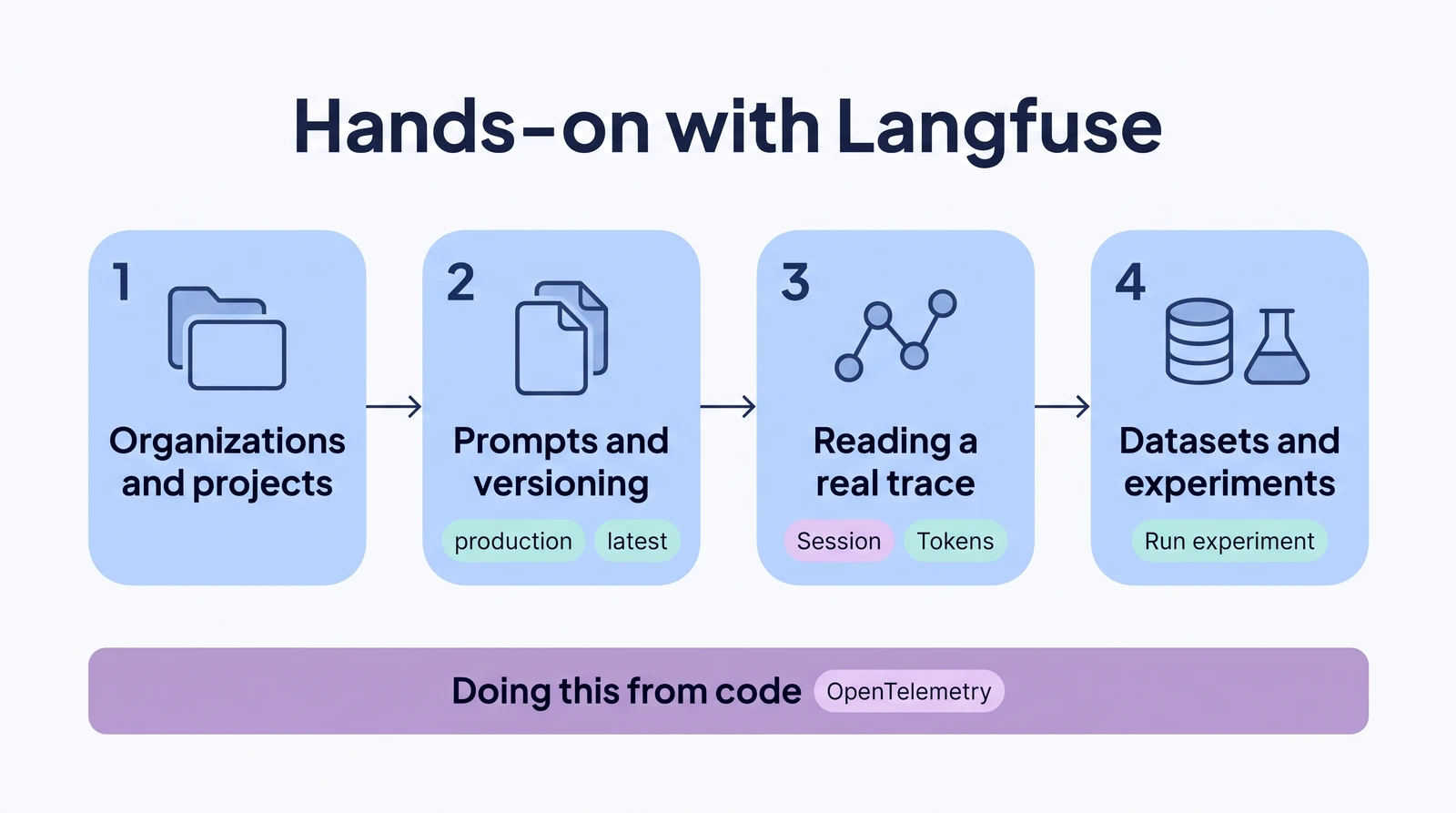
Langfuse is one of the best-known open-source LLM engineering platforms. It covers prompt management, tracing (a record of what an LLM app did, step by step), evaluation and datasets. We logged into Langfuse's hosted EU cloud and went through the loop by hand: open a prompt, version it, read a trace, and run an experiment over a dataset.
- When: July 2026. The screenshots are from that month, and the web app showed version v4.0.0-rc.2. One template test was added on 2 November 2026.
- Where: Langfuse Cloud, EU region, Hobby plan, with an OpenAI key added to the project.
- Python SDK version: not recorded.
The main comparison post puts the findings next to LangSmith, PromptLayer and AcruxCore. We build AcruxCore, one of the tools in that comparison.
1. Organizations and projects
Langfuse groups work into organizations, and each organization holds one or more
projects. A project is a separate space for traces, prompts and datasets, like a
"workspace" in other tools. The account we used already had two organizations with three
projects between them, and the steps below use a project called acruxcore-research.
2. Prompts and versioning
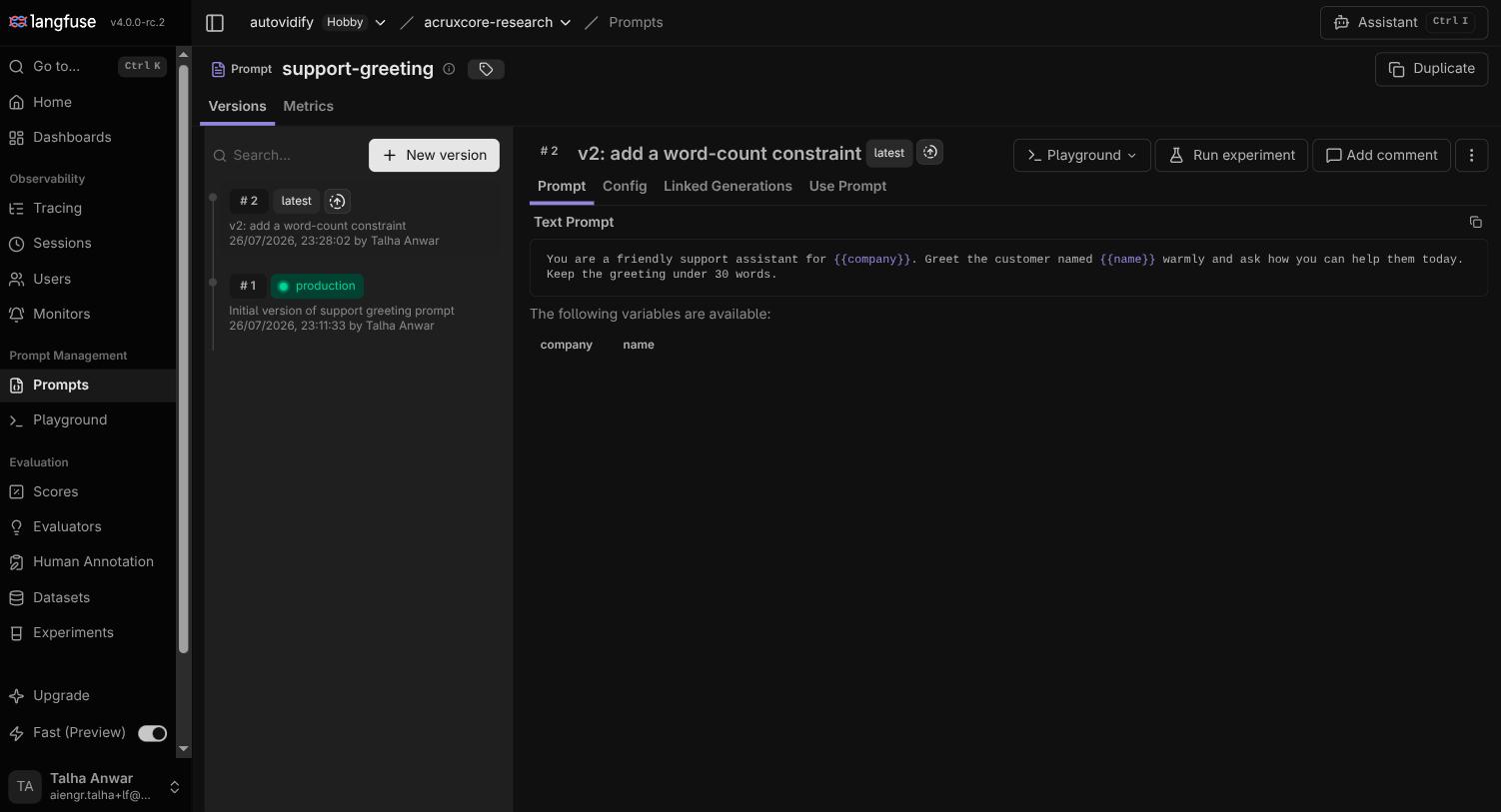
Inside the acruxcore-research project, a prompt called support-greeting already
existed with two versions. Langfuse's prompt editor takes plain text, or a "chat" mode for
multi-message prompts, with {{variable}} placeholders. It detects the variables from the
text (company and name here), so there is no separate declaration step.
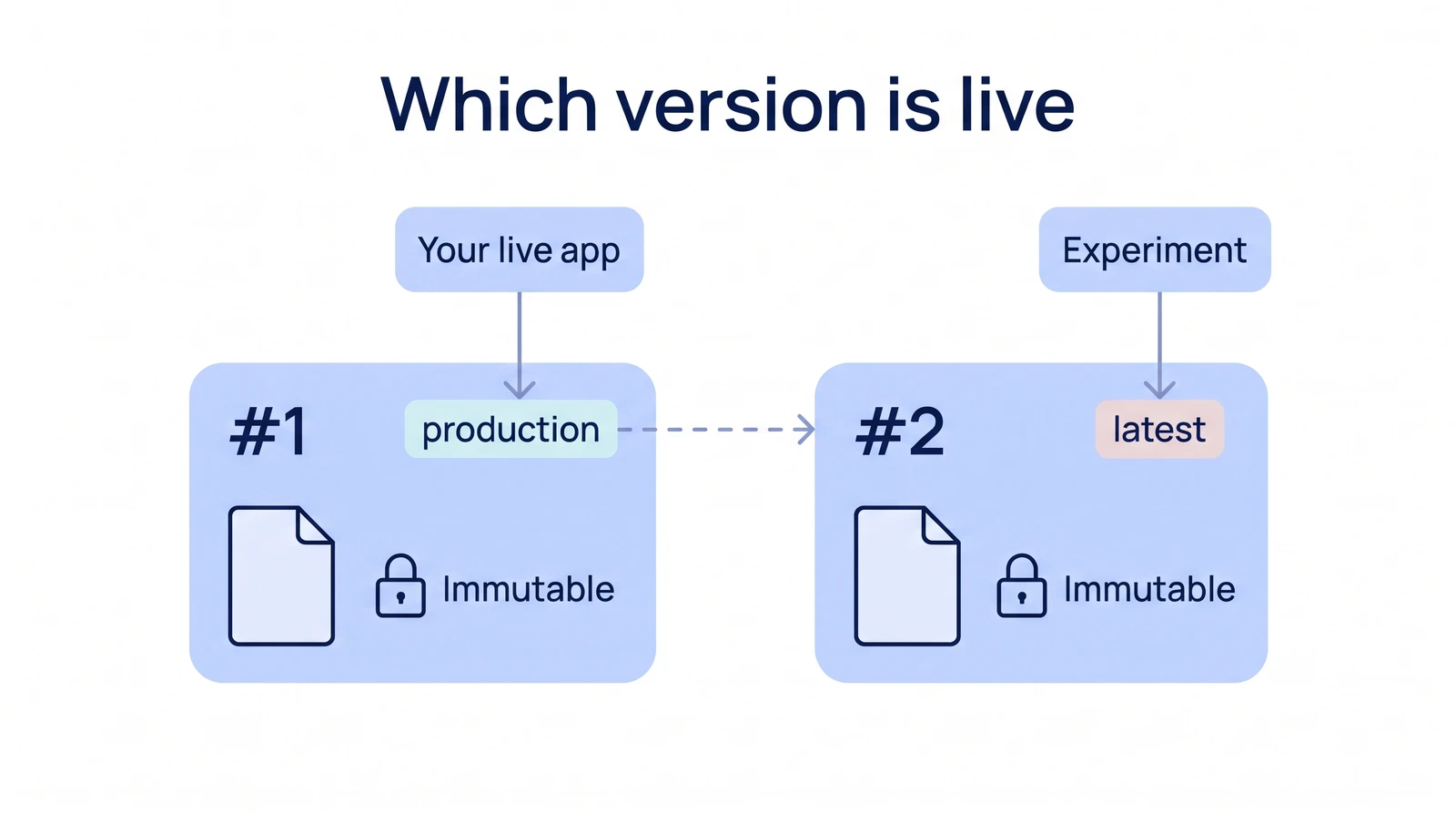
Every prompt version is immutable. Editing creates a new version instead of overwriting
the old one, close to Git's commit model. Version #1 ("Initial version
of support greeting prompt") carries the production label; version #2 ("add a
word-count constraint") is the newest edit and carries the latest label. Your
live app can keep pointing at production while you experiment with latest, and
only move the production label forward once you're happy with the new version.
Show screenshot: Langfuse prompt versions with production and latest labels
Labels are how Langfuse marks which version is live. Besides production and latest,
you can add labels with your own names, such as staging or candidate. Langfuse fills
{{variable}} placeholders but does not run template logic: in a test on
2 November 2026, {% if %} text in a prompt came back unchanged after compiling. A text
prompt can include another prompt with a reference tag such as
@@@langfusePrompt:name=rate-card|label=production@@@, which Langfuse fills in when the
prompt is read.
3. Reading a real trace
Langfuse's Playground runs a prompt against a model once the project has an LLM provider connection (OpenAI, Anthropic, etc.). You add one under Settings → LLM Connections, with your own API key. With an OpenAI connection, the Playground returned a reply on the first run:
Show screenshot: completed run in the Langfuse Playground
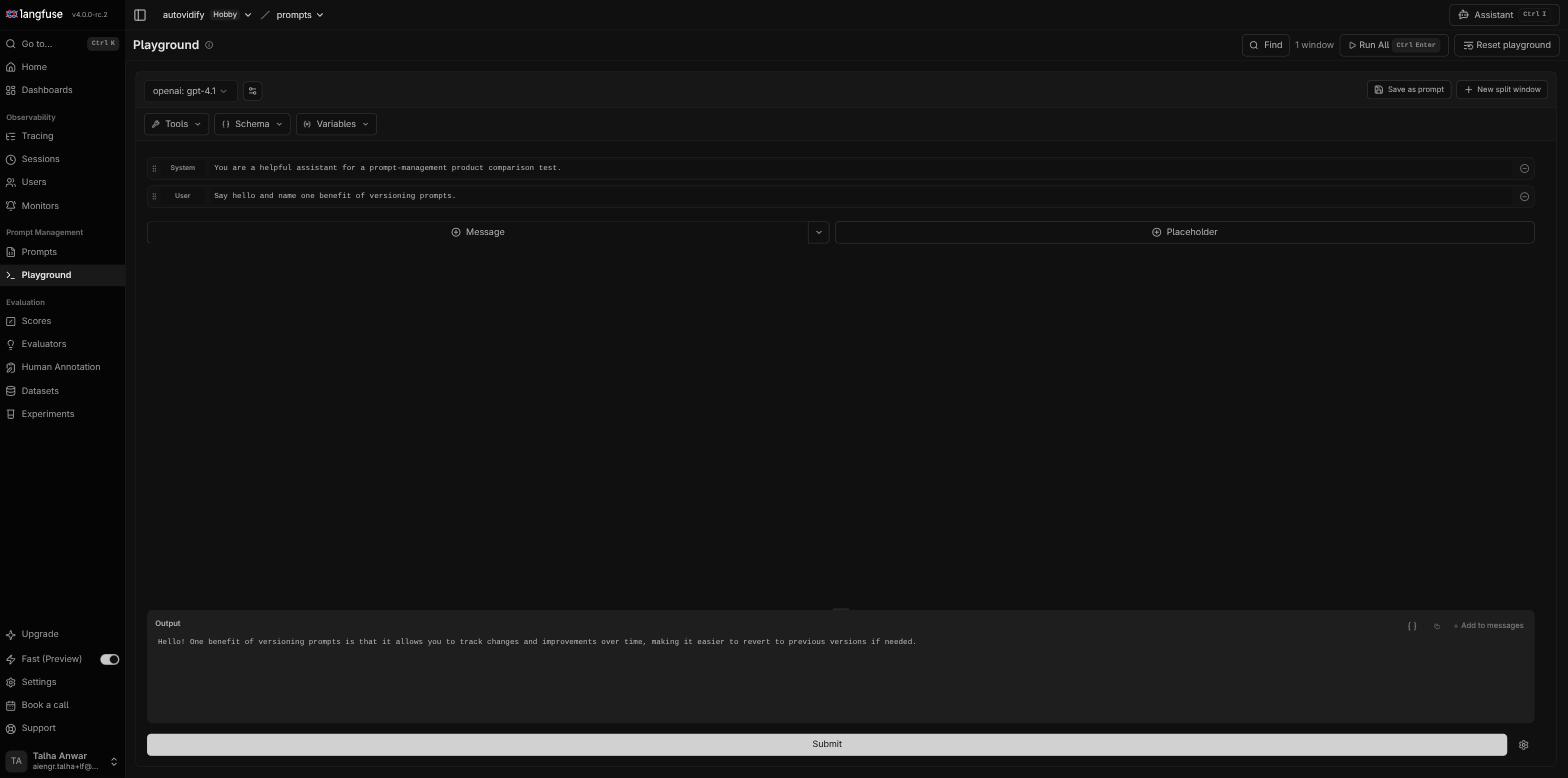
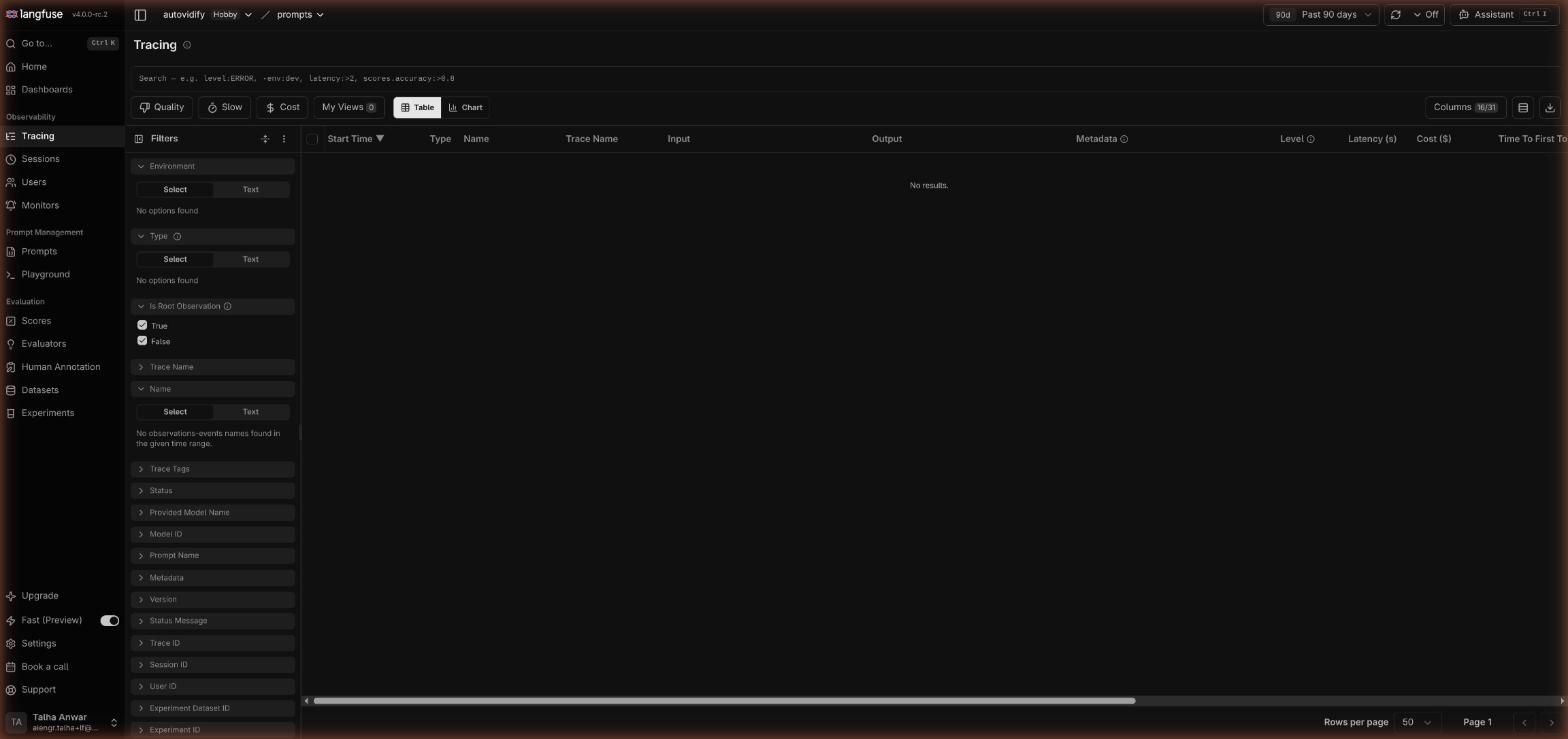
In our July 2026 test, the Playground run did not create a trace. The Tracing table showed no new rows right after the run. Langfuse's Playground docs do not say either way, so check this on the current version before you rely on it:
Show screenshot: Langfuse Tracing table still empty after the Playground run
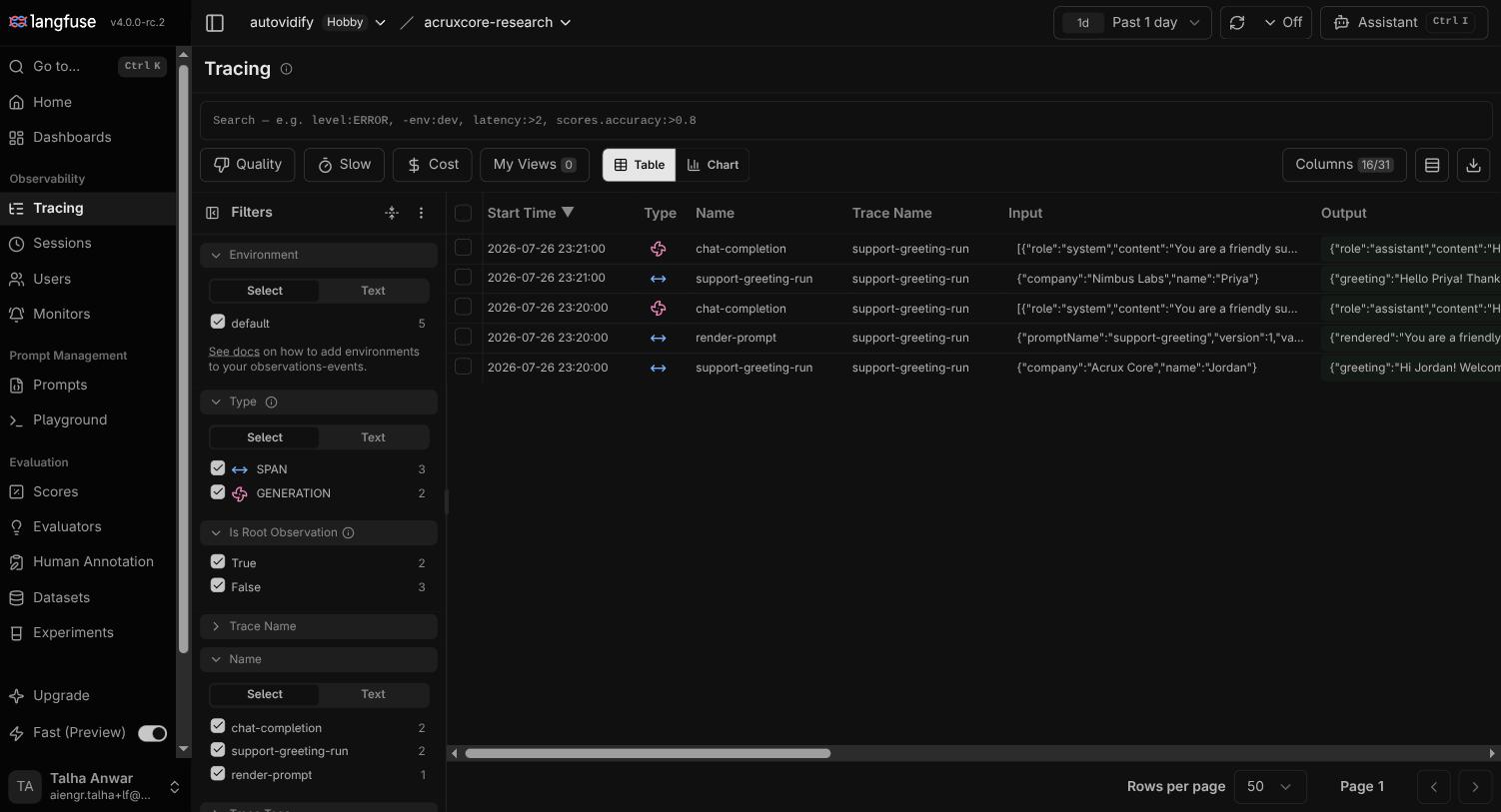
Langfuse's traces come from its ingestion API, which any app can send events to. The SDKs use this API, and the project already had trace data from that path.
Show screenshot: Langfuse tracing table with generations and spans
Opening one trace shows the full picture:
Show screenshot: Langfuse trace detail with session, cost and tokens
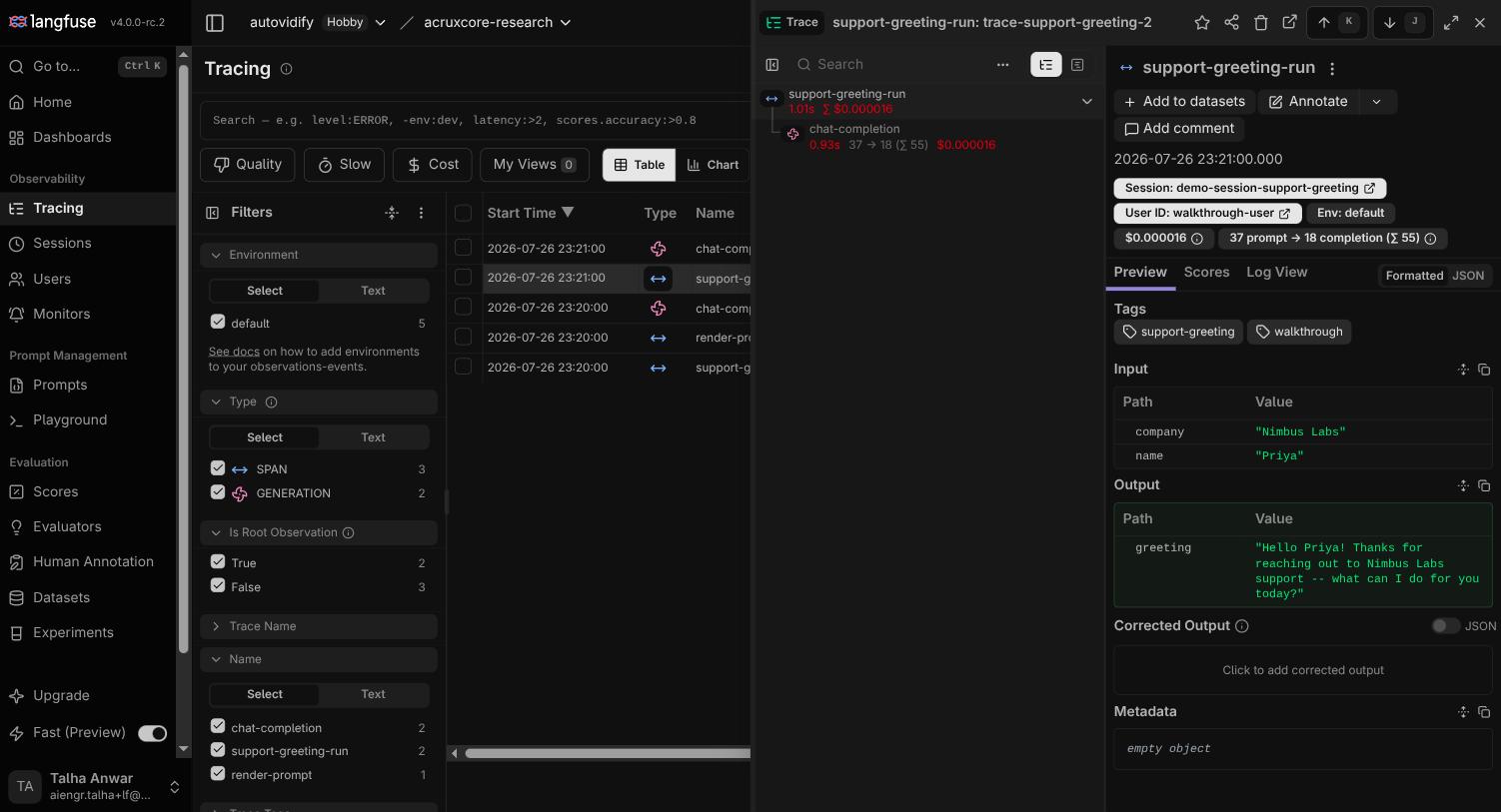
- A tree. The top-level trace (
support-greeting-run) contains achat-completiongeneration, with its own duration and cost: 0.93 s and $0.000016 for the generation, and 1.01 s and $0.000016 for the whole trace. - Tokens: 37 prompt tokens and 18 completion tokens (55 in total), shown inline.
- Session and user: badges for
Session: demo-session-support-greetingandUser ID: walkthrough-usersit in the trace header. Each one opens every other trace with that session or user. - Tags on the trace (
support-greeting,walkthrough), and "Add to datasets" and "Annotate" actions on the trace page.
This is a span-based view, not a flat call log. For an agent with tool calls, the same tree has more branches.
4. Datasets and experiments
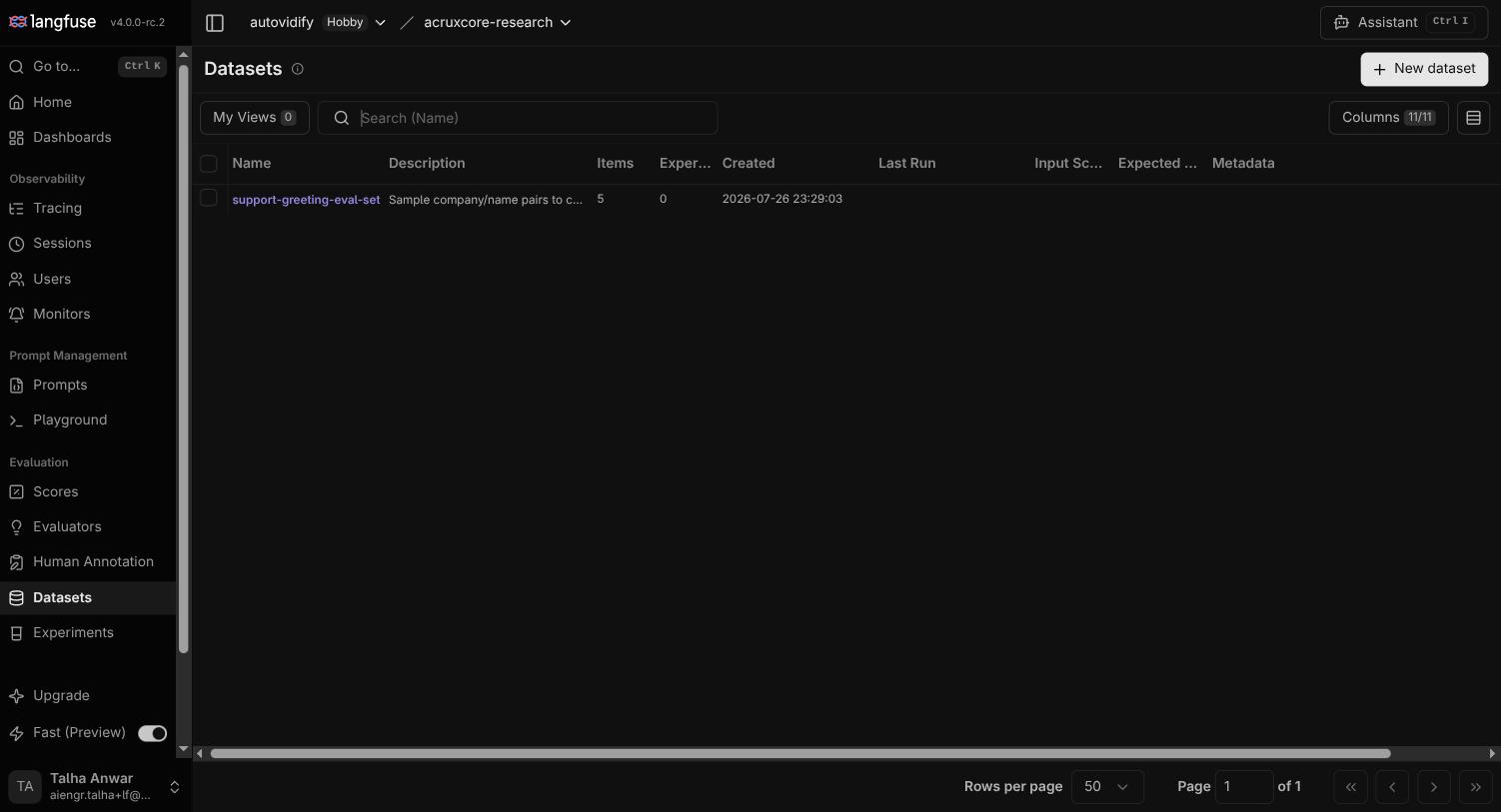
Langfuse's Datasets are simple input/output pairs you can build up over time
(manually, from production traces, or via the API). The project already had a
support-greeting-eval-set dataset with 5 items, meant to check prompt behavior
across different company/name inputs.
Show screenshot: Langfuse datasets list
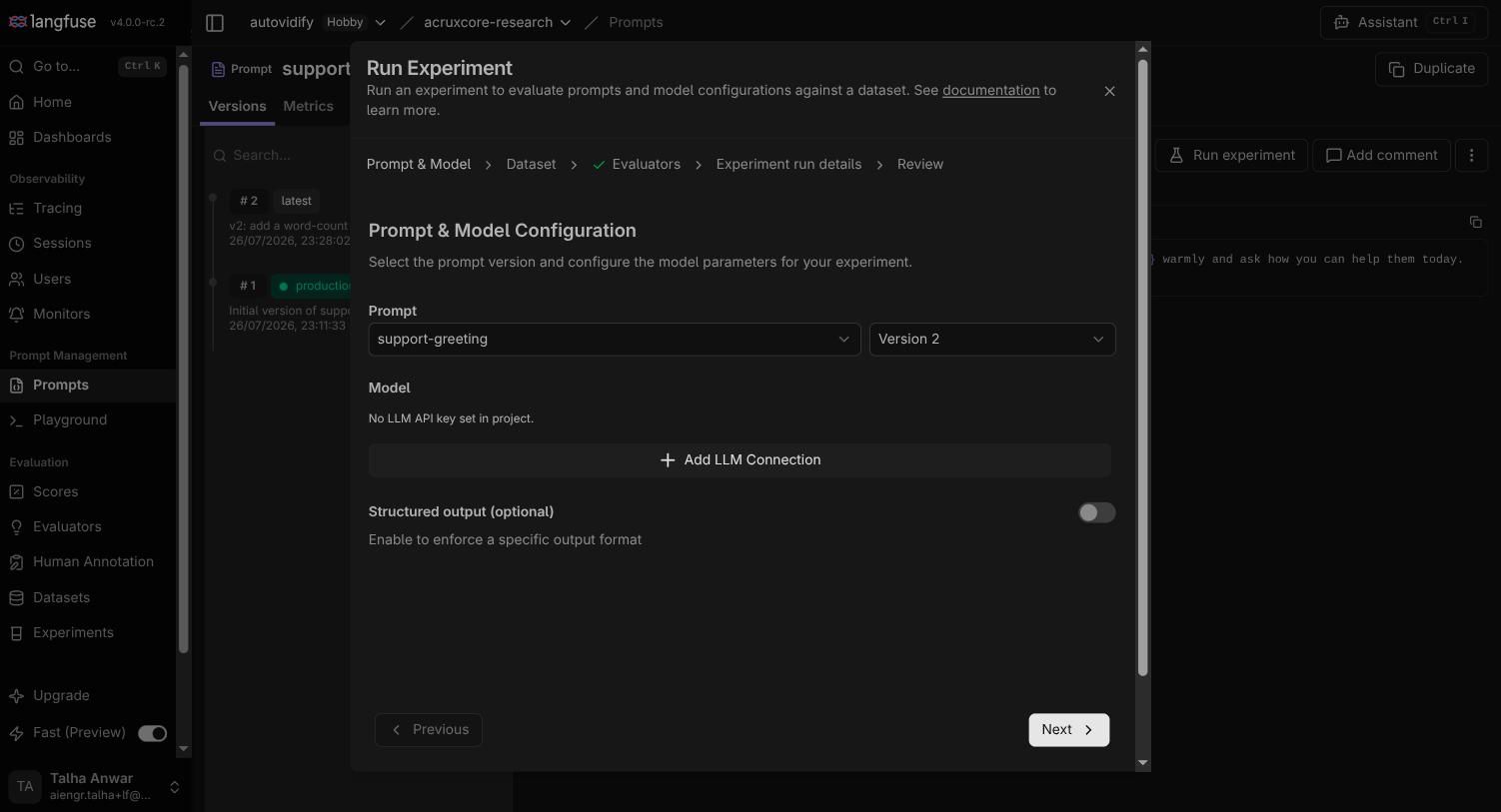
From a prompt version, "Run experiment" opens a multi-step wizard: pick the prompt version and model, pick the dataset, pick evaluators, fill in run details, then review. The model step needs the same LLM connection as the Playground. In a project without one, the wizard stops at that step:
Show screenshot: Langfuse Run Experiment dialog asking for an LLM API key
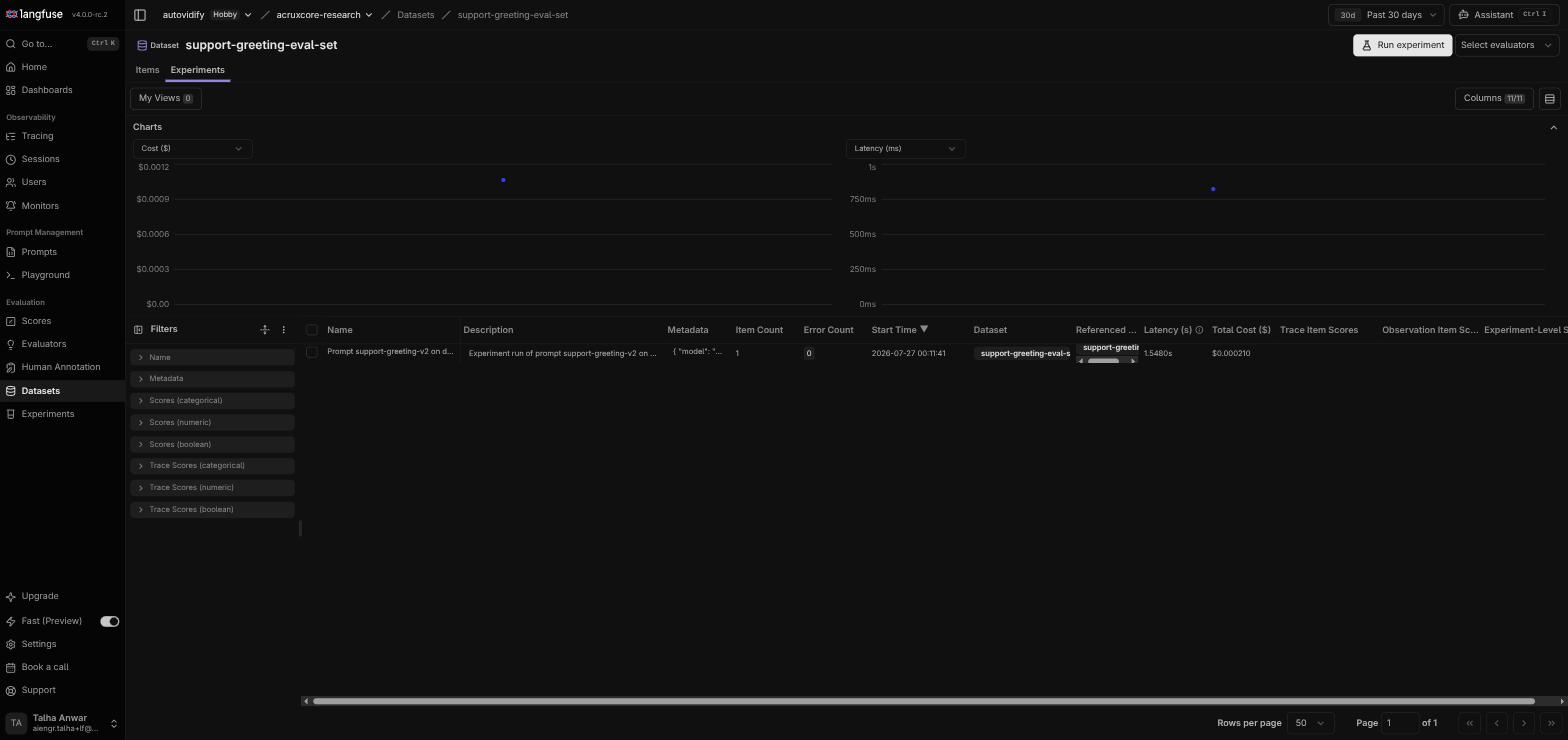
With the OpenAI connection in place, we ran an experiment against the
support-greeting-eval-set dataset: pick the prompt version and the openai: gpt-4.1
model, review, run. The run completed in seconds, cost $0.00021, and took 1.55s in
total for the dataset.
Show screenshot: completed Langfuse experiment run
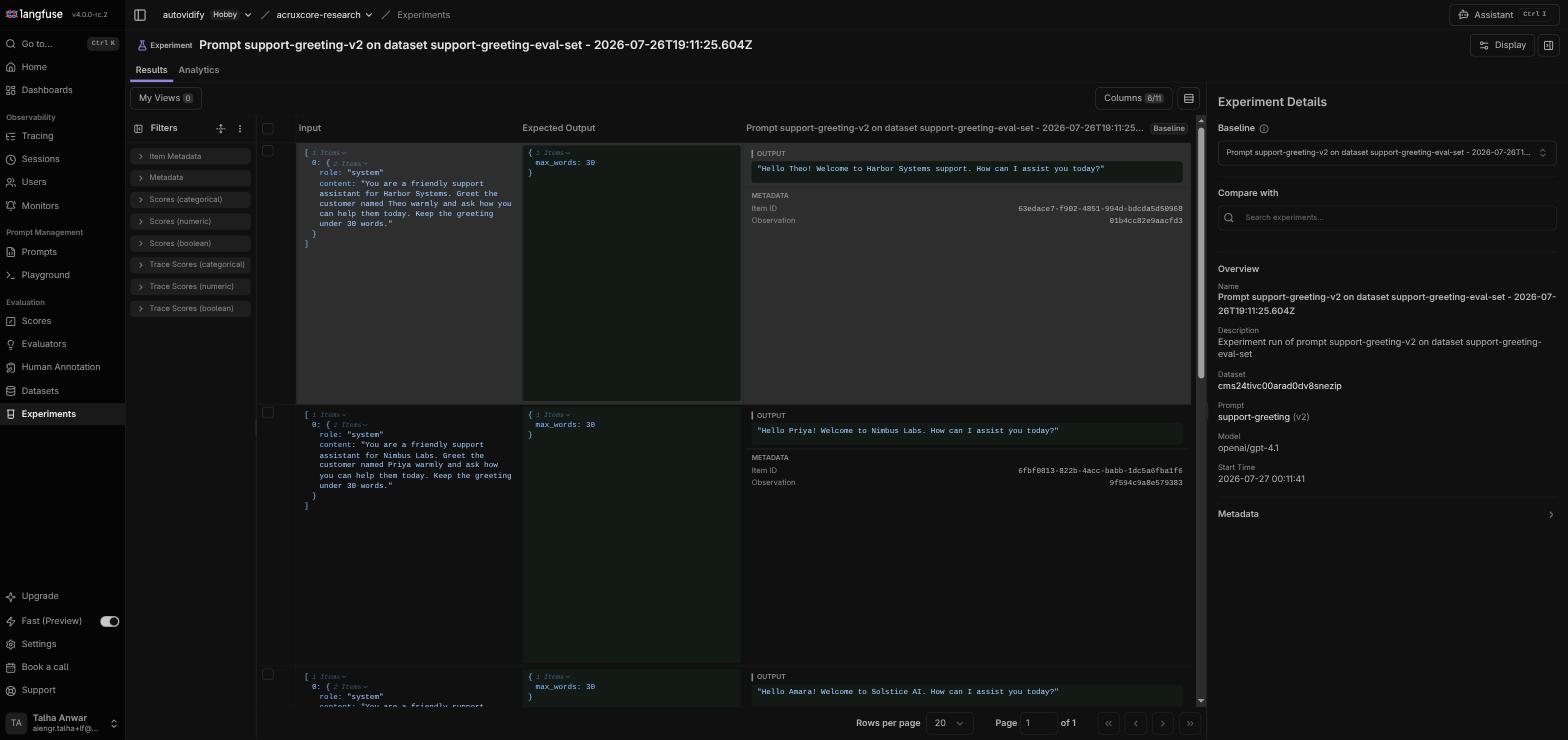
The results show the generated output next to each dataset row. For example, the input
{name: "Theo", company: "Harbor Systems"} produced "Hello Theo! Welcome to Harbor Systems
support. How can I assist you today?", which follows the prompt with that row's variables:
Show screenshot: Langfuse experiment outputs per dataset item
The wizard also has an evaluator step for automatic scoring, and each run is tracked on the dataset page.
Doing this from code
Everything above used the web UI. In an app, you instrument calls with the Langfuse SDK instead. It wraps your existing OpenAI client, so every call is traced with no span code:
import os

from langfuse.openai import openai

client = openai.OpenAI(api_key=os.environ["OPENAI_API_KEY"])

response = client.chat.completions.create(
    model="gpt-4o-mini",
    messages=[
        {"role": "user", "content": "Explain prompt versioning in one sentence."}
    ],
    name="explain-prompt-versioning",
)

print(response.choices[0].message.content)
Running this (with LANGFUSE_PUBLIC_KEY, LANGFUSE_SECRET_KEY, and LANGFUSE_HOST
also set as environment variables) printed a real answer:
Prompt versioning is the practice of creating, managing, and refining different
iterations of prompts used in AI models to optimize performance, consistency, and
relevance in responses over time.
The call appeared as a trace within seconds, with no trace() or span() calls in the
script:
Show screenshot: Langfuse trace from the SDK script
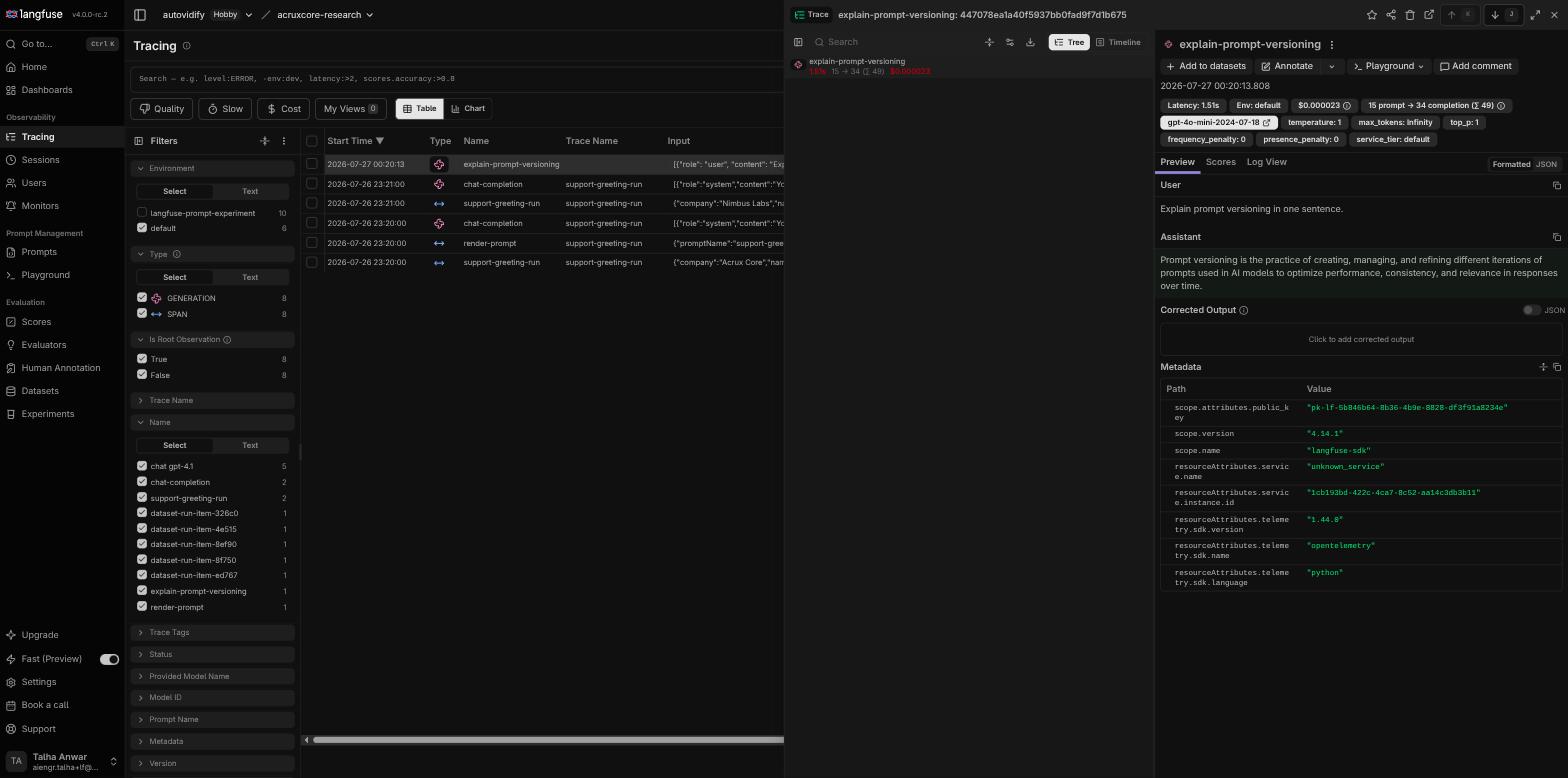
The trace's metadata shows that Langfuse's Python SDK is built on OpenTelemetry
(resourceAttributes.telemetry.sdk.name: opentelemetry), an open standard for tracing.
Langfuse also documents an OTLP endpoint
at /api/public/otel, so an app that already uses OpenTelemetry can send its spans there
(checked on 2 November 2026).
Key point: Langfuse's trace view and Git-like prompt versions worked as soon as the project had an OpenAI key. The Playground and the experiment wizard both need that key, and in our test only SDK calls and experiment runs produced traces.
What's unique to Langfuse
- An organization → project hierarchy, for teams that run many separate workspaces.
- Session and user badges on the trace header. Each badge opens every trace with that session or user, from the trace you are reading.
- "Add to datasets" on the trace page, which turns a production trace into a dataset row in one click.
- Immutable, Git-like prompt versions with commit messages, so the version list shows what changed in each save. This is a version history, not an audit log: Langfuse's audit log is on the Enterprise plan.
Where this leaves things
Langfuse's strongest part in this test was the trace view: the observation tree shows cost and latency per node, with the session and user always in view. The prompt versioning model is simple and Git-like. The Playground and Experiments both need an LLM provider connection with your own key, and both worked once a key was in place.
FAQ
How do you trace OpenAI calls with Langfuse?
Import the OpenAI client from langfuse.openai and set LANGFUSE_PUBLIC_KEY,
LANGFUSE_SECRET_KEY and LANGFUSE_HOST. Each call then appears as a trace with no span code.
How do Langfuse prompt labels work?
A label points at one prompt version. production marks the live version, latest follows the
newest version, and you can add labels with your own names, such as staging.
Does Langfuse support Jinja templates?
No. Langfuse fills {{variable}} placeholders, but in our 2 November 2026 test {% if %} text
came back unchanged. A text prompt can include another prompt with a reference tag instead.
Does a Langfuse Playground run create a trace?
In our July 2026 test it did not: the Tracing table showed no new rows after a Playground run. SDK calls and experiment runs did produce traces.
Is Langfuse built on OpenTelemetry?
Yes. Langfuse's Python SDK is built on OpenTelemetry, and Langfuse accepts OpenTelemetry spans
on its /api/public/otel endpoint.
Further reading
- AcruxCore vs Langfuse runs one app on both platforms, with measured numbers and prices.
- AcruxCore vs Langfuse vs LangSmith adds LangSmith to the same app.
- Langfuse vs LangSmith compares the two hosted platforms on one app.
- 7 Langfuse alternatives compares the tools teams move to.