Tool catalog
LLM tool calling from a versioned tool catalog.
Define a callable function once, version it, and bind it to a prompt. Rendering that prompt hands the model its tools — and you choose whether the call runs inside your own process or server-side over HTTP.
What you get
Versioning, execution, bindings and analytics.
The same versioning model
Tools get immutable numbered versions and named aliases, exactly like prompts. Changing a tool schema is a promotion, not a deploy.
Two ways to execute
Keep the function in your own process and let the SDK dispatch to it, or register an HTTP-backed tool the platform calls server-side and records for you.
Bound per prompt alias
A tool belongs to the prompt that uses it, and the binding is per alias. One render call returns the messages and the tool schemas together, so the two can never drift apart.
Execution analytics
Every tool call is recorded as a span with its input, output, and duration — so a flaky tool is visible instead of hiding inside a model answer.
Staging vs production
Which tool version a prompt actually gets.
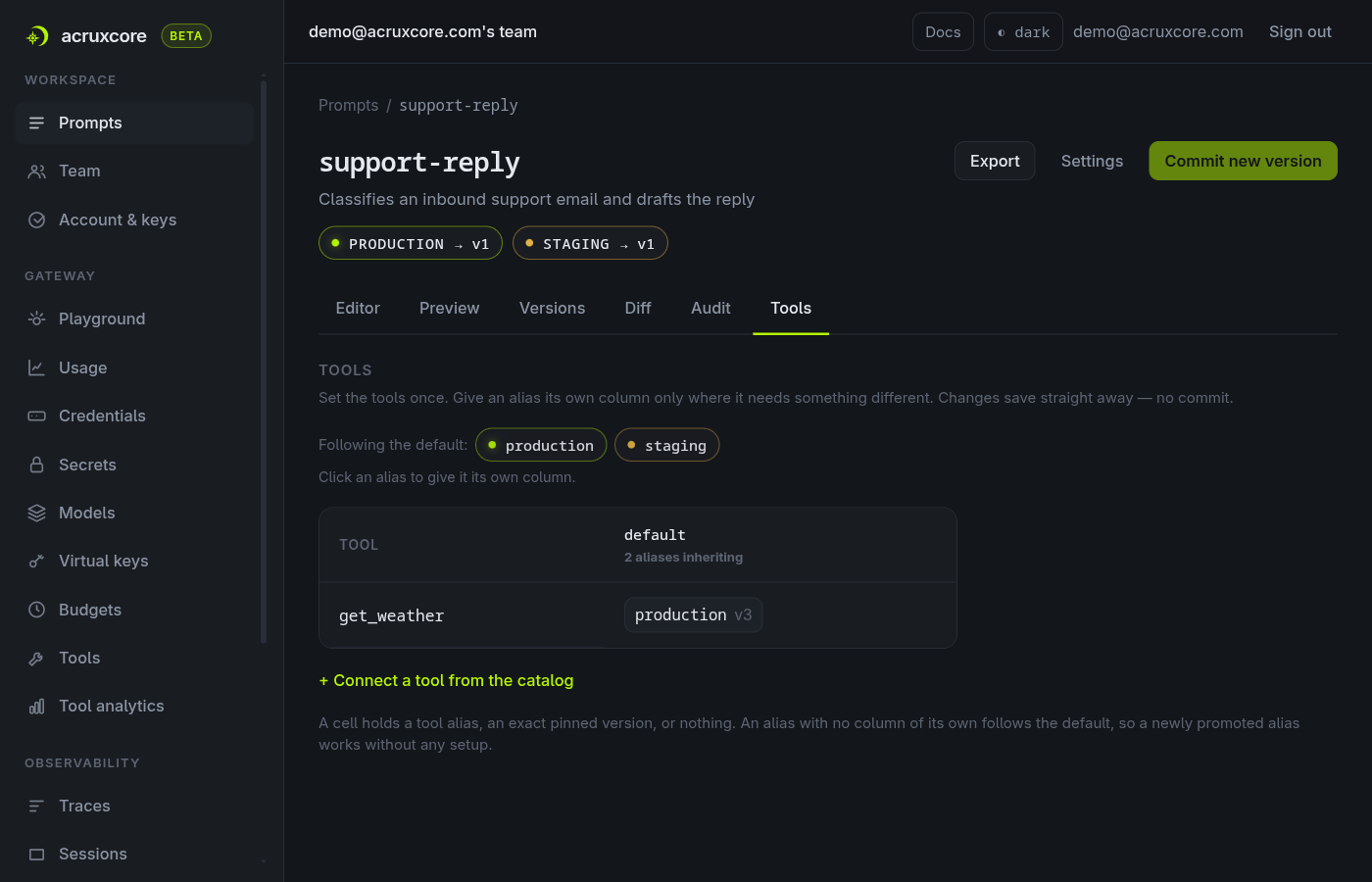
Bindings are set per prompt alias, so staging can exercise a new tool schema while production keeps the one it trusts. Each cell in a prompt's Tools grid holds one of four things.
| The binding says | What that prompt alias gets |
|---|---|
| production v3 | Follows the tool's own alias. Promote a new tool version to production and the prompt picks it up with no prompt change at all. |
| pinned v2 | That exact version, whatever the tool's aliases do next. |
| inherits | Whatever the prompt's default binding says — the common case, and the reason a newly created alias works with no setup. |
| none | Nothing. The tool is withheld from that one alias on purpose. |
Bindings save immediately and are not part of a prompt version, so changing one is not a commit — and rolling a prompt alias back does not roll a binding back with it.
Execution
What "no deploy" does and does not cover.
Schemas and bindings are catalog data — changing them is a promotion, and your app never notices. The code behind a tool is a separate question, and the answer depends on where that code runs.
A tool in your process
The SDK dispatches to your function, so the model's arguments reach your own code and your own network. Changing that function body is a change to your application, and it ships when your application ships.
An HTTP-backed tool
The platform calls your endpoint server-side, with credentials held as secrets instead of sitting in the tool definition, and can transform the response before the model sees it.
Recorded either way
Both paths write a tool span with input, output and duration, and both feed per-tool analytics — so a slow or failing tool is visible rather than hidden inside a model answer.
In the dashboard
Everything without writing a line of code.
The API and SDKs cover the automated path. For the day-to-day, the dashboard does the same work in the browser.
- Define a tool and its JSON-schema parameters without writing boilerplate.
- Bind a tool to any prompt and pick which version each alias points at.
- Store credentials for HTTP tools as secrets, never in the tool definition.
- Transform an HTTP response before the model sees it.
- Read per-tool usage analytics to find the calls that fail or run long.
Go deeper
Documentation for this piece.
The rest of the platform
It composes with the other six.
Each piece works on its own, and they get better together — a trace links back to a prompt version, a dataset is built from feedback.